Signature editor
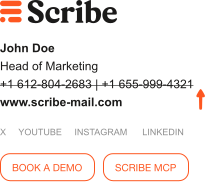
Easy-to-use visual editor to create and modify signatures without coding.
Signature editor
Easy-to-use visual editor to create and modify signatures without coding.
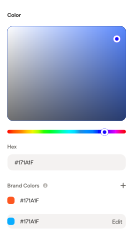
Full customisation & branding
Create signatures that match your company's visual identity with custom colours and layouts.
Department-specific signatures
Create different signature designs for sales, support, marketing, and other departments.
Smart layout adaptation
Signature layouts auto-adjust when your teammates' data is missing. No blank fields or gaps.
Template library
Access to professionally designed signature templates ready to customise.
Marketing blocks
Add promotional banners, events, and 16+ pre-made marketing badges to signatures.
Social media icons
Add clickable 100+ social media icons (LinkedIn, Twitter, Facebook, etc.) to your email signatures.
GIF support
Add animated GIFs to make signatures more engaging and eye-catching.
Legal disclaimers
Include required legal text and compliance information in signatures.
Sign-off
Add closing phrases like "Best regards" or "Sincerely" above your signature in every email.
Brand asset library
Store and organise your logos, images, and brand elements in our image library.
Cloud storage integrations
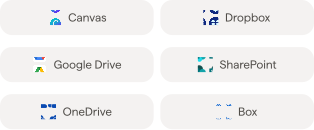
Connect Canva, Dropbox, Google Drive and other services to access your brand assets.
Modular building blocks
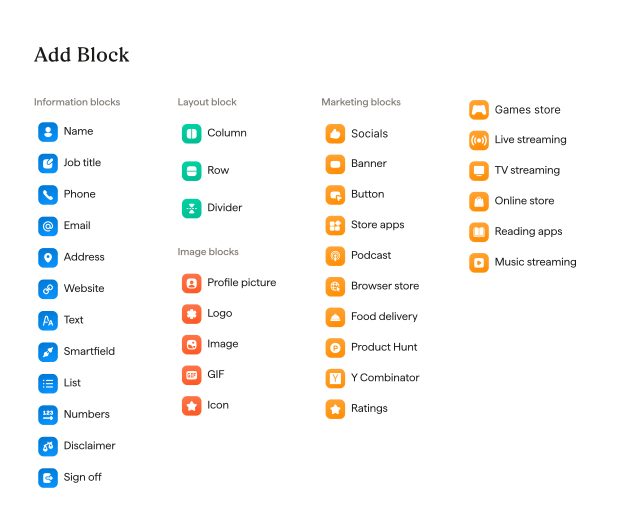
Compose any signature from 30+ ready-made blocks. Contact details, images, layout, and marketing.
ROI
See how much revenue and time your team could gain with Scribe email signatures.
12% average click-through rate - 6x higher than email marketing standards. Measured on 50,000+ emails with Scribe marketing banners.
With Scribe's conversion tracking, it's a number you will be able to measure.
ROI Calculation
Monthly
Yearly
Save 20%252,0000
Yearly outreach emails
New leads per year
30,2400
Paying customers
6000
Average order value
$100$0
Potential yearly revenue
$60,000$0
Yearly billing discount
-$348$0
Scribe Yearly Cost
-$1,392$0
Total Earned
+$58,608$0
This is earned back on a yearly basis


Join 10,000+ companies using Scribe to power 15 million daily brand impressions
No card required. All features. Unlimited users.