10 Automatic Response Samples to Boost Customer Engagement
The effectiveness of automated responses is crucial for maintaining strong client relationships in today's digital communication landscape. This article
Sophie Grant
Email Signature Specialist, Scribe
On this page
- Introduction
- Scribe: Automate Your Email Signatures for Consistent Customer Engagement
- Set Clear Expectations in Automatic Responses
- Add Transparency to Your Automated Replies
- Provide Alternative Options in Automatic Responses
- Personalize Your Automated Responses for Better Engagement
- Optimize Timing for Sending Automated Responses
- Incorporate Humor in Your Automated Messages
- Request Feedback in Your Automated Replies
- Maintain Professionalism in Automated Responses
- Regularly Update Your Automated Response Messages
- Conclusion
- Frequently Asked Questions
- List of Sources
Introduction
The effectiveness of automated responses is crucial for maintaining strong client relationships in today's digital communication landscape. This article explores ten impactful samples of automatic replies designed to enhance customer engagement and satisfaction. Readers will discover how to craft messages that not only set clear expectations but also incorporate personalization, transparency, and even humor, all while maintaining professionalism. Businesses must prioritize crafting automated messages that resonate with clients to build lasting loyalty in an increasingly automated world.
Scribe: Automate Your Email Signatures for Consistent Customer Engagement
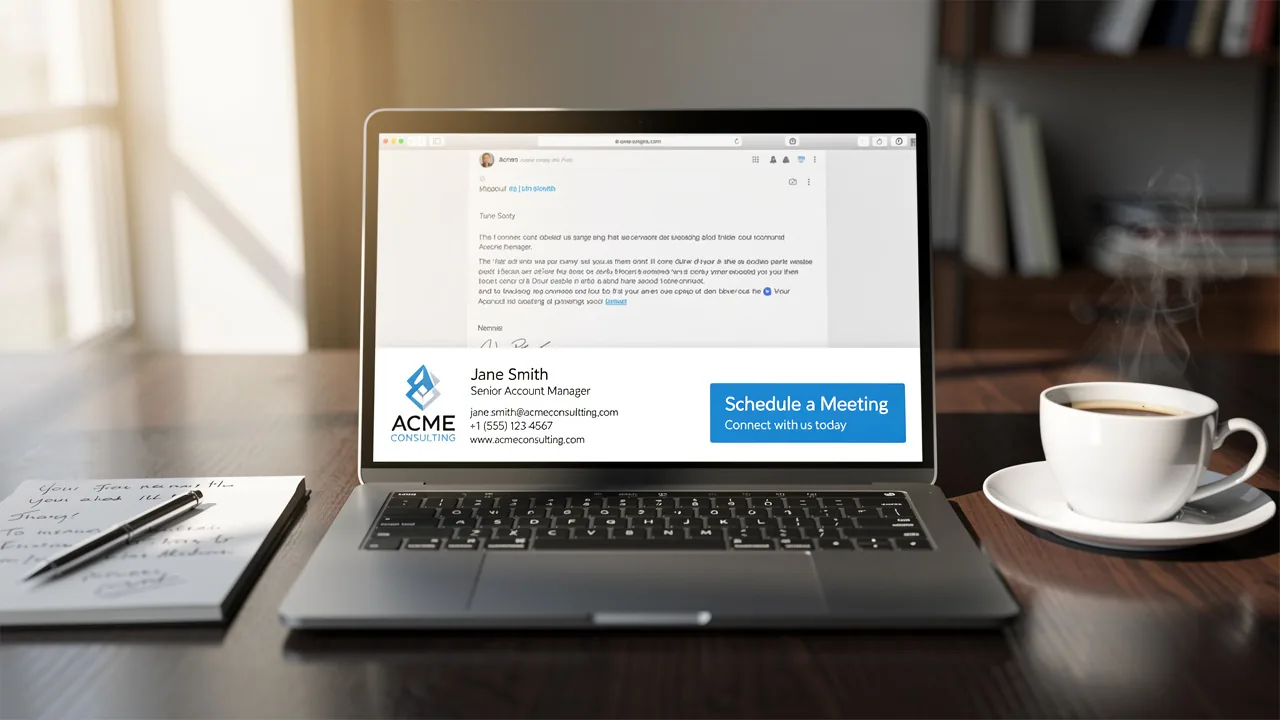
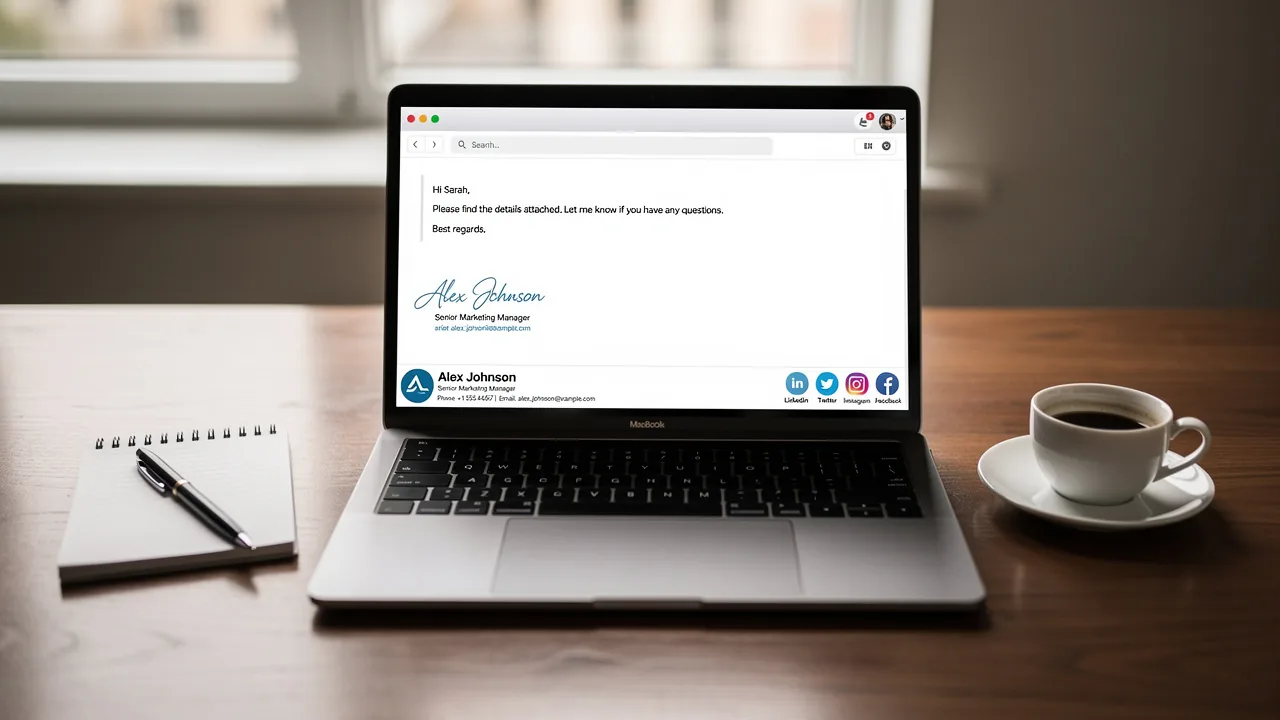
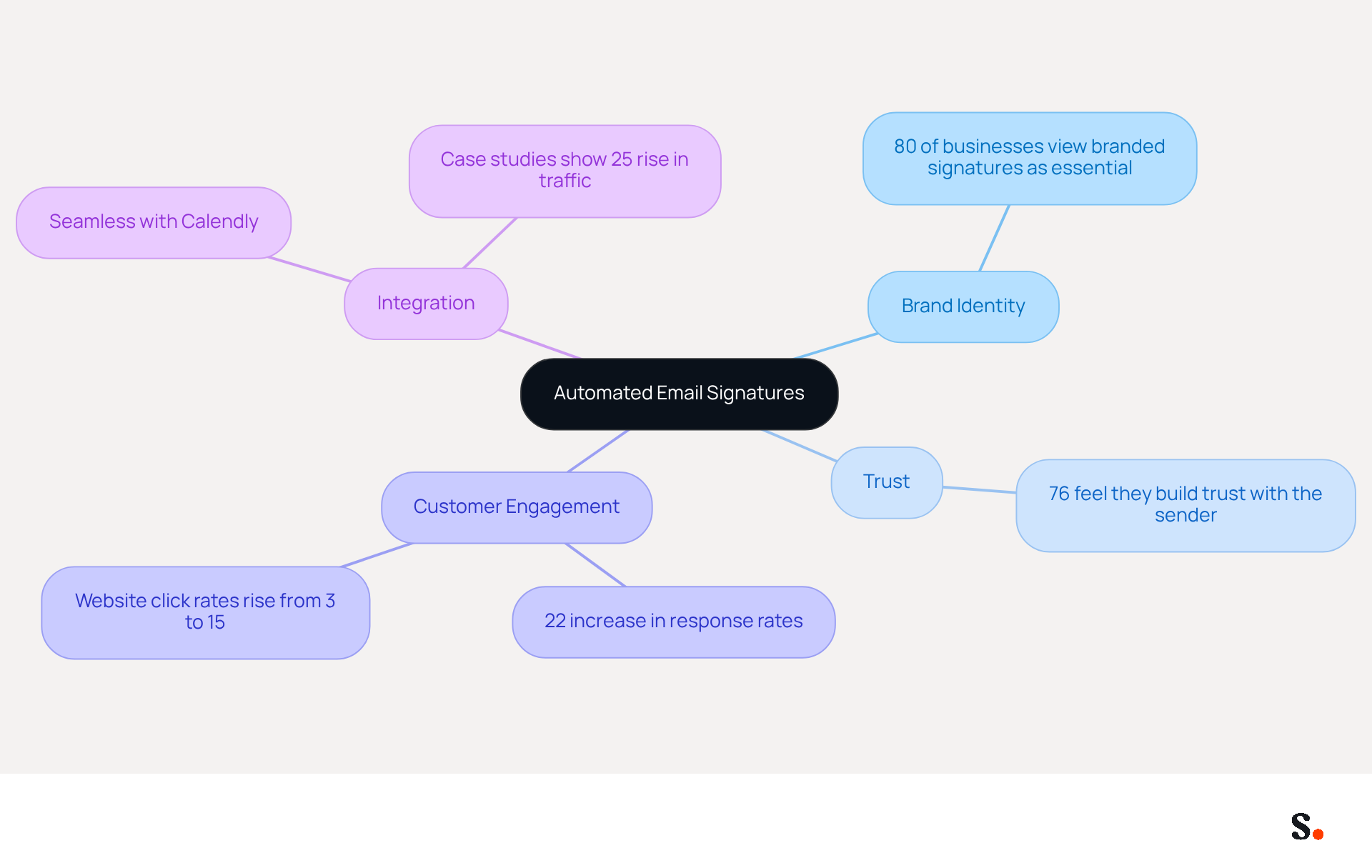
Inconsistent email signatures can undermine brand identity and trust, making effective management essential for organizations. Scribe offers a robust platform that automates the creation and management of signatures, ensuring that every message sent consistently reflects your brand's identity. This consistency is crucial; 80% of businesses view branded signatures as essential for their identity, while 76% feel they build trust with the sender. With Scribe, organizations can quickly implement updates and installations, making it a straightforward solution for teams of all sizes.
The platform converts signatures into powerful marketing tools, leading to improved customer engagement and higher conversion rates, as evidenced by a 22% increase in response rates for companies that adopt consistent signatures. Additionally, website click rates can rise from 3% to 15% with branded signatures. Furthermore, Scribe's automated approach allows for instant updates, ensuring that all signatures remain current and compliant with branding standards.
Recent trends indicate a growing reliance on electronic mail as a primary communication channel, with over 52% of prospects and customers preferring it. This shift emphasizes the need for effective signature management to maintain brand consistency and trust. By automating this process, Scribe creates an automatic response sample that not only saves time but also reduces the risk of errors, allowing marketing teams to focus on strategic initiatives rather than manual updates.
Additionally, Scribe seamlessly integrates with Calendly, ensuring that any scheduling changes are automatically reflected in your signatures. Case studies reveal that organizations using Scribe have successfully integrated signatures into their marketing strategies, leading to higher engagement rates compared to traditional campaigns. For example, a multinational corporation that standardized its communication signatures worldwide experienced a 25% rise in traffic to particular landing pages. This demonstrates the potential of well-managed email signatures to serve as effective marketing channels, reinforcing the critical role of automated signature management in maintaining brand integrity and maximizing marketing impact.
Set Clear Expectations in Automatic Responses
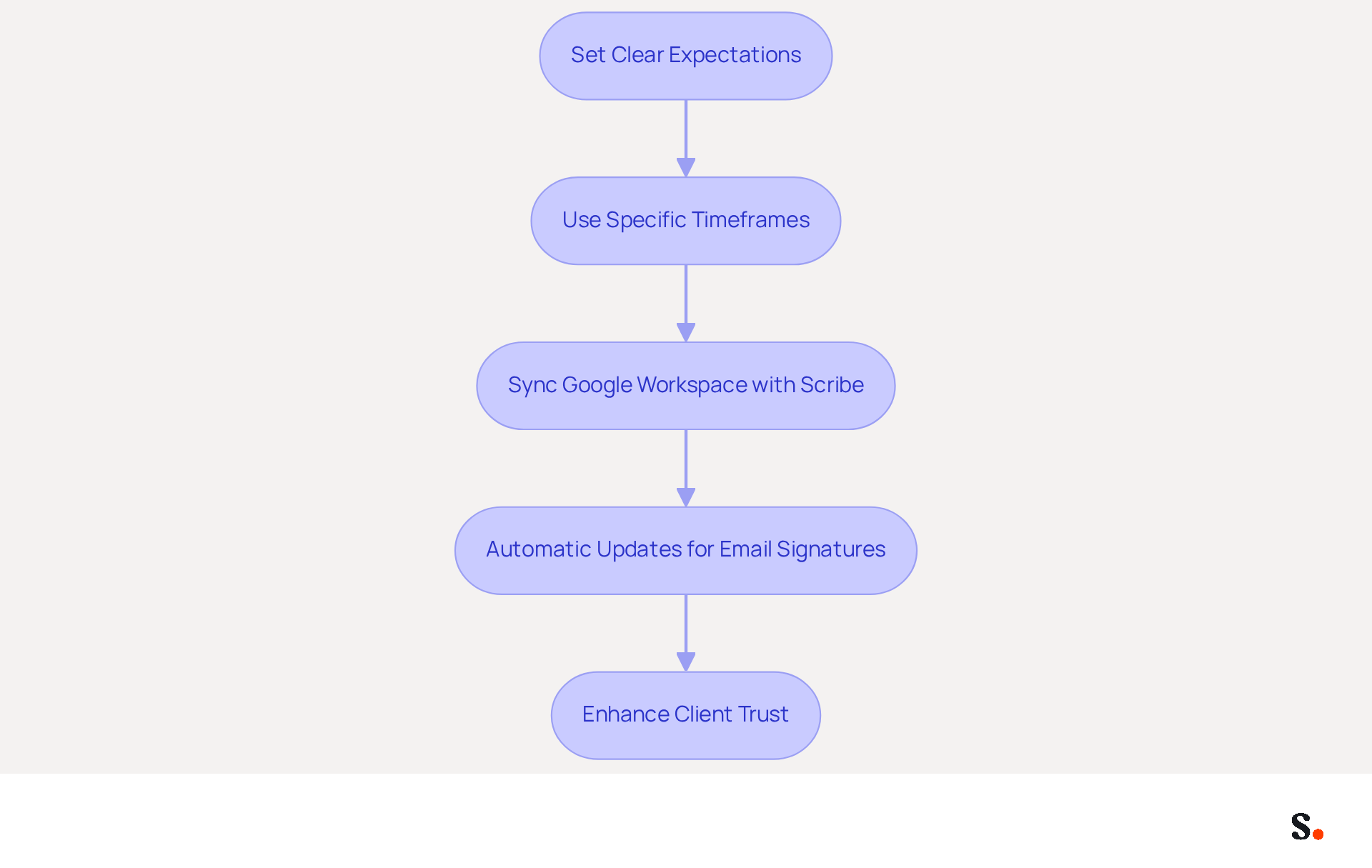
Establishing clear expectations in an automatic response sample is crucial for effective communication. For instance, instead of using vague phrases like 'we'll get back to you soon,' specify a timeframe such as 'we will respond within 24 hours.' This clarity helps manage expectations and eases client anxiety, leading to more positive interactions.
By syncing your Google Workspace with Scribe, you can streamline your email signature management. This integration saves time by automatically updating your teammates' information, ensuring that your out-of-office messages reflect the most current details without manual input. Any changes in your Google Workspace, such as moving teammates from one group to another or updating their information, will be automatically reflected in Scribe. This efficiency boosts your communication and keeps your brand consistent in every interaction. Additionally, Scribe's SOC 2 Type II certification and compliance with GDPR and CCPA ensure that your data is handled securely, further enhancing trust with your clients. Research shows that businesses with clear response timelines see a 30% increase in client satisfaction, making this approach a crucial tactic for effective communication with patrons.
Add Transparency to Your Automated Replies
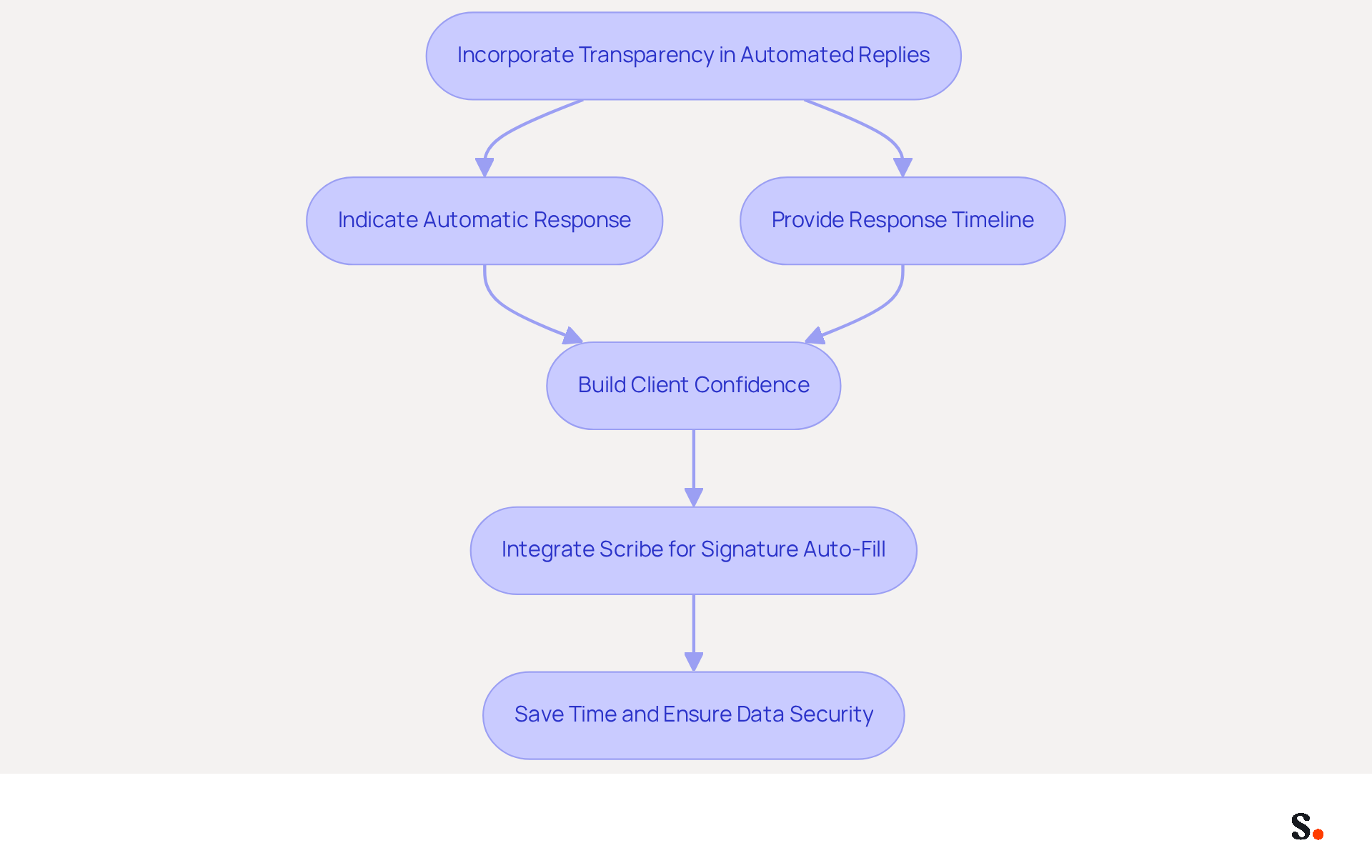
Incorporating transparency into an automatic response sample addresses client concerns about automated communication. Clearly indicate that the message is an automatic response sample and provide details about when they can anticipate a personal reply. For example, you might say, 'This is a machine-generated reply.' Our team will review your message and respond within 48 hours. This method not only keeps clients informed but also builds their confidence in your responsiveness.
With Scribe, you can further enhance this process by auto-filling your teammates' signatures using your HRIS as a data source, keeping signature information current automatically, relieving your team of manual updates. This integration saves your team valuable time while ensuring your data handling meets the highest security standards.
Provide Alternative Options in Automatic Responses
Enhancing client satisfaction hinges on providing alternative options in an automatic response sample. For instance, when clients need prompt assistance, they often feel frustrated when they cannot access immediate support. Directing them to a phone number or live chat reassures clients and gives them a clear resolution path.
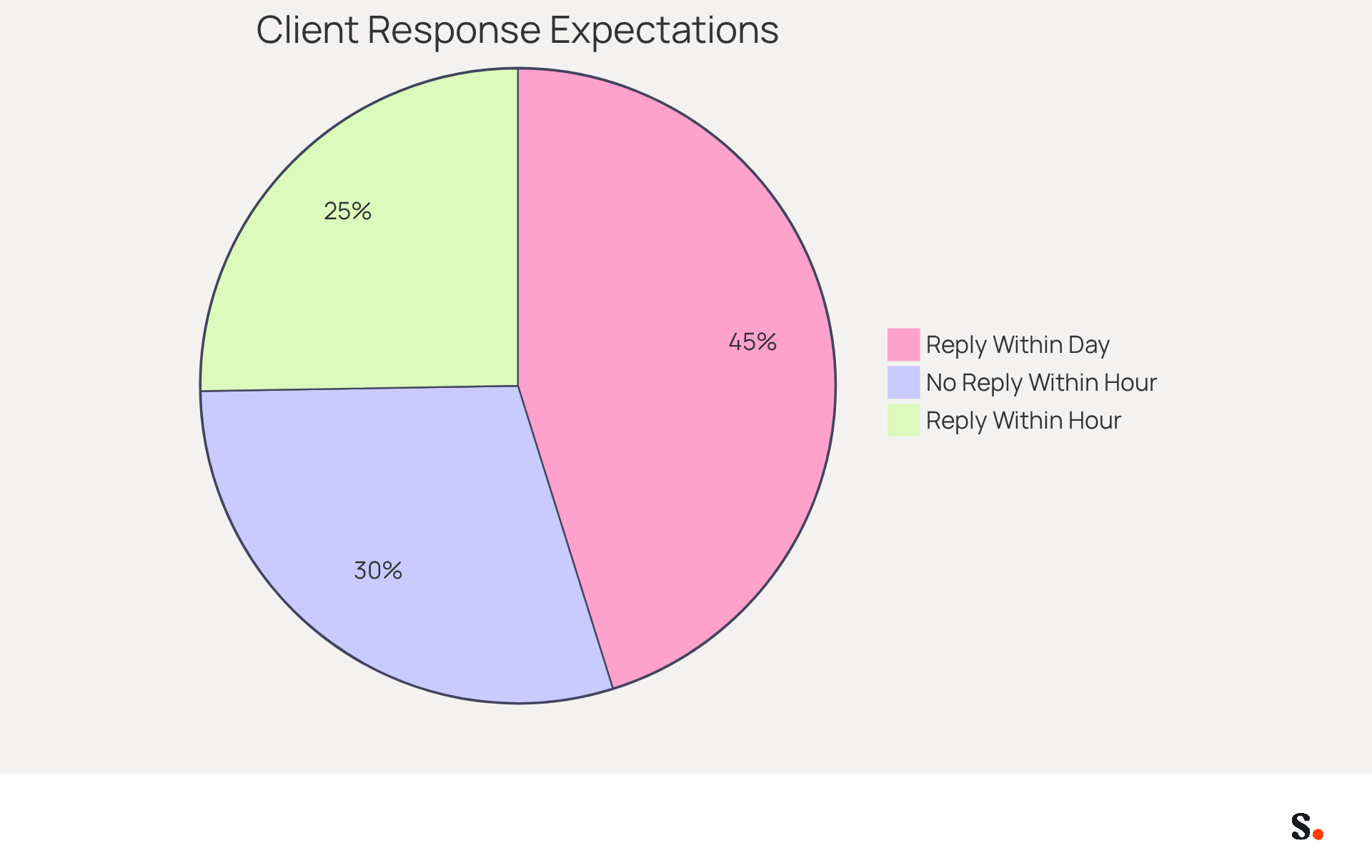
Research shows that organizations with effective self-service options see a 45% boost in client satisfaction. Moreover, 84% of clients expect a reply within a day, and 47% look forward to an answer within an hour, emphasizing the importance of swift communication.
By offering alternative support channels, businesses can enhance the client experience, ensuring that inquiries are addressed swiftly and effectively. This fosters a more positive client experience and builds loyalty, as demonstrated by case studies where programmed acknowledgments of client feedback resulted in enhanced engagement and satisfaction.
Ultimately, offering clear alternatives in an automatic response sample is a best practice that can transform interactions and reinforce brand values.
Personalize Your Automated Responses for Better Engagement
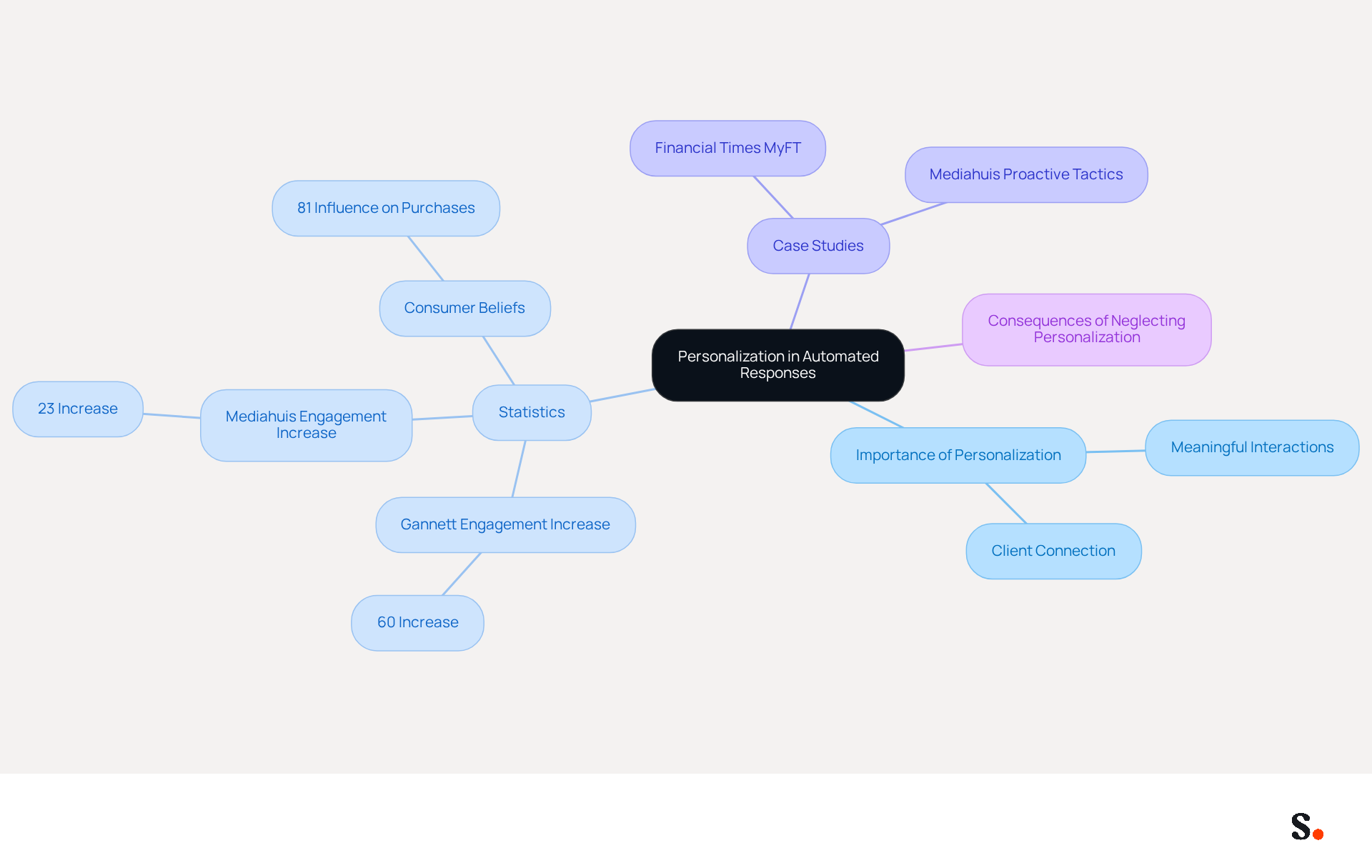
Personalization is essential for transforming automated responses into meaningful interactions that resonate with clients. Incorporating the individual's name and referencing their specific inquiry can significantly enhance the experience. For instance, a message such as 'Hi [Customer's Name], thank you for reaching out about [specific issue]. We appreciate your patience as we resolve this.' makes clients feel valued and strengthens their connection with your brand.
Statistics show that active personalization boosted engagement by 60% at Gannett, while Mediahuis's strategies led to a 23% increase in user engagement. Moreover, 81% of consumers believe that personalized experiences greatly influence their purchasing decisions, highlighting the critical role of tailored interactions in client retention.
Case studies illustrate the impact of personalization in machine-generated interactions. For example, the Financial Times' MyFT feature, which allows users to follow topics of interest, resulted in an average 86% increase in individual engagement scores. Similarly, Mediahuis's proactive personalization tactics demonstrate that tailored interactions can significantly enhance satisfaction and loyalty.
By emphasizing personalization in an automatic response sample, businesses can create a more human touch that leads to improved engagement and stronger client relationships. Neglecting personalization in client communications can hinder engagement and jeopardize long-term relationships.
Optimize Timing for Sending Automated Responses
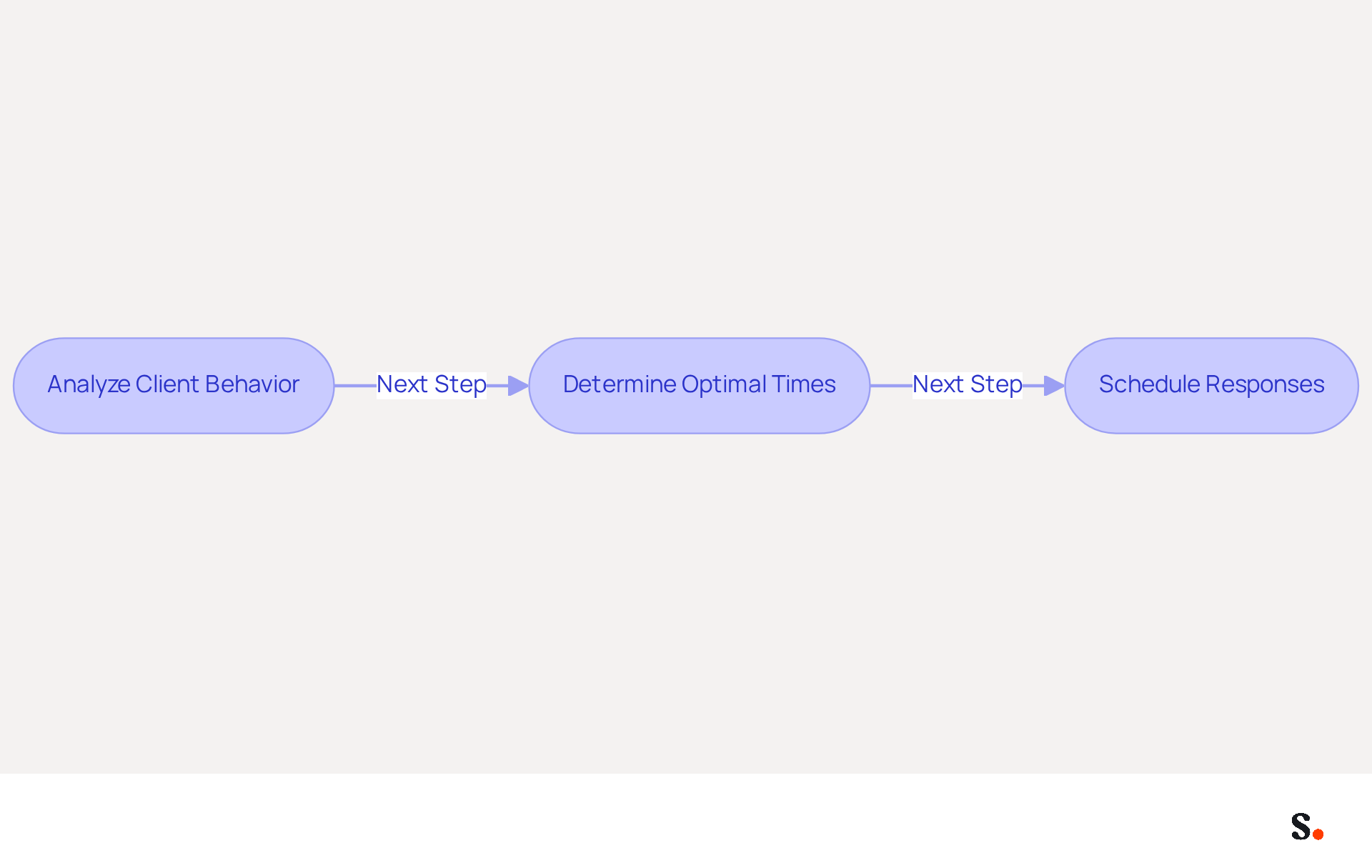
Strategic timing is essential for maximizing the effectiveness of programmed responses. Analyze client behavior to determine the best times for sending these messages. For instance, if your data indicates that clients are most engaged in the late afternoon, schedule your replies to align with that timeframe. By strategically timing your responses, you can significantly improve client interaction and satisfaction.
Incorporate Humor in Your Automated Messages
Incorporating humor into automated messages can significantly elevate the client experience, but it must be done thoughtfully to avoid potential pitfalls. For instance, a playful response such as, 'Thanks for your email! I'm currently out of the office, but I promise to respond faster than a cheetah on roller skates!' adds fun and makes your brand more relatable. However, ensuring that humor aligns with your brand voice is essential to maintain appropriateness for your audience.
Interestingly, statistics show that:
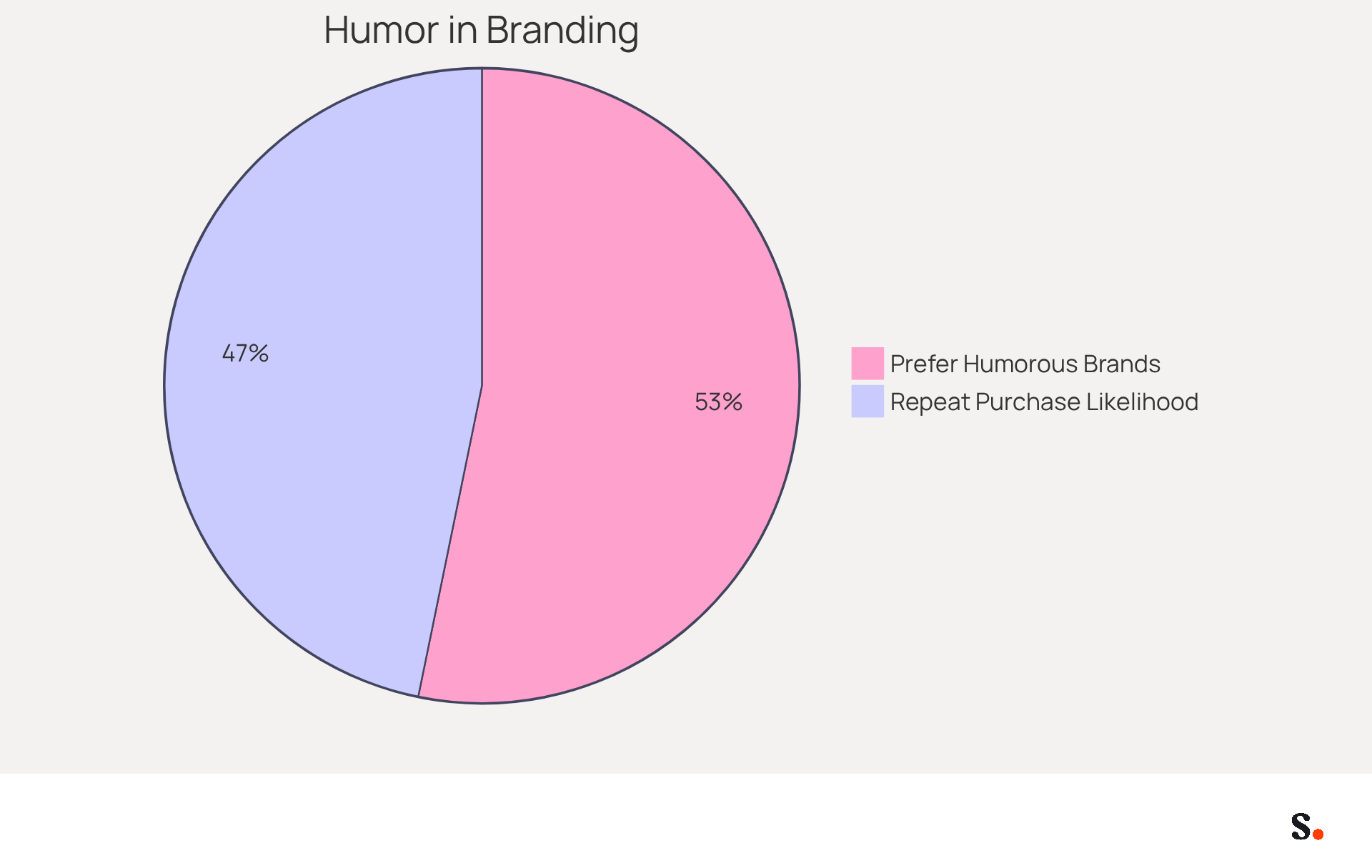
- 91% of people worldwide prefer brands that incorporate humor.
- 80% of respondents are more likely to buy from a brand again if it uses humor.
This indicates that humor can be a powerful tool in client communications. Furthermore, brands that effectively use humor in service can foster stronger connections, as demonstrated by companies like Southwest Airlines, which have gained a competitive edge through their humorous interactions.
Case studies further illustrate the effectiveness of humor in an automatic response sample of system-generated messages. For example, Zappos transformed a potentially frustrating service experience into a memorable one by responding in character as 'Captain Anomaly,' showcasing how humor can diffuse tension and enhance satisfaction. Ultimately, the strategic use of humor can transform client interactions, making them more engaging and memorable, while also reinforcing brand loyalty.
Request Feedback in Your Automated Replies
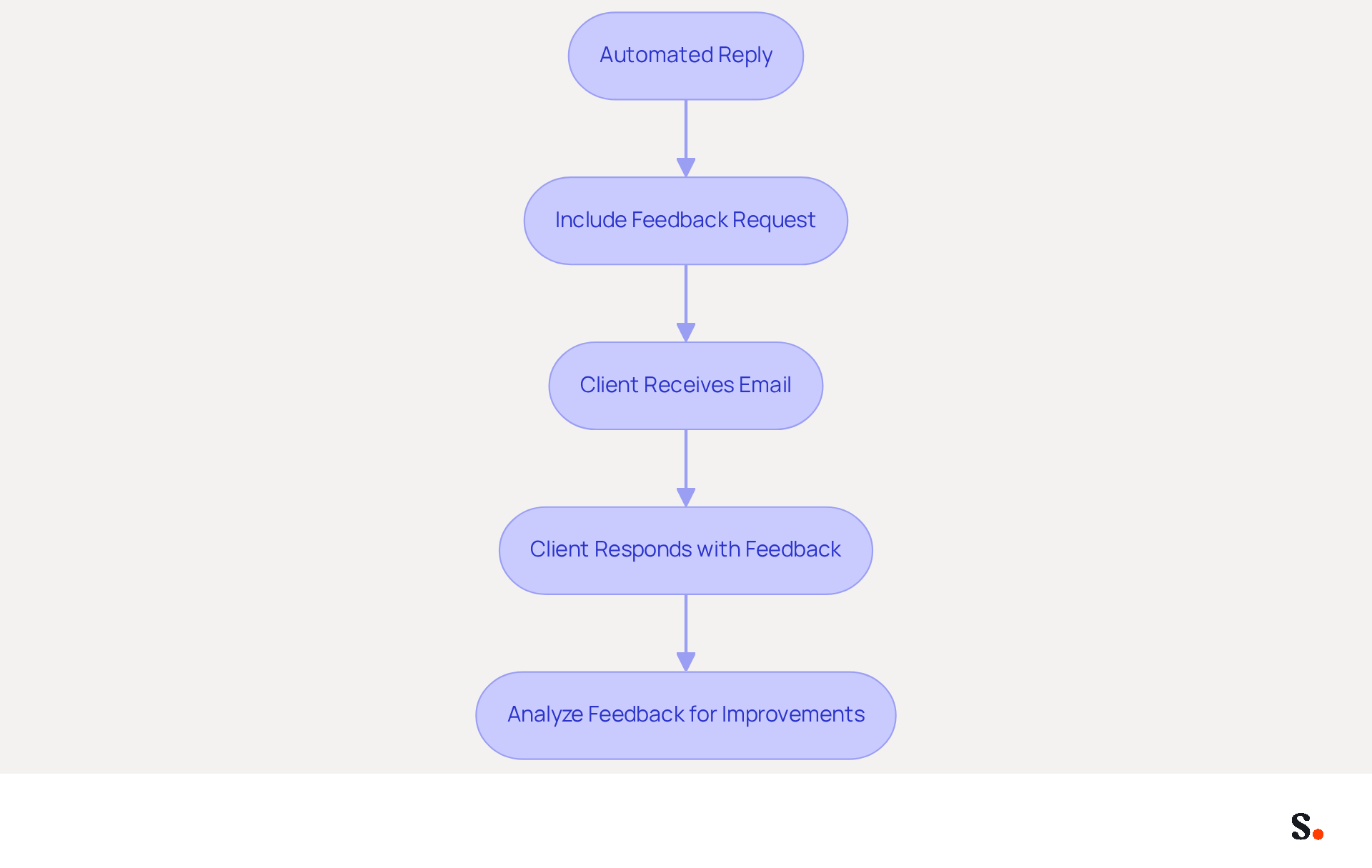
Gathering client feedback is essential for understanding satisfaction and improving service quality. Incorporating a request for feedback in your automatic response sample can help you gather valuable insights. For instance, you might say, 'We value your opinion! Please let us know how we did by replying to this email or filling out our quick survey.' This shows clients that their opinions matter and gives you useful insights to improve your services. By actively seeking feedback, you not only enhance your services but also foster stronger client relationships.
Maintain Professionalism in Automated Responses
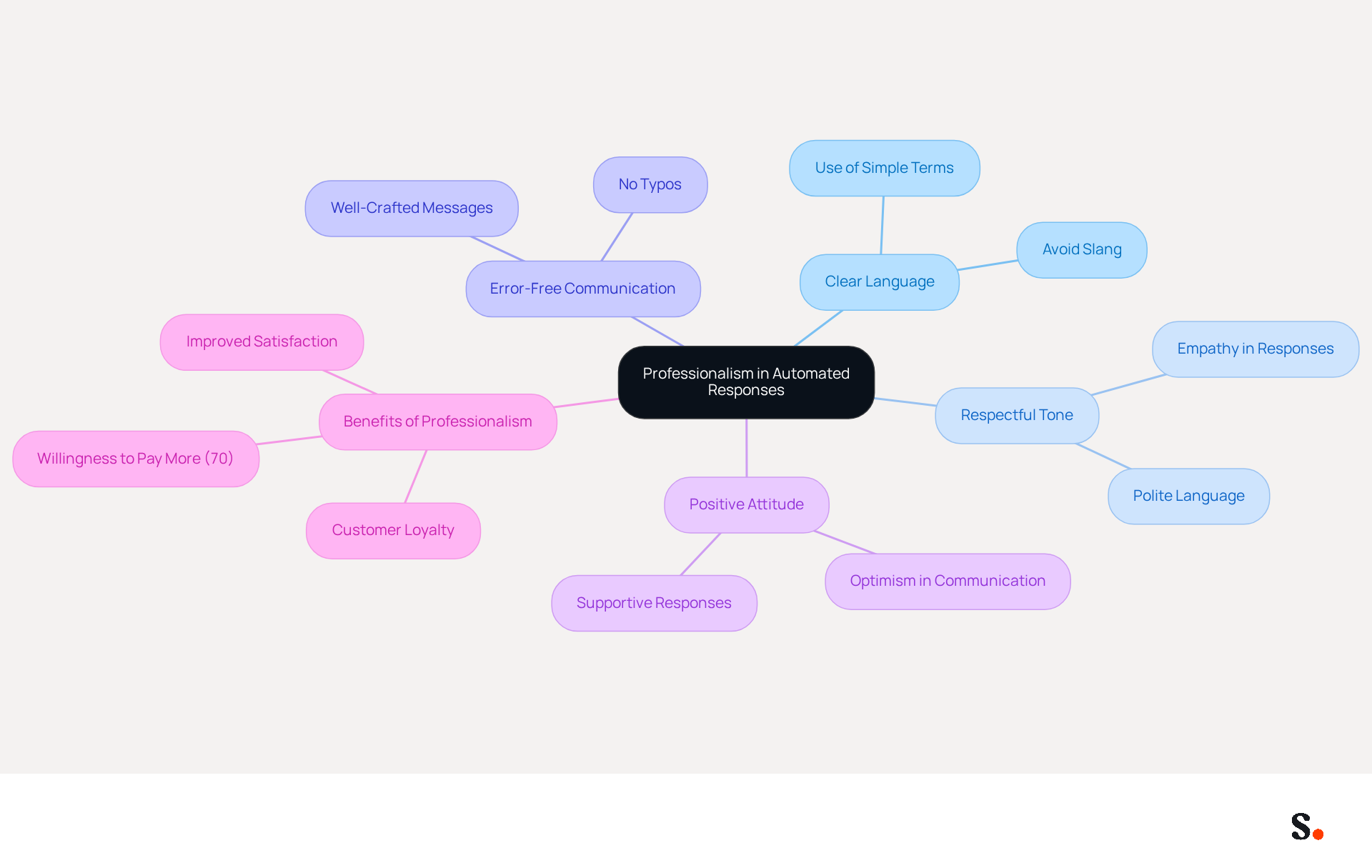
Professionalism in communication is not just a nicety; it is a necessity that shapes customer perceptions and influences their purchasing decisions. Utilizing clear and respectful language is essential; avoid slang and ensure your messages are devoid of typos and errors. An automatic response sample that is well-crafted enhances your brand's image and reassures clients of your professionalism. For instance, a message such as, 'Thank you for your inquiry. We appreciate your patience and will respond as soon as possible,' exemplifies a professional tone while effectively addressing the client's needs.
In fact, a Canadian study reveals that 70% of respondents are willing to pay more for goods and services when they perceive professionalism in communication. Furthermore, maintaining a supportive and optimistic attitude in digital interactions can greatly improve satisfaction and retention. Case studies, such as the one on 'Maintaining a Helpful and Positive Attitude,' show that companies prioritizing professionalism in their customer interactions often experience improved customer loyalty and satisfaction rates. By concentrating on these aspects, businesses can ensure that their automatic response sample contributes to a strong, professional brand image. Ultimately, the commitment to professionalism can be the differentiator that elevates a brand in a competitive marketplace.
Regularly Update Your Automated Response Messages
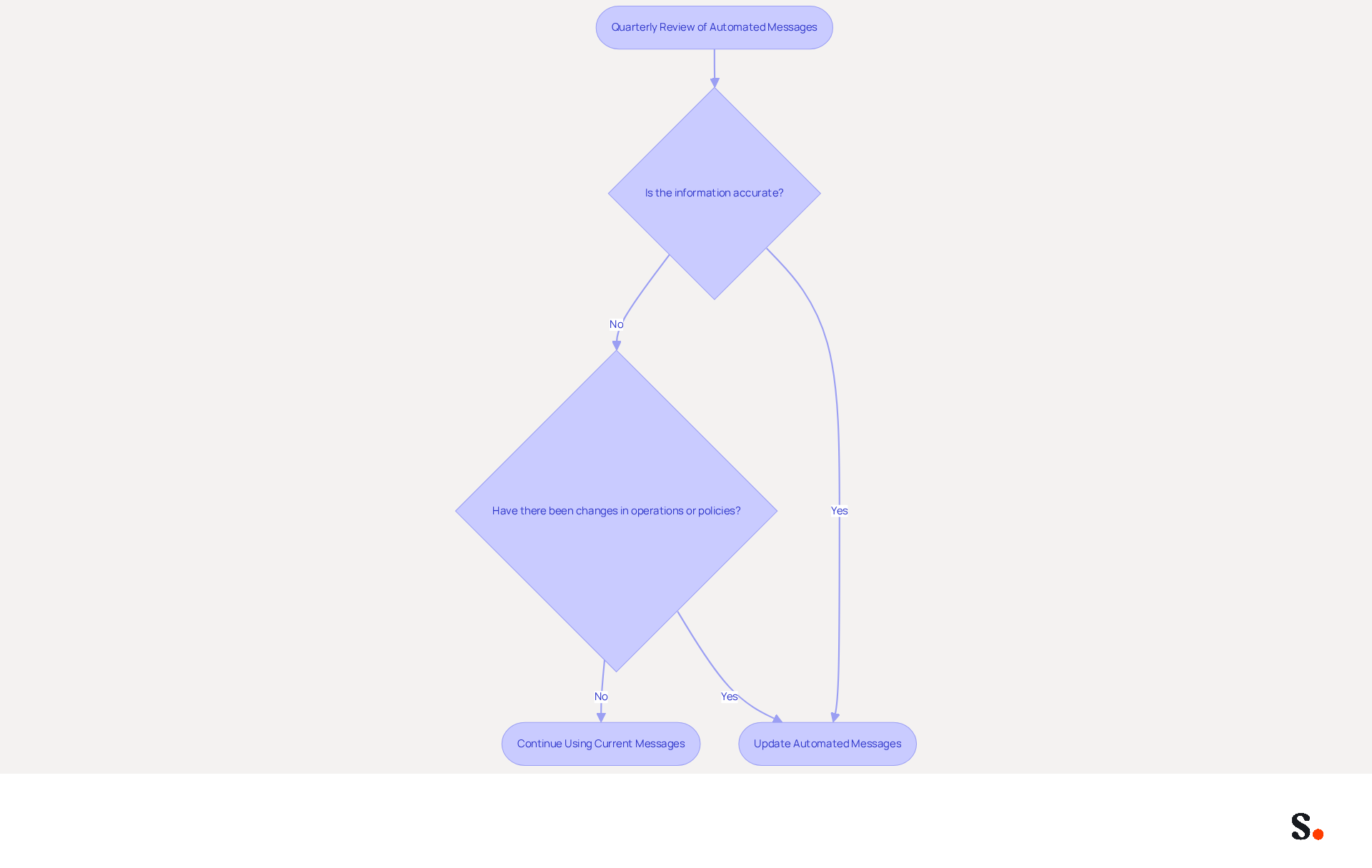
Regularly reviewing your pre-set messages is essential for maintaining their effectiveness. This practice ensures that the information provided is accurate and reflects any changes in your business operations or service policies. Conduct quarterly reviews to assess the relevance of your messages and implement necessary adjustments. If your response times change or you introduce new services, promptly update your automated replies to ensure customers receive accurate information.
Conclusion
Automated responses are crucial for enhancing customer engagement and maintaining brand integrity. By implementing strategies such as setting clear expectations, incorporating transparency, and personalizing messages, organizations can significantly improve their communication with clients. Scribe's automation capabilities streamline email signature management and ensure that every interaction reflects the brand's identity, building trust and loyalty with customers.
This article has highlighted key insights on best practices for crafting effective automatic responses. These include:
- Providing alternative options for support
- Optimizing timing for message delivery
- Incorporating humor to create a more relatable brand voice
Additionally, the importance of professionalism and regularly updating automated messages was emphasized, ensuring that communications remain relevant and effective. Scribe's unique features, such as integration with Google Workspace and compliance with security standards, further enhance the effectiveness of these automated communications.
As customer expectations evolve, leveraging tools like Scribe can significantly enhance how organizations engage with their clients. By adopting these best practices and utilizing Scribe's capabilities, businesses can not only improve their response rates but also create meaningful connections that drive customer satisfaction and loyalty. Utilizing Scribe's solutions can redefine customer interactions, ensuring that every message resonates with clarity and purpose.
Frequently Asked Questions
What is Scribe and what does it offer?
Scribe is a platform that automates the creation and management of email signatures, ensuring that every message sent consistently reflects a brand's identity. It helps organizations maintain brand consistency and trust through effective signature management.
Why is consistent email signature management important?
Inconsistent email signatures can undermine brand identity and trust. 80% of businesses view branded signatures as essential for their identity, and 76% believe they build trust with the sender. Consistent signatures enhance customer engagement and improve conversion rates.
How does Scribe improve customer engagement?
Scribe converts email signatures into powerful marketing tools, leading to improved customer engagement. Companies that adopt consistent signatures have seen a 22% increase in response rates, and website click rates can rise from 3% to 15%.
What are the benefits of automating email signature management with Scribe?
Automating email signature management with Scribe allows for instant updates, ensuring that all signatures remain current and compliant with branding standards. It saves time, reduces the risk of errors, and allows marketing teams to focus on strategic initiatives.
How does Scribe integrate with other tools?
Scribe seamlessly integrates with Calendly, ensuring that any scheduling changes are automatically reflected in email signatures. It also syncs with Google Workspace to automatically update teammates' information, enhancing communication efficiency.
What security measures does Scribe have in place?
Scribe is SOC 2 Type II certified and complies with GDPR and CCPA, ensuring that data is handled securely and enhancing trust with clients.
How can clear expectations in automatic responses improve communication?
Establishing clear expectations in automatic responses, such as specifying a response timeframe, helps manage client expectations and reduces anxiety. Research shows that businesses with clear response timelines see a 30% increase in client satisfaction.
How does Scribe enhance transparency in automated replies?
Scribe allows users to indicate that a message is an automatic response and provides details about when a personal reply can be expected. This transparency builds client confidence in the organization's responsiveness.
Can Scribe help keep signature information current?
Yes, Scribe can auto-fill teammates' signatures using HRIS as a data source, ensuring that signature information is kept current automatically and relieving the team of manual updates.
List of Sources
- Scribe: Automate Your Email Signatures for Consistent Customer Engagement
- 4 Ways an AI Signature Generator Boosts Your Marketing Strategy (https://scribe-mail.com/en-US/blog/4-ways-an-ai-signature-generator-boosts-your-marketing-strategy)
- The impact of email signatures on your branding (https://signitic.com/en/resources/the-impact-of-email-signatures-on-your-branding)
- Research Recap: Branded Email Signatures Increase Company Recognition, Trust - Demand Gen Report (https://demandgenreport.com/industry-news/research-recap-branded-email-signatures-increase-company-recognition-trust/47252)
- Email Signature Trends 2026: Centralized Control & Automation | SIGNandGO posted on the topic | LinkedIn (https://linkedin.com/posts/signngo_email-signature-trends-to-watch-in-2026-activity-7401523471786217473-zAVL)
- Set Clear Expectations in Automatic Responses
- Manage response time expectations - Managing Customer Expectations for Managers Video Tutorial | LinkedIn Learning, formerly Lynda.com (https://linkedin.com/learning/managing-customer-expectations-for-managers/manage-response-time-expectations)
- Scale your support with these auto-response sample messages | Pylon (https://usepylon.com/blog/auto-response-sample-messages)
- Managing Customer Expectations with Automated OOO Replies from ClearFeed (https://clearfeed.ai/blogs/managing-customer-expectations-with-automated-ooo-replies-from-clearfeed)
- How do automated responses improve customer experience? (https://pedowitzgroup.com/how-do-automated-responses-improve-customer-experience)
- Why Setting Expectations is a Customer Success Must – InMoment (https://inmoment.com/blog/why-setting-expectations-is-a-customer-success-must)
- Add Transparency to Your Automated Replies
- Clarity and Transparency in Customer Service - Clarity as a Business State of Mind - CommBox (https://commbox.io/blog/clarity-and-transparency-in-customer-service-clarity-as-a-business-state-of-mind)
- Consumers say trust depends on transparency | IAPP (https://iapp.org/news/a/consumers-say-trust-depends-on-transparency)
- Opening the Black Box: Why AI Transparency is the New Customer Experience Imperative - Customer Management Practice (https://customermanagementpractice.com/blog/ccw/ai-transparency)
- The power of transparency in business: Building trust and driving success - The Business News (https://thebusinessnews.com/northeast/the-power-of-transparency-in-business-building-trust-and-driving-success)
- The importance of transparent communication with users - Superior - Startup & SaaS Template (https://cxconnect.ai/blog/the-importance-of-transparent-communication-with-users)
- Provide Alternative Options in Automatic Responses
- 4 Automated responses you can use to enhance the customer experience - Touchwork (https://touchwork.com/4-automated-responses-you-can-use-to-enhance-the-customer-experience)
- CSAT by Support Channel Statistics 2026 (https://unthread.io/blog/customer-satisfaction-score-statistics)
- Using Auto Reply Messages for Customer Service | Sakari (https://sakari.io/blog/auto-replies-for-customer-service)
- Latest Customer Service Statistics To Move Your Business Forward (https://salesforce.com/service/what-is-customer-service/stats)
- Top Business Auto Reply Messages to Increase Customer Satisfaction - 24SevenSocial (https://24sevensocial.com/blog/top-business-auto-reply-messages-to-increase-customer-satisfaction)
- Personalize Your Automated Responses for Better Engagement
- Personalisation has a huge impact on customer engagement (https://ftstrategies.com/en-gb/insights/personalisation-has-a-huge-impact-on-customer-engagement-how-mature-are-your-capabilities)
- Customer experience and personalization (https://business.adobe.com/blog/basics/personalized-customer-experience)
- Tech Talk - How AI-powered personalization enhances customer experience | Contentstack (https://contentstack.com/blog/tech-talk/how-ai-powered-personalization-enhances-customer-experience)
- The Importance of Personalized Customer Service: B2C & B2B Real Examples (https://ever-help.com/blog/benefits-of-personalized-customer-service)
- How Personalized Customer Experiences Drive Business Growth (https://medallia.com/blog/personalized-customer-experiences-drive-business-growth)
- Optimize Timing for Sending Automated Responses
- The Best Time To Send Marketing Emails (2026) (https://salesforce.com/marketing/email/best-time-to-send-emails)
- 5 Ways to Determine the Best Day/Time to Send Email to Your List - Email Optimization Shop by Jeanne Jennings (https://emailopshop.com/5-ways-to-determine-the-best-day-time-to-send-email-to-your-list)
- Why Timing Matters in Your Marketing Automation Strategy (https://findjoo.com/Blog/Why-Timing-Matters-In-Your-Marketing-Automation-Strategy)
- The Importance of Send Time Optimization | Braze (https://braze.com/resources/articles/send-time-optimization)
- Send time optimization: Deliver emails when engagement peaks (https://monday.com/blog/monday-campaigns/send-time-optimization)
- Incorporate Humor in Your Automated Messages
- 6 Reasons You Need Humor in Your Customer Service (https://blog.hubspot.com/service/humor-customer-service)
- Consumers are looking for humor but brands aren't delivering, survey says (https://marketingdive.com/news/happiness-marketing-brand-consumer-oracle/625554)
- No Joke! The Role of Humor in Customer Experience | Joseph Michelli · Joseph Michelli (https://josephmichelli.com/blog/no-joke-the-role-of-humor-in-customer-experience)
- 5 Benefits Of Humor In Customer Service — Skylink (https://skylinkintl.com/blog/5-benefits-humor-customer-service)
- Request Feedback in Your Automated Replies
- Email to SMS Customer Feedback Requests: Templates & Guide (https://textbolt.com/blog/email-to-sms-for-customer-feedback-requests)
- The Power Of Customer Feedback (https://forbes.com/councils/forbesbusinesscouncil/2023/06/30/the-power-of-customer-feedback)
- Customer feedback: 7 ways to improve service fast (https://zendesk.com/blog/customer-experience/feedback/customer-feedback-hear-voice-customer)
- Why Customer Feedback Is Important - The Complete Guide (https://survicate.com/blog/why-customer-feedback-is-important)
- 15 customer feedback email examples that get responses (https://blog.superhuman.com/customer-feedback-email-examples)
- Maintain Professionalism in Automated Responses
- Customers are losing patience with automated customer support bots (https://customerexperiencedive.com/news/customers-losing-patience-automated-customer-support/823434)
- Latest Customer Service Statistics To Move Your Business Forward (https://salesforce.com/service/what-is-customer-service/stats)
- Why Is Professionalism Important in Customer Service? (https://roicallcentersolutions.com/blog/why-is-professionalism-important-in-customer-service)
- What Recent Research on Professionalism Reveals | News | American Board of Medical Specialties (https://abms.org/newsroom/what-recent-research-on-professionalism-reveals)
- Regularly Update Your Automated Response Messages
- Sales Response Time Statistics: 20 Stats That Define Success in 2026 - Setter AI (https://trysetter.com/blog/sales-response-time-statistics-2026)
- 92 customer service statistics you need to know in 2026 (https://zendesk.com/blog/customer-service/satisfaction/customer-service-statistics)
- How Automated Email Responses Can Transform Customer Service and Boost Efficiency? (https://linkedin.com/pulse/how-automated-email-responses-can-transform-customer-service-ogcdc)
- 43 CRM Lead Response Time Impact Statistics | Demand Local, Inc. (https://demandlocal.com/blog/crm-lead-response-time-impact-statistics)
Get started with Scribe
Manage signatures across your whole team
Free 14-day trial — no credit card.