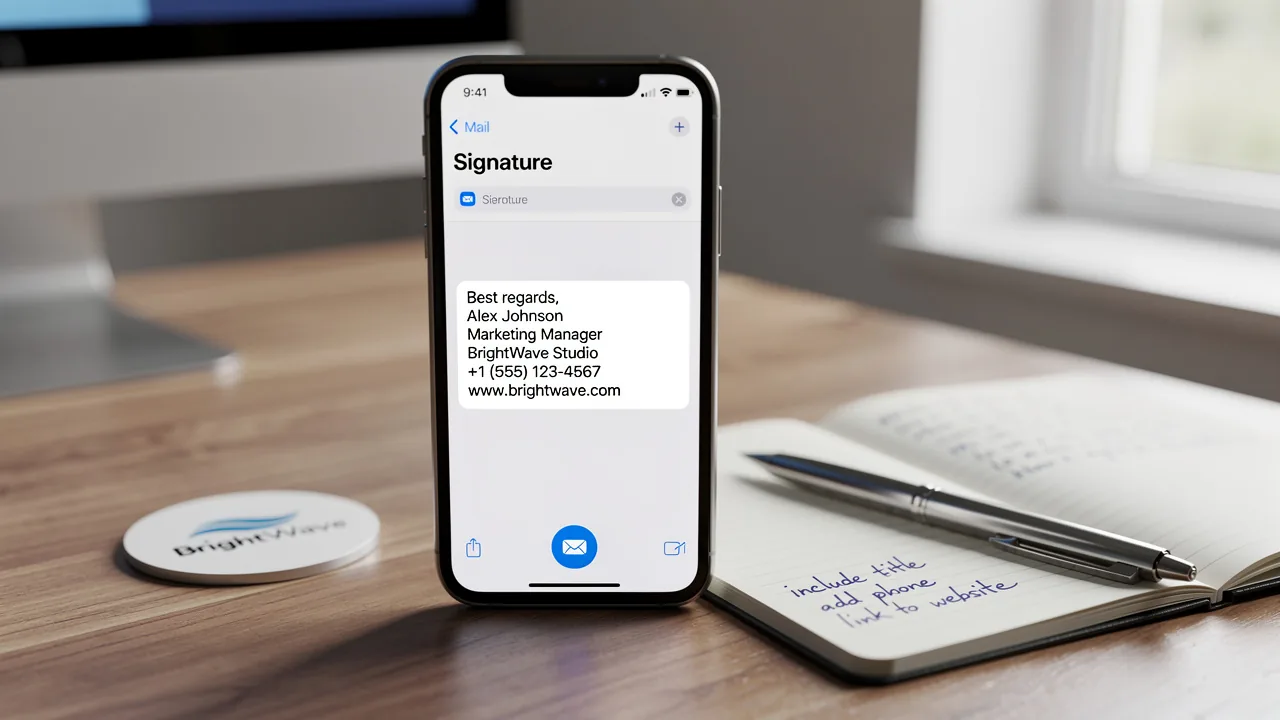
Best Practices for Crafting a Professional Signature Block
Crafting a professional email signature block is crucial, as it directly impacts communication effectiveness and brand perception. Incorporating key elements
Sophie Grant
Email Signature Specialist, Scribe
On this page
Introduction
Crafting a professional email signature block is crucial, as it directly impacts communication effectiveness and brand perception. Incorporating key elements and visuals can help organizations enhance their credibility and foster connections with recipients. However, many organizations struggle to maintain uniformity in their email signatures amidst rapid digital changes. Without a strategic approach to email signature management, businesses risk undermining their professional image and losing valuable connections.
Identify Essential Components of a Professional Signature Block
A professional email signature block is crucial for effective communication and brand representation:
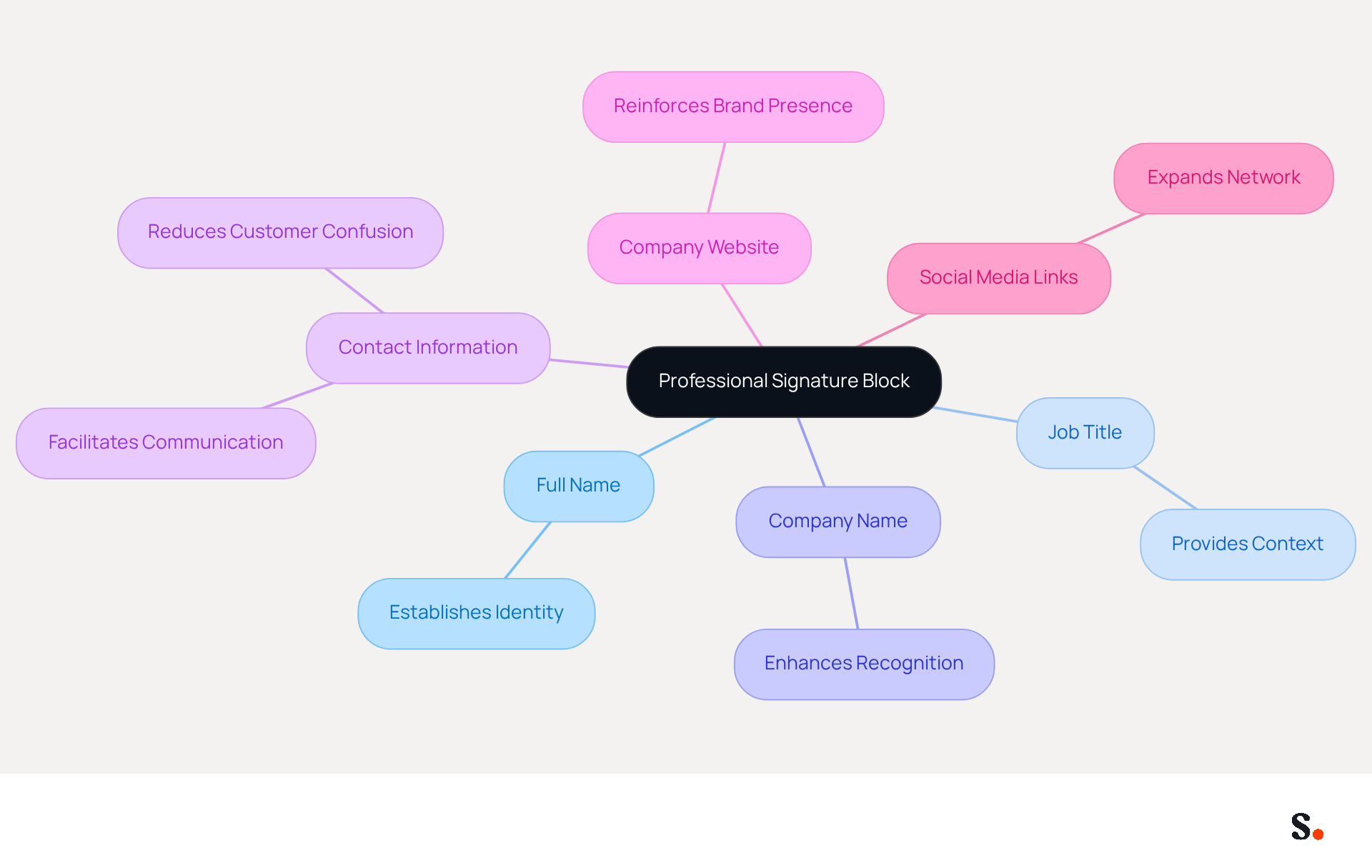
- Full Name: Clearly state your name to establish identity.
- Job Title: Include your position to provide context about your role.
- Company Name: Mention your organization to enhance recognition.
- Contact Information: Provide at least one method of contact, such as a phone number or email address, as this is crucial for facilitating communication. Research indicates that including clear contact details can significantly reduce customer confusion and enhance service quality.
- Company Website: Link to your company’s website for easy access to more information, reinforcing brand presence.
- Social Media Links: If applicable, include links to professional social media profiles, such as LinkedIn, to expand your network and visibility.
These elements help you look professional and are essential for creating a professional signature block that makes it easy for recipients to get in touch or learn more about you and your company. It’s best to keep your sign-off concise, ideally within 3 to 4 lines, to improve readability and effectiveness. Well-structured signatures can significantly boost engagement, especially when they include strategic calls to action, making clarity and simplicity in design essential.
However, this process requires administrative permissions, which may pose a challenge for some users. With Scribe, the management of these signatures is streamlined through automated synchronization with Google Workspace. This feature saves time and ensures that any changes in your organization, like job title updates or team member changes, are automatically updated in your emails. Moreover, Scribe's SOC 2 Type II compliance ensures the security of your data, making it a trustworthy option for maintaining consistency and professionalism in your communications. Ultimately, a well-crafted professional signature block not only reflects your professionalism but also enhances your organization's credibility.
Incorporate Visual Elements and Personalization for Impact
To maximize the impact of your email signature, it is essential to incorporate visual elements and personalization techniques:
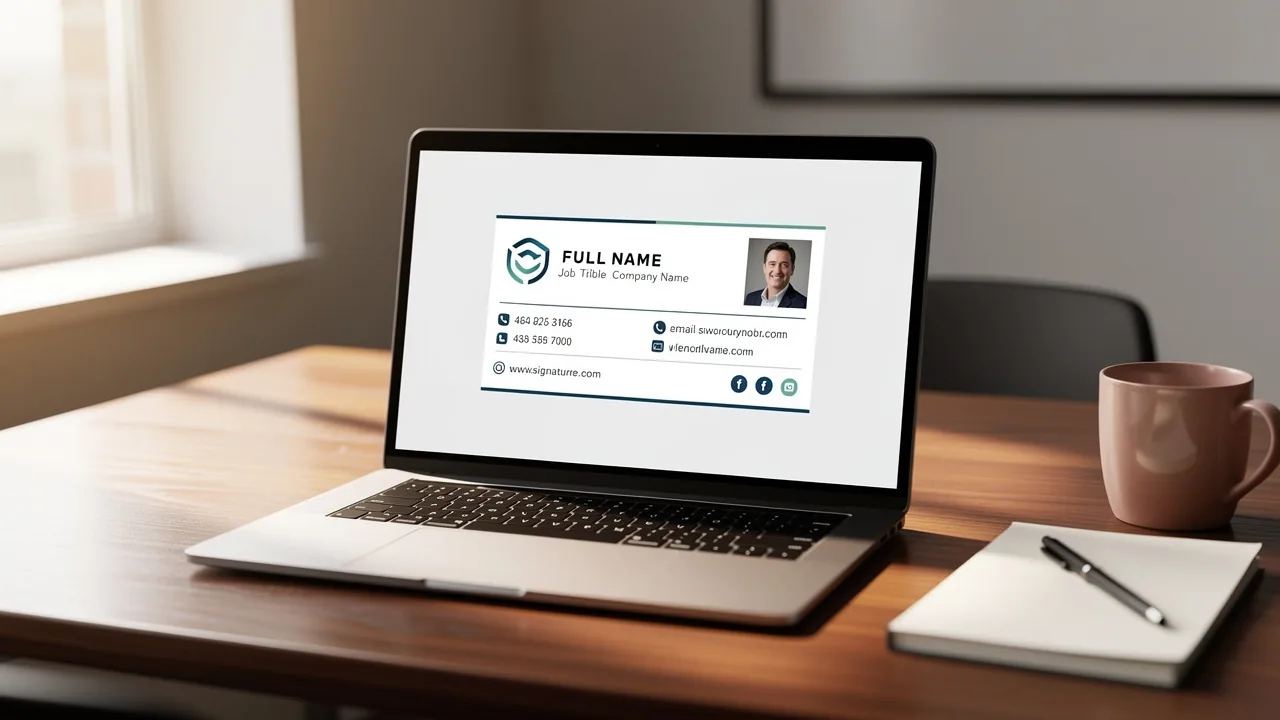
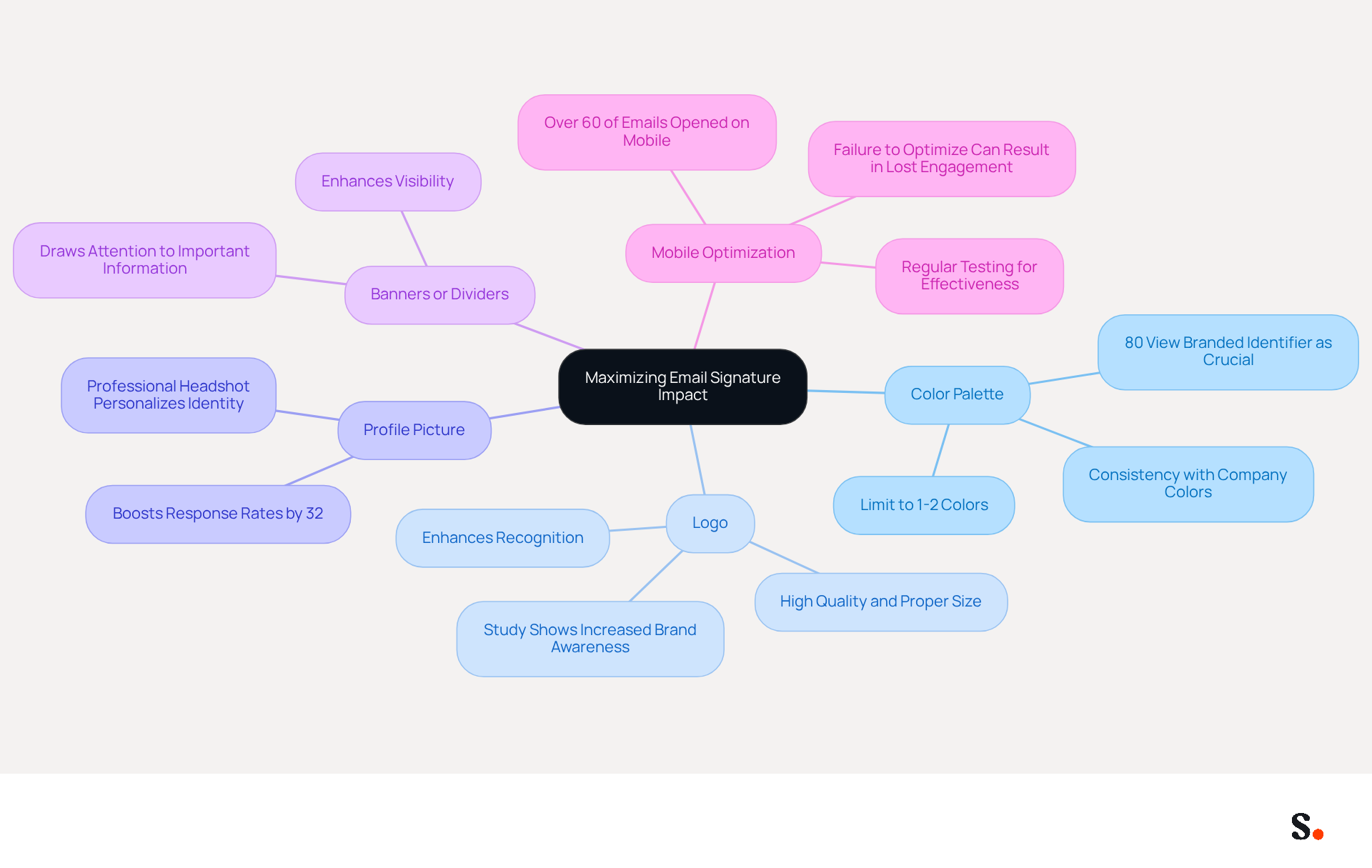
- Color Palette: Utilize your company’s hues to ensure consistency. Restricting the color scheme to 1-2 hues helps prevent overwhelming the recipient and strengthens identity. Research shows that 80% of participants view a branded digital identifier as crucial for a company's identity.
- Logo: Including your company logo significantly enhances recognition of your identity. Ensure it is high quality and appropriately sized to prevent distortion, as a well-placed logo can enhance professionalism. A study suggests that incorporating a company logo in digital correspondence enhances brand awareness.
- Profile Picture: A professional headshot personalizes your identity, fostering a connection with recipients and making your communication more relatable. HubSpot's 2025 engagement study reveals that including a professional headshot can boost response rates by 32%.
- Banners or Dividers: Subtle banners or dividers can effectively distinguish your mark from the message body, enhancing visibility without being intrusive. This can help draw attention to important information or calls to action.
- Mobile Optimization: Given that over 60% of business emails are opened on mobile devices, it’s crucial to ensure your email footer displays well across various devices and email clients. Regular testing can help maintain its effectiveness. Failing to optimize for mobile can result in lost engagement and potential business opportunities.
Integrating these elements effectively conveys essential information and reinforces your brand's identity and professionalism, especially when using a professional signature block. Neglecting these aspects can undermine your communication efforts and weaken your brand's presence.
Utilize Call-to-Action Features to Drive Engagement
Incorporating call-to-action (CTA) features in your message footer can significantly enhance engagement and drive conversions. Here are effective strategies to implement:
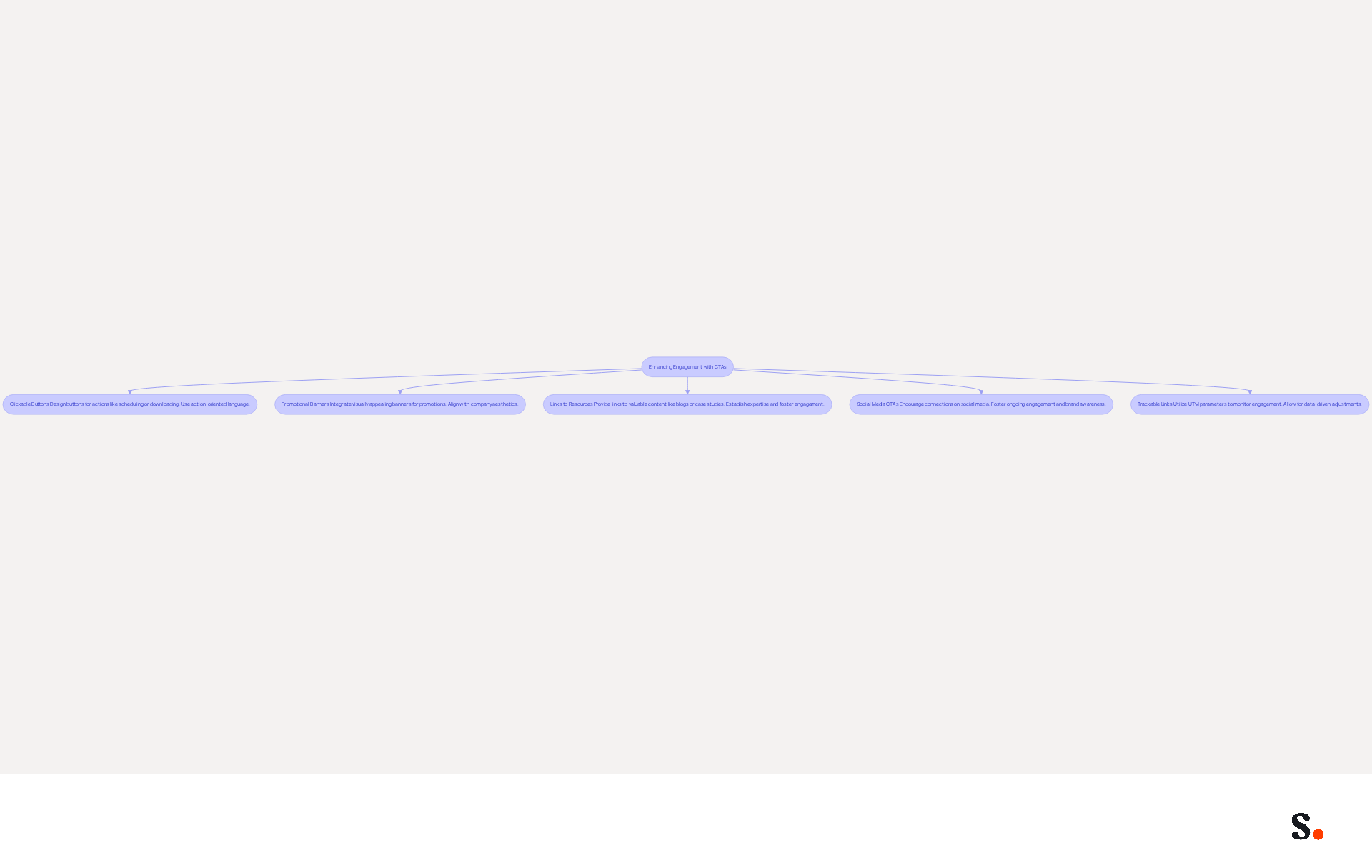
- Clickable Buttons: Design buttons for specific actions, such as scheduling a meeting, downloading resources, or visiting a landing page. Use action-oriented language like "Book Now" or "Download Here" to prompt immediate responses. Industry insights show that effective CTAs boost conversion rates, making them essential for your message footer.
- Promotional Banners: Integrate a visually appealing banner that highlights current promotions or events. Ensure it aligns with your company's aesthetics to maintain consistency and attract attention. Research shows that email signature marketing campaigns are proven to be a high-ROI marketing channel, especially when promotional elements are included.
- Links to Resources: Provide links to valuable resources, such as blog posts, case studies, or whitepapers, that can benefit the recipient and establish your expertise. Marketing professionals agree that sharing valuable content strengthens your organization's authority and fosters engagement.
- Social Media CTAs: Encourage recipients to connect with your company on social media by including icons linked to your profiles, fostering ongoing engagement. This not only fosters community but also keeps your identity top-of-mind.
- Trackable Links: Utilize UTM parameters for links to monitor engagement and measure the effectiveness of your communication CTAs, allowing for data-driven adjustments. As Jason Rodriguez emphasizes, testing different CTAs is crucial for optimizing performance and ensuring that your messaging resonates with your audience.
By refining your CTAs, you can ensure that every email not only communicates but also compels action. Avoid common pitfalls, such as using vague language like "click here," which can dilute the effectiveness of your CTAs. Instead, focus on clear, compelling language that drives action.
Leverage Automation Tools for Consistent Signature Management
To maintain a consistent and professional image in electronic correspondence, it is essential to use a professional signature block with automation tools like Scribe. Here are some best practices:
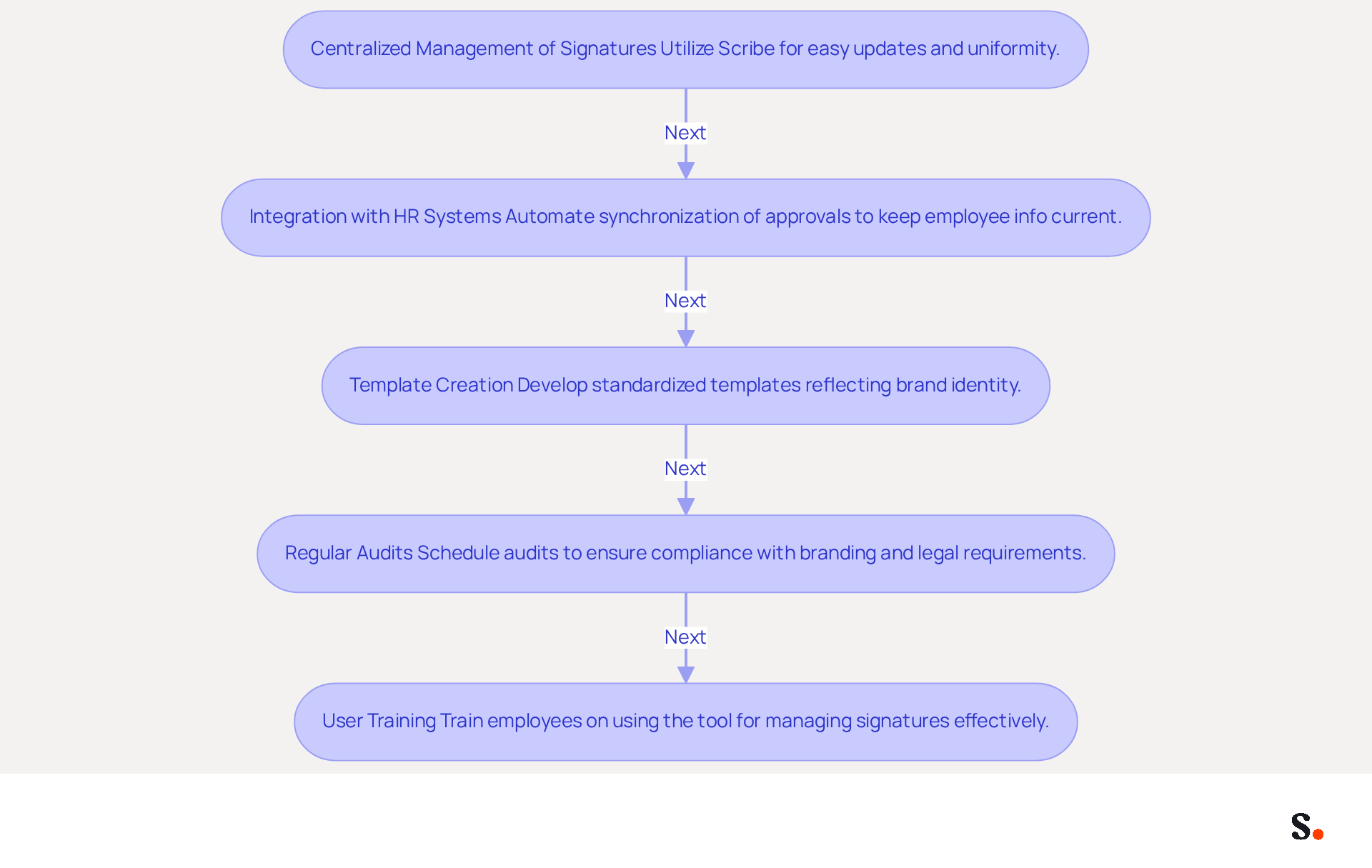
- Centralized Management of Signatures: Utilize Scribe to create and manage signatures centrally. This approach allows for easy updates and ensures uniformity across the organization, reinforcing brand identity. Centralized email management minimizes the time spent on updates, significantly improving operational efficiency. With Scribe, you can auto-fill your teammates' identification information and select which teammates to sync, streamlining the process even further.
- Integration with HR Systems: Automate the synchronization of approvals with HR systems to keep employee information current. This integration minimizes the risk of outdated contact details, ensuring reliable communication. Maintaining accurate employee information is essential for effective communication and strong brand representation. The platform's ability to enhance teammate information from HR software after syncing ensures that your signatures are always up-to-date. Scribe also syncs teammate data daily at your local time, ensuring real-time accuracy.
- Template Creation: Develop standardized templates that reflect your brand’s identity. This simplifies the process for employees and ensures compliance with branding guidelines, making it easier to maintain a professional signature block for a polished appearance. Standardized electronic communication formats can be implemented across the organization within 24 hours, ensuring every message sent is refined and professional.
- Regular Audits: Schedule regular audits of email signatures to ensure compliance with branding and legal requirements. Automation tools like those offered by Scribe can optimize this process, making it effective and less susceptible to human error. The audit log feature in Scribe captures template assignments and changes, providing legal teams with the ability to verify which template any employee used on specific dates.
- User Training: Provide training for employees on effectively using the tool for managing signatures. Ensuring they understand the importance of maintaining brand consistency will enhance the overall professionalism of your communications. As Billy Mahoney states, having a tool that centralizes signature management transforms a tedious administrative task into a powerful optimization tool and marketing asset.
By implementing these automation strategies, organizations can save time, minimize mistakes, and greatly enhance their professional signature block in all email communications. With Scribe, organizations can not only streamline their email signature management but also improve their professional signature block, thereby elevating their brand's professionalism and reliability in communications.
Conclusion
Inconsistent email signatures can undermine professional communication and brand representation. By incorporating essential elements such as your full name, job title, company name, and contact information, you create a clear and professional identity that facilitates engagement. Additionally, integrating visual elements and personalization enhances the impact of your signature, making it more relatable and memorable to recipients.
The article highlights the importance of utilizing call-to-action features to drive engagement and conversions. Strategies such as clickable buttons, promotional banners, and social media links can transform a standard email signature into a powerful marketing tool. Furthermore, leveraging automation tools like Scribe ensures that signature management is streamlined and consistent across the organization, reinforcing brand identity while saving time and minimizing errors.
Embracing these strategies can lead to improved engagement and a stronger professional presence. Organizations are encouraged to adopt these best practices and utilize tools like Scribe to maintain brand consistency and maximize engagement. By doing so, they not only improve their communication effectiveness but also position themselves for greater success in their marketing efforts.
Frequently Asked Questions
What is the purpose of a professional email signature block?
A professional email signature block is crucial for effective communication and brand representation, helping to establish identity and enhance recognition.
What essential components should be included in a professional signature block?
Essential components include your full name, job title, company name, contact information, company website, and social media links if applicable.
Why is it important to include contact information in a signature block?
Including clear contact details is crucial for facilitating communication, as it can significantly reduce customer confusion and enhance service quality.
How can a company website link in a signature block benefit recipients?
A link to your company’s website provides easy access to more information, reinforcing brand presence.
What is the recommended length for a professional email signature?
It is best to keep your sign-off concise, ideally within 3 to 4 lines, to improve readability and effectiveness.
How can well-structured signatures impact engagement?
Well-structured signatures can significantly boost engagement, especially when they include strategic calls to action, making clarity and simplicity in design essential.
What challenges might users face when creating a professional signature block?
The process may require administrative permissions, which can pose a challenge for some users.
How does Scribe assist with managing email signatures?
Scribe streamlines the management of signatures through automated synchronization with Google Workspace, ensuring that any changes in your organization are automatically updated in your emails.
What security measures does Scribe provide for email signatures?
Scribe's SOC 2 Type II compliance ensures the security of your data, making it a trustworthy option for maintaining consistency and professionalism in communications.
What overall impact does a well-crafted professional signature block have?
A well-crafted professional signature block reflects your professionalism and enhances your organization's credibility.
List of Sources
- Identify Essential Components of a Professional Signature Block
- Email Signature Best Practices for 2026 (+ 15 Pro Examples) (https://wavecnct.com/blogs/email-signature-best-practices-2026)
- Why you should incorporate email signatures for your business (https://espocrm.com/crm/email-signatures)
- 20 Examples of Professional Email Signatures | Letsignit (https://letsignit.com/blog/professional-email-signature)
- What to Include in a Business Email Signature (https://rocketseed.com/blog/email-signature-what-to-include)
- Incorporate Visual Elements and Personalization for Impact
- Email Signature Best Practices for 2026 (+ 15 Pro Examples) (https://wavecnct.com/blogs/email-signature-best-practices-2026)
- Email Signature Best Practices - NEWOLDSTAMP (https://newoldstamp.com/blog/email-signature-best-practices-creative-ideas-beautiful-examples-design-hints-and-free-tools-to-use-now)
- Email Signature Design Trends in 2026: What Works and What to Drop (https://bulksignature.com/blog/email-signature-design-trends)
- Research Recap: Branded Email Signatures Increase Company Recognition, Trust - Demand Gen Report (https://demandgenreport.com/industry-news/research-recap-branded-email-signatures-increase-company-recognition-trust/47252)
- 20 best email signature design examples for 2026 — Stripo.email (https://stripo.email/blog/10-best-email-signature-design-examples)
- Utilize Call-to-Action Features to Drive Engagement
- Why and how to add an effective CTA to your email signature? (https://signitic.com/en/resources/why-and-how-to-add-an-effective-cta-to-your-email-signature)
- A Strategic Guide to Calls-to-Action (CTAs) in Email Marketing: Best Practices for Success (https://litmus.com/blog/click-tap-and-touch-a-guide-to-cta-best-practices)
- 10 Email Signature Marketing Examples (That Drive Growth) (https://wisestamp.com/guides/email-signature-marketing-examples)
- Email Signature Trends 2026: Centralized Control & Automation | SIGNandGO posted on the topic | LinkedIn (https://linkedin.com/posts/signngo_email-signature-trends-to-watch-in-2026-activity-7401523471786217473-zAVL)
- Email signature marketing: Triple your conversions with signature marketing (https://mailbutler.io/blog/email/signature-marketing)
- Leverage Automation Tools for Consistent Signature Management
- Email Signature Trends 2026: Centralized Control & Automation | SIGNandGO posted on the topic | LinkedIn (https://linkedin.com/posts/signngo_email-signature-trends-to-watch-in-2026-activity-7401523471786217473-zAVL)
- Company-Wide Email Signature Management | CloudM (https://cloudm.io/resources/blog/optimize-your-process-with-company-wide-email-signature-management)
- How to Centralize and Standardize Email Signatures at Scale (2026) (https://wisestamp.com/guides/how-to-standardize-email-signatures-for-large-company)
- Automating Email Signatures: How IT Teams Streamline Processes & Reduce Risk (https://exclaimer.com/blog/streamlining-it-processes-automated-email-signatures)
Get started with Scribe
Build a professional email signature
Free 14-day trial — no credit card.