10 Essential Email Signature Dimensions for Gmail Success
Mastering the dimensions of email signatures in Gmail is crucial for organizations seeking to enhance professionalism and engagement. With the right
Sophie Grant
Email Signature Specialist, Scribe
On this page
- Introduction
- Ideal Email Signature Dimensions for Gmail
- Optimal Image Sizes for Gmail Email Signatures
- Recommended Banner Sizes for Gmail Email Signatures
- Mobile Optimization Guidelines for Gmail Email Signatures
- Recommended Font Sizes for Gmail Email Signatures
- Character Limit Considerations for Gmail Email Signatures
- Common Mistakes to Avoid in Gmail Email Signature Dimensions
- Impact of Dimensions on Loading Times for Gmail Email Signatures
- Ensuring Consistency in Gmail Email Signature Dimensions
- Utilize Scribe for Effective Management of Gmail Email Signature Dimensions
- Conclusion
- Frequently Asked Questions
- List of Sources
Introduction
Mastering the dimensions of email signatures in Gmail is crucial for organizations seeking to enhance professionalism and engagement. With the right dimensions, businesses can ensure their signatures fit seamlessly within emails and contribute to a cohesive brand image. This often results in poorly designed signatures that fail to represent the brand effectively. Identifying the key dimensions and best practices can transform email signatures into powerful marketing tools.
Ideal Email Signature Dimensions for Gmail
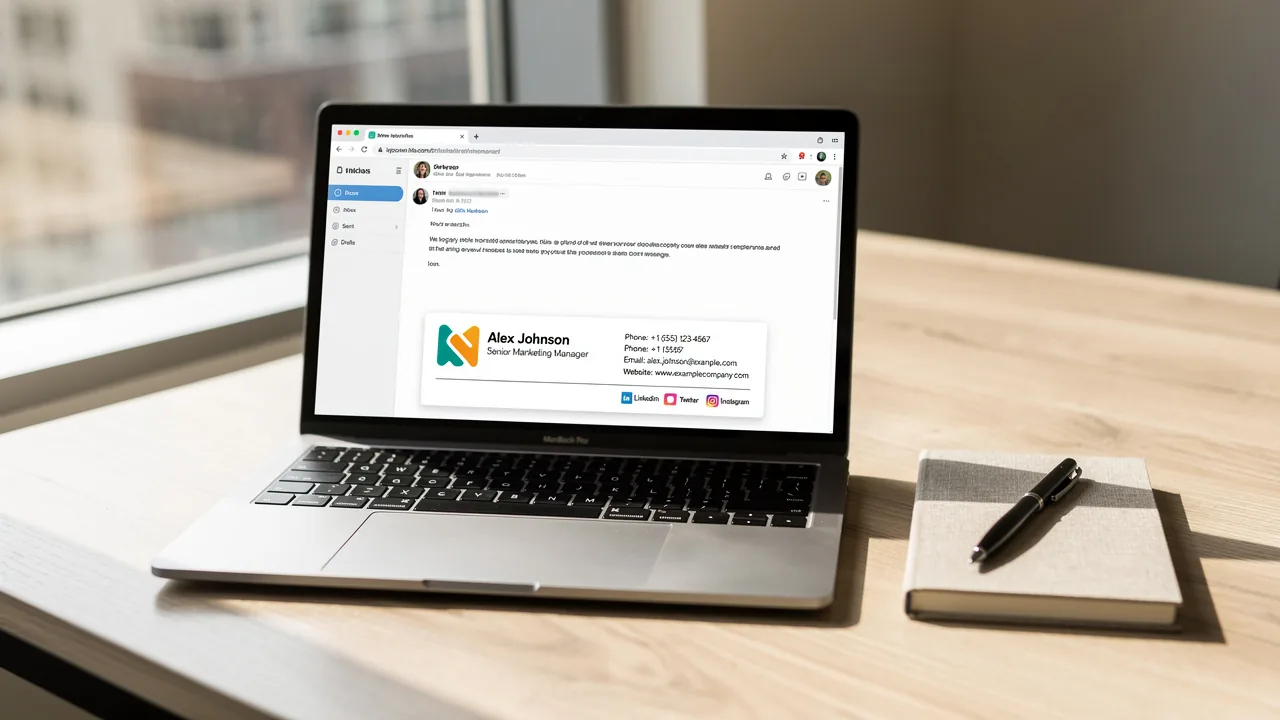
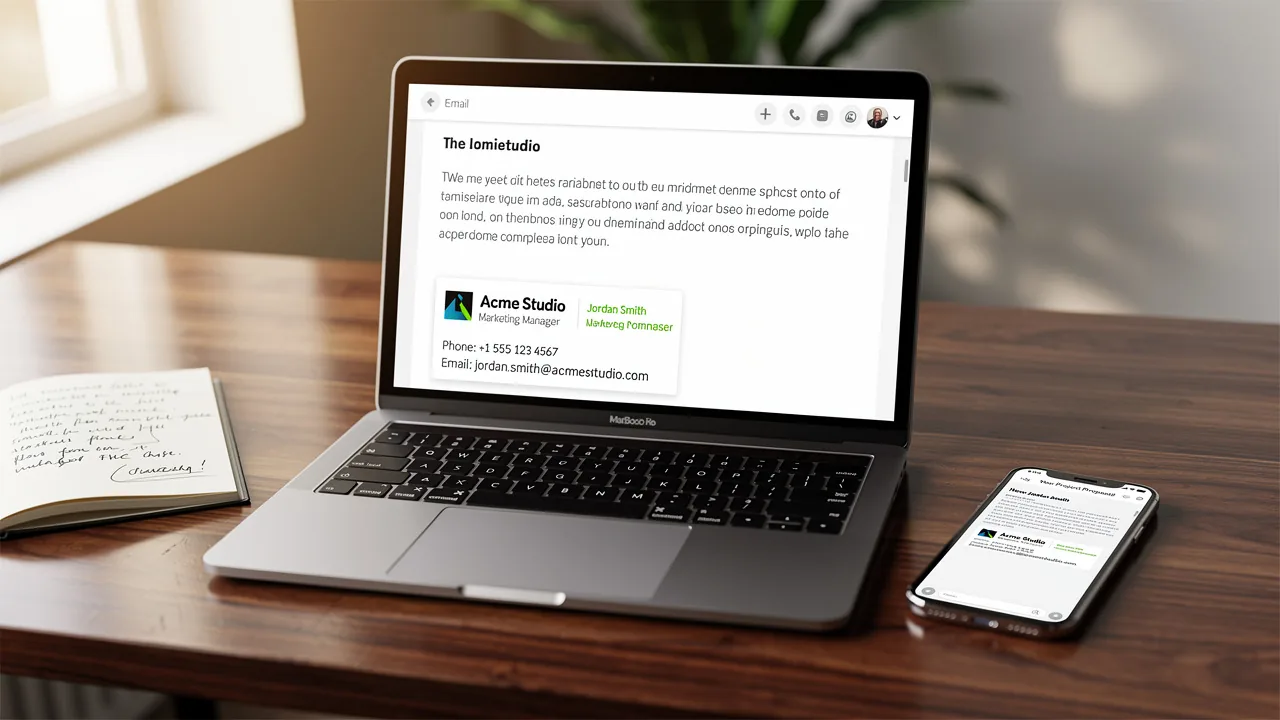
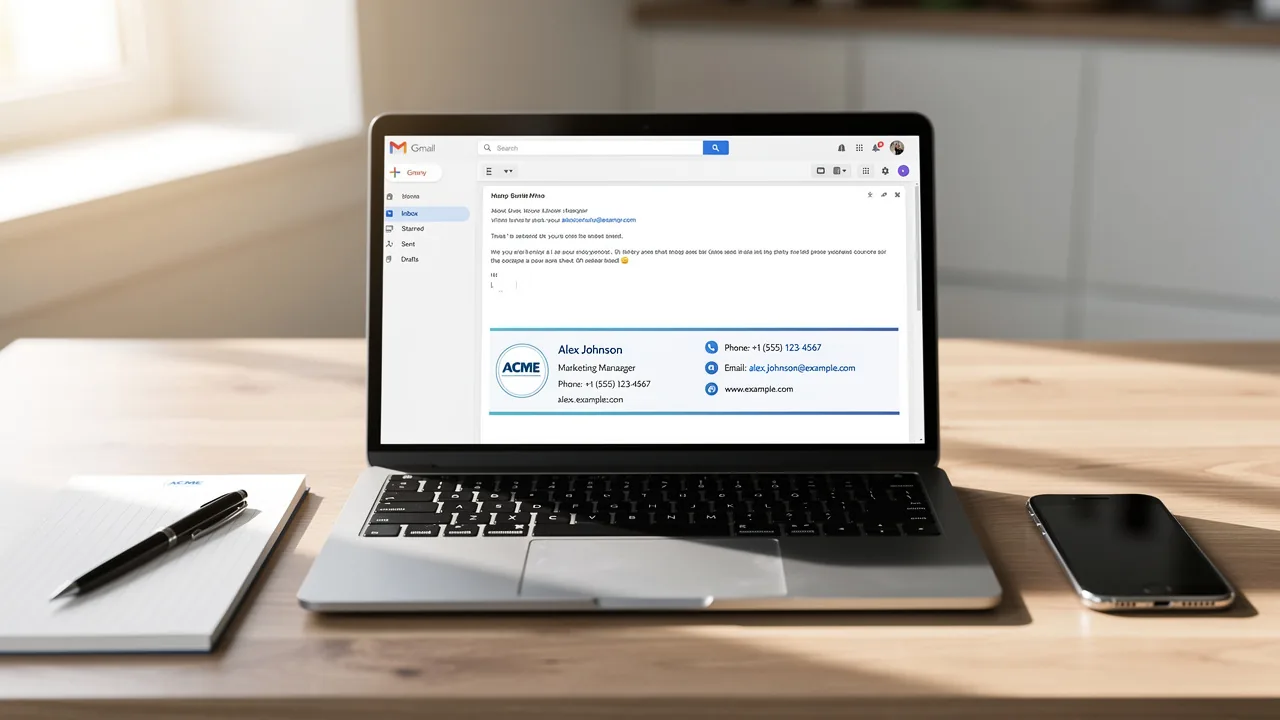
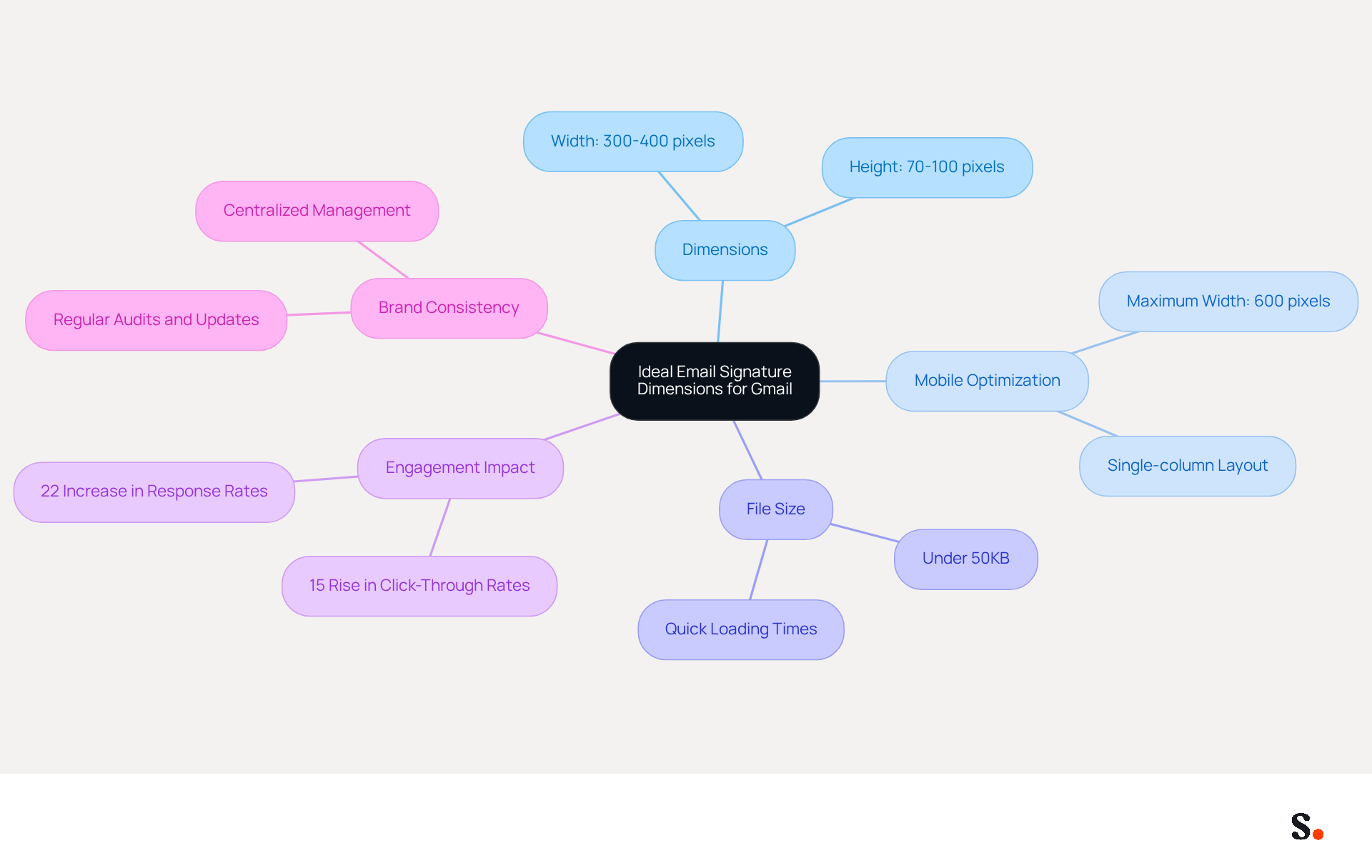
The email signature dimensions for Gmail layouts are crucial for maintaining professionalism and enhancing engagement. Generally, the email signature dimensions for Gmail should range between 300 to 400 pixels in width and 70 to 100 pixels in height. This sizing ensures the email signature dimensions Gmail fit neatly within the message body, preventing layout issues and the need for horizontal scrolling. Following these dimensions not only preserves a tidy appearance but also boosts engagement, as research indicates that branded digital identifiers can lead to a 22% increase in response rates and a 15% rise in click-through rates in electronic communications.
Expert opinions highlight the significance of optimizing email formats for mobile devices, where nearly half of all emails are accessed. A maximum width of 600 pixels is advised to prevent truncation on mobile displays, while elements exceeding this width can result in readability issues. Additionally, keeping the total file size under 50KB is crucial for quick loading times and to prevent layout distortion.
With Scribe, any changes you make in your Aircall setup will automatically update your communication identifiers, ensuring brand consistency across all interactions. This automated synchronization streamlines the management of digital identifiers, enabling marketing teams to make effortless updates while ensuring adherence to security standards such as SOC 2 Type II, GDPR, and CCPA.
Research examples emphasize the effect of appropriate dimensions for proper correspondence. For instance, organizations that standardized their digital correspondence identifiers saw a significant rise in social media interaction and website visits. This illustrates that effective electronic correspondences are not merely a formality but a crucial marketing instrument that can greatly enhance brand visibility and engagement. Regular audits and updates of digital identifiers are essential to align with evolving brand identities and ensure compliance with legal standards, which are vital for maintaining professionalism and trust. Ultimately, neglecting these best practices could hinder your brand's visibility and effectiveness in digital communications.
Optimal Image Sizes for Gmail Email Signatures
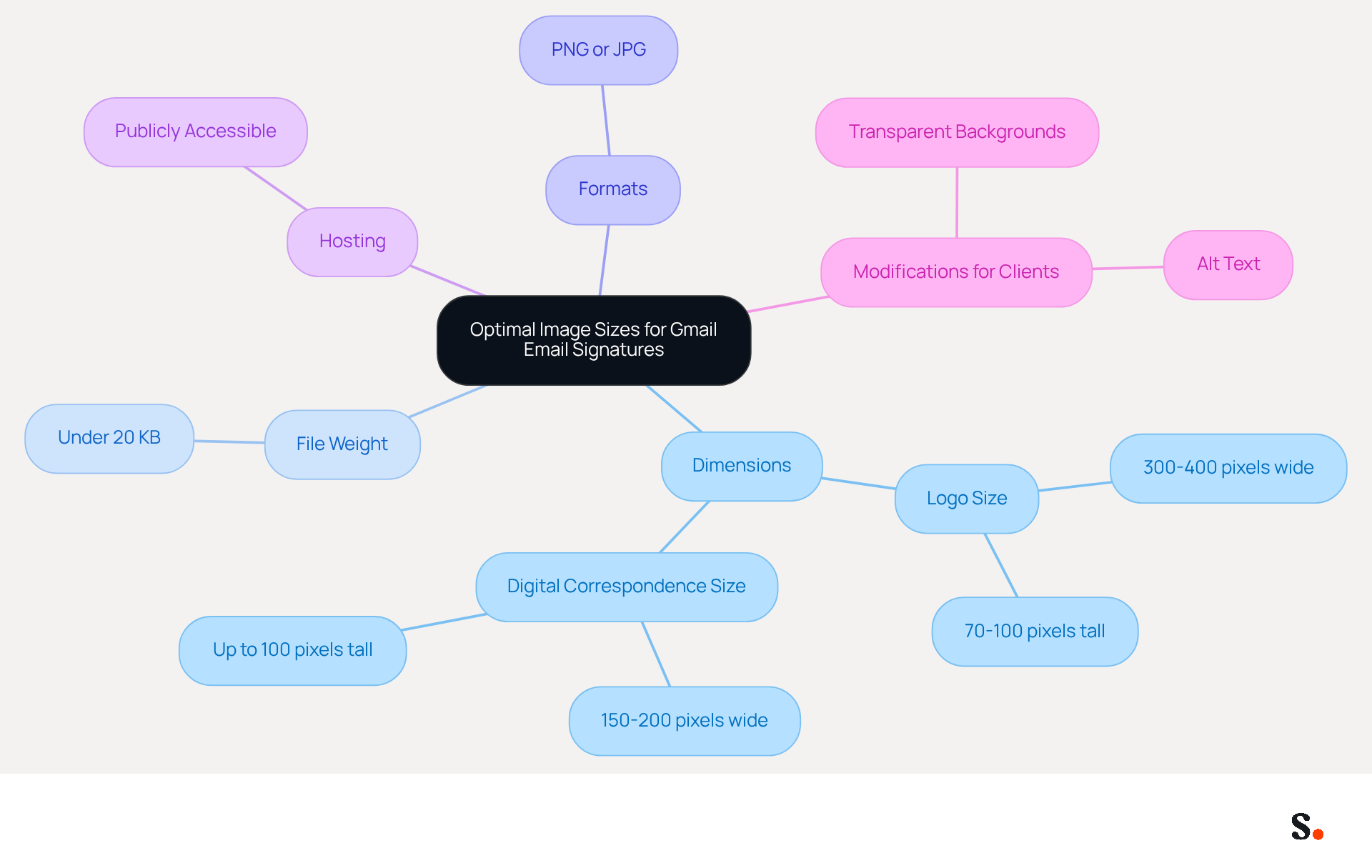
Proper image dimensions and hosting are critical for maintaining professionalism in digital correspondence. The ideal email signature dimensions for logos in Gmail range from 300 to 400 units wide and 70 to 100 units tall. It is essential to keep the total file weight under 20 KB to ensure quick loading times, particularly on mobile devices. Images should be in PNG or JPG format to maintain clarity and prevent pixelation or distortion. The optimal dimensions for a logo in digital correspondence are approximately 150 to 200 pixels wide and up to 100 pixels tall. This sizing helps prevent issues where logos appear oversized due to improper scaling in various messaging clients.
Many communication issues stem from inadequate hosting of image logos, leading to broken graphics that can undermine professionalism. Ensuring that images are publicly accessible prevents broken links and guarantees that logos display correctly for all recipients. Furthermore, optimizing Gmail identifiers for performance by adhering to the character limit of 10,000-including images-can significantly enhance the appearance and functionality of these elements across different devices.
Lastly, when modifying footers for dark mode and Outlook, utilizing transparent backgrounds and appropriate alt text guarantees that they remain visually appealing and functional, regardless of the client settings. Ensuring optimal image management not only enhances visual appeal but also reinforces effective communication across all platforms.
Recommended Banner Sizes for Gmail Email Signatures
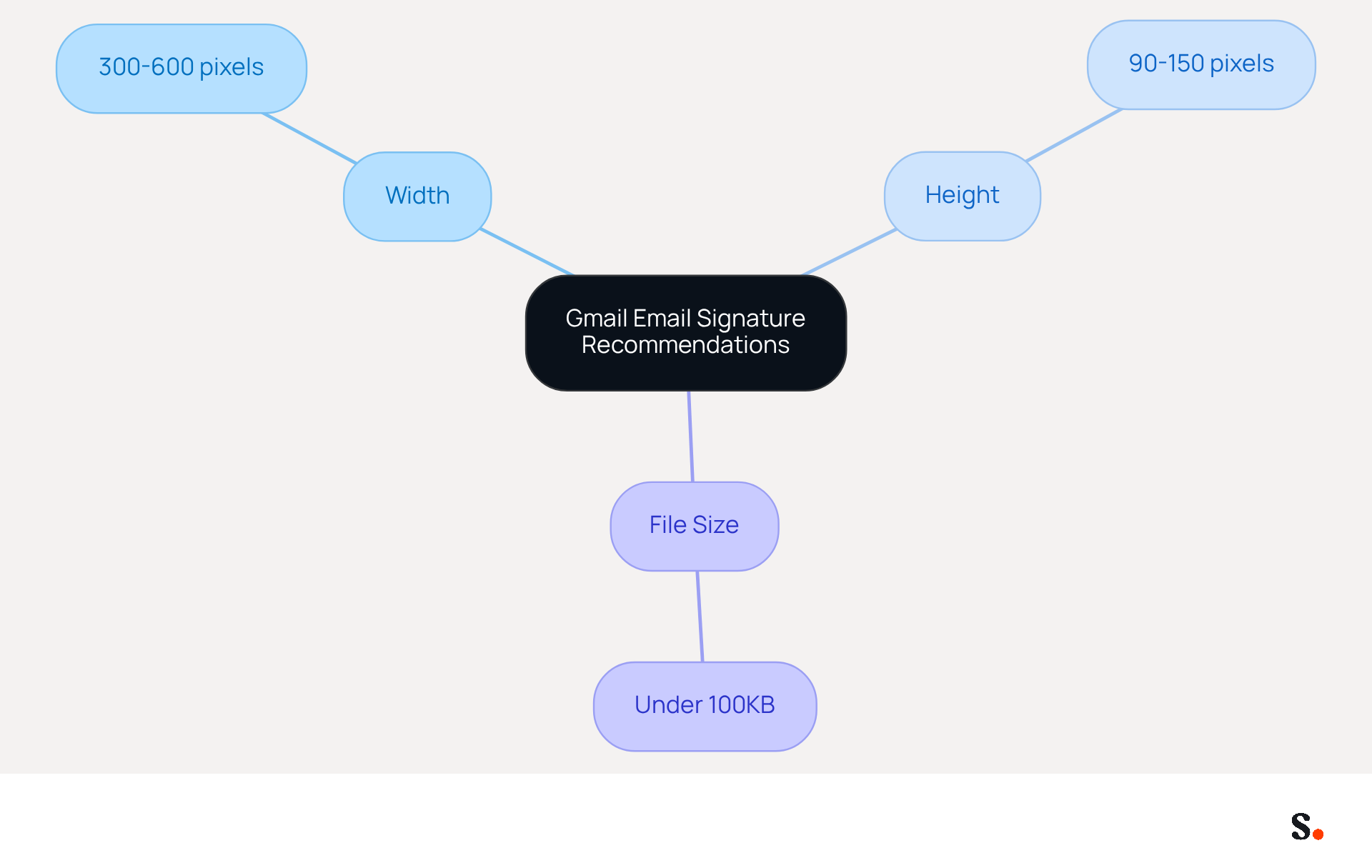
Choosing the right email signature dimensions for Gmail is crucial for effective branding and message clarity. The optimal email signature dimensions for Gmail should be:
- Between 300-600 pixels wide
- Between 90-150 pixels tall
Additionally, banners should be kept under 100KB in file weight to ensure they load quickly. These dimensions ensure your branding stands out while keeping the message clear and focused.
Mobile Optimization Guidelines for Gmail Email Signatures
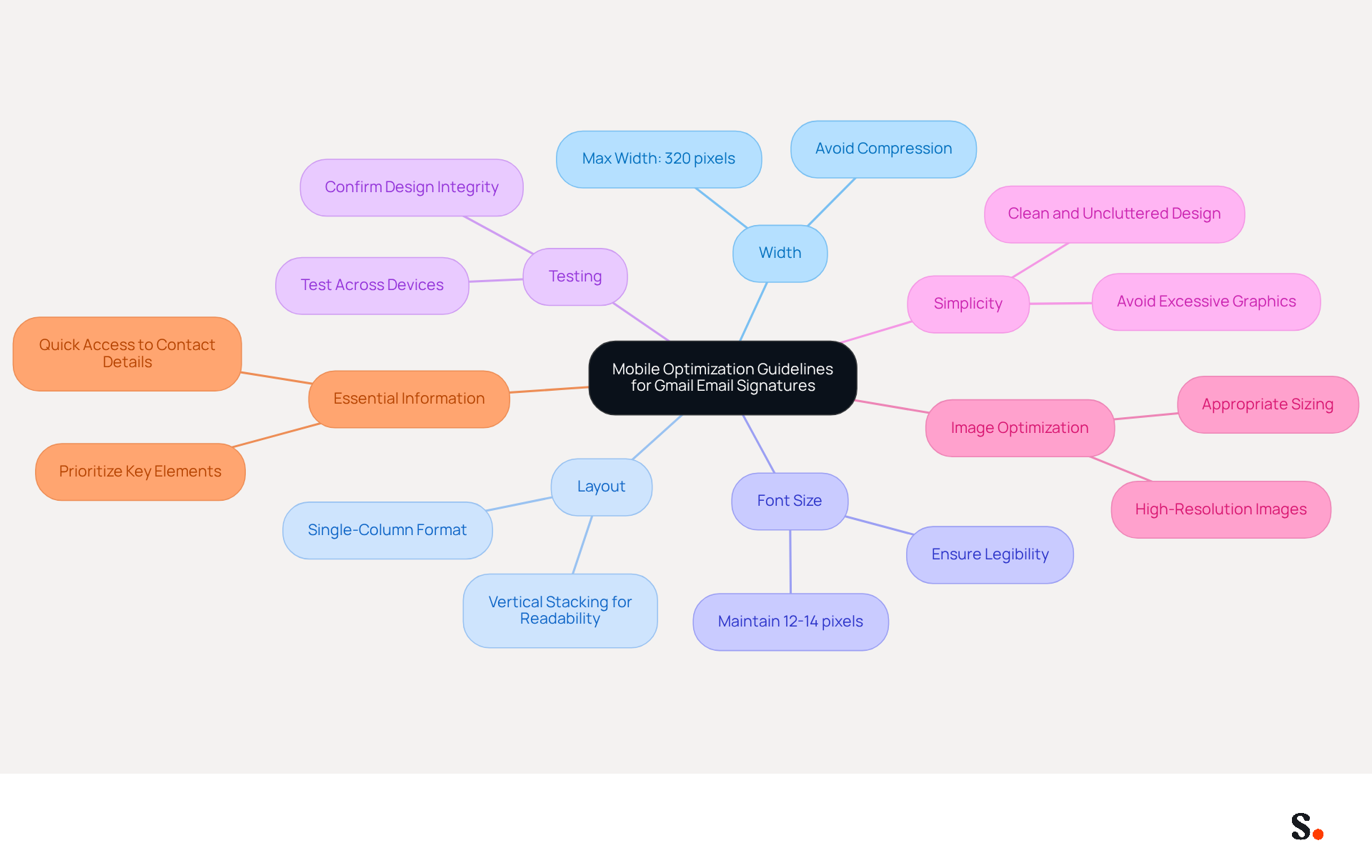
In an era where mobile communication dominates, understanding the email signature dimensions Gmail is crucial for maintaining professionalism and clarity. To effectively optimize Gmail email signatures for mobile devices, adhere to the following guidelines:
- Width: Ensure the signature does not exceed 320 pixels in width. This prevents compression and ensures clarity on smaller screens.
- Layout: Utilize a single-column format to stack information vertically, enhancing readability on mobile devices.
- Font Size: Maintain font sizes between 12-14 pixels to ensure legibility without overwhelming the viewer.
- Testing: Regularly test the mark across various devices to confirm that it displays correctly and maintains its intended design.
- Simplicity: Keep the design clean and uncluttered, avoiding excessive graphics or complex formatting that may not render well on mobile.
- Image Optimization: If images are included, ensure they are high-resolution and appropriately sized to prevent blurriness or slow loading times.
- Essential Information: Prioritize key elements such as the sender's name, job title, and contact details at the top of the closing for quick access.
With 47% of individuals accessing messages on mobile devices, these optimizations are vital for effective communication and branding. By implementing these strategies, you not only enhance your email signatures but also strengthen your brand's presence in a mobile-first world.
Recommended Font Sizes for Gmail Email Signatures
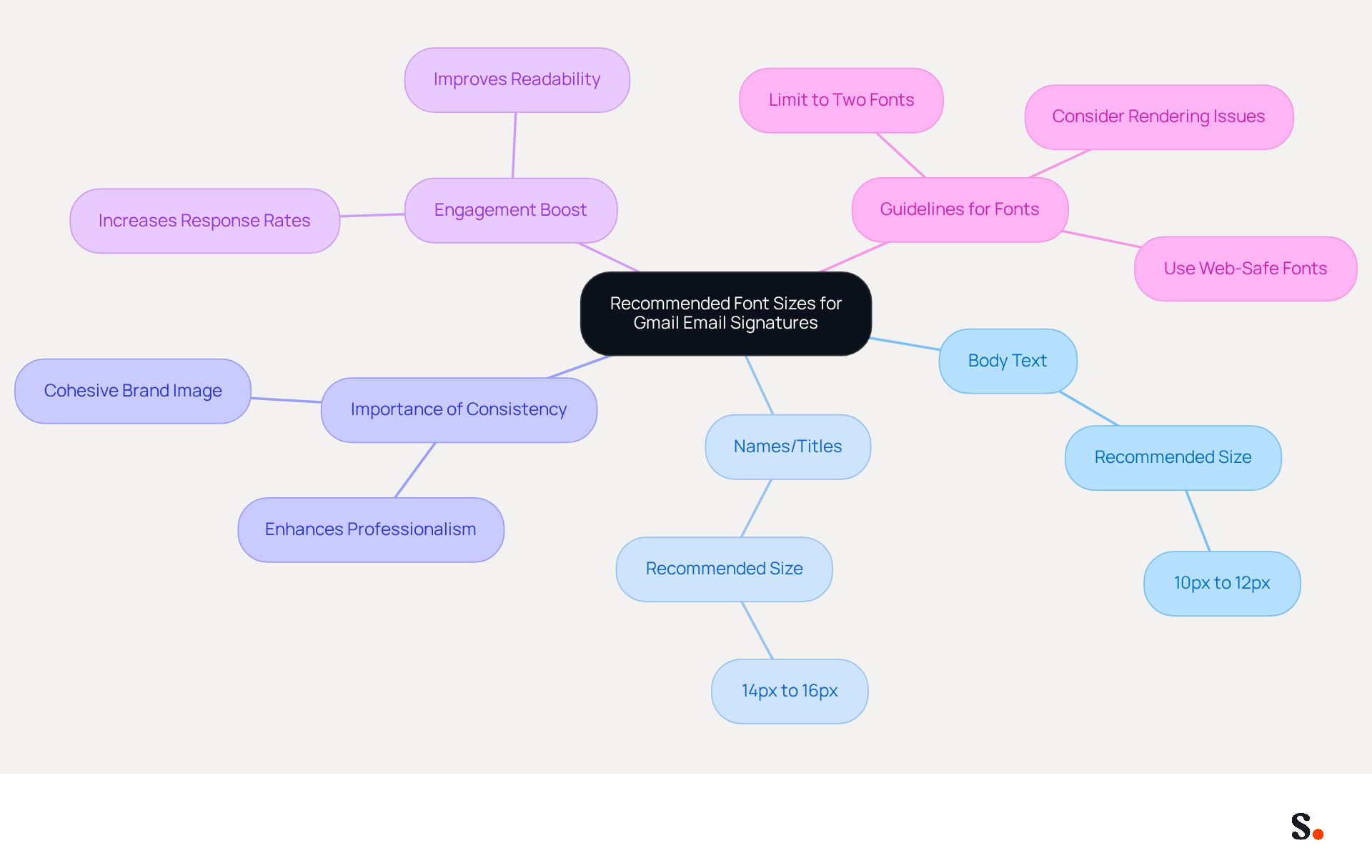
For effective communication in Gmail, selecting the right font size is crucial. For Gmail email identifiers, the suggested font dimension for body text is between 10px and 12px, while names or titles should be set at 14px to 16px. This sizing ensures readability while maintaining a balanced design. Consistency in font dimensions not only enhances professionalism but also contributes to a cohesive brand image.
Research shows that appropriate font sizes can significantly boost engagement, as recipients are more likely to read and respond to clearly presented information. Sophie Grant, an expert in digital signatures, points out that using font sizes effectively helps draw attention to important details, like the sender's name, which can lead to more interactions.
Following these guidelines - such as limiting fonts to two and using web-safe options - can significantly improve communication and brand representation. Additionally, it is important to consider potential rendering issues across devices to ensure a consistent appearance.
Character Limit Considerations for Gmail Email Signatures
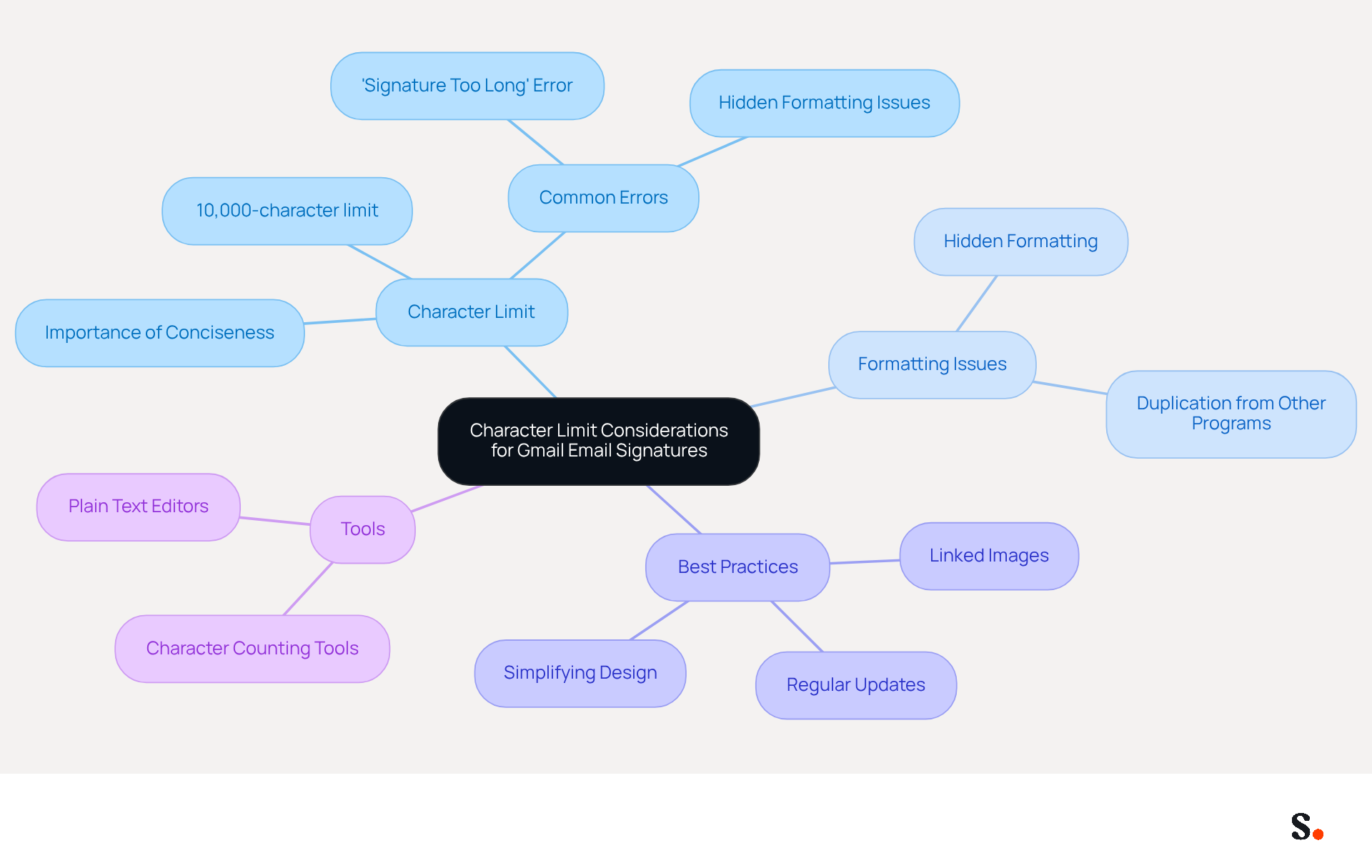
Gmail's strict 10,000-character limit for email footers can pose significant challenges for effective communication. This limit is vital for clear communication and helps you avoid the common 'signature too long' error. Keeping your endorsements concise and relevant is key to staying compliant and effective, focusing on essential details like your name, title, and contact information.
Regularly reviewing and updating your personal mark can help prevent issues related to hidden formatting that often inflate character counts. Hidden formatting can unexpectedly inflate your character count, leading to compliance issues. For instance, duplicating content from programs like Microsoft Word or Google Docs can introduce hidden markup, significantly increasing the character count. Simplifying your design by avoiding excessive fonts, colors, and styles enhances readability and professionalism while keeping the character count manageable.
Using linked images instead of embedded ones is a smart move, as linked images contribute only a short reference to the total character count, whereas embedded images can add significantly more. Additionally, utilizing online character counting tools or pasting your signature into a plain text editor can assist you in tracking the character length efficiently. If issues persist, consider rebuilding your identifier from scratch to eliminate leftover markup from previous edits.
By prioritizing these practices, you not only enhance your professional image but also safeguard your communications against potential pitfalls. Furthermore, syncing your Google Workspace with Scribe enables automatic updates of your teammates' details, conserving time and ensuring that any modifications in their information are reflected without manual input. This integration simplifies management and helps maintain brand consistency across all communications. Scribe's SOC 2 Type II certification and adherence to GDPR and CCPA further bolster security and trust, making it a dependable option for organizations striving for 100% brand consistency and measurable marketing ROI from digital branding.
Common Mistakes to Avoid in Gmail Email Signature Dimensions
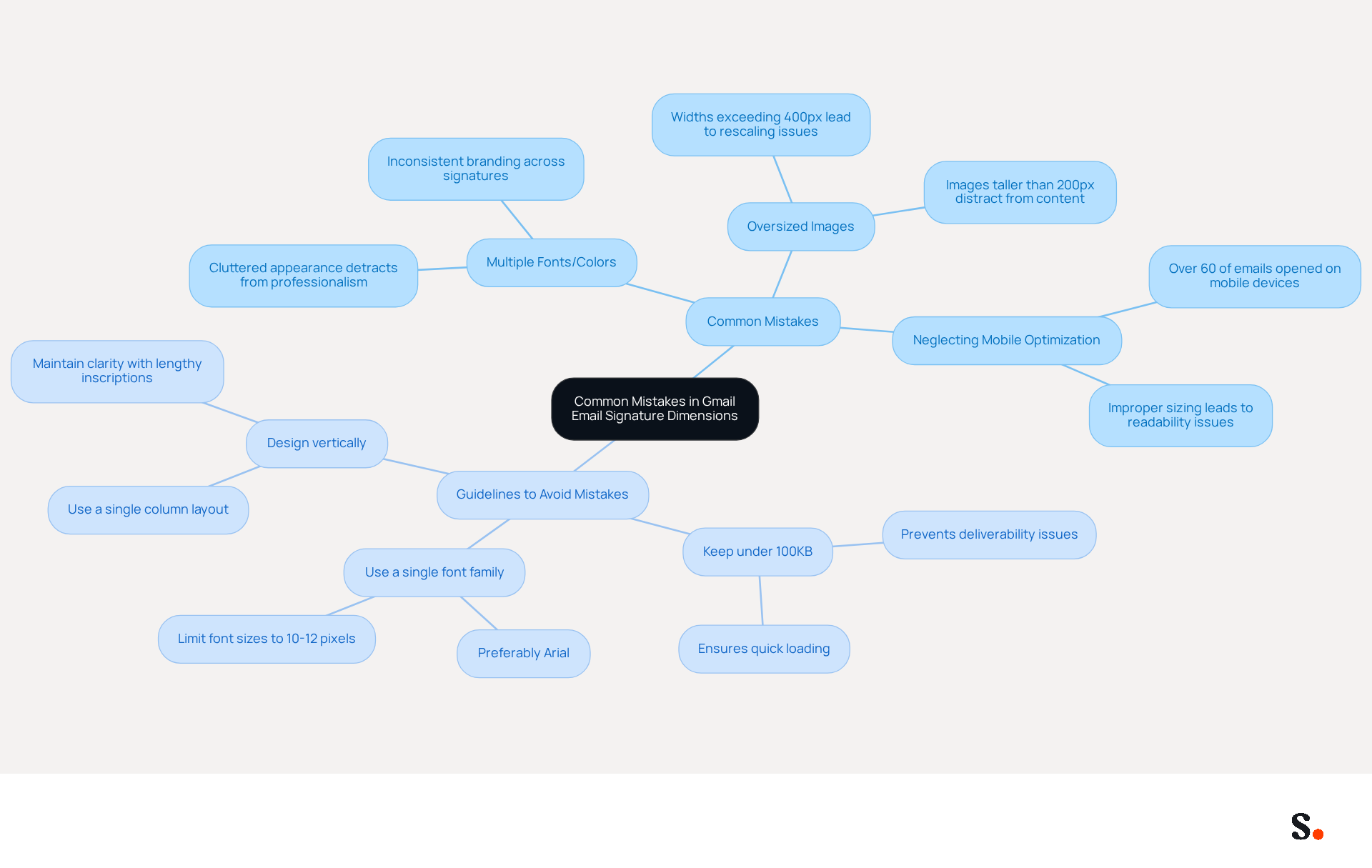
Common mistakes in email signature dimensions Gmail can undermine the effectiveness of email communication. Frequent errors often arise from oversized images, exceeding suggested sizes, and neglecting mobile optimization. For instance, when considering email signature dimensions Gmail, images taller than 200 units can distract from the main content, and widths exceeding 400 units can lead to rescaling issues on mobile devices, making them difficult to read. Additionally, using multiple fonts or colors creates a cluttered appearance, detracting from professionalism. To steer clear of these issues, consider the following guidelines:
- Keep email signatures under 100KB to prevent deliverability issues and ensure quick loading.
- Use a single font family, preferably Arial, and limit font sizes to between 10-12 pixels for optimal readability on mobile devices.
- Design lengthy inscriptions vertically in a single column to maintain clarity.
Test identifiers across different devices to ensure they display correctly, as over 60% of messages are accessed on mobile. Research shows that companies addressing these errors see significant improvements in brand consistency and engagement. For instance, following the ideal banner dimensions of 500x80 pixels for Outlook compatibility guarantees that identifiers display correctly across platforms, preserving a professional look. By implementing these best practices, businesses can enhance their communication and maintain a professional appearance.
Impact of Dimensions on Loading Times for Gmail Email Signatures
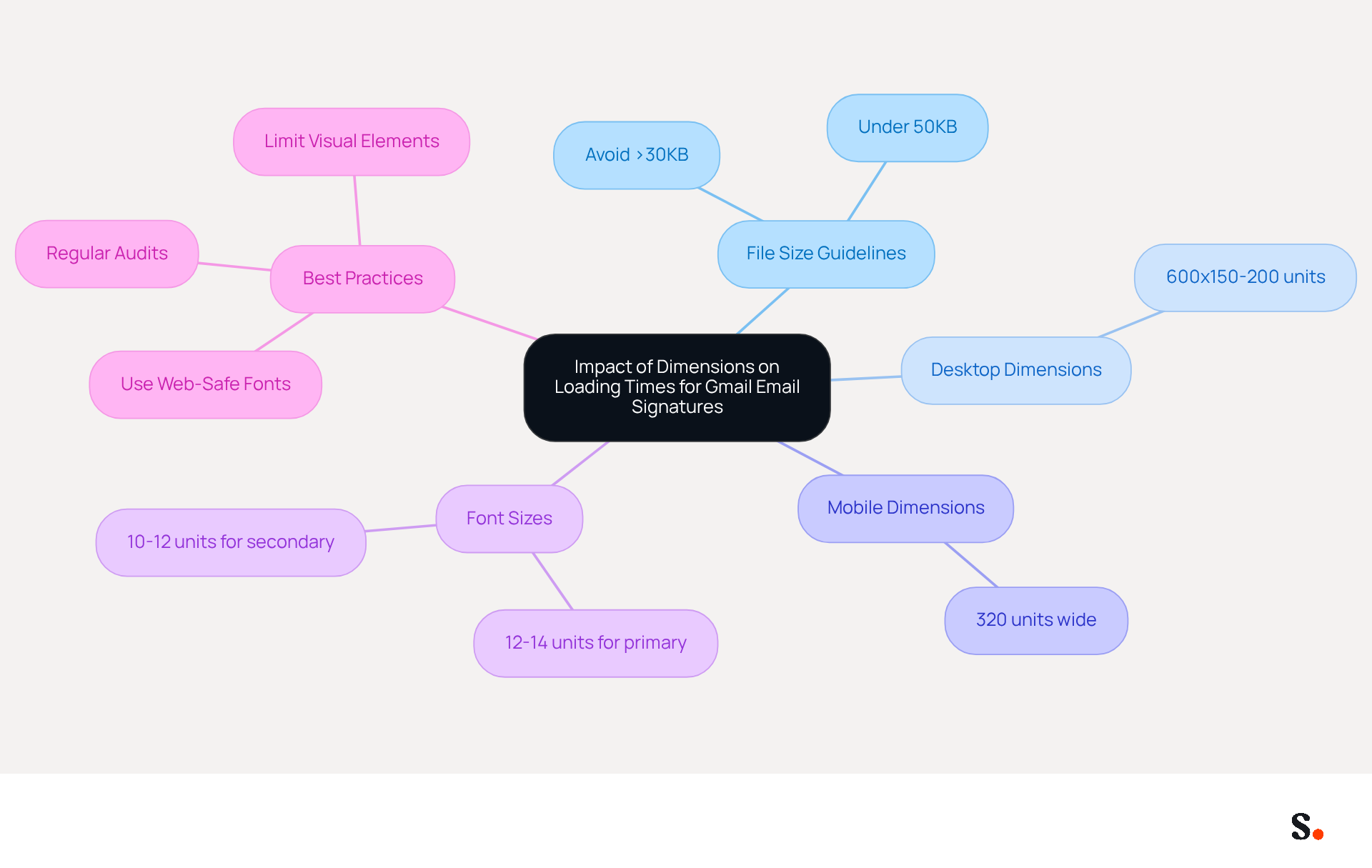
The size of digital identifiers plays a critical role in determining loading times, particularly for Gmail users. When images are too large, they can slow down message delivery, particularly for users on mobile devices. To optimize performance, it is vital to keep the total file size under 50KB, as images exceeding 30KB can lead to delays and may even trigger spam filters, negatively impacting user experience.
For optimal outcomes, the email signature dimensions for Gmail should ideally measure:
- 600 units in width and between 150 to 200 units in height for desktop use
- 320 units wide for mobile email signature dimensions to ensure clarity and professionalism on smaller screens
This sizing not only ensures a clean and professional appearance but also facilitates faster loading times across various devices. It's important to regularly audit and update email signatures to keep them looking professional and performing well.
Furthermore, utilizing web-safe fonts with suggested sizes of:
- 12-14 units for primary details
- 10-12 units for secondary details
Along with reducing the number of visual elements, can further improve loading efficiency. For instance, social media icons should be sized at 24x24 pixels and kept to a maximum of four relevant platforms to avoid clutter. By adhering to these guidelines, businesses can enhance user experience and strengthen their brand's professional image.
Ensuring Consistency in Gmail Email Signature Dimensions
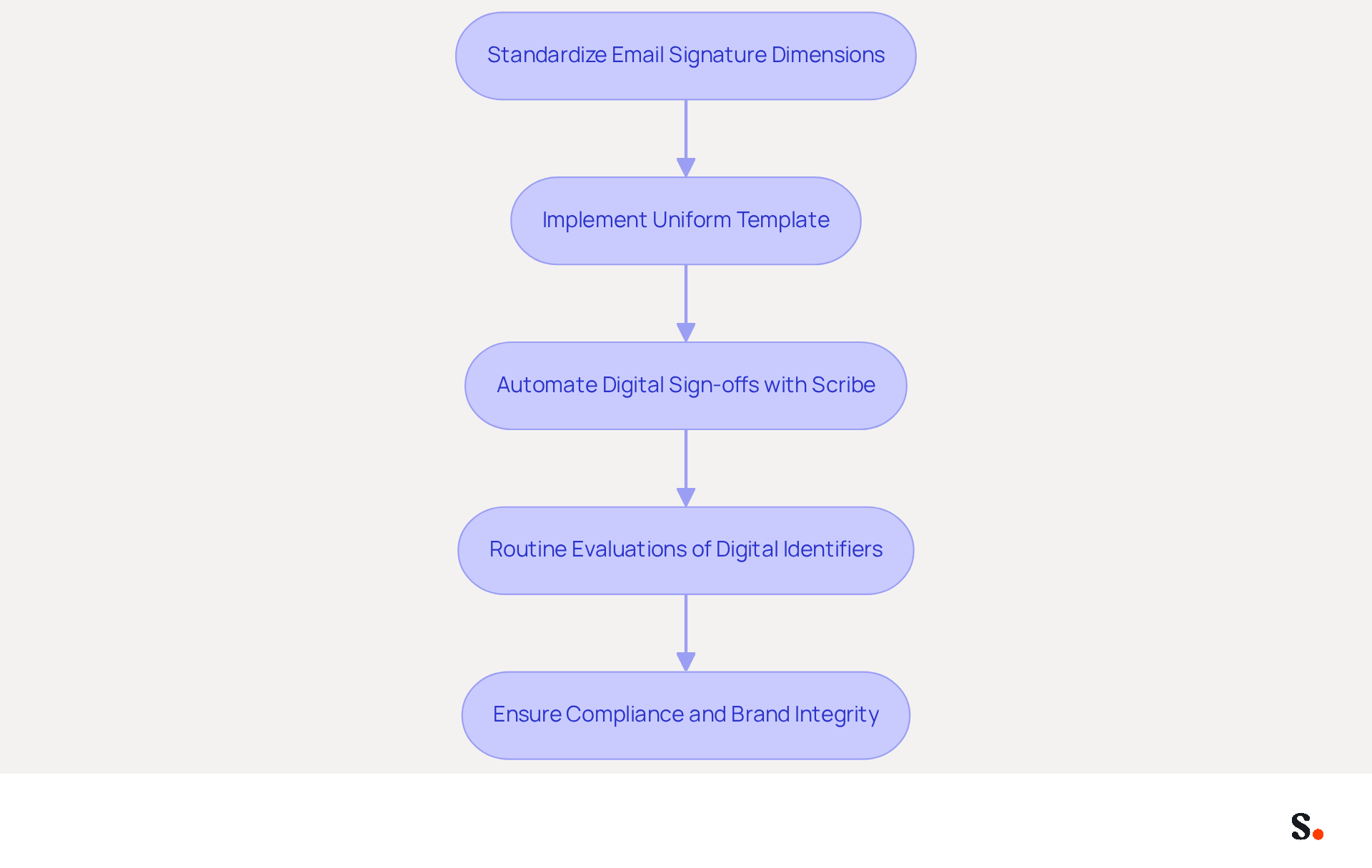
Standardizing electronic correspondence dimensions is crucial for maintaining brand integrity. Implementing a uniform template ensures that every mark adheres to the recommended sizes, significantly enhancing brand recognition and preventing damage to your brand's image due to inconsistencies.
Scribe automates digital sign-offs, saving organizations time on manual updates and ensuring every sign-off meets the latest branding and compliance standards. Routine evaluations of digital identifiers are essential for identifying and correcting inconsistencies, ensuring a unified appearance across all communications.
Furthermore, organizations that prioritize uniform digital identifiers can avoid compliance issues, such as the alteration or omission of legal disclaimers. With Scribe, updates are seamless and automatic, allowing your team to focus on outreach without the worry of inconsistencies.
By leveraging Scribe's capabilities, including its integration with Aircall for automatic updates, businesses can effectively reinforce their brand identity, improve overall communication effectiveness, and maximize lead generation opportunities. Organizations using Scribe have seen an average click-through rate of 12% on banners, translating into significant monthly revenue through enhanced engagement.
Utilize Scribe for Effective Management of Gmail Email Signature Dimensions
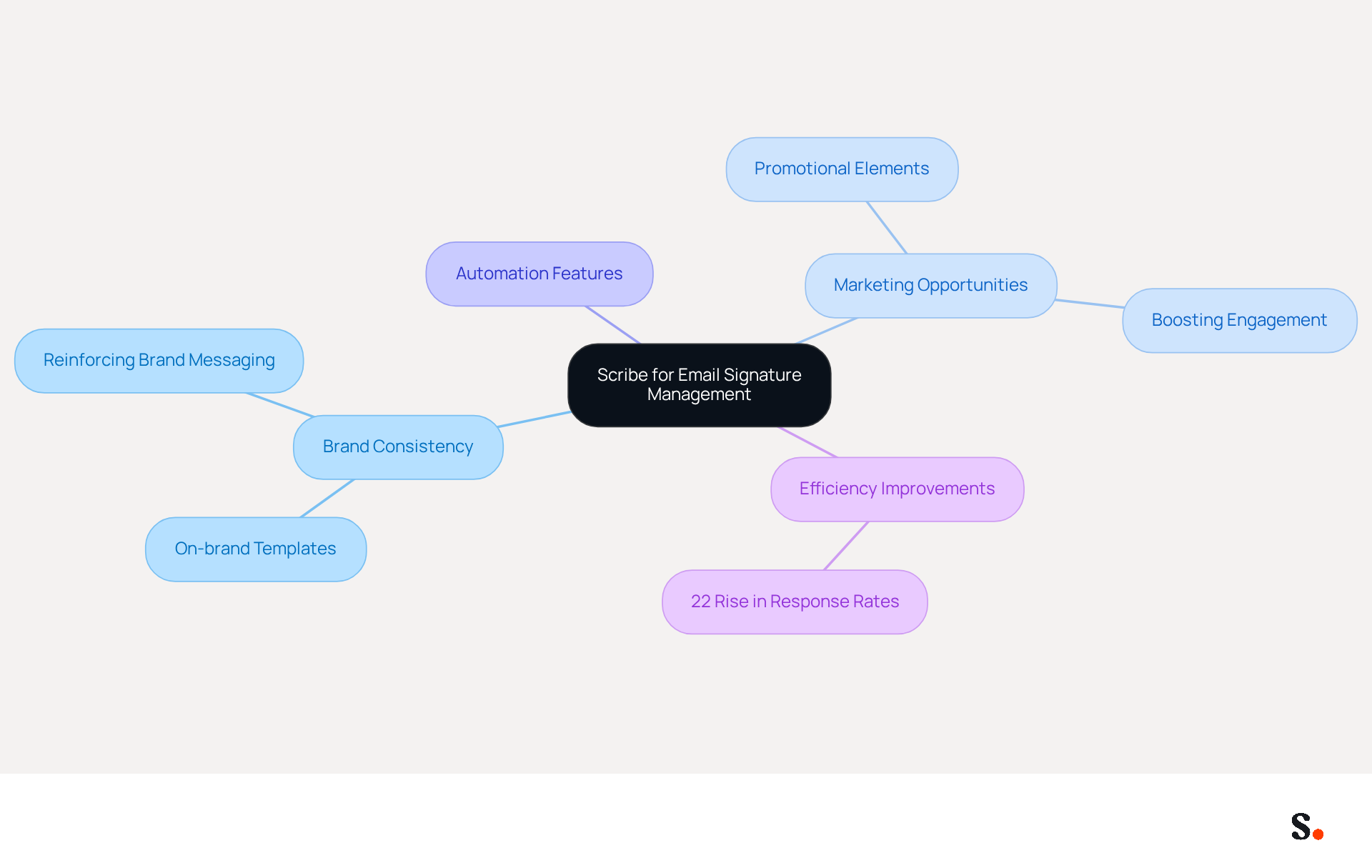
Scribe revolutionizes the management of digital identifiers, enabling businesses to maintain brand consistency effortlessly. Scribe automates the process, ensuring endorsements comply with branding guidelines, which enhances professionalism and marketing opportunities. In 2026, 48% of marketers are anticipated to use management tools for their signatures to drive traffic to their websites, showing that these elements are now recognized as vital marketing assets. Scribe's automation features not only simplify the management of digital identifiers but also greatly diminish the likelihood of outdated information being sent to clients.
For instance, companies like Nike and Headspace have reported improved efficiency and brand consistency after implementing Scribe's automation features. This improvement in efficiency translates into better marketing outcomes, as organizations that uphold consistent communication formats have reported a 22% rise in response rates, emphasizing the significance of effective management of digital identifiers.
Scribe's platform enables the creation of on-brand templates that reflect the organization's identity, ensuring that every message sent reinforces brand messaging. By incorporating promotional elements into communication footers, businesses can turn routine interactions into effective marketing tools, boosting engagement and strengthening customer trust. With Scribe, companies can effectively manage email signature dimensions in Gmail, ensuring that every signature not only meets professional standards but also serves as a strategic asset in their marketing efforts.
Conclusion
Understanding the essential email signature dimensions for Gmail is vital for any organization aiming to enhance its professional image and engagement. By adhering to the recommended sizes and optimizing for mobile devices, businesses can ensure their email signatures not only look polished but also function effectively across various platforms. Such meticulous attention can enhance brand visibility and improve communication outcomes.
The article provided detailed analysis on optimal dimensions, image sizes, font guidelines, and the necessity of consistency in email signatures. The significance of mobile optimization was emphasized, given that a substantial portion of emails are accessed on mobile devices. Additionally, the role of Scribe in automating and managing these elements was highlighted, showcasing how it can streamline the process while ensuring compliance with security standards like SOC 2 Type II, GDPR, and CCPA.
In conclusion, organizations should prioritize the management of their email signatures as a strategic marketing asset. Utilizing tools like Scribe allows businesses to ensure brand consistency while boosting engagement and achieving measurable outcomes. Embracing these best practices will ultimately lead to improved communication, stronger brand identity, and increased marketing ROI. Investing in effective email signature management is not just a choice; it is a necessity for organizations aiming to thrive in a competitive landscape.
Frequently Asked Questions
What are the ideal dimensions for email signatures in Gmail?
The ideal email signature dimensions for Gmail should range between 300 to 400 pixels in width and 70 to 100 pixels in height.
Why is it important to follow the recommended email signature dimensions?
Following the recommended dimensions helps maintain a tidy appearance, prevents layout issues, and can lead to increased engagement, with research indicating a 22% increase in response rates and a 15% rise in click-through rates.
What is the maximum width recommended for email signatures to ensure mobile compatibility?
A maximum width of 600 pixels is advised to prevent truncation on mobile displays.
What is the recommended file size for email signatures?
The total file size for email signatures should be kept under 50KB for quick loading times and to prevent layout distortion.
What image formats are recommended for logos in Gmail email signatures?
Logos should be in PNG or JPG format to maintain clarity and prevent pixelation or distortion.
What are the optimal dimensions for logos in email signatures?
The optimal dimensions for a logo in digital correspondence are approximately 150 to 200 pixels wide and up to 100 pixels tall.
How can inadequate hosting of image logos affect email signatures?
Inadequate hosting can lead to broken graphics, undermining professionalism. Ensuring images are publicly accessible prevents broken links and guarantees correct display for all recipients.
What are the recommended dimensions for banners in Gmail email signatures?
The optimal email signature dimensions for banners should be between 300-600 pixels wide and between 90-150 pixels tall.
What is the maximum file size recommended for banners in email signatures?
Banners should be kept under 100KB in file weight to ensure they load quickly.
How can modifying footers for dark mode and Outlook improve email signatures?
Utilizing transparent backgrounds and appropriate alt text ensures that footers remain visually appealing and functional, regardless of the client settings.
List of Sources
- Ideal Email Signature Dimensions for Gmail
- Email Signature Size and Layout Tips (https://linkedin.com/pulse/email-signature-size-layout-tips-bulksignature-nuy7f)
- Email Signature Image and Logo Size: Specs That Display Everywhere (https://patronum.io/email-signature-image-size)
- Optimize Your Gmail Signature Size for Effective Marketing (https://scribe-mail.com/en-US/blog/optimize-your-gmail-signature-size-for-effective-marketing)
- Correct Email Signature Dimensions: Width, Height & File Size (https://wisestamp.com/guides/what-are-correct-email-signature-dimensions)
- Optimal Image Sizes for Gmail Email Signatures
- Email Signature Image and Logo Size: Specs That Display Everywhere (https://patronum.io/email-signature-image-size)
- Recommended Banner Sizes for Gmail Email Signatures
- What Is The Best Email Signature Size? | Rocketseed (https://rocketseed.com/resources/email-design-guidelines)
- What is the Best Email Signature Design Size? Expert Guide (https://publicate.it/blog/email-signature-design-size)
- Maximize Marketing Impact with the Right Banner Size for Email Signature (https://scribe-mail.com/en-US/blog/maximize-marketing-impact-with-the-right-banner-size-for-email-signature)
- The Complete Email Signature Guide 2026: Best Practices and Policy (https://opensense.com/complete-email-signature-guide)
- Email Banner Size: Updated Dimensions For 2026 (https://omnisend.com/blog/email-banner-size)
- Mobile Optimization Guidelines for Gmail Email Signatures
- Optimizing Mobile Email Signatures: Best Practices for Seamless Communication | MySignature (https://mysignature.io/blog/optimizing-mobile-email-signatures)
- How to Optimize Your Email Signature for Mobile Devices - Gimmio (https://blog.gimm.io/how-to-optimize-your-email-signature-for-mobile-devices)
- How to Make Email Signature Mobile-Friendly in 2023 (https://pandadoc.com/ask/how-to-make-email-signature-mobile-friendly)
- Gmail Mobile Signature Same as Desktop: Complete Setup Guide (2026) (https://syncsignature.com/blog/gmail-mobile-signature-same-as-desktop)
- Best Mobile Email Signatures: Key Practices for Marketing Managers (https://scribe-mail.com/en-US/blog/best-mobile-email-signatures-key-practices-for-marketing-managers)
- Recommended Font Sizes for Gmail Email Signatures
- 10 Best Email Signature Fonts: How to Choose? (https://publicate.it/blog/best-email-signature-font)
- The Best Fonts for Email Signatures: A Professional Guide (https://linkedin.com/pulse/best-fonts-email-signatures-professional-guide-bulksignature-tmvuf)
- The Best Fonts for Email Signatures That Look Clean and Professional (https://bulksignature.com/blog/the-best-fonts-for-email-signatures)
- 4 Best Practices for Choosing a Professional Email Signature Font (https://scribe-mail.com/en-US/blog/4-best-practices-for-choosing-a-professional-email-signature-font)
- Character Limit Considerations for Gmail Email Signatures
- Gmail Signature Too Long Error? Fix the 10,000 Character Limit Fast (https://exclaimer.com/email-signature-handbook/how-to-fix-the-gmail-signature-too-long-error)
- Fix Your Gmail Signature Is Too Long Error in 4 Simple Steps (https://scribe-mail.com/en-US/blog/fix-your-gmail-signature-is-too-long-error-in-4-simple-steps)
- Gmail Signature Too Long Error (10000 Character Limit) (https://support.xink.io/support/solutions/articles/1000299609-gmail-signature-too-long-error-10000-character-limit-)
- Common Mistakes to Avoid in Gmail Email Signature Dimensions
- 11 Common Email Signature Mistakes to Avoid - Gimmio (https://blog.gimm.io/email-signature-mistakes)
- 5 Email Signature Mistakes You Must Avoid (And How to Fix Them) - Signite (https://signite.io/blog/5-email-signature-mistakes-you-must-avoid)
- Email signatures: 5 mistakes to avoid (https://letsignit.com/blog/email-signatures-5-mistakes-to-avoid)
- Correct Email Signature Dimensions: Width, Height & File Size (https://wisestamp.com/guides/what-are-correct-email-signature-dimensions)
- Email Signature Size and Layout Tips (https://bulksignature.com/blog/email-signature-size-and-layout-tips)
- Impact of Dimensions on Loading Times for Gmail Email Signatures
- What Size Should Email Signature Be? Key Insights for Marketers (https://scribe-mail.com/en-US/blog/what-size-should-email-signature-be-key-insights-for-marketers)
- Using the Right Email Signature Size | Exclaimer (https://exclaimer.com/email-signature-handbook/using-the-right-email-signature-size)
- Email Signature Size and Layout Tips (https://bulksignature.com/blog/email-signature-size-and-layout-tips)
- Guide to Email File Size and Load Times (https://litmus.com/blog/guide-to-email-file-size-and-load-times)
- Email Signature Design: Best Practices and Their Impact on Deliverability - GlockApps (https://glockapps.com/blog/email-signature-design-best-practices-and-their-impact-on-deliverability)
- Ensuring Consistency in Gmail Email Signature Dimensions
- Email signature statistics and trends in 2024 (https://wisestamp.com/blog/email-signature-statistics)
- WiseStamp Sets a New Standard for Email Signature Creation (https://prnewswire.com/news-releases/wisestamp-sets-a-new-standard-for-email-signature-creation-302689811.html)
- Create Organization-wide Email Signatures and Disclaimers - Microsoft 365 admin (https://learn.microsoft.com/en-us/microsoft-365/admin/setup/create-signatures-and-disclaimers?view=o365-worldwide)
- How Standardizing Email Signatures in Office 365 Can Boost Marketing ROI and Ensure Compliance (https://apexdigital.com/standardizing-email-signatures-office-365-blog)
- Best Practices for Company Wide Email Signature Management (https://scribe-mail.com/en-US/blog/best-practices-for-company-wide-email-signature-management)
- Utilize Scribe for Effective Management of Gmail Email Signature Dimensions
- 40+ Email Signature Statistics for 2026 (Data + Insights) (https://wavecnct.com/blogs/email-signature-statistics)
- Optimize Your Email Signatures with Office 365 for Brand Consistency (https://scribe-mail.com/en-US/blog/optimize-your-email-signatures-with-office-365-for-brand-consistency)
- Maximize Your Email Signature Program with These 4 Best Practices (https://scribe-mail.com/en-US/blog/maximize-your-email-signature-program-with-these-4-best-practices)
- Maximize Marketing Impact with Automated Email Signatures Best Practices (https://scribe-mail.com/en-US/blog/maximize-marketing-impact-with-automated-email-signatures-best-practices)
- Why Email Signature Management Software is Essential for Marketing Success (https://scribe-mail.com/en-US/blog/why-email-signature-management-software-is-essential-for-marketing-success)
Get started with Scribe
Create your signature in minutes
Free 14-day trial — no credit card.