4 Best Business Email Signatures to Boost Your Marketing Impact
Crafting an effective business email signature can be a complex task, yet it holds the potential to transform a simple sign-off into a strategic marketing
Sophie Grant
Email Signature Specialist, Scribe
Introduction
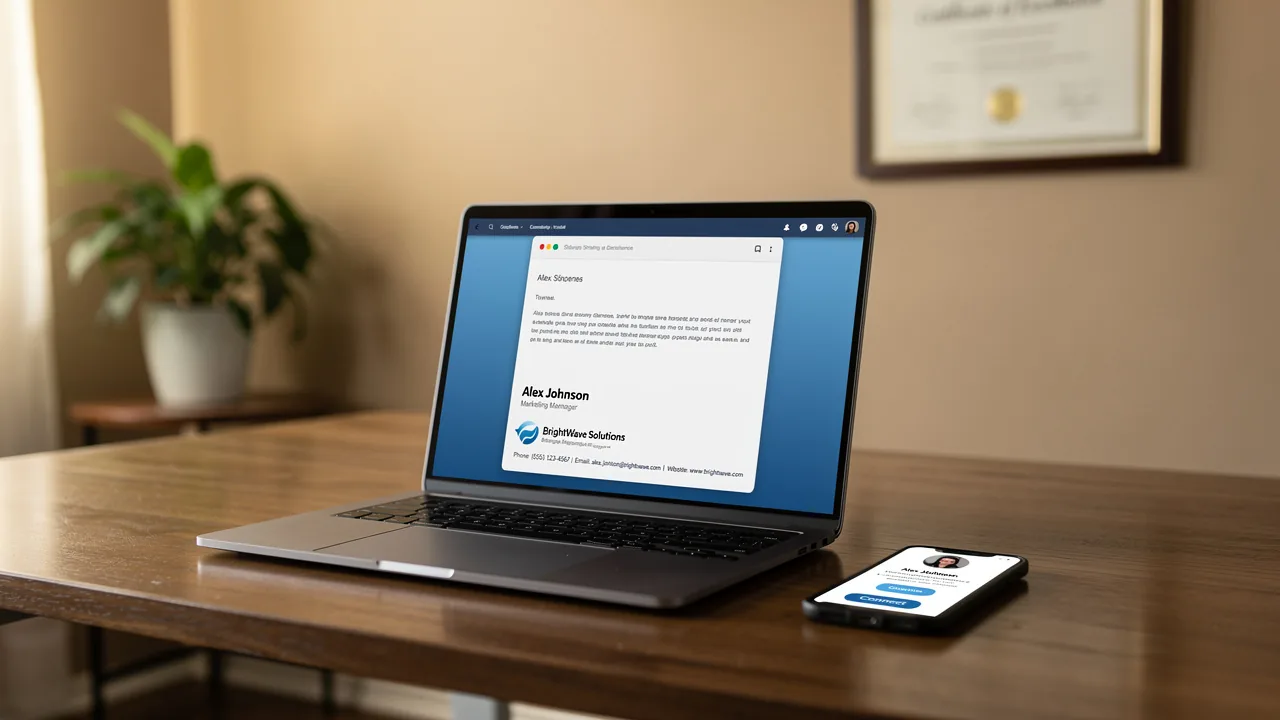
Crafting an effective business email signature can be a complex task, yet it holds the potential to transform a simple sign-off into a strategic marketing asset. By including key elements like:
- Contact information
- Company branding
- Legal compliance
organizations can craft signatures that convey professionalism while also making a marketing impact. With numerous elements to juggle, crafting an effective email signature can be daunting for businesses. This article provides a roadmap to navigate these complexities and design signatures that truly resonate with recipients.
Establish Core Elements of Effective Email Signatures
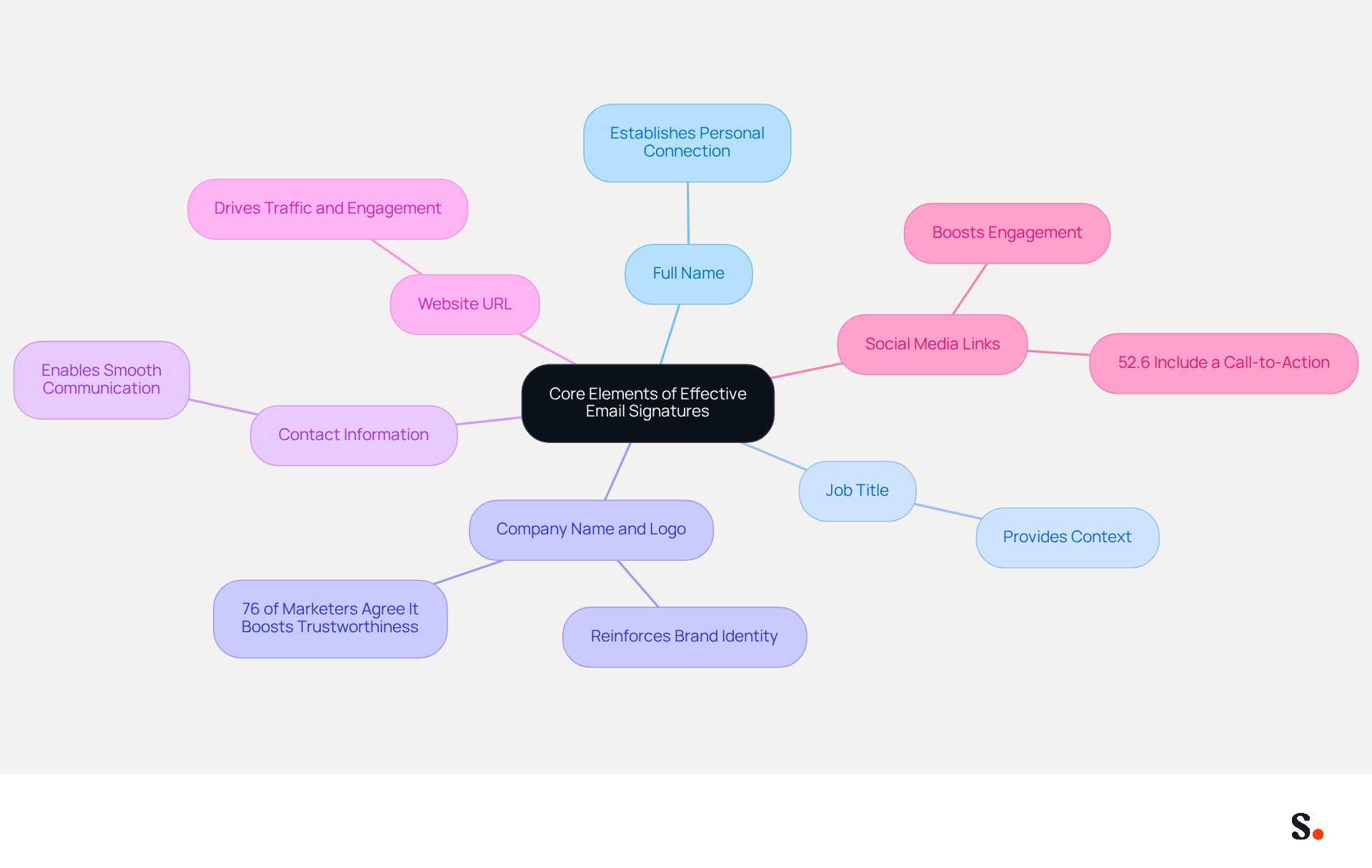
To create an effective email signature, it is crucial to incorporate specific core elements that enhance professionalism and engagement:
- Full Name: Clearly stating the sender's full name establishes a personal connection, making the communication feel more genuine.
- Job Title: Including the sender's position provides context about their role within the organization, enhancing the reader's understanding of the message's authority.
- Company Name and Logo: This reinforces brand identity, assisting individuals in recognizing the organization and fostering trust. Interestingly, a significant 76% of marketers agree that branded signatures boost the sender's trustworthiness.
- Contact Information: Vital details such as phone number and contact address enable smooth communication, ensuring individuals can reach out without difficulty.
- Website URL: Including a link to the Scribe website can drive traffic and provide users with more information about the business, potentially increasing engagement rates.
- Social Media Links: Incorporating links to professional social media profiles boosts engagement and enables recipients to connect further, with 52.6% of users including a call-to-action (CTA) in their correspondence to encourage interaction.
Integrating these components helps businesses develop the best business email signatures that are both informative and professional, aligning with their branding strategy. For example, Jessica Park, the Director of Marketing at MarketPro, enhanced her contact information to include a link for downloading a marketing trends report, effectively generating more marketing qualified leads (MQLs). This illustrates the effectiveness of resource downloads in digital communications, highlighting how strategic components can greatly influence marketing results. Ultimately, the best business email signatures can transform your digital communications, fostering trust and encouraging meaningful interactions.
Optimize Design and Layout for Maximum Impact
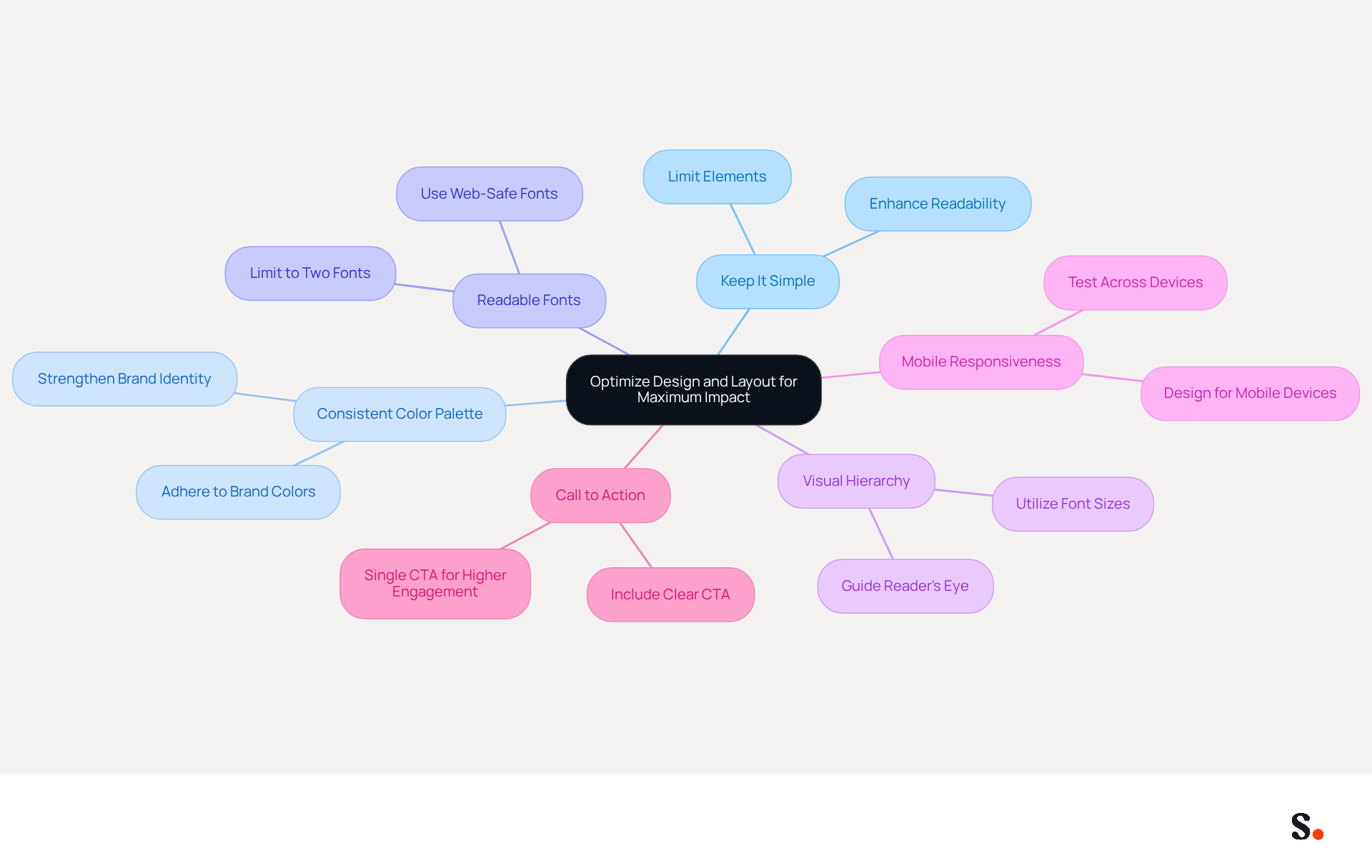
To enhance the effectiveness of your email signature, implementing best practices in design and layout is crucial:
- Keep It Simple: Limit the number of elements in your sign-off to avoid clutter. A clean design enhances readability; without simplicity, important information may be overlooked. Changes in your Aircall configuration will sync directly with your Scribe identifiers.
- Use a Consistent Color Palette: Adhere to your brand colors to maintain consistency across all communications. This strengthens brand identity and assists individuals in recognizing your brand instantly.
- Choose Readable Fonts: Opt for web-safe fonts that are easy to read on various devices. Limiting the number of different fonts to two can help maintain a professional appearance.
- Incorporate Visual Hierarchy: Utilize font sizes and styles to create a hierarchy that guides the reader's eye to the most important information first, ensuring clarity and focus.
- Ensure Mobile Responsiveness: Design your signature to be mobile-friendly, as a significant number of viewers will access messages on their smartphones. Testing how it appears on different devices is crucial for maintaining professionalism.
- Include a Call to Action: If appropriate, add a clear call to action (CTA) that encourages recipients to engage further, such as scheduling a meeting or visiting your website. Studies show that messages featuring a single call to action can achieve 371% more clicks compared to those with multiple options.
It's important to keep your contact information up to date; many professionals refresh theirs a few times a year to stay relevant. A well-crafted digital identifier can create substantial marketing opportunities, with a firm of 100 employees able to generate 60,000-80,000 branded impressions each month. By adhering to these design principles and utilizing Scribe's automated synchronization with Aircall, businesses can create professional-looking communications that also enhance engagement. Businesses employing branded digital identifiers have reported a 22% rise in response rates and a 15% increase in click-through rates to their websites, emphasizing the effectiveness of a well-designed mark. By prioritizing these design principles, businesses can significantly improve their communication effectiveness and engagement metrics.
Incorporate Legal and Compliance Considerations
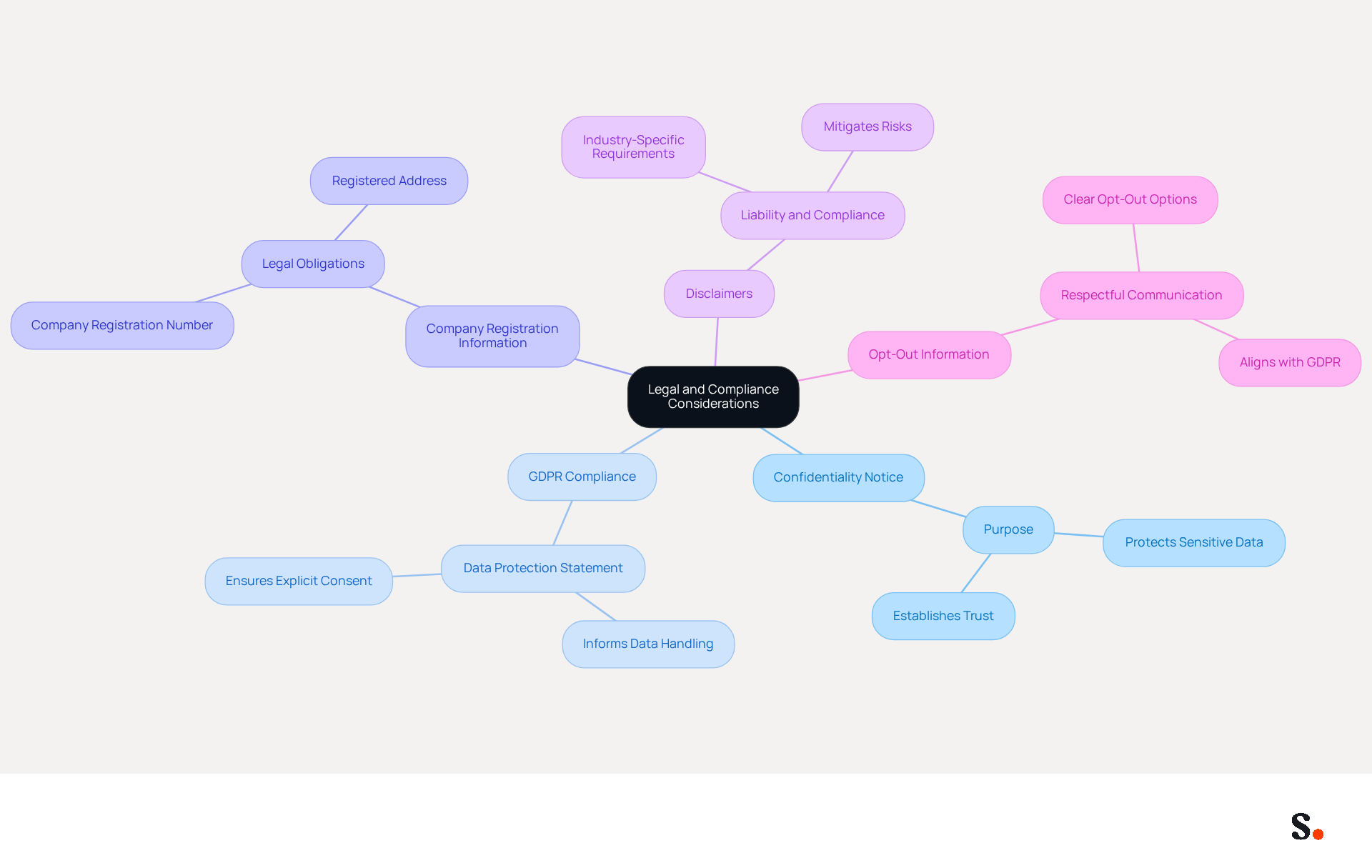
To ensure compliance and maintain trust, it is essential to incorporate specific legal elements in your email signatures:
- Confidentiality Notice: Include a statement indicating that the message is intended solely for the addressee and may contain confidential information. This helps protect sensitive data and establishes trust.
- GDPR Compliance: If applicable, add a statement regarding data protection and privacy, informing individuals about how their data will be handled. Scribe is dedicated to GDPR compliance, ensuring that explicit consent is obtained from contacts before sending communications, which highlights the significance of transparency in data usage.
- Company Registration Information: For businesses operating in certain jurisdictions, it is crucial to include the company registration number, address, and other legal identifiers. This not only fulfills legal obligations but also enhances credibility.
- Disclaimers: Depending on your industry, specific disclaimers related to liability or regulatory compliance may be necessary. For instance, organizations in regulated sectors should ensure their disclaimers meet legal standards to mitigate risks.
- Opt-Out Information: If your messages include marketing content, provide recipients with a clear option to opt out of future communications. This aligns with GDPR requirements and fosters a respectful relationship with your audience.
Including these legal elements protects your business and enhances your credibility. Scribe simplifies the process of updating these elements, ensuring your compliance with GDPR and SOC 2 Type II standards, which helps you communicate with confidence. Neglecting these elements could expose your organization to legal risks and damage your reputation.
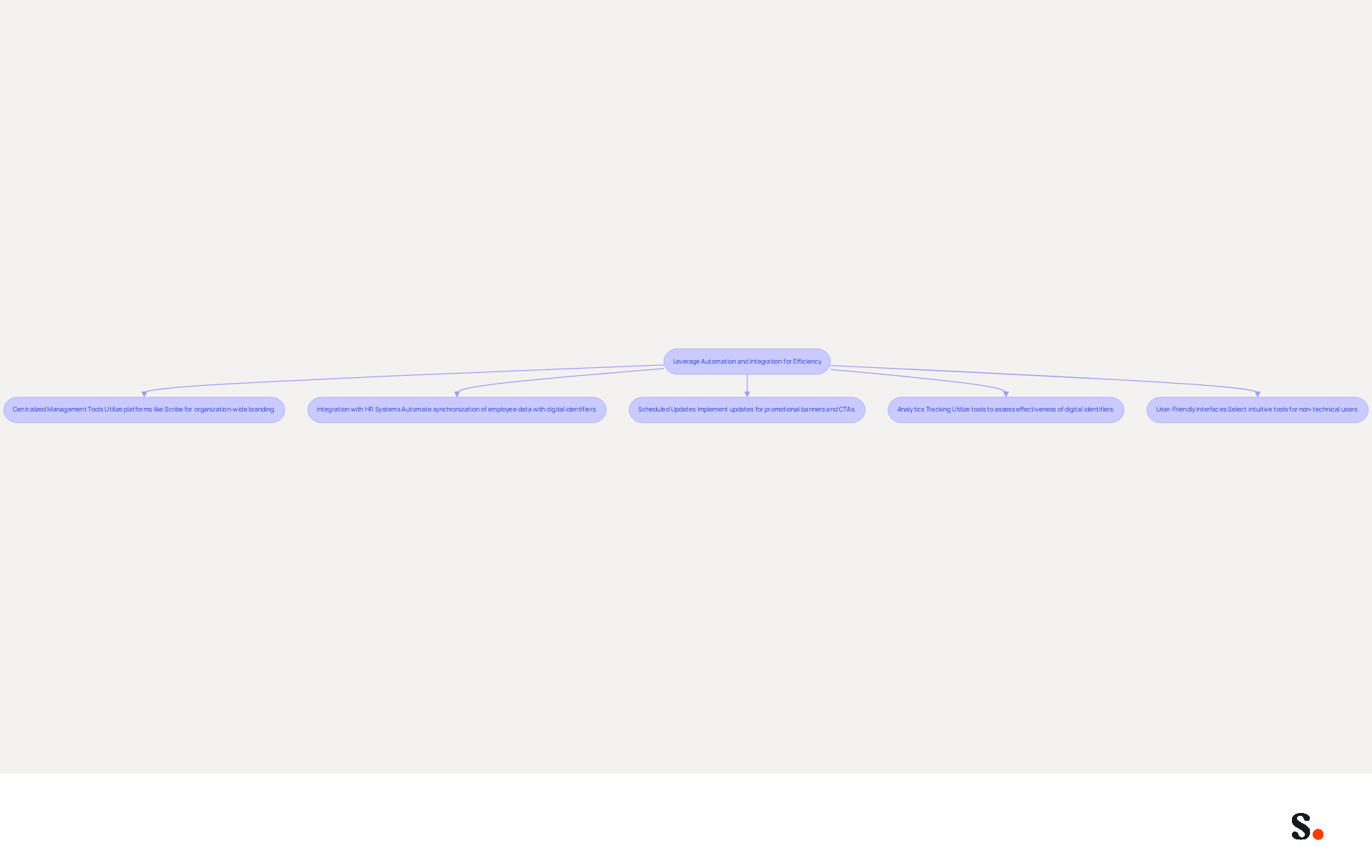
Leverage Automation and Integration for Efficiency
To enhance efficiency in managing email signatures, businesses should adopt strategic automation and integration methods:
- Centralized Management Tools: Utilize platforms like Scribe to oversee communication branding organization-wide from a single dashboard. This guarantees brand consistency and simplifies updates, enabling quick implementation of changes across all employee identifiers. Each change made in your Aircall configuration will automatically be reflected in your Scribe identifiers, as we sync the data from there.
- Integration with HR Systems: Automate the synchronization of employee data with digital identifiers. This ensures that contact information and branding elements are always current, eliminating the need for manual updates and reducing the risk of outdated information. Manual updates often lead to outdated information, creating potential communication issues.
- Scheduled Updates: Implement scheduled updates for promotional banners or calls-to-action (CTAs) within digital communications. Keeping content relevant and up-to-date significantly boosts engagement, with research indicating that branded digital identifiers can result in a 12% average click-through rate on banner displays, increasing traffic to company websites.
- Analytics Tracking: Utilize analytics tools to assess the effectiveness of digital identifiers. Tracking engagement metrics allows businesses to measure effectiveness in driving traffic and conversions, providing insights that can inform future marketing strategies. For example, the City West Country implementation of automated management for electronic signatures experienced a 90% reduction in escalations related to them. This significant reduction in escalations shows how effective automated management systems can be.
- User-Friendly Interfaces: Select automation tools that are intuitive for non-technical users. A user-friendly interface minimizes the need for extensive training, enabling teams to quickly adapt and utilize the platform effectively.
Implementing these automation strategies helps businesses simplify their management of the best business email signatures, save time, and improve brand consistency. Furthermore, ensuring adherence to legal disclaimers and regulatory requirements, such as SOC 2 Type II, GDPR, and CCPA, is vital in maintaining trust and professionalism in communications. As organizations prioritize centralized control and automation, these strategies will be crucial for maintaining a competitive edge in email marketing.
Conclusion
Effective business email signatures are crucial for maximizing marketing impact and enhancing professional communication. Organizations can enhance professionalism and drive engagement by integrating essential elements like full names, job titles, company branding, and contact information into their signatures. The strategic use of design principles, including simplicity and mobile responsiveness, further amplifies the effectiveness of these digital identifiers, ensuring that they resonate with recipients and encourage interaction.
Key insights from this article highlight the importance of legal compliance and automation in email signature management. Incorporating necessary legal elements, such as confidentiality notices and GDPR compliance statements, builds trust and credibility with recipients. Additionally, leveraging automation tools like Scribe allows businesses to maintain brand consistency and streamline updates, ultimately saving time and reducing the risk of outdated information. The integration of analytics tracking also provides valuable insights into engagement metrics, enabling organizations to refine their marketing strategies effectively.
In today's digital landscape, effective communication hinges on the quality of email signatures. By prioritizing best practices in design, compliance, and automation, businesses can transform their email signatures into powerful marketing tools that enhance brand visibility and foster meaningful connections. Prioritizing these strategies not only enhances brand visibility but also positions organizations to thrive in the competitive digital marketing landscape.
Frequently Asked Questions
What are the core elements of an effective email signature?
The core elements of an effective email signature include the sender's full name, job title, company name and logo, contact information, website URL, and social media links.
Why is it important to include the sender's full name in an email signature?
Including the sender's full name establishes a personal connection, making the communication feel more genuine.
How does a job title in an email signature enhance communication?
A job title provides context about the sender's role within the organization, enhancing the reader's understanding of the message's authority.
What role does the company name and logo play in an email signature?
The company name and logo reinforce brand identity, helping individuals recognize the organization and fostering trust.
How does contact information in an email signature facilitate communication?
Contact information, such as phone number and address, enables smooth communication, ensuring individuals can reach out without difficulty.
What is the benefit of including a website URL in an email signature?
Including a link to the Scribe website can drive traffic and provide users with more information about the business, potentially increasing engagement rates.
How do social media links in an email signature enhance engagement?
Incorporating links to professional social media profiles boosts engagement and enables recipients to connect further, with many users including a call-to-action (CTA) to encourage interaction.
Can you provide an example of how an effective email signature can influence marketing results?
For example, Jessica Park, the Director of Marketing at MarketPro, enhanced her contact information to include a link for downloading a marketing trends report, effectively generating more marketing qualified leads (MQLs).
What is the overall impact of integrating these components into email signatures?
Integrating these components helps businesses develop the best business email signatures that are both informative and professional, fostering trust and encouraging meaningful interactions.
List of Sources
- Establish Core Elements of Effective Email Signatures
- 40+ Email Signature Statistics for 2026 (Data + Insights) (https://wavecnct.com/blogs/email-signature-statistics)
- Research Recap: Branded Email Signatures Increase Company Recognition, Trust - Demand Gen Report (https://demandgenreport.com/industry-news/research-recap-branded-email-signatures-increase-company-recognition-trust/47252)
- Email Signature Best Practices for 2026 (+ 15 Pro Examples) (https://wavecnct.com/blogs/email-signature-best-practices-2026)
- Exclaimer Research: 67% of Marketers Expect Email Signatures to Support With Lead Gen In 2023 (https://businesswire.com/news/home/20230612141095/en/Exclaimer-Research-67-of-Marketers-Expect-Email-Signatures-to-Support-With-Lead-Gen-In-2023)
- Optimize Design and Layout for Maximum Impact
- Research Recap: Branded Email Signatures Increase Company Recognition, Trust - Demand Gen Report (https://demandgenreport.com/industry-news/research-recap-branded-email-signatures-increase-company-recognition-trust/47252)
- Maximize Marketing Impact with Your Email Signature and Degree (https://scribe-mail.com/en-US/blog/maximize-marketing-impact-with-your-email-signature-and-degree)
- 40+ Email Signature Statistics for 2026 (Data + Insights) (https://wavecnct.com/blogs/email-signature-statistics)
- Email signature statistics: Why every business should optimize their email signatures — Stripo.email (https://stripo.email/blog/email-signature-statistics-why-every-business-should-optimize-their-email-signatures)
- Exclaimer Research: 67% of Marketers Expect Email Signatures to Support With Lead Gen In 2023 (https://businesswire.com/news/home/20230612141095/en/Exclaimer-Research-67-of-Marketers-Expect-Email-Signatures-to-Support-With-Lead-Gen-In-2023)
- Incorporate Legal and Compliance Considerations
- Why Email Signatures Must Be In Your 2026 Marketing Plan | Rocketseed (https://rocketseed.com/blog/what-are-the-biggest-email-trends-for-2026)
- How does the GDPR affect email? - GDPR.eu (https://gdpr.eu/email-encryption)
- Email Signature Mandatory Information 2026: Rules for GmbH & Co. (https://conbool.com/blog/e-mail-signatur-pflichtangaben-unternehmen-dsgvo-en)
- How the GDPR Affects Email Marketing (https://businessnewsdaily.com/10959-gdpr-email-marketing.html)
- How to Keep Email Marketing GDPR Compliant | DPO Consulting (https://dpo-consulting.com/blog/gdpr-compliant-email-marketing)
- Leverage Automation and Integration for Efficiency
- Email signature platforms as support for marketing and HR department - Technology Org (https://technology.org/2025/04/30/email-signature-platforms-as-support-for-marketing-and-hr-department)
- Email Signature Trends 2026: Centralized Control & Automation | SIGNandGO posted on the topic | LinkedIn (https://linkedin.com/posts/signngo_email-signature-trends-to-watch-in-2026-activity-7401523471786217473-zAVL)
- How to Automate Email Signature Updates | Exclaimer (https://exclaimer.com/email-signature-handbook/automate-email-signature-updates)
- 5 Effective Ways To Manage Email Signatures For Large Firms (https://paayatech.com/blog/5-effective-ways-to-manage-email-signatures)
- 40+ Email Signature Statistics for 2026 (Data + Insights) (https://wavecnct.com/blogs/email-signature-statistics)
Get started with Scribe
Manage signatures across your whole team
Free 14-day trial — no credit card.