4 Best Outlook Signature Fonts for Effective Branding
Choosing the right font for Outlook signatures is not merely a matter of aesthetics; it is a strategic decision that influences branding and communication
Sophie Grant
Email Signature Specialist, Scribe
Introduction
Choosing the right font for Outlook signatures is not merely a matter of aesthetics; it is a strategic decision that influences branding and communication effectiveness. With the potential to enhance readability and reinforce brand identity, the right typeface can significantly impact how messages are perceived by recipients. Yet, many professionals find it tough to ensure their chosen fonts are clear and compatible across different platforms. Understanding the characteristics of effective fonts can empower organizations to enhance their branding and ensure their messages resonate with recipients.
Evaluate Readability and Compatibility of Fonts
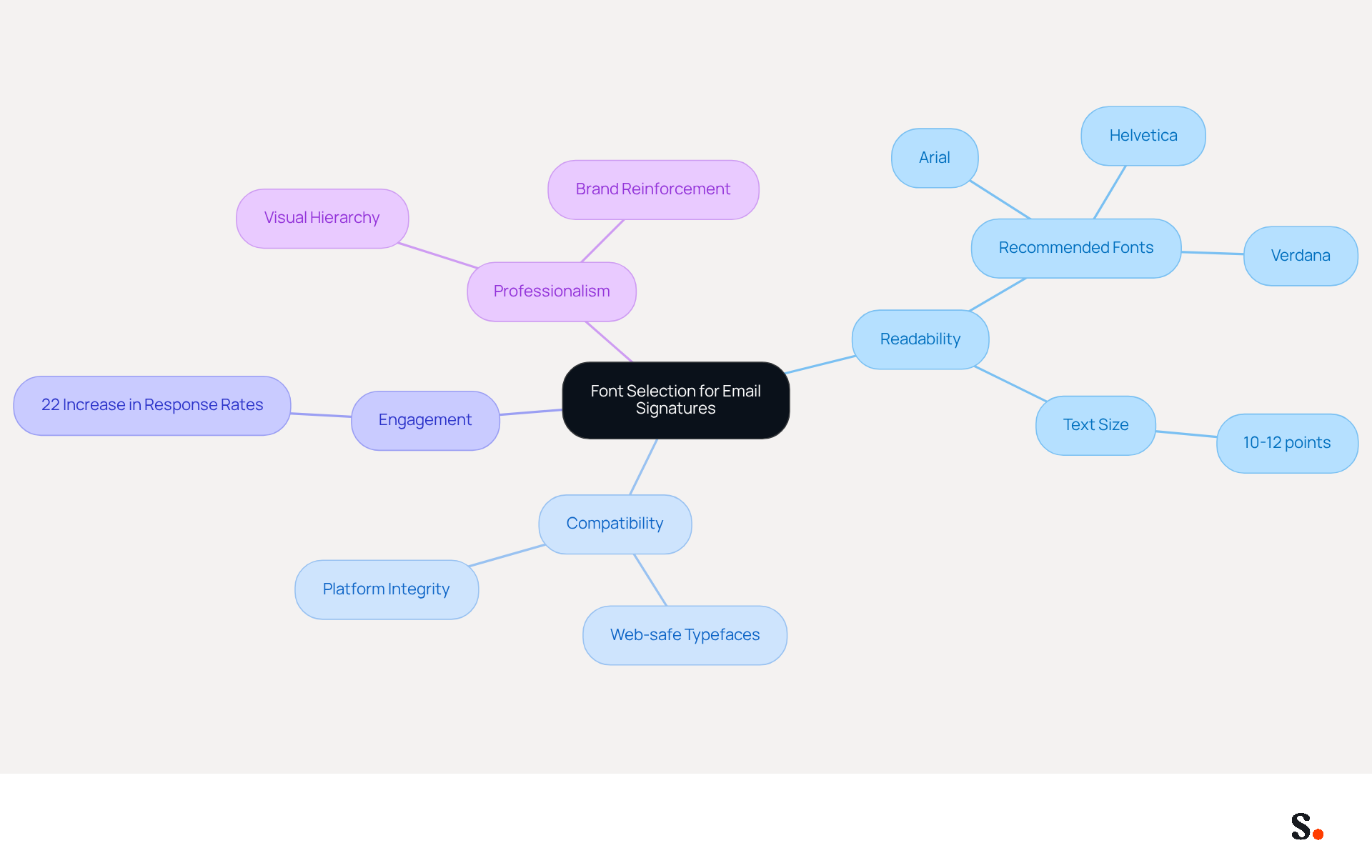
Selecting the best outlook signature font for email signatures is essential for clear and effective professional communication. Fonts such as Arial, Helvetica, and Verdana are widely recognized for their clarity and are supported across most email clients, ensuring consistent display.
Studies indicate that using web-safe typefaces can significantly boost engagement, with companies experiencing a 22% increase in response rates from consistent branding in their communication headers. For optimal legibility, maintain text sizes between 10-12 points, as this range is crucial for readability on both desktop and mobile devices.
However, many professionals overlook how typefaces can appear differently on various platforms, leading to potential miscommunication. Always choose typefaces that maintain their integrity across various environments to prevent miscommunication and enhance professionalism.
Ultimately, using the best outlook signature font not only enhances readability but also reinforces your brand's professionalism. Experts recommend combining typefaces thoughtfully to create a visual hierarchy while keeping readability intact.
Identify Key Characteristics of Effective Email Signature Fonts
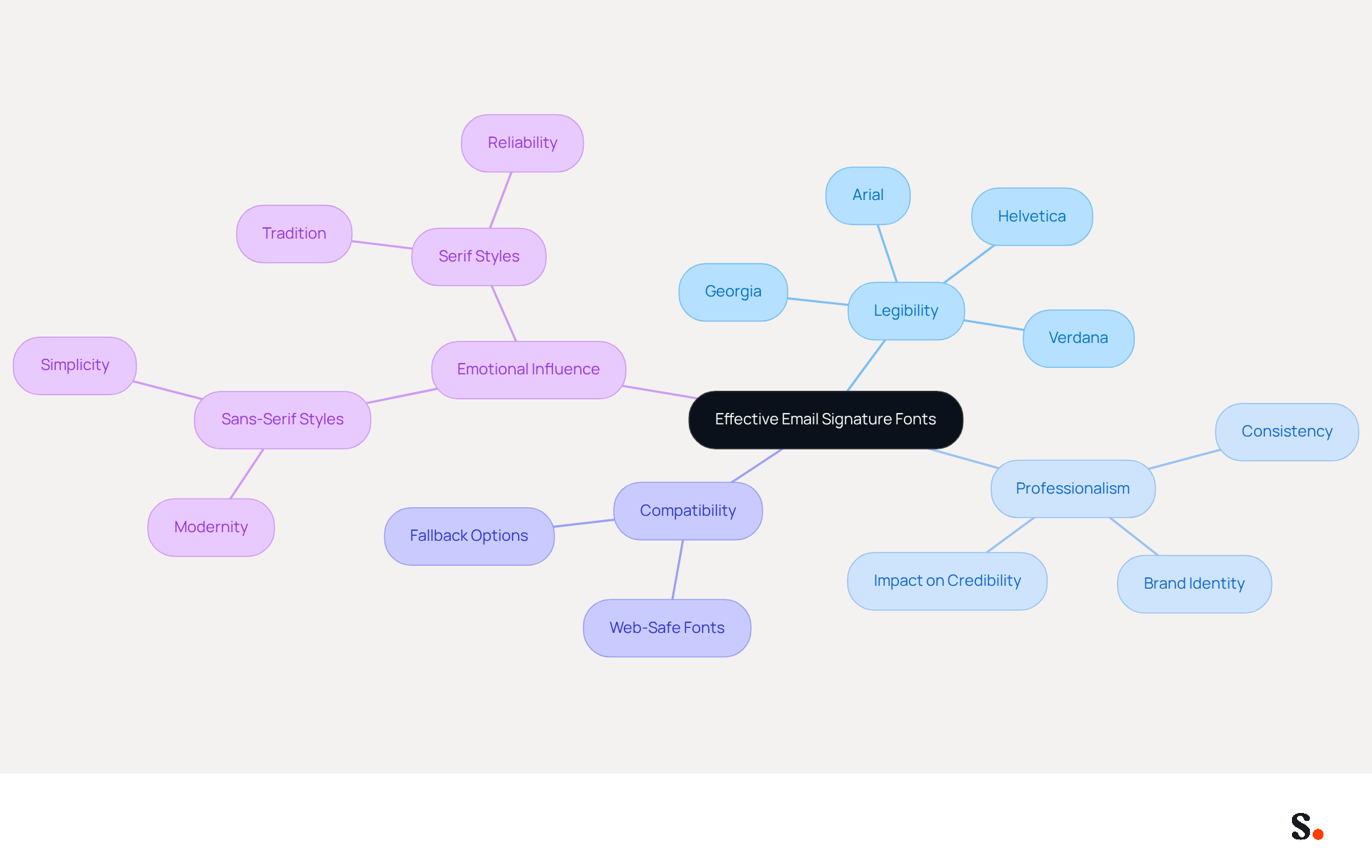
Choosing the best outlook signature font is essential for conveying professionalism and clarity in email signatures. The best outlook signature font must embody several key characteristics: legibility, professionalism, and compatibility across various platforms. For instance, Georgia is a classic choice that remains easy to read, boasting a compatibility rate of 99% on PC and 97% on Mac. The emotional influence of type selection is also significant; sans-serif styles like Arial and Helvetica convey modernity and simplicity, while serif styles evoke tradition and reliability. Striking the right balance in typeface selection is vital for reflecting your brand identity, particularly when using the best outlook signature font.
Choosing the wrong typeface can undermine your professional image. Data indicates that organizations using web-safe typefaces experience a 30% increase in brand consistency, with teams employing centralized email signature management achieving 85% better identity consistency and three times higher campaign engagement. Using the best outlook signature font can significantly enhance your organization's credibility and engagement, creating a memorable impact on recipients. It's important to regularly review and update your typeface choices to keep up with your brand's evolution. Furthermore, testing message formats across different clients and devices is crucial to ensure compatibility and uphold a professional appearance.
Implement Web-Safe Fonts and Fallback Options
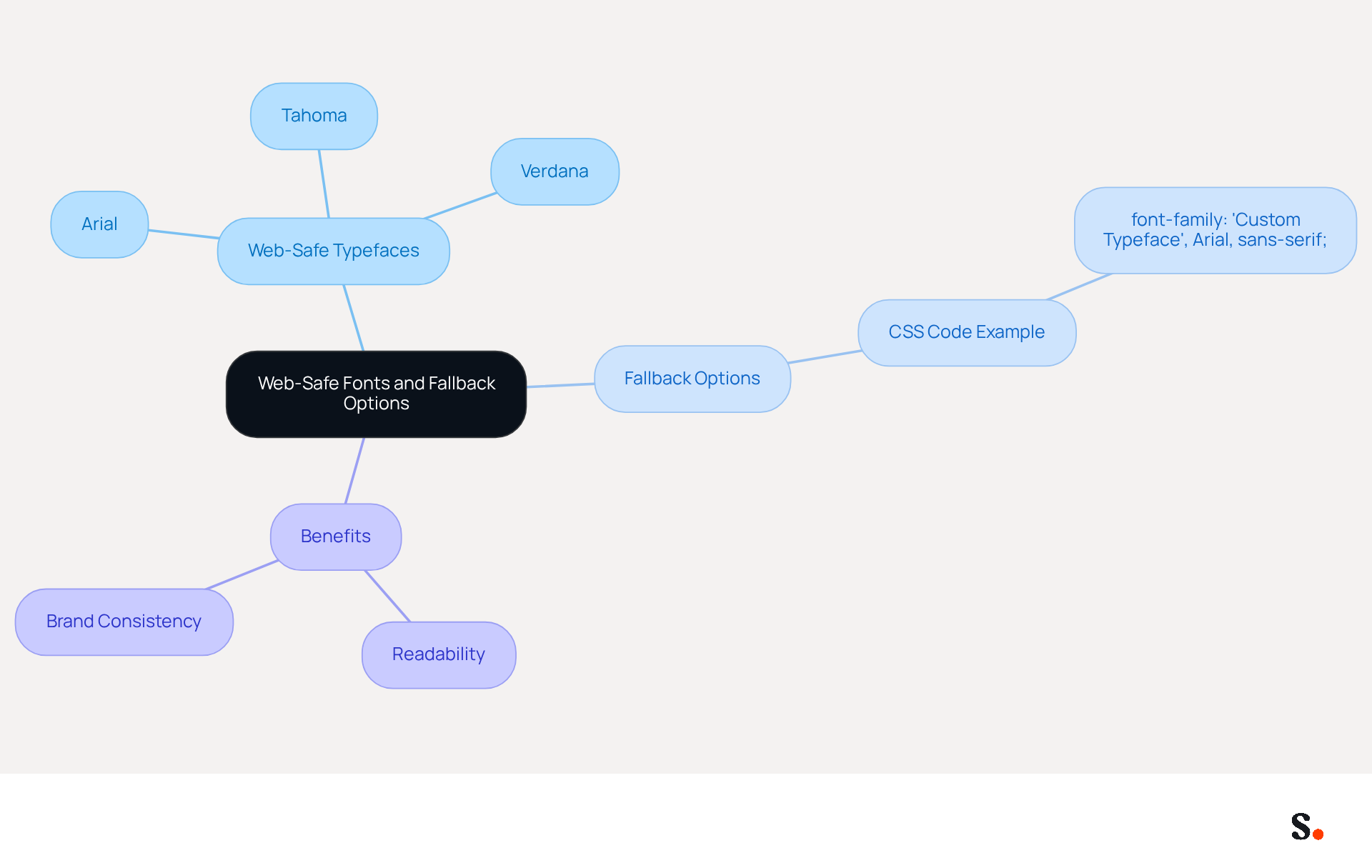
To maintain a consistent and professional appearance in your email signatures, selecting the right typeface is essential. To ensure a uniform look across various platforms, it is crucial to use web-safe typefaces such as:
- Arial
- Tahoma
- Verdana
These typefaces are widely supported, ensuring they display correctly in most messaging clients, with Arial featuring 100% compatibility on both PC and Mac. Including fallback options in your CSS code is essential for ensuring compatibility across different email clients. For example, if you choose a custom typeface, indicate a web-safe alternative in your type stack:
font-family: 'Custom Typeface', Arial, sans-serif;
This strategy ensures that if the preferred typeface in an email-safe type stack isn't available, the email client will attempt the next type in the list, maintaining the integrity and professionalism of your signature. Research shows that using web-safe typefaces significantly boosts readability and enhances user experience. Case studies highlighting the impact of typeface choices on reader judgment reveal that organizations implementing web-safe typefaces have successfully maintained brand consistency and improved communication effectiveness. Furthermore, non-web-safe typefaces can lead to rendering issues, undermining the professionalism of your correspondence. Regular assessments of type choices ensure ongoing compatibility and professionalism, emphasizing the significance of selecting the appropriate typeface for your correspondence. Choosing the best outlook signature font not only enhances readability but also reinforces your brand's professionalism in every correspondence.
Align Font Choices with Brand Identity
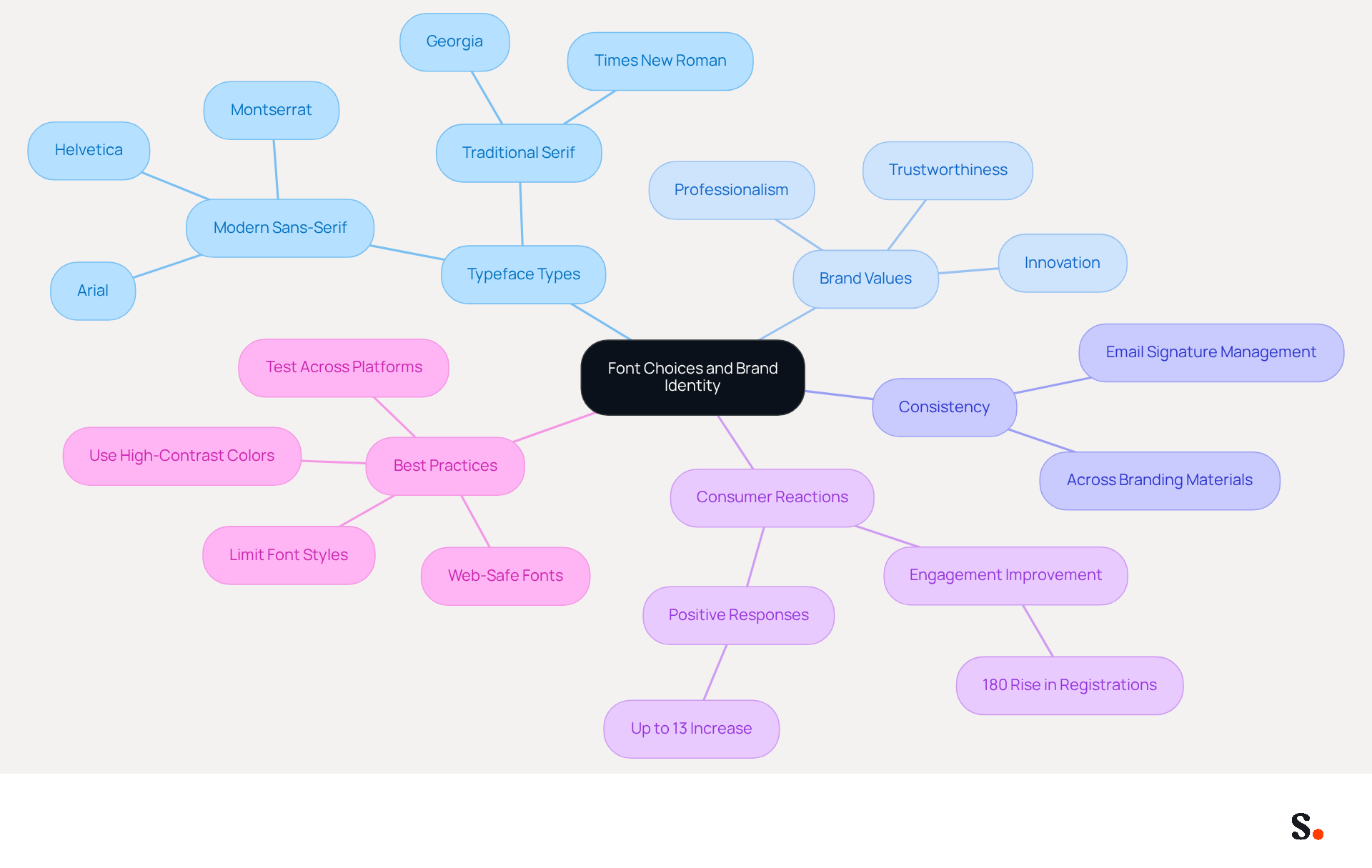
The typeface you choose as the best outlook signature font for your message's closing is more than just a design choice; it reflects your brand's essence and values. For instance, a tech company may choose modern sans-serif typefaces like Arial or Helvetica as the best outlook signature font to convey innovation, while a law firm might opt for traditional serif styles like Georgia or Times New Roman to project professionalism and trustworthiness. Consistency across all branding materials is essential; the typefaces used in your email signature should match those on your website and marketing collateral. This cohesive approach not only enhances recognition but also cultivates trust and familiarity with your audience.
Studies indicate that choosing typefaces that align with your corporate identity can boost consumer reactions by as much as 13%. A research analysis involving a tech firm that updated its digital correspondence to incorporate a professional typeface combination - using Arial for body text and Montserrat for names - resulted in an impressive 180% rise in webinar registrations, showing how typography can directly influence how consumers perceive your company.
To maintain professionalism, it's best to limit your message footer to just one or two styles, ideally using the best outlook signature font to ensure clarity and readability. High-contrast colors, with dark text on light backgrounds, further enhance visibility. Additionally, using web-safe fonts ensures consistent rendering across major operating systems, preventing potential display issues. By adhering to these best practices, organizations can effectively communicate their brand identity and values through their email signatures, ultimately leading to improved engagement and trust with their audience.
Conclusion
The choice of font in Outlook signatures is often underestimated, yet it plays a pivotal role in shaping professional communication and branding. The typeface chosen significantly influences readability and serves as a reflection of the brand's identity. By prioritizing web-safe fonts like Arial, Helvetica, and Georgia, organizations can ensure their email signatures maintain clarity and consistency across various platforms, reinforcing their professional image.
This article has highlighted key insights about what makes email signature fonts effective. Emphasizing legibility, compatibility, and alignment with brand identity are essential for creating a memorable impact on recipients. The data highlights that organizations utilizing web-safe typefaces experience significant improvements in brand consistency and engagement, showcasing the importance of thoughtful font selection in email communications.
This careful consideration can ultimately lead to stronger connections with clients and stakeholders. By implementing best practices in font selection, organizations can effectively communicate their values and professionalism, leading to improved engagement with their audience. By prioritizing font selection, organizations can not only enhance their professional image but also foster deeper connections with their audience, ultimately driving success in their marketing initiatives.
Frequently Asked Questions
Why is selecting the right font for email signatures important?
Selecting the best outlook signature font is essential for clear and effective professional communication, as it enhances readability and reinforces your brand's professionalism.
Which fonts are recommended for email signatures?
Fonts such as Arial, Helvetica, and Verdana are widely recognized for their clarity and are supported across most email clients, ensuring consistent display.
How do web-safe typefaces impact engagement?
Studies indicate that using web-safe typefaces can significantly boost engagement, with companies experiencing a 22% increase in response rates from consistent branding in their communication headers.
What is the optimal text size for email signatures?
For optimal legibility, it is recommended to maintain text sizes between 10-12 points, as this range is crucial for readability on both desktop and mobile devices.
What should professionals consider regarding typefaces on different platforms?
Professionals should be aware that typefaces can appear differently on various platforms, which can lead to potential miscommunication. It is important to choose typefaces that maintain their integrity across different environments.
How can combining typefaces enhance email signatures?
Combining typefaces thoughtfully can create a visual hierarchy while keeping readability intact, enhancing the overall professionalism of the email signature.
List of Sources
- Evaluate Readability and Compatibility of Fonts
- 10 Best Fonts for Email Signature That Enhance Professionalism (https://scribe-mail.com/en-US/blog/10-best-fonts-for-email-signature-that-enhance-professionalism)
- Best fonts for Email Signatures: 7 Email-Safe Options (https://wisestamp.com/guides/what-are-the-best-fonts-for-email-signatures)
- Best Fonts for Email Signatures (2026) + Sizes, Examples & Compatibility (https://inboxsign.com/fr/examples/best-fonts-for-email-signatures)
- 19 Best Email Fonts That Won't Let You Down in 2025 (https://twilio.com/en-us/blog/insights/best-email-fonts)
- The Best Fonts for Email Signatures That Look Clean and Professional (https://bulksignature.com/blog/the-best-fonts-for-email-signatures)
- Identify Key Characteristics of Effective Email Signature Fonts
- Choose the Best Email Signature Font for Brand Consistency (https://scribe-mail.com/en-US/blog/choose-the-best-email-signature-font-for-brand-consistency)
- Email Signature Design Trends in 2026: What Works and What to Drop (https://bulksignature.com/blog/email-signature-design-trends)
- Email Signature Best Practices for 2026 (+ 15 Pro Examples) (https://wavecnct.com/blogs/email-signature-best-practices-2026)
- The Best Fonts for Email Signatures: A Professional Guide (https://linkedin.com/pulse/best-fonts-email-signatures-professional-guide-bulksignature-tmvuf)
- Implement Web-Safe Fonts and Fallback Options
- Choose the Best Email Signature Font for Brand Consistency (https://scribe-mail.com/en-US/blog/choose-the-best-email-signature-font-for-brand-consistency)
- Best fonts for email signatures (Outlook, Mac) (https://support.xink.io/support/solutions/articles/1000047729-which-fonts-should-i-use-in-email-signatures-)
- Email-safe fonts: List, font stacks, and best practices for emails | Zoho Zeptomail (https://zoho.com/zeptomail/articles/email-safe-fonts.html)
- Best fonts for Email Signatures: 7 Email-Safe Options (https://wisestamp.com/guides/what-are-the-best-fonts-for-email-signatures)
- 19 Best Email Fonts That Won't Let You Down in 2025 (https://twilio.com/en-us/blog/insights/best-email-fonts)
- Align Font Choices with Brand Identity
- The Best Fonts for Email Signatures: A Professional Guide (https://linkedin.com/pulse/best-fonts-email-signatures-professional-guide-bulksignature-tmvuf)
- 4 Best Practices for Choosing a Professional Email Signature Font (https://scribe-mail.com/en-US/blog/4-best-practices-for-choosing-a-professional-email-signature-font)
- The Psychology of Font Choice and Brand Personality | Hennes Communications (https://crisiscommunications.com/the-psychology-of-font-choice-and-brand-personality)
- What is the Difference between Brand Consistency vs Brand Coherence: 10 Revealing Stats (https://medium.com/@scottadammartin/what-is-the-difference-between-brand-consistency-vs-brand-coherence-10-revealing-stats-b305edee1a3f)
Get started with Scribe
Create your signature in minutes
Free 14-day trial — no credit card.