4 Best Practices for a Professional Gmail Signature That Engages
In a crowded digital landscape, a professional Gmail signature can either enhance or undermine your communication efforts. It serves as a vital touchpoint in
Sophie Grant
Email Signature Specialist, Scribe

Introduction
In a crowded digital landscape, a professional Gmail signature can either enhance or undermine your communication efforts. It serves as a vital touchpoint in professional communication, enhancing identity and engagement. By incorporating essential elements and adhering to design best practices, individuals can transform their signatures into powerful marketing tools that reflect brand consistency and professionalism.
With numerous choices available, many professionals struggle to create a signature that truly represents their brand. This article provides clarity on how to navigate these choices effectively, exploring four best practices that not only elevate the aesthetic appeal of email signatures but also optimize them for maximum impact and interaction.
Incorporate Essential Elements for Engagement
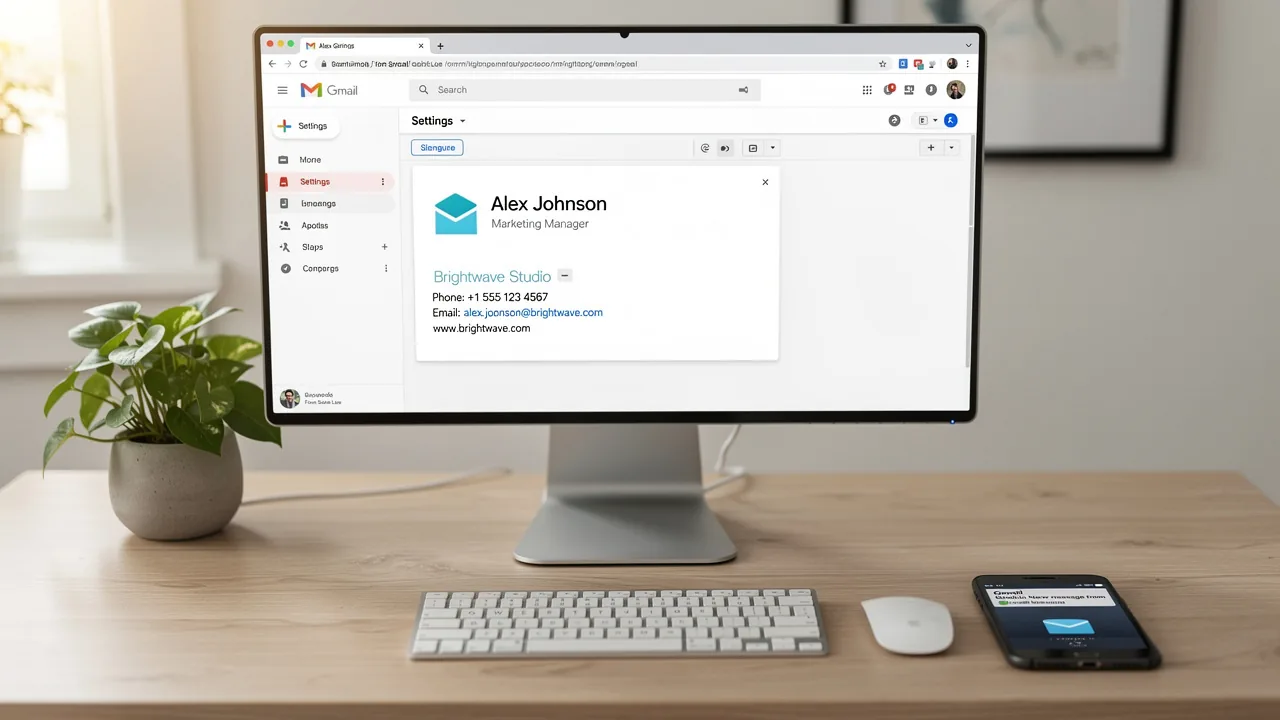
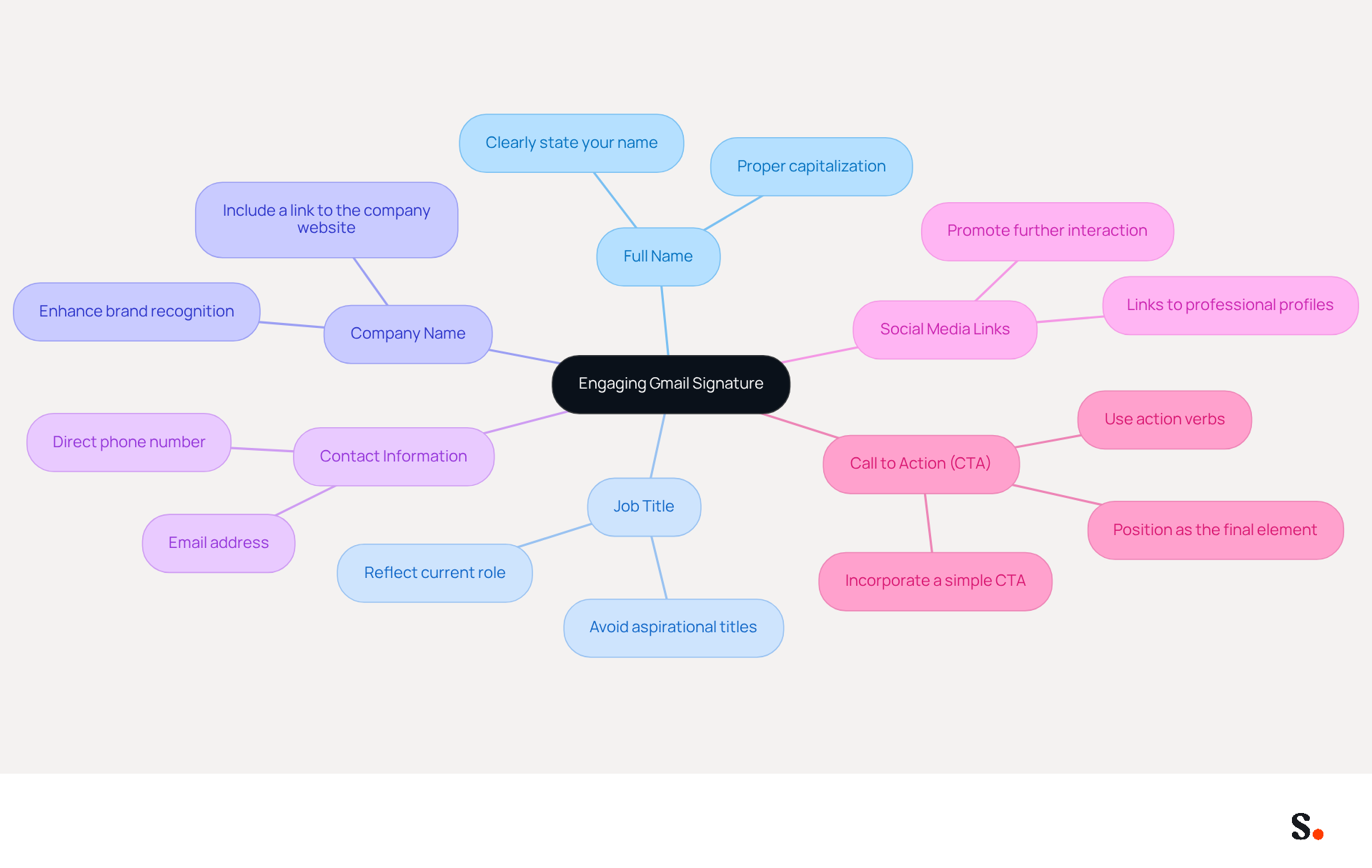
A well-designed professional Gmail signature is essential for establishing your professional identity and improving communication effectiveness. To create an engaging Gmail signature, include the following essential elements:
- Full Name: Clearly state your name to establish identity.
- Job Title: Include your position to provide context about your role.
- Company Name: Mention your organization to enhance brand recognition.
- Contact Information: Provide a direct phone number and contact address for easy communication.
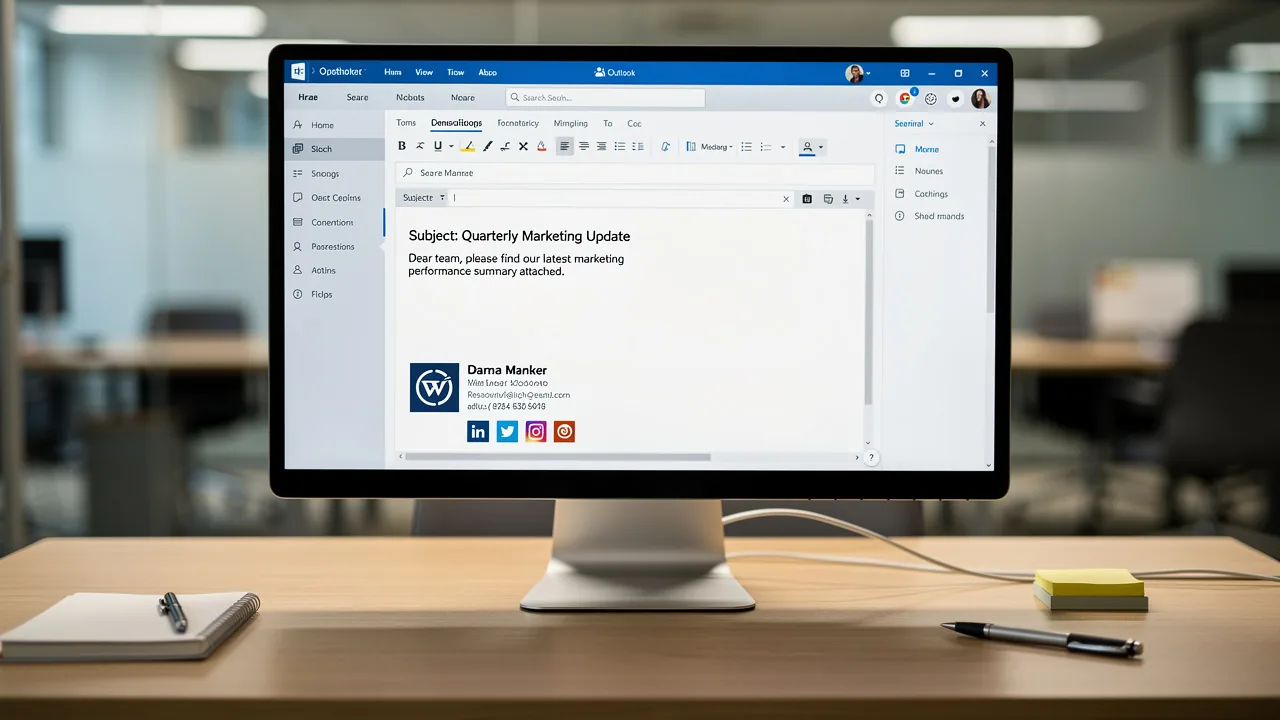
- Social Media Links: Add links to professional social media profiles to promote further interaction.
- Call to Action (CTA): Incorporate a simple CTA, such as 'Schedule a Meeting' or 'Visit Our Website,' to guide recipients on the next steps.
These elements help identify you, encourage interaction, and enhance your brand's presence in every email. In 2026, using strategic CTAs in your digital identifiers will be crucial for maximizing engagement, potentially driving up to 40% higher interaction compared to generic sign-offs. Additionally, messages featuring a professional headshot can boost response rates by roughly 32%, making personalization a vital aspect of improving engagement. It's also important to use web-safe fonts to ensure consistency across messaging clients and to avoid image-only identifiers, which can hinder deliverability.
Plus, with Scribe, any changes you make in your Aircall settings will automatically update your email signatures, ensuring seamless synchronization and improved consistency of your identity. This integration not only saves time but also guarantees that your branding remains consistent across all communications. Furthermore, the seamless integration with Calendly allows for automatic updates to your email branding, further enhancing your brand's visibility and professionalism. By following these best practices, you can create a professional Gmail signature that transforms your Gmail footer into a powerful marketing tool. By neglecting these elements, you risk diminishing your professional image and losing valuable engagement opportunities.
Design for Professionalism and Brand Consistency
A professional Gmail signature must embody key design principles to effectively represent your brand:
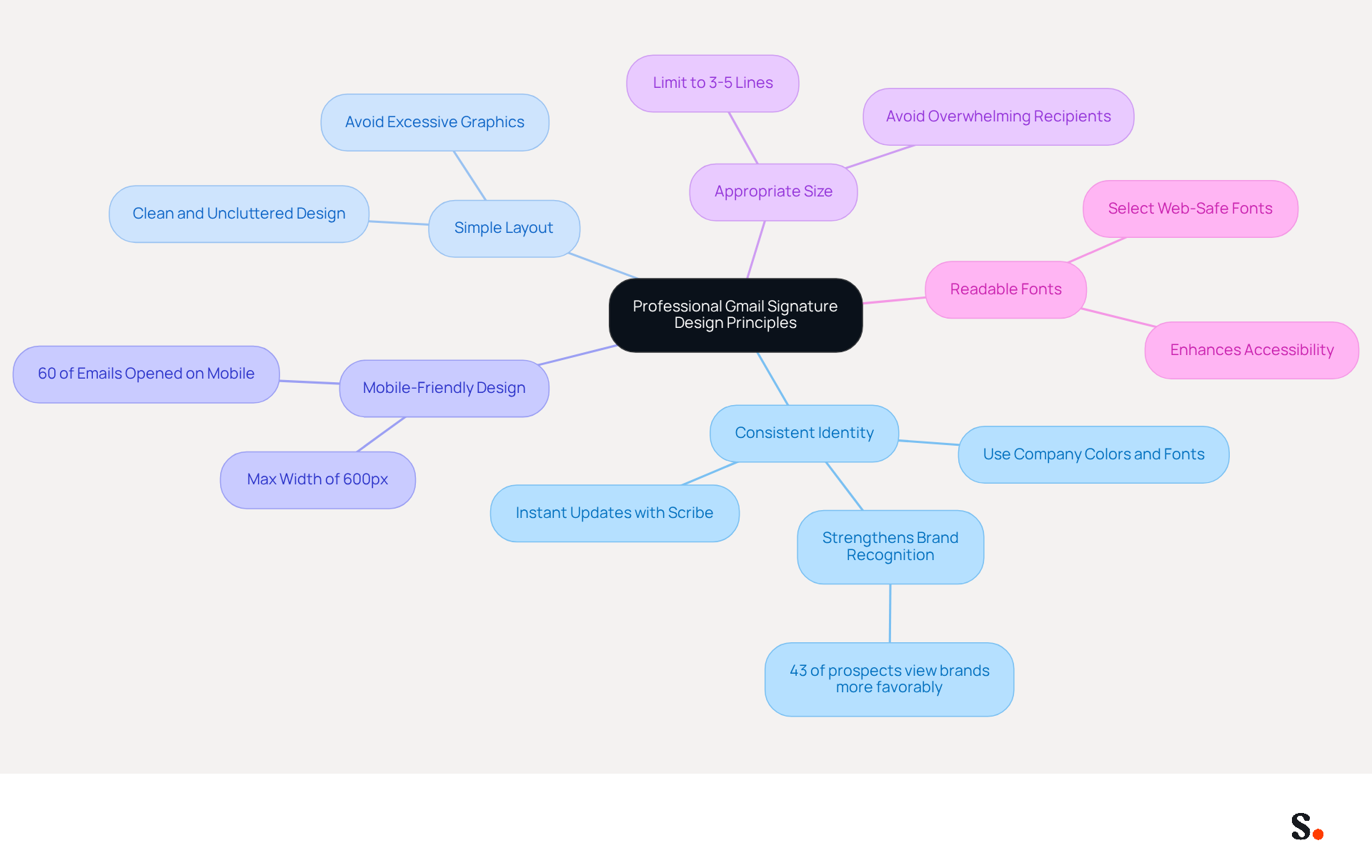
- Consistent Identity: Utilize your company’s colors, fonts, and logo to maintain identity. This consistency strengthens recognition and builds trust; 43% of prospects view brands more favorably when they see professional endorsements. Scribe ensures that any changes in your Aircall setup are instantly reflected in your email signatures, maintaining brand consistency across all interactions.
- Simple Layout: Keep the design clean and uncluttered. Avoid excessive graphics or fonts that can distract from the message, ensuring that the branding remains visually appealing and effective.
- Mobile-Friendly Design: With 60% of business emails opened on mobile devices, ensure that the closing information displays well on smartphones. A mobile-optimized email should have a maximum width of 600px for optimal viewing.
- Appropriate Size: Limit the closing to a reasonable length (ideally 3-5 lines) to avoid overwhelming the recipient. Long signatures can dilute the message and distract the reader, helping maintain focus on essential information.
- Readable Fonts: Select web-safe fonts that are easy to read across various devices and messaging clients. This enhances accessibility and ensures that your message is conveyed clearly.
By adhering to these design principles, you can create a mark that not only appears professional but also aligns with your identity, ultimately enhancing your professional Gmail signature and overall interaction. A well-designed signature not only conveys professionalism but also significantly boosts brand recall. Furthermore, integrating strategic call-to-action elements can enhance engagement, with elements featuring such CTAs converting 40% more effectively than generic links. By implementing these principles, you not only enhance your professional image but also significantly improve engagement with your audience.
Implement Efficient Management and Automation Strategies
To effectively manage Gmail signatures across your organization, implementing strategic solutions is essential:
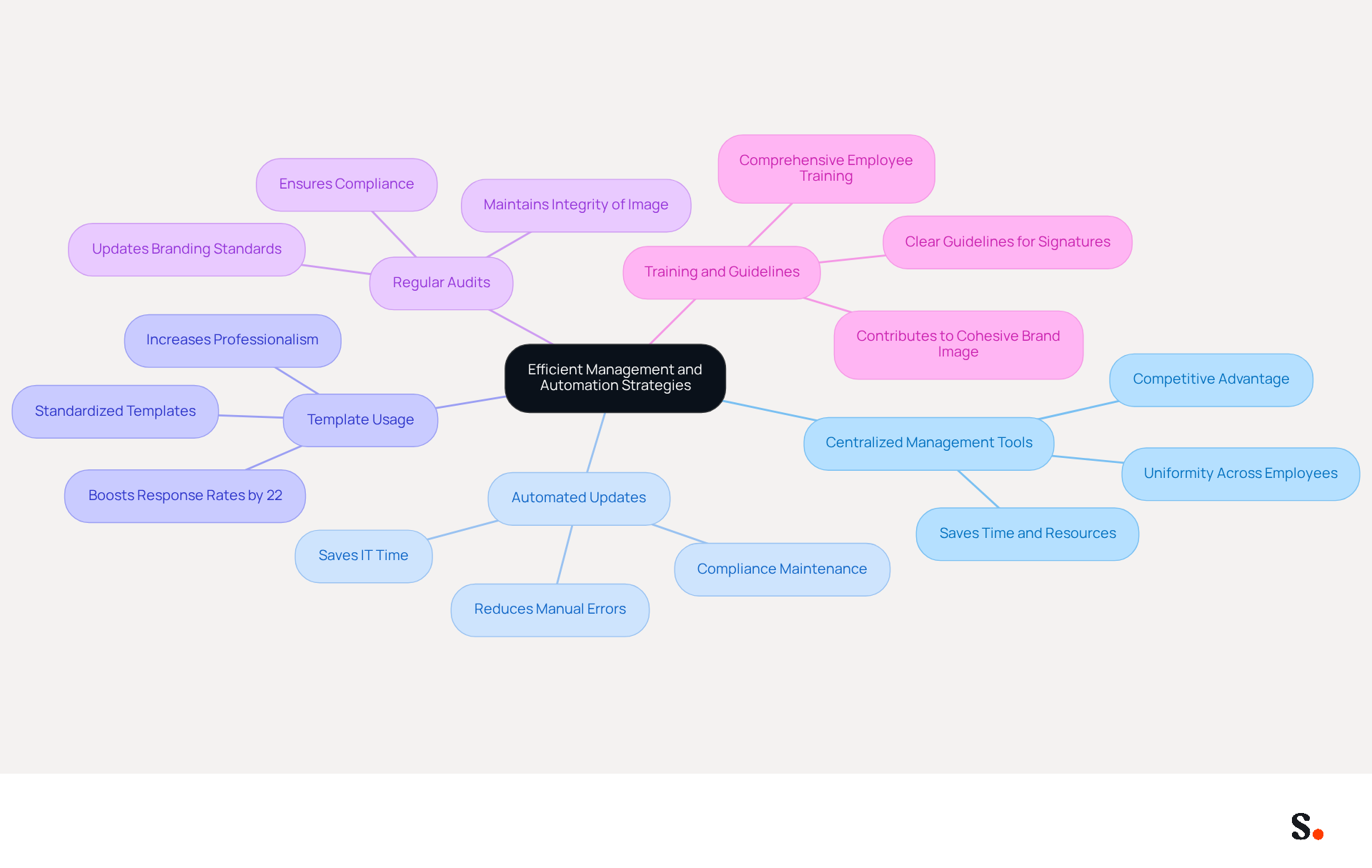
- Centralized Management Tools: Leverage platforms like Scribe to oversee approvals from a single dashboard, ensuring uniformity across all employees. Centralized management not only saves time but also provides a competitive advantage by maintaining consistent branding in every email.
- Automated Updates: Utilize automation to ensure that identifiers are updated automatically whenever there are changes in branding or personnel. Manual management of signatures often leads to errors and inconsistencies. This decreases the manual effort needed and may create significant branding and compliance challenges.
- Template Usage: Develop standardized templates that employees can utilize, ensuring adherence to company guidelines. Using standardized templates not only boosts professionalism but can also lead to a 22% increase in response rates, as consistent identifiers help recipients easily recognize and remember your brand.
- Regular Audits: Conduct periodic reviews of email formats to ensure compliance with branding standards and to implement necessary updates. Regular audits assist in preserving the integrity of your image and ensuring that all endorsements reflect current company information and legal requirements.
- Training and Guidelines: Provide comprehensive training for employees on how to set up and maintain their email identifiers, along with clear guidelines on what to include. This enables employees to contribute to a cohesive brand image while ensuring that all endorsements include a professional gmail signature and are compliant.
By prioritizing these strategies, organizations can significantly enhance their email communication effectiveness and brand integrity.
Test and Optimize for Maximum Impact
To enhance the impact of your Gmail signature, implementing best practices for testing and optimization is crucial:
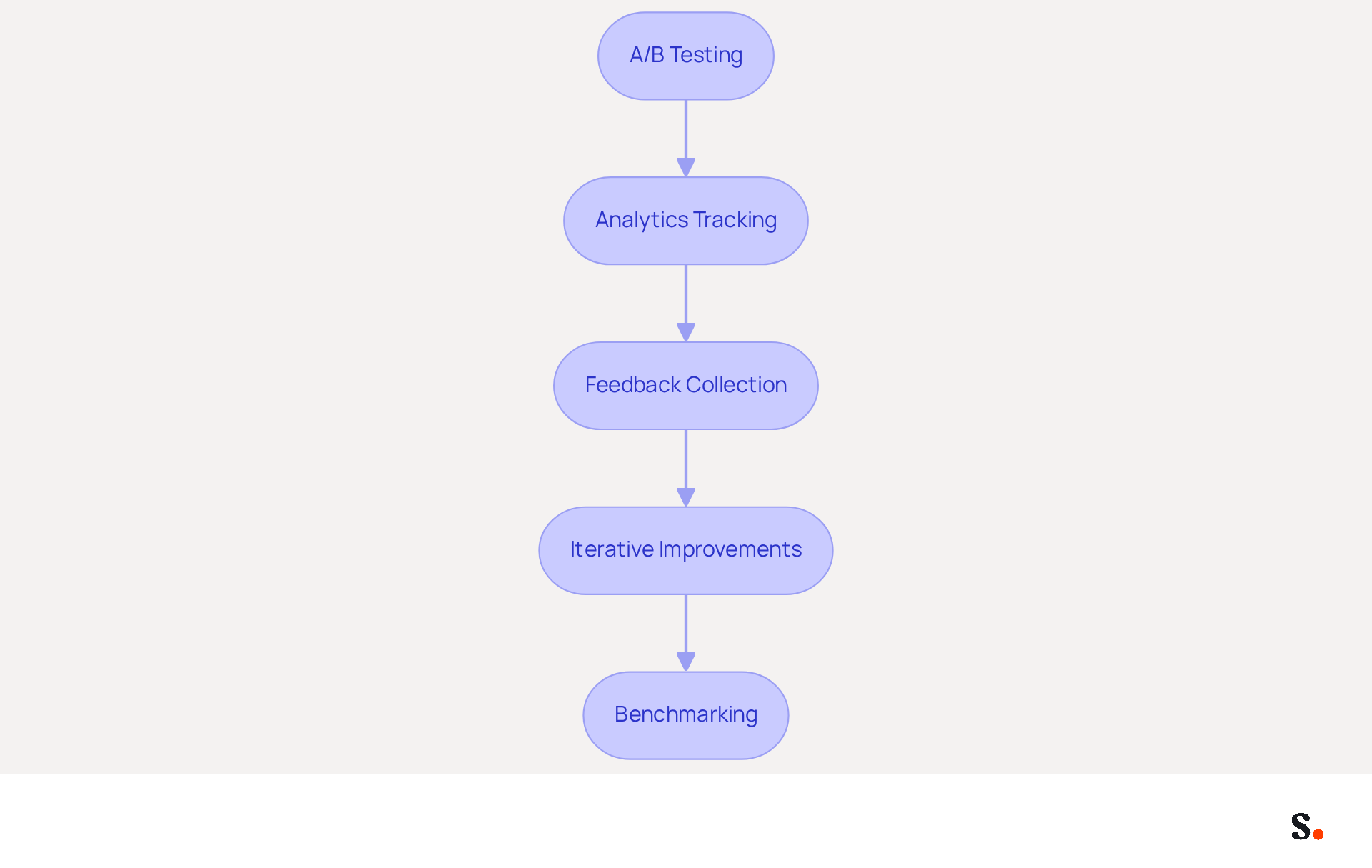
- A/B Testing: Conduct experiments with various design styles, calls to action (CTAs), and layouts. This helps identify which versions yield the highest interaction rates. A disciplined approach to A/B testing can significantly improve click-through rates (CTR). Some organizations have reported increases of up to 40% by including strategic CTAs.
- Analytics Tracking: Utilize tracking tools to monitor key metrics such as click-through rates and overall engagement related to your unique links. Regularly analyzing these metrics can provide insights into customer interactions, making it easier to refine your approach.
- Feedback Collection: Actively seek feedback from recipients regarding the clarity and effectiveness of your sign-off. This qualitative data can guide modifications and ensure that your brand resonates with your audience.
- Iterative Improvements: Regularly update and refine your branding based on performance data and evolving marketing goals. Continuous optimization is essential; neglecting to optimize may result in losing touch with your audience.
- Benchmarking: Compare your writing's performance against industry standards to identify areas for improvement. Understanding how your mark compares to competitors can highlight opportunities for enhancement.
By consistently testing and optimizing your email signature, you can enhance its effectiveness in driving engagement and strengthening your brand identity. Ultimately, a well-optimized email signature can significantly elevate your brand's visibility and engagement.
Conclusion
A professional Gmail signature is essential for effective communication and brand representation. By incorporating key elements such as your full name, job title, and contact information, along with a clear call to action, the signature becomes a powerful tool for engagement. The design principles discussed, including consistency and mobile optimization, ensure that your signature not only looks professional but also functions effectively across various platforms.
Key strategies for managing and optimizing Gmail signatures include:
- Utilizing centralized management tools like Scribe, which streamline the process and maintain brand consistency.
- Automation and regular audits help prevent errors and ensure compliance with branding standards.
- Testing and refining your signature through A/B testing and analytics tracking can significantly boost engagement rates, making it a dynamic aspect of your marketing strategy.
In the end, a well-crafted Gmail signature reflects who you are professionally and plays a crucial role in how you communicate. By implementing these strategies, organizations can turn every email into a strategic opportunity for engagement and growth.
Frequently Asked Questions
Why is a professional Gmail signature important?
A well-designed professional Gmail signature is essential for establishing your professional identity and improving communication effectiveness.
What essential elements should be included in a Gmail signature?
The essential elements to include are your full name, job title, company name, contact information, social media links, and a call to action (CTA).
How can a call to action (CTA) enhance engagement in emails?
Incorporating a simple CTA, such as 'Schedule a Meeting' or 'Visit Our Website,' guides recipients on the next steps and can significantly increase interaction rates.
What impact do professional headshots have on email response rates?
Messages featuring a professional headshot can boost response rates by roughly 32%, making personalization a vital aspect of improving engagement.
Why is it important to use web-safe fonts in email signatures?
Using web-safe fonts ensures consistency across messaging clients and helps avoid issues with deliverability.
How does Scribe enhance the management of email signatures?
With Scribe, any changes made in your Aircall settings will automatically update your email signatures, ensuring seamless synchronization and improved consistency of your identity.
What additional integration does Scribe offer for email branding?
Scribe's seamless integration with Calendly allows for automatic updates to your email branding, enhancing your brand's visibility and professionalism.
What are the risks of neglecting essential elements in a Gmail signature?
Neglecting these elements can diminish your professional image and lead to lost engagement opportunities.
List of Sources
- Incorporate Essential Elements for Engagement
- Why and how to add an effective CTA to your email signature? (https://signitic.com/en/resources/why-and-how-to-add-an-effective-cta-to-your-email-signature)
- Best practices for business email signatures in 2026 (https://bybrand.io/blog/best-practices)
- Email Signature Design Trends in 2026: What Works and What to Drop (https://bulksignature.com/blog/email-signature-design-trends)
- The Quantifiable Marketing Value of Email Signatures (https://ama.org/2022/06/20/the-quantifiable-marketing-value-of-email-signatures)
- Email Signature Best Practices for 2026 (+ 15 Pro Examples) (https://wavecnct.com/blogs/email-signature-best-practices-2026)
- Design for Professionalism and Brand Consistency
- Why Email Signatures Must Be In Your 2026 Marketing Plan | Rocketseed (https://rocketseed.com/blog/2026-marketing-plan-email-signatures)
- Top email signature trends for companies in 2026 (https://bybrand.io/blog/trends-email-signatures)
- Email Signature Best Practices for 2026 (+ 15 Pro Examples) (https://wavecnct.com/blogs/email-signature-best-practices-2026)
- "Email Signature Trends for 2026: What's In, What's Out" | Crossware posted on the topic | LinkedIn (https://linkedin.com/posts/crossware-ltd_new-year-new-trends-even-for-your-email-activity-7394554686046908416-vD_O)
- The impact of email signatures on your branding (https://signitic.com/en/resources/the-impact-of-email-signatures-on-your-branding)
- Implement Efficient Management and Automation Strategies
- The impact of email signatures on your branding (https://signitic.com/en/resources/the-impact-of-email-signatures-on-your-branding)
- Email Signature Trends 2026: Centralized Control & Automation | SIGNandGO posted on the topic | LinkedIn (https://linkedin.com/posts/signngo_email-signature-trends-to-watch-in-2026-activity-7401523471786217473-zAVL)
- Why Email Signature Management Software is Essential for Marketing Success (https://scribe-mail.com/en-US/blog/why-email-signature-management-software-is-essential-for-marketing-success)
- Why Email Signature Management Matters for Your Business (https://vectorchoice.com/blog/why-email-signature-management-is-more-important-than-you-think)
- 5 Benefits of Using Centrally Managed Email Signatures | Crossware365 (https://crossware365.com/blog/5-benefits-of-using-centrally-managed-email-signatures)
- Test and Optimize for Maximum Impact
- Retention Marketing with Email Signatures in 2026 | Rocketseed (https://rocketseed.com/blog/retention-marketing-with-email-signatures)
- Best Practices for a Standard Email Signature That Boosts Marketing ROI (https://scribe-mail.com/en-US/blog/best-practices-for-a-standard-email-signature-that-boosts-marketing-roi)
- The Complete Guide to Email A/B Testing Best Practices (https://truevoicegrowth.com/post/email-a-b-testing-best-practices)
- Email Signature A/B Testing: Methodology, UTM and GA4 Guide (https://signitic.com/en/resources/a-b-testing-your-email-signature-methodology-and-kpis)
- Email A/B Testing Best Practices Explained (https://mastercard.com/us/en/business/consumer-acquisition-and-engagement/personalization/dynamic-yield/learning-paths/cro-growth-marketing/right-way-wrong-way-email-ab-testing.html)
Get started with Scribe
Create your signature in minutes
Free 14-day trial — no credit card.