4 Best Practices for a Professional Uni Student Email Signature
In a competitive academic landscape, a professional email signature can be the difference between being noticed and being overlooked. Crafting a
Sophie Grant
Email Signature Specialist, Scribe

Introduction
In a competitive academic landscape, a professional email signature can be the difference between being noticed and being overlooked. Crafting a well-structured signature not only enhances credibility but also serves as a great way to build your personal brand. Neglecting this crucial aspect can lead to missed networking opportunities and diminished professional presence.
What key elements should be included to ensure that an email signature stands out and resonates with recipients? Incorporating essential elements into your email signature can significantly enhance your professional image and networking potential.
Get started with Scribe
See why teams switch to Scribe
Free 14-day trial — no credit card.
Identify Key Elements of a Professional Email Signature
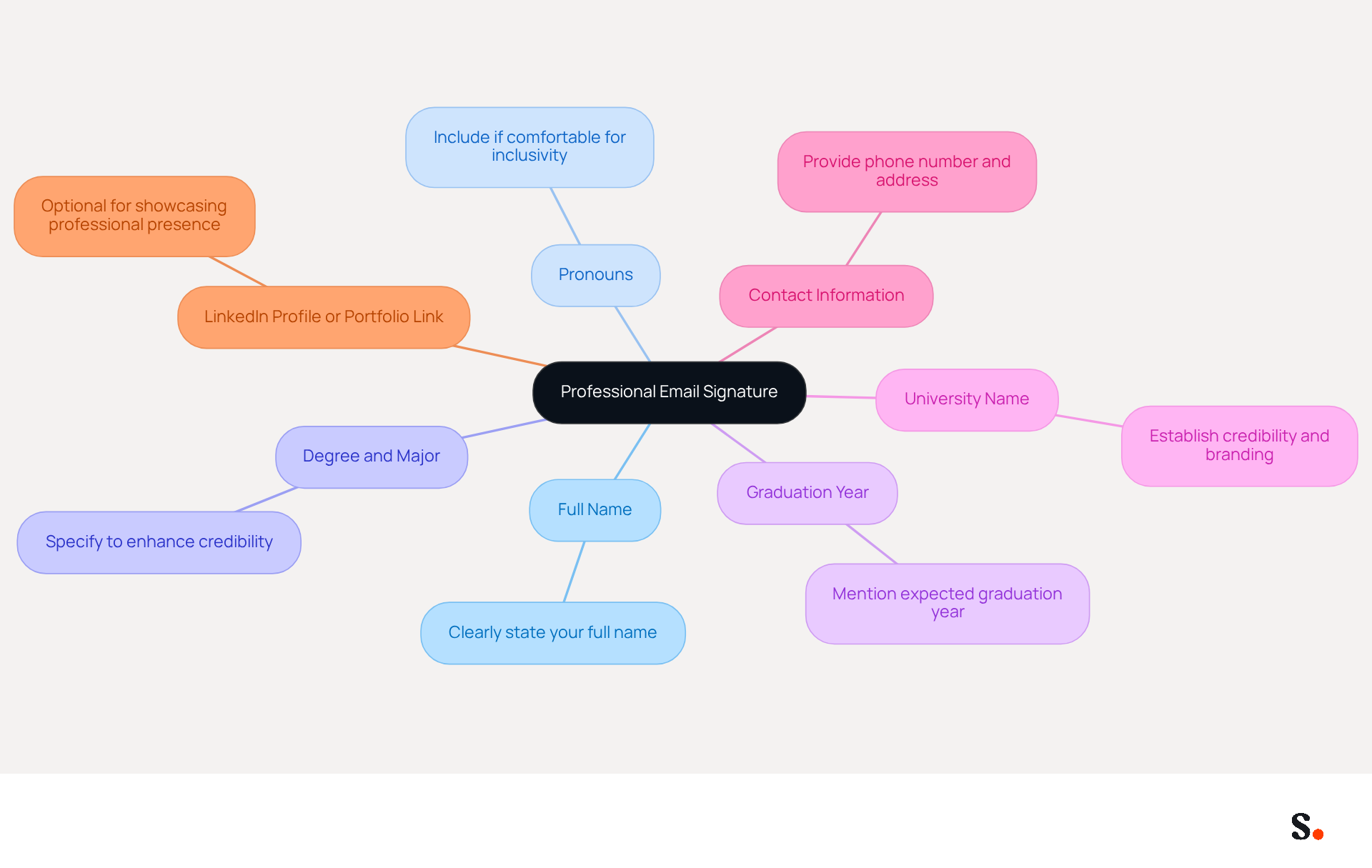
A professional email signature, such as a uni student email signature, is not just a formality; it is a critical component of effective academic communication. It should include the following key elements:
- Full Name: Clearly state your full name to ensure recipients can easily identify you.
- Pronouns: If comfortable, include your pronouns to promote inclusivity and respect in academic communications.
- Degree and Major: Specify your degree and major to provide context about your academic background, enhancing your credibility.
- Graduation Year: Mention your expected graduation year to inform recipients of your academic timeline, which can be crucial for networking opportunities.
- University Name: Include the name of your university to establish credibility and align with institutional branding guidelines.
- Contact Information: Provide a phone number and contact address for easy communication, facilitating prompt responses.
- LinkedIn Profile or Portfolio Link: Optionally, include links to your LinkedIn profile or personal portfolio to showcase your professional presence and enhance academic visibility.
Incorporating key details can boost response rates by 22%, according to research, demonstrating the importance of a well-structured contact information block. Furthermore, a well-designed digital mark serves as a virtual business card, highlighting professionalism and personal branding, which is crucial in academic interactions. It's surprising how often PhD students overlook the value of a well-crafted digital identifier in their academic emails. Moreover, 76% of recipients indicate increased trust when receiving messages with branded identifiers, underscoring the credibility aspect of professional communication.
With Scribe, all modifications made to your Calendly setup automatically sync with your correspondence formats, ensuring brand consistency and effortless updates. This integration not only simplifies the management of your digital footer but also adheres to SOC 2 Type II compliance, ensuring secure data handling. Failing to brand your correspondence can result in lost networking opportunities, making it essential to maintain a polished and consistent appearance. By following these guidelines and utilizing Scribe's capabilities, students can significantly improve their visibility and credibility through their uni student email signature, shaping future opportunities in their academic journeys. Ultimately, a well-crafted email signature can be the difference between being overlooked and making a lasting impression.
Customize Your Email Signature for Personal Branding
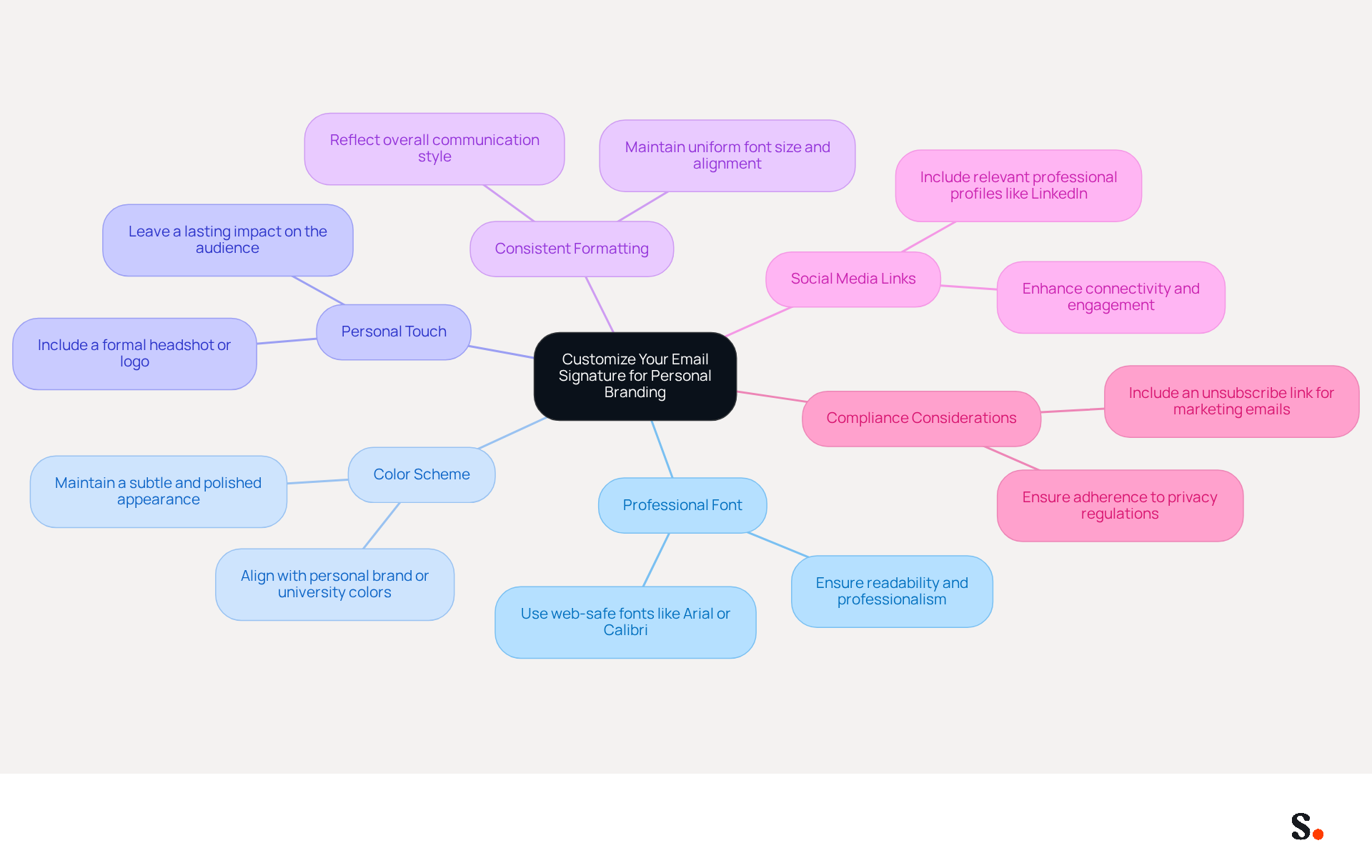
Customizing your uni student email signature is crucial for establishing a strong personal brand in your professional communications. Consider the following strategies:
- Choose a Professional Font: Opt for clean and readable web-safe fonts like Arial or Calibri to ensure clarity and professionalism.
- Color Scheme: Incorporate colors that align with your personal brand or university colors, ensuring they are subtle to maintain a polished appearance while adhering to a consistent color palette.
- Add a Personal Touch: Include a small image or logo that represents your personal brand, such as a formal headshot or a logo of a relevant organization, to leave a lasting impact on your audience.
- Consistent Formatting: Maintain uniform formatting throughout your signature, including font size and alignment, to reflect your overall communication style.
- Social Media Links: If applicable, include links to relevant social media accounts, limiting them to platforms pertinent to your field, such as LinkedIn. Research indicates that including links to professional social media profiles can enhance connectivity and engagement significantly.
- Compliance Considerations: Ensure your correspondence includes an unsubscribe link if utilized for marketing purposes, as this is essential for adherence to privacy regulations. Furthermore, utilizing Scribe for your correspondence management guarantees adherence to SOC 2 Type II standards and compliance with GDPR and CCPA, improving the security of your data.
By implementing these strategies, you can significantly elevate your professional presence. Furthermore, utilizing Scribe for your correspondence management enables smooth integration with tools such as Google Workspace and Calendly, guaranteeing that any updates to your information are automatically reflected in your details. This not only saves time but also maintains brand consistency across all communications. Ultimately, a thoughtfully designed uni student email signature can serve as a powerful tool in shaping perceptions and fostering professional relationships.
Implement Your Email Signature Across Different Platforms
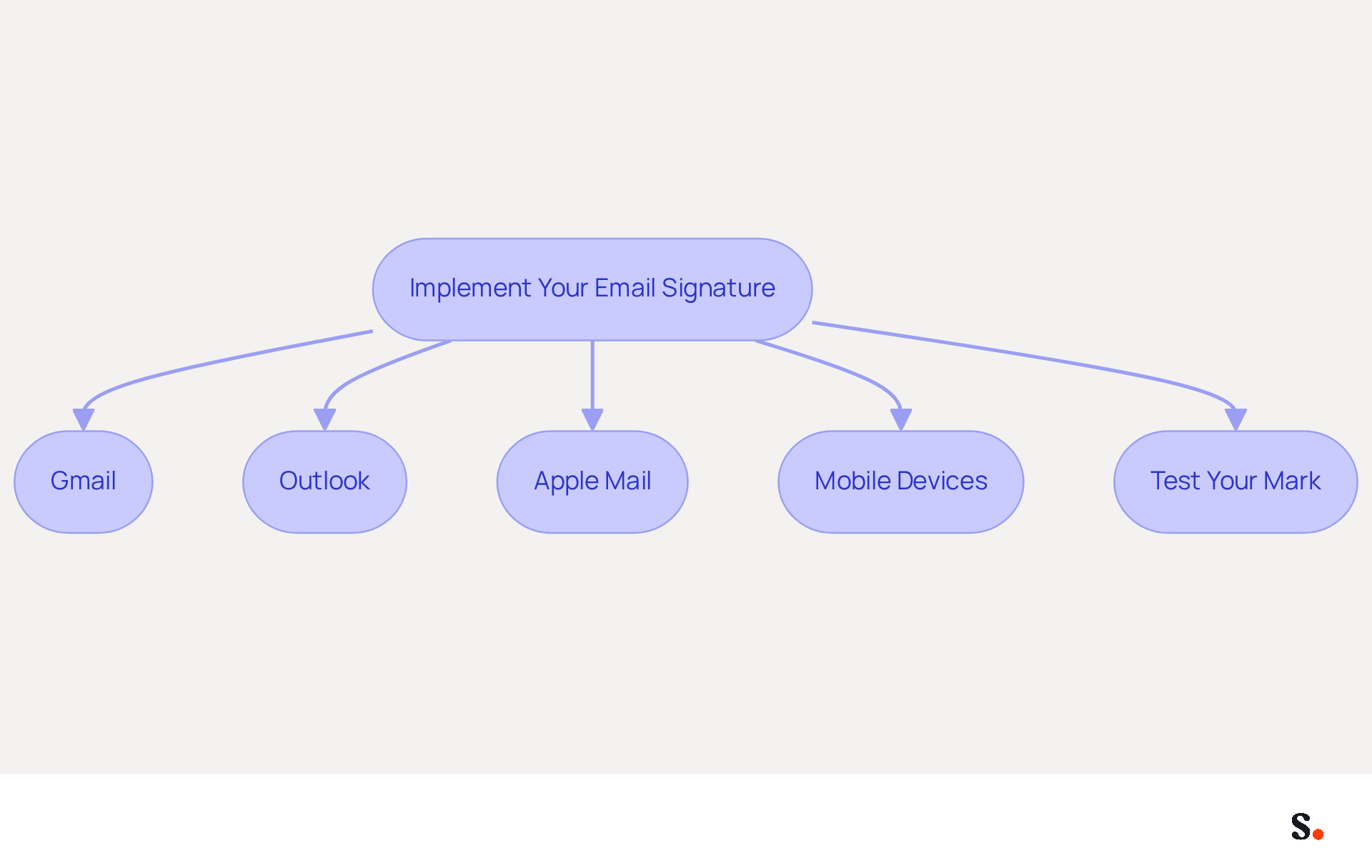
To achieve a cohesive professional image, it is crucial to implement your email signature consistently across all platforms:
- Gmail: Navigate to Settings > See All Settings > General. Scroll to the Signature section and paste your mark into the designated box. Save your changes.
- Outlook: Open Outlook and go to File > Options > Mail > Signatures. Create a new sign-off and paste your content. Set it as the default for new messages and replies.
- Apple Mail: Open Mail and access Preferences > Signatures. Choose the account and paste your sign-off into the box.
- Mobile Devices: For mobile applications, manually enter a simplified version of your sign-off, as formatting may not transfer effectively.
- Test Your Mark: Send test emails to yourself and others to ensure the mark appears correctly across different devices and email clients.
Implementing your signature across platforms not only maintains a professional image but also ensures that your branding is consistent in all communications. Without a consistent email signature, your branding may appear disjointed and unprofessional. By syncing your Google Workspace with the application, you save time as your colleagues' data is automatically updated. To enable this synchronization, you must grant permission to Scribe to connect with your mail provider, and you need to be a Super Admin to provide these permissions. This synchronization means any changes in your Google Workspace, such as moving teammates or updating their information, will be reflected in Scribe without any manual input. Studies indicate that well-crafted electronic communications can increase engagement by as much as 40% when they include strategic calls to action. Furthermore, adding a high-quality headshot can boost response rates by 32%. For example, a recent case analysis demonstrated that a redesigned email footer resulted in acquiring 312 new CRM contacts in only 30 days, emphasizing the effectiveness of well-executed email footers. Make sure to test your signature on various platforms to confirm it looks right and maintains a professional appearance. Scribe maintains SOC 2 Type II compliance, ensuring your data is handled with the utmost security.
Manage and Optimize Your Email Signature Over Time
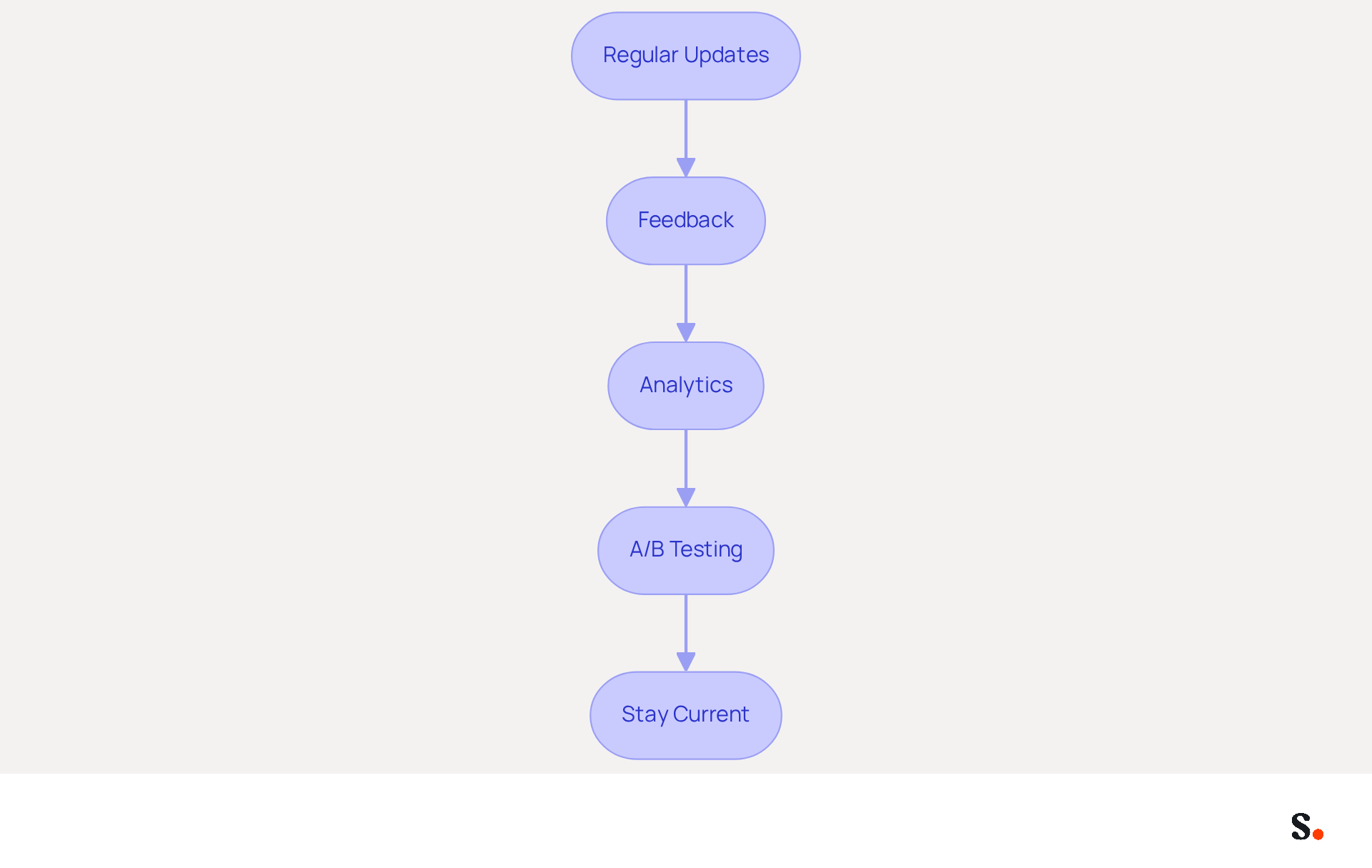
To maintain a professional image, it is crucial to regularly optimize your uni student email signature.
- Regular Updates: It is advised to review your electronic correspondence footer at least twice a year or whenever significant changes occur, such as a new degree, internship, or updated contact information. This ensures that your uni student email signature remains accurate and aligned with your current professional standing. With Scribe, every modification made in your Aircall configuration will automatically be reflected in your correspondence identifiers, which reinforces your brand's identity across all communications.
- Feedback: Consider reaching out to colleagues or mentors for their thoughts on how your signature is perceived. While gathering feedback can be difficult, it is crucial for refining your uni student email signature. Their insights can lead to a more impactful and clear uni student email signature.
- Analytics: Make use of tracking tools to see how recipients respond to your emails. Examining engagement metrics can offer valuable insights into how well your brand resonates with recipients, enabling informed adjustments. Scribe's automated updates can significantly improve engagement rates, as organizations leveraging these features often see measurable marketing ROI.
- A/B Testing: Experiment with different versions of your sign-off to determine which format or content yields the best results. For example, the case study of a sales representative who included a booking link in their uni student email signature demonstrated improved conversion rates, showcasing the benefits of a streamlined format.
- Stay Current: Keep up with the latest trends in email footer design and branding. Adopting modern design practices can significantly enhance the professionalism and effectiveness of your uni student email signature. As emphasized, well-designed digital identifiers can enhance engagement and drive growth. Additionally, Scribe's adherence to SOC 2 Type II, GDPR, and CCPA guarantees that your data management remains secure and reliable.
By prioritizing these practices, you not only enhance your professional image but also ensure your communications resonate effectively with your audience.
Conclusion
For university students, a professional email signature is not just a formality; it is a critical component of effective communication and personal branding. By incorporating key elements such as your full name, degree, and contact information, students can create a signature that reflects their academic identity and promotes personal branding. Without a well-crafted email signature, students may miss out on valuable networking opportunities and the overall perception of professionalism.
Throughout the article, best practices for creating and managing a professional email signature have been outlined. These include:
- Customizing the signature to align with personal branding
- Implementing it consistently across various platforms
- Regularly optimizing it to reflect any changes in academic or professional status
Utilizing tools like Scribe can streamline this process, ensuring that updates are automatically synchronized and that compliance with security standards is maintained.
A well-designed email signature goes beyond being a mere formality; it serves as a strategic tool that can significantly boost visibility and engagement in both academic and professional contexts. By prioritizing the creation and maintenance of a professional email signature, students can effectively communicate their brand and make a lasting impression, paving the way for future opportunities. By investing time in crafting a professional email signature, students position themselves for success in their future endeavors.
Frequently Asked Questions
What is the purpose of a professional email signature for university students?
A professional email signature is a critical component of effective academic communication, helping to establish credibility and enhance visibility in academic interactions.
What key elements should be included in a university student email signature?
A university student email signature should include the following key elements: full name, pronouns (if comfortable), degree and major, graduation year, university name, contact information (phone number and address), and optionally, links to a LinkedIn profile or personal portfolio.
How can a well-structured email signature impact response rates?
Incorporating key details in an email signature can boost response rates by 22%, highlighting the importance of a well-structured contact information block.
Why is it important for PhD students to have a well-crafted digital identifier in their emails?
A well-crafted digital identifier enhances professionalism and personal branding, which is crucial in academic interactions, and can help avoid being overlooked in communications.
What percentage of recipients indicate increased trust when receiving messages with branded identifiers?
76% of recipients indicate increased trust when receiving messages with branded identifiers, underscoring the credibility aspect of professional communication.
How does Scribe assist with maintaining a professional email signature?
Scribe ensures that all modifications made to your Calendly setup automatically sync with your correspondence formats, maintaining brand consistency and simplifying the management of your digital footer.
What compliance does Scribe adhere to regarding data handling?
Scribe adheres to SOC 2 Type II compliance, ensuring secure data handling for users.
What are the consequences of failing to brand your correspondence?
Failing to brand your correspondence can result in lost networking opportunities, making it essential to maintain a polished and consistent appearance in academic communications.
List of Sources
- Identify Key Elements of a Professional Email Signature
- 10 Essential Email Signature Tips for PhD Students (https://scribe-mail.com/en-US/blog/10-essential-email-signature-tips-for-phd-students)
- Email Signature Best Practices for 2026 (+ 15 Pro Examples) (https://wavecnct.com/blogs/email-signature-best-practices-2026)
- What's a Good Email Signature? Key Components vs. Common Mistakes (https://scribe-mail.com/en-US/blog/what-s-a-good-email-signature-key-components-vs-common-mistakes)
- The Importance Of Email Signatures | Email Marketing Blog | Mail Blaze (https://mailblaze.com/thinking/email-signatures-in-email-marketing)
- Customize Your Email Signature for Personal Branding
- Email Signature Best Practices Guide With Examples - MailerLite (https://mailerlite.com/blog/email-signature-best-practices)
- How to Write an Email Signature That Boosts Your Brand (https://scribe-mail.com/en-US/blog/how-to-write-an-email-signature-that-boosts-your-brand)
- Personal Brand Image: 8 Things Employers Want to See in An Email Signature (https://brandyourself.com/blog/product-tutorials/news/personal-brand-image-8-things-employers-want-to-see-in-an-email-signature)
- Email Signature Tips | Perfecting Your Personal Brand | CSU Global (https://csuglobal.edu/blog/keep-it-professional-nailing-down-perfect-email-signature)
- 7 Tips For Writing Email Signature To Improve Your Brand (https://campaigner.com/blog/email-marketing-strategy/7-tips-for-creating-a-killer-email-signature-to-improve-your-brand)
- Implement Your Email Signature Across Different Platforms
- Email Signature Trends 2026: What Designers Are Actually Using (https://markaplugin.com/blog/email-signature-trends-2026)
- Email Signature Trends 2026: Centralized Control & Automation | SIGNandGO posted on the topic | LinkedIn (https://linkedin.com/posts/signngo_email-signature-trends-to-watch-in-2026-activity-7401523471786217473-zAVL)
- The ultimate guide to email signatures in 2026 (https://signitic.com/en/resources/email-signature)
- Email Signature Best Practices for 2026 (+ 15 Pro Examples) (https://wavecnct.com/blogs/email-signature-best-practices-2026)
- Why Email Signatures Must Be In Your 2026 Marketing Plan | Rocketseed (https://rocketseed.com/blog/what-are-the-biggest-email-trends-for-2026)
- Manage and Optimize Your Email Signature Over Time
- Master Email Signature Best Practices to Boost Your Marketing Strategy (https://scribe-mail.com/en-US/blog/master-email-signature-best-practices-to-boost-your-marketing-strategy)
- Email Signature Analytics: Unlocking Potential for Business Growth (https://wisestamp.com/blog/email-signature-analytics)
- Improve Email Signature Marketing Campaign Management | CloudM (https://cloudm.io/blog/how-to-improve-email-signature-marketing-campaign-management)
- Email Signature Design Trends in 2026: What Works and What to Drop (https://bulksignature.com/blog/email-signature-design-trends)
- 8 Email Signature Best Practices for Gmail in 2026 (https://mailtrack.email/blog/email-signature-best-practices)
Get started with Scribe
See why teams switch to Scribe
Free 14-day trial — no credit card.