4 Best Practices for a Typical Email Signature That Boosts Marketing
Despite their potential, many organizations fail to recognize the value of email signatures in their communication strategy. By implementing best practices in
Sophie Grant
Email Signature Specialist, Scribe

Introduction
Despite their potential, many organizations fail to recognize the value of email signatures in their communication strategy. By implementing best practices in email signature design and content, organizations can turn these digital footers into effective marketing tools that truly engage customers. How can businesses make sure their email signatures do more than just serve a purpose, but also capture attention and maintain brand consistency? This article explores four best practices that can elevate email signatures from simple formalities to strategic marketing assets.
Define Essential Components of an Email Signature
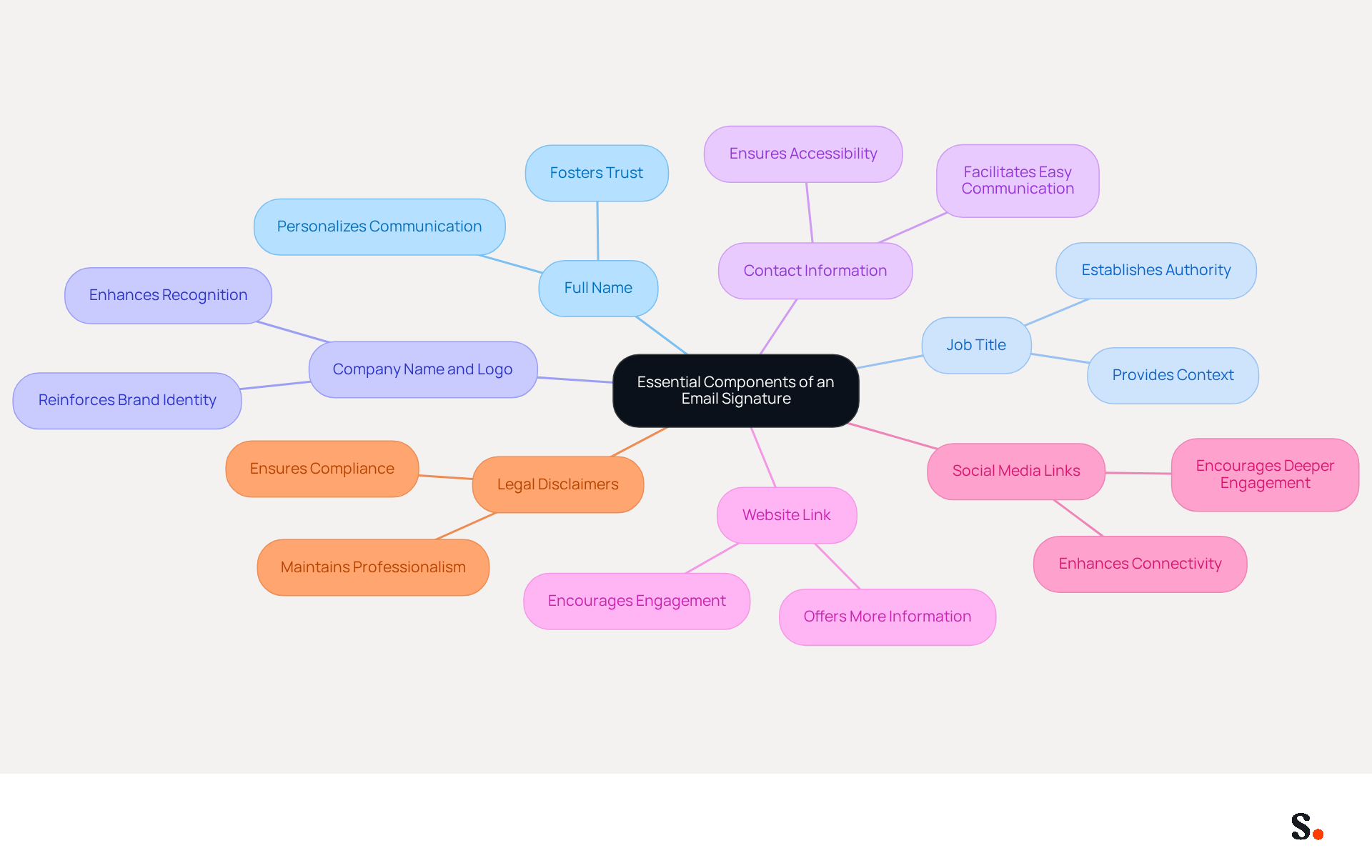
To maximize the impact of your email signature, it is essential to include key components that enhance professionalism and visibility:
- Full Name: Clearly stating your name personalizes communication and fosters trust among recipients.
- Job Title: Including your position establishes authority and provides context for your role within the organization.
- Company Name and Logo: This reinforces brand identity, helping recipients recognize and remember your organization.
- Contact Information: Providing a phone number and contact address facilitates easy communication, ensuring recipients can reach you without hassle.
- Website Link: Directing recipients to your company’s website offers them more information and resources.
- Social Media Links: Including links to professional social media profiles enhances connectivity and encourages deeper engagement.
- Legal Disclaimers: If necessary, adding disclaimers ensures compliance with legal requirements, maintaining professionalism.
Including these elements turns your typical email signature into a powerful virtual business card that boosts professionalism and visibility. Studies indicate that companies with branded digital identifiers experience a 22% increase in brand recognition and trust among their audience. Moreover, organizations that standardize their correspondence identifiers can witness a significant increase in response rates, illustrating the effectiveness of these best practices in 2026.
With Scribe, the management of email identifiers is automated and synchronized with your business phone system, ensuring that any changes made in your Aircall configuration are instantly reflected in your identifiers. This integration saves time and keeps your team's information current, which strengthens brand consistency. Additionally, Scribe's SOC 2 Type II compliance ensures that your data is secure, addressing employee data management requirements effectively. It is crucial to avoid common pitfalls such as information overload and outdated contact details, as failing to avoid these pitfalls can lead to miscommunication and lost opportunities.
Incorporate Design Best Practices for Visual Appeal
To create a visually appealing email signature that aligns with your Aircall configuration, it is essential to follow key design best practices:
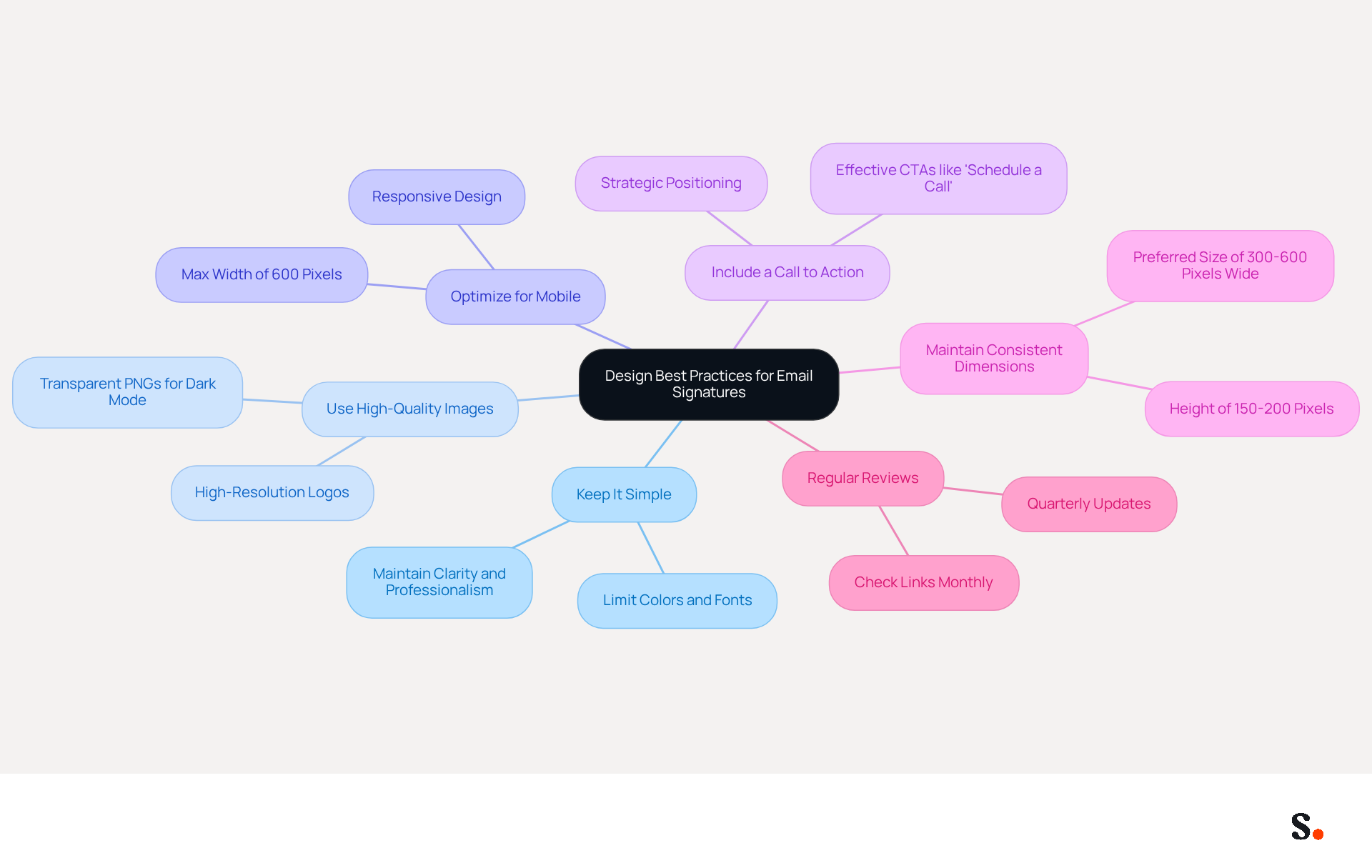
- Keep It Simple: Limit the number of colors and fonts to maintain clarity and professionalism. Stick to a maximum of two fonts and a cohesive color palette that aligns with your brand. This approach helps minimize distractions while ensuring your signature looks professional.
- Use High-Quality Images: Ensure that logos and images are high-resolution to avoid pixelation. High-quality visuals enhance the overall appearance of your signature and contribute to a more professional image. Using transparent PNG logos is recommended to prevent visible backgrounds, especially in dark mode.
- Optimize for Mobile: Create designs that are responsive and visually appealing on mobile devices, as over 60% of business communications are now accessed on mobile. Aim for a maximum width of 600 pixels to ensure compatibility across various email clients. Testing your signature on different devices is crucial to ensure it displays correctly.
- Include a Call to Action (CTA): A clear CTA, such as a link to a current promotion or event, can drive interaction and conversions. Strategic positioning of CTAs in message footers can result in a 40% boost in engagement, and left-aligned, single-column designs have demonstrated a clear increase in engagement rates compared to multi-column layouts.
- Maintain Consistent Dimensions: Aim for a preferred size of 300-600 pixels wide and 150-200 pixels high to ensure it fits well in digital formats. Consistent dimensions help maintain a professional appearance and improve readability.
- Regular Reviews: It's important to regularly check your digital identifiers to keep them up-to-date with any branding or contact changes.
By adhering to these design principles and utilizing the automated synchronization feature with Aircall, you can create a typical email signature that not only appears professional but also effectively conveys your organization's message. By implementing these best practices, organizations can expect to see measurable improvements in engagement and brand consistency.
Utilize Email Signatures as Marketing Opportunities
Email footers represent an underutilized asset in digital marketing strategies. Here are effective ways to leverage them:
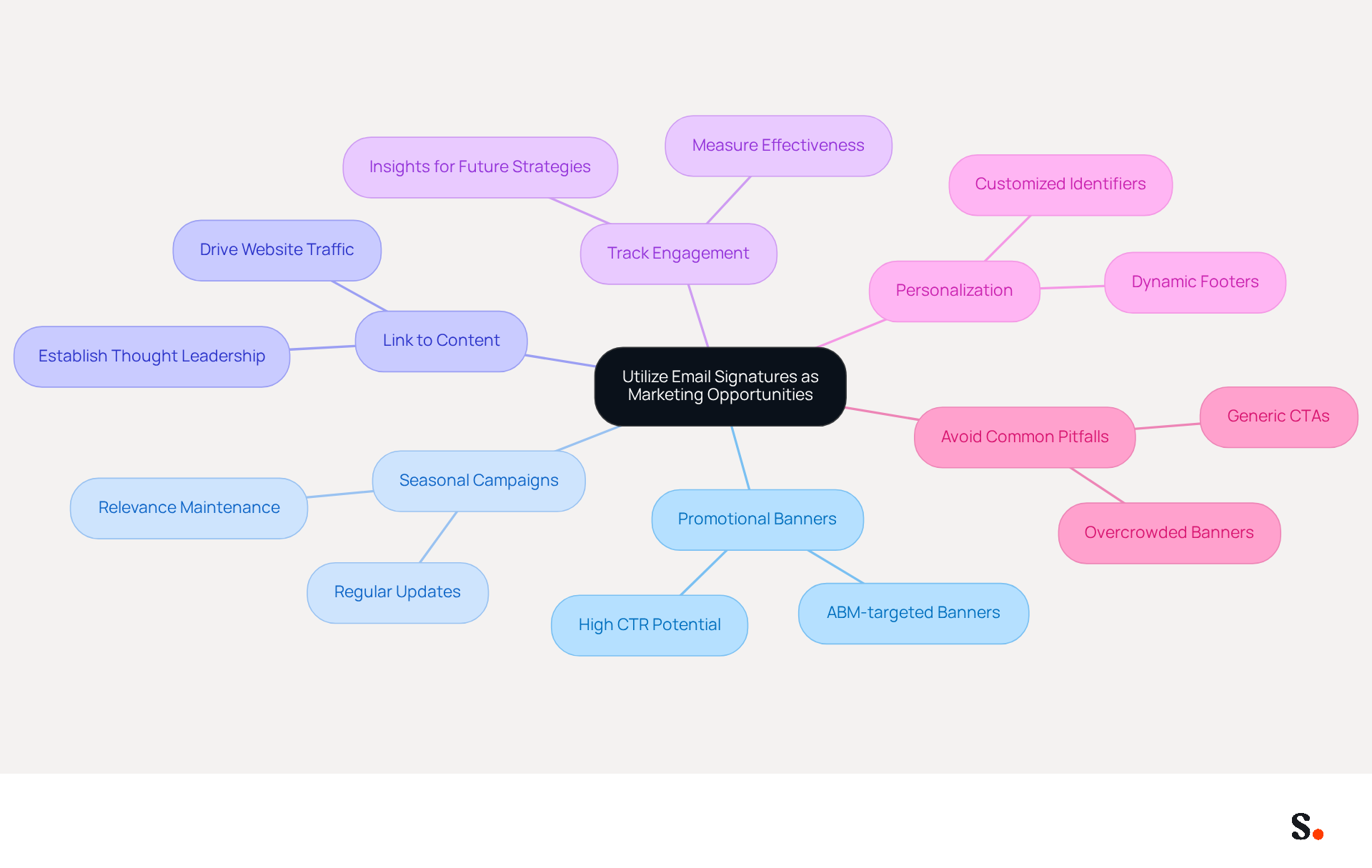
- Promotional Banners: Incorporate visually appealing banners that highlight current promotions, events, or new products. This turns each email into a marketing chance, as research indicates that well-crafted banners can reach a click-through rate (CTR) of 7%, far exceeding the B2B average of 1.5%. Additionally, ABM-targeted banners can achieve CTRs as high as 2.5-5%, with exceptional campaigns reaching 7%.
- Seasonal campaigns: Failing to update your typical email signature can result in disengagement from your audience. Regularly updating your typical email signature to reflect seasonal promotions or campaigns ensures that your messaging remains fresh and relevant.
- Link to Content: Include links to recent blog posts, case studies, or whitepapers. This not only drives traffic to your website but also establishes your brand as a thought leader. Email footers can result in a 22% rise in clicks and 32% more email replies when combined with valuable content.
- Track Engagement: Utilize tracking links to measure the effectiveness of your distinctive marketing efforts. Metrics such as click-through rates and engagement rates provide insights that can inform future strategies and adjustments. For example, companies that monitor clicks report a 79% success rate in evaluating their key campaigns.
- Personalization: Customize identifiers for various departments or campaigns to ensure relevance and maximize impact. Customized footers can greatly enhance CTR, with dynamic footers averaging a 4% CTR compared to standard marketing messages, which hover around 2.5%.
- Avoid Common Pitfalls: Be mindful of common mistakes that can reduce click-through rates, such as using generic CTAs, overcrowded banners, and prolonged banner usage. Regularly updating your banners and ensuring they are mobile-friendly can help sustain interest.
Without strategic implementation, businesses may miss out on crucial engagement opportunities that could elevate their marketing efforts.
Ensure Consistency and Compliance Across Signatures
Inconsistent email signatures can undermine a company's professional image and result in miscommunication. To maintain consistency and compliance in email signatures, consider the following best practices:
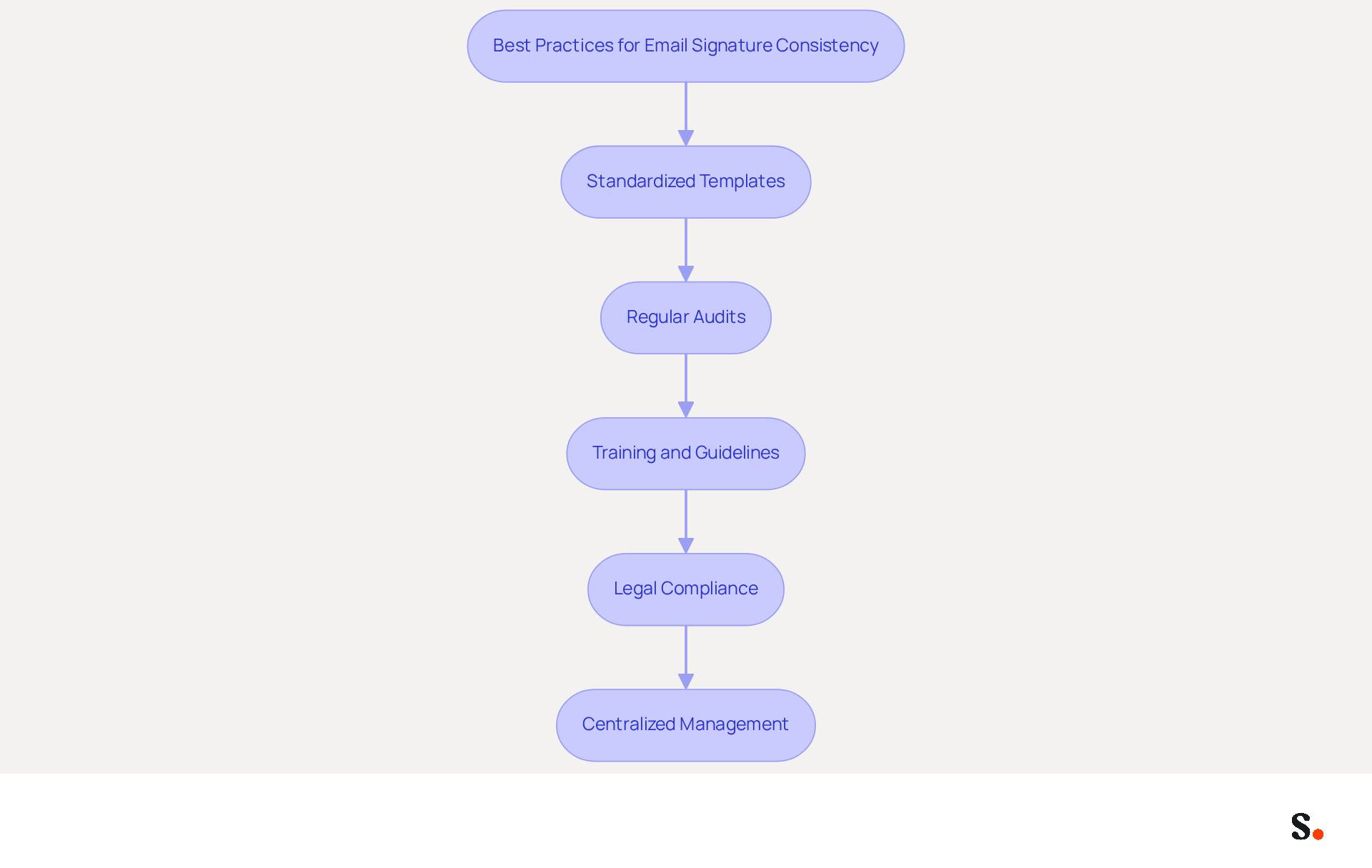
- Standardized Templates: Implement standardized templates for all employees to ensure uniformity in design and content. Using tools like Scribe helps automate updates, so every signature reflects the latest branding and messaging.
- Regular Audits: Regular audits of digital identifiers are essential to ensure they adhere to branding guidelines and legal requirements. This practice helps identify discrepancies and areas for improvement, ensuring that all approvals remain current and consistent.
- Training and Guidelines: Provide comprehensive training for employees on the correct use of email identifiers and the significance of maintaining consistency. Clear, documented guidelines should include a typical email signature and be easily accessible to all staff, reinforcing the importance of professional communication.
- Legal Compliance: Ensure that all endorsements include necessary legal disclaimers and comply with industry regulations. This step is crucial for protecting the organization from potential legal issues and maintaining professionalism in communications.
- Centralized Management: Utilize centralized management tools to control and update identifiers across the organization. This approach guarantees that all employees have the latest version, enhancing brand consistency and reducing the risk of outdated information.
Implementing these practices not only guarantees that digital identifiers are consistent and professional but also compliant with legal standards. By prioritizing these practices, organizations can significantly enhance their professional image and communication effectiveness.
Conclusion
Email signatures represent a critical yet often overlooked aspect of professional communication. Crafting an effective email signature goes beyond aesthetics; it serves as a strategic opportunity to enhance brand visibility and professionalism. By incorporating essential components, adhering to design best practices, leveraging marketing opportunities, and ensuring consistency and compliance, organizations can transform their email signatures into powerful marketing tools that resonate with recipients.
The article highlights the importance of including key elements such as:
- Full names
- Job titles
- Contact information
While also emphasizing the need for a visually appealing design optimized for mobile devices. Utilizing email signatures for marketing purposes, such as promotional banners and links to valuable content, can significantly boost engagement rates. Furthermore, maintaining consistency through standardized templates and regular audits ensures that all communications reflect the organization's brand identity and comply with legal standards.
As digital communication becomes increasingly essential for businesses, the potential of email signatures should not be underestimated. Organizations are encouraged to adopt these best practices to maximize their marketing efforts and enhance their professional image. By leveraging tools like Scribe, which offers automated management and compliance features, businesses can ensure that their email signatures not only look professional but also drive measurable results. Embracing these strategies will lead to improved engagement, brand consistency, and ultimately, business growth.
Frequently Asked Questions
What are the essential components of an email signature?
The essential components of an email signature include your full name, job title, company name and logo, contact information, website link, social media links, and legal disclaimers if necessary.
Why is it important to include a full name in an email signature?
Including your full name personalizes communication and fosters trust among recipients.
How does a job title in an email signature benefit the recipient?
A job title establishes authority and provides context for your role within the organization.
What role does the company name and logo play in an email signature?
The company name and logo reinforce brand identity, helping recipients recognize and remember your organization.
Why should contact information be included in an email signature?
Providing contact information, such as a phone number and address, facilitates easy communication, ensuring recipients can reach you without hassle.
How can a website link in an email signature be beneficial?
A website link directs recipients to your company’s website, offering them more information and resources.
What is the advantage of including social media links in an email signature?
Including links to professional social media profiles enhances connectivity and encourages deeper engagement.
When should legal disclaimers be added to an email signature?
Legal disclaimers should be added if necessary to ensure compliance with legal requirements and maintain professionalism.
How can Scribe help manage email signatures?
Scribe automates and synchronizes email identifiers with your business phone system, ensuring that any changes made in your Aircall configuration are instantly reflected in your identifiers.
What are the benefits of using Scribe for email signature management?
Scribe saves time by keeping your team's information current, strengthens brand consistency, and ensures data security with SOC 2 Type II compliance.
What common pitfalls should be avoided when creating an email signature?
Common pitfalls include information overload and outdated contact details, as these can lead to miscommunication and lost opportunities.
List of Sources
- Define Essential Components of an Email Signature
- Why Email Signatures Must Be In Your 2026 Marketing Plan | Rocketseed (https://rocketseed.com/blog/what-are-the-biggest-email-trends-for-2026)
- Email Signature Best Practices for 2026 (+ 15 Pro Examples) (https://wavecnct.com/blogs/email-signature-best-practices-2026)
- Best Practices for a Correct Email Signature That Boosts Branding (https://scribe-mail.com/en-US/blog/best-practices-for-a-correct-email-signature-that-boosts-branding)
- 4 Best Looking Email Signatures to Boost Your Brand Visibility (https://scribe-mail.com/en-US/blog/4-best-looking-email-signatures-to-boost-your-brand-visibility)
- Incorporate Design Best Practices for Visual Appeal
- Email Signature Trends 2026: What Designers Are Actually Using (https://markaplugin.com/blog/email-signature-trends-2026)
- Email Signature Best Practices - NEWOLDSTAMP (https://newoldstamp.com/blog/email-signature-best-practices)
- Email Signature Best Practices for 2026 (+ 15 Pro Examples) (https://wavecnct.com/blogs/email-signature-best-practices-2026)
- Email Design Trends and Best Practices in 2026 | Mailjet (https://mailjet.com/blog/email-best-practices/email-design-trends)
- Email Signature Trends 2026: Centralized Control & Automation | SIGNandGO posted on the topic | LinkedIn (https://linkedin.com/posts/signngo_email-signature-trends-to-watch-in-2026-activity-7401523471786217473-zAVL)
- Utilize Email Signatures as Marketing Opportunities
- Email signature statistics: Why every business should optimize their email signatures — Stripo.email (https://stripo.email/blog/email-signature-statistics-why-every-business-should-optimize-their-email-signatures)
- Brands Turn To Email Signatures For Marketing: Study (https://mediapost.com/publications/article/350372/brands-turn-to-email-signatures-for-marketing-stu.html?edition=118089)
- Why Email Signatures Must Be In Your 2026 Marketing Plan | Rocketseed (https://rocketseed.com/blog/what-are-the-biggest-email-trends-for-2026)
- 12 email signature marketing examples that drive clicks (2026) (https://signitic.com/en/resources/12-email-signature-marketing-examples-that-actually-drive-clicks)
- 10 ideas for marketing campaigns in email signatures (https://signitic.com/en/resources/10-ideas-for-marketing-campaigns-in-email-signatures)
- Ensure Consistency and Compliance Across Signatures
- Best Practices for Email Signatures for Business Owners (https://scribe-mail.com/en-US/blog/best-practices-for-email-signatures-for-business-owners)
- Master Automatic Email Signatures: Boost Branding and Efficiency (https://scribe-mail.com/en-US/blog/master-automatic-email-signatures-boost-branding-and-efficiency)
- Why Email Signatures Must Be In Your 2026 Marketing Plan | Rocketseed (https://rocketseed.com/blog/2026-marketing-plan-email-signatures)
- Email Signature Trends 2026: Centralized Control & Automation | SIGNandGO posted on the topic | LinkedIn (https://linkedin.com/posts/signngo_email-signature-trends-to-watch-in-2026-activity-7401523471786217473-zAVL)
Get started with Scribe
Manage signatures across your whole team
Free 14-day trial — no credit card.