4 Best Practices for an Effective Email Signature Responsive Template
Crafting an effective email signature presents a unique challenge for many organizations, as it must balance branding with functionality. An email signature is
Sophie Grant
Email Signature Specialist, Scribe

Introduction
Crafting an effective email signature presents a unique challenge for many organizations, as it must balance branding with functionality. An email signature is more than just a digital sign-off; it serves as a powerful branding tool that can enhance recognition and engagement. Navigating the complexities of design principles and automation tools is crucial for businesses aiming to create impactful email signatures that resonate with recipients. We will explore strategies that empower marketing and IT teams to optimize their email signatures for maximum impact.
Establish Design Principles for Responsive Email Signatures
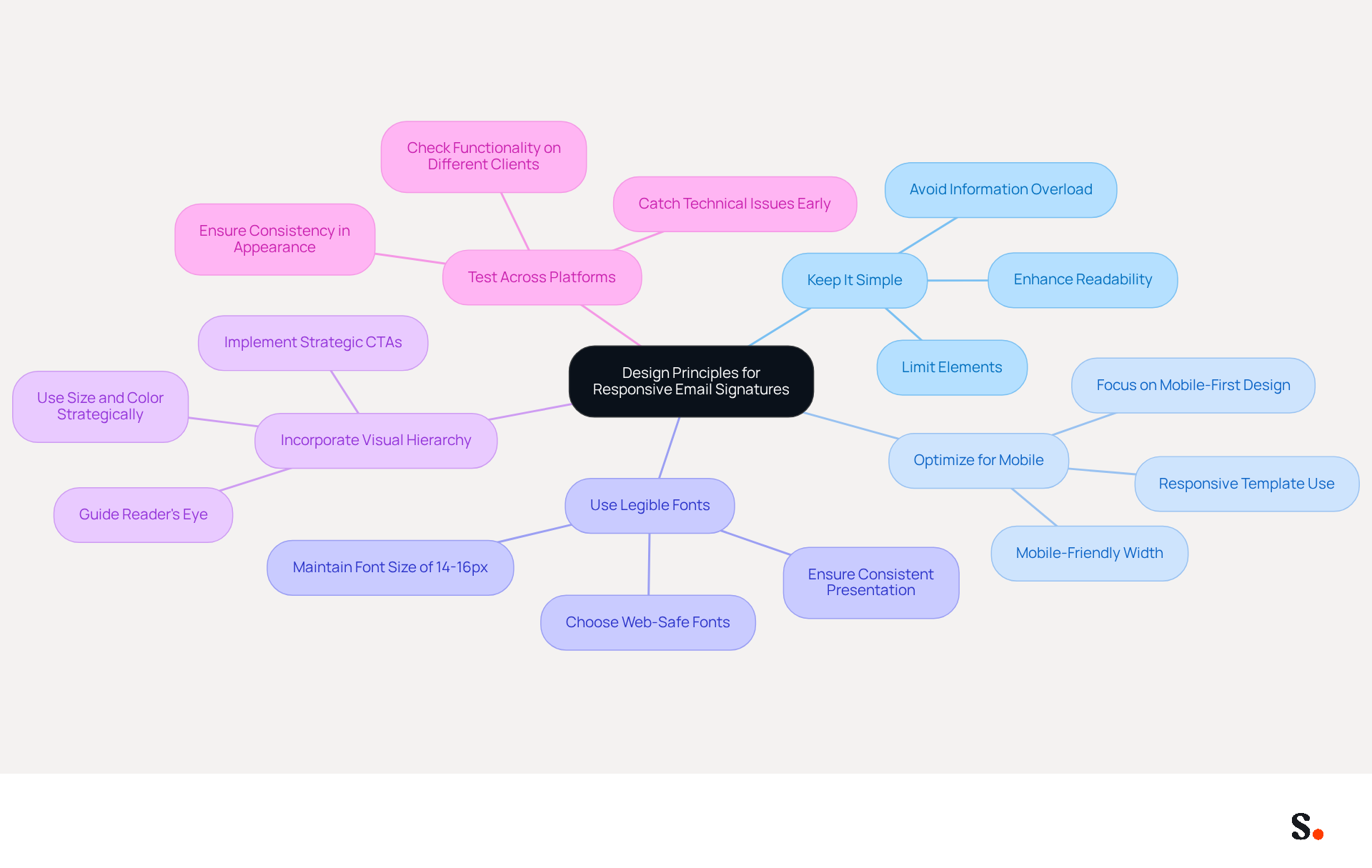
To create effective responsive email signatures, it is essential to follow key design principles that enhance clarity and engagement:
- Keep It Simple: Limit the number of elements in your sign-off to avoid clutter. A clean design enhances readability and ensures that key information stands out. Information overload often leads to significant mistakes in email signatures, which can diminish engagement.
- Optimize for Mobile: With over 60% of business correspondence accessed on mobile devices, ensure your identification is mobile-friendly. Use a width of 600 pixels or less to avoid cropping in various messaging clients. This method aligns with the trend of mobile-first design, particularly through the use of an email signature responsive template, which is crucial for contemporary digital communications.
- Use Legible Fonts: Choose fonts that are easy to read on all devices. Stick to standard web-safe fonts like Arial or Helvetica and maintain a font size of 14-16px for clarity. This guarantees consistent presentation across messaging clients, enhancing professionalism.
- Incorporate Visual Hierarchy: Use size, color, and spacing to create a visual hierarchy that guides the reader's eye to the most important information first, such as your name and contact details. By implementing strategic CTAs, you can significantly enhance engagement rates in your email communications.
- Test Across Platforms: Before you finalize your email signature, make sure to test it across different messaging clients and devices to ensure it looks right everywhere. This step is essential for upholding professionalism and consistency, as signatures that fail in dark mode or have rendering problems can harm credibility. Regular testing helps catch potential technical issues, ensuring a seamless experience for recipients.
Incorporate Brand Identity to Enhance Recognition
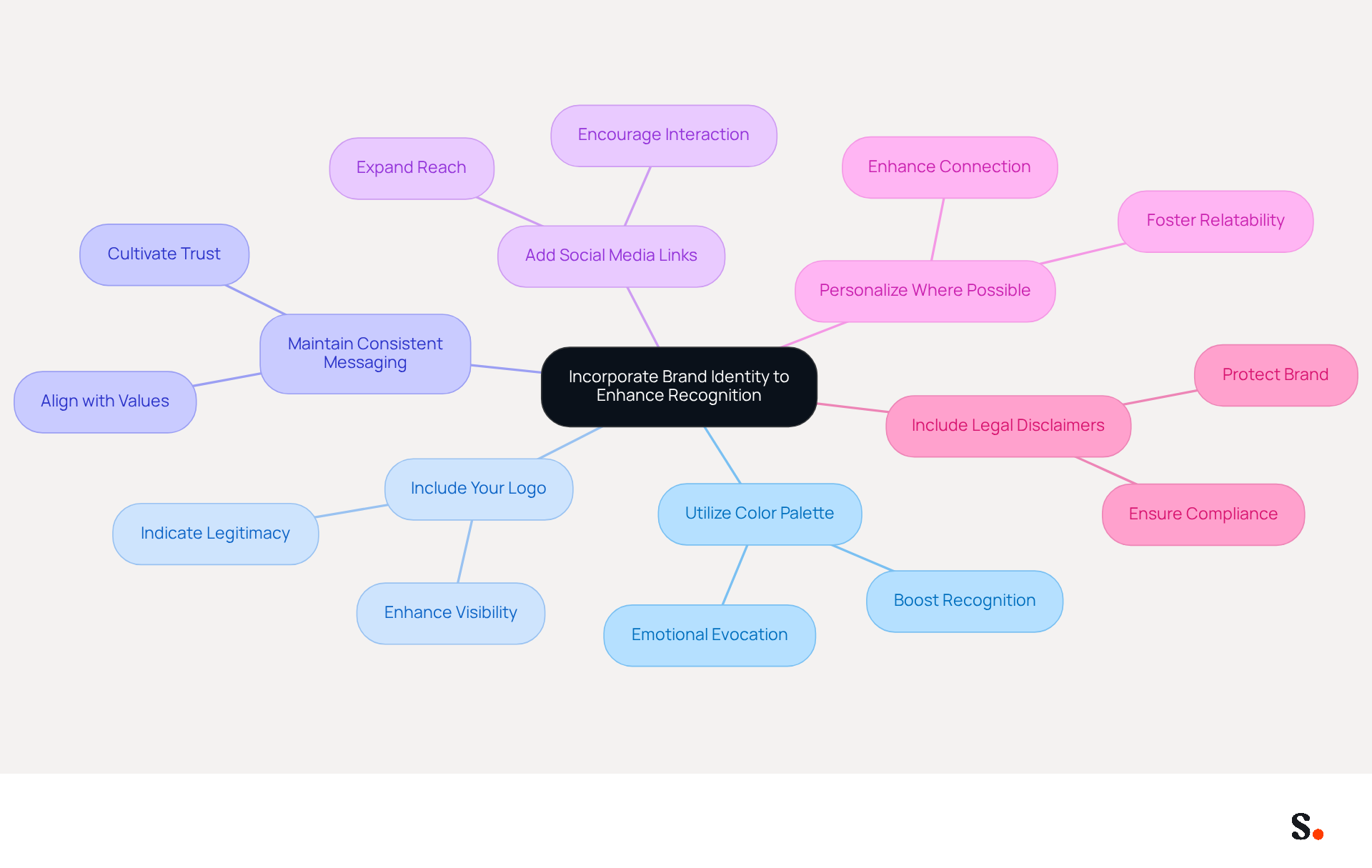
To effectively incorporate brand identity into your email signatures, consider the following strategies:
- Utilize Color Palette: Using consistent colors that reflect your brand can significantly boost recognition; studies show that uniform branding can increase customer awareness by up to 80% (source: external data).
- Include Your Logo: Adding your company logo enhances visibility and invites recipients to engage with your brand across various platforms. A well-crafted logo, presented at the appropriate resolution, strengthens identity and can enhance message deliverability by indicating legitimacy to servers.
- Maintain Consistent Messaging: Use taglines or slogans that align with your voice. Consistency in messaging aids recipients in connecting your communications with your values and mission, cultivating trust and credibility. Research indicates that 76% of recipients feel more trust in the sender due to branded email signatures (source: external data).
- Add Social Media Links: Include icons that link to your social media profiles. This enhances your online visibility and encourages recipients to interact with your brand across various platforms. Including social media links can expand your company's reach and visibility, making it easier for customers to connect with you.
- Personalize Where Possible: Consider adding a professional photo of yourself if it fits your brand. This personal touch can enhance connection and trust, making your messages feel more relatable. Personal elements like professional photos can significantly enhance engagement, as they humanize your identity and foster deeper connections with recipients.
- Include Legal Disclaimers: Adding a legal disclaimer to your correspondence footer is important for protecting your brand and ensuring compliance with regulations. Neglecting to include a legal disclaimer can undermine your organization's professionalism and expose it to legal risks.
By implementing these strategies, businesses can transform their digital communication identifiers, including an email signature responsive template, into powerful branding tools that enhance recognition and trust, ultimately driving engagement and improving marketing effectiveness.
Utilize Call-to-Action Elements for Increased Engagement
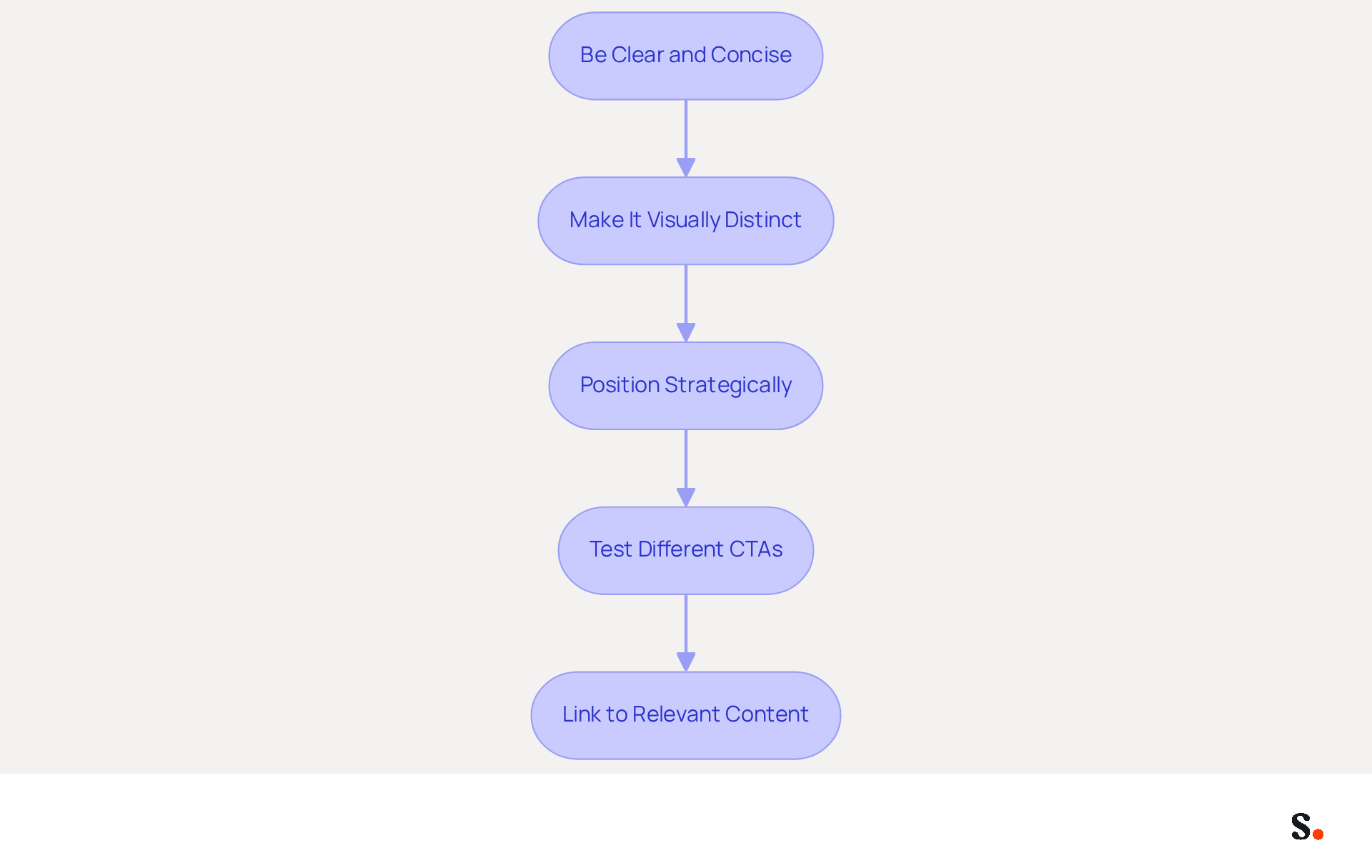
To maximize engagement in your email communications, implementing effective call-to-action (CTA) elements in your signatures is essential:
- Be Clear and Concise: Use clear action-oriented language, like 'Schedule a Demo' or 'Download Our Guide.'
- Make It Visually Distinct: Use buttons or bold text to make your CTA stand out. Make sure it stands out without overwhelming the design.
- Position Strategically: Place your CTA near the top of your email footer or directly below your contact information. This positioning increases the likelihood that recipients will notice and engage with it.
- Test Different CTAs: Experiment with various CTAs to see which ones resonate best with your audience. A/B testing can provide valuable insights into what drives the most engagement.
- Link to Relevant Content: Ensure that your CTA links to a relevant landing page or resource that provides value to the recipient. This relevance boosts the likelihood of conversion and improves the overall effectiveness of your message footer.
By strategically implementing these practices, you can significantly enhance the effectiveness of your email signature responsive template and foster meaningful interactions.
Leverage Automation for Seamless Signature Management
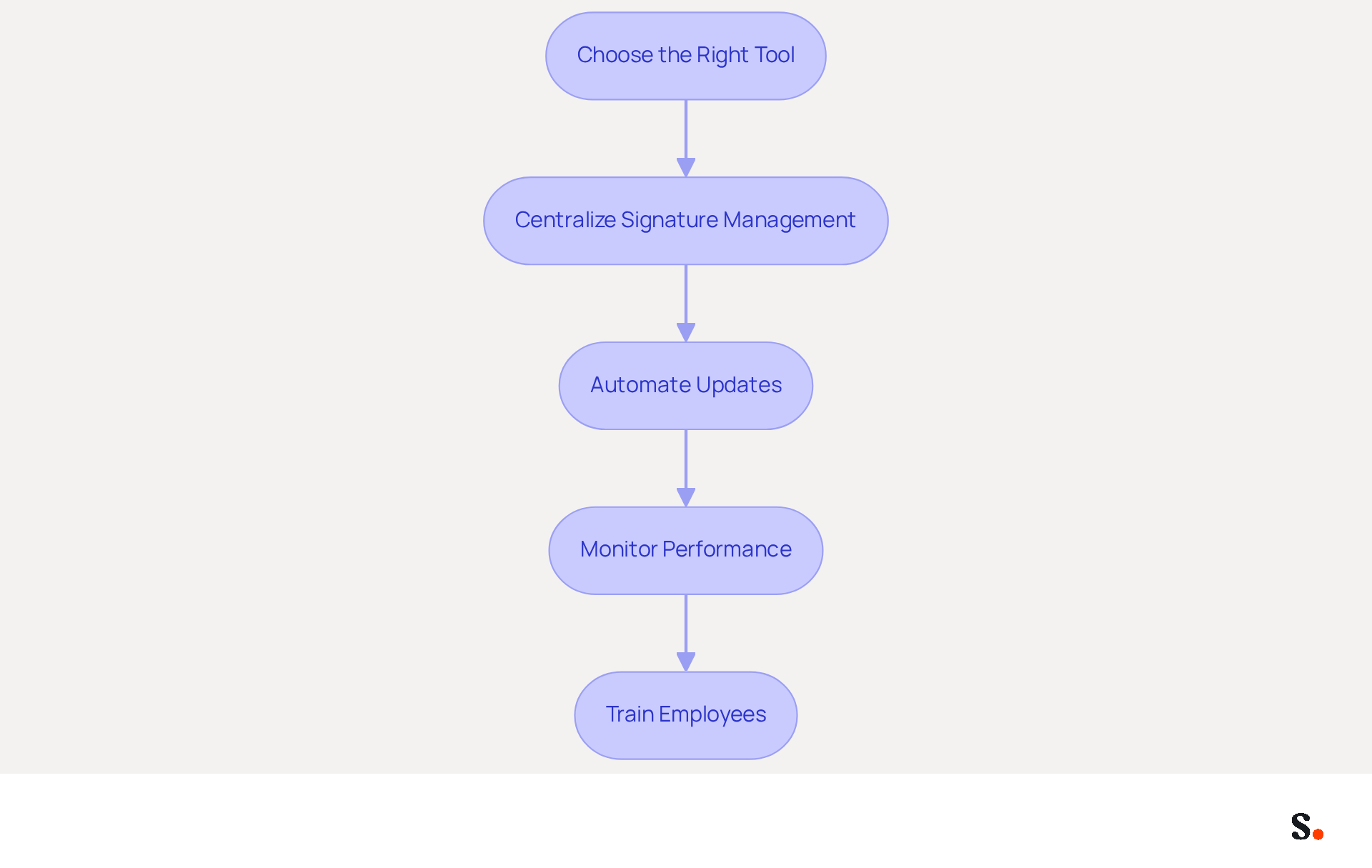
To maximize the benefits of automation in email signature management, it is crucial to adopt effective practices:
- Choose the Right Tool: Select a platform for managing digital signatures that integrates seamlessly with your existing messaging systems, such as Scribe. This integration simplifies the process of updating and deploying branding across your organization, which helps 42% of consumers feel positively about receiving branded messages.
- Centralize Signature Management: Use a centralized system to oversee all employee signatures. This is crucial, as 78% of marketers agree that utilizing an email signature responsive template for consistent branding across all company emails is vital for maintaining a professional image and reducing the risk of errors.
- Automate Updates: Set up automated updates for signatures to reflect changes in employee roles, contact information, or branding elements. By syncing your Google Workspace with Scribe, you save time as your teammates' data is automatically updated, which can be utilized in an email signature responsive template for auto-filling their identification information. This automation guarantees that all approvals are up to date without manual input, reflecting any changes in real-time. Furthermore, Scribe is SOC 2 Type II compliant and follows GDPR and CCPA regulations, ensuring that your correspondence management is secure and compliant.
- Monitor Performance: Utilize analytics tools to track the effectiveness of your email branding. Monitoring metrics such as click-through rates on CTAs can provide insights into their effectiveness and inform future adjustments. For example, Scribe boasts an average click-through rate of 12% on its banners, showcasing the potential influence of well-managed elements.
- Train Employees: It's important to educate your team on why standardized marks matter and how to effectively use the automation tools. This training promotes a culture of consistency and professionalism in written communications, which is crucial as 52% of prospects and customers prefer this method as a primary communication channel. By implementing these strategies, organizations can significantly enhance their email communication effectiveness and brand perception.
Conclusion
An effective email signature is more than just a digital business card; it is a strategic asset that can significantly enhance brand recognition and engagement in digital communications. By adopting best practices in design and brand identity, organizations can transform their email signatures into powerful marketing tools that resonate with recipients.
Key strategies discussed include:
- Maintaining simplicity and clarity in design
- Optimizing for mobile devices
- Incorporating brand elements such as logos and color palettes
- Utilizing clear and visually distinct call-to-action elements
Additionally, utilizing clear and visually distinct call-to-action elements can significantly boost engagement rates. Automation tools like Scribe streamline the management of email signatures, ensuring consistency and compliance while saving valuable time for marketing and IT teams.
Ultimately, a well-crafted email signature plays a crucial role in shaping a professional image and fostering trust with recipients. By prioritizing these best practices, organizations can enhance their professional image, foster trust, and drive meaningful interactions with their audience. Investing in email signature management is not just a choice; it is a necessity for businesses aiming to strengthen their brand and foster deeper connections with their audience.
Frequently Asked Questions
What are the key design principles for creating effective responsive email signatures?
The key design principles include keeping it simple, optimizing for mobile, using legible fonts, incorporating visual hierarchy, and testing across platforms.
Why is it important to keep email signatures simple?
Keeping email signatures simple limits clutter, enhances readability, and ensures that key information stands out, reducing the risk of mistakes that can diminish engagement.
How should email signatures be optimized for mobile devices?
Email signatures should be optimized for mobile by using a width of 600 pixels or less to avoid cropping in various messaging clients, as over 60% of business correspondence is accessed on mobile devices.
What font choices are recommended for email signatures?
It is recommended to use standard web-safe fonts like Arial or Helvetica and maintain a font size of 14-16px for clarity and consistent presentation across messaging clients.
How can visual hierarchy be incorporated into email signatures?
Visual hierarchy can be created by using size, color, and spacing to guide the reader's eye to the most important information first, such as your name and contact details, which can enhance engagement rates.
Why is it necessary to test email signatures across different platforms?
Testing email signatures across different messaging clients and devices is necessary to ensure they look right everywhere, uphold professionalism, and catch potential technical issues that could harm credibility.
List of Sources
- Establish Design Principles for Responsive Email Signatures
- Email Signature Best Practices for 2026 (+ 15 Pro Examples) (https://wavecnct.com/blogs/email-signature-best-practices-2026)
- Email Signature Design Trends in 2026: What Works and What to Drop (https://bulksignature.com/blog/email-signature-design-trends)
- 4 Best Practices for Responsive Email Signature Templates with Scribe (https://scribe-mail.com/en-US/blog/4-best-practices-for-responsive-email-signature-templates-with-scribe)
- 40+ Email Signature Statistics for 2026 (Data + Insights) (https://wavecnct.com/blogs/email-signature-statistics)
- Email Signature Best Practices - NEWOLDSTAMP (https://newoldstamp.com/blog/email-signature-best-practices)
- Incorporate Brand Identity to Enhance Recognition
- The impact of email signatures on your branding (https://signitic.com/en/resources/the-impact-of-email-signatures-on-your-branding)
- 15 Ways Email Signatures Can Boost Your Brand | Rocketseed (https://rocketseed.com/blog/15-ways-email-signature-branding-can-boost-your-brand)
- Why Are Email Signatures Key to Brand Awareness? | QuickMail (https://quickmail.com/role-of-email-signatures-in-brand-awareness)
- 4 Best Practices for Brand Consistency in Email Signatures (https://scribe-mail.com/en-US/blog/4-best-practices-for-brand-consistency-in-email-signatures)
- 40+ Email Signature Statistics for 2026 (Data + Insights) (https://wavecnct.com/blogs/email-signature-statistics)
- Utilize Call-to-Action Elements for Increased Engagement
- Why and how to add an effective CTA to your email signature? (https://signitic.com/en/resources/why-and-how-to-add-an-effective-cta-to-your-email-signature)
- Create Effective CTA Email Signatures (Examples & Templates) (https://wisestamp.com/examples/cta-email-signature)
- The Ultimate Guide to Email Signature Call-to-Action - NEWOLDSTAMP (https://newoldstamp.com/blog/the-ultimate-guide-to-email-signature-call-to-action)
- CTAs lead the way in email engagement tactics (https://emarketer.com/content/ctas-lead-way-email-engagement-tactics)
- 4 Essential Email Signature Ideas to Boost Marketing Engagement (https://scribe-mail.com/en-US/blog/4-essential-email-signature-ideas-to-boost-marketing-engagement)
- Leverage Automation for Seamless Signature Management
- 40+ Email Signature Statistics for 2026 (Data + Insights) (https://wavecnct.com/blogs/email-signature-statistics)
- Email Signature Trends in Numbers: Infographic [2026] (https://mailtrap.io/blog/email-signature-trends)
- Top 10 Email Signature Management Tools in 2026 (Compared) (https://mailbutler.io/blog/email/email-signature-management-tools)
- 5 Best Practices for Your Email Signature Marketing Platform (https://scribe-mail.com/en-US/blog/5-best-practices-for-your-email-signature-marketing-platform)
Get started with Scribe
Build a professional email signature
Free 14-day trial — no credit card.