4 Best Practices for an Effective Gmail HTML Signature
Many professionals underestimate the power of an effective Gmail HTML signature, missing out on a key opportunity to enhance brand visibility and engagement
Sophie Grant
Email Signature Specialist, Scribe

On this page
Introduction
Many professionals underestimate the power of an effective Gmail HTML signature, missing out on a key opportunity to enhance brand visibility and engagement. By implementing best practices in design and marketing, professionals can transform their signatures into powerful tools that convey essential information and drive action. Despite their importance, many professionals fail to recognize the full potential of email signatures as marketing tools.
How can organizations leverage these tools to maximize impact and ensure brand consistency? This article explores key strategies to optimize Gmail HTML signatures, ensuring they serve as effective marketing assets while elevating brand consistency and transforming every email into a strategic marketing opportunity.
Establish Design Principles for Your Gmail HTML Signature
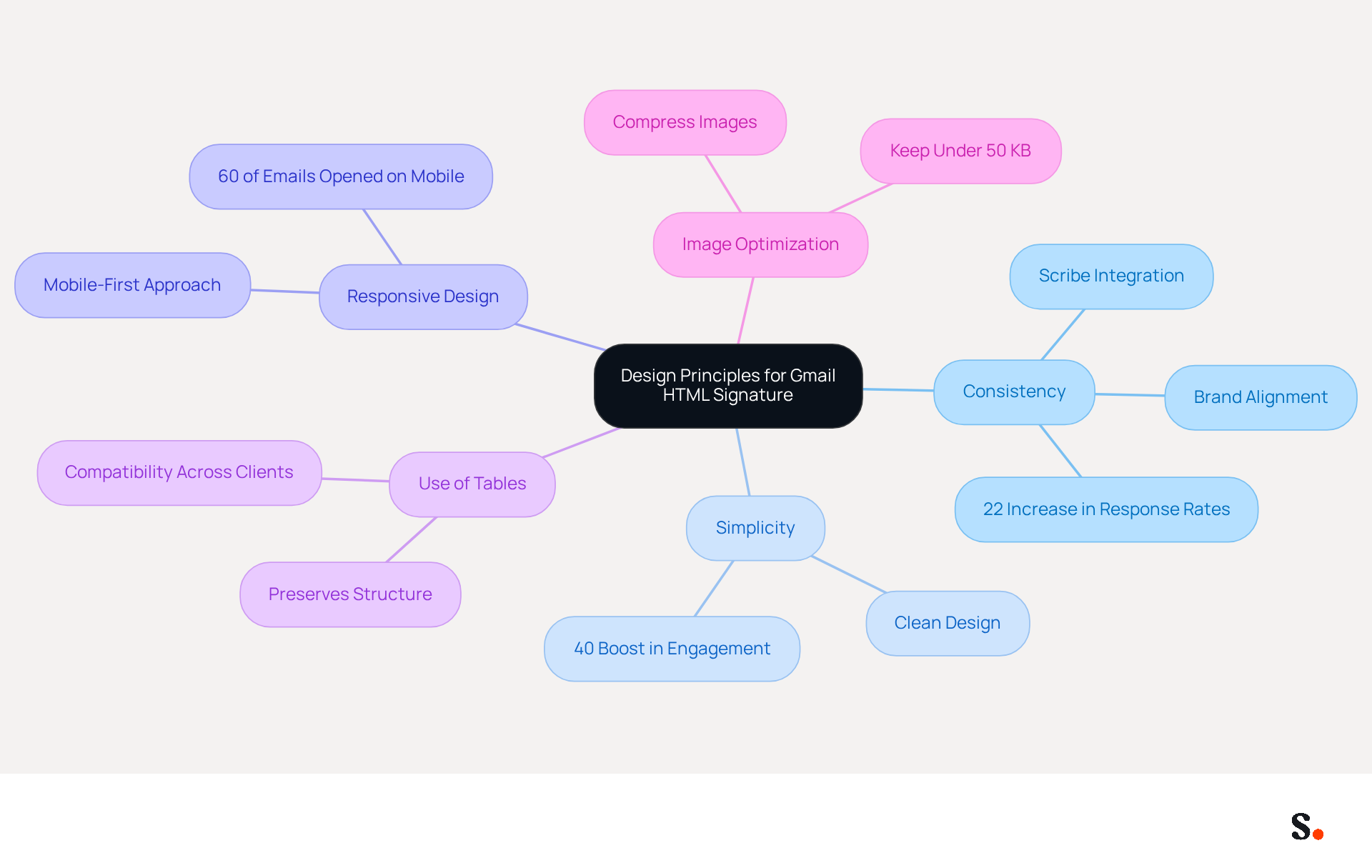
To create an effective Gmail HTML signature, it is essential to adhere to key design principles that enhance brand perception and engagement:
- Consistency: Utilize your brand's colors, fonts, and logo to ensure alignment with your overall branding. This consistency strengthens brand awareness. In fact, businesses that maintain consistent branding see a 22% increase in response rates, underscoring the importance of a cohesive appearance. Scribe ensures that any changes in your Aircall configuration are instantly reflected in your email branding, maintaining consistency and improving your marketing ROI.
- Simplicity: Maintain a clean and uncluttered design. Avoid excessive graphics or text that can distract from the main message. A simple layout enhances readability and professionalism. Without a simple layout, engagement rates may suffer significantly, as minimalist design principles can boost engagement by up to 40% over traditional approaches.
- Responsive Design: Ensure your mark appears well on both desktop and mobile devices. With over 60% of business correspondence opened on mobile, adopting a mobile-first design approach is crucial. Testing your identifier across various messaging platforms is essential to ensure proper display and functionality. Scribe's integration enables smooth updates, ensuring your mark remains effective across all platforms.
- Use of Tables: For layout purposes, consider using tables in your HTML code. This approach aids in preserving structure across different messaging clients, which frequently display HTML in varied ways, ensuring that your identifier remains visually appealing.
- Image Optimization: Compress images to reduce loading times and ensure they display correctly. Use web-safe formats such as PNG or JPEG and avoid large file sizes that can hinder message delivery. Keeping image weights under 50 KB is recommended to prevent deliverability issues.
By following these design principles, you can create a mark that not only appears professional but also effectively conveys your brand's identity, which is essential for your Gmail HTML signature and enhances your overall email marketing strategy. Adhering to these principles can transform your email marketing strategy, leading to measurable improvements in engagement and brand perception. For example, a software client saw a rise in demo requests by simply incorporating a clear call-to-action (CTA) in their email footer, showing how targeted design elements can drive results. Additionally, Scribe's average click-through rate on banner displays is 12%, highlighting the potential for enhanced interaction through well-crafted designs.
Incorporate Marketing Elements to Boost Engagement
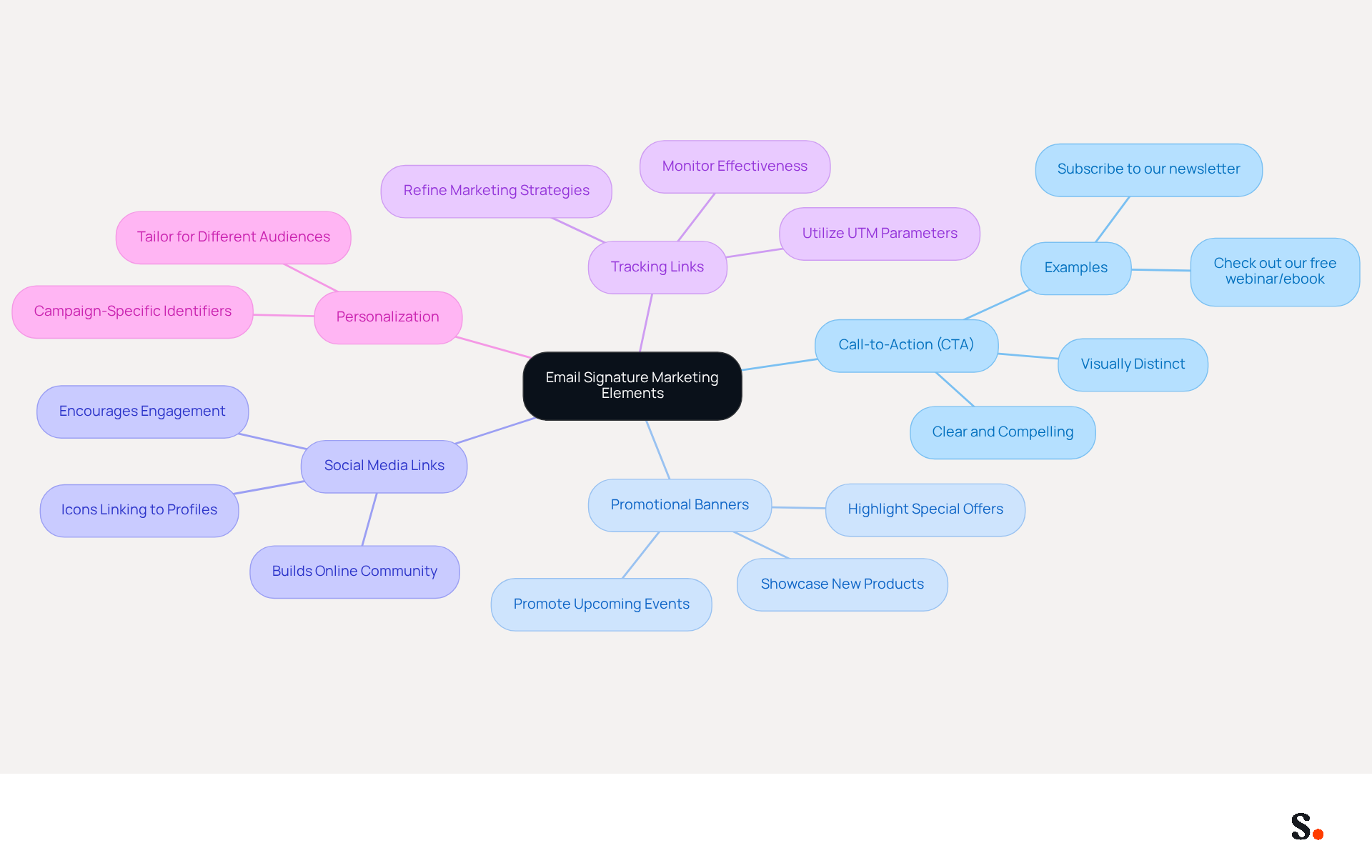
Many professionals underestimate the marketing potential of their email signatures. To transform your Gmail HTML signature into a powerful marketing tool, consider incorporating the following elements:
- Call-to-Action (CTA): Include a clear and compelling CTA that encourages recipients to take action, such as visiting your website, signing up for a newsletter, or checking out a new product. Ensure your CTA is visually distinct.
- Promotional Banners: Use banners to highlight special offers, upcoming events, or new products. These banners should be visually appealing and relevant to your audience.
- Social Media Links: Add icons that link to your social media profiles. This not only encourages engagement but also helps build your online community.
- Tracking Links: Utilize UTM parameters in your links to monitor the effectiveness of your branding in driving traffic and conversions. This data can help you refine your marketing strategies.
- Personalization: Tailor your mark to different audiences or campaigns. For instance, you might have different identifiers for sales outreach compared to customer support communications.
By integrating these marketing elements, you can utilize your message footer as a dynamic tool for engagement and conversion. Optimizing your email signature could significantly enhance your marketing efforts.
Utilize Automation for Consistent and Efficient Signature Management
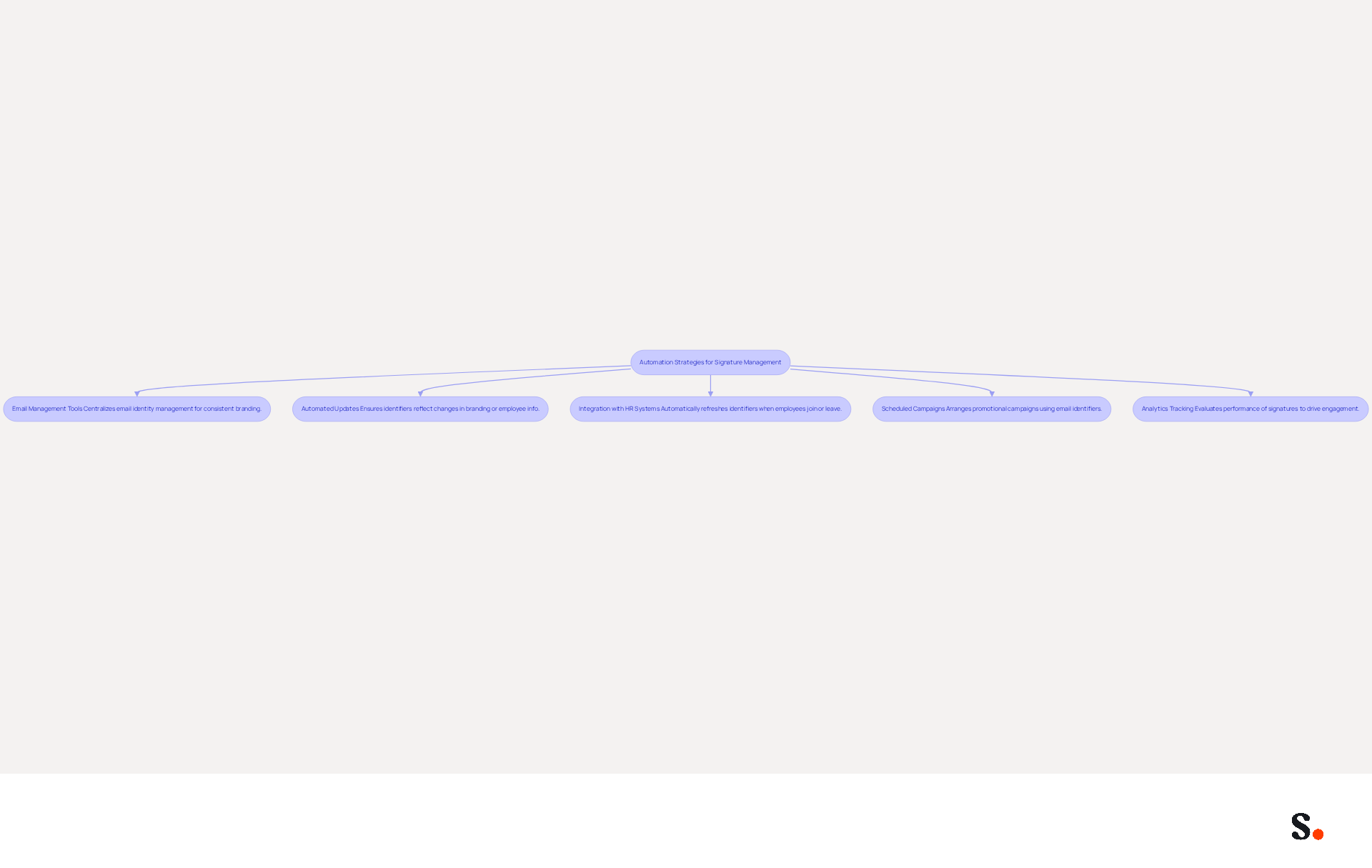
To enhance your Gmail HTML signature management, consider implementing effective automation strategies that ensure consistency and reliability:
- Email Management Tools: By centralizing email identity management, you ensure that all branding elements, such as your Gmail HTML signature, are consistent and adhere to established guidelines. This is crucial, as 80% of businesses acknowledge the significance of maintaining uniform branding through digital identifiers.
- Automated Updates: Establish automated updates for identifiers to reflect any changes in branding, employee information, or marketing campaigns. This not only saves time but also minimizes the risk of outdated information being used, which can create misunderstandings and weaken trust in your brand.
- Integration with HR Systems: Connect your Scribe management tool with HR systems to automatically refresh user identifiers when employees join or leave the organization. This ensures that identifiers are always up to date, tackling the frequent issue of inconsistent branding that can confuse clients and heighten the risk of phishing attacks.
- Scheduled Campaigns: Utilize automation to arrange promotional campaigns that incorporate your email identifiers. For example, particular identifiers can be arranged to show during promotional periods, improving interaction rates. Research shows that companies utilizing digital identifiers as marketing tools have seen a 40% rise in interaction rates.
- Analytics Tracking: Implement tools that provide analytics on the performance of signings. This information can assist you in evaluating how effective your identifiers are in driving engagement and conversions, with studies indicating that businesses using consistent identifiers report a 22% increase in response rates.
By utilizing these automation techniques, you can ensure that your correspondence identifiers are always professional, consistent, and aligned with your marketing objectives. Ultimately, these strategies not only streamline your processes but also fortify your brand's reputation in the digital landscape.
Measure and Optimize Signature Performance for Maximum Impact
To maximize the impact of your Gmail HTML signatures, it's crucial to implement effective measurement and optimization strategies:
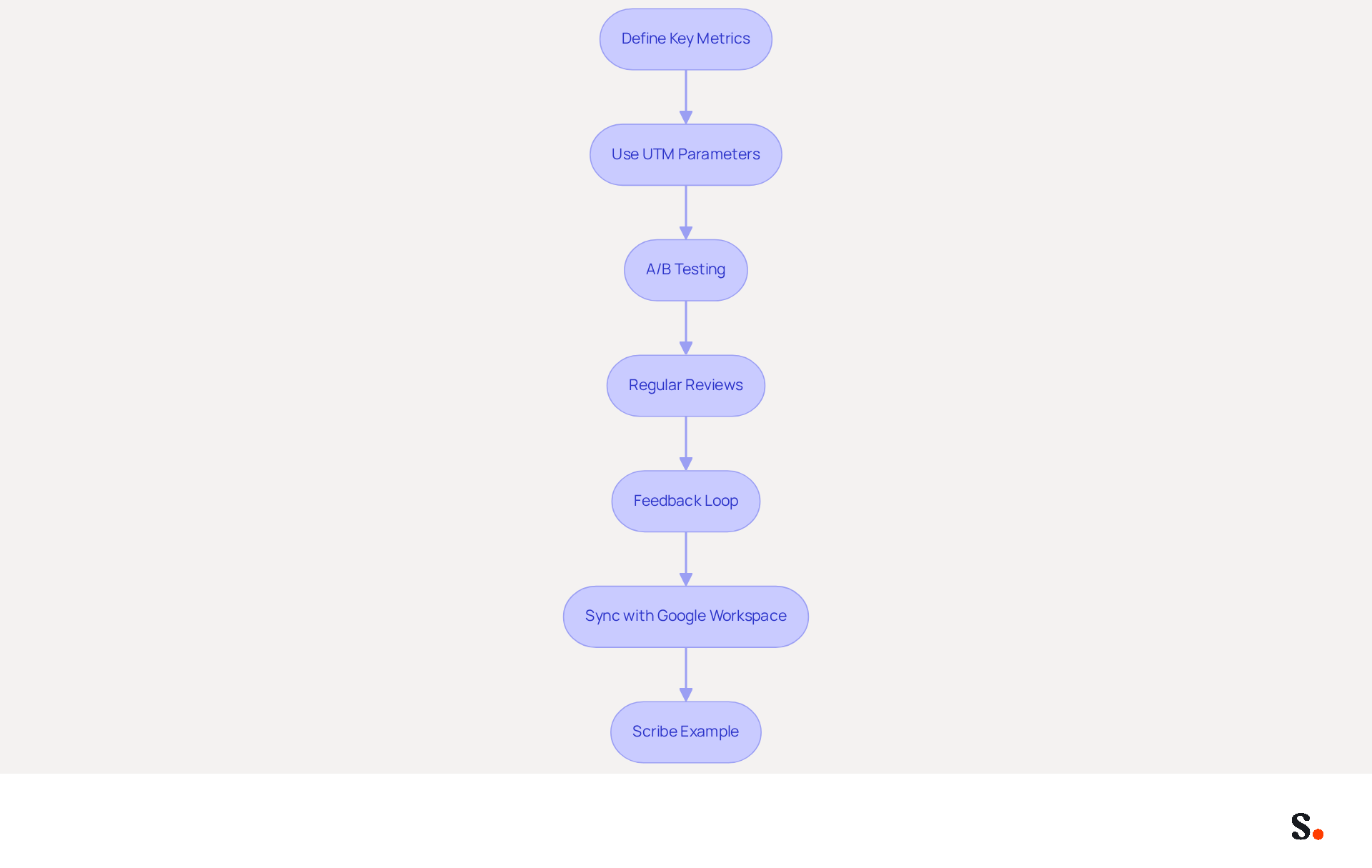
- Define Key Metrics: Identify the metrics that matter most for your messages, such as click-through rates (CTR), which are crucial for assessing engagement. Studies show that CTRs can reach up to 72%, making them a primary indicator of effectiveness. Additionally, monitor conversion rates, which average around 60%, to assess how effectively your messages drive desired actions.
- Use UTM Parameters: Implement UTM parameters in your links to track the source of traffic generated by your email footers. This method allows you to measure engagement accurately, helping you see how well your identifiers drive traffic to your website. Organizations that utilize UTM tracking have reported valuable insights into their marketing performance.
- A/B Testing: Try A/B testing different designs, CTAs, and promotional elements to see which ones resonate most with your audience. For example, a SaaS firm enhanced its message campaign's click-through rate by 20% after redesigning its CTA buttons. Use the data collected to refine your approach and enhance overall effectiveness.
- Regular Reviews: Schedule periodic evaluations of your correspondence identifiers to assess their performance and make necessary adjustments. This could include updating design elements, changing CTAs, or refreshing promotional content. Without regular analysis, you risk overlooking critical trends that could enhance your campaigns.
- Feedback Loop: Encourage responses from recipients regarding the effectiveness of your communication identifiers. This qualitative data can provide valuable insights into how your marks are perceived and their impact on engagement. Failing to understand recipient preferences may lead to missed opportunities for engagement.
- Sync with Google Workspace: By connecting your Google Workspace with Scribe, you can save time and ensure that your correspondence identifiers are always current. This integration allows for automatic updates of your teammates' information, such as job positions or group changes, without manual input. The attribute feature allows for the automatic filling of identification details, improving brand consistency and efficiency in managing signatures throughout your organization.
- Scribe: Consider the example of a psychotherapy practice that simplified its branding by highlighting essential information and a direct link to their appointment page, resulting in a 15% increase in bookings. This demonstrates the concrete advantages of enhancing digital correspondence.
By prioritizing measurement and optimization, you position your Gmail HTML signature as a powerful tool that drives business success.
Conclusion
Many organizations overlook the potential of their email signatures, missing out on a key branding opportunity. Implementing best practices in design and marketing can transform email signatures into powerful tools for engagement.
Key insights from this article highlight that consistency, simplicity, and responsiveness are key to creating a professional email signature that resonates with recipients. Incorporating marketing elements such as clear calls-to-action and promotional banners can significantly boost engagement, while automation ensures that signatures remain up-to-date and aligned with branding efforts. Furthermore, measuring performance through metrics like click-through rates and conversion rates allows for continuous optimization, ensuring that email signatures effectively contribute to marketing goals.
Optimizing Gmail HTML signatures can significantly enhance brand perception and engagement in digital communication. Organizations are encouraged to adopt these best practices and consider tools like Scribe, which not only streamline signature management but also enhance marketing ROI through consistent branding and effective engagement strategies. By neglecting to optimize email signatures, organizations risk diminishing their brand's impact in digital communication.
Frequently Asked Questions
What are the key design principles for creating an effective Gmail HTML signature?
The key design principles include consistency, simplicity, responsive design, use of tables, and image optimization.
Why is consistency important in a Gmail HTML signature?
Consistency in using your brand's colors, fonts, and logo strengthens brand awareness and can lead to a 22% increase in response rates.
How does simplicity affect the design of a Gmail HTML signature?
A simple and uncluttered design enhances readability and professionalism, potentially boosting engagement rates by up to 40% compared to more complex designs.
What is the significance of responsive design for Gmail HTML signatures?
With over 60% of business correspondence opened on mobile devices, a mobile-first design approach ensures that your signature displays well on both desktop and mobile platforms.
How can tables be used in the HTML code for Gmail signatures?
Tables can help preserve the layout structure across different messaging clients, ensuring that the signature remains visually appealing despite varied HTML displays.
What are the best practices for image optimization in Gmail HTML signatures?
Images should be compressed to reduce loading times, use web-safe formats like PNG or JPEG, and be kept under 50 KB to prevent deliverability issues.
How can following these design principles impact email marketing strategy?
Adhering to these principles can lead to measurable improvements in engagement and brand perception, such as increased demo requests from clear calls-to-action in email footers.
What is Scribe's role in maintaining email branding consistency?
Scribe ensures that any changes in your Aircall configuration are instantly reflected in your email branding, maintaining consistency and improving marketing ROI.
List of Sources
- Establish Design Principles for Your Gmail HTML Signature
- Top 10+ best practices for email signatures design in 2026 (https://mysignature.io/blog/email-signature-best-practices)
- Email Signature Best Practices - NEWOLDSTAMP (https://newoldstamp.com/blog/email-signature-best-practices)
- Email Signature Design Trends in 2026: What Works and What to Drop (https://bulksignature.com/blog/email-signature-design-trends)
- The impact of email signatures on your branding (https://signitic.com/en/resources/the-impact-of-email-signatures-on-your-branding)
- The Complete Email Signature Guide 2026: Best Practices and Policy (https://opensense.com/complete-email-signature-guide)
- Incorporate Marketing Elements to Boost Engagement
- The Good and Bad of Email Signature Marketing | Associations Now (https://associationsnow.com/2022/06/put-signature-good-bad-email-signature-marketing)
- 12 clever ways to use your email signature to support your marketing campaigns (https://blog.hubspot.com/blog/tabid/6307/bid/31054/10-clever-ways-your-email-signature-can-support-your-marketing.aspx)
- How to Create Effective CTA Email Signatures That Drive Conversions? - RoundPie (https://theroundpie.com/blog.html/2021/09/27/how-to-create-effective-cta-email-signatures-that-drive-conversions)
- Create Effective CTA Email Signatures (Examples & Templates) (https://wisestamp.com/examples/cta-email-signature)
- Email signature marketing: everything you need to know (https://templafy.com/email-signature-marketing-everything-you-need-to-know)
- Utilize Automation for Consistent and Efficient Signature Management
- Why Email Signature Management Software is Essential for Marketing Success (https://scribe-mail.com/en-US/blog/why-email-signature-management-software-is-essential-for-marketing-success)
- Email signature statistics: Why every business should optimize their email signatures — Stripo.email (https://stripo.email/blog/email-signature-statistics-why-every-business-should-optimize-their-email-signatures)
- Best Email Signature Software for Google Workspace and Microsoft 365 in 2026 (https://bulksignature.com/blog/best-email-signature-software)
- Email Signature Trends 2026: Centralized Control & Automation | SIGNandGO posted on the topic | LinkedIn (https://linkedin.com/posts/signngo_email-signature-trends-to-watch-in-2026-activity-7401523471786217473-zAVL)
- Measure and Optimize Signature Performance for Maximum Impact
- Research Recap: Branded Email Signatures Increase Company Recognition, Trust - Demand Gen Report (https://demandgenreport.com/industry-news/research-recap-branded-email-signatures-increase-company-recognition-trust/47252)
- UTM and email signatures: the practical guide (https://signitic.com/en/resources/utm-and-email-signatures-the-practical-guide)
- Email Signature Analytics: Unlocking Potential for Business Growth (https://wisestamp.com/blog/email-signature-analytics)
- How to measure the performance of your email signatures? (https://letsignit.com/blog/email-signatures-measure-performance-2)
- The 5 key metrics to analyze your email signatures (https://signitic.com/en/resources/the-5-key-metrics-to-analyze-your-email-signatures)
Get started with Scribe
Create your signature in minutes
Free 14-day trial — no credit card.