4 Best Practices for Editing Signatures in Outlook to Boost Engagement
Many organizations overlook the importance of consistent email signatures, which can undermine their professionalism and brand identity. Implementing best
Sophie Grant
Email Signature Specialist, Scribe

Introduction
Many organizations overlook the importance of consistent email signatures, which can undermine their professionalism and brand identity. Implementing best practices for editing signatures in Outlook allows businesses to enhance brand consistency and boost audience engagement. Companies can transform their email signatures into powerful marketing tools that drive engagement and reinforce their brand message. This article outlines four essential practices that will elevate email signatures from mere formalities to impactful elements of communication.
Establish Clear Guidelines for Email Signatures in Outlook
Inconsistent email signatures can undermine a company's professionalism and brand identity. To establish clear guidelines for email signatures in Outlook, consider the following steps:
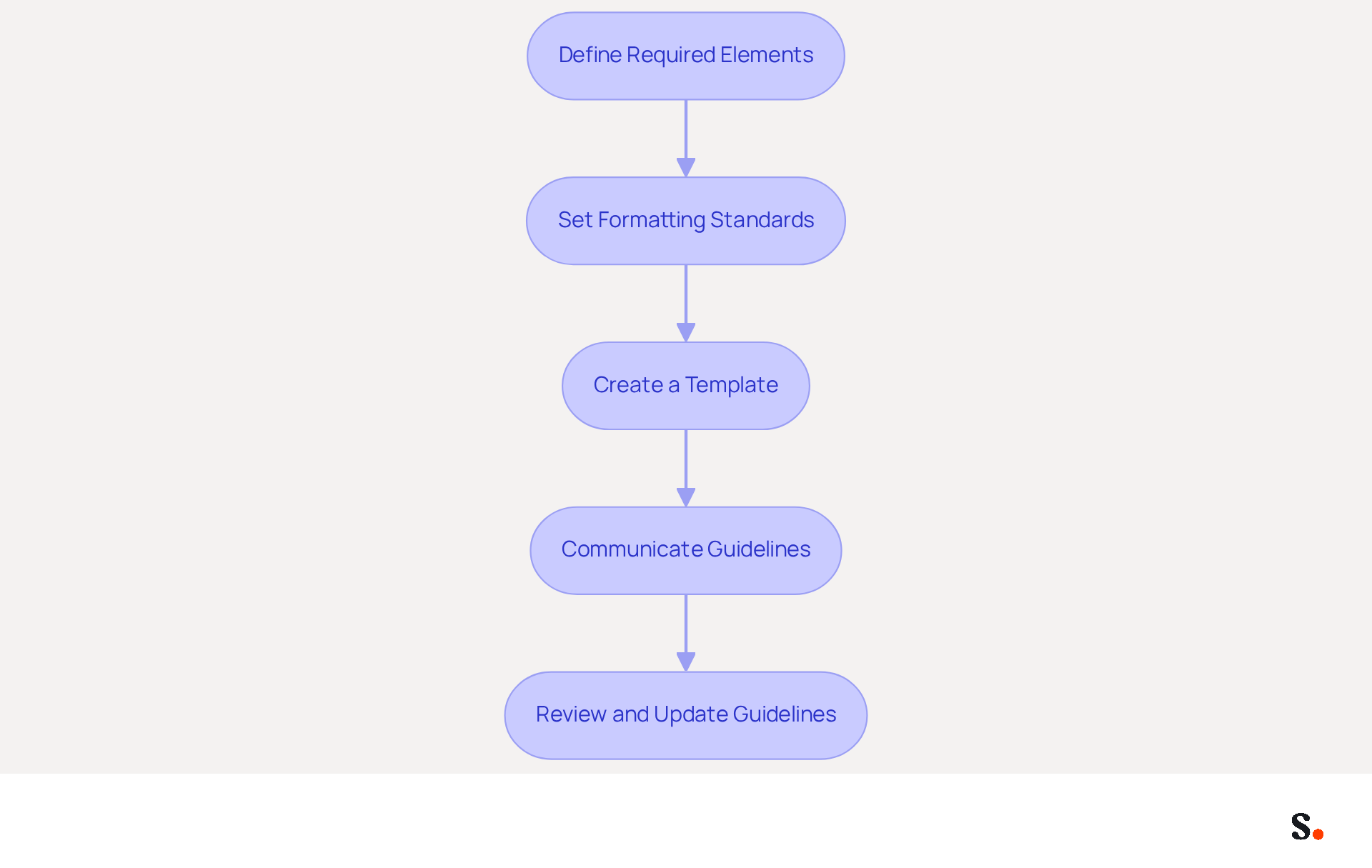
- First, define the required elements for email signatures, specifying essential information such as the employee's name, job title, company name, and contact details. This ensures that all endorsements convey critical information to recipients, enhancing communication effectiveness.
- Next, set formatting standards by determining font styles, sizes, and colors that align with your identity. For example, utilizing a standard font such as Arial in size 11 can establish consistency across all marks, enhancing recognition of the identity.
- Then, create a template for editing signature in Outlook that incorporates the required elements and formatting standards. This template can be distributed to all employees, ensuring consistency and adherence to branding guidelines.
- Additionally, communicate the established guidelines with all employees through training sessions or internal communications. Highlight the significance of adhering to these standards to maintain a unified image.
- Finally, regularly review and update the guidelines to ensure they remain relevant and effective. This adherence not only fosters a unified image but also builds trust with recipients. By prioritizing these guidelines, organizations can significantly enhance their professional image and foster stronger relationships with their audience.
Utilize On-Brand Templates for Consistent Messaging
To maximize the effectiveness of email communications, organizations must adopt best practices for on-brand signature templates:
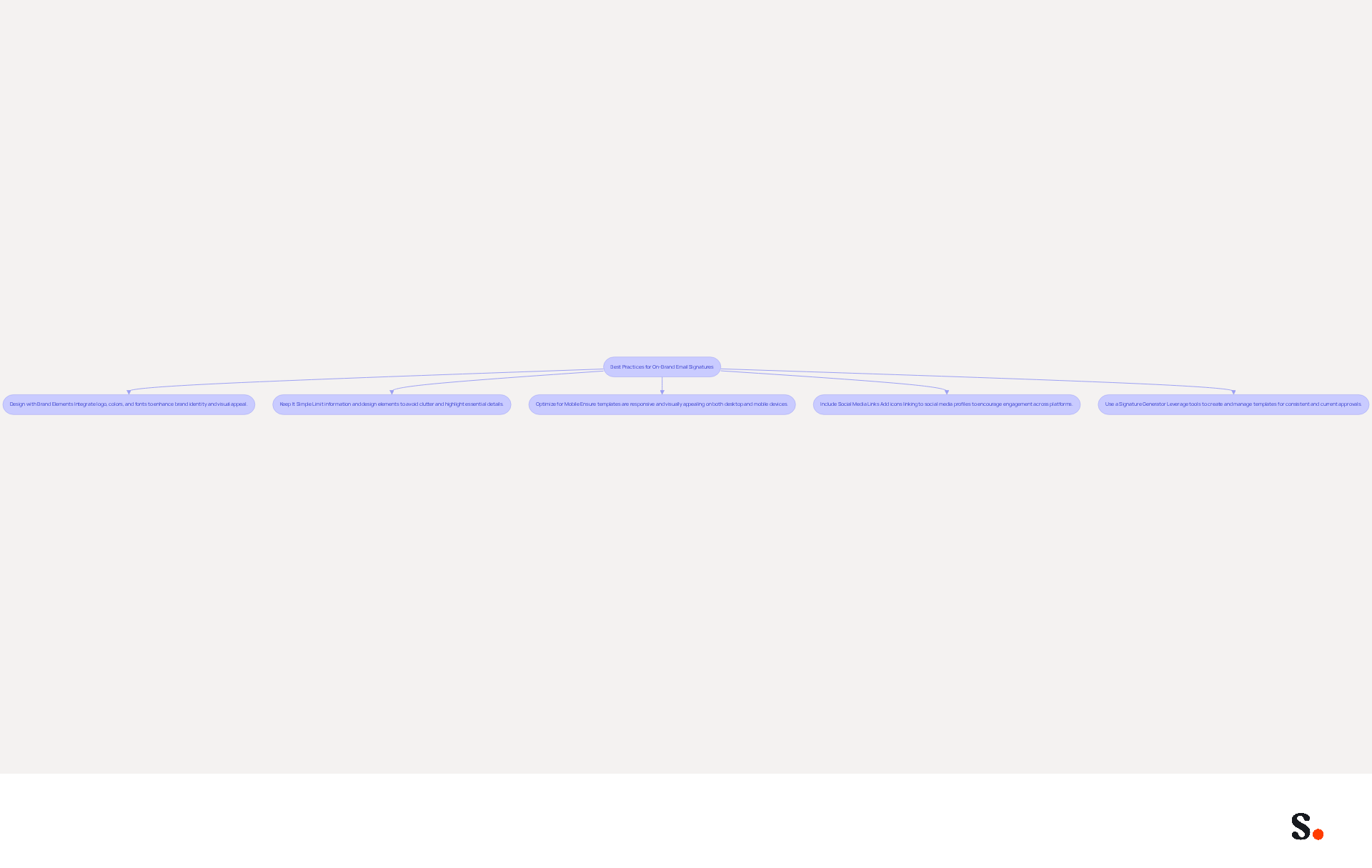
- Design with Brand Elements: Integrating your company logo, colors, and fonts into the template not only reinforces your brand identity but also enhances visual appeal, leading to a 22% increase in response rates when these elements are consistent.
- Keep It Simple: Limiting the amount of information and design elements helps avoid clutter. A clean, straightforward design is more effective and easier for recipients to read, ensuring that essential details are highlighted.
- Optimize for Mobile: Ensure that the template is responsive and visually appealing on both desktop and mobile devices. With over 60% of business correspondence accessed on mobile, testing the footer across various platforms is essential for ensuring functionality and readability.
- Include Social Media Links: If relevant, add icons linking to your company’s social media profiles. This encourages recipients to engage with your brand across multiple platforms, enhancing overall brand visibility.
- Use a Signature Generator: Consider leveraging tools like Scribe to create and manage your templates for correspondence. These platforms simplify the process, ensuring that all approvals remain consistent and current, which can result in a 40% increase in engagement compared to generic sign-offs.
Ultimately, a well-crafted email signature can be a powerful tool for enhancing brand recognition and engagement.
Implement Automation for Efficient Signature Management
To enhance email signature management, organizations must adopt automation strategies that ensure accuracy and consistency:
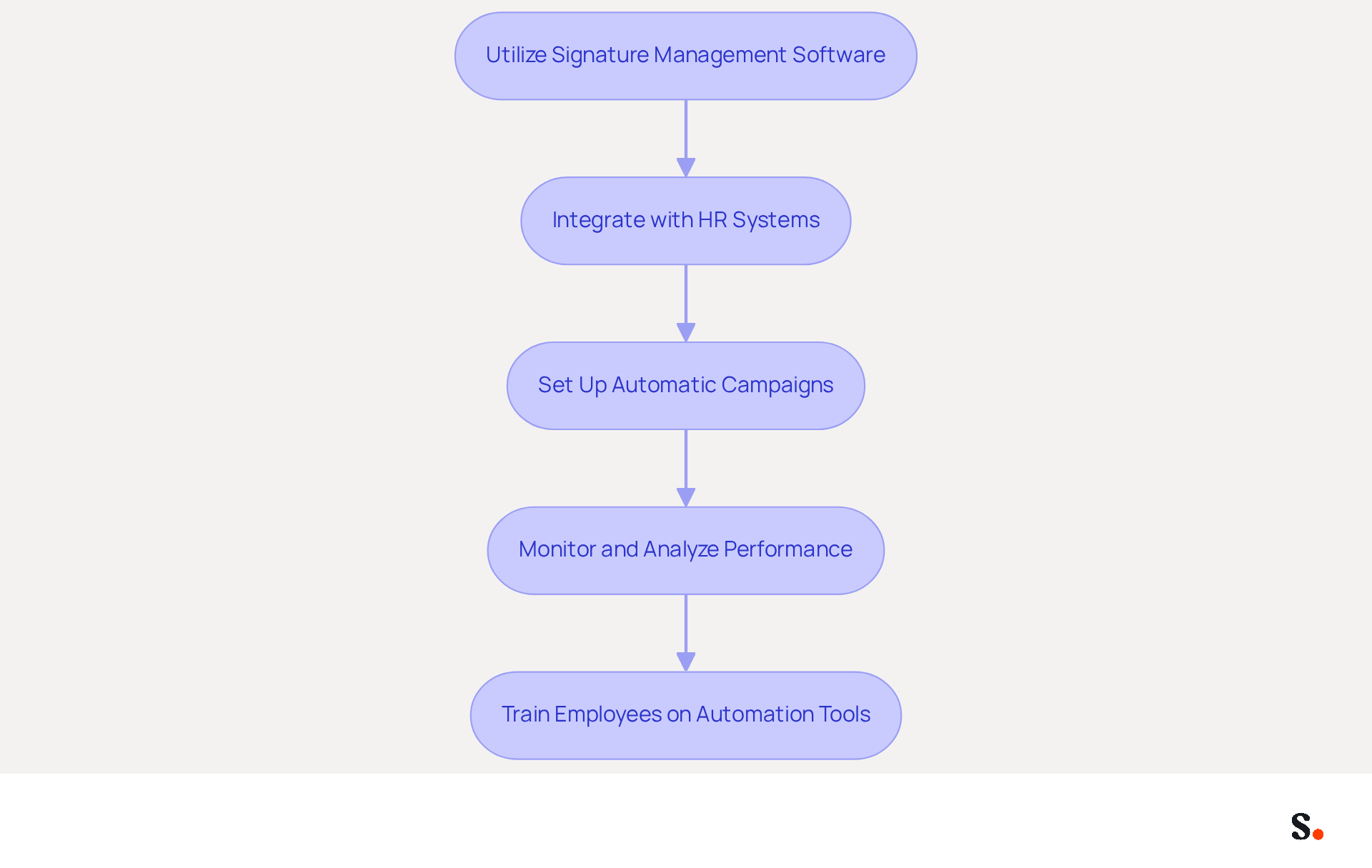
- Utilize Signature Management Software: Invest in tools like Scribe that enable centralized control over identifiers. This allows for straightforward updates and guarantees that all employees utilize the most current version, thereby enhancing brand consistency in communications.
- Integrate with HR Systems: Connect your management tool for electronic correspondence with HR systems to automatically update them when employee information changes. This integration minimizes the risk of outdated information being displayed, which can undermine professionalism, leading to potential miscommunication.
- Set Up Automatic Campaigns: Utilize the software to schedule marketing campaigns that include promotional banners or calls to action automatically added to email footers during campaigns, driving engagement and increasing click-through rates.
- Monitor and Analyze Performance: Regularly review the effectiveness of your messaging using analytics tools. Failing to analyze messaging effectiveness can result in missed opportunities for engagement, ensuring ongoing enhancement in your marketing efforts.
- Train Employees on Automation Tools: Provide training for employees on how to effectively use the document management software. Training employees on automation features significantly boosts messaging efficiency.
Ultimately, embracing automation not only streamlines processes but also fortifies the professionalism of your communications.
Incorporate Call-to-Action Elements to Boost Engagement
Incorporating effective call-to-action elements in email signatures can significantly enhance engagement and drive desired outcomes. To achieve this, consider the following best practices:
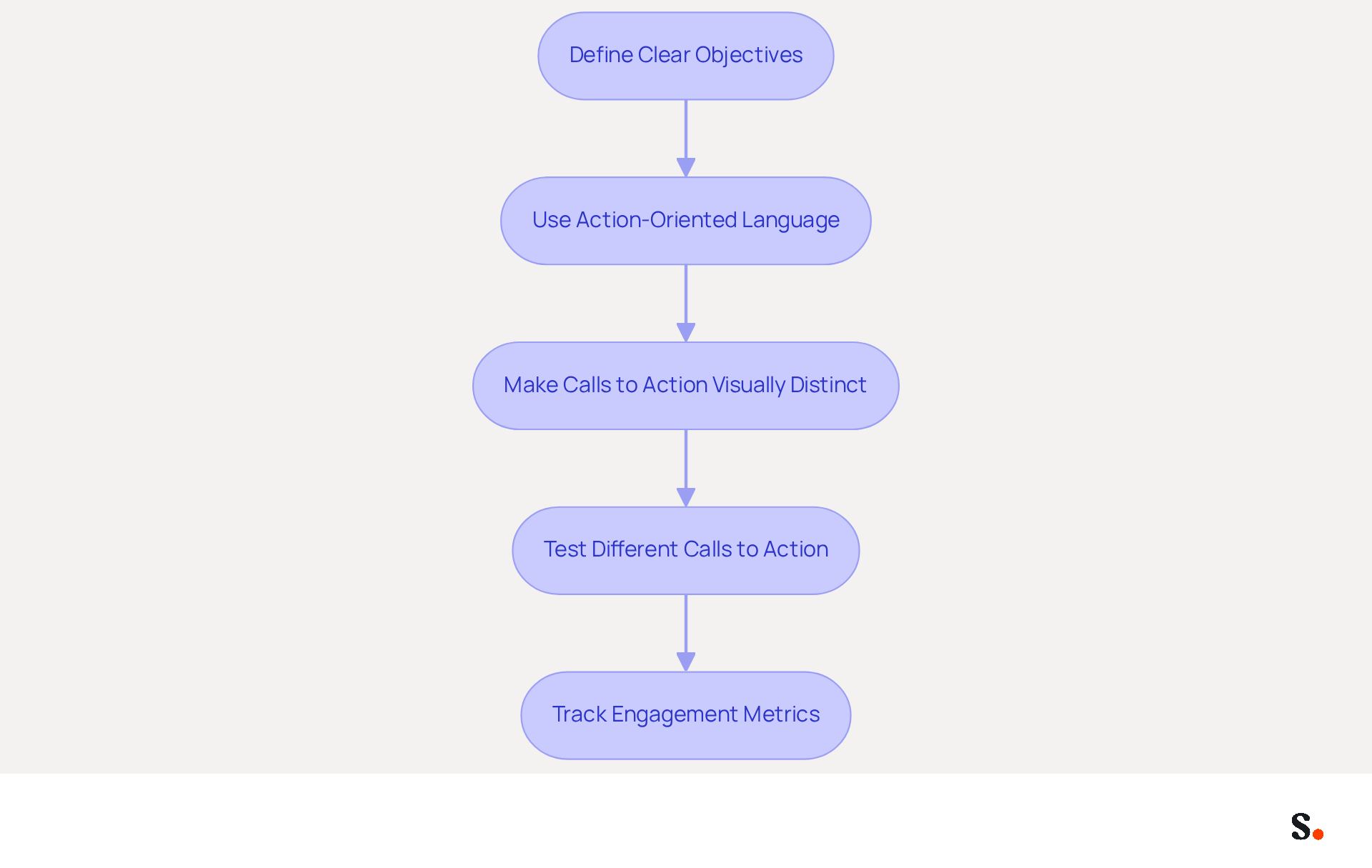
- Define Clear Objectives: Establish specific actions you want recipients to take, such as visiting your website, signing up for a newsletter, or scheduling a meeting. When you know what you want your recipients to do, it makes designing your CTAs much easier and keeps them aligned with your marketing goals.
- Use Action-Oriented Language: Craft calls to action with strong, action-oriented verbs that prompt immediate responses. Phrases like "Get Started," "Download Now," or "Schedule a Call" are proven to be effective in driving engagement.
- Make Calls to Action Visually Distinct: Design calls to action to stand out within the email footer. Utilize contrasting colors, buttons, or icons to draw attention to the CTA while maintaining a cohesive overall design. This visual distinction is crucial, as research shows that professional signatures can lead to a significant increase in click-through rates.
- Test Different Calls to Action: Finding the right CTA can be challenging, as different audiences respond to different prompts. Ongoing A/B testing is advised to identify effective calls to action. This method not only enhances performance but also ensures that your marketing efforts are continually optimized.
- Track Engagement Metrics: Implement analytics tools to monitor the performance of your calls to action. Monitoring metrics such as click-through rates and engagement levels offers valuable insights into how effectively your calls to action are driving engagement, facilitating ongoing enhancement.
Ultimately, the strategic use of CTAs through editing signature in Outlook can transform routine communications into impactful marketing opportunities.
Conclusion
Inconsistent email signatures can undermine brand integrity and engagement, making it essential for organizations to establish effective practices. By establishing clear guidelines, using on-brand templates, automating management, and adding compelling calls to action, organizations can enhance their email communications. This strategy not only enhances professionalism but also builds stronger relationships with recipients.
Key practices discussed include:
- Defining essential elements for signatures
- Ensuring mobile optimization
- Leveraging automation tools like Scribe for seamless management
Additionally, the strategic use of CTAs can significantly boost engagement, driving recipients to take desired actions. Regularly reviewing and updating these practices ensures that they remain relevant and effective in achieving marketing goals.
Ultimately, failing to adopt these strategies may result in missed opportunities for brand enhancement and engagement in every email communication.
Frequently Asked Questions
Why is it important to establish clear guidelines for email signatures in Outlook?
Establishing clear guidelines for email signatures in Outlook is important because inconsistent signatures can undermine a company's professionalism and brand identity.
What elements should be included in email signatures?
Required elements for email signatures should include the employee's name, job title, company name, and contact details to ensure effective communication.
How can formatting standards enhance email signatures?
Formatting standards, such as specifying font styles, sizes, and colors that align with the company's identity, can enhance recognition and consistency across all email signatures.
What is the purpose of creating a template for email signatures in Outlook?
A template for email signatures in Outlook incorporates the required elements and formatting standards, ensuring consistency and adherence to branding guidelines among all employees.
How should the established guidelines be communicated to employees?
The established guidelines should be communicated to all employees through training sessions or internal communications, emphasizing the importance of adherence to maintain a unified image.
Why is it necessary to regularly review and update the email signature guidelines?
Regularly reviewing and updating the guidelines ensures they remain relevant and effective, fostering a unified image and building trust with recipients.
List of Sources
- Establish Clear Guidelines for Email Signatures in Outlook
- Top 10+ best practices for email signatures design in 2026 (https://mysignature.io/blog/email-signature-best-practices)
- Best practices for business email signatures in 2026 (https://bybrand.io/blog/best-practices)
- Email Signature Best Practices - NEWOLDSTAMP (https://newoldstamp.com/blog/email-signature-best-practices)
- Master Corporate Email Signature Management for Brand Consistency (https://scribe-mail.com/en-US/blog/master-corporate-email-signature-management-for-brand-consistency)
- The Complete Email Signature Guide 2026: Best Practices and Policy (https://opensense.com/complete-email-signature-guide)
- Utilize On-Brand Templates for Consistent Messaging
- Email Signature Design Trends in 2026: What Works and What to Drop (https://bulksignature.com/blog/email-signature-design-trends)
- Email Signature Best Practices for 2026 (+ 15 Pro Examples) (https://wavecnct.com/blogs/email-signature-best-practices-2026)
- The impact of email signatures on your branding (https://signitic.com/en/resources/the-impact-of-email-signatures-on-your-branding)
- Master Email Signatures with Multiple Logos for Brand Consistency (https://scribe-mail.com/en-US/blog/master-email-signatures-with-multiple-logos-for-brand-consistency)
- Research Recap: Branded Email Signatures Increase Company Recognition, Trust - B2BMX INSIGHTS (https://demandgenreport.com/industry-news/research-recap-branded-email-signatures-increase-company-recognition-trust/47252)
- Implement Automation for Efficient Signature Management
- Email Signature Trends 2026: Centralized Control & Automation | SIGNandGO posted on the topic | LinkedIn (https://linkedin.com/posts/signngo_email-signature-trends-to-watch-in-2026-activity-7401523471786217473-zAVL)
- How to combine automation and email signatures (https://signitic.com/en/resources/how-to-combine-automation-and-email-signatures)
- Automating Email Signatures: How IT Teams Streamline Processes & Reduce Risk (https://exclaimer.com/blog/streamlining-it-processes-automated-email-signatures)
- MSP Guide to Choosing the Right Email Signature Management Solution (https://channelpronetwork.com/2025/09/21/email-signature-management-msp-guide)
- 40+ Email Signature Statistics for 2026 (Data + Insights) (https://wavecnct.com/blogs/email-signature-statistics)
- Incorporate Call-to-Action Elements to Boost Engagement
- How to Create Effective CTA Email Signatures That Drive Conversions? - RoundPie (https://theroundpie.com/blog.html/2021/09/27/how-to-create-effective-cta-email-signatures-that-drive-conversions)
- Using Email Signatures as a Marketing Tool: Ideas for Generating Leads and Promoting Business (https://blog.ringostat.com/en/using-email-signatures-as-a-marketing-tool-ideas-for-generating-leads-and-promoting-business)
- The Ultimate Guide to Email Signature Call-to-Action - NEWOLDSTAMP (https://newoldstamp.com/blog/the-ultimate-guide-to-email-signature-call-to-action)
- 4 Best Practices for Classic Email Signatures That Drive Engagement (https://scribe-mail.com/en-US/blog/4-best-practices-for-classic-email-signatures-that-drive-engagement)
- How to Leverage an Email Signature Marketing Campaign for CX (https://gorgias.com/blog/email-signature-marketing)
Get started with Scribe
Create your signature in minutes
Free 14-day trial — no credit card.