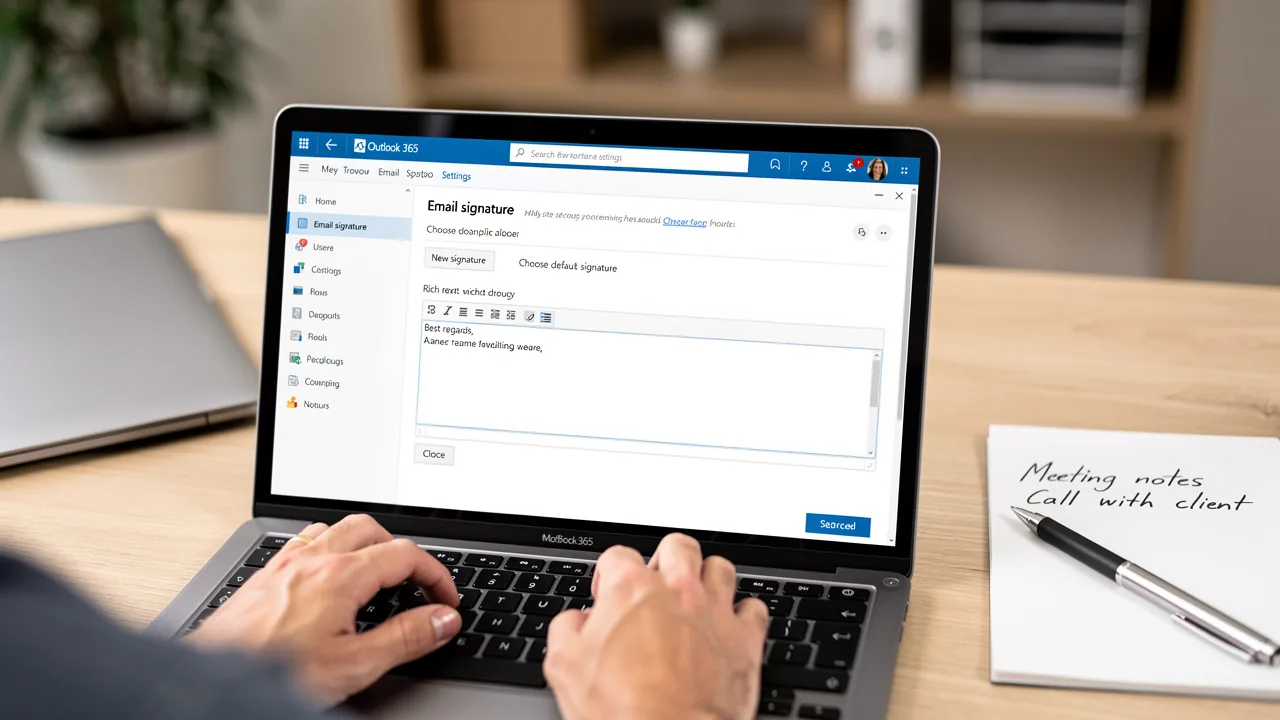
4 Best Practices for Effective HTML Signatures in Outlook
While creating a professional email signature in Outlook seems straightforward, it often presents significant challenges that can undermine branding efforts
Sophie Grant
Email Signature Specialist, Scribe
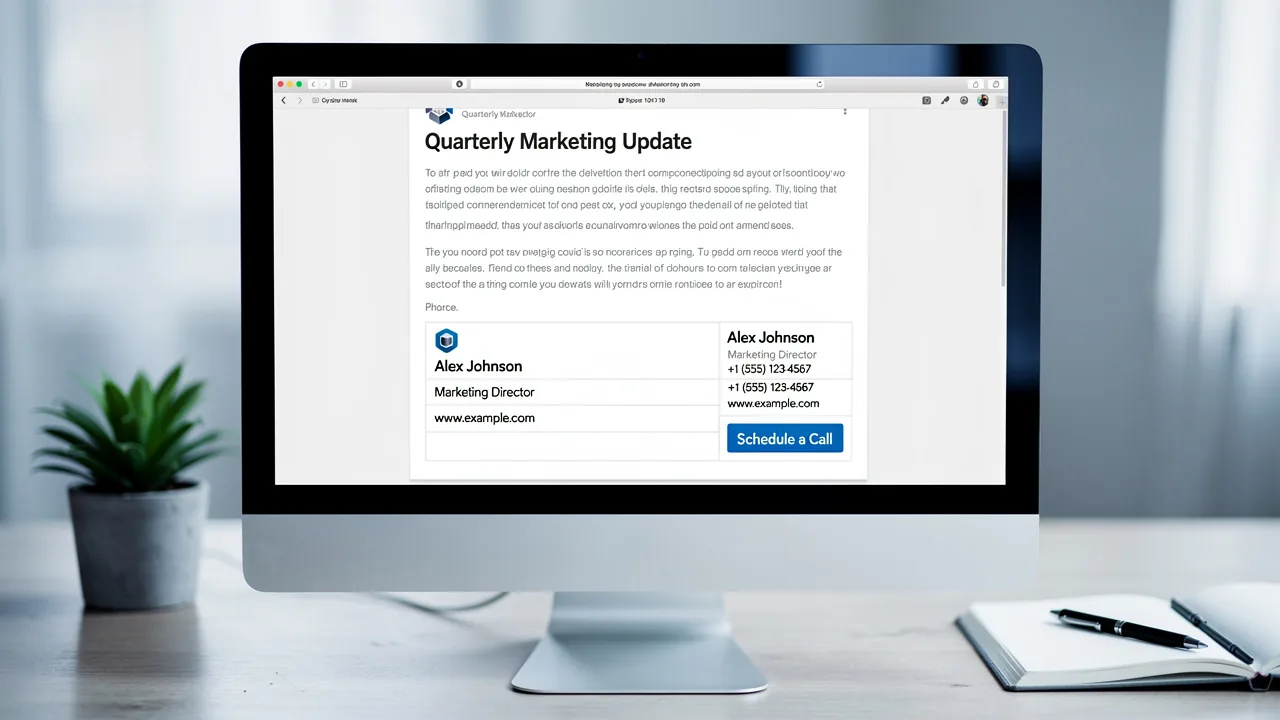
On this page
- Introduction
- Establish Effective Methods for Creating HTML Signatures in Outlook
- Leverage HTML Signatures to Enhance Brand Visibility and Engagement
- Implement Automated Solutions for Streamlined Email Signature Management
- Troubleshoot Common Issues and Ensure Compliance in HTML Signatures
- Conclusion
- Frequently Asked Questions
- List of Sources
Introduction
While creating a professional email signature in Outlook seems straightforward, it often presents significant challenges that can undermine branding efforts. An email signature is not just a digital sign-off; it serves as a powerful branding tool that enhances visibility and engagement. By adhering to best practices for HTML signatures, organizations can ensure their communications reflect professionalism while effectively promoting their brand.
Despite the importance of email signatures, many organizations struggle to maintain uniformity and adherence to branding guidelines. Implementing effective strategies can transform email signatures from mere formalities into impactful branding assets that resonate in a competitive market.
Establish Effective Methods for Creating HTML Signatures in Outlook
To create effective HTML signatures in Outlook, it is essential to follow best practices that ensure professionalism and functionality:
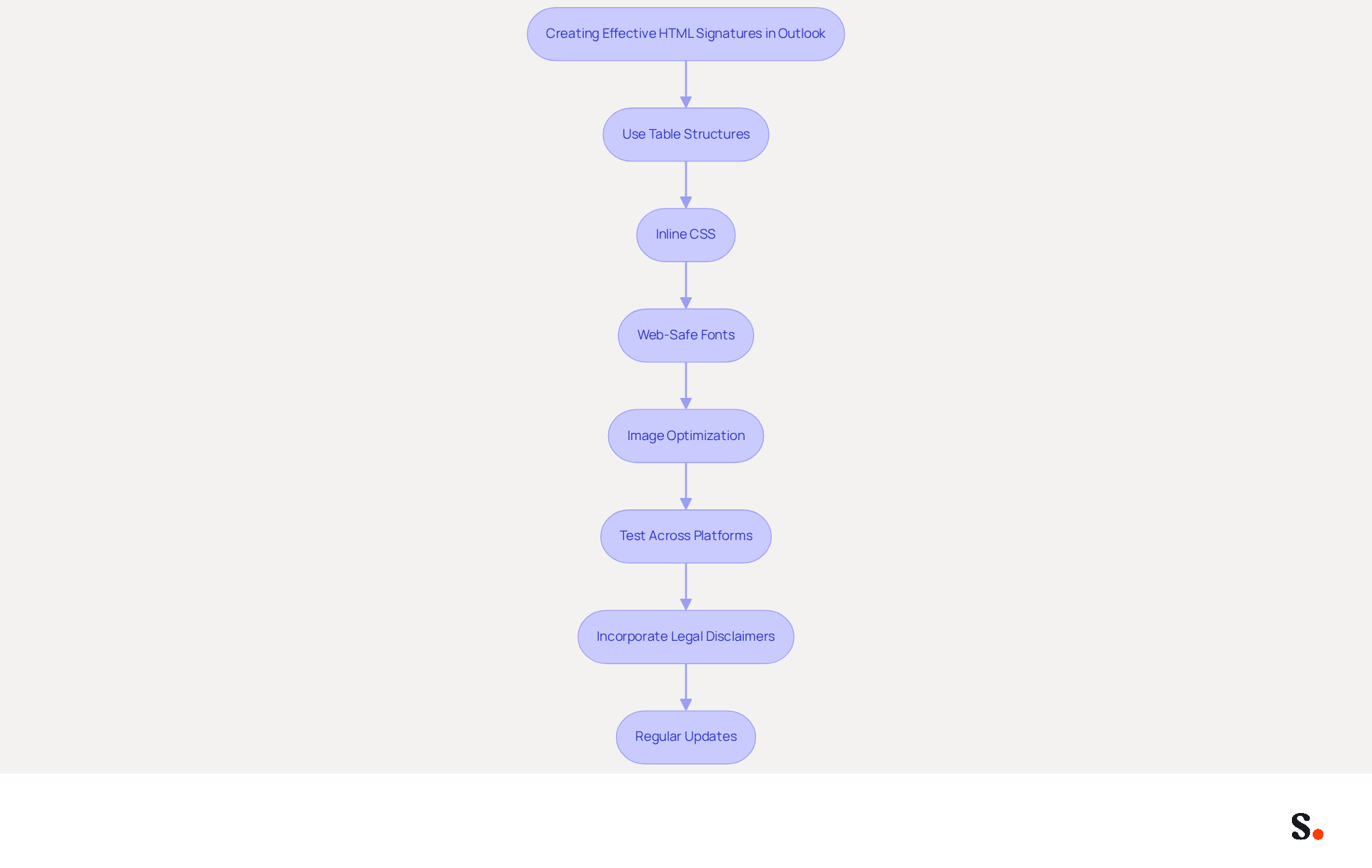
- Use Table Structures: Begin with a table layout to ensure consistent rendering across various messaging clients. Tables help maintain alignment and spacing, which is crucial for a professional appearance. Poorly designed signatures can lead to miscommunication and diminish professionalism.
- Inline CSS: Use inline CSS for styling rather than external stylesheets. This ensures that your styles are preserved when the email is sent, as many email clients strip out external styles. Keeping the HTML simple and using web-safe fonts can also prevent rendering issues, especially in Outlook. This ensures images are displayed correctly, avoiding broken links that can disrupt communication.
- Web-Safe Fonts: Stick to web-safe fonts like Arial, Verdana, or Times New Roman to guarantee that your text appears correctly on all devices. Avoid using custom fonts that may not be supported, as this can lead to inconsistencies in how your signature is displayed.
- Image Optimization: Use appropriately sized images and ensure they are hosted on a reliable server. Images should ideally be under 100 KB to prevent bloating messages, and using a white background for images can enhance visibility in dark mode. This prevents broken links and ensures that images load correctly in the recipient's message client.
- Test Across Platforms: Always test your identifier in multiple messaging clients (Outlook, Gmail, Apple Mail) and devices (desktop, mobile) to ensure it displays correctly everywhere. This assists in detecting any rendering issues early, as testing can uncover problems that may impact message deliverability and engagement. Regular evaluations of identifiers are essential to uphold precision and adherence, ensuring that your communication remains effective.
- Incorporate Legal Disclaimers: Depending on your industry and location, including legal disclaimers in your correspondence may be necessary to comply with regulations. This is crucial for maintaining professionalism and protecting your organization legally.
- Regular Updates: Companies should review their email branding at least twice a year to refresh design elements and verify accuracy of job titles, phone numbers, and links. Neglecting updates can result in outdated information, undermining effective communication.
By implementing these best practices, organizations can enhance their email communication and brand identity through an HTML signature in Outlook.
Leverage HTML Signatures to Enhance Brand Visibility and Engagement
To fully leverage the marketing potential of your HTML signatures, implementing strategic enhancements is essential:
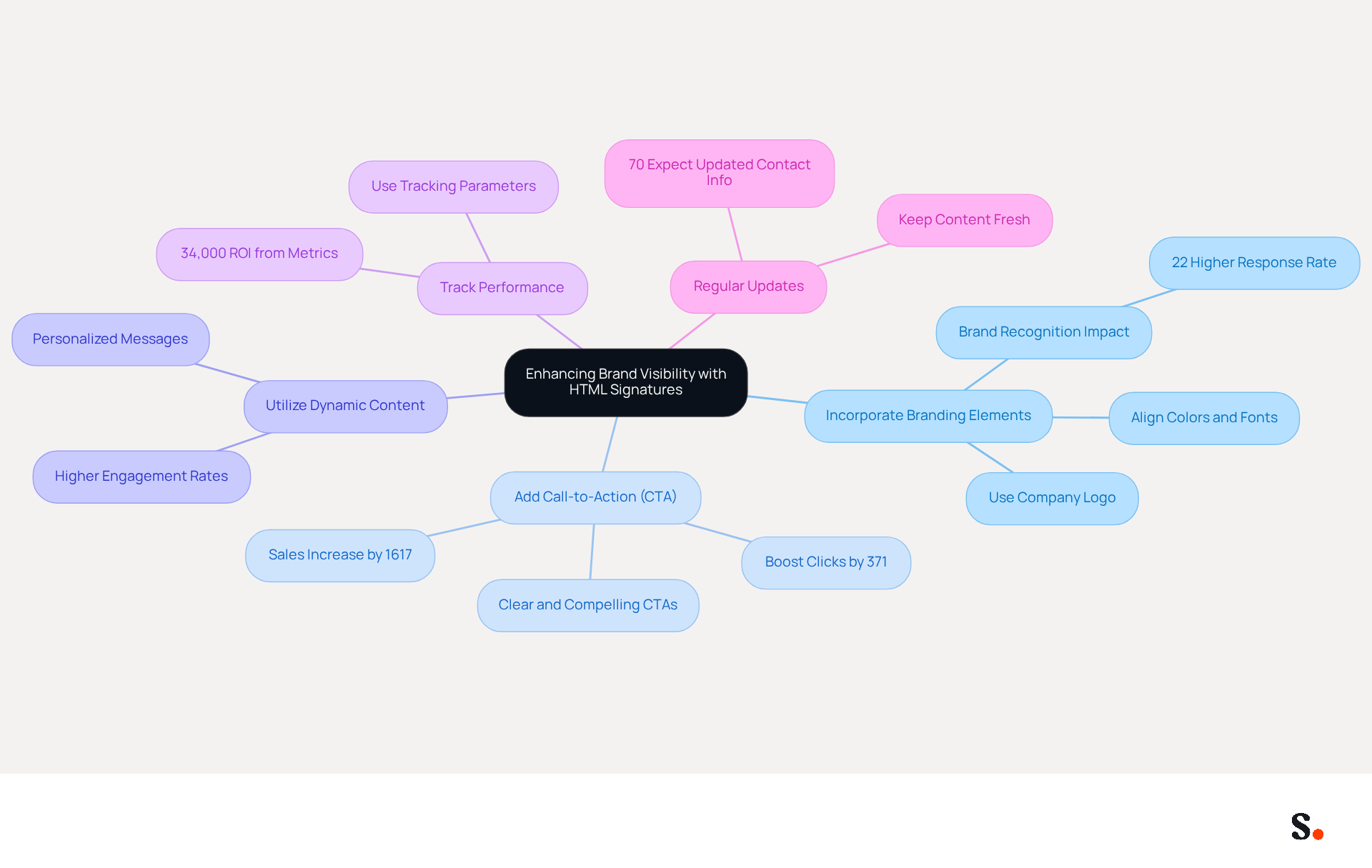
- Incorporate Branding Elements: Ensure your mark includes your company logo, colors, and fonts that align with your brand identity. Consistency in these elements reinforces brand recognition, with studies showing that organizations employing effective digital identifiers experience a 22% higher response rate than those lacking them.
- Add Call-to-Action (CTA): Include a clear CTA in your signature, such as links to your latest blog post, promotional offers, or social media profiles. Research shows that messages with a CTA can boost clicks by 371% and sales by 1617%, making it crucial to motivate recipients to engage further with your brand.
- Utilize Dynamic Content: Consider using dynamic content that adapts based on who the recipient is or the context of your email. Personalizing your messages can really boost engagement rates, as people tend to respond better to tailored communications.
- Track Performance: Use tracking parameters in your link references to monitor engagement. This data can assist you in understanding which components of your mark are most effective. Organizations that evaluate their messaging metrics can achieve a return on investment of up to 34,000%, highlighting the importance of data-driven adjustments.
- Regular Updates: Without regular updates, your communications risk becoming outdated and irrelevant. Keeping your key content fresh by regularly updating it with new promotions, events, or changes in contact information is crucial, as 70% of consumers expect contact information in correspondence. Neglecting these strategies could mean missing out on significant engagement and connection with your audience via an html signature outlook.
Implement Automated Solutions for Streamlined Email Signature Management
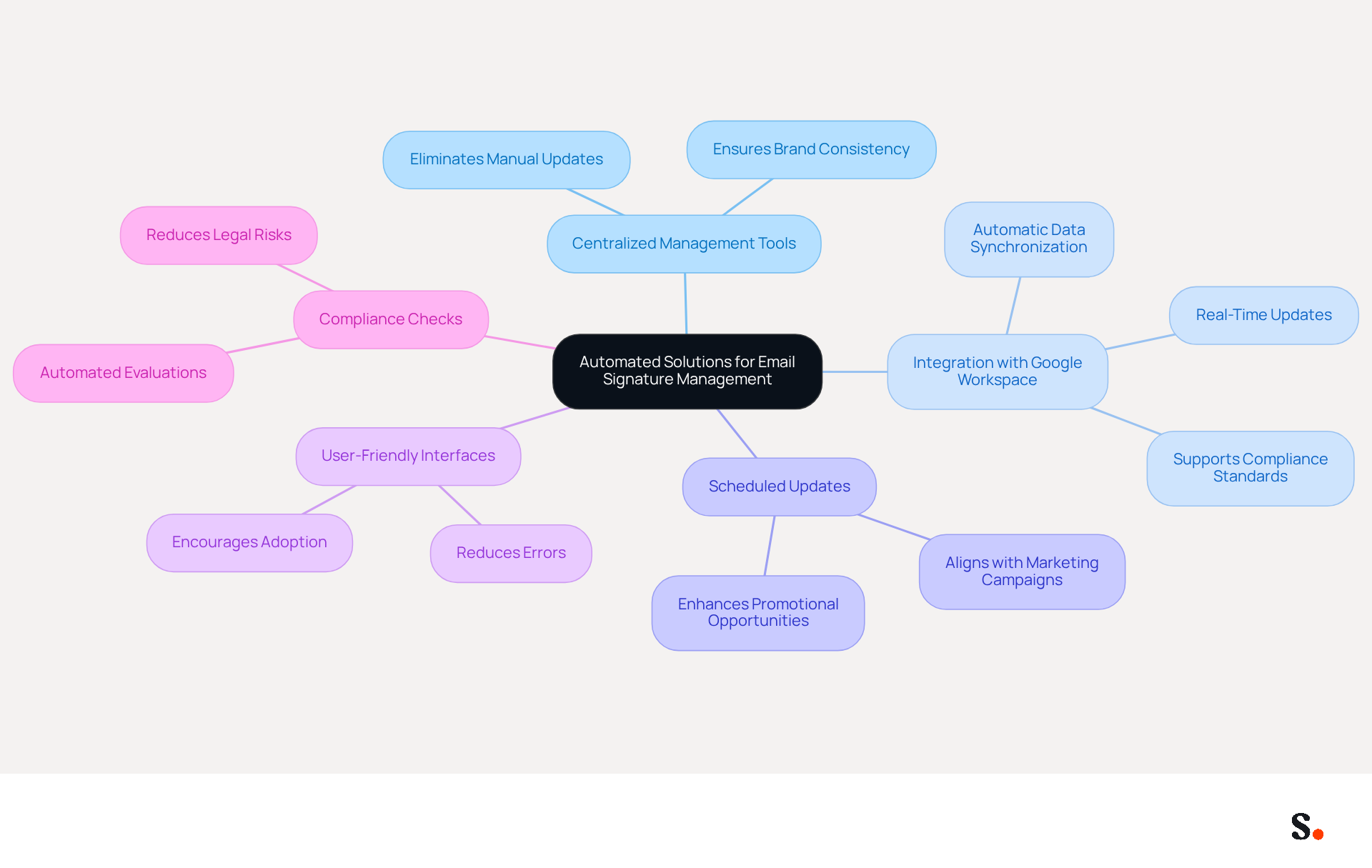
To enhance your email signature management, consider adopting automated solutions that streamline processes and ensure brand consistency:
- Centralized Management Tools: This approach guarantees that employees always use the latest logo, eliminating the need for manual updates and ensuring brand consistency.
- Integration with Google Workspace: Automate the synchronization of employee data from Google Workspace to keep signatures updated with the latest contact information and branding elements. With this tool, any modifications in your Google Workspace, such as relocating teammates from one group to another or updating their details, will be automatically reflected without any input from you, conserving valuable time. Without this integration, you risk outdated information in your signatures, which could lead to miscommunication and brand inconsistency. This integration also supports Scribe's SOC 2 Type II compliance, ensuring that your data management adheres to the highest security standards.
- Scheduled Updates: Implement scheduled updates for your correspondence identifiers to align with marketing campaigns or seasonal promotions. This keeps your email signatures aligned with your latest marketing campaigns, turning every email into a marketing opportunity.
- User-Friendly Interfaces: Opt for tools that feature intuitive interfaces, allowing employees to customize their identifiers without requiring technical expertise. This encourages widespread adoption and reduces the likelihood of errors, fostering a consistent brand image. With Scribe, getting everyone on board with email signatures is quick and easy, often taking less than a day.
- Compliance Checks: Incorporate automated compliance evaluations to ensure that all approvals adhere to legal and branding requirements. This proactive measure reduces the risk of non-compliance and protects the organization from potential legal liabilities. Scribe's SOC 2 Type II compliance guarantees that your correspondence management adheres to the highest security standards.
Ultimately, embracing these automated solutions not only simplifies management but also empowers teams to maintain a strong brand presence effortlessly.
Troubleshoot Common Issues and Ensure Compliance in HTML Signatures
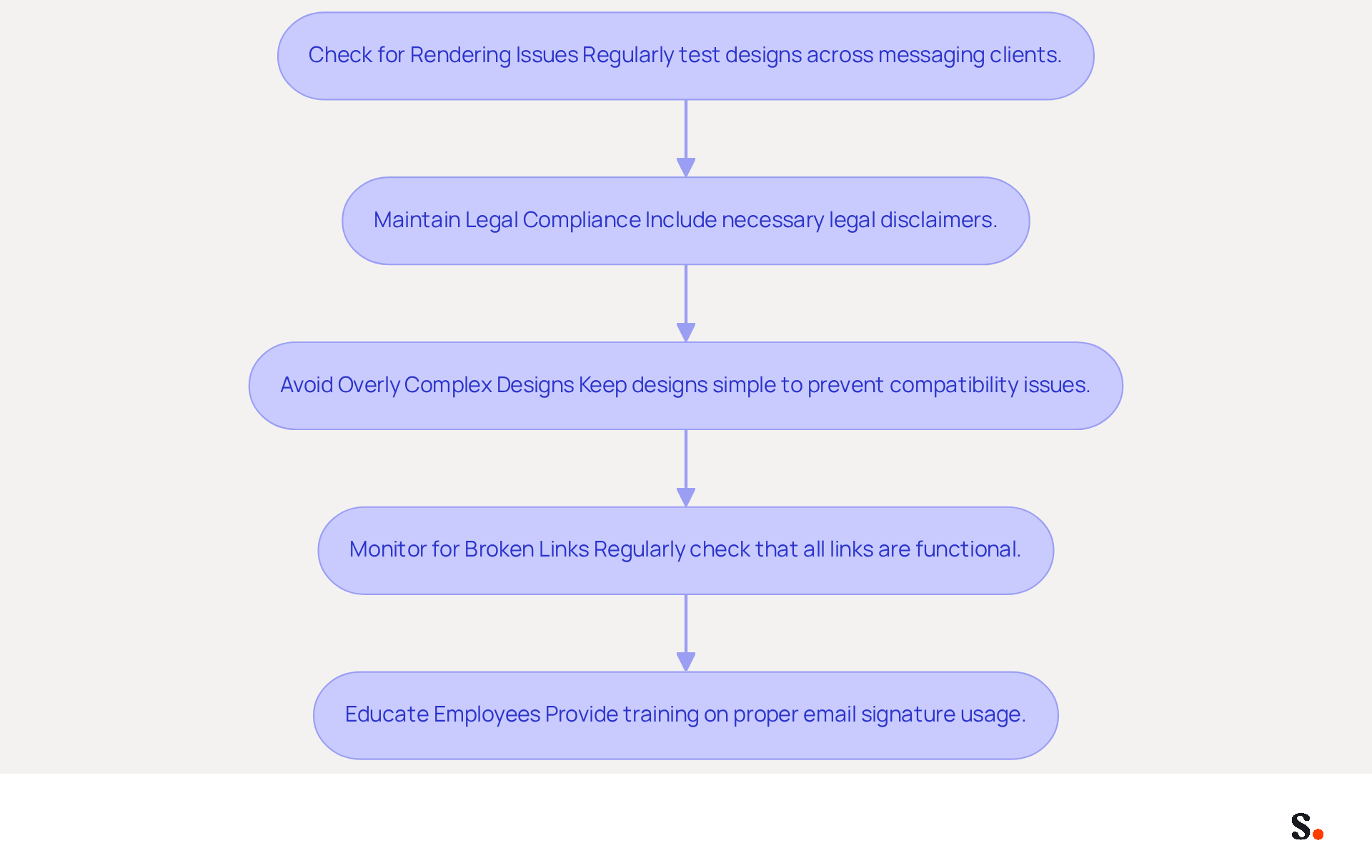
To troubleshoot common issues effectively and ensure compliance in your HTML signatures, it is essential to follow these structured guidelines:
- Check for Rendering Issues: Regularly test your designs across various messaging clients to identify rendering problems. Pay attention to how images, fonts, and layouts appear on different platforms. Nearly 30% of users face rendering issues because of inconsistencies among messaging clients, highlighting the need for thorough testing.
- Maintain Legal Compliance: Ensure that your endorsements include necessary legal disclaimers, such as confidentiality notices or compliance statements. This is particularly crucial in industries with strict regulations, where non-compliance can lead to significant penalties. For example, financial services firms must comply with SEC Rule 17a-4, which requires retention of communication records for a minimum of three years. Scribe's adherence to GDPR and SOC 2 Type II standards ensures your correspondence management meets stringent data protection regulations, giving you peace of mind.
- Avoid Overly Complex Designs: Keep your unique design simple to prevent compatibility issues. Users often face frustration when complex designs fail to render correctly. A research analysis showed that organizations streamlining their communication footers experienced a 25% decrease in rendering complaints from recipients. This streamlined approach not only enhances user experience but also boosts brand perception.
- Monitor for Broken Links: Regularly check that all links in your email are functional. Broken links can lead to missed opportunities and reflect poorly on your brand. Research indicates that messages with broken links can reduce engagement rates by as much as 20%. Scribe's automated management of contact information ensures that updates are effortless and that your links remain functional.
- Educate Employees: Provide training or resources for employees on how to properly use and maintain their email identifiers. This can help prevent common mistakes and ensure consistency across the organization. A centralized management system can make this process smoother, helping everyone stay compliant and up to date. With Scribe's SAML single sign-on integration, managing access and permissions becomes seamless, enhancing security and control over your email signature branding.
By implementing these strategies, organizations can significantly enhance their HTML signature outlook effectiveness and maintain a professional image.
Conclusion
Effective HTML signatures in Outlook are essential for enhancing brand visibility and ensuring professional communication. By adhering to best practices, organizations can develop signatures that enhance their brand image and act as effective marketing tools. A well-designed signature is vital; it reflects the brand's identity and engages recipients.
Key strategies discussed include:
- Using table structures for consistent rendering
- Optimizing images
- Incorporating branding elements that align with the company's identity
Moreover, using automated solutions makes it easier to manage signatures, keeping them current and compliant with legal standards. Regular testing across various platforms and educating employees on best practices further enhances the effectiveness of HTML signatures.
In a competitive landscape, leveraging HTML signatures effectively can significantly impact brand engagement and visibility. Organizations are encouraged to adopt these best practices and consider automated solutions like Scribe, which not only streamline the management process but also ensure compliance with security standards such as SOC 2 Type II and GDPR. By embracing these strategies, businesses can turn every email into a strategic opportunity for connection and measurable growth.
Frequently Asked Questions
What is the first step in creating an effective HTML signature in Outlook?
The first step is to use table structures to ensure consistent rendering across various messaging clients, which helps maintain alignment and spacing for a professional appearance.
Why should inline CSS be used for styling HTML signatures?
Inline CSS should be used because it ensures that styles are preserved when the email is sent, as many email clients strip out external stylesheets.
What are web-safe fonts, and why are they important for HTML signatures?
Web-safe fonts are fonts like Arial, Verdana, or Times New Roman that are guaranteed to appear correctly on all devices. They are important because using custom fonts may lead to inconsistencies in how the signature is displayed.
How should images be optimized for HTML signatures in Outlook?
Images should be appropriately sized, ideally under 100 KB, and hosted on a reliable server. Using a white background for images can enhance visibility in dark mode.
Why is it important to test HTML signatures across multiple platforms?
Testing across multiple messaging clients and devices is important to ensure the signature displays correctly everywhere, helping to detect any rendering issues that may impact message deliverability and engagement.
Should legal disclaimers be included in HTML signatures?
Yes, including legal disclaimers may be necessary depending on your industry and location to comply with regulations and maintain professionalism.
How often should companies review their email branding?
Companies should review their email branding at least twice a year to refresh design elements and verify the accuracy of job titles, phone numbers, and links.
List of Sources
- Establish Effective Methods for Creating HTML Signatures in Outlook
- Email Signature Design Trends in 2026: What Works and What to Drop (https://bulksignature.com/blog/email-signature-design-trends)
- The Complete Email Signature Guide 2026: Best Practices and Policy (https://opensense.com/complete-email-signature-guide)
- The 17 DOs and DON’Ts of Email Signatures | Exclaimer (https://exclaimer.com/email-signature-handbook/the-17-email-signature-dos-and-donts)
- Top 10+ best practices for email signatures design in 2026 (https://mysignature.io/blog/email-signature-best-practices)
- Best practices for business email signatures in 2026 (https://bybrand.io/blog/best-practices)
- Leverage HTML Signatures to Enhance Brand Visibility and Engagement
- The Ultimate Guide to Email Signature Call-to-Action - NEWOLDSTAMP (https://newoldstamp.com/blog/the-ultimate-guide-to-email-signature-call-to-action)
- 4 Best Looking Email Signatures to Boost Your Brand Visibility (https://scribe-mail.com/en-US/blog/4-best-looking-email-signatures-to-boost-your-brand-visibility)
- Maximize Marketing Impact with an HTML Signature Maker (https://scribe-mail.com/en-US/blog/maximize-marketing-impact-with-an-html-signature-maker)
- How email signatures can drive brand awareness and organic traffic - NEWOLDSTAMP (https://newoldstamp.com/blog/email-signature-brand-awareness)
- Why and how to add an effective CTA to your email signature? (https://signitic.com/en/resources/why-and-how-to-add-an-effective-cta-to-your-email-signature)
- Implement Automated Solutions for Streamlined Email Signature Management
- Why Email Signature Management Software is Essential for Marketing Success (https://scribe-mail.com/en-US/blog/why-email-signature-management-software-is-essential-for-marketing-success)
- Top 10 Email Signature Management Tools in 2026 (Compared) (https://mailbutler.io/blog/email/email-signature-management-tools)
- 12 best email signature software tools for 2026 - Guideflow Blog (https://guideflow.com/blog/best-email-signature-software)
- Email Signature Trends to Watch in 2026 | The Future of Email Signatures (https://signandgo.io/blog/email-signature-trends-to-watch-in-2026)
- Top Email Signature Management Software for Google Workspace (https://bignewsnetwork.com/news/278548159/top-email-signature-management-software-for-google-workspace)
- Troubleshoot Common Issues and Ensure Compliance in HTML Signatures
- Email Signature Troubleshooting - Problems & Solutions - Gimmio (https://blog.gimm.io/email-signature-troubleshooting)
- Email Signature Management for US Financial Services (https://rocketseed.com/blog/email-signature-management-us-financial-services)
- Ensuring E-Signature Compliance (https://filevine.com/blog/ensuring-e-signature-compliance)
- Ensuring Compliance: Best Practices for Email Signatures and Disclaimer Under GDPR (https://adsigner.com/en/blog/how-to-create-regulation-compliant-email-signatures)
- Financial Services Email Signature Compliance Requirements (2026) (https://wisestamp.com/guides/how-to-enforce-email-signature-compliance-in-financial-services)
Get started with Scribe
Create your signature in minutes
Free 14-day trial — no credit card.