4 Best Practices for Email Signature Design Software Success
Crafting an effective email signature presents a unique challenge for organizations aiming to enhance their branding and engagement. With the right strategies
Sophie Grant
Email Signature Specialist, Scribe

Introduction
Crafting an effective email signature presents a unique challenge for organizations aiming to enhance their branding and engagement. With the right strategies in place, organizations can leverage email signatures not only for consistent branding but also as a dynamic marketing channel. Despite the potential benefits, many organizations find it challenging to implement effective email signature strategies while ensuring compliance and security. By adopting best practices, organizations can turn email signatures into a vital component of their marketing strategy, rather than a mere afterthought.
Create On-Brand Signature Templates
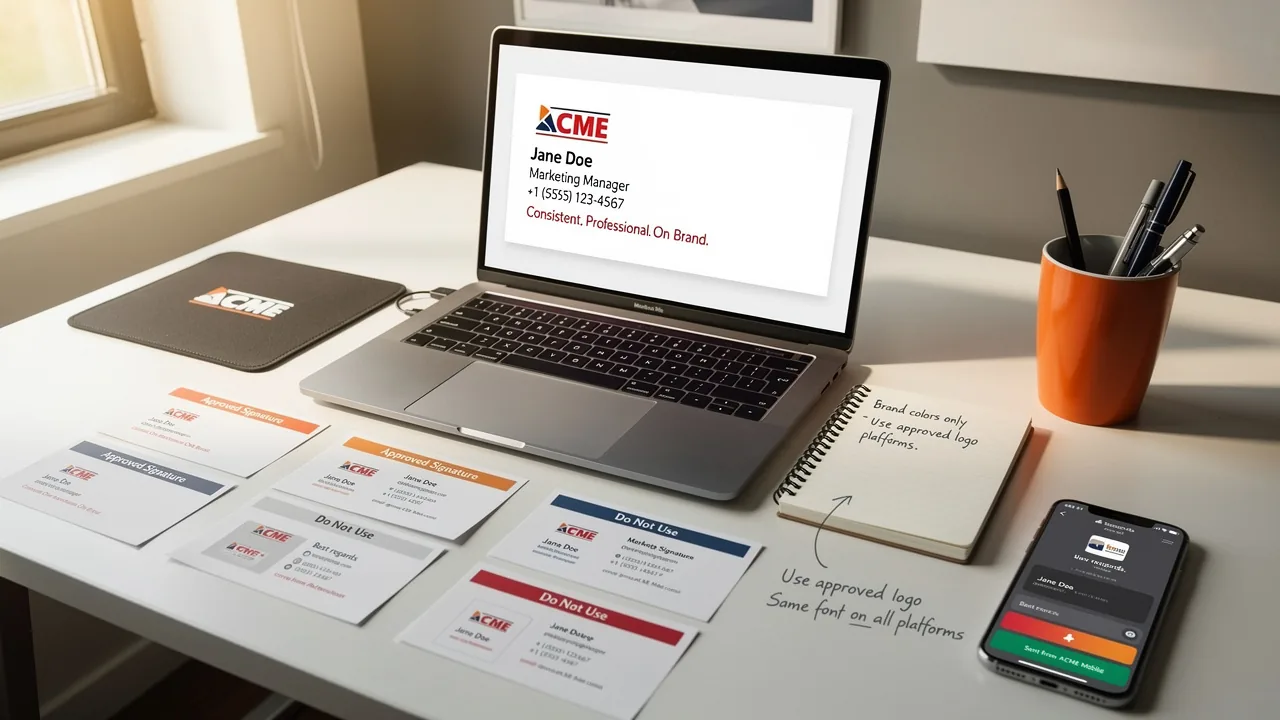
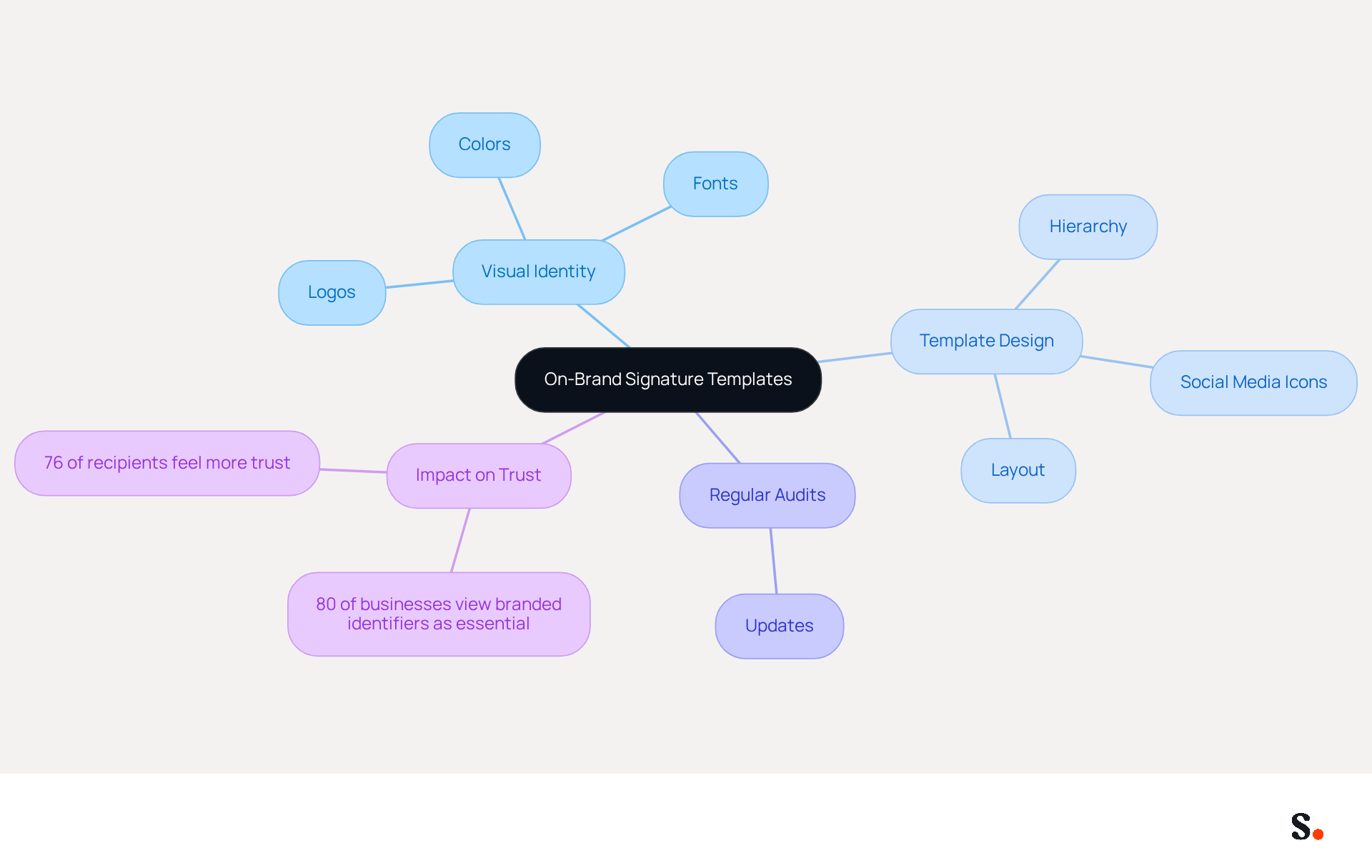
Defining your brand's visual identity is the first step in creating effective on-brand templates. This includes selecting colors, fonts, and logos that represent your brand consistently. Consistency in these elements across all representations is crucial for maintaining brand recognition. Every modification made in your Aircall configuration will automatically be reflected in your Scribe branding, ensuring that your identity remains consistent and current.
A simple, visually appealing template is crucial; it ensures that your core message stands out without distractions. For instance, a clean layout with a clear hierarchy of information - such as name, title, and contact details - enhances readability and professionalism. Incorporating social media icons that link to your profiles can drive engagement and bolster your online presence.
Regular audits and updates of templates are essential to reflect any changes in branding or marketing strategies, ensuring that your correspondence remains relevant and effective. Research shows that 80% of businesses view branded digital identifiers as essential, and 76% of recipients report feeling more trust in the sender when these are used. Ultimately, adhering to these principles can significantly enhance your brand's credibility and foster stronger connections with your audience.
Leverage Email Signatures for Marketing Campaigns
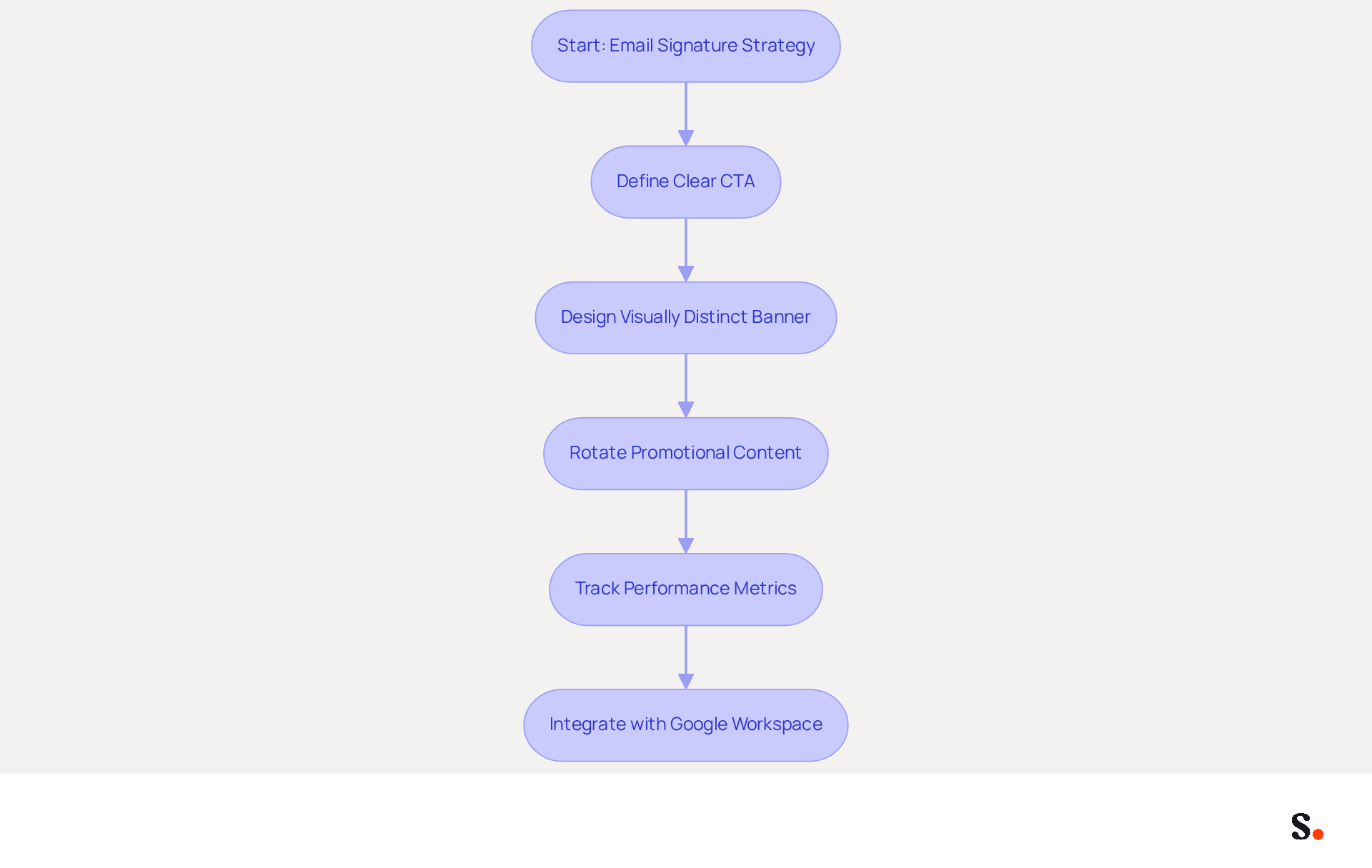
A clear call-to-action (CTA) is essential for guiding recipients to specific landing pages or offers, such as a banner promoting a current sale or upcoming event. This CTA should be visually distinct and easy to click, as it increases the likelihood of interaction. Regularly rotating promotional banners keeps the content fresh and relevant, which is crucial for maintaining recipient interest.
Tracking the performance of these campaigns through analytics is vital. By monitoring metrics such as click-through rates and conversions, marketers can refine their strategies and improve future efforts. This is supported by research indicating that organized electronic identity promotion can generate up to 15% more leads than teams that do not implement such strategies. Furthermore, organizations that effectively use digital identifiers report a 34,100% ROI from their campaigns, highlighting the potential influence of this often-overlooked marketing tool.
Syncing your Google Workspace with the application can really streamline your email management. This integration saves time by automatically updating your teammates' information, ensuring that any changes-such as job positions or group assignments-are reflected in Scribe without manual input. The auto-fill feature enables smooth integration of signatory details, allowing teams to concentrate on creating engaging CTAs and promotional content instead of managing signatory information.
Research examples demonstrate the efficiency of electronic identifiers in achieving promotional goals. For instance, businesses that have incorporated video content or promotional offers into their email communications have experienced increased engagement and higher conversion rates. By aligning digital correspondence identifiers with broader promotional strategies and ensuring they complement social media and website content, businesses can create a cohesive brand presence that reinforces their promotional objectives. As 89% of participants acknowledge electronic correspondence as a vital communication medium, enhancing digital footers for marketing in 2026 is not merely advantageous but crucial.
Integrate Seamlessly with Existing Tools
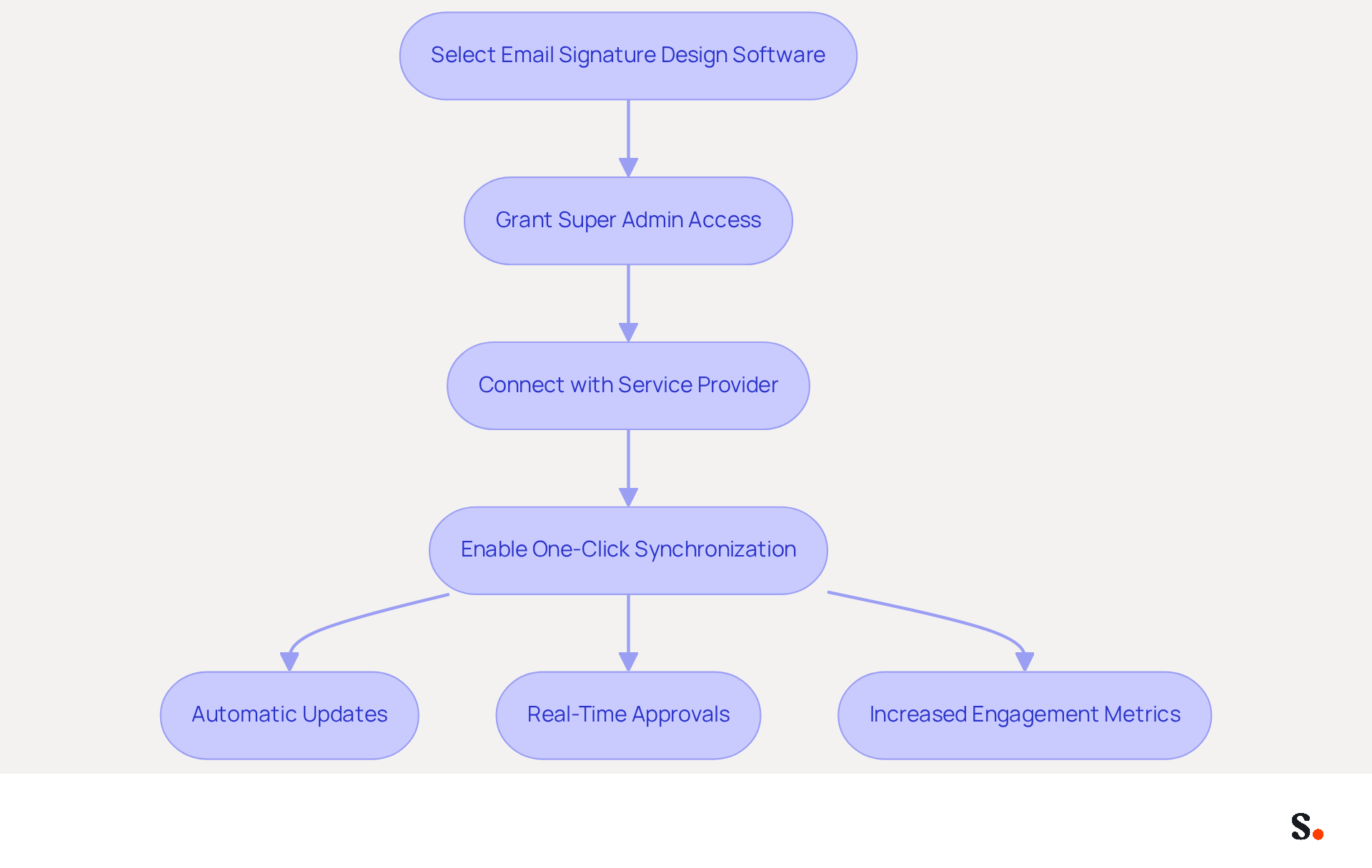
Selecting the right email signature design software is crucial for seamless integration with your existing tools, especially CRM systems and email platforms. This compatibility enables automatic updates to identifiers based on changes in employee information or branding. For instance, integrating with HR systems guarantees that approvals are updated in real-time when an employee's role changes, enhancing brand consistency.
To use one-click synchronization, grant Scribe permission to connect with your service provider, which requires Super Admin access. With Scribe's one-click synchronization, any changes in your directory automatically update your email identifiers, saving you time and effort.
Research indicates that organizations using email signature design software experience a 20% increase in engagement metrics, thanks to timely updates and personalized branding. Utilizing APIs to connect Scribe with other promotional tools can create a more cohesive strategy, enabling targeted campaigns and improved tracking of engagement metrics.
Without regular evaluations, organizations risk falling behind in their branding efforts; neglecting this can result in outdated identifiers and missed promotional opportunities. A case analysis from a mid-sized firm showed that after integrating their messaging software with their CRM, they experienced a 15% rise in lead generation within three months.
With Scribe's SOC 2 Type II compliance, you can be confident that your data is secure while optimizing your marketing assets as effective tools. By prioritizing integration and compliance, organizations can leverage their email branding to achieve significant business growth.
Automate Signature Management for Efficiency
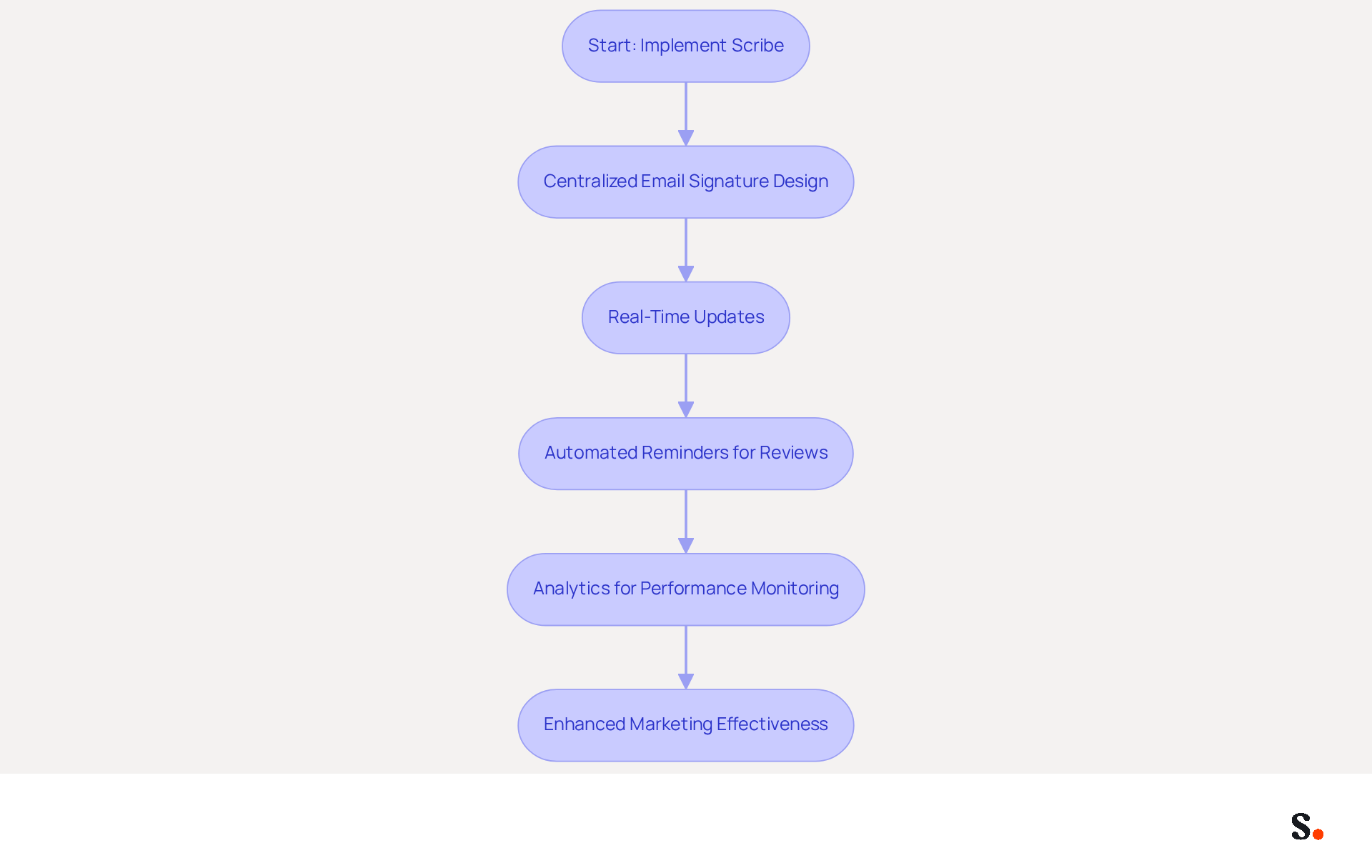
Centralized software like Scribe revolutionizes email management for businesses by incorporating email signature design software, offering significant advantages. This approach allows for consistent updates across all employee identifiers, which helps maintain branding guidelines. For example, when a new logo is introduced, it can be updated organization-wide with a single action, eliminating inconsistencies that can arise from manual management.
With Scribe, your identification information syncs automatically from your business phone system, making updates effortless and ensuring that all changes are reflected in real-time without requiring action from your teammates. Additionally, implementing automated reminders for regular reviews of content helps maintain relevance and compliance over time. Utilizing analytics to monitor performance provides valuable insights into engagement and effectiveness, demonstrating a clear path to enhanced marketing effectiveness.
With Scribe's SOC 2 Type II compliance, businesses can feel confident that their data is secure while enjoying streamlined management of their messaging branding. Statistics show that organizations utilizing automated management of electronic correspondence can achieve up to 14% more leads, highlighting the potential for improved marketing outcomes. Case studies reveal that centralized management not only streamlines the onboarding process but also significantly reduces the time IT teams spend on routine updates, allowing them to focus on higher-priority projects. As the business landscape evolves, the ability to adapt and maintain effective communication through email signature design software will be a key differentiator.
Conclusion
Effective email signatures serve as a strategic asset, enhancing brand visibility and engagement beyond mere aesthetics. Implementing targeted best practices in email signature design allows organizations to ensure that their digital correspondence consistently reflects their brand identity. This approach fosters trust among recipients and transforms email signatures into powerful marketing tools.
The article highlights four essential practices:
- Creating on-brand templates
- Leveraging signatures for marketing campaigns
- Integrating seamlessly with existing tools
- Automating signature management for efficiency
Each of these strategies contributes to a cohesive branding effort, ensuring that every email sent serves as an opportunity for engagement and promotion. The integration of Scribe's capabilities, including its SOC 2 Type II compliance and ease of use, further empowers marketing teams to manage their email signatures independently, enhancing both efficiency and effectiveness.
Given the importance of digital communication today, the significance of well-designed email signatures cannot be overstated. Organizations are encouraged to adopt these best practices to not only maintain brand consistency but also to harness the full potential of their email communications. By doing so, they can drive engagement, improve marketing ROI, and ultimately achieve greater business success. Adopting these strategies will not only elevate brand presence but also transform every email into a meaningful interaction with potential customers.
Frequently Asked Questions
What is the first step in creating effective on-brand templates?
The first step is defining your brand's visual identity, which includes selecting colors, fonts, and logos that represent your brand consistently.
Why is consistency important in branding?
Consistency in branding elements is crucial for maintaining brand recognition across all representations.
How does Aircall configuration affect Scribe branding?
Every modification made in your Aircall configuration will automatically be reflected in your Scribe branding, ensuring that your identity remains consistent and current.
What characteristics should a good template have?
A good template should be simple, visually appealing, and have a clean layout with a clear hierarchy of information to enhance readability and professionalism.
How can social media icons be incorporated into templates?
Social media icons can be included in templates to link to your profiles, which can drive engagement and bolster your online presence.
Why are regular audits and updates of templates necessary?
Regular audits and updates are essential to reflect any changes in branding or marketing strategies, ensuring that your correspondence remains relevant and effective.
What do statistics say about branded digital identifiers?
Research shows that 80% of businesses view branded digital identifiers as essential, and 76% of recipients report feeling more trust in the sender when these are used.
How can adhering to branding principles impact a business?
Adhering to branding principles can significantly enhance a brand's credibility and foster stronger connections with the audience.
List of Sources
- Create On-Brand Signature Templates
- Research Recap: Branded Email Signatures Increase Company Recognition, Trust - Demand Gen Report (https://demandgenreport.com/industry-news/research-recap-branded-email-signatures-increase-company-recognition-trust/47252)
- Email Signature Trends 2026: What Designers Are Actually Using (https://markaplugin.com/blog/email-signature-trends-2026)
- Email Signature Best Practices in 2026 | BrandaSign (https://brandasign.com/blog/email-signature-best-practices-2026)
- The impact of email signatures on your branding (https://signitic.com/en/resources/the-impact-of-email-signatures-on-your-branding)
- Master Best Email Signature Design for Maximum Engagement (https://scribe-mail.com/en-US/blog/master-best-email-signature-design-for-maximum-engagement)
- Leverage Email Signatures for Marketing Campaigns
- Why Email Signatures Must Be In Your 2026 Marketing Plan | Rocketseed (https://rocketseed.com/blog/2026-marketing-plan-email-signatures)
- How to Run a Successful Email Signature Marketing Campaign - NEWOLDSTAMP - NEWOLDSTAMP (https://newoldstamp.com/blog/email-signature-marketing-guide)
- What is email signature marketing? Complete B2B efinition (2026) (https://signitic.com/en/resources/what-is-email-signature-marketing-a-complete-definition-for-b2b-teams)
- 6 Ways to Use Email Signature to Support Marketing Campaigns (https://clearout.io/blog/use-email-signature-to-support-marketing-campaigns)
- Integrate Seamlessly with Existing Tools
- Integrating Email Signature Management Tools with Office 365 - Microsoft Q&A (https://learn.microsoft.com/en-us/answers/questions/4703110/integrating-email-signature-management-tools-with)
- Best Email Signature Management Software: Top 12 Tools (2026)
- NEWOLDSTAMP (https://newoldstamp.com/blog/email-signature-software)
- Best Email Signature Management Software (Evaluated May 2026) (https://wisestamp.com/guides/best-email-signature-management-software)
- 12 best email signature software tools for 2026 - Guideflow Blog (https://guideflow.com/blog/best-email-signature-software)
- Top Rated Email Signature Software with Third party integration 2026 (https://getapp.com/it-communications-software/email-signature/f/third-party-integration)
- Automate Signature Management for Efficiency
- Email Signature Trends 2026: Centralized Control & Automation | SIGNandGO posted on the topic | LinkedIn (https://linkedin.com/posts/signngo_email-signature-trends-to-watch-in-2026-activity-7401523471786217473-zAVL)
- Automating Email Signatures: How IT Teams Streamline Processes & Reduce Risk (https://exclaimer.com/blog/streamlining-it-processes-automated-email-signatures)
- Company Email Signature Management (2026) (https://hubspot.com/email-signature-generator/email-signature-management)
- Company-wide email signature management for your business (https://codetwo.com/guides/email-signature-management)
- Why Email Signature Management Matters for Your Business (https://vectorchoice.com/blog/why-email-signature-management-is-more-important-than-you-think)
Get started with Scribe
Build a professional email signature
Free 14-day trial — no credit card.