4 Best Practices for Email Signatures for Undergraduate Students
In a competitive academic landscape, a well-crafted email signature can be the difference between being overlooked and making a memorable impression. Crafting
Sophie Grant
Email Signature Specialist, Scribe
Introduction
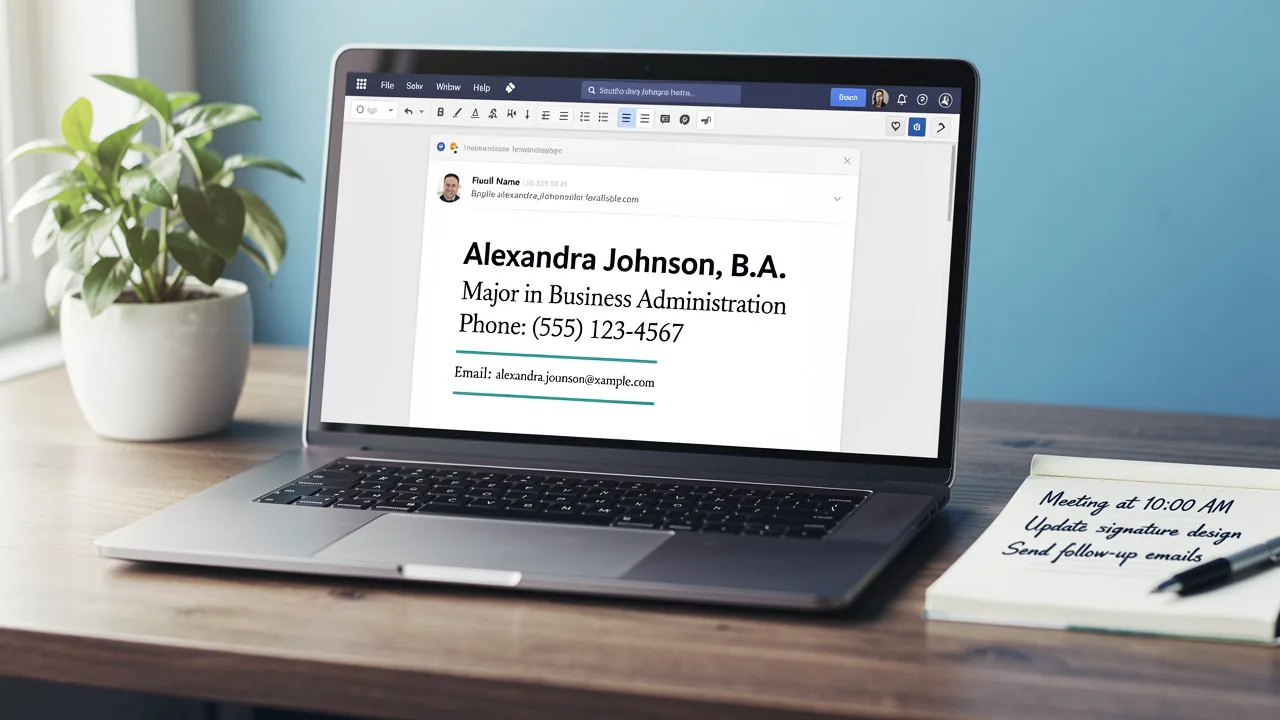
In a competitive academic landscape, a well-crafted email signature can be the difference between being overlooked and making a memorable impression. Crafting a professional email signature is essential for undergraduate students who want to establish their identity and leave a lasting mark in academic and professional communications. By incorporating key components and strategic design elements, students can enhance their credibility and foster better networking opportunities.
How can students create an email signature that effectively showcases their personal brand while engaging recipients across various platforms? This article outlines best practices for crafting impactful email signatures that embody professionalism and clarity, paving the way for successful interactions.
Get started with Scribe
Manage signatures across your whole team
Free 14-day trial — no credit card.
Identify Essential Components of Your Email Signature
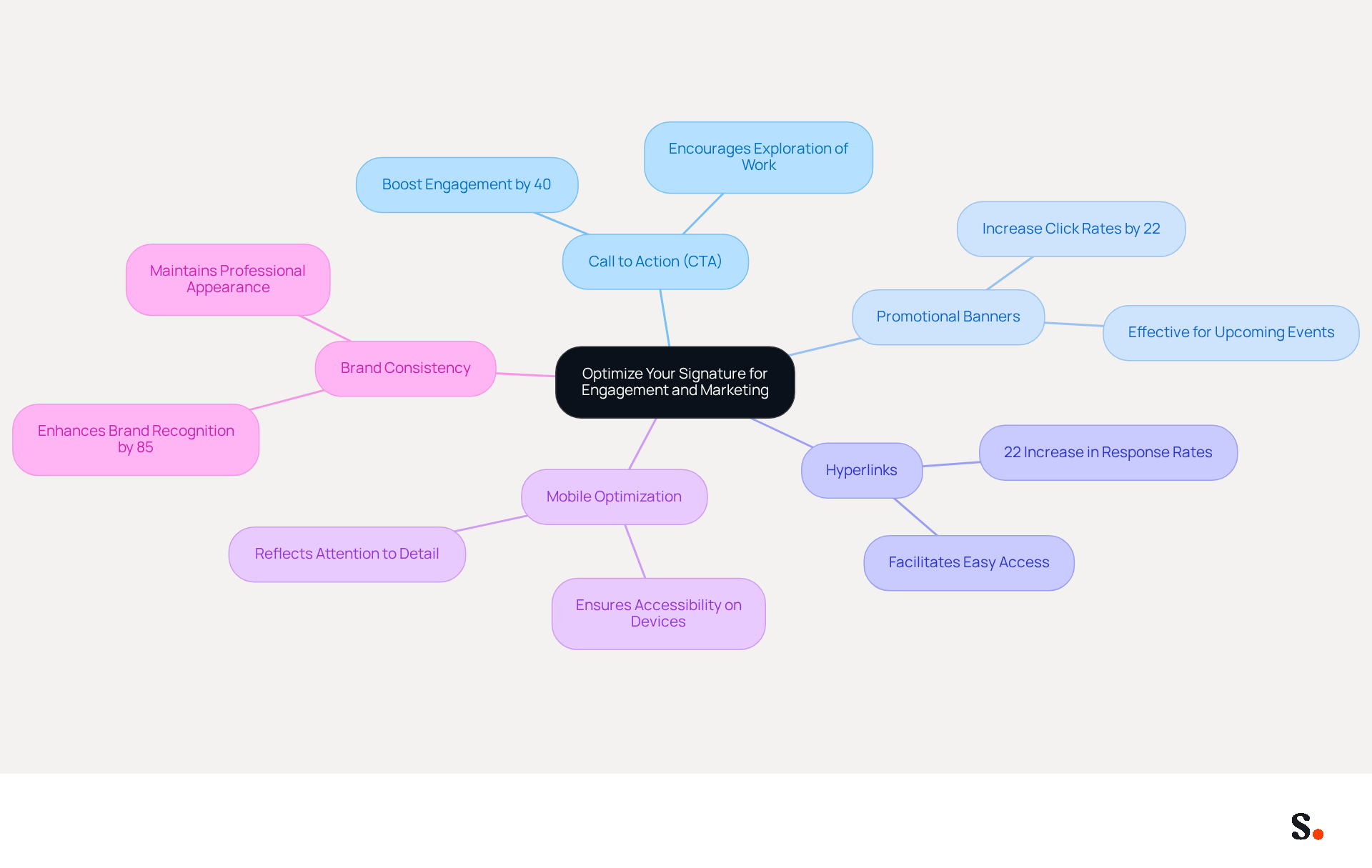
An effective email signature for undergraduate students is crucial for those aiming to make a strong impression in their communications. It should include the following essential components:
- Full Name: Clearly state your full name to ensure recipients can easily identify you.
- Pronouns: If comfortable, include your pronouns to promote inclusivity.
- Degree and Major: Specify your degree and major to provide context about your academic focus.
- Graduation Year: Mention your expected graduation year to inform recipients of your academic timeline.
- University Name: Include the full name of your university to establish credibility and affiliation.
- Contact Information: Provide a direct phone number or contact address for easy communication.
An email signature for an undergraduate student that is streamlined and emphasizes these components ensures professionalism and clarity. Studies indicate that well-crafted email signatures can lead to a significant increase in response rates, highlighting the importance of these elements in effective communication. Additionally, ensure that your signature is mobile-friendly and displays correctly across devices. Avoid including personal social media accounts or excessive graphics, as these can detract from professionalism. Aim to keep your message footer concise, ideally fewer than eight lines, to maintain clarity.
With Scribe integrated into Google Workspace, students can easily keep their endorsements current, reflecting any updates in their roles or affiliations. This seamless synchronization enables a consistent and polished digital identity that enhances their image and fosters better networking opportunities.
Establish Your Brand and Professional Identity
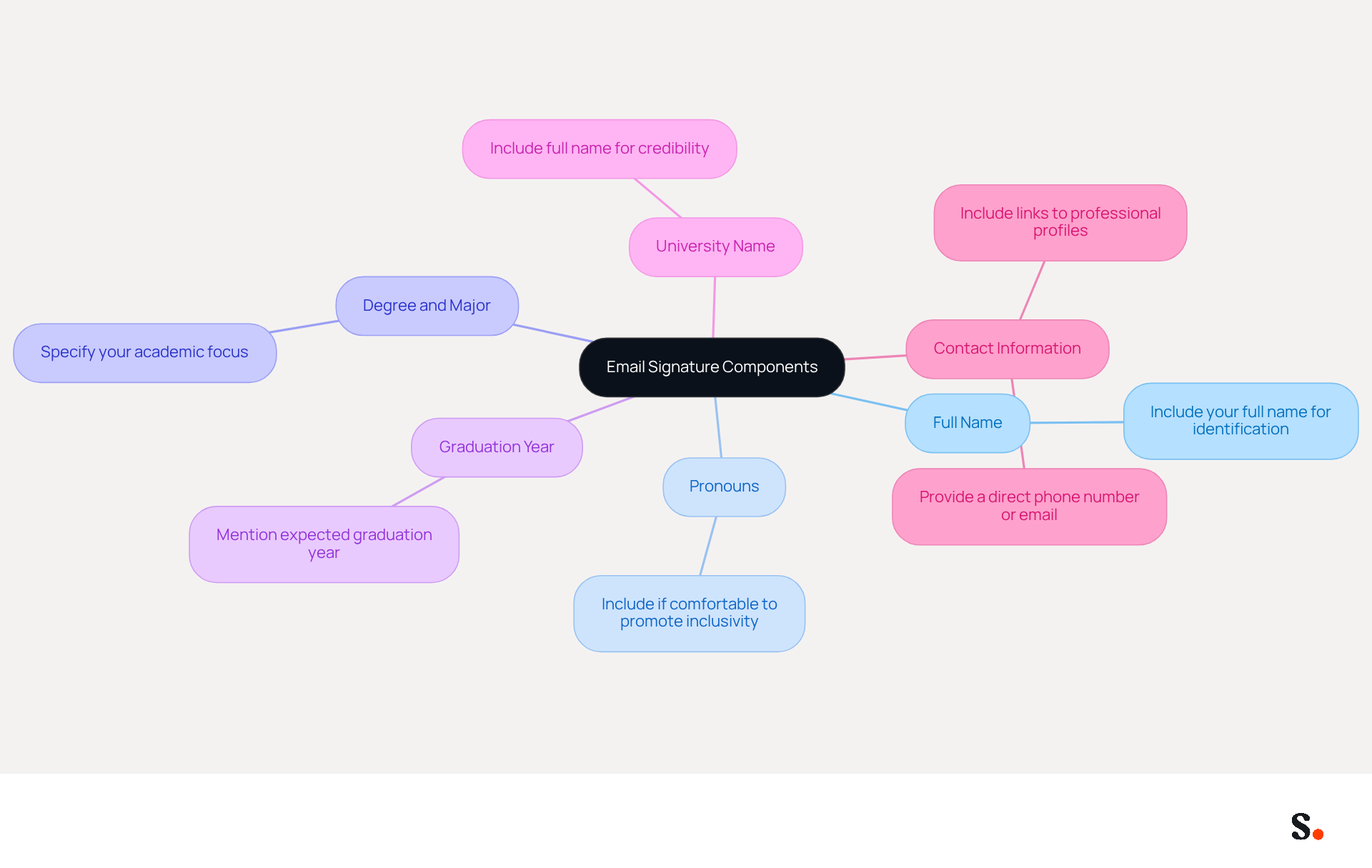
To effectively establish a strong brand and professional identity through your email signature, it is crucial to implement strategic design elements:
- Consistent Design: Utilize a cohesive font, color scheme, and layout that reflects your personal style while maintaining professionalism. Consistency in design reinforces your identity and enhances brand recognition.
- Include Essential Information: Ensure your signature contains your full name, job title, direct phone number, and contact email. This information is essential for creating a strong impression in a work setting and enabling smooth communication.
- Social Media Links: Incorporate links to career-related social media profiles, such as LinkedIn, to provide recipients with additional context about your background and enhance your credibility. Including links to your professional social media profiles can enhance your credibility and engagement, with studies showing a click-through rate of 3-5% for effective calls to action.
- Optimize for Email Clients: Ensure that your correspondence footer is optimized for both Outlook and Gmail platforms to avoid display issues and maintain professionalism across different messaging clients.
- Mobile Optimization: Pay attention to font size and spacing to enhance user experience on mobile devices. Using scalable components ensures your signature looks polished on any screen size, thanks to Scribe's automatic adjustments.
- Regular Updates: Keep your electronic correspondence footer current, as 44.4% of respondents indicate updating their electronic correspondence footer 2-4 times annually. Without regular updates, your professional image may become outdated and less credible. With Scribe, modifications made in your linked business phone system or Aircall setup will automatically sync to your digital identifiers, ensuring that your information is always up to date without needing manual adjustments. This means you can focus on your core responsibilities without worrying about outdated information.
- Avoid Overly Casual Elements: Steer clear of informal quotes or images that may detract from your business image. Focus on elements that enhance your credibility and present a polished appearance.
By carefully designing your email signature and using Scribe's automated features, you can effectively showcase your professional identity and leave a lasting impression.
Optimize Your Signature for Engagement and Marketing
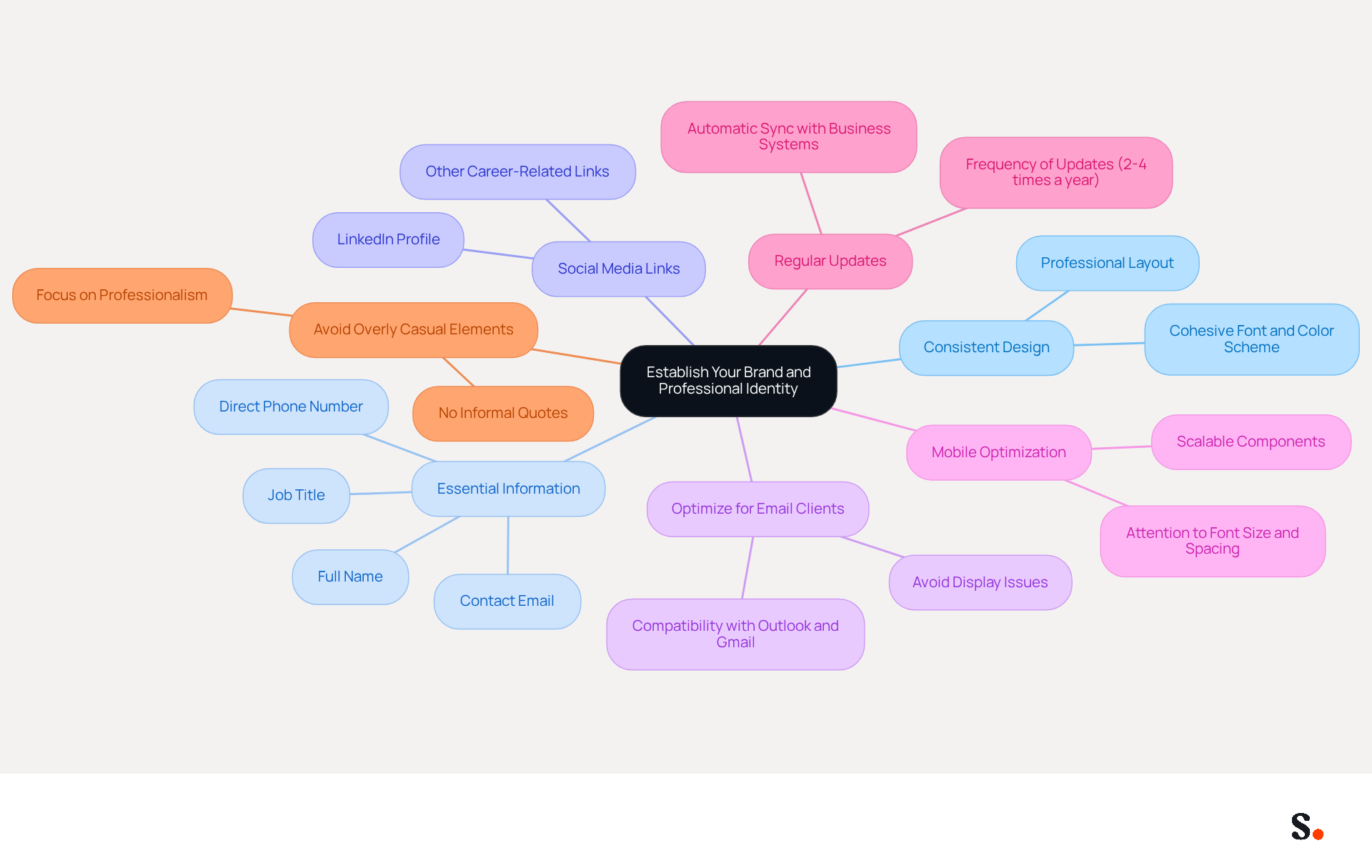
To maximize engagement and marketing effectiveness through your email signature, implementing best practices is essential:
- Call to Action (CTA): Incorporate a clear CTA, such as a link to your portfolio, blog, or a relevant project. Research indicates that including strategic CTAs can boost engagement by as much as 40%, encouraging recipients to explore your work further. This statistic highlights the necessity of guiding recipients toward valuable content.
- Promotional Banners: If applicable, add a small banner promoting an upcoming event, project, or achievement. Effective banners for messages can increase click rates by 22%, particularly when designed thoughtfully, as demonstrated by research on the effectiveness of dynamic banners. Incorporating this can truly elevate your marketing strategy.
- Hyperlinks: Utilize hyperlinks for your social media profiles and any relevant websites, facilitating easy access for recipients to learn more about you. This method aligns with findings that indicate organizations utilizing standard digital identifiers can observe a 22% increase in response rates, reinforcing the importance of providing accessible information.
- Mobile Optimization: Ensure your identifier is mobile-friendly, as many recipients will view messages on their phones. Testing how it appears on various devices is crucial for maintaining professionalism and ensuring accessibility across platforms. A well-optimized design not only enhances user experience but also reflects your attention to detail and commitment to effective communication.
- Brand Consistency: Adhering to established color palettes and font styles can enhance brand recognition by up to 85%. Maintaining visual consistency in your correspondence is crucial for strengthening your personal brand and ensuring that your communications are polished and recognizable.
By incorporating these elements, students can transform their email signature as an undergraduate student into an effective marketing tool that enhances engagement and showcases their capabilities. Furthermore, neglecting these enhancements could hinder your professional image and limit your outreach potential. Moreover, with Scribe's automated synchronization with Aircall, any modifications made in your Aircall configuration will automatically be reflected in your correspondence, ensuring brand consistency and saving time on updates.
Implement Your Email Signature Across Platforms
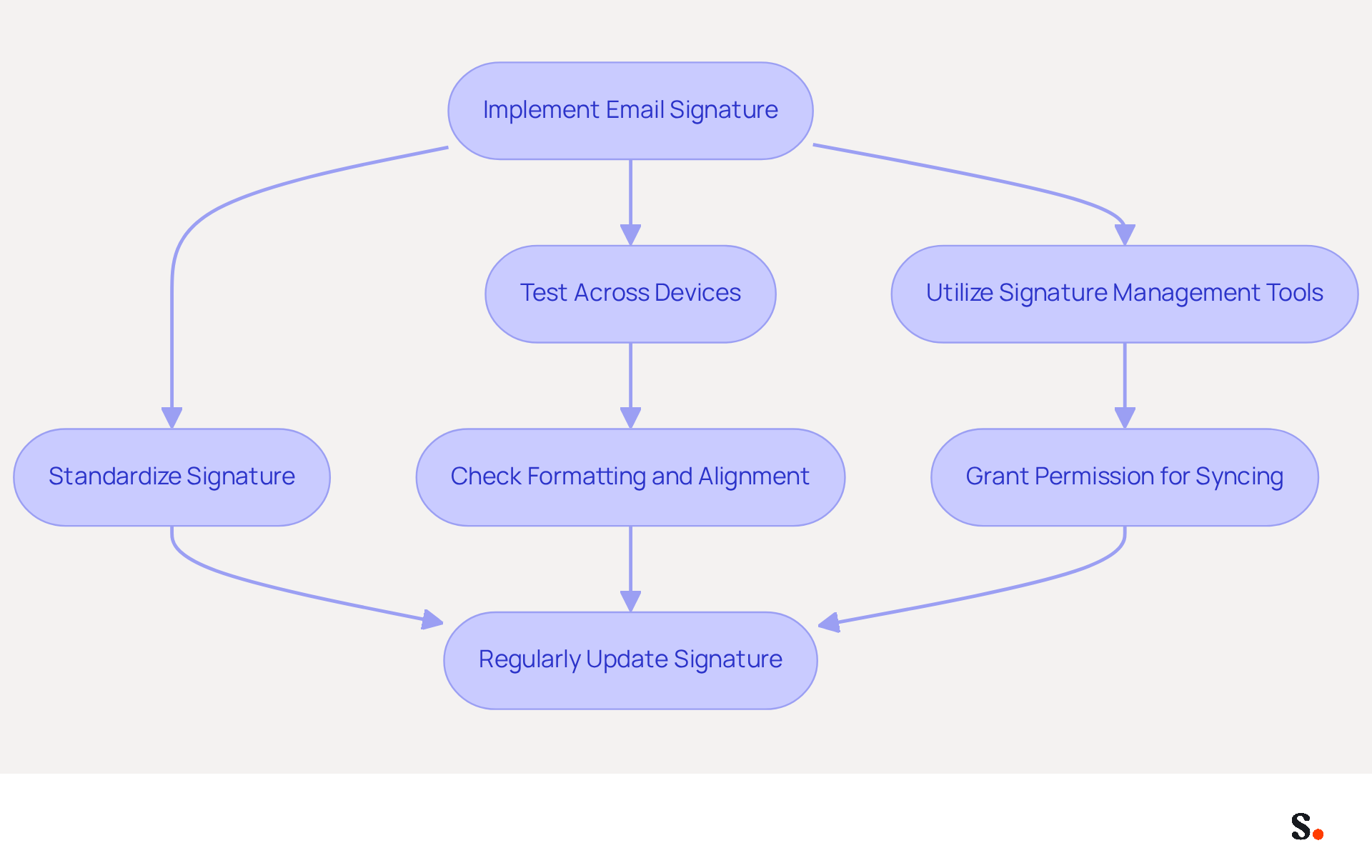
To ensure effective email communication, it is crucial for an undergraduate student to have a consistent email signature across various platforms.
As an email signature, you should standardize your signature by developing a uniform version that can be utilized across different email clients, such as Gmail, Outlook, and Apple Mail. This standardization guarantees a uniform appearance, which is vital as 69% of consumers think that an email signature is essential for brand consistency.
- Test Across Devices: Before finalizing your mark, conduct tests on multiple devices and messaging clients to confirm it displays correctly. Pay close attention to formatting and alignment, as 42% of all messages are opened on mobile devices, necessitating a responsive design. This oversight can alienate potential clients who access emails on mobile devices.
- Utilize Signature Management Tools: Leverage tools like Scribe to manage and deploy your branding seamlessly across platforms. To enable one-click synchronization, you must grant permission to connect with your email provider, ensuring that all modifications made in your directory are automatically synced. This not only saves time but also enhances branding consistency across your communications. This tool makes it easy to update your signature and can even auto-fill details for your teammates, making collaboration smoother.
As an undergraduate student, it is important to regularly update your email signature to reflect any changes in your academic status, contact information, or branding elements. By prioritizing these strategies, you not only enhance your professional image but also contribute to a cohesive brand presence.
Conclusion
Crafting an effective email signature is not just a formality; it is a crucial step for undergraduate students in establishing a professional identity. Incorporating key elements like your full name, degree, and contact information helps students create a signature that reflects their academic focus while promoting clarity and professionalism. Using tools like Scribe helps keep signatures consistent and current across different platforms, reinforcing the importance of a polished digital presence.
The article highlights several best practices, including the significance of:
- Design consistency
- Mobile optimization
- Inclusion of strategic calls to action
By optimizing email signatures for engagement, students can turn a basic email footer into an effective tool for showcasing their skills and encouraging interaction. Regular updates and the use of signature management tools further enhance this process, ensuring that students maintain a credible and cohesive brand image.
Ultimately, a well-crafted email signature serves as a vital component of professional communication for undergraduate students. By prioritizing these best practices, students can not only improve their outreach potential but also leave a lasting impression on recipients. By embracing these strategies, students can significantly enhance their professional communication and stand out in a competitive landscape.
Frequently Asked Questions
Why is an effective email signature important for undergraduate students?
An effective email signature is crucial for undergraduate students as it helps make a strong impression in their communications and can lead to a significant increase in response rates.
What essential components should be included in an email signature for undergraduate students?
An email signature should include the following components: full name, pronouns (if comfortable), degree and major, graduation year, university name, and contact information.
How can including pronouns in an email signature promote inclusivity?
Including pronouns in an email signature promotes inclusivity by allowing recipients to understand how to address the sender respectfully.
What is the recommended length for an email signature?
It is recommended to keep the email signature concise, ideally fewer than eight lines, to maintain clarity.
What should be avoided in an undergraduate email signature to maintain professionalism?
Personal social media accounts and excessive graphics should be avoided, as they can detract from professionalism.
How does Scribe enhance the email signature experience for students?
Scribe integrated into Google Workspace allows students to easily keep their endorsements current, reflecting updates in their roles or affiliations, which helps maintain a consistent and polished digital identity.
Why is it important for an email signature to be mobile-friendly?
A mobile-friendly email signature ensures that it displays correctly across devices, enhancing readability and professionalism in communications.
List of Sources
- Identify Essential Components of Your Email Signature
- Best Practices for Crafting a Student Email Signature Example (https://scribe-mail.com/en-US/blog/best-practices-for-crafting-a-student-email-signature-example)
- Student Email Signature Examples & Best Practices (https://wisestamp.com/examples/student-email-signature)
- Student Email Signature: Examples, Best Practices & Setup Guide (https://getmailbird.com/student-email-signature-examples-setup-guide)
- 40+ Email Signature Statistics for 2026 (Data + Insights) (https://wavecnct.com/blogs/email-signature-statistics)
- Email Signature for Students: Professional Templates for Internships & Networking (https://syncsignature.com/blog/email-signature-for-students)
- Establish Your Brand and Professional Identity
- Best Practices Designing Email Signatures - Lynne Golodner (https://lynnegolodner.com/articles/best-practices-designing-email-signatures)
- 5 Tips For Creating A Professional Email Signature (https://forbes.com/sites/goldiechan/2024/04/07/tips-for-creating-a-professional-email-signature)
- Visual Identity Email Signature Design for Professional Communication (https://chrisstain.com/visual-identity-email-signature-design-for-professional-communication)
- The Comprehensive Guide to Email Signature Best Practices in 2025 (https://nbh.co/learn/the-comprehensive-guide-to-email-signature-best-practices-in-2025)
- How to Create a Professional Email Signature (https://theundercoverrecruiter.com/how-create-professional-email-signature-your-career-or-job-search)
- Optimize Your Signature for Engagement and Marketing
- Best Practices for a Standard Email Signature That Boosts Marketing ROI (https://scribe-mail.com/en-US/blog/best-practices-for-a-standard-email-signature-that-boosts-marketing-roi)
- The impact of email signatures on your branding (https://signitic.com/en/resources/the-impact-of-email-signatures-on-your-branding)
- Maximize Marketing Impact with Effective Email Signature Banners (https://scribe-mail.com/en-US/blog/maximize-marketing-impact-with-effective-email-signature-banners)
- 10 Strategies for Increasing User Engagement with Business Email Signatures (https://exclaimer.com/blog/email-signatures-key-business-tool)
- Why and how to add an effective CTA to your email signature? (https://signitic.com/en/resources/why-and-how-to-add-an-effective-cta-to-your-email-signature)
- Implement Your Email Signature Across Platforms
- Best Email Signature Management Software: Top 12 Tools (2026)
- NEWOLDSTAMP (https://newoldstamp.com/blog/email-signature-software)
- 40+ Email Signature Statistics for 2026 (Data + Insights) (https://wavecnct.com/blogs/email-signature-statistics)
- INKY | Technology | Email Signatures (https://inky.com/technology/email-signatures)
- Best Email Signature Management Options for Microsoft Office 365 (https://vc3.com/blog/best-email-signature-management-options-for-microsoft-office-365)
- WiseStamp Sets a New Standard for Email Signature Creation (https://prnewswire.com/news-releases/wisestamp-sets-a-new-standard-for-email-signature-creation-302689811.html)
Get started with Scribe
Manage signatures across your whole team
Free 14-day trial — no credit card.