4 Best Practices for Email Signatures with Bachelor Degree Examples
A well-crafted email signature is crucial for establishing a professional identity in today's competitive job market. It serves as a powerful branding tool
Sophie Grant
Email Signature Specialist, Scribe

Introduction
A well-crafted email signature is crucial for establishing a professional identity in today's competitive job market. It serves as a powerful branding tool that can enhance professional communication and engagement. For recent graduates entering the workforce, mastering the art of email signatures can significantly impact their professional image and networking opportunities. Many graduates fail to recognize the importance of a well-crafted email signature as a strategic asset.
What strategies can graduates employ to ensure their email signatures effectively convey their qualifications and enhance their personal brand?
Understand the Essential Components of Email Signatures
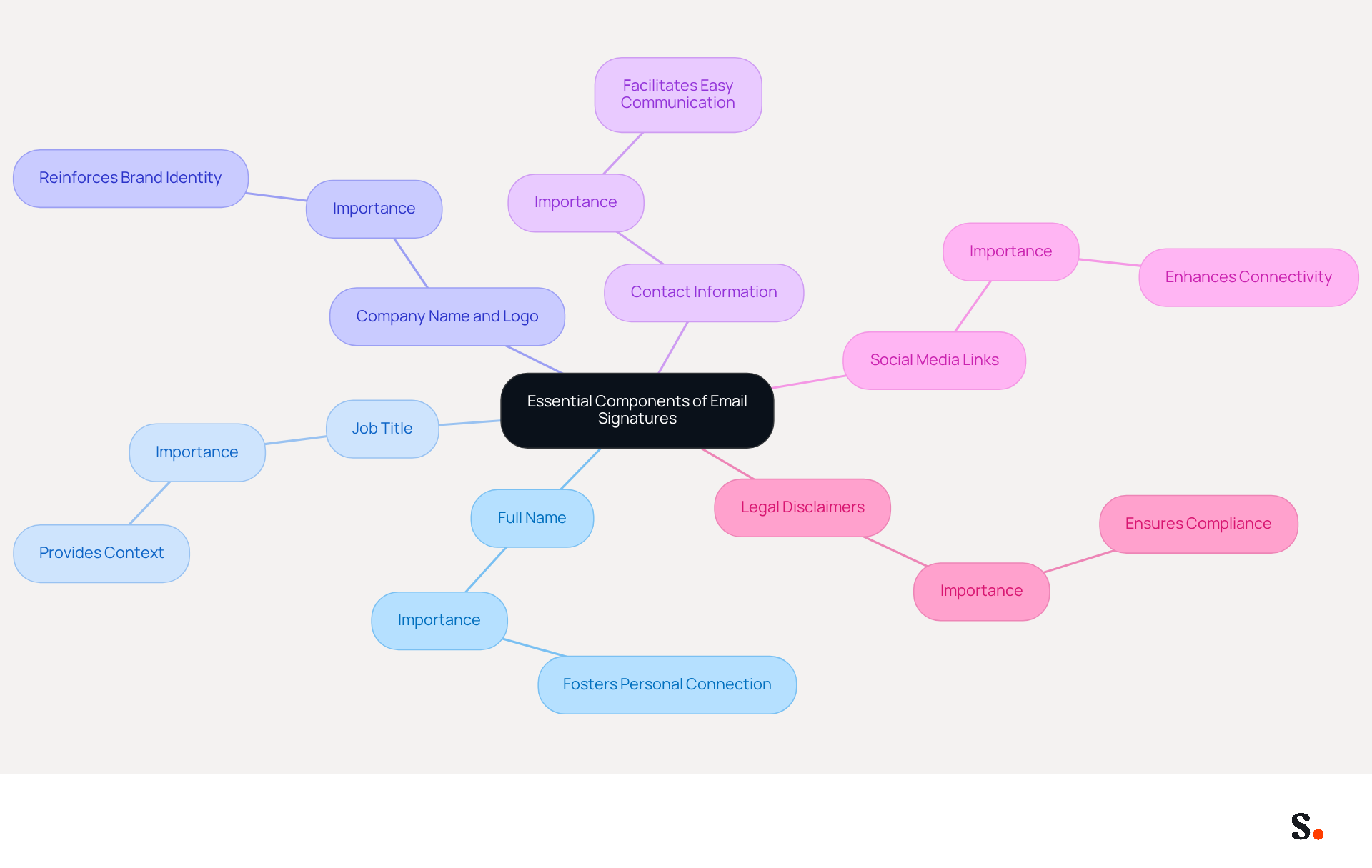
A well-crafted email signature with bachelor degree example serves not just as a formality; it is a strategic tool for enhancing professional communication. Essential components include:
- Full Name: Clearly stating the sender's full name fosters a personal connection with recipients.
- Job Title: Including the sender's position provides context about their role within the organization, enhancing credibility.
- Company Name and Logo: This reinforces brand identity, helping recipients recognize the organization and its values.
- Contact Information: Essential details such as phone number and contact address facilitate easy communication. Without clear contact information, recipients may struggle to connect with the sender.
- Social Media Links: If applicable, links to professional social media profiles can enhance connectivity and engagement, allowing recipients to explore more about the sender's professional background.
- Legal Disclaimers: Depending on the industry, including legal disclaimers may be necessary to comply with regulations, protecting both the sender and the organization.
These elements create a polished, professional appearance and transform an email signature with bachelor degree example into a powerful communication tool. For example, organizations that refreshed their contact details with registration links experienced an impressive 180% rise in webinar signups, showing how optimized contact information can significantly boost engagement. Moreover, maintaining a uniform template for electronic correspondence can result in 85% improved consistency across teams, emphasizing the significance of these elements in professional communications.
With Scribe, you can automatically sync your messaging identifiers with your business phone system, ensuring that all information stays current without requiring your teammates to lift a finger. This can open doors to new collaboration opportunities and drive business growth. Regular updates to messaging formats are essential for maintaining precision and effectiveness, and with Scribe, these updates occur seamlessly, enabling your marketing team to manage messaging formats independently after the initial IT setup.
Implement Consistent Branding in Email Signatures
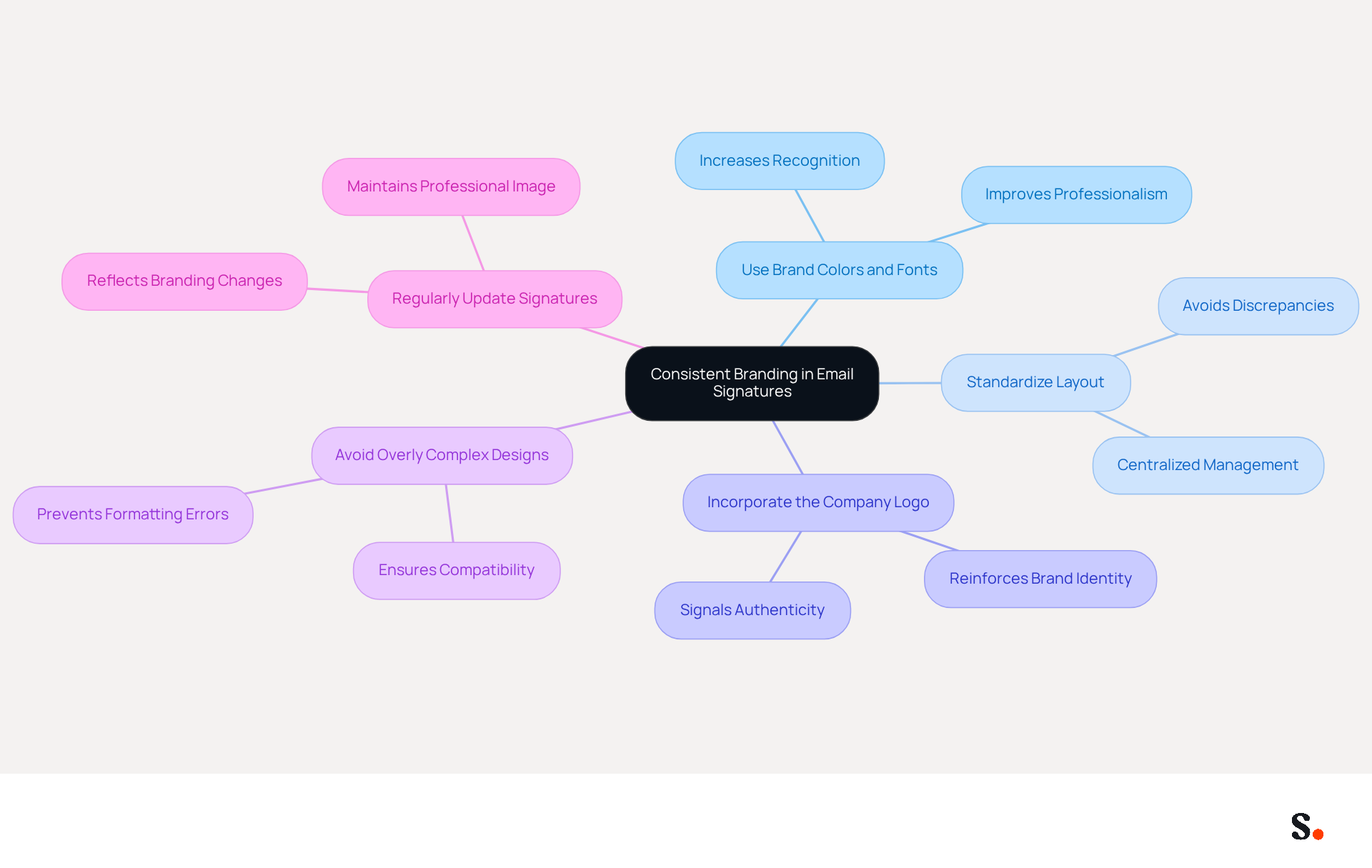
To effectively convey a cohesive brand identity through email signatures, companies must adhere to several best practices:
- Use Brand Colors and Fonts: Align Scribe's colors and fonts with the company's branding guidelines to create a recognizable look. This consistency can improve professionalism, with studies indicating that the average professionalism score increases from 6.2 to 8.5 out of 10 when branded marks are utilized.
- Standardize Layout: Maintain a uniform format across all employee identifiers to avoid discrepancies that can confuse recipients. Centralized management of digital identifiers can remove human mistakes and ensure adherence to graphic standards, strengthening corporate identity.
- Incorporate the Company Logo: Including the logo not only reinforces brand identity but also adds a professional touch. A well-designed footer not only boosts message deliverability but also signals authenticity to servers, increasing the likelihood that your emails reach their intended audience.
- Avoid Overly Complex Designs: Keep the design simple and clean to ensure that it displays correctly across various email clients and devices. Complex designs often result in formatting errors that frustrate recipients.
- Regularly Update Signatures: As branding evolves, ensure that all signatures are updated to reflect any changes in branding elements. Failing to update signatures can lead to outdated branding, diminishing the company's professional image.
By following these practices, companies can improve their brand visibility and create a lasting impression with every message sent. Businesses that implement consistent email formats see a 22% increase in email response rates, underscoring the effectiveness of these strategies.
Leverage Email Signatures as Marketing Tools
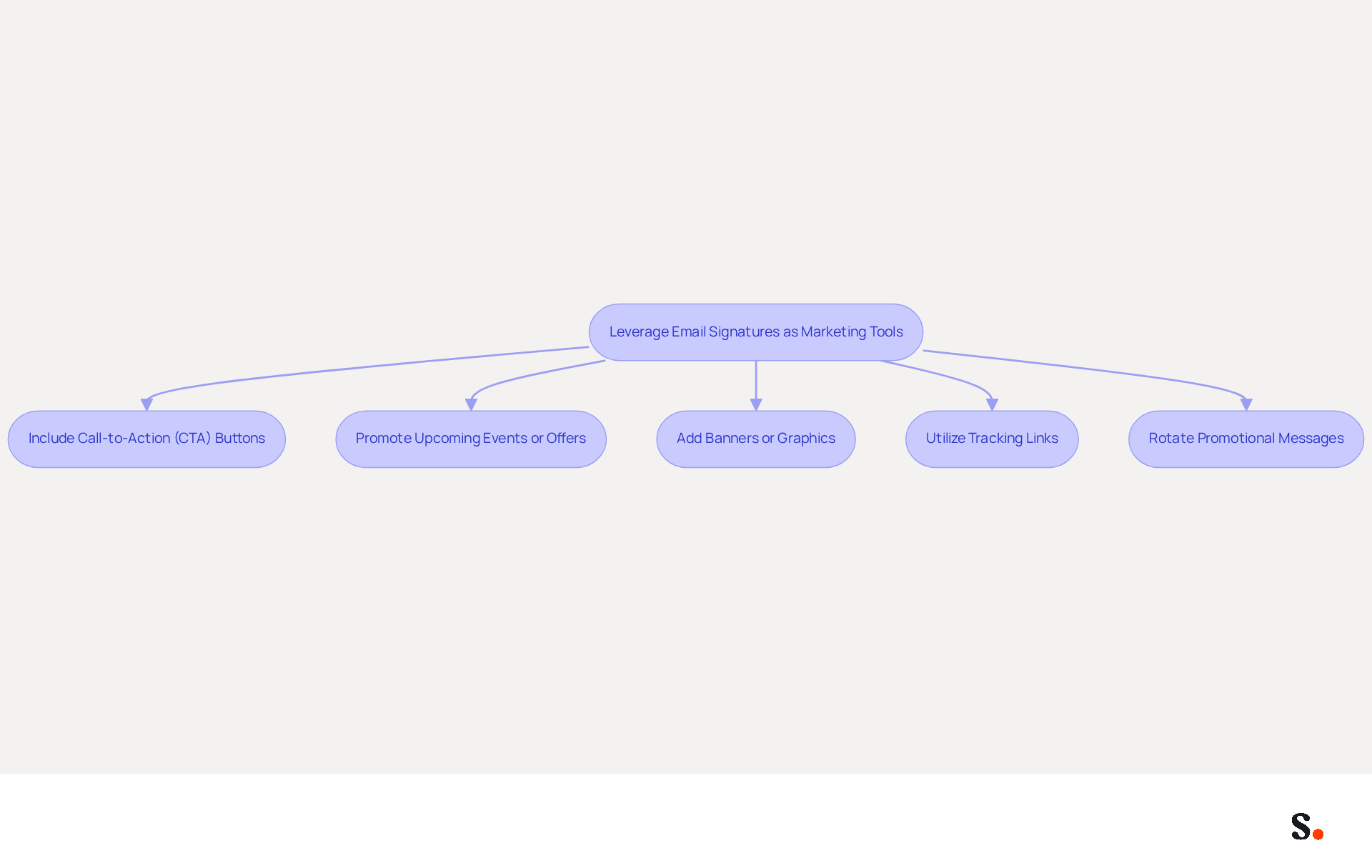
Email footers represent an underutilized opportunity for effective promotion in digital communications. Here are some strategies to consider:
- Include Call-to-Action (CTA) Buttons: Incorporate clear CTAs that encourage recipients to take specific actions, such as visiting a website or signing up for a newsletter. Studies show that clear CTA buttons can boost click-through rates by around 30% compared to text links, while those with strong color contrast can enhance conversions by up to 34%.
- Promote Upcoming Events or Offers: Use the designated area to highlight upcoming webinars, product launches, or special promotions. Research has shown that highlighting upcoming events can significantly boost engagement rates, with campaigns incorporated into digital correspondences achieving an average click rate of 4%, which surpasses conventional marketing messages.
- Add Banners or Graphics: Visually appealing banners can draw attention to key messages or campaigns, making them more likely to be noticed. Organizations that standardized their digital communication identifiers globally reported a 25% increase in traffic to targeted landing pages, and centralized management solutions can lead to 85% better brand consistency and three times higher campaign engagement.
- Utilize Tracking Links: Implement tracking links to measure the effectiveness of campaigns and gather data on engagement. This allows businesses to refine their strategies based on real-time feedback, enhancing overall campaign performance. Tracking impressions and engagement is crucial to evaluate the effectiveness of campaigns involving digital signatures.
- Rotate Promotional Messages: Regularly refresh the promotional content in email footers to keep them current and pertinent, ensuring ongoing engagement with recipients. Research shows that refreshing banners every 4 to 8 weeks can help maintain engagement levels, making it essential to adapt messaging to current trends.
By implementing these strategies, businesses can significantly improve their engagement metrics and transform routine emails into powerful marketing tools that drive measurable results.
Utilize Automation for Efficient Email Signature Management
Managing email signatures manually can lead to inconsistencies and inefficiencies, making automation a vital solution for organizations. Here are some best practices:
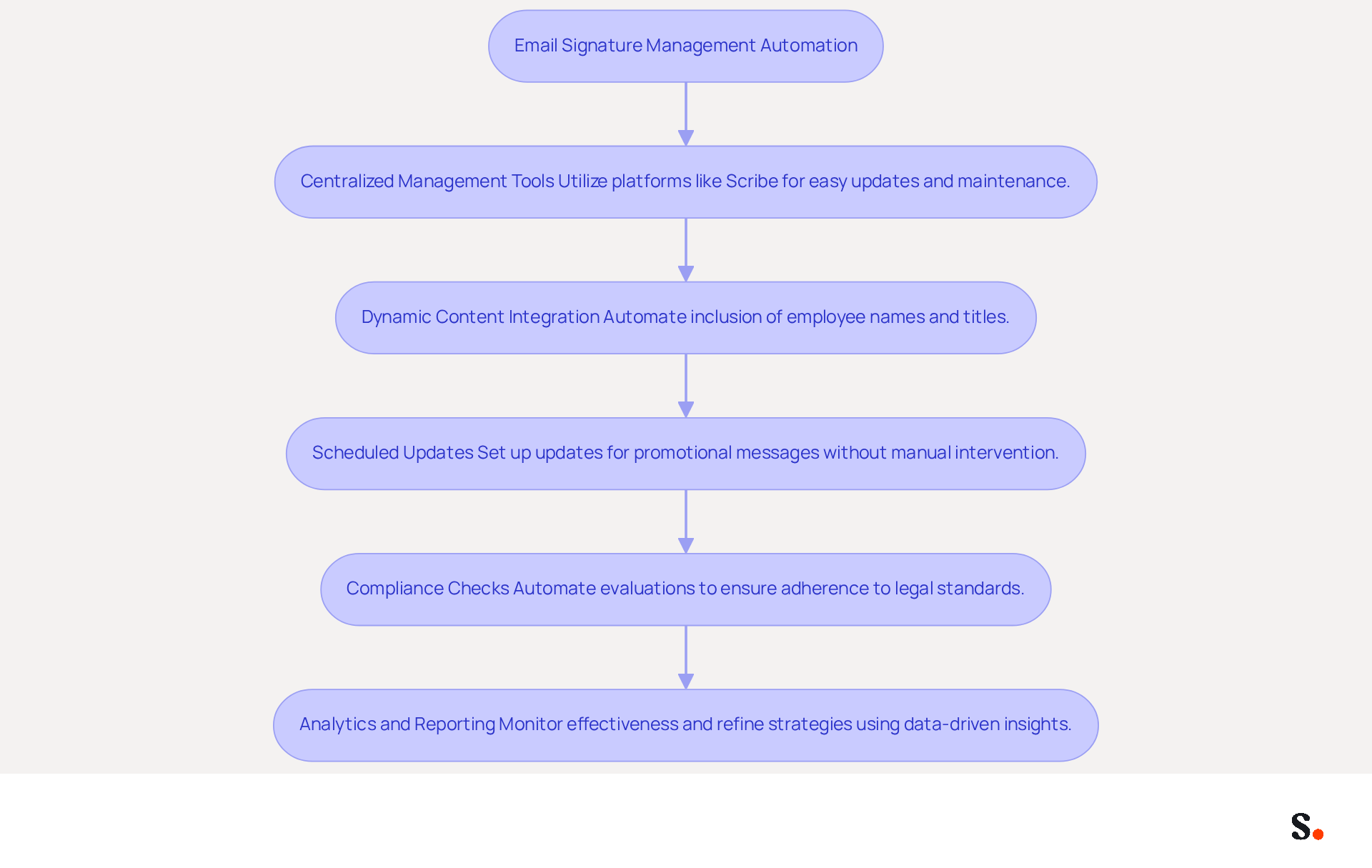
- Centralized Management Tools: Utilize platforms like Scribe to manage email identifiers across the organization, enabling easy updates and maintenance. This method allows for quick deployment of branding elements, often in less than 10 minutes, ensuring that all employees present a cohesive brand image.
- Dynamic Content Integration: Automate the inclusion of dynamic content, such as employee names and titles, to ensure that signatures are always current. This feature minimizes manual updates and reduces the risk of outdated information in customer communications.
- Scheduled Updates: Set up scheduled updates for promotional messages or banners to keep content fresh without manual intervention. This capability enables teams to run targeted campaigns independently, enhancing engagement without relying on IT support.
- Compliance Checks: Automate compliance evaluations to ensure that all approvals adhere to legal and branding standards. This is crucial for risk management, as automated systems can enforce legal disclaimers and standardize messaging across departments, reducing the likelihood of compliance failures.
- Analytics and Reporting: Utilize analytics tools to monitor the effectiveness of digital identifiers as promotional tools, allowing for data-driven adjustments. Advanced analytics features offer insights into engagement metrics, assisting in refining strategies and demonstrating the ROI of campaigns involving digital signatures.
By implementing automation, organizations can streamline their processes and enhance brand consistency. Organizations that embrace automation not only enhance their brand image but also unlock the potential of email signatures as a strategic marketing tool.
Conclusion
An effective email signature is crucial for establishing a professional image and enhancing brand recognition. Incorporating essential elements like full names, job titles, company logos, and contact information allows organizations to create a polished and effective signature that enhances credibility and fosters connections. However, many organizations struggle to maintain consistent branding across their email signatures. Consistent branding through the use of colors, fonts, and standardized layouts not only reinforces corporate identity but also significantly improves professionalism and engagement rates.
The article highlights several best practices for leveraging email signatures as powerful marketing tools. By integrating clear call-to-action buttons, promoting events, and utilizing visually appealing banners, businesses can transform routine emails into effective marketing channels. Automation plays a crucial role in this process, allowing for centralized management and dynamic content integration, which ensures that signatures remain current and compliant without burdening IT teams. This shift can result in a more cohesive brand presence and increased customer interaction.
When organizations adopt these best practices, they often see better brand consistency, increased engagement, and a clear return on investment. Organizations that embrace the strategic potential of email signatures, particularly through tools like Scribe, can enhance their communication efforts and drive business growth. By refining their email signature strategies, organizations can not only strengthen their brand identity but also create lasting connections with their audience.
Frequently Asked Questions
What are the essential components of an email signature?
The essential components of an email signature include the sender's full name, job title, company name and logo, contact information, social media links, and legal disclaimers.
Why is it important to include a full name in an email signature?
Including a full name fosters a personal connection with recipients, making the communication feel more direct and personal.
How does a job title in an email signature enhance communication?
A job title provides context about the sender's role within the organization, which enhances credibility and helps recipients understand the sender's position.
What role does the company name and logo play in an email signature?
The company name and logo reinforce brand identity, helping recipients recognize the organization and its values.
Why is contact information crucial in an email signature?
Clear contact information, such as a phone number and address, facilitates easy communication, ensuring recipients can connect with the sender without difficulty.
How can social media links in an email signature benefit the sender?
Links to professional social media profiles can enhance connectivity and engagement, allowing recipients to explore more about the sender's professional background.
Are legal disclaimers necessary in email signatures?
Yes, depending on the industry, including legal disclaimers may be necessary to comply with regulations and protect both the sender and the organization.
What impact can optimized contact information have on engagement?
Optimized contact information can significantly boost engagement; for example, organizations that refreshed their contact details with registration links experienced a 180% rise in webinar signups.
How does maintaining a uniform email signature template benefit teams?
A uniform template can result in an 85% improvement in consistency across teams, emphasizing the importance of these elements in professional communications.
How does Scribe assist with email signature management?
Scribe allows users to automatically sync messaging identifiers with their business phone system, ensuring that all information stays current without requiring manual updates from teammates.
List of Sources
- Understand the Essential Components of Email Signatures
- Email Signature Best Practices - NEWOLDSTAMP (https://newoldstamp.com/blog/email-signature-best-practices)
- Email Signature Best Practices for 2026 (+ 15 Pro Examples) (https://wavecnct.com/blogs/email-signature-best-practices-2026)
- Best practices for business email signatures in 2026 (https://bybrand.io/blog/best-practices)
- The Importance Of A Business Email Signature | Wessex IT (https://wessexit.com/business-email-signature)
- Implement Consistent Branding in Email Signatures
- Why Are Email Signatures Key to Brand Awareness? | QuickMail (https://quickmail.com/role-of-email-signatures-in-brand-awareness)
- The impact of email signatures on your branding (https://signitic.com/en/resources/the-impact-of-email-signatures-on-your-branding)
- Why Email Signatures Must Be In Your 2026 Marketing Plan | Rocketseed (https://rocketseed.com/blog/what-are-the-biggest-email-trends-for-2026)
- Research Recap: Branded Email Signatures Increase Company Recognition, Trust - Demand Gen Report (https://demandgenreport.com/industry-news/research-recap-branded-email-signatures-increase-company-recognition-trust/47252)
- Leverage Email Signatures as Marketing Tools
- Why Email Signatures Must Be In Your 2026 Marketing Plan | Rocketseed (https://rocketseed.com/blog/2026-marketing-plan-email-signatures)
- 38 Call to Action Statistics to Boost Conversions in 2026 (https://wiserreview.com/blog/call-to-action-statistics)
- 10 ideas for marketing campaigns in email signatures (https://signitic.com/en/resources/10-ideas-for-marketing-campaigns-in-email-signatures)
- 4 Best Practices for Your Outlook Signature Line in Marketing (https://scribe-mail.com/en-US/blog/4-best-practices-for-your-outlook-signature-line-in-marketing)
- What is email signature marketing? Complete B2B definition (2026) (https://signitic.com/en/resources/what-is-email-signature-marketing-a-complete-definition-for-b2b-teams)
- Utilize Automation for Efficient Email Signature Management
- Best Email Signature Management Software: Top 12 Tools (2026)
- NEWOLDSTAMP (https://newoldstamp.com/blog/email-signature-software)
- Top 10 Email Signature Management Tools in 2026 (Compared) (https://mailbutler.io/blog/email/email-signature-management-tools)
- Compare 5 Software for Email Signature: Features and Benefits for Marketers (https://scribe-mail.com/en-US/blog/compare-5-software-for-email-signature-features-and-benefits-for-marketers)
- How to Automate Email Signature Updates | Exclaimer (https://exclaimer.com/email-signature-handbook/automate-email-signature-updates)
Get started with Scribe
Build a professional email signature
Free 14-day trial — no credit card.