4 Best Practices for Optimizing Signature Employee Login Experiences
Creating an effective employee login experience is essential for organizations seeking to boost productivity and enhance security measures. By implementing
Sophie Grant
Email Signature Specialist, Scribe
Introduction
Creating an effective employee login experience is essential for organizations seeking to boost productivity and enhance security measures. By implementing best practices in user-friendly interface design, automated management systems, and robust security measures, companies can significantly improve how employees interact with login processes. Organizations often struggle to provide seamless access while adhering to strict security protocols and compliance standards. This article explores four essential practices that not only streamline login experiences but also fortify organizational security and compliance. Neglecting these practices may expose organizations to security vulnerabilities and compliance issues that can hinder operational efficiency.
Design User-Friendly Login Interfaces
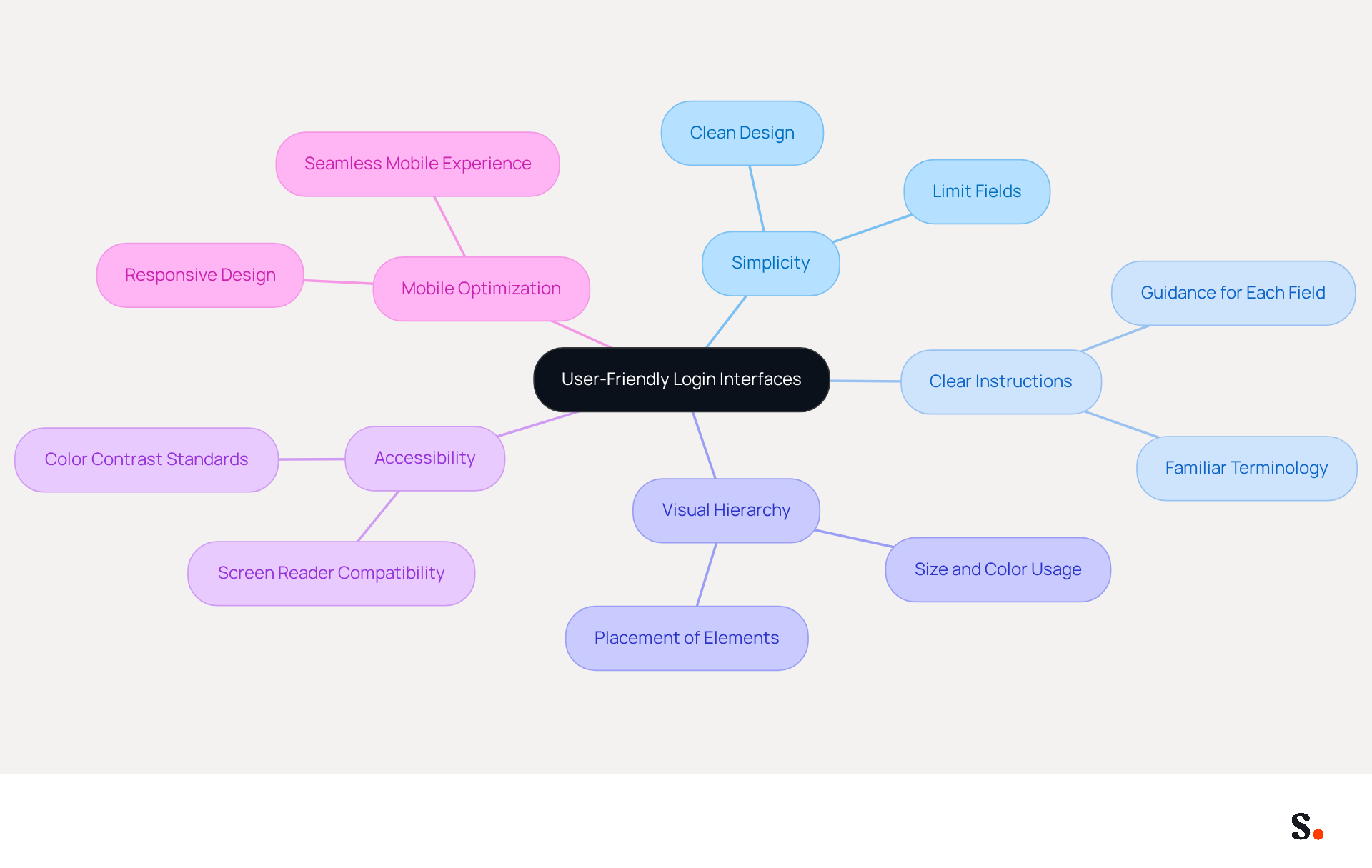
Designing a user-friendly login interface requires adherence to several fundamental principles:
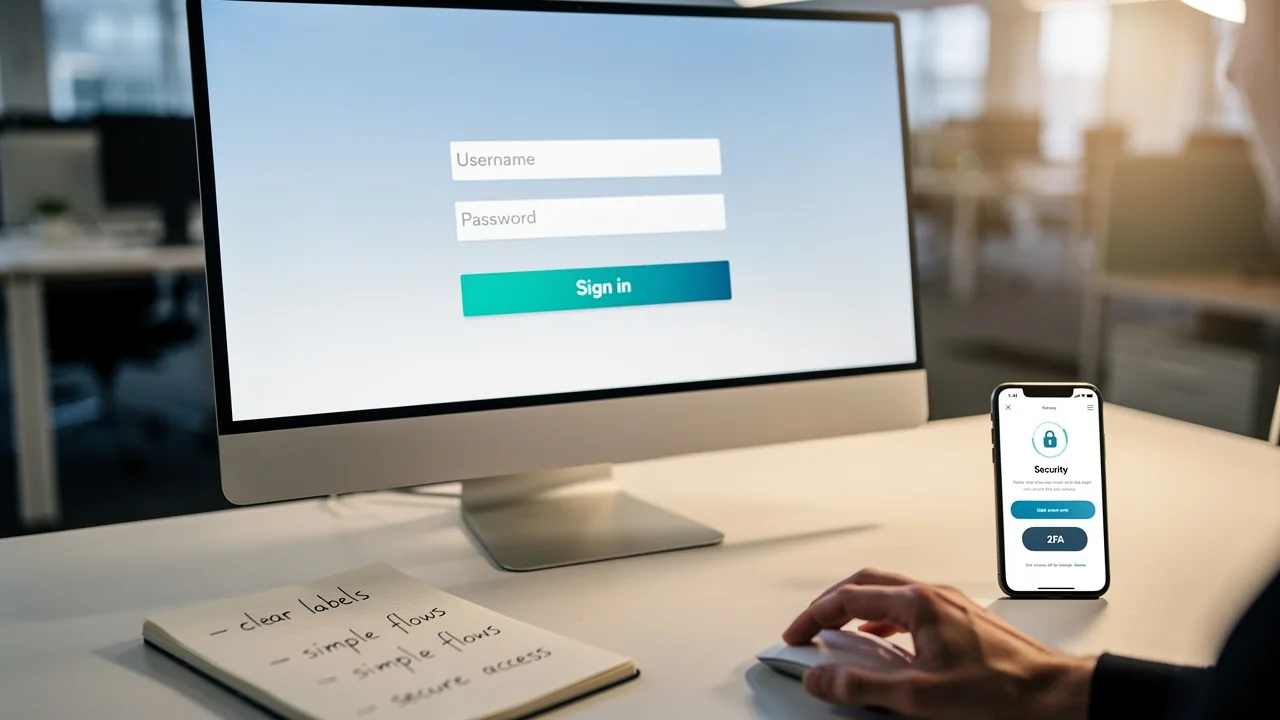
- Simplicity: Maintain a clean and straightforward design by limiting fields to essentials like username and password. Avoid cluttering the page with unnecessary information or graphics, as simplicity enhances focus and reduces confusion.
- Clear Instructions: Provide clear labels and guidance for each field, using familiar terminology to assist individuals through the access process. Clear communication is crucial; 75% of individuals judge a company's credibility based on its website design (Source: Unknown).
- Visual Hierarchy: Utilize size, color, and placement to create a visual hierarchy that directs individuals' attention to the most important elements, such as the sign-in button. A well-structured layout can significantly enhance engagement. In fact, sites that load slowly can see bounce rates increase by 39% (Source: Portent).
- Accessibility: Ensure that the sign-in interface is open to all individuals, including those with disabilities. This includes using screen reader-friendly designs and ensuring color contrast meets accessibility standards. With 1.3 billion people worldwide living with disabilities, inclusive design is not just a regulatory requirement but a business imperative (Source: Unknown).
- Mobile Optimization: With 67% of mobile consumers more likely to purchase from mobile-friendly sites, ensure that the access interface is responsive and operates effectively on various screen sizes. Without proper mobile optimization, potential customers may abandon their purchases, emphasizing the need for a seamless mobile experience (Source: Unknown).
Applying these principles helps organizations create a smoother access experience, reducing frustration and boosting satisfaction, which leads to better productivity and retention. Ultimately, prioritizing these principles can transform user experiences and drive business success.
Implement Automated Login Management Systems
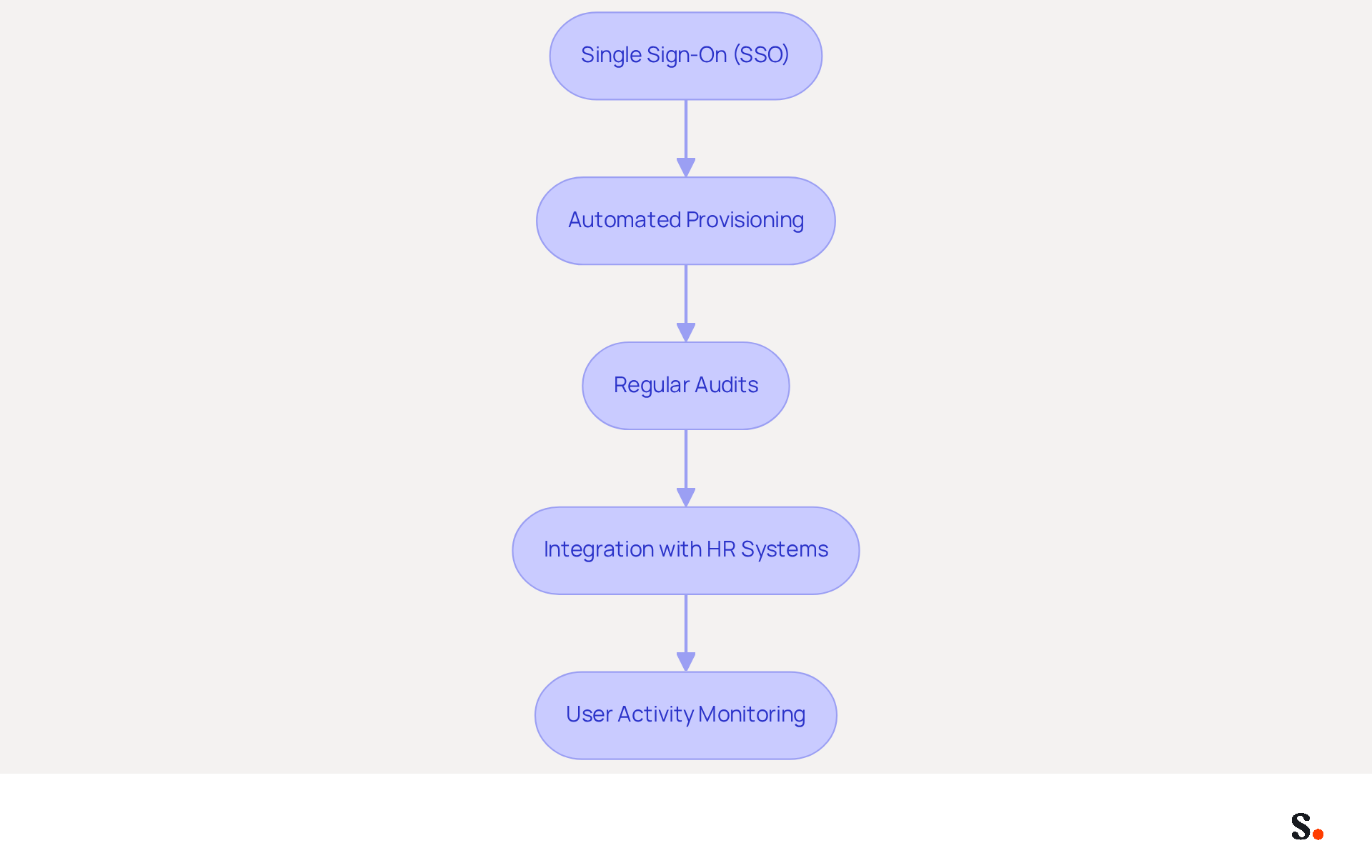
Automated login management systems are essential for enhancing both efficiency and security in user login processes. Here are key practices to consider:
- Single Sign-On (SSO): Implement SSO solutions that allow employees to access multiple applications with one set of credentials. This approach reduces password fatigue and enhances security by limiting the number of passwords users need to remember. SSO not only simplifies the login experience but also reduces the chances of credential theft, as individuals are less likely to reuse passwords across different platforms.
- Automated Provisioning: Utilize automated account provisioning to streamline the onboarding process. This ensures that new employees have immediate access to necessary systems and applications without manual intervention, thereby enhancing productivity from day one.
- Regular Audits: Schedule regular audits of access and permissions to ensure compliance and security. With automated systems, tracking changes and alerting administrators to anomalies becomes much easier, helping to keep the environment secure.
- Integration with HR Systems: Connect access management with HR systems to automatically refresh account permissions based on role changes. This ensures that employees only have access to the information they need, reducing the risk of unauthorized access to sensitive data.
- User Activity Monitoring: Implement monitoring tools that track user actions and access attempts. Without proper monitoring, organizations may struggle to identify potential threats and enforce compliance with policies. Ongoing observation enables organizations to react quickly to unusual access patterns, improving overall protection.
Ultimately, the adoption of these automated practices can transform how organizations manage user access, leading to a more secure and efficient operational environment.
Ensure Security and Compliance in Login Processes
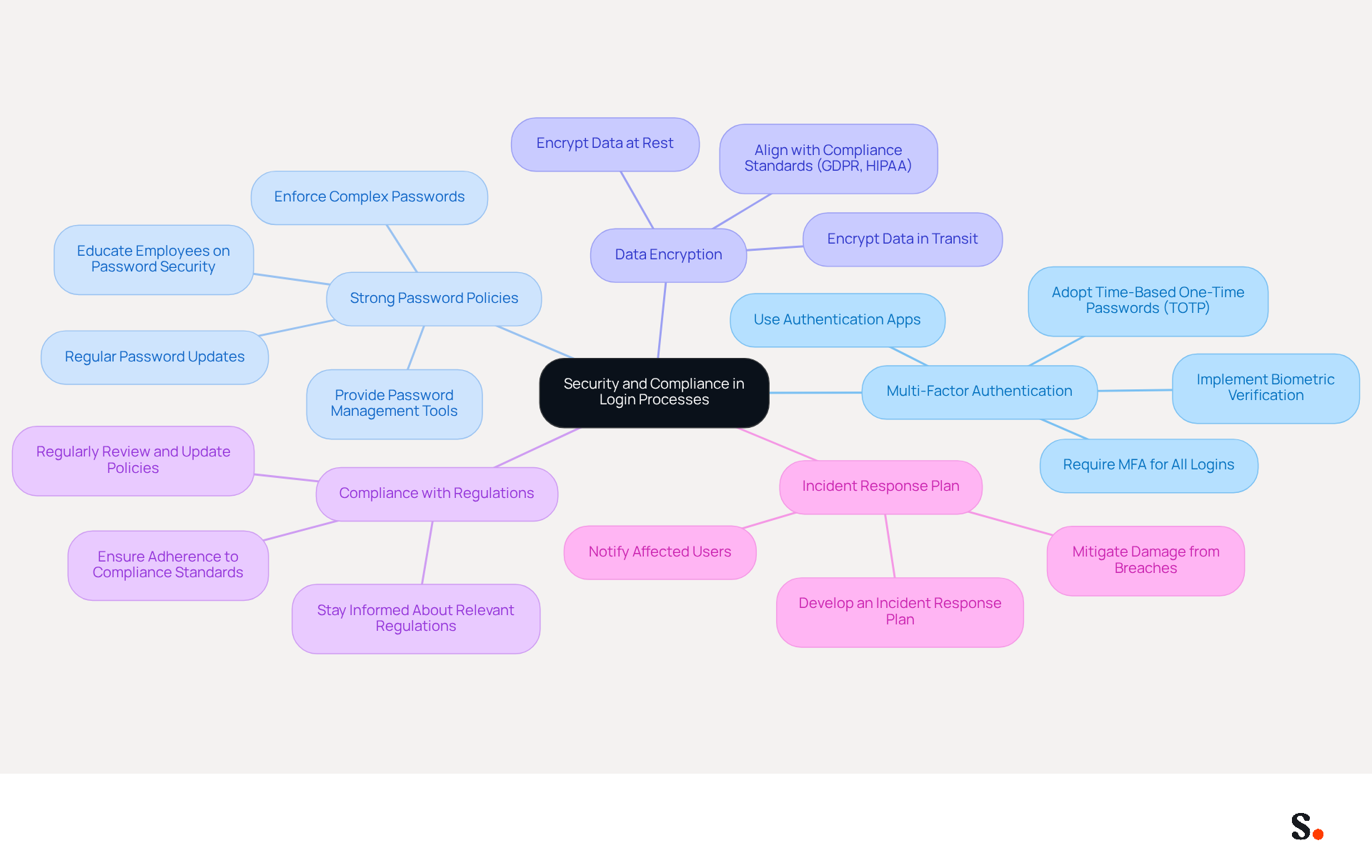
To protect sensitive information and ensure compliance with regulations, organizations must adopt comprehensive security measures in their login processes:
- Multi-Factor Authentication (MFA): Require MFA for all logins to add an additional layer of protection. This may involve using authentication apps, biometric verification, or time-based one-time passwords (TOTP), which offer greater security than SMS codes, known for their interception risks.
- Strong Password Policies: Enforce strong password policies that require complex passwords and regular updates. Educate employees on the importance of password security and provide tools for password management, since compromised credentials account for a significant portion of security breaches.
- Data Encryption: Ensure that all access data is encrypted both in transit and at rest. This protects sensitive information from unauthorized access, aligning with compliance standards such as GDPR and HIPAA, which emphasize the need for secure data handling practices.
- Compliance with Regulations: Stay informed about relevant regulations (e.g., GDPR, HIPAA) and ensure that the signature employee login processes adhere to these standards. Regularly review and update policies to reflect changes in legislation, as non-compliance can lead to significant penalties.
- Incident Response Plan: Develop and maintain an incident response plan to address potential breaches. This should include procedures for notifying affected users and mitigating damage, ensuring that organizations can respond swiftly to incidents.
By implementing these measures, organizations not only protect their data but also reinforce their commitment to compliance and security.
Provide Training and Support for Employees
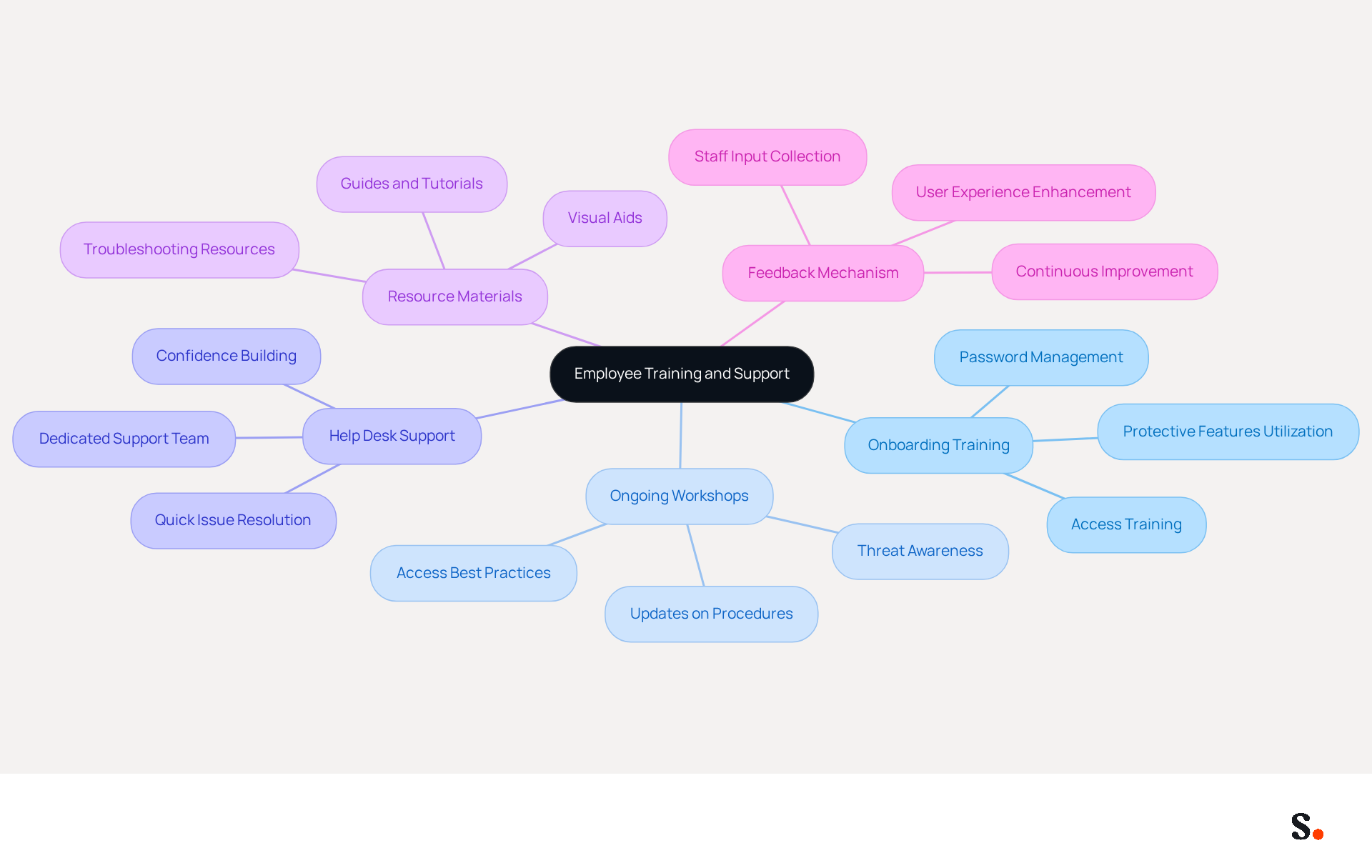
To navigate login processes effectively, organizations must prioritize comprehensive training and support for their employees:
- Onboarding Training: Incorporate access training into the onboarding process for new employees. This training should address how to access systems, reset passwords, and utilize protective features, ensuring that new hires are well-prepared from day one. Research shows that 82% of data breaches stem from human error, underscoring the need for effective training from day one.
- Ongoing Workshops: Provide regular workshops or refresher courses on access best practices and awareness of threats. This method keeps staff updated about any modifications to access procedures or protective measures, enhancing their knowledge and skills over time. Studies show that organizations that implement continuous training see significant reductions in security incidents.
- Help Desk Support: Establish a dedicated help desk or support team to assist staff with signature employee login issues. Data indicates that when support is readily available, staff are more likely to resolve login issues quickly, minimizing downtime. A well-supported environment fosters confidence among staff, enabling them to address issues promptly.
- Resource Materials: Provide easy-to-understand resource materials, such as guides or video tutorials, that staff can refer to when they encounter login challenges. The signature employee login provides resources that enable staff to troubleshoot issues independently, boosting their confidence. Effective training programs often include visual aids, which can improve retention and understanding of security practices.
- Feedback Mechanism: Implement a feedback mechanism to gather staff input on the login process. Utilizing this feedback to make continuous improvements can address pain points and enhance the overall user experience. Involving staff in this manner not only enhances processes but also cultivates a culture of awareness regarding safety.
This commitment to training not only reduces risks but also strengthens the organization's overall security framework.
Conclusion
A seamless employee login experience is vital for maximizing productivity and safeguarding sensitive information within organizations. Organizations can significantly improve their login processes by focusing on user-friendly interfaces and implementing automated login management systems. Additionally, ensuring robust security and compliance measures, along with providing comprehensive training and support, is essential.
Key strategies discussed include:
- The importance of simplicity and accessibility in login design
- The benefits of Single Sign-On (SSO) and automated provisioning for efficiency
- The necessity of multi-factor authentication and strong password policies for security
Ongoing training and support empower employees to navigate login systems confidently, reducing the likelihood of errors that could lead to security breaches.
By prioritizing these best practices, organizations can enhance operational efficiency while reinforcing their commitment to security and compliance. Organizations that adopt these strategies will create a seamless and secure login environment that supports their workforce and protects valuable data. Embracing these principles is essential for any organization looking to optimize its login processes and ensure a secure, user-friendly experience for all employees.
Frequently Asked Questions
What are the key principles for designing a user-friendly login interface?
The key principles include simplicity, clear instructions, visual hierarchy, accessibility, and mobile optimization.
Why is simplicity important in login interface design?
Simplicity enhances focus and reduces confusion by maintaining a clean design and limiting fields to essentials like username and password.
How can clear instructions improve the login process?
Clear labels and guidance for each field help users navigate the access process, as clear communication is crucial for establishing credibility.
What role does visual hierarchy play in a login interface?
Visual hierarchy directs attention to important elements, such as the sign-in button, using size, color, and placement to enhance engagement.
Why is accessibility important in login interface design?
Accessibility ensures that the interface is usable by all individuals, including those with disabilities, making inclusive design a business imperative.
How does mobile optimization affect user experience?
Mobile optimization ensures that the login interface is responsive and effective on various screen sizes, which is crucial as many consumers prefer mobile-friendly sites.
What are the benefits of applying these design principles?
Applying these principles creates a smoother access experience, reduces frustration, boosts satisfaction, and ultimately drives better productivity and retention.
List of Sources
- Design User-Friendly Login Interfaces
- Building Accessible Login Experiences | Access Armada (https://accessarmada.com/blog/building-accessible-login-experiences)
- Login Screen Features: Supporting Users with Disabilities (https://avatier.com/blog/login-screen-accessibility)
- 40+ Key UX Stats for 2026 (https://maze.co/blog/ux-statistics)
- 49 interesting web design statistics (https://contentsnare.com/web-design-statistics)
- Simple Steps to Enhance Accessibility in Your Website's Login Process - Accessibility.com (https://accessibility.com/blog/simple-steps-to-enhance-accessibility-in-your-websites-login-process)
- Implement Automated Login Management Systems
- The Benefits Of Single Sign-On | Cisco Duo (https://duo.com/learn/benefits-of-single-sign-on)
- Top 10 SSO Benefits for Business Security and Productivity | Ping Identity (https://pingidentity.com/en-us/docs/blogs/top-benefits-sso)
- The Advantages and Benefits of Single Sign-On (SSO) (https://okta.com/en-sg/blog/identity-security/benefits-of-single-sign-on)
- The Latest Advancements in Single Sign-On Technology | Applied Clinical Trials Online (https://appliedclinicaltrialsonline.com/view/latest-advancements-single-sign-on-technology)
- Ensure Security and Compliance in Login Processes
- Future of MFA: 10 Authentication Trends That Will Dominate 2026 (https://miniorange.com/blog/future-of-mfa)
- Multi-Factor Authentication: 2026 Guide to Stronger Security - Proximia (https://proximia.com/blog/multi-factor-authentication-2026-guide-to-stronger-security)
- Multi-Factor Authentication in 2026 (https://datatrends.net/mfa-in-2026)
- 10 Multi-factor Authentication Trends To Adopt in 2026 | OLOID (https://oloid.com/blog/future-trends-in-multi-factor-authentication-what-to-expect)
- Multi-Factor Authentication Statistics By Best Security (2026) (https://scoop.market.us/multi-factor-authentication-statistics)
- Provide Training and Support for Employees
- Importance of cybersecurity training for employees - Clover Blog (https://blog.clover.com/cybersecurity-training-for-employees)
- New Hire Integration: Start Here When Onboarding a New Employee (https://shrm.org/topics-tools/news/talent-acquisition/new-employee-onboarding-guide-talent-acquisition)
- 7 reasons why security awareness training is important in 2026 – CybSafe blog (https://cybsafe.com/blog/7-reasons-why-security-awareness-training-is-important)
- Why Cybersecurity Awareness Training Matters in 2026 (https://adaptivesecurity.com/blog/cybersecurity-awareness-training)
- 25+ Employee Onboarding Statistics and Trends for 2026 | Devlin Peck (https://devlinpeck.com/content/employee-onboarding-statistics)
Get started with Scribe
Build a professional email signature
Free 14-day trial — no credit card.