4 Best Practices for PA Student Email Signatures That Engage
For PA students, establishing a professional identity is essential in navigating their academic and career journeys, and email signatures play a pivotal role
Sophie Grant
Email Signature Specialist, Scribe
Introduction
For PA students, establishing a professional identity is essential in navigating their academic and career journeys, and email signatures play a pivotal role in this process. By adhering to best practices in email signature design, students can enhance their communication effectiveness and project a consistent brand image that resonates with peers and potential employers alike.
What strategies can PA students use to balance professionalism and personalization in their signatures?
Get started with Scribe
Manage signatures across your whole team
Free 14-day trial — no credit card.
Establish Brand Consistency in Email Signatures
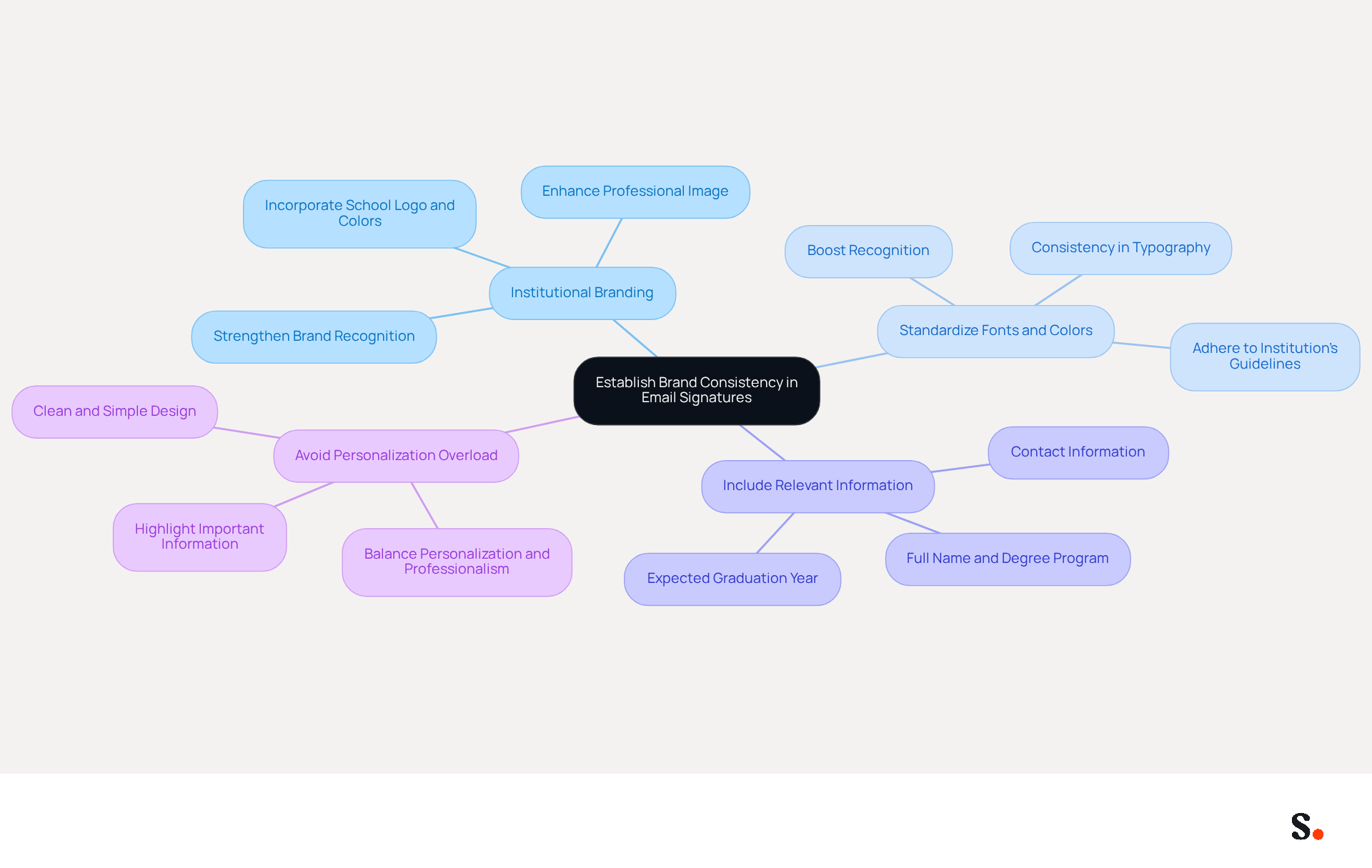
To ensure effective communication and brand consistency, PA students must adhere to specific best practices in their email signatures:
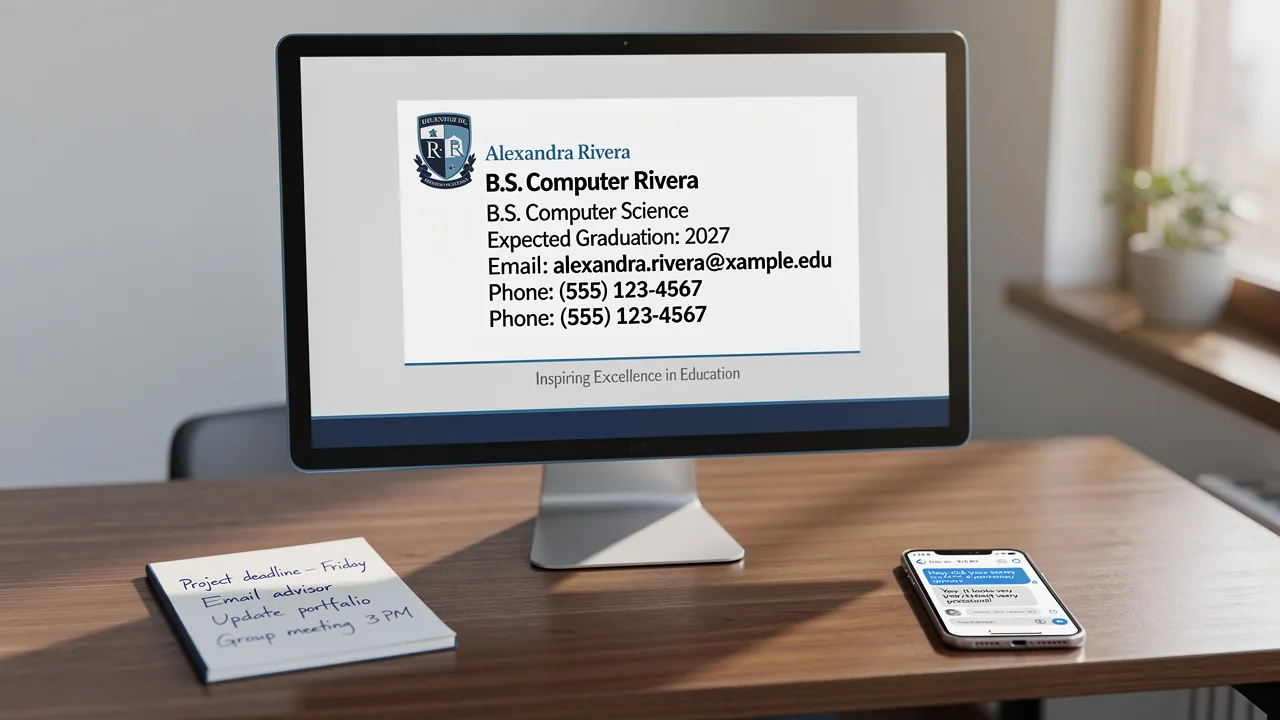
- Use Institutional Branding: Incorporate your school’s logo and colors into your email footer. Aligning with your institution's branding enhances your professional image and strengthens brand recognition.
- Standardize Fonts and Colors: Select fonts and colors that adhere to your institution’s guidelines. Consistency in typography and color schemes is vital for establishing a unified appearance across all materials. Research shows that consistent branding can boost recognition significantly.
- Include Relevant Information: Ensure that your identification includes essential details such as your full name, degree program, expected graduation year, and contact information. This clarity not only boosts your professionalism but also makes it easier for recipients to recognize who you are.
- Avoid Personalization Overload: While personalization can enhance engagement, excessive elements may detract from a professional appearance. However, achieving a balance between personalization and professionalism can be challenging. Aim for a clean and simple design that reflects your academic identity, ensuring that the most important information stands out.
By implementing these practices, PA students can significantly improve their professional image and communication effectiveness, particularly by using a well-crafted PA student email signature that fosters professionalism and trustworthiness in their communications.
Design Professional Email Signatures with Key Elements
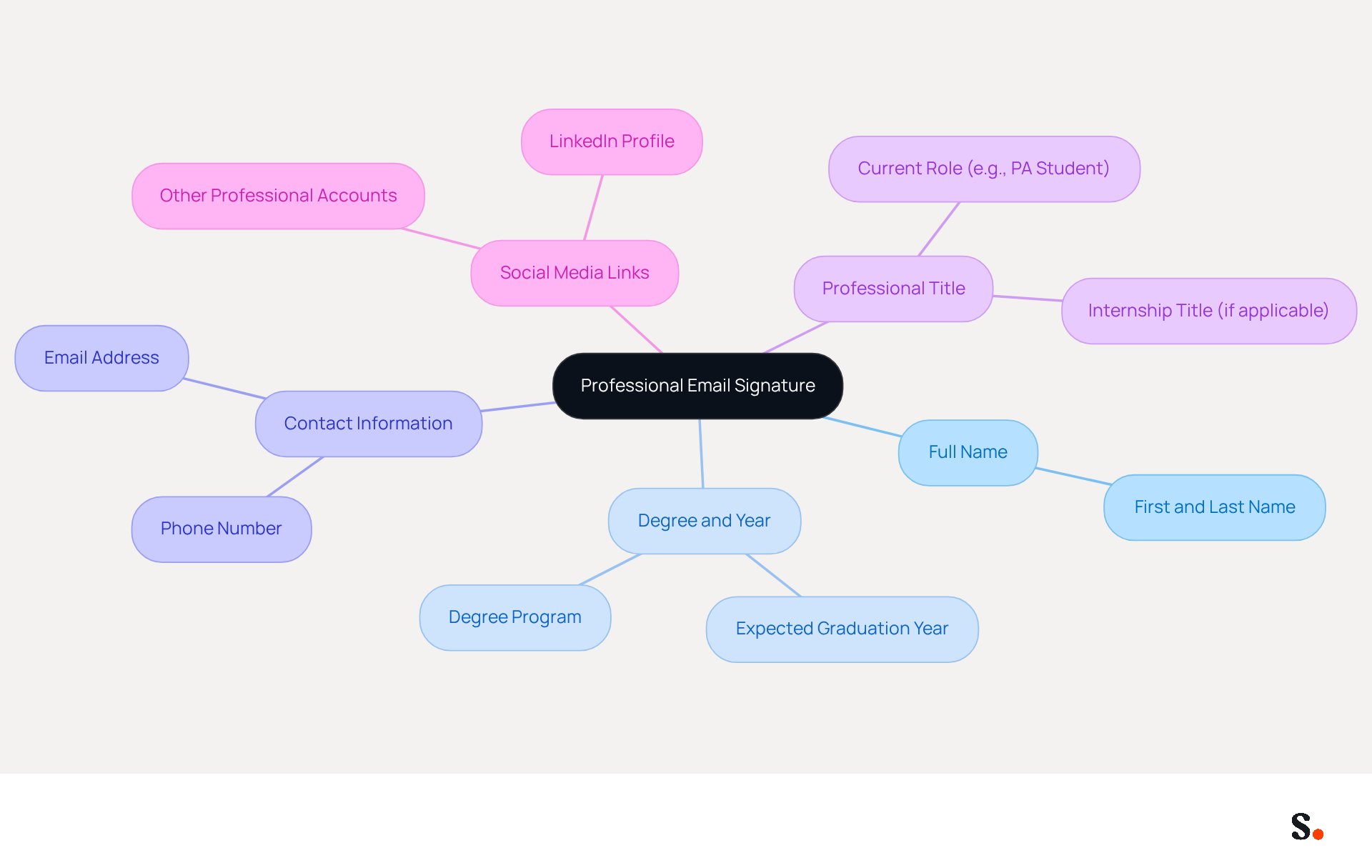
Creating a professional PA student email signature is crucial for PA students to establish their identity and credibility. To achieve this, students should include the following key elements:
- Full Name: Clearly state your first and last name to ensure recipients know who they are communicating with. This is the most fundamental yet essential component of any signature.
- Degree and Year: Include your degree program and expected graduation year. This information helps recipients understand your academic status and qualifications.
- Contact Information: Provide your phone number and contact address. This makes it easy for potential employers or colleagues to reach you directly.
- Professional Title: If applicable, include a title that reflects your current role or status, such as "PA Student" or "Intern at [Institution Name]." This adds context to your communications.
- Social Media Links: If relevant, include links to professional social media profiles, such as LinkedIn. This allows recipients to learn more about your professional background and network.
A well-crafted PA student email signature not only reflects professionalism but also enhances the effectiveness of communication.
Utilize Automation Tools for Efficient Signature Management
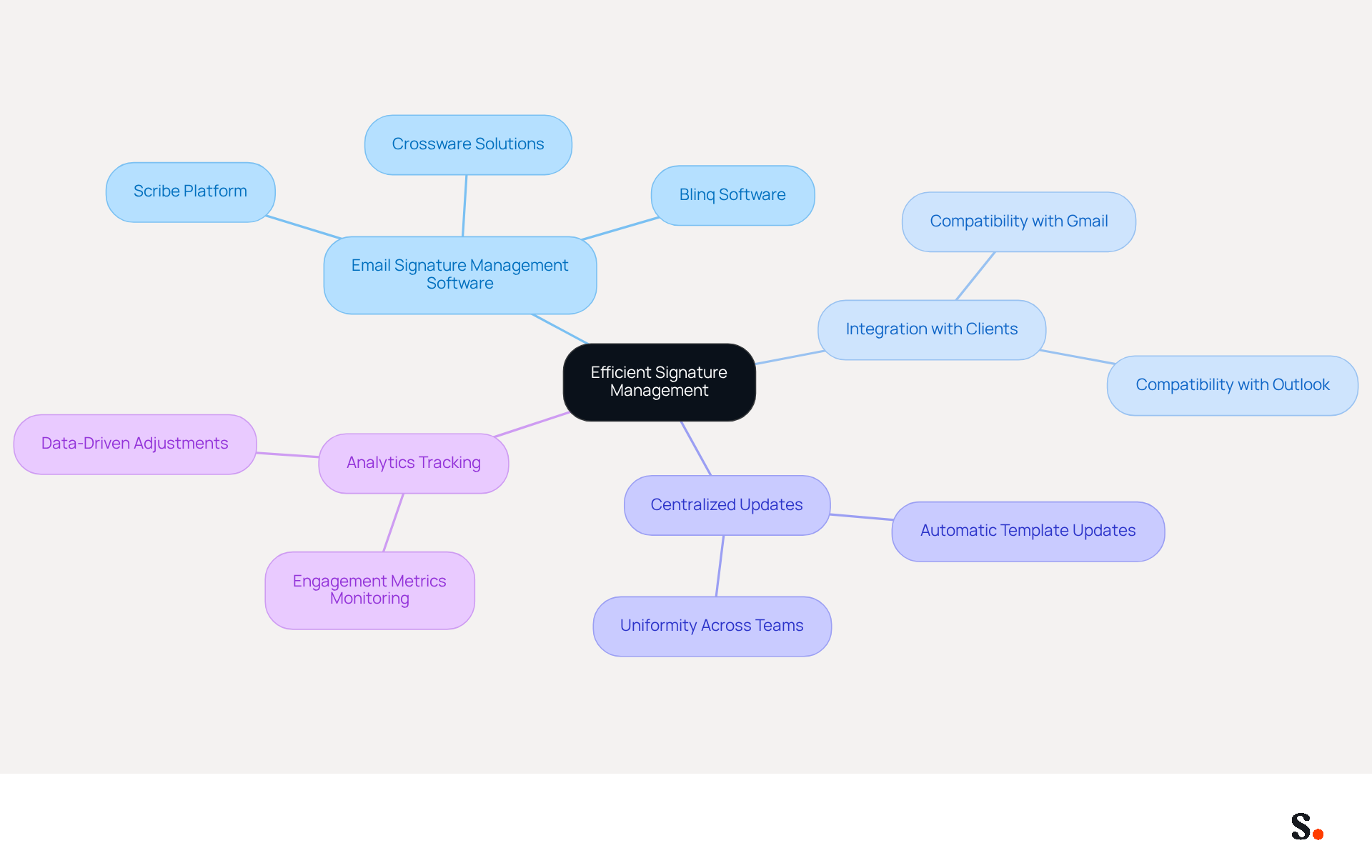
To maintain professionalism in email communications, PA students should leverage automation tools that simplify signature management:
- Email Signature Management Software: Platforms such as Scribe allow users to create, manage, and update signatures across multiple accounts effortlessly. This ensures that all signatures are consistent and up-to-date, addressing the common issue faced by 70% of businesses with discrepancies in their digital identifiers.
- Integration with Clients: Choose tools that integrate seamlessly with popular clients like Gmail or Outlook. This integration streamlines the process of applying signatures to outgoing messages, improving clarity and reducing errors in communication.
- Centralized Updates: Utilize tools that allow for centralized updates, meaning that when changes are made to the template, they automatically apply to all users. This feature is especially advantageous for maintaining uniformity across group interactions, ensuring that every message sent reinforces the brand identity.
- Analytics Tracking: Some automation tools provide analytics features that monitor engagement metrics related to digital branding. This capability offers insights into how effective your signature is in driving responses or engagement, allowing for data-driven adjustments to enhance communication effectiveness.
Using these automation tools helps PA learners save time while ensuring their PA student email signature remains professional and consistent. This not only enhances their communication but also establishes their credibility in the professional realm.
Incorporate Calls-to-Action and Personalization for Engagement
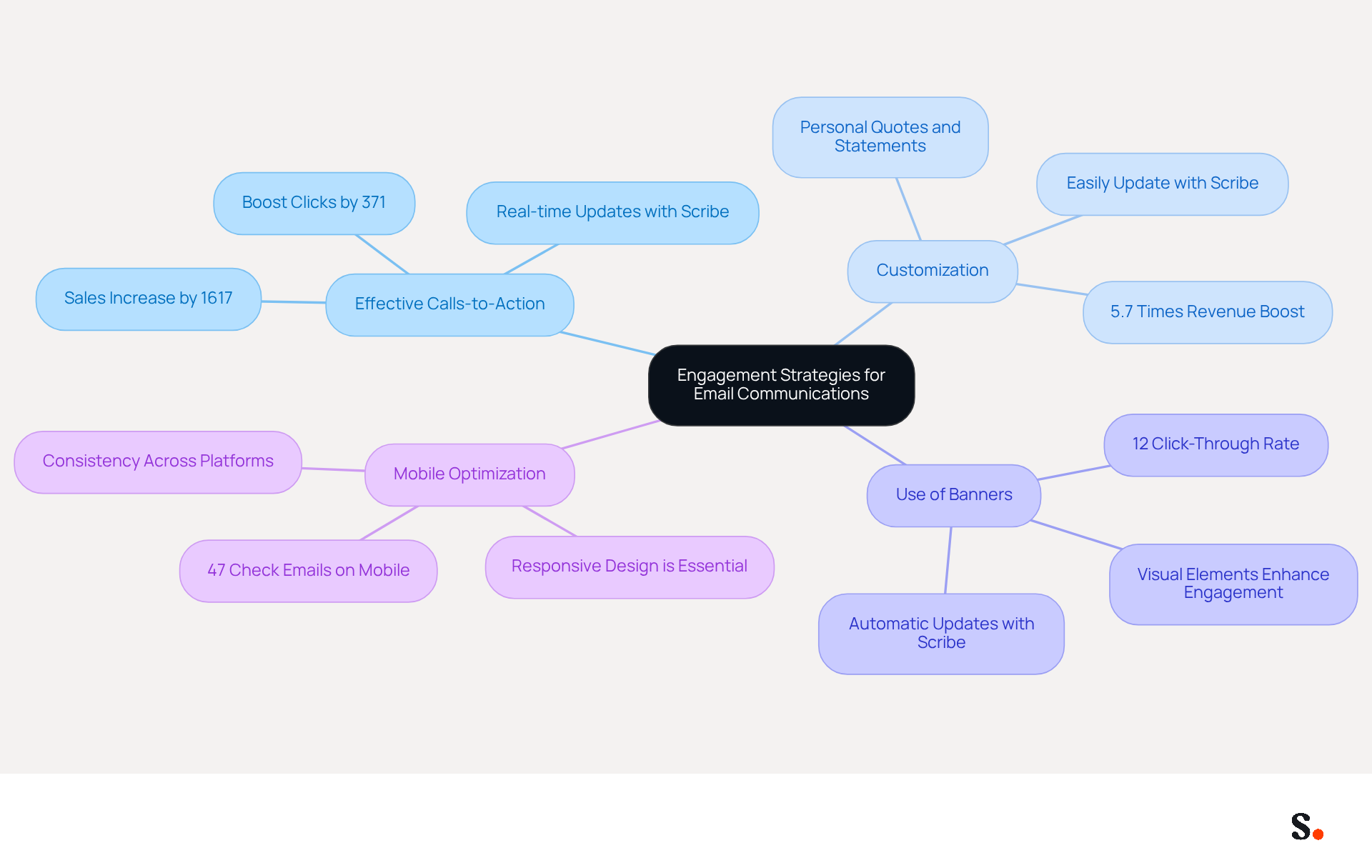
To enhance engagement in email communications, PA students must adopt effective strategies that resonate with their audience:
- Effective Calls-to-Action: Including a clear and concise CTA in your signature, such as 'Schedule a meeting' or 'Visit my LinkedIn profile,' encourages recipients to take action. Research shows that including a CTA can boost clicks by 371% and sales by 1617%, demonstrating the effectiveness of strategic CTAs. Additionally, with Scribe's automated synchronization with Aircall, any updates to your CTA will be reflected in real-time, ensuring consistency across all communications.
- Customization: However, many professionals struggle to find the right words to express their individuality, such as a meaningful quote or a brief statement about their career aspirations. Customized messages can boost revenue by as much as 5.7 times, showing how distinct sign-offs can significantly enhance engagement. With Scribe, you can easily update these personal touches, keeping them fresh and relevant.
- Use of Banners: Incorporating a promotional banner into your email can attract attention to a project or event you’re involved in. Emails with a banner achieved a click-through rate of 12%, showcasing how visual elements can enhance engagement and provide additional context about your professional activities. With Scribe's integration, these banners can be updated automatically, maintaining brand consistency.
- Mobile Optimization: Ensure that your identifier is mobile-friendly, as many recipients view messages on their phones. With 47% of consumers checking their messages on mobile devices, a responsive design is essential for maintaining professionalism and ensuring that your branding appears well on all devices. Scribe's automated synchronization ensures that any changes made are reflected across all platforms, enhancing the mobile experience.
By implementing these strategies, a PA student email signature can be transformed into a powerful tool for engagement and connection.
Conclusion
For PA students, a professional email signature is not just an accessory; it is a vital tool for effective communication and branding. By adhering to best practices such as:
- Maintaining brand consistency
- Incorporating key elements
- Utilizing automation tools
- Integrating effective calls-to-action
students can enhance their professional presence. A well-crafted email signature reflects who you are and builds trust with your recipients.
This article highlighted key strategies that can help students enhance their email signatures, including:
- The importance of institutional branding
- Standardizing fonts and colors
- Including relevant personal information
Automation tools like Scribe play a crucial role in ensuring that email signatures remain consistent and up-to-date, addressing common challenges faced by many organizations. Additionally, incorporating clear calls-to-action and personalization can dramatically enhance engagement, making communications more effective.
Many PA students find it challenging to create email signatures that effectively represent their brand. The significance of a polished email signature cannot be overstated. Students are encouraged to leverage these best practices and tools to create impactful signatures that not only represent their personal brand but also contribute to their overall professional success. Ultimately, neglecting to craft a thoughtful email signature could mean missing out on valuable opportunities in their professional journey.
Frequently Asked Questions
What is the importance of brand consistency in email signatures for PA students?
Brand consistency in email signatures enhances professional image and strengthens brand recognition, ensuring effective communication.
How can PA students incorporate institutional branding in their email signatures?
PA students should include their school’s logo and colors in their email footer to align with their institution's branding.
What should PA students consider when selecting fonts and colors for their email signatures?
Students should choose fonts and colors that adhere to their institution’s guidelines to maintain a unified appearance across all materials.
What essential information should be included in a PA student's email signature?
A PA student's email signature should include their full name, degree program, expected graduation year, and contact information for clarity and professionalism.
Why is it important to avoid excessive personalization in email signatures?
While personalization can enhance engagement, excessive elements may detract from a professional appearance. A clean and simple design is recommended to reflect academic identity.
How can a well-crafted email signature improve communication effectiveness for PA students?
A well-crafted email signature fosters professionalism and trustworthiness in communications, making it easier for recipients to recognize the sender.
List of Sources
- Establish Brand Consistency in Email Signatures
- Email Signature Branding: Consistency and Impact | Crossware365 (https://crossware365.com/blog/mastering-email-signature-branding-market-presence)
- Email Signature Best Practices Guide With Examples - MailerLite (https://mailerlite.com/blog/email-signature-best-practices)
- Design Professional Email Signatures with Key Elements
- How to create the perfect college student email signature (with examples) — Stripo.email (https://stripo.email/blog/how-to-create-the-perfect-college-student-email-signature)
- Email Signature for Students: Professional Templates for Internships & Networking (https://syncsignature.com/blog/email-signature-for-students)
- 40+ Email Signature Statistics for 2026 (Data + Insights) (https://wavecnct.com/blogs/email-signature-statistics)
- Best Email Signatures for Students: Key Practices for Success (https://scribe-mail.com/en-US/blog/best-email-signatures-for-students-key-practices-for-success)
- Email Signatures For University, College And School Students - NEWOLDSTAMP (https://newoldstamp.com/blog/email-signatures-for-university-college-and-school-students)
- Utilize Automation Tools for Efficient Signature Management
- Why Automated Email Signatures Are a Smart Move for Your Business (https://aabyss.uk/blog/why-automated-email-signatures-are-a-smart-move-for-your-business)
- Why you should be using an email signature manager (https://blinq.me/blog/why-you-should-be-using-an-email-signature-manager)
- Maximizing Efficiency with Automated Email Signatures for Internal and External Communications | Crossware365 (https://crossware365.com/blog/maximizing-efficiency-with-automated-email-signatures-for-internal-and-external-communications)
- Automating Email Signatures: How IT Teams Streamline Processes & Reduce Risk (https://exclaimer.com/blog/streamlining-it-processes-automated-email-signatures)
- 4 Best Practices for Effective Reply Email Signatures (https://scribe-mail.com/en-US/blog/4-best-practices-for-effective-reply-email-signatures)
- Incorporate Calls-to-Action and Personalization for Engagement
- The Ultimate Guide to Email Signature Call-to-Action - NEWOLDSTAMP (https://newoldstamp.com/blog/the-ultimate-guide-to-email-signature-call-to-action)
- Marketer’s guide to email personalization best practices for 2024 (https://insiderone.com/email-personalization)
- Why and how to add an effective CTA to your email signature? (https://signitic.com/en/resources/why-and-how-to-add-an-effective-cta-to-your-email-signature)
- An Expert Guide to Email Personalization [2024] (https://ama.org/marketing-news/email-personalization-strategies)
Get started with Scribe
Manage signatures across your whole team
Free 14-day trial — no credit card.