4 Best Practices for Using Outlook Signature Graphics Effectively
An effective email signature is essential for brand representation in digital communications. By leveraging graphics strategically, organizations can enhance
Sophie Grant
Email Signature Specialist, Scribe

Introduction
An effective email signature is essential for brand representation in digital communications. By leveraging graphics strategically, organizations can enhance their professional image while reinforcing brand identity. Yet, many businesses find it challenging to balance aesthetics with functionality in their email signatures.
This article will explore best practices for effectively utilizing Outlook signature graphics. It will provide insights into:
- Design consistency
- Marketing opportunities
- The importance of automation in maintaining brand integrity
Design On-Brand Email Signatures for Consistency
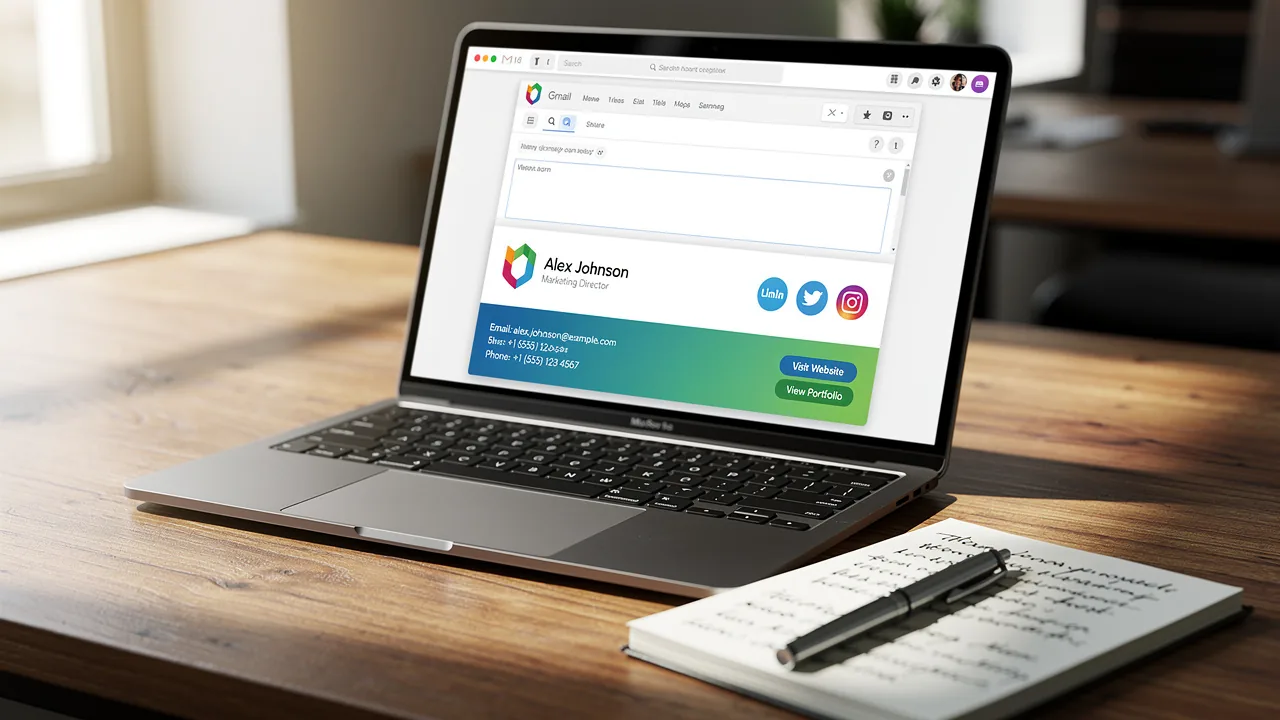
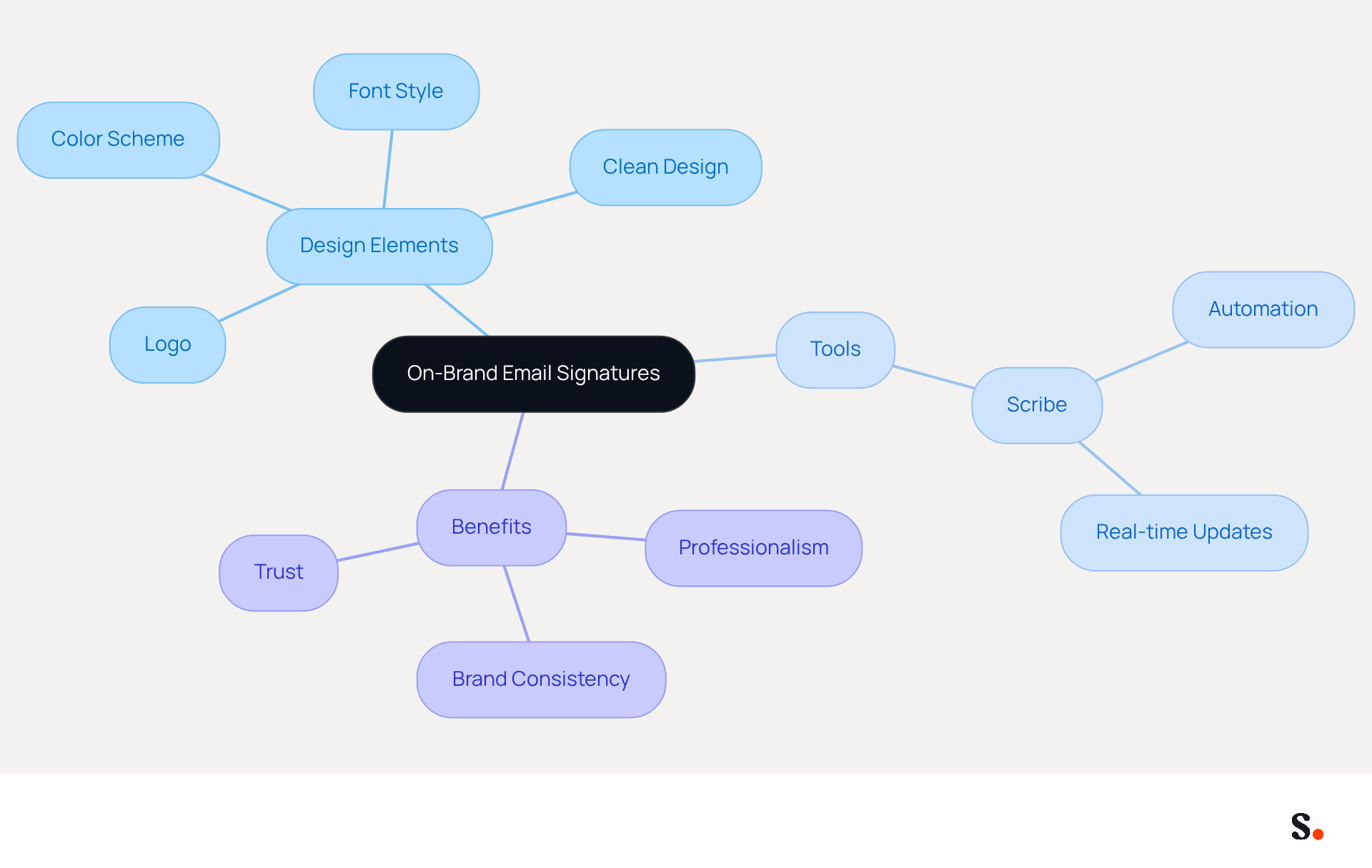
To effectively represent your brand in electronic communications, it is essential to incorporate key design elements that reflect your identity. Begin by integrating your company's logo and color scheme, ensuring that the font style aligns with your organization's typography. For instance, if your company utilizes a contemporary sans-serif typeface, your correspondence should reflect that. Additionally, keep the design clean and uncluttered, focusing on essential information such as your name, title, and contact details.
An Outlook signature graphics is essential as it not only conveys professionalism but also reinforces your brand identity with every message. Using tools like Scribe can help you automate the creation of on-brand templates, making it easier for your team to maintain consistency in their outlook signature graphics.
With Scribe, any modifications made in your Aircall configuration will automatically sync with your correspondence identifiers, providing seamless integration and real-time updates. This automated management saves time and keeps your approvals current and compliant with SOC 2 Type II standards, safeguarding your data while enhancing brand consistency. This approach not only enhances your brand's professionalism but also fosters trust and reliability in your communications.
Leverage Email Signatures as Marketing Tools
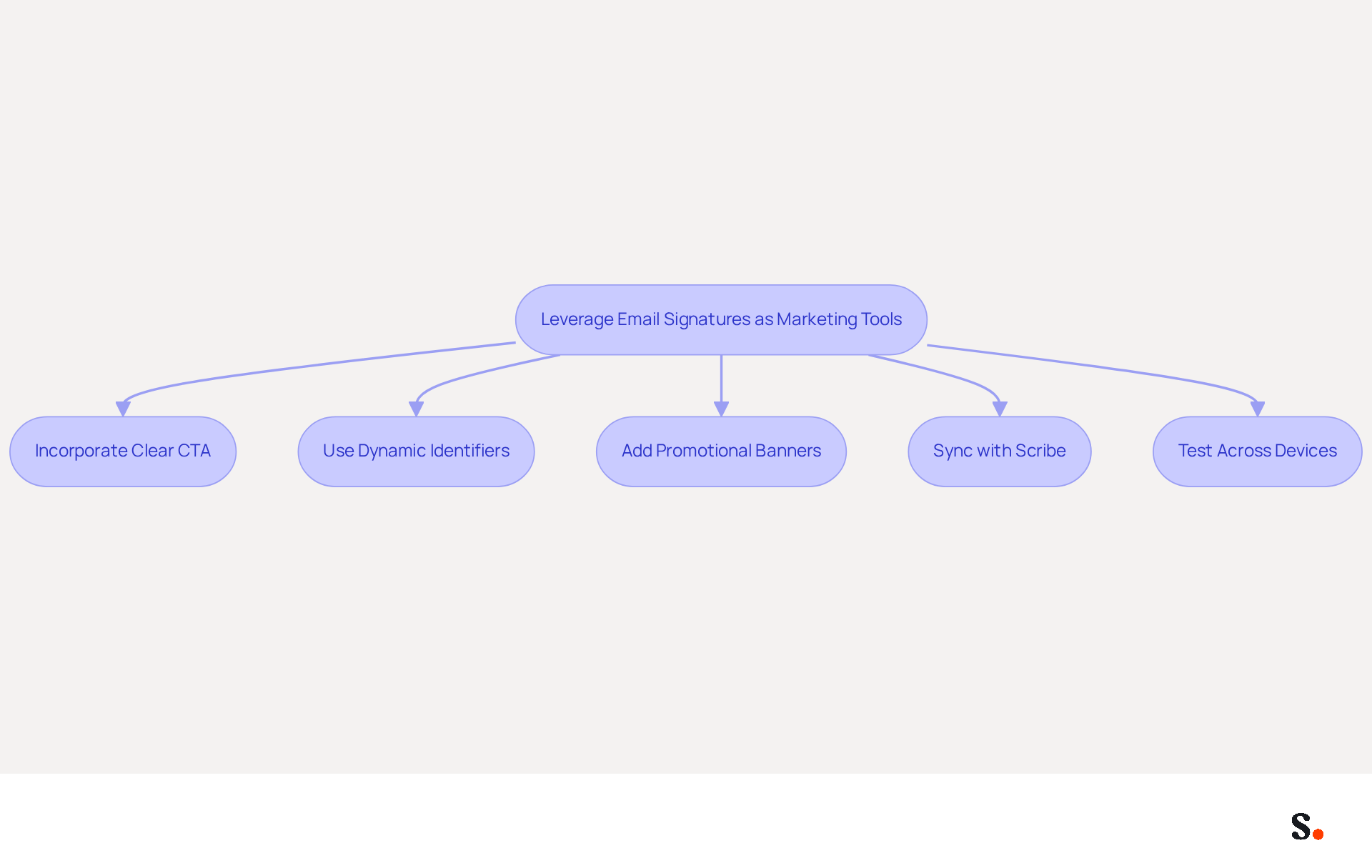
To maximize the impact of digital identifiers in marketing, a strategic call-to-action (CTA) is crucial. Incorporating a clear CTA guides recipients toward your latest offerings or promotions. For instance, adding a banner that showcases a current sale or links to a new blog post can significantly enhance engagement.
Yuliia Savchuk from Stripo notes that dynamic electronic identifiers achieve a click-through rate (CTR) of 12%, significantly higher than the 2.5% for standard marketing messages, showcasing the impact of effective CTAs. The CTA should be visually distinct while maintaining alignment with your brand's design aesthetic. Additionally, rotating promotional banners can keep the content fresh and relevant, encouraging ongoing interaction.
A case analysis on optimizing email footers for engagement highlights the significance of including essential information and clear calls to action. Scribe streamlines the scheduling and management of marketing campaigns, making it easier for organizations to stay organized. By syncing your Google Workspace with Scribe, you save time as any modifications, such as relocating teammates or updating their details, are automatically reflected in their email representations.
With this automated sync, brands can maintain consistency while making email management a breeze. Furthermore, the platform is SOC 2 Type II certified and compliant with GDPR and CCPA, ensuring that your data is handled securely. However, be cautious of common pitfalls, such as overcrowding the design with too many CTAs or failing to test how it appears across different devices, which can detract from its effectiveness. Neglecting these aspects can lead to missed opportunities and diminished engagement.
Automate Signature Management for Efficiency
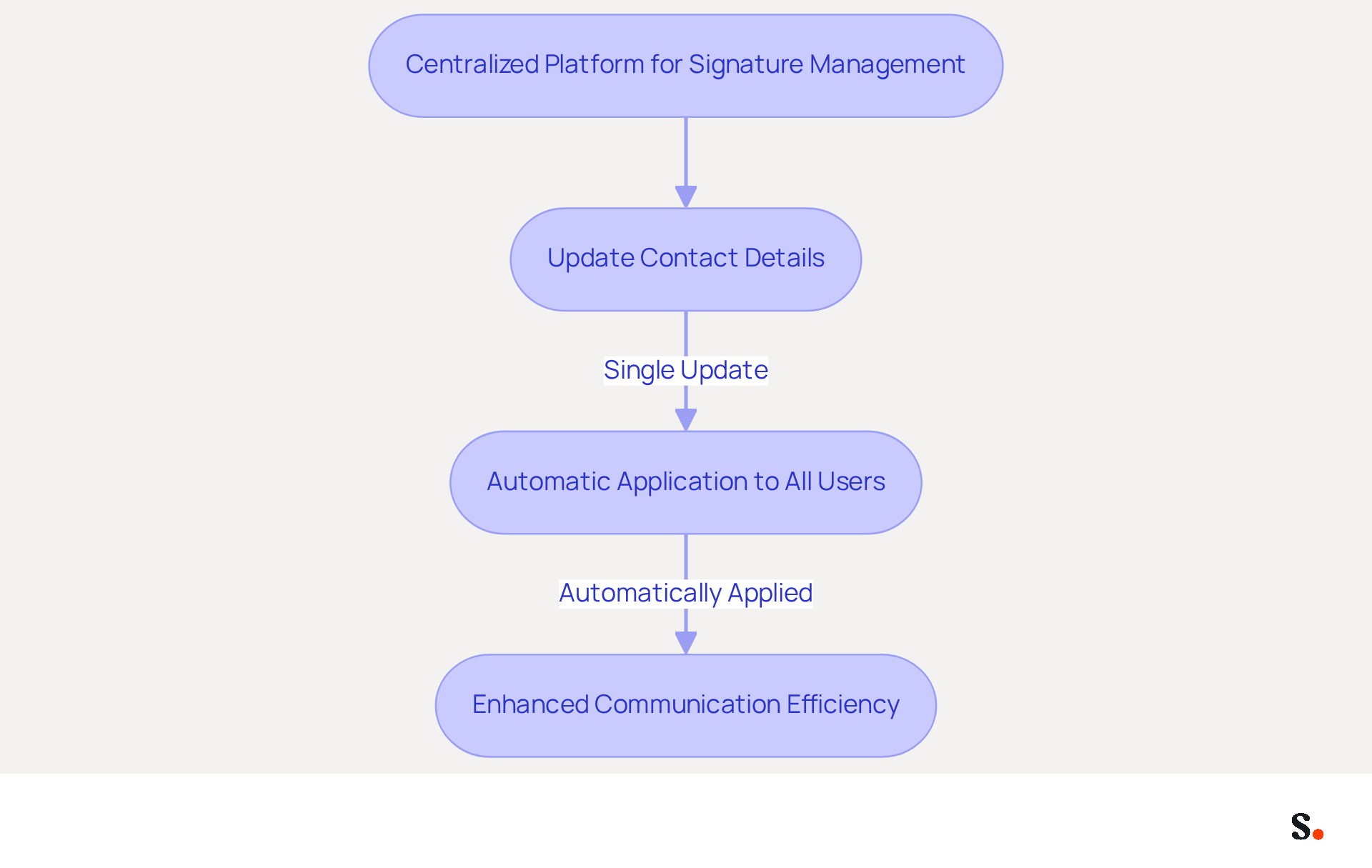
To enhance the management of digital identifiers, a centralized platform like Scribe is essential. This system allows for seamless updates across the organization, enabling changes to be made in one location and automatically applied to all users. For example, if a team member's contact details change, a single update guarantees that the new information is reflected in every correspondence. This approach saves time and minimizes errors, making sure every message is accurate and professional.
Indeed, organizations that implement automated management of digital identifiers can recover substantial hours once dedicated to manual updates, enabling IT teams to concentrate on more strategic projects. Additionally, centralized management boosts brand consistency, turning every message into an opportunity to showcase professionalism and reinforce brand identity.
As shown by various case studies, companies utilizing the platform have effectively transformed their electronic correspondences into powerful marketing channels, enhancing engagement and improving overall communication efficiency.
Measure Impact and Optimize Signature Strategies
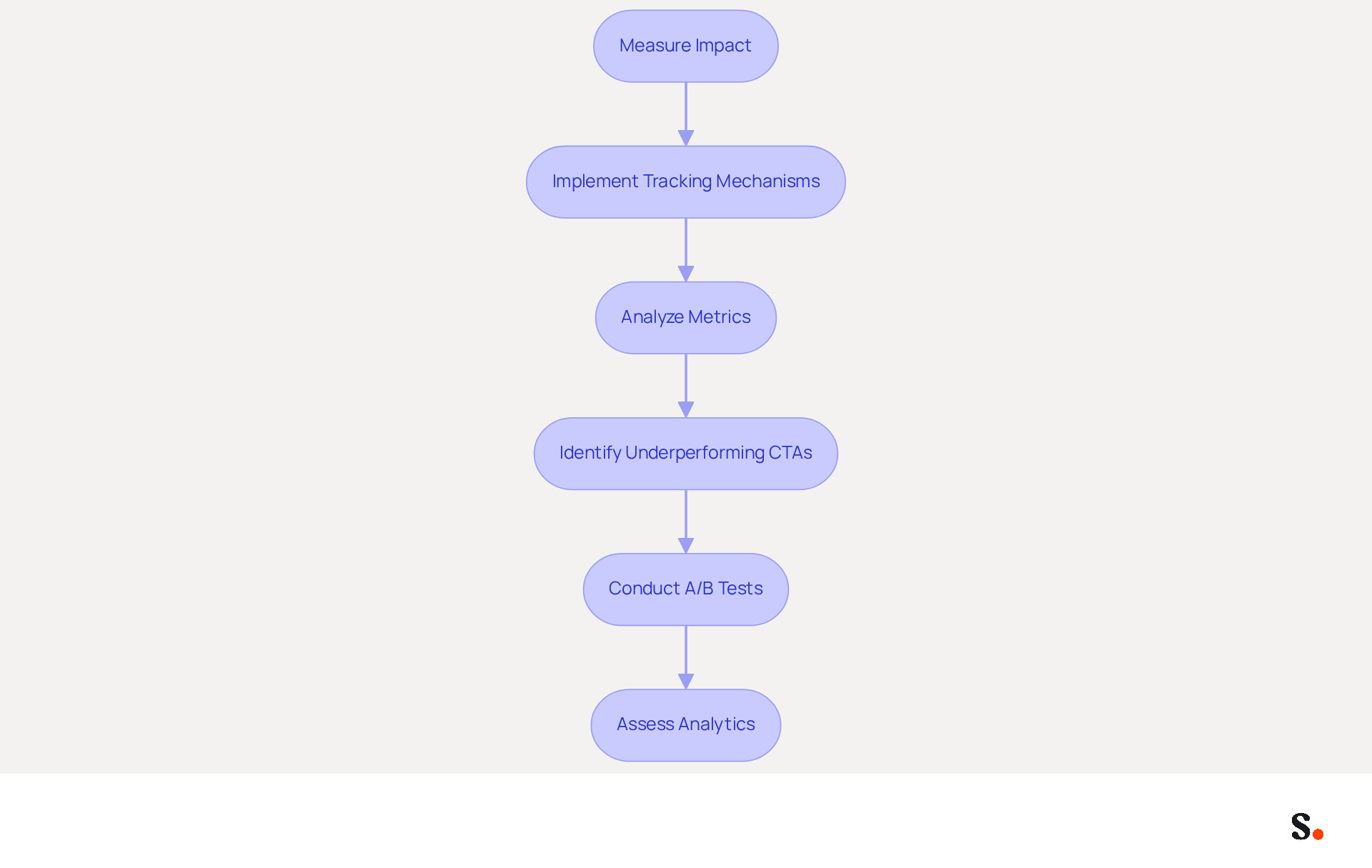
To accurately assess the effectiveness of your email footers, implementing robust tracking mechanisms is crucial. Using tools like Scribe allows you to closely examine these metrics and gain valuable insights into how recipients interact with your email footers. Furthermore, every modification made in your Aircall configuration will automatically be reflected in your Scribe branding, ensuring brand consistency across all communications.
If a specific call-to-action (CTA) is underperforming, it can significantly impact your engagement strategy. Consider conducting A/B tests with different designs or messaging to identify what resonates best with your audience. Consistently assessing these analytics not only aids in enhancing your messaging strategies but also guarantees they align with your broader marketing objectives.
Businesses that have optimized their email signatures often see notable improvements; for instance, a psychotherapy practice experienced a 15% increase in appointment bookings after simplifying their signature and enhancing its visibility. By prioritizing these metrics, you can enhance your email strategy and achieve greater success in your marketing efforts.
Conclusion
Without effective graphics, organizations risk diluting their brand identity in email communications. Incorporating effective graphics into Outlook email signatures is essential for maintaining brand consistency and enhancing professional communication. By leveraging tools like Scribe, organizations can automate the creation and management of on-brand email signatures, ensuring that every message reflects their identity while saving time and reducing errors.
Key practices discussed include:
- Designing signatures that align with brand aesthetics
- Utilizing clear calls-to-action to drive engagement
- Automating signature management for efficiency
The importance of measuring the impact of these strategies through analytics cannot be overstated, as it allows businesses to refine their approach and maximize the effectiveness of their email communications.
This shift not only enhances engagement but also positions organizations as leaders in their industry. Organizations are encouraged to embrace automation and analytics to optimize their email signature strategies, ensuring that every correspondence contributes to their overall marketing goals and enhances engagement with recipients.
Frequently Asked Questions
Why is it important to have on-brand email signatures?
On-brand email signatures are essential for effectively representing your brand in electronic communications, as they incorporate key design elements that reflect your identity and convey professionalism.
What key design elements should be included in an email signature?
Key design elements include your company's logo, color scheme, and font style that aligns with your organization's typography. It's also important to keep the design clean and uncluttered, focusing on essential information such as your name, title, and contact details.
How can Scribe assist in creating on-brand email signatures?
Scribe can help automate the creation of on-brand templates, making it easier for your team to maintain consistency in their email signatures.
What benefits does Scribe provide regarding email signature management?
Scribe allows any modifications made in your Aircall configuration to automatically sync with your correspondence identifiers, providing seamless integration and real-time updates. This automated management saves time and ensures that approvals are current and compliant with SOC 2 Type II standards.
How does maintaining brand consistency in email signatures impact communication?
Maintaining brand consistency in email signatures enhances your brand's professionalism and fosters trust and reliability in your communications.
List of Sources
- Design On-Brand Email Signatures for Consistency
- 40+ Email Signature Statistics for 2026 (Data + Insights) (https://wavecnct.com/blogs/email-signature-statistics)
- Research Recap: Branded Email Signatures Increase Company Recognition, Trust - Demand Gen Report (https://demandgenreport.com/industry-news/research-recap-branded-email-signatures-increase-company-recognition-trust/47252)
- Why Email Signatures Must Be In Your 2026 Marketing Plan | Rocketseed (https://rocketseed.com/blog/what-are-the-biggest-email-trends-for-2026)
- Email Signature Branding: Consistency and Impact | Crossware365 (https://crossware365.com/blog/mastering-email-signature-branding-market-presence)
- Leverage Email Signatures as Marketing Tools
- Why Email Signatures Must Be In Your 2026 Marketing Plan | Rocketseed (https://rocketseed.com/blog/what-are-the-biggest-email-trends-for-2026)
- Email signature statistics: Why every business should optimize their email signatures — Stripo.email (https://stripo.email/blog/email-signature-statistics-why-every-business-should-optimize-their-email-signatures)
- Top 10 Email Signature Management Tools in 2026 (Compared) (https://mailbutler.io/blog/email/email-signature-management-tools)
- The ultimate guide to email signatures in 2026 (https://signitic.com/en/resources/email-signature)
- Email Signature Trends 2026: Centralized Control & Automation | SIGNandGO posted on the topic | LinkedIn (https://linkedin.com/posts/signngo_email-signature-trends-to-watch-in-2026-activity-7401523471786217473-zAVL)
- Automate Signature Management for Efficiency
- Email Signature Trends 2026: Centralized Control & Automation | SIGNandGO posted on the topic | LinkedIn (https://linkedin.com/posts/signngo_email-signature-trends-to-watch-in-2026-activity-7401523471786217473-zAVL)
- Email signature statistics: Why every business should optimize their email signatures — Stripo.email (https://stripo.email/blog/email-signature-statistics-why-every-business-should-optimize-their-email-signatures)
- Company-Wide Email Signature Management | CloudM (https://cloudm.io/resources/blog/optimize-your-process-with-company-wide-email-signature-management)
- Automating Email Signatures: How IT Teams Streamline Processes & Reduce Risk (https://exclaimer.com/blog/streamlining-it-processes-automated-email-signatures)
- Measure Impact and Optimize Signature Strategies
- Email Signature Analytics: Unlocking Potential for Business Growth (https://wisestamp.com/blog/email-signature-analytics)
- Email Metrics That Matter: What to Measure in 2026 (https://litmus.com/blog/email-metrics-that-matter-what-to-measure)
- How to Track Clicks & Impressions in Email Signature Marketing (https://linkedin.com/pulse/how-track-clicks-impressions-email-signature-marketing-mbhre)
- The 5 key metrics to analyze your email signatures (https://signitic.com/en/resources/the-5-key-metrics-to-analyze-your-email-signatures)
- 8 email marketing metrics & KPIs to improve engagement - Klaviyo (https://klaviyo.com/blog/email-marketing-metrics)
Get started with Scribe
Create your signature in minutes
Free 14-day trial — no credit card.