4 Best Practices for Your Content Creator Email Signature
In a crowded digital landscape, an email signature is more than just a formality; it’s a critical element that can significantly influence professional
Sophie Grant
Email Signature Specialist, Scribe
Introduction
In a crowded digital landscape, an email signature is more than just a formality; it’s a critical element that can significantly influence professional communication. By incorporating essential elements and strategic branding, content creators can transform their signatures into powerful marketing tools that reflect their identity and expertise.
Yet, with countless choices available, how can content creators make their email signatures truly stand out and drive engagement? This article explores best practices that will elevate content creator email signatures, ensuring they are not only professional but also optimized for maximum impact.
By implementing these best practices, content creators can ensure their email signatures not only represent their brand but also actively engage their audience.
Get started with Scribe
See why teams switch to Scribe
Free 14-day trial — no credit card.
Incorporate Essential Elements in Your Signature
A content creator email signature is more than just a formality; it’s an effective tool for professional communication. To create one that stands out, ensure it includes the following essential elements:
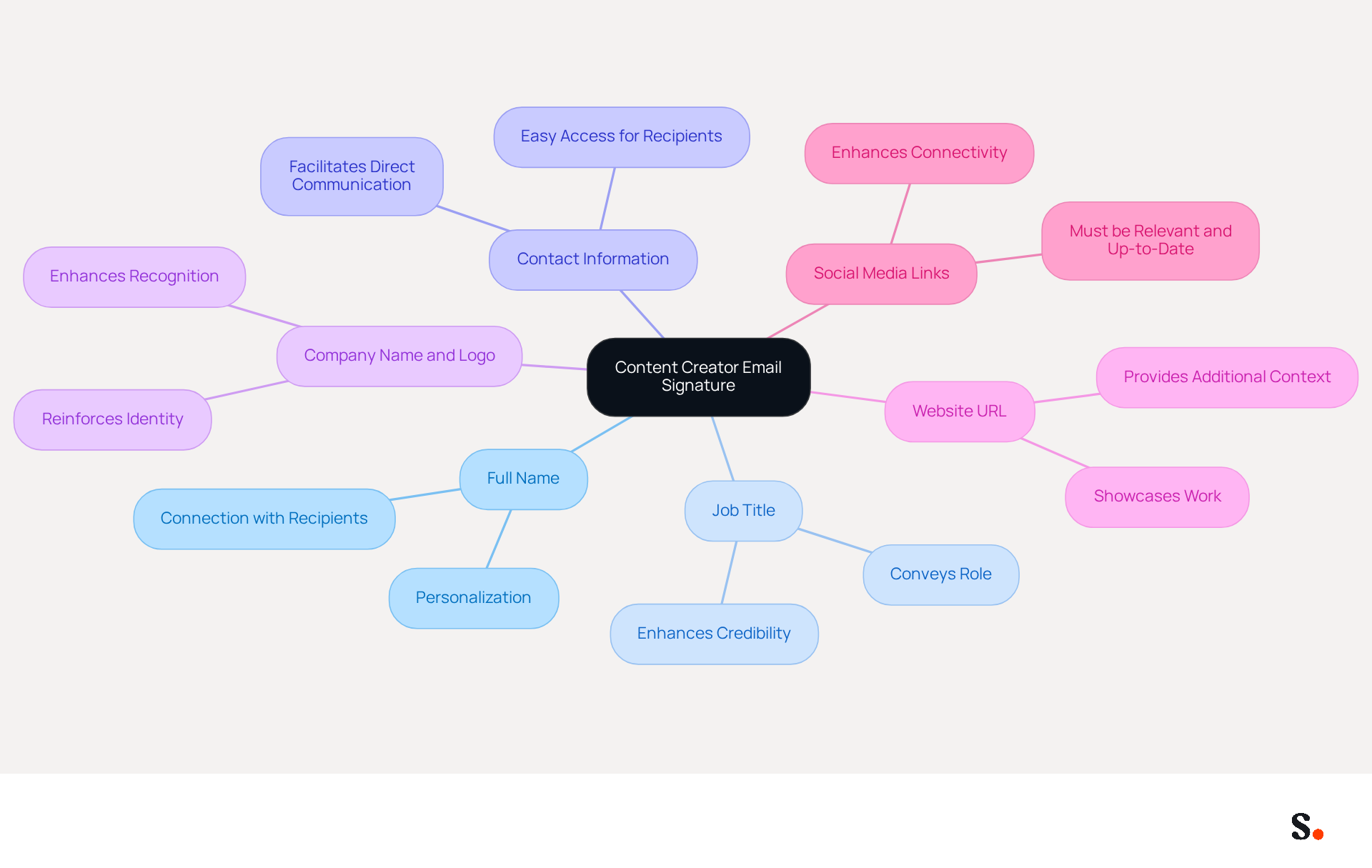
- Full Name: Clearly state your name to personalize your communication and establish a connection with recipients.
- Job Title: Include your professional title to convey your role and expertise, enhancing credibility.
- Contact Information: Provide your phone number and email address for easy access, facilitating direct communication.
- Company Name and Logo: Incorporate your company name and logo to reinforce identity and recognition.
- Website URL: Link to your portfolio or personal website to showcase your work and provide additional context.
- Social Media Links: Add links to your professional social media profiles, ensuring they are relevant and up-to-date to enhance connectivity.
When you include these elements in your content creator email signature, you not only appear professional but also establish a complete contact point that represents you well. Regular updates to your email signature can significantly impact how you are perceived in professional interactions.
Brand Your Signature Effectively
Branding your content creator email signature effectively is crucial for establishing a professional identity. To achieve this, consider the following strategies:
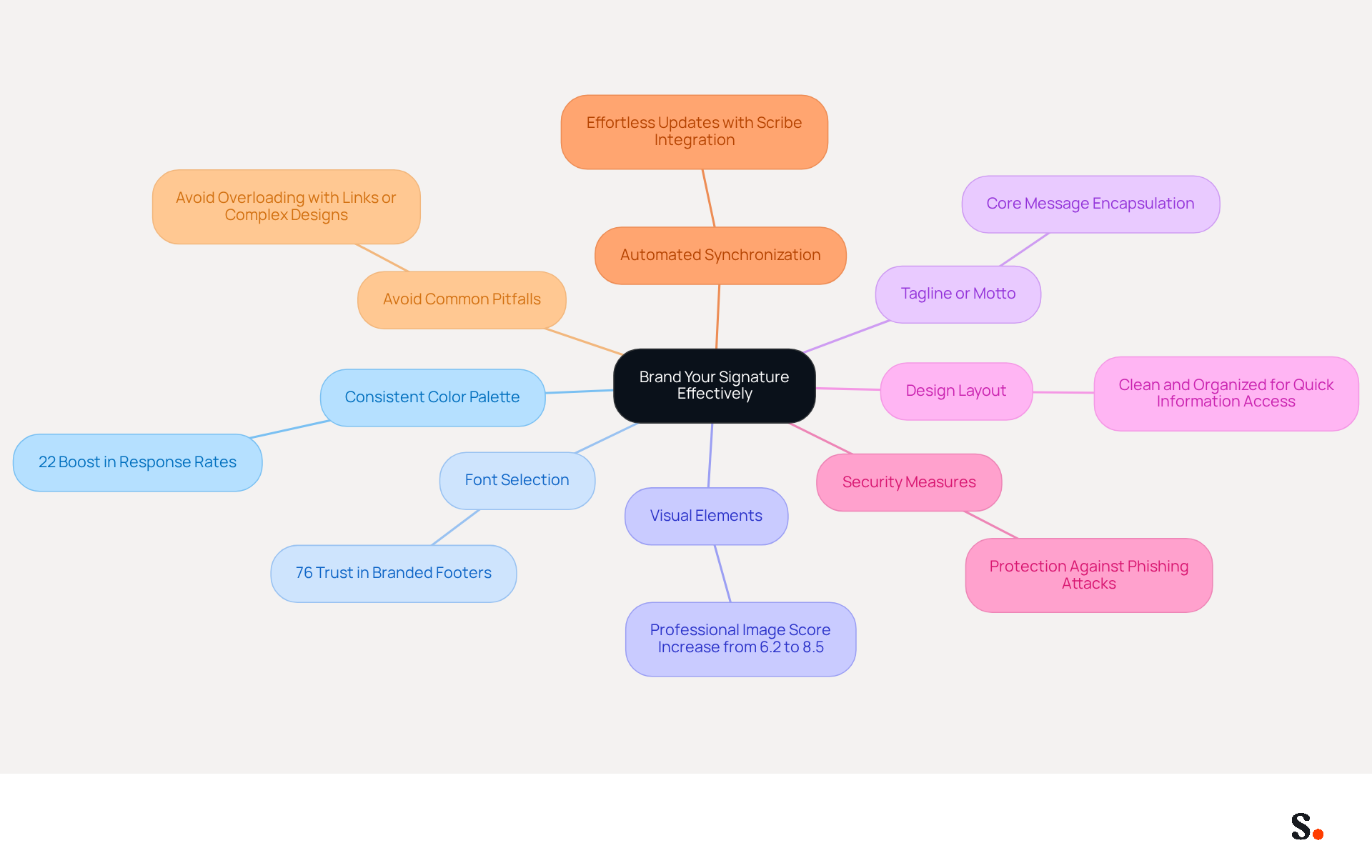
- Consistent Color Palette: Utilize colors that align with your personal or company branding to create a cohesive look. When your branding is consistent, you can see a 22% boost in response rates, highlighting how crucial visual coherence is.
- Font Selection: Choose fonts that reflect your company's personality while ensuring readability. A well-crafted content creator email signature boosts professionalism, as 76% of recipients say they trust senders with branded footers more.
- Visual Elements: Incorporate your logo or a professional headshot to personalize your closing and enhance recognition of your business. Incorporating visual elements, like a content creator email signature, can greatly enhance your organization's professional image, as evidenced by an increase in professionalism scores from 6.2 to 8.5 out of 10.
- Tagline or Motto: If applicable, include a brief tagline that encapsulates your message or value proposition. This allows recipients to grasp your brand's core message swiftly, making it easier for them to remember you.
- Design Layout: Ensure that the layout is clean and organized, making it easy for recipients to find information quickly. A refined content creator email signature leaves a lasting impression and builds trust, which is vital for ongoing success.
- Security Measures: Implement security protocols such as DMARC enforcement to safeguard your communication identity from phishing attacks. Failing to implement security measures can put your brand at risk of phishing attacks, eroding trust. Furthermore, with Scribe's SOC 2 Type II compliance, you can be assured that your correspondence management is secure and dependable.
- Automated Synchronization: Utilize Scribe's integration with Aircall to guarantee that any modifications made in your Aircall configuration are automatically reflected in your correspondence. This automated synchronization enhances brand consistency and allows for effortless updates, making it easier for marketing teams to maintain a unified brand image across all communications. With Scribe's fast deployment, companies can typically install company-wide email identifiers in under one day, empowering marketing teams to manage email branding independently after the initial IT setup.
- Avoid Common Pitfalls: Be cautious of overloading your branding with too many links or complex designs that may not display well across all devices. Overloading your branding can lead to confusion and diminish its effectiveness.
By concentrating on these branding components, you can establish a mark that not only symbolizes you but also strengthens your brand identity in every correspondence. By prioritizing these strategies, you not only enhance your brand's visibility but also build lasting trust with your audience.
Optimize for Mobile Viewing
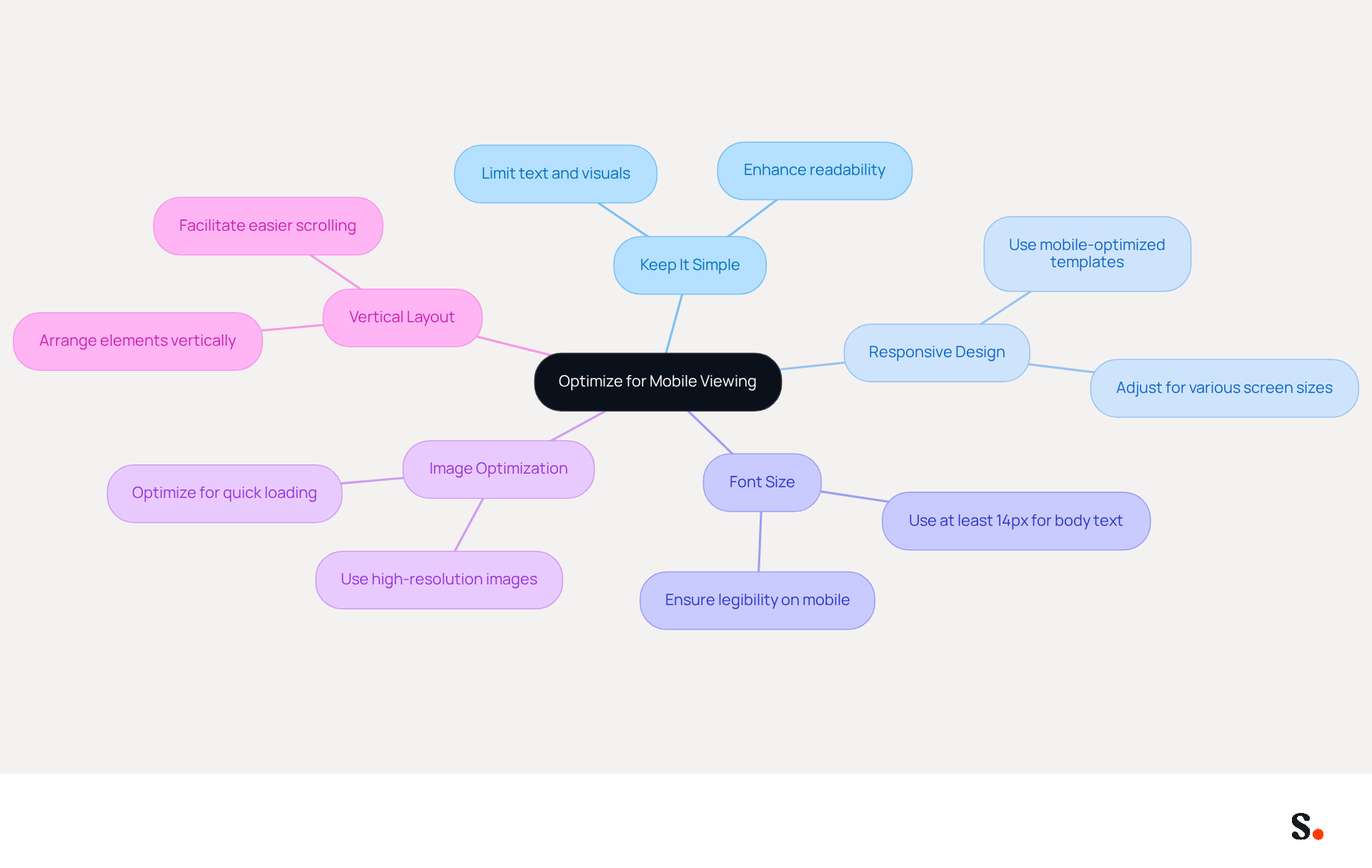
To ensure effective communication in a mobile-dominated world, your email signature must be mobile-friendly. Adhering to the following best practices will help you achieve this goal:
- Keep It Simple: Limit text and visual elements to avoid clutter on small screens. A concise mark enhances readability and engagement.
- Responsive Design: Utilize a mobile-optimized signature template that adjusts seamlessly to various screen sizes. Considering that over half of all messages are accessed on mobile devices, this is essential for effective communication.
- Font Size: Select a font size of at least 14px for body text to ensure legibility on mobile devices. Many users struggle to read small text on mobile devices, leading to miscommunication.
- Image Optimization: Use high-resolution images that are three times the intended display size to prevent blurriness on mobile. Ensure images are optimized for quick loading to maintain a professional appearance without sacrificing quality.
- Vertical Layout: Arrange elements vertically to facilitate easier scrolling and reading on mobile devices. Research indicates that left-aligned, single-column designs achieve three times higher click-through rates compared to multi-column layouts.
Implementing these strategies will significantly enhance the usability of your email signature on mobile devices, ensuring that your interactions remain effective and professional. Additionally, connecting your Google Workspace with Scribe makes it easier to manage your email signatures and keep your team's information up to date. Consistently reviewing and updating your contact information will also assist in maintaining its relevance and effectiveness in a rapidly changing digital environment.
Include Strategic Call-to-Action Elements
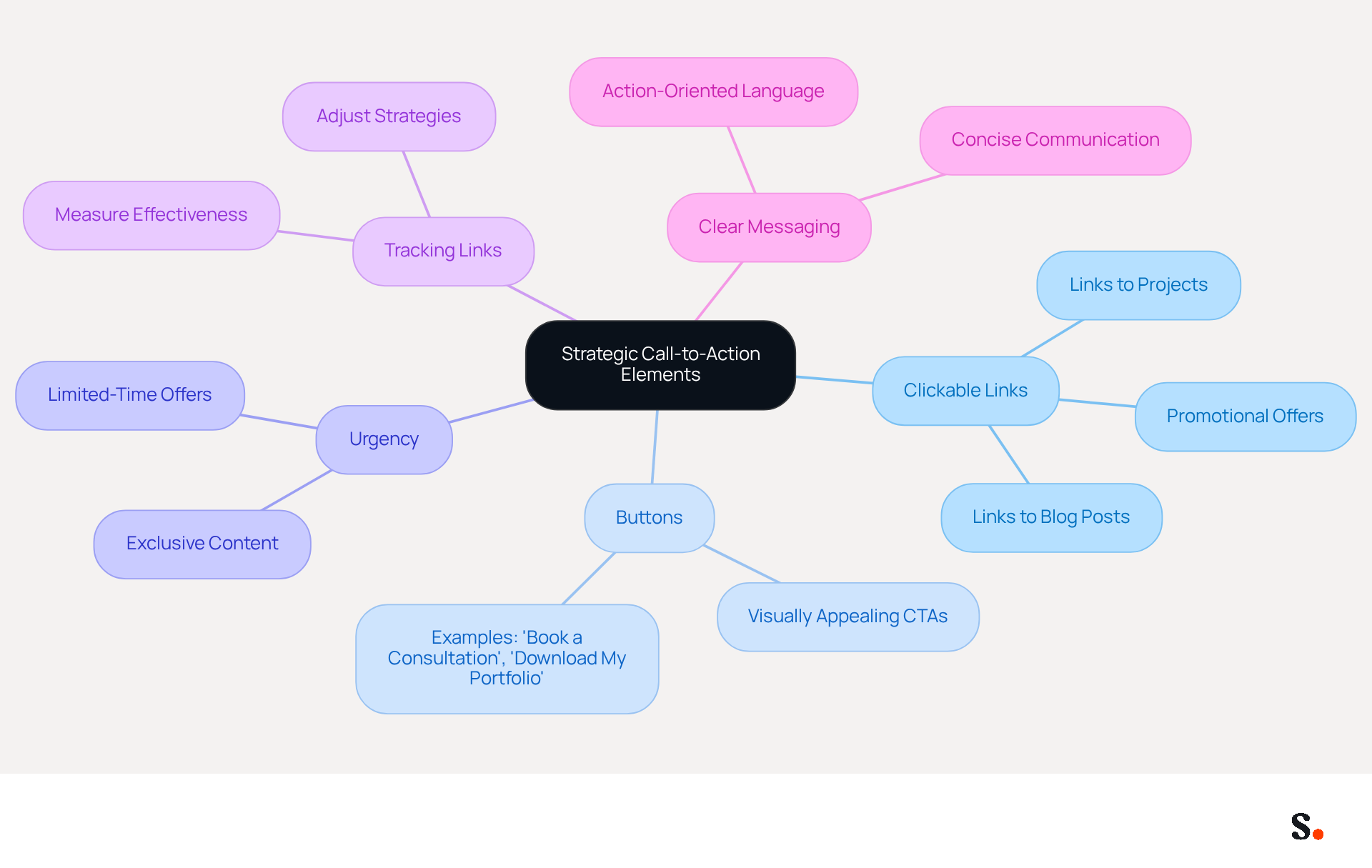
If you want your email signature to be truly effective, consider adding strategic call-to-action elements:
- Clickable Links: Include links to your latest projects, blog posts, or promotional offers to drive traffic.
- Buttons: Use visually appealing buttons for CTAs, such as 'Book a Consultation' or 'Download My Portfolio,' to make them stand out.
- Urgency: Create a sense of urgency in your CTAs, such as limited-time offers or exclusive content, to encourage immediate action.
- Tracking Links: Utilize tracking links to measure the effectiveness of your CTAs and adjust strategies accordingly.
- Clear Messaging: Ensure that your CTA is concise and clearly communicates the action you want the recipient to take.
Integrating these elements can significantly enhance engagement and drive more leads. By thoughtfully integrating these strategies, you can transform your email signature into a powerful content creator email signature for engagement and lead generation.
Conclusion
Many content creators overlook the significance of a well-crafted email signature in shaping their professional image and communication. By incorporating key elements such as your full name, job title, and contact information, along with branding strategies and mobile optimization, a well-designed email signature can serve as a powerful tool for engagement and brand consistency.
The article outlines several best practices, emphasizing the importance of a cohesive color palette, font selection, and the inclusion of visual elements like logos. Additionally, optimizing for mobile viewing ensures that your signature remains effective across devices, while strategic call-to-action elements can drive traffic and engagement. These insights highlight how a thoughtfully designed email signature can significantly impact professional interactions and brand perception.
In a digital landscape where first impressions matter, failing to create a polished email signature can lead to missed opportunities for engagement and brand consistency. Using tools like Scribe allows content creators to easily manage their email branding while ensuring compliance with security standards. Embrace these best practices to not only enhance your professional identity but also to foster meaningful connections with your audience. Ultimately, a well-designed email signature can be the difference between a fleeting interaction and a lasting professional connection.
Frequently Asked Questions
What is the purpose of a content creator email signature?
A content creator email signature is an effective tool for professional communication that helps personalize interactions and establish connections with recipients.
What essential elements should be included in a content creator email signature?
The essential elements to include are your full name, job title, contact information, company name and logo, website URL, and social media links.
Why is it important to include your full name in your email signature?
Including your full name personalizes your communication and helps establish a connection with the recipients.
How does including a job title in your email signature enhance credibility?
Including your job title conveys your role and expertise, which enhances your credibility in professional interactions.
What contact information should be provided in an email signature?
You should provide your phone number and email address to facilitate direct communication.
Why is it beneficial to include your company name and logo in your email signature?
Incorporating your company name and logo reinforces your identity and aids in recognition.
How can linking to a website URL in your email signature be advantageous?
Linking to your portfolio or personal website showcases your work and provides additional context to recipients.
What role do social media links play in a content creator email signature?
Social media links enhance connectivity by allowing recipients to access your professional profiles, provided they are relevant and up-to-date.
How often should you update your email signature?
Regular updates to your email signature are important as they can significantly impact how you are perceived in professional interactions.
List of Sources
- Incorporate Essential Elements in Your Signature
- The Complete Email Signature Guide 2026: Best Practices and Policy (https://opensense.com/complete-email-signature-guide)
- The impact of email signatures on your branding (https://signitic.com/en/resources/the-impact-of-email-signatures-on-your-branding)
- Best practices for business email signatures in 2026 (https://bybrand.io/blog/best-practices)
- Email Signature Best Practices for 2026 (+ 15 Pro Examples) (https://wavecnct.com/blogs/email-signature-best-practices-2026)
- Brand Your Signature Effectively
- The impact of email signatures on your branding (https://signitic.com/en/resources/the-impact-of-email-signatures-on-your-branding)
- Why Are Email Signatures Key to Brand Awareness? | QuickMail (https://quickmail.com/role-of-email-signatures-in-brand-awareness)
- Why Email Signatures Must Be In Your 2026 Marketing Plan | Rocketseed (https://rocketseed.com/blog/what-are-the-biggest-email-trends-for-2026)
- Top 10+ best practices for email signatures design in 2026 (https://mysignature.io/blog/email-signature-best-practices)
- Research Recap: Branded Email Signatures Increase Company Recognition, Trust - Demand Gen Report (https://demandgenreport.com/industry-news/research-recap-branded-email-signatures-increase-company-recognition-trust/47252)
- Optimize for Mobile Viewing
- Email Signature Best Practices - NEWOLDSTAMP (https://newoldstamp.com/blog/email-signature-best-practices)
- How to Optimize Your Email Signature for Mobile Devices - Gimmio (https://blog.gimm.io/how-to-optimize-your-email-signature-for-mobile-devices)
- Email Signature Best Practices for 2026 (+ 15 Pro Examples) (https://wavecnct.com/blogs/email-signature-best-practices-2026)
- The Complete Email Signature Guide 2026: Best Practices and Policy (https://opensense.com/complete-email-signature-guide)
- 20 best email signature design examples for 2026 — Stripo.email (https://stripo.email/blog/10-best-email-signature-design-examples)
- Include Strategic Call-to-Action Elements
- The Ultimate Guide to Email Signature Call-to-Action - NEWOLDSTAMP (https://newoldstamp.com/blog/the-ultimate-guide-to-email-signature-call-to-action)
- Why and how to add an effective CTA to your email signature? (https://signitic.com/en/resources/why-and-how-to-add-an-effective-cta-to-your-email-signature)
- Email call to action best practices: The complete guide [2026] — Stripo.email (https://stripo.email/blog/email-call-action-best-practices-examples)
- Call to Action in Emails: Examples, Templates, Tips [2026] (https://mailtrap.io/blog/call-to-action-in-emails)
- Boost Engagement with Effective Marketing Email Signature Practices (https://scribe-mail.com/en-US/blog/boost-engagement-with-effective-marketing-email-signature-practices)
Get started with Scribe
See why teams switch to Scribe
Free 14-day trial — no credit card.