4 Best Practices for Your Outlook Signature File to Boost Engagement
Crafting an effective Outlook signature presents a challenge that many professionals face, as it requires balancing formality with strategic engagement. By
Sophie Grant
Email Signature Specialist, Scribe
On this page
Introduction
Crafting an effective Outlook signature presents a challenge that many professionals face, as it requires balancing formality with strategic engagement. By implementing best practices, organizations can transform their email signatures into strategic assets that convey professionalism and enhance communication effectiveness. Many professionals find it challenging to create signatures that effectively represent their brand while remaining functional.
What are the key strategies that can elevate an Outlook signature from a simple sign-off to a compelling marketing opportunity? Implementing these strategies can transform your email signature into a vital component of your marketing efforts, ensuring that every email sent is an opportunity for engagement.
Define Essential Elements of an Effective Outlook Signature
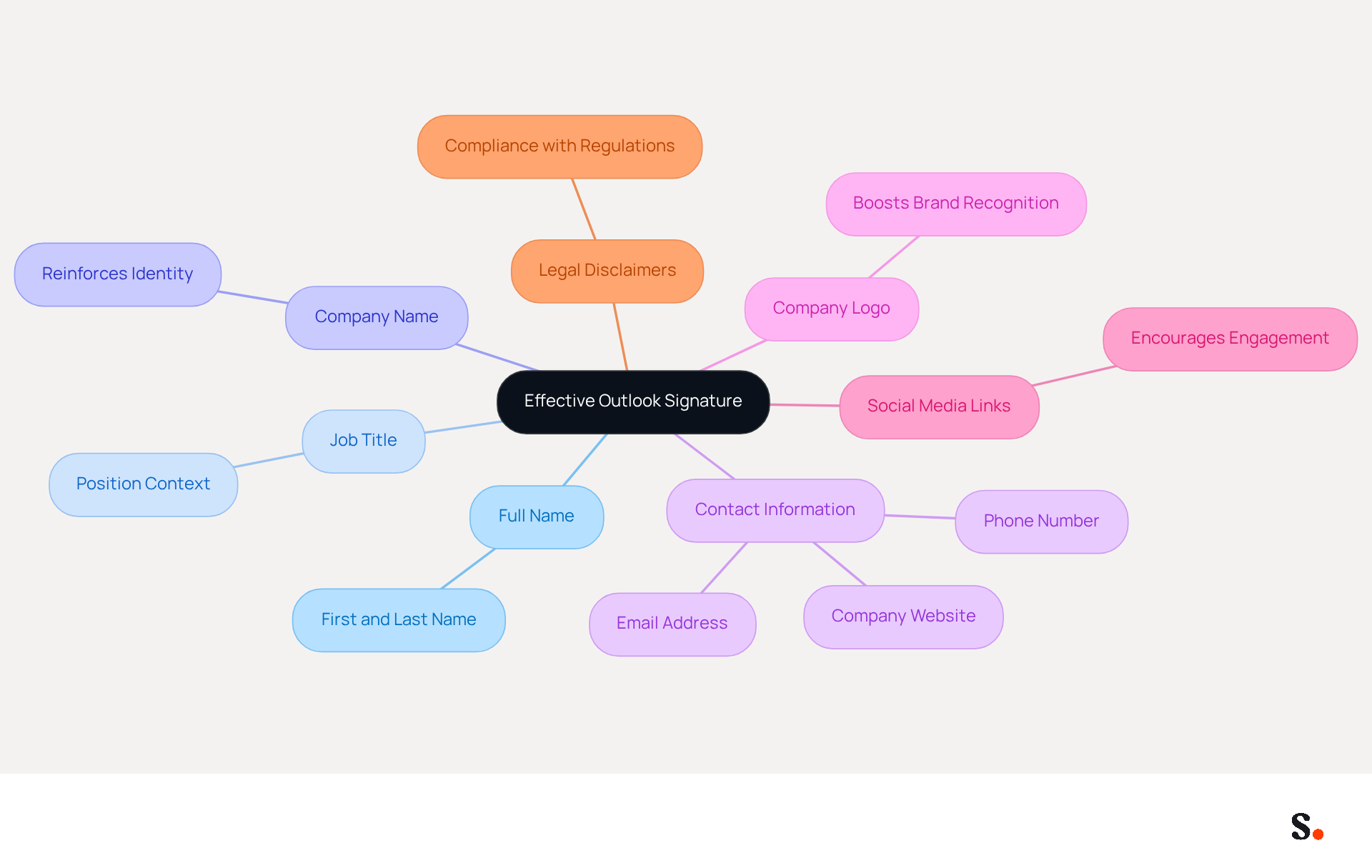
To establish professionalism and foster engagement, an effective Outlook signature must include several key elements:
- Full Name: Clearly state your first and last name, ensuring recipients know who the message is from.
- Job Title: Including your position provides context about your role within the organization, enhancing credibility.
- Company Name: This reinforces identity, helping recipients recognize your organization and its values.
- Contact Information: Provide a phone number and contact address for easy communication, facilitating prompt responses.
- Company Logo: A small, optimized logo can boost brand recognition and trust; research shows that branded elements can increase consumer trust by 47%.
- Social Media Links: If applicable, include links to professional social media profiles to encourage further engagement and networking opportunities.
- Legal Disclaimers: Depending on your industry, it may be necessary to include legal disclaimers or confidentiality notices to comply with regulations, ensuring that your communications are both professional and compliant.
Incorporating these elements not only informs but also enhances your credibility in every correspondence. Furthermore, using Scribe's SAML Single Sign-On integration guarantees secure access to your correspondence identifiers, while our GDPR compliance ensures that your data handling practices adhere to the highest standards. For example, businesses that employ branded footers in their correspondence have reported a 25% increase in traffic to targeted landing pages, showing how cohesive branding can enhance your communication efforts. By adhering to these optimal methods, you risk undermining your professional image and limiting your communication's impact.
Ensure Brand Consistency in Your Email Signature
To maintain a strong brand identity, it is essential to implement best practices in email signature management:
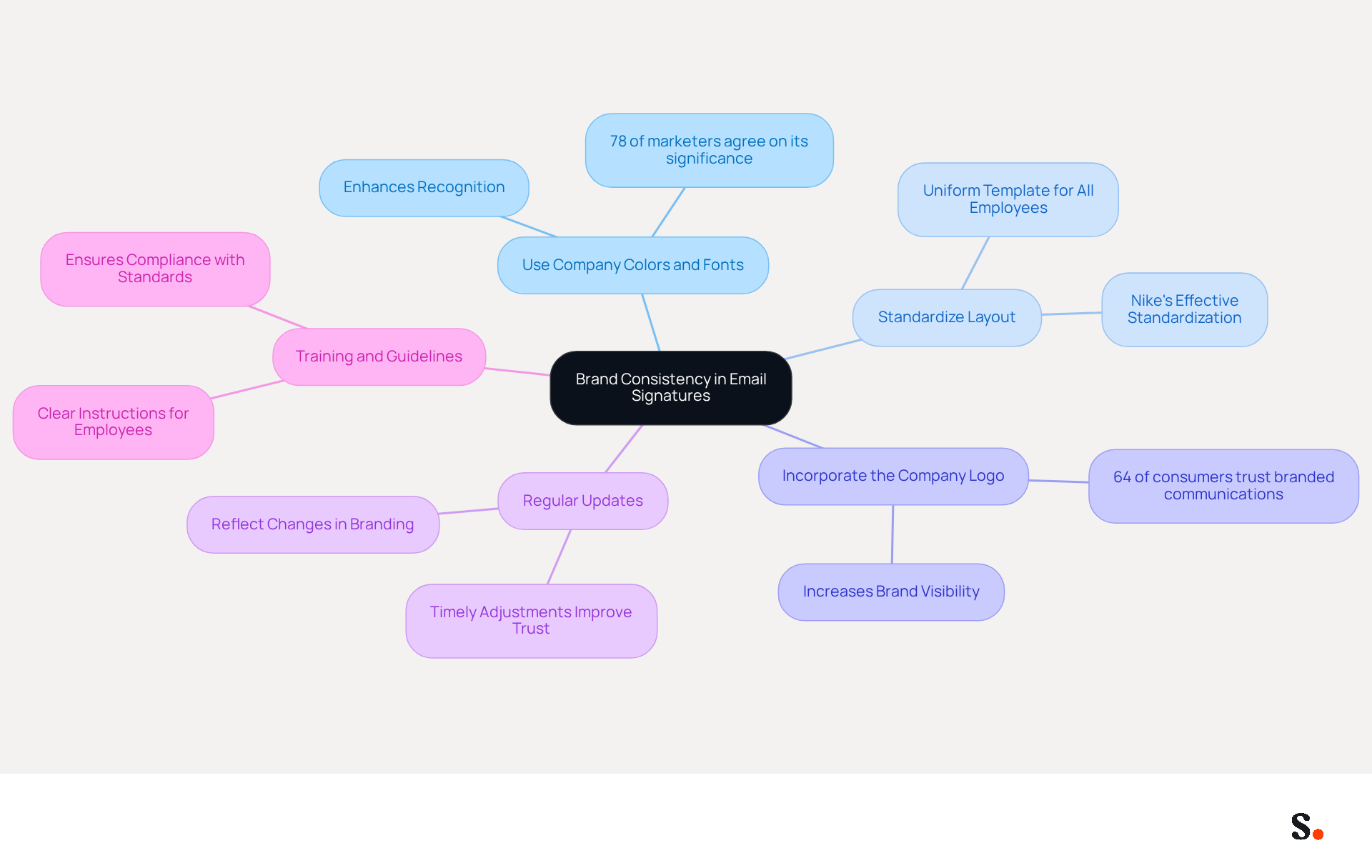
- Use Company Colors and Fonts: Align with your organization's color palette and font styles to create a cohesive appearance across all communications. This consistency can enhance recognition, as 78% of marketers agree on its significance in digital communications.
- Standardize Layout: Develop a uniform template for all employees, ensuring that initials maintain a consistent structure. For example, Nike has effectively standardized communication formats across its global teams, greatly enhancing perception and consistency.
- Incorporate the Company Logo: Always include the logo in a consistent size and placement to enhance brand visibility. Research shows that 64% of consumers have more trust in a sender when they observe a professional branded communication footer.
- Regular Updates: Periodically review and update identifiers to reflect any changes in branding or contact information. Regular updates are essential because timely adjustments to promotional banners can greatly improve audience trust and engagement. Scribe ensures that any changes you make in your Aircall setup are automatically reflected in your correspondence identifiers, keeping your branding consistent and up-to-date.
- Training and Guidelines: Provide employees with clear instructions on how to set up their identifiers correctly, ensuring compliance with corporate standards. Without proper training, employees may struggle with formatting, leading to inconsistent branding.
When organizations apply these tactics, they not only maintain a professional appearance but also strengthen their identity in every message they send. Consistent branding through digital communication not only builds trust but also significantly boosts engagement rates, with studies indicating a 22% rise in response rates when these elements are professionally designed. Furthermore, consider joining Scribe's Affiliate Program to earn a 50% commission while promoting consistency in communication formats. The successful implementation of on-brand templates by On Deck serves as a testament to the effectiveness of these best practices in reinforcing brand consistency.
Utilize Automation Tools for Efficient Signature Management
Effectively managing email signatures is crucial for maintaining brand integrity and operational efficiency. To achieve this using automation tools, consider the following steps:
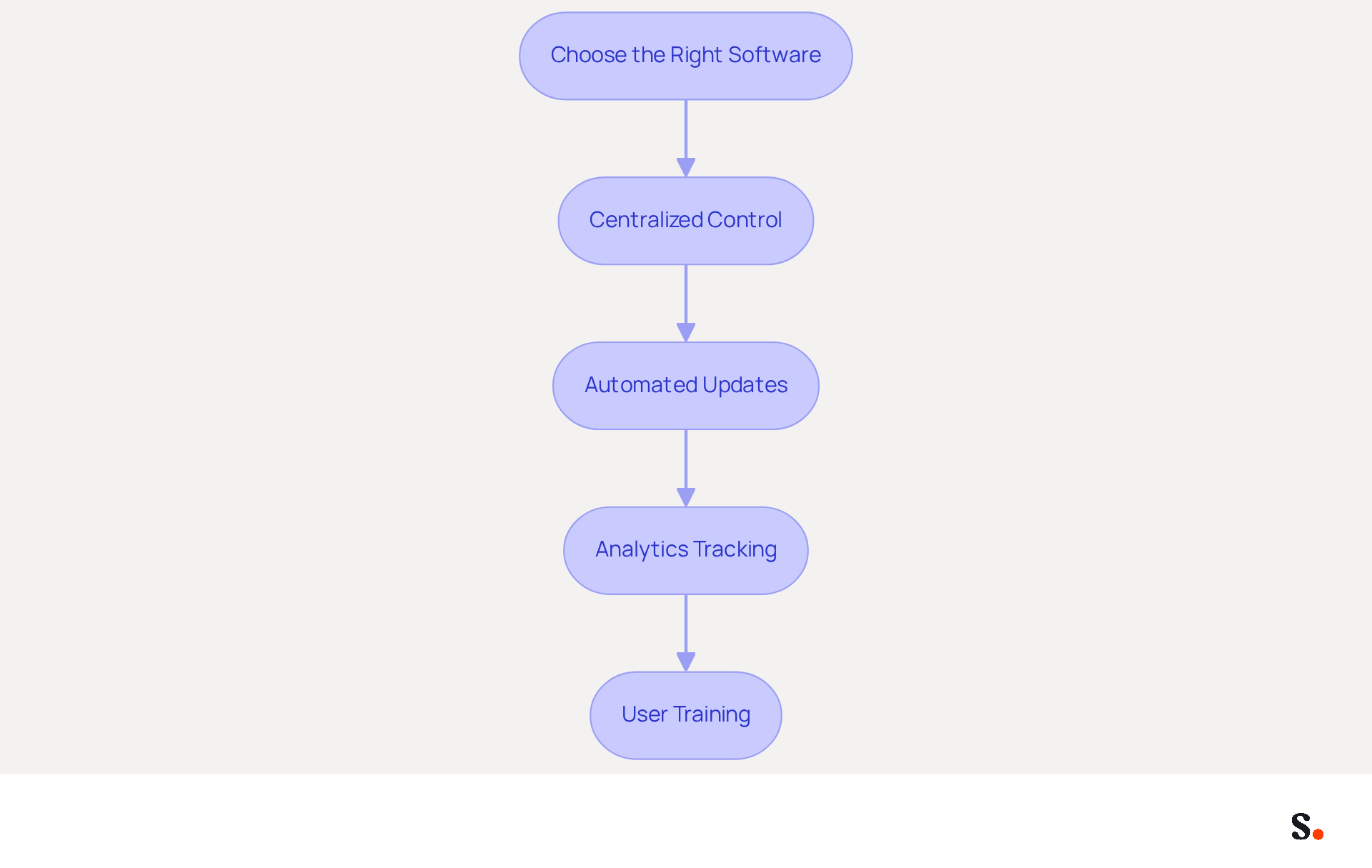
- Choose the Right Software: Select a management tool for electronic signatures like Scribe that integrates seamlessly with Outlook and supports automation features, ensuring compliance with SOC 2 Type II standards.
- Centralized Control: Use Scribe's centralized platform to create and manage sign-offs for all employees, ensuring consistency and compliance with brand guidelines. This enables Marketing teams to independently manage email branding after the initial IT setup.
- Automated Updates: Set up Scribe to automatically refresh labels when there are changes in employee information or branding. With the tool, any updates in your Google Workspace, such as job position changes, will be shown in real-time without manual input, saving significant time for IT teams.
- Analytics Tracking: Utilize Scribe's tools that provide analytics on performance, allowing you to measure engagement and effectiveness, with an average click-through rate of 12% on banners.
- User Training: It's essential to train employees on using Scribe's automation tools effectively so they understand the benefits and features.
By utilizing automation with Scribe, organizations can significantly reduce the time spent on managing approvals, ensuring that all communications reflect the latest branding and information while maintaining data security and compliance with SOC 2 Type II standards. Embracing automation not only enhances efficiency but also fortifies your brand's presence in every communication.
Incorporate Call-to-Action Elements for Enhanced Engagement
Incorporating effective call-to-action elements in your email signature is crucial for maximizing engagement. To effectively integrate these elements, follow these best practices, especially considering how Scribe's synchronization with Aircall can enhance brand consistency:
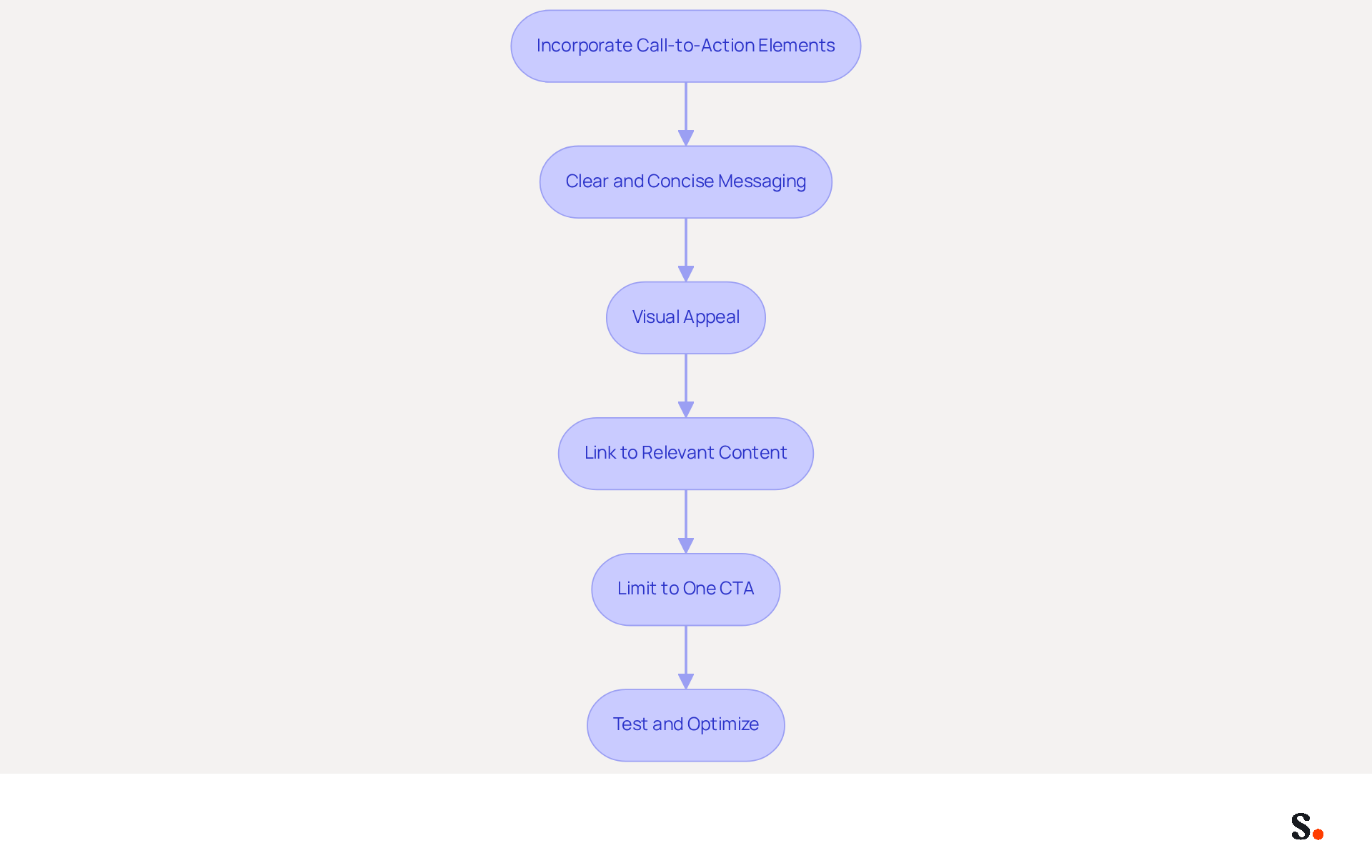
- Clear and Concise Messaging: Use straightforward language that clearly communicates the desired action, such as 'Schedule a Meeting' or 'Download Our Brochure.' This clarity helps recipients understand what is expected of them.
- Visual Appeal: Design CTAs as buttons or banners that stand out visually. Using bright, attention-grabbing colors enhances visibility and makes it easier for recipients to notice the CTA.
- Link to Relevant Content: Ensure that the CTA directs recipients to valuable content, such as a landing page, promotional offer, or resource that is pertinent to them. This relevance increases the likelihood of engagement and conversion.
- Limit to One CTA: Focus on a single, clear CTA to avoid overwhelming recipients. Studies show that a single, well-placed CTA can lead to significantly higher engagement rates, highlighting the effectiveness of simplicity in design.
- Test and Optimize: Regularly test different CTAs to determine which ones yield the best results. Continuous A/B testing is essential for optimizing performance based on data, allowing for adjustments that can lead to higher engagement rates.
By refining your approach to CTAs, you can significantly enhance your email marketing effectiveness.
Conclusion
Organizations often overlook the critical role of email signatures in professional communication. Implementing best practices for your Outlook signature file is essential for enhancing engagement and maintaining a professional image. Focusing on key elements ensures that email signatures convey vital information while reinforcing brand identity and credibility. The integration of tools like Scribe allows for streamlined management, enabling marketing teams to maintain control over email branding while ensuring compliance with security standards.
Key strategies discussed include:
- Defining essential elements such as contact information and legal disclaimers
- Ensuring brand consistency through standardized layouts and company branding
- Utilizing automation tools for efficient signature management
Additionally, incorporating clear call-to-action elements can significantly boost engagement rates, making every email a potential opportunity for interaction.
In today's competitive environment, a well-crafted email signature plays a crucial role in effective communication. Organizations should prioritize these best practices to enhance their communication efforts, foster trust, and ultimately drive engagement. Embracing tools like Scribe not only simplifies the management process but also empowers marketing teams to achieve measurable results, ensuring that every email sent is a step towards reinforcing brand consistency and maximizing marketing ROI. Ultimately, neglecting these best practices could hinder an organization's ability to connect effectively with its audience.
Frequently Asked Questions
What are the essential elements of an effective Outlook signature?
An effective Outlook signature should include your full name, job title, company name, contact information, company logo, social media links, and legal disclaimers if necessary.
Why is it important to include your full name in an Outlook signature?
Including your full name ensures that recipients know who the message is from, establishing professionalism and clarity.
How does including a job title in your signature enhance credibility?
Including your job title provides context about your role within the organization, which enhances your credibility in communications.
What role does the company name play in an Outlook signature?
The company name reinforces your identity and helps recipients recognize your organization and its values.
Why should I provide contact information in my Outlook signature?
Providing a phone number and contact address facilitates easy communication and prompt responses from recipients.
How can a company logo in an Outlook signature benefit my communications?
A small, optimized company logo can boost brand recognition and trust, with research indicating that branded elements can increase consumer trust by 47%.
Should I include social media links in my Outlook signature?
Yes, including links to professional social media profiles can encourage further engagement and networking opportunities.
What are legal disclaimers, and why might they be necessary in an Outlook signature?
Legal disclaimers or confidentiality notices may be necessary to comply with regulations in certain industries, ensuring that your communications are professional and compliant.
How does using Scribe's SAML Single Sign-On integration enhance security?
Scribe's SAML Single Sign-On integration guarantees secure access to your correspondence identifiers, enhancing the security of your communications.
What is the significance of GDPR compliance in relation to Outlook signatures?
GDPR compliance ensures that your data handling practices adhere to the highest standards, protecting personal information in your communications.
List of Sources
- Define Essential Elements of an Effective Outlook Signature
- The Complete Email Signature Guide 2026: Best Practices and Policy (https://opensense.com/complete-email-signature-guide)
- Email Signature Best Practices for 2026 (+ 15 Pro Examples) (https://wavecnct.com/blogs/email-signature-best-practices-2026)
- What's a Good Email Signature? Key Components vs. Common Mistakes (https://scribe-mail.com/en-US/blog/what-s-a-good-email-signature-key-components-vs-common-mistakes)
- 20 Tips for Creating an Effective Email Signature — SitePoint (https://sitepoint.com/creating-an-effective-email-signature)
- 20 Examples of Professional Email Signatures | Letsignit (https://letsignit.com/blog/professional-email-signature)
- Ensure Brand Consistency in Your Email Signature
- Exclaimer Research: 67% of Marketers Expect Email Signatures to Support With Lead Gen In 2023 (https://businesswire.com/news/home/20230612141095/en/Exclaimer-Research-67-of-Marketers-Expect-Email-Signatures-to-Support-With-Lead-Gen-In-2023)
- The impact of email signatures on your branding (https://signitic.com/en/resources/the-impact-of-email-signatures-on-your-branding)
- Email Signature Branding: Consistency and Impact | Crossware365 (https://crossware365.com/blog/mastering-email-signature-branding-market-presence)
- Why Email Signatures Must Be In Your 2026 Marketing Plan | Rocketseed (https://rocketseed.com/blog/2026-marketing-plan-email-signatures)
- Optimize Your Email Signatures with Office 365 for Brand Consistency (https://scribe-mail.com/en-US/blog/optimize-your-email-signatures-with-office-365-for-brand-consistency)
- Utilize Automation Tools for Efficient Signature Management
- Maximize Marketing Impact with Automated Email Signatures Best Practices (https://scribe-mail.com/en-US/blog/maximize-marketing-impact-with-automated-email-signatures-best-practices)
- Email signature manager: the guide for modern businesses (https://bybrand.io/blog/email-signature-manager)
- Best Email Signature Management Software: Top 12 Tools (2026)
- NEWOLDSTAMP (https://newoldstamp.com/blog/email-signature-software)
- Automating Email Signatures: How IT Teams Streamline Processes & Reduce Risk (https://exclaimer.com/blog/streamlining-it-processes-automated-email-signatures)
- Incorporate Call-to-Action Elements for Enhanced Engagement
- Effective calls-to-action for reader engagement - BlueLena (https://bluelena.io/2023/08/01/best-practices-for-calls-to-action-or-ctas)
- How to Create Effective CTA Email Signatures That Drive Conversions? - RoundPie (https://theroundpie.com/blog.html/2021/09/27/how-to-create-effective-cta-email-signatures-that-drive-conversions)
- A Strategic Guide to Calls-to-Action (CTAs) in Email Marketing: Best Practices for Success (https://litmus.com/blog/click-tap-and-touch-a-guide-to-cta-best-practices)
- The Ultimate Guide to Email Signature Call-to-Action - NEWOLDSTAMP (https://newoldstamp.com/blog/the-ultimate-guide-to-email-signature-call-to-action)
- Why and how to add an effective CTA to your email signature? (https://signitic.com/en/resources/why-and-how-to-add-an-effective-cta-to-your-email-signature)
Get started with Scribe
Create your signature in minutes
Free 14-day trial — no credit card.