4 Best Practices to Exchange Test Autodiscover for Email Success
Organizations must prioritize understanding Autodiscover in Microsoft Exchange to effectively manage email configurations and protect sensitive data. While
Sophie Grant
Email Signature Specialist, Scribe

Introduction
Organizations must prioritize understanding Autodiscover in Microsoft Exchange to effectively manage email configurations and protect sensitive data. While Autodiscover streamlines user connections, it simultaneously introduces vulnerabilities that threaten organizational integrity.
How can businesses effectively navigate these risks while ensuring a seamless email experience? This article outlines best practices for testing and maintaining Autodiscover settings, enabling IT teams to bolster security and optimize email system functionality.
Get started with Scribe
See why teams switch to Scribe
Free 14-day trial — no credit card.
Understand Autodiscover Functionality in Exchange
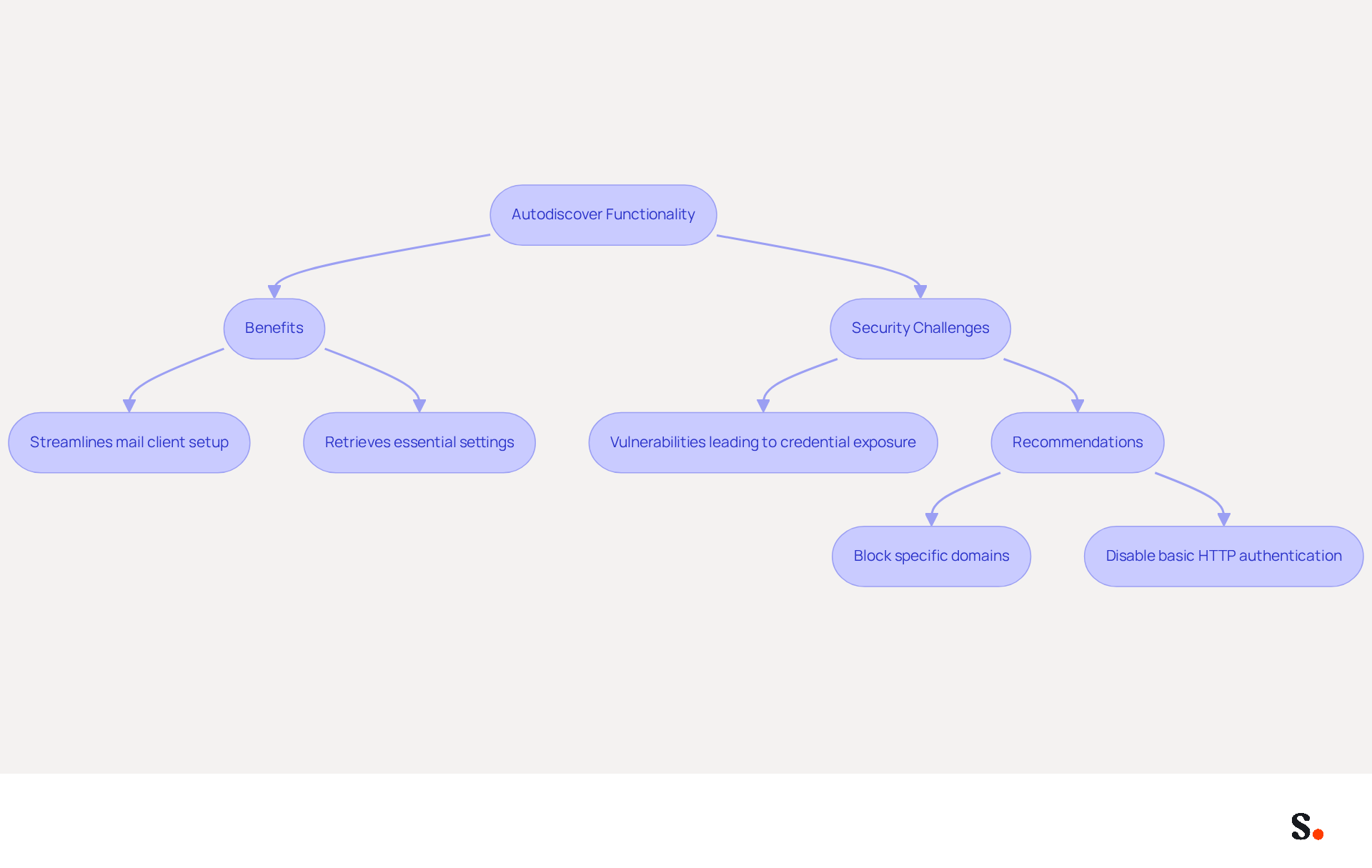
The automatic configuration feature in Microsoft Exchange, while beneficial, presents critical security challenges that organizations must navigate. This service streamlines the setup of mail clients, allowing them to connect to mailboxes with minimal intervention. It retrieves essential settings, including server names, ports, and security options, ensuring users can access their mailboxes seamlessly by eliminating manual configuration complexities. Using DNS records, the system identifies the right Exchange server and provides the necessary configuration settings to the client. This functionality is essential for ensuring seamless access for users, as it removes the complexities associated with manual configuration.
Despite its benefits, the automatic configuration feature poses serious security risks that organizations must address. Recent findings have revealed significant vulnerabilities related to the protocol, with researchers discovering flaws that have led to the exposure of [over 372,000 Windows domain credentials](https://darkreading.com/application-security/microsoft-exchange-autodiscover-flaw-leaks-thousands-of credentials), including 96,671 unique sets leaked from various email clients, such as Microsoft Outlook. This statistic underscores the importance of understanding the system's operation, as well as the necessity for strong testing and troubleshooting strategies to mitigate potential risks.
To enhance security, experts recommend that organizations:
- Block specific domains in their firewalls
- Disable basic HTTP authentication, which has been shown to transmit credentials in plaintext
Amit Serper from Guardicore pointed out that the erroneous implementation of the protocol is causing these leaks, highlighting the necessity for vigilance in its deployment. By taking these precautions, businesses can better safeguard sensitive information while still benefiting from the streamlined setup that the service provides. Organizations that overlook these vulnerabilities risk compromising their sensitive data and overall security posture.
Implement Effective Testing Methods for Autodiscover
Effective testing methods are crucial for ensuring the exchange test autodiscover feature operates correctly. Here are some best practices:
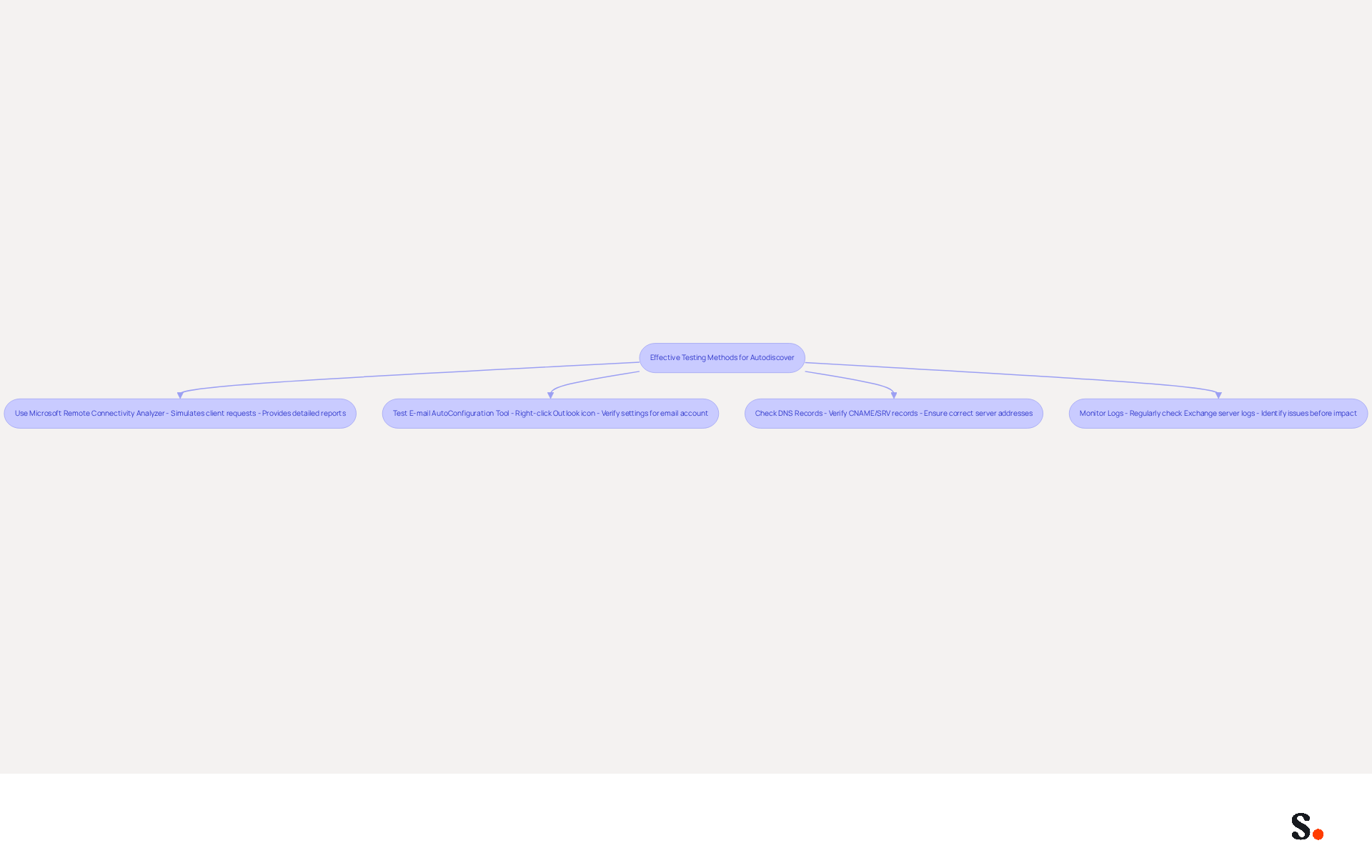
- Use the Microsoft Remote Connectivity Analyzer for an exchange test autodiscover, as this tool tests automatic discovery by simulating client requests and checking responses. It provides detailed reports on any issues encountered during the testing process.
- Test E-mail AutoConfiguration Tool: In Outlook, hold down the CTRL key and right-click the Outlook icon in the system tray. Select 'Test E-mail AutoConfiguration' to verify the settings for a specific email account. Ensure that 'Use automatic discovery' is checked.
- The exchange test autodiscover process is essential for configuration. Check DNS Records: Verify that the DNS records for the exchange test autodiscover feature are correctly configured. This includes ensuring that the CNAME or SRV records point to the correct server addresses.
- Monitor Logs: Regularly check the Exchange server logs for any errors related to exchange test autodiscover. This can assist in identifying issues before they impact individuals.
Implementing these techniques ensures configurations are correct and function as intended, leading to a seamless email experience.
Identify and Avoid Common Autodiscover Pitfalls
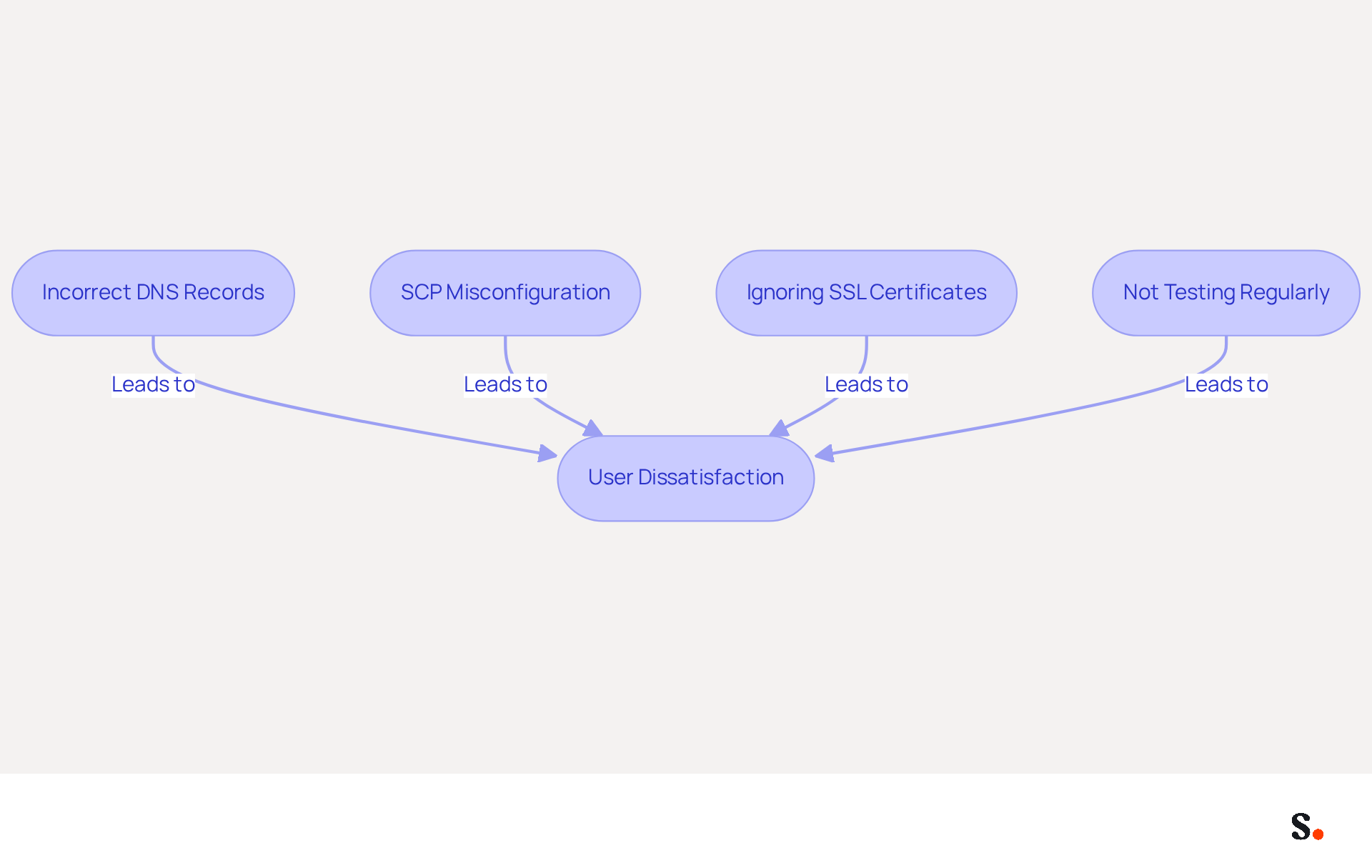
Organizations that utilize the exchange test autodiscover feature often encounter significant challenges that can lead to configuration issues and user dissatisfaction. Here are key pitfalls to avoid:
- Incorrect DNS Records: Over 30% of organizations face issues from incorrect DNS records, which can severely impact messaging functionality. It is crucial to ensure that the CNAME or SRV records are accurately set up to point to the appropriate Exchange server.
- Service Connection Point (SCP) Misconfiguration: For those using an on-premises Exchange server, proper SCP configuration is essential. Without proper SCP configuration, clients struggle to find the exchange test autodiscover service, resulting in frustrating connectivity issues. A recent case study revealed that organizations neglecting SCP configuration experienced significant delays in accessing messages.
- Ignoring SSL Certificates: Valid and properly installed SSL certificates are vital for secure connections. Clients may fail to connect if there are issues with the SSL certificate, leading to security warnings that can discourage users from accessing their accounts. Experts agree that keeping SSL certificates current is crucial for maintaining email security.
- Not Testing Regularly: Routine testing of the service is often overlooked. Establishing a routine testing schedule for the exchange test autodiscover can assist in identifying and resolving issues early, ensuring a smoother experience for individuals. Organizations that implemented regular testing saw a marked decrease in configuration errors, enhancing overall service reliability.
By proactively addressing these pitfalls, organizations can enhance their email management processes and ensure a seamless user experience.
Maintain and Update Autodiscover Settings Regularly
To ensure the automatic discovery feature operates effectively, regular maintenance and updates of settings are essential. Here are some best practices:
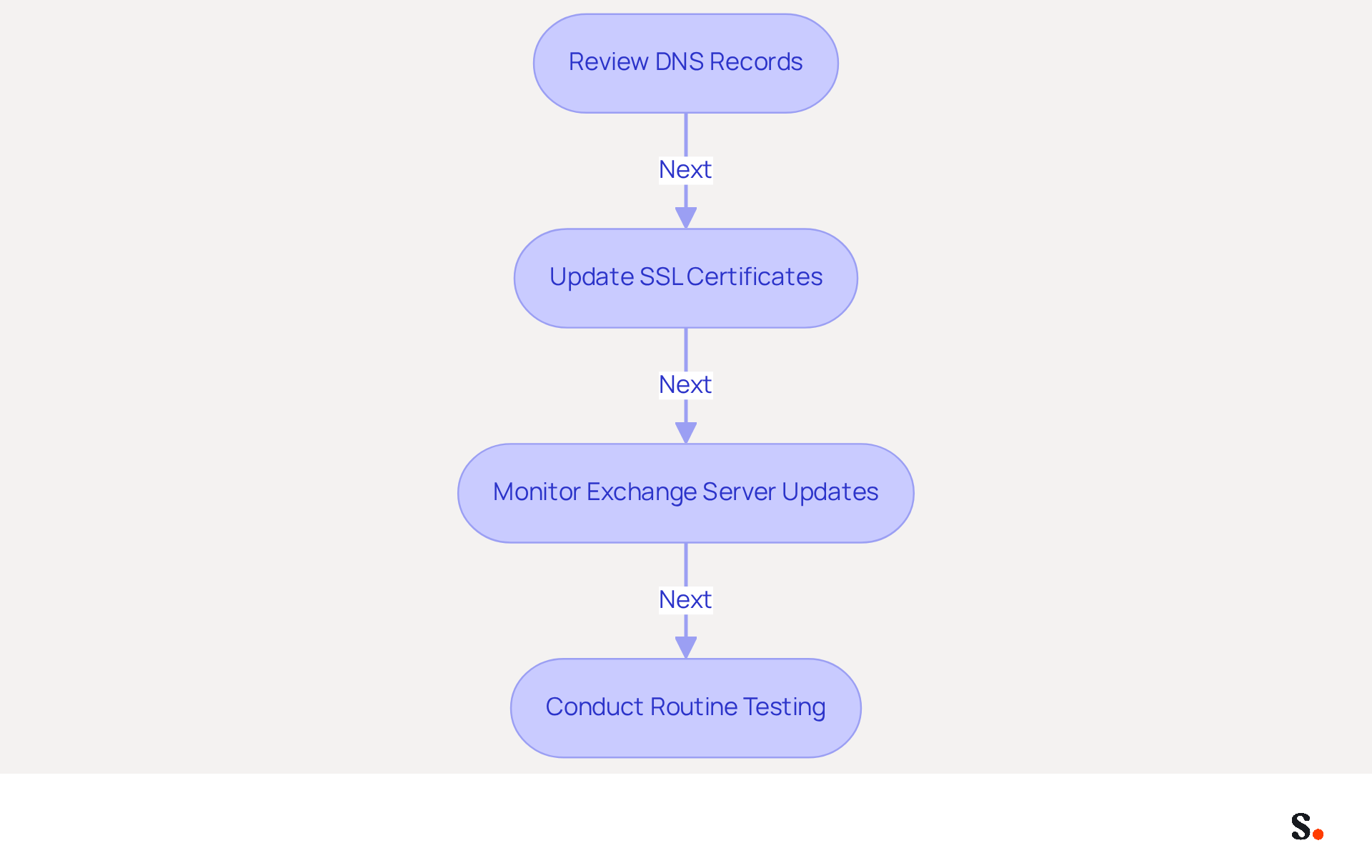
- Regularly Review DNS Records: Periodically check the DNS records linked with Scribe to ensure they are accurate and up-to-date. Changes in server configurations or domain names should be reflected in the DNS settings.
- Update SSL Certificates: Keep SSL certificates current to avoid security issues. Expired certificates can lead to connection failures and security warnings for individuals, undermining trust in the email system. The NotAfter date of the old certificate was 7/15/2023, and the NotAfter date of the new certificate is 7/15/2024.
- Monitor Exchange Server Updates: Stay informed about updates and changes to the Exchange server that may impact functionality. Implement updates promptly to maintain compatibility.
- Conduct routine testing of the exchange test autodiscover service, as it's wise to regularly test it to catch any potential issues before they affect users. This proactive approach can help maintain a seamless communication experience.
By following these maintenance practices, organizations can keep their configuration settings effective and secure, ensuring reliable email communication. Incidents like the Microsoft Exchange Autodiscover flaw exposed over 372,000 Windows domain credentials. This underscores the critical need for diligent management of these settings. Furthermore, statistics indicate that 45% of enterprises experienced certificate-related downtime in the past year, highlighting the importance of regular DNS record reviews and SSL certificate updates. As Pieter Arntz noted, "The possible consequences of a domain credential leak at such a scale are enormous, and can put entire organizations in danger." Failure to manage these settings can expose organizations to significant security risks and operational disruptions.
Conclusion
Many organizations struggle with the complexities of managing the Autodiscover feature in Microsoft Exchange, which can lead to significant security risks. Understanding and effectively managing this feature is crucial for organizations aiming to streamline email configuration while safeguarding sensitive information. By implementing best practices, businesses can enhance their email management processes, ensuring seamless connectivity and robust security.
Key strategies discussed include:
- The importance of effective testing methods, such as utilizing the Microsoft Remote Connectivity Analyzer and regularly monitoring DNS records.
- Avoiding common pitfalls like incorrect DNS configurations and neglecting SSL certificate updates, which is vital for maintaining a reliable email system.
- Regular maintenance and updates to Autodiscover settings, which further reinforce security and operational efficiency, protecting organizations from potential vulnerabilities.
In a landscape where email security is paramount, organizations must prioritize diligent management of Autodiscover settings. Failing to prioritize Autodiscover management could expose organizations to serious security threats and operational disruptions. Embracing a proactive approach to email management will ultimately lead to improved operational resilience and a more secure communication environment.
Frequently Asked Questions
What is the Autodiscover functionality in Microsoft Exchange?
The Autodiscover functionality in Microsoft Exchange is an automatic configuration feature that streamlines the setup of mail clients, allowing them to connect to mailboxes with minimal intervention by retrieving essential settings such as server names, ports, and security options.
How does Autodiscover enhance user experience?
Autodiscover enhances user experience by eliminating manual configuration complexities, ensuring users can access their mailboxes seamlessly.
What are the security challenges associated with Autodiscover?
The Autodiscover feature poses serious security risks, including significant vulnerabilities that have led to the exposure of over 372,000 Windows domain credentials, highlighting the need for organizations to address these risks.
What recent findings have been reported regarding Autodiscover vulnerabilities?
Recent findings revealed that flaws in the Autodiscover protocol have resulted in the leak of 96,671 unique sets of credentials from various email clients, including Microsoft Outlook.
What precautions should organizations take to enhance security when using Autodiscover?
Organizations should block specific domains in their firewalls and disable basic HTTP authentication, which transmits credentials in plaintext, to enhance security.
What did Amit Serper from Guardicore highlight about the implementation of Autodiscover?
Amit Serper pointed out that erroneous implementation of the Autodiscover protocol is causing credential leaks, emphasizing the necessity for vigilance in its deployment.
What are the risks of overlooking Autodiscover vulnerabilities?
Organizations that overlook these vulnerabilities risk compromising their sensitive data and overall security posture while still needing to benefit from the streamlined setup that Autodiscover provides.
List of Sources
- Understand Autodiscover Functionality in Exchange
- Microsoft Exchange Server’s Autodiscover Feature Leaked Credentials of Over 100,000 Users To Third-Party Untrusted Domains - CPO Magazine (https://cpomagazine.com/cyber-security/microsoft-exchange-servers-autodiscover-feature-leaked-credentials-of-over-100000-users-to-third-party-untrusted-domains)
- Microsoft Exchange Autodiscover Flaw: How Hackers Can Exploit It - (https://msspalert.com/news/microsoft-exchange-autodiscover-flaw)
- Microsoft Exchange Autodiscover Flaw Leaks Thousands of Credentials (https://darkreading.com/application-security/microsoft-exchange-autodiscover-flaw-leaks-thousands-of credentials)
- Microsoft Exchange Autodiscover bugs leak 100K Windows credentials - Vumetric (https://vumetric.com/cybersecurity-news/microsoft-exchange-autodiscover-bugs-leak-100k-windows-credentials)
- Microsoft Exchange Autodiscover bug leaks hundreds of thousands of domain credentials (https://therecord.media/microsoft-exchange-autodiscover-bug-leaks-hundreds-of-thousands-of-domain-credentials)
- Implement Effective Testing Methods for Autodiscover
- Microsoft Remote Connectivity Analyzer Tool - Connectivity Analyzer (https://learn.microsoft.com/en-us/connectivity-analyzer/exchange-remote-connectivity-analyzer-tool)
- How to quickly verify if autodiscover is working - Admin's blog (https://codetwo.com/admins-blog/how-to-quickly-verify-if-autodiscover-is-working)
- Autodiscover service in Exchange Server (https://learn.microsoft.com/en-us/exchange/architecture/client-access/autodiscover)
- Announcing Microsoft Connectivity Analyzer (MCA) 1.0 and Microsoft Remote Connectivity Analyzer (RCA) 2.1 | Microsoft Community Hub (https://techcommunity.microsoft.com/blog/exchange/announcing-microsoft-connectivity-analyzer-mca-1-0-and-microsoft-remote-connecti/595251)
- Identify and Avoid Common Autodiscover Pitfalls
- Make Sure Your Implementation of Autodiscover Avoids Common Pitfalls (https://practical365.com/make-sure-your-implementation-of-autodiscover-avoids-common-pitfalls)
- Master the Autodiscover Test: Step-by-Step Instructions for Success (https://scribe-mail.com/en-US/blog/master-the-autodiscover-test-step-by-step-instructions-for-success)
- Autodiscover Related Issues (https://support.intermedia.com/app/articles/detail/a_id/15231/~/autodiscover-related-issues)
- Maintain and Update Autodiscover Settings Regularly
- The Risks of Expired SSL Certificates Explained - CrowdStrike (https://crowdstrike.com/en-us/blog/the-risks-of-expired-ssl-certificates)
- Microsoft Exchange Autodiscover flaw reveals users’ passwords | ThreatDown (https://threatdown.com/blog/microsoft-exchange-autodiscover-flaw-reveals-users-passwords)
- Autodiscover SSL Certificate showing as expired - Exchange Hybrid | Microsoft Community Hub (https://techcommunity.microsoft.com/discussions/exchange_general/autodiscover-ssl-certificate-showing-as-expired---exchange-hybrid/1767319)
- Renew a Certificate in Exchange 2016 & 2019 - SuperTekBoy (https://supertekboy.com/2023/07/08/renew-a-certificate-in-exchange-2016-2019)
- 10 Certificate Outages From Human Error [2026 Update] (https://encryptionconsulting.com/10-cases-of-certificate-outages-involving-human-error)
Get started with Scribe
See why teams switch to Scribe
Free 14-day trial — no credit card.