5 Essential Business Email Writing Format Samples for Success
In a professional landscape inundated with emails, mastering the art of effective communication is crucial for success. This article will explore five key
Sophie Grant
Email Signature Specialist, Scribe
On this page
- Introduction
- Scribe: Automate Your Email Signature Management
- Professional Email Format: Key Components to Include
- Crafting Effective Subject Lines for Business Emails
- Structuring the Email Body for Clarity and Engagement
- Professional Closings and Signatures: Leaving a Lasting Impression
- Conclusion
- Frequently Asked Questions
- List of Sources
Introduction
In a professional landscape inundated with emails, mastering the art of effective communication is crucial for success. This article will explore five key email writing formats that can significantly enhance your communication, ensuring messages resonate with recipients and elevate professionalism.
With countless emails flooding inboxes daily, many messages go unnoticed, leading to missed opportunities. Ensuring your message is not only read but also prompts action is vital for achieving desired outcomes.
Get started with Scribe
Manage signatures across your whole team
Free 14-day trial — no credit card.
Scribe: Automate Your Email Signature Management
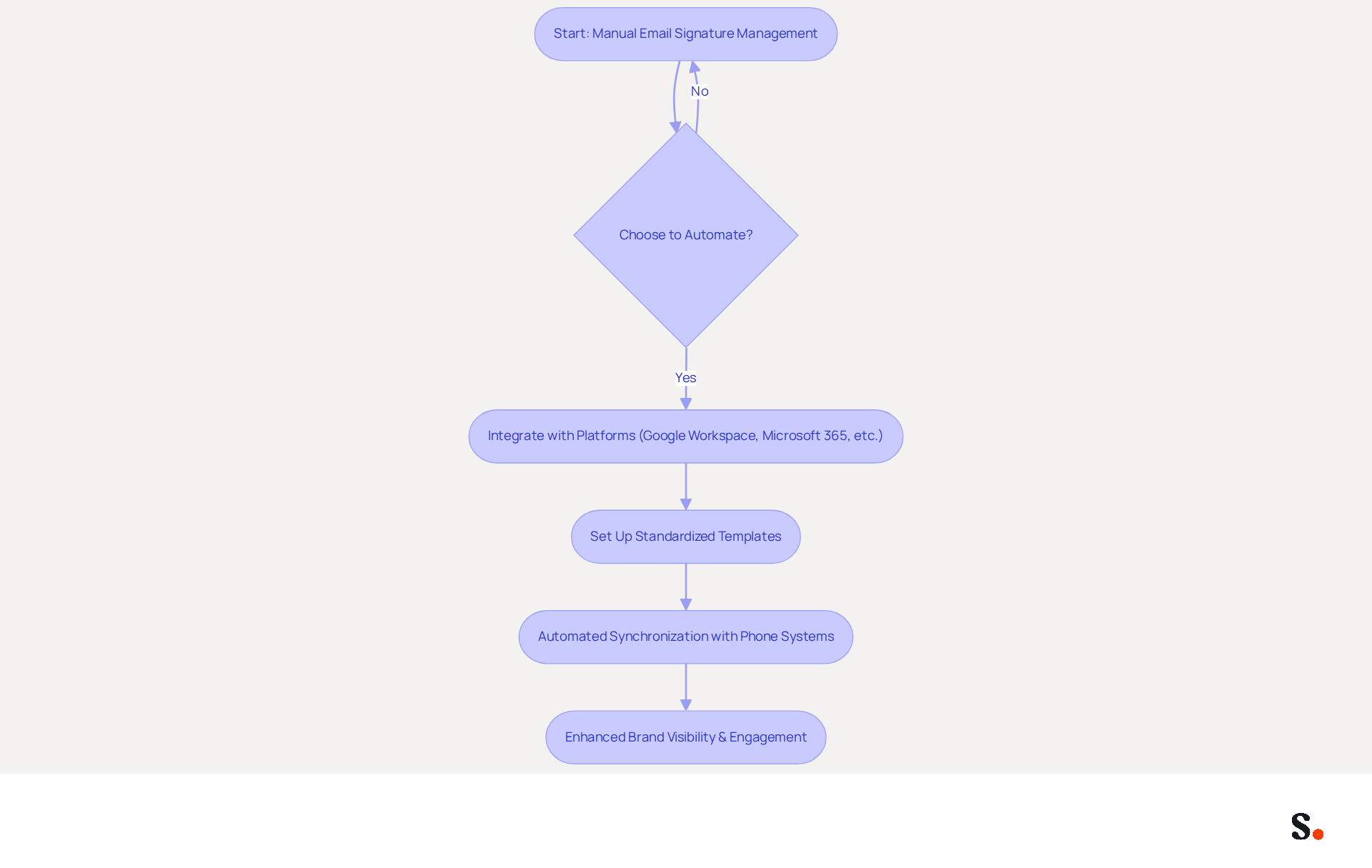
Scribe revolutionizes the management of electronic signatures, addressing the inefficiencies of manual updates. By automating the creation and updating of these elements throughout your organization, businesses can ensure that all team members have consistent, on-brand identifiers. This consistency boosts brand visibility and turns digital identifiers into powerful marketing tools, leading to a 22% increase in response rates and a 15% rise in click-through rates to company websites.
Integrating seamlessly with platforms like Google Workspace, Microsoft 365, and business phone systems, Scribe eliminates the inefficiencies of manual updates. This allows companies to focus on their core business activities while maintaining a professional image in every message sent. The shift to automated digital identifiers usually requires under an hour, enabling IT teams to implement standardized templates swiftly while retaining control over branding.
Scribe's automated synchronization with business phone systems ensures that contact information is always current, further enhancing efficiency. For instance, organizations using Scribe's automated management report significant reductions in support tickets related to errors and enhanced compliance with legal disclaimers. Moreover, 52.6% of users incorporate a call-to-action in their signatures, suggesting that promotional elements are not only embraced but can effectively enhance engagement.
In a landscape where messages remain the primary professional communication channel, with approximately 376 billion sent daily, Scribe's automated approach ensures that every message serves as a branded impression, maximizing marketing opportunities without additional costs. Scribe is also committed to data protection, being GDPR compliant and holding a SOC 2 Type II certification, which assures organizations that their data is handled with the utmost care and security. With Scribe, organizations not only enhance their professional image but also leverage every message as a strategic marketing opportunity.
Professional Email Format: Key Components to Include
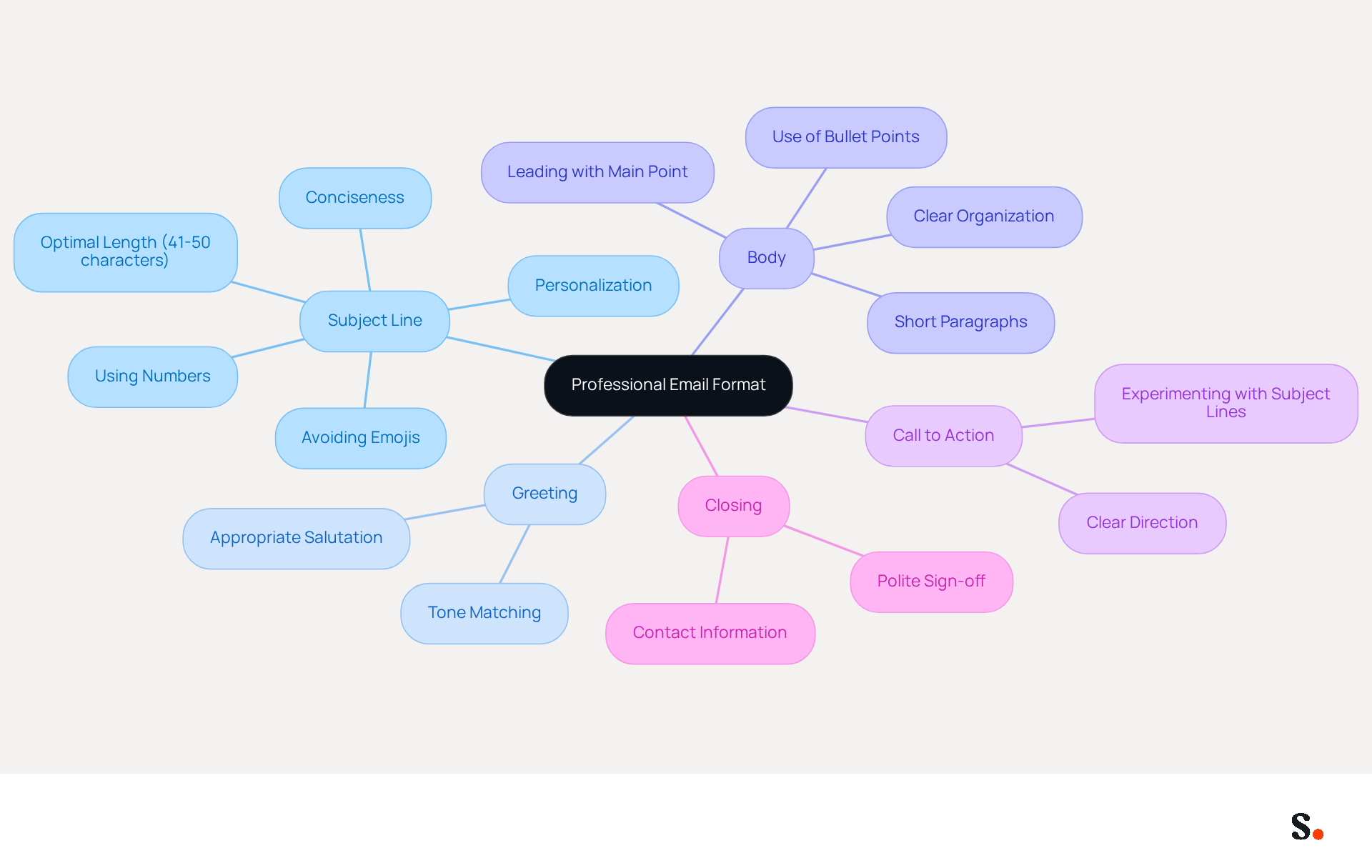
To ensure effective communication, a professional email must incorporate several key components:
- Subject Line: A concise and relevant subject that summarizes the email's purpose. Research shows that emails with shorter subject phrases tend to have higher open rates, making this element vital for engagement. Notably, subject lines with 41-50 characters have the highest click-through rate at 17.57%, emphasizing the need for brevity and clarity.
- Greeting: A polite salutation addressing the recipient appropriately. Choosing the right greeting sets the tone for your email, so ensure it aligns with the required formality.
- Body: The primary content of the message, organized clearly with short paragraphs or bullet points for easy reading. Breaking up text into one or two sentence paragraphs effectively reduces reader fatigue and enhances clarity. As Thomas Jehn advises, "To reduce reader fatigue and overload, I break up messages into one or two sentence paragraphs."
- Call to Action: A clear indication of what you want the individual to do next. This component is crucial for directing the individual towards the desired outcome of the email. Furthermore, experimenting with various subject headings can significantly boost open rates by at least 50%, making it essential to adjust your strategy.
- Closing: A polite sign-off followed by your name and contact information. The closing should reflect the relationship with the recipient and maintain professionalism.
Each of these elements plays a crucial role in ensuring your message is received positively and understood clearly. By mastering these elements, you can significantly improve your email communication outcomes.
Crafting Effective Subject Lines for Business Emails
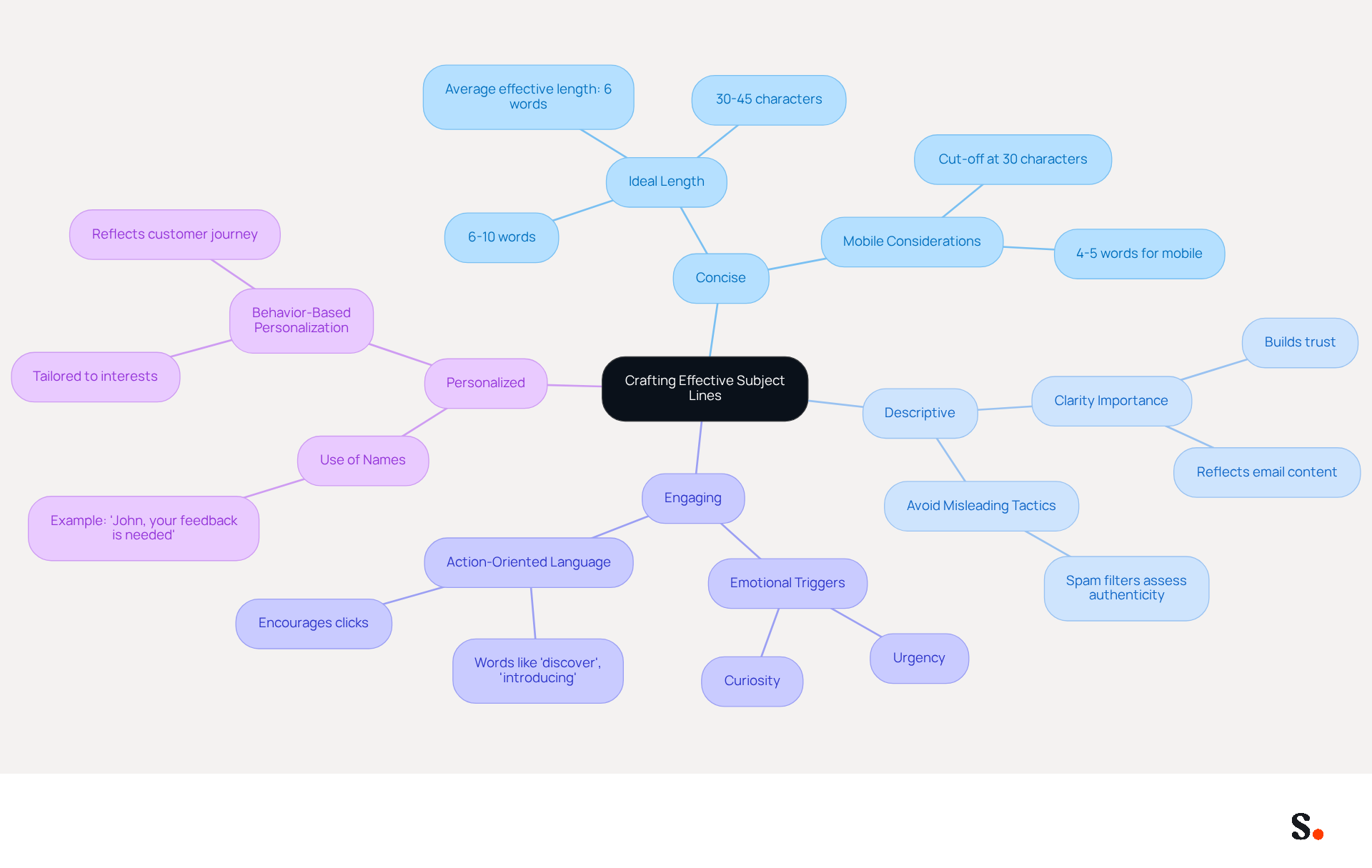
Crafting an effective subject line is essential for maximizing email engagement. An effective subject line should be:
- Concise: Aim for 6-10 words to ensure it displays fully in inboxes. Studies indicate that shorter subject phrases, averaging 2-4 words, tend to perform better, with the ideal length being around 30-45 characters. The average effective subject phrase length is usually 6 words, with 7-word phrases achieving about 30% open rates.
- Descriptive: Clear subject headings that accurately reflect the email's content can significantly boost open rates and engagement. As Aisling Carey observes, 'Your subject is the first (and sometimes only) opportunity to capture attention in a cluttered inbox.'
- Engaging: Use action-oriented language to create urgency or curiosity. Subject headings that evoke emotions such as curiosity and urgency can drive clicks, making them crucial for capturing attention in a cluttered inbox. A staggering 69% of emails are marked as spam simply due to ineffective subject lines, highlighting the necessity for effective crafting.
- Personalized: Whenever possible, include the individual's name or relevant details to increase engagement. For example, 'John, your feedback is needed on the project proposal.' Personalization can greatly enhance open rates, as messages that align with the recipient's interests are more likely to be opened.
When businesses apply these strategies, they can truly elevate their marketing efforts, resulting in better open rates and engagement. Furthermore, avoiding spam triggers is crucial to ensure that messages reach their intended audience.
Structuring the Email Body for Clarity and Engagement
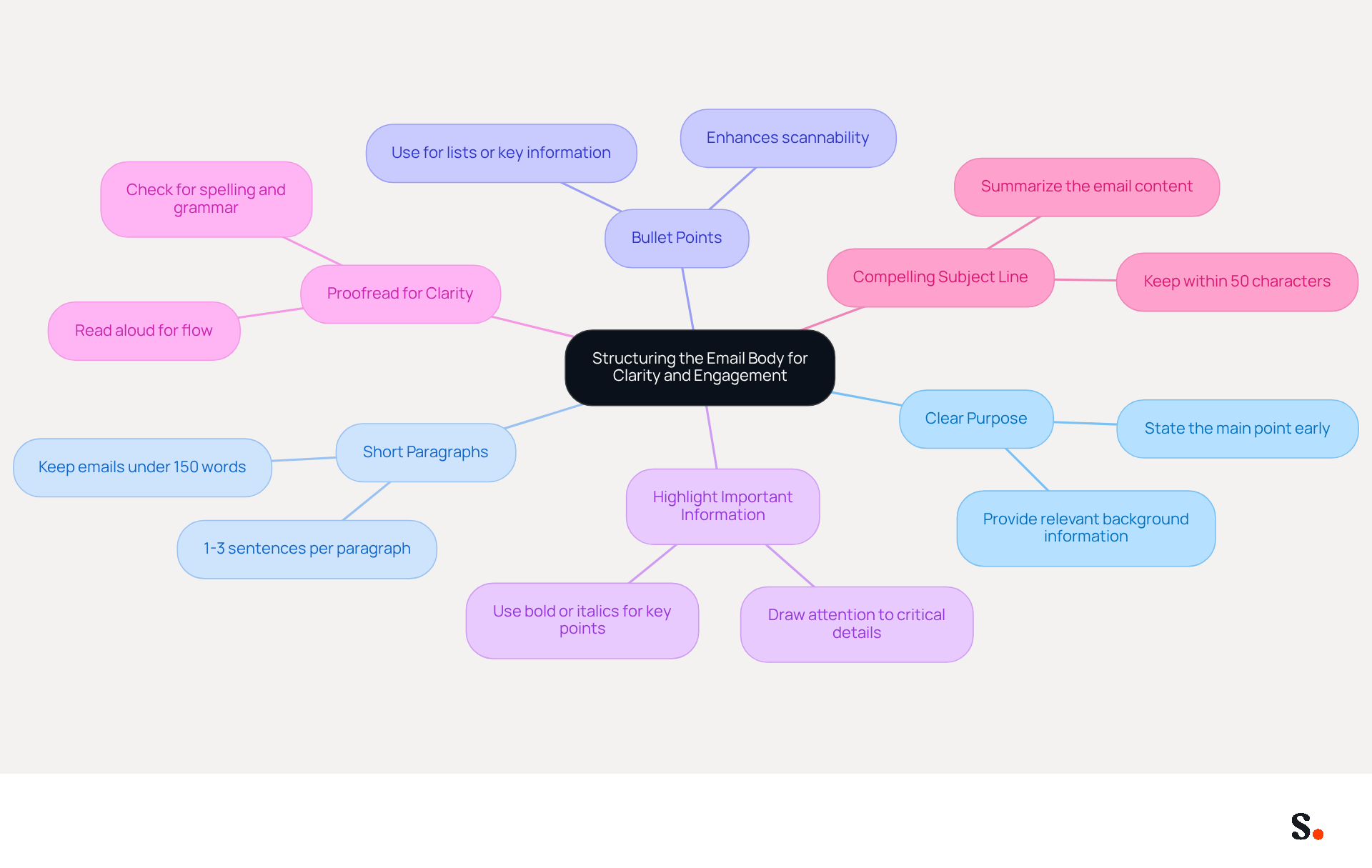
Effective communication can often be hindered by unclear messaging, leading to misunderstandings and inefficiencies. To ensure clarity and engagement in your email body, consider the following strategies:
- Start with a Clear Purpose: Clearly state the main point of your email in the opening lines. This approach assists individuals in quickly grasping the intent of your message, resulting in more effective communication.
- Use Short Paragraphs: Break content into digestible sections. Studies show that keeping emails to about 150 words is ideal, with short sentences and 1-3 sentences per paragraph to maintain reader interest and prevent overwhelm.
- Incorporate Bullet Points: Utilize bullet points for lists or key information. This formatting choice improves scannability, enabling users to quickly identify important details without sifting through dense text.
- Highlight Important Information: Use bold or italics to draw attention to critical details. Highlighting key points not only enhances readability but also ensures that vital information stands out, making it easier for audiences to understand the main messages.
- Proofread for Clarity: Always proofread your messages for spelling, grammar, and clarity to maintain professionalism and ensure effective communication.
- Craft a Compelling Subject Line: A well-constructed subject line is essential for capturing the reader's interest and summarizing the message's content effectively.
By adopting these strategies, you can significantly reduce the risk of miscommunication and enhance the overall effectiveness of your emails.
Professional Closings and Signatures: Leaving a Lasting Impression
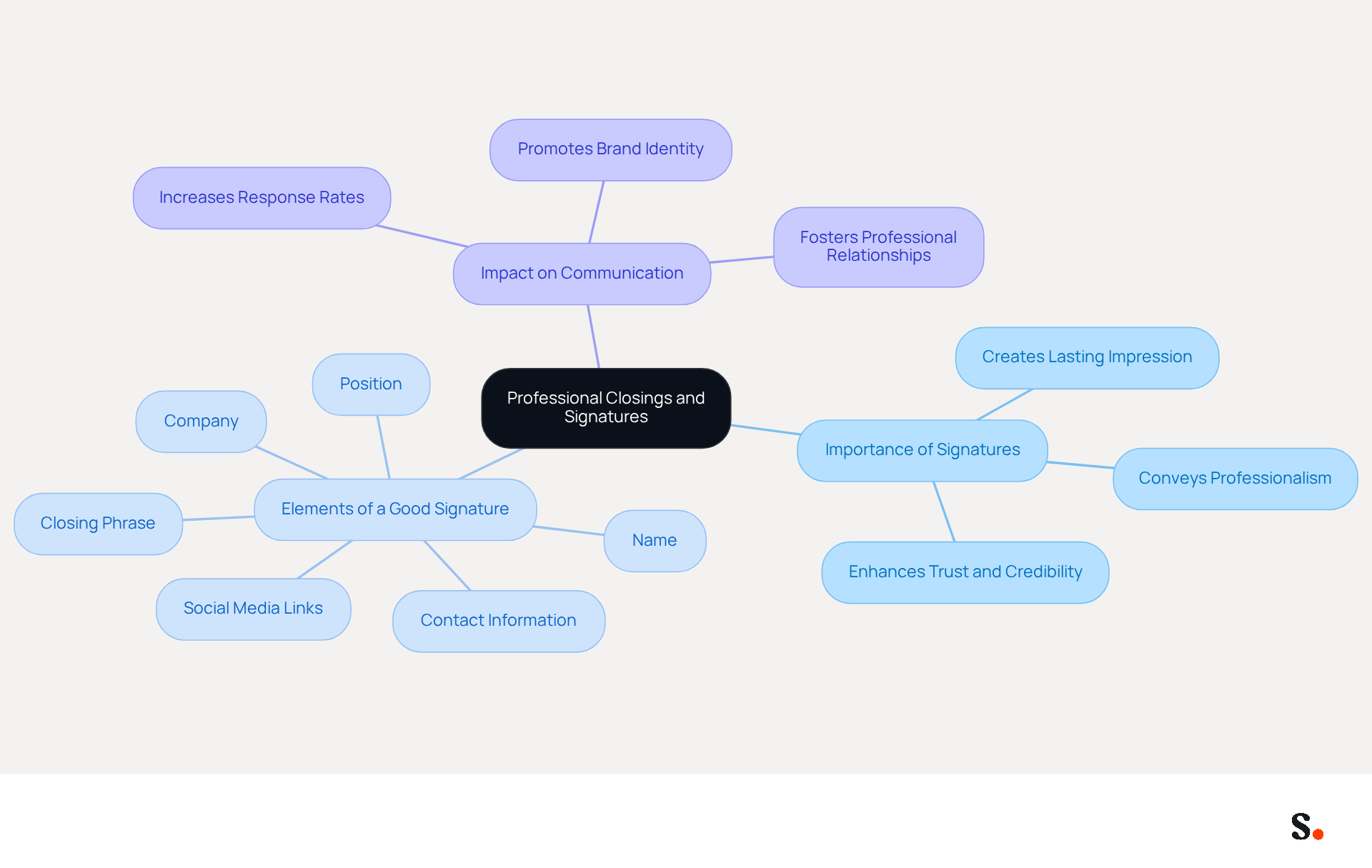
In the realm of professional communication, the details matter, especially when it comes to your email signature. A well-crafted signature is one effective way to create a lasting impression and convey professionalism. Research indicates that concluding your messages with a simple 'thank you' can significantly increase response rates, making it a powerful tool in professional communication. According to Jason Frey, 'A well-crafted signature is one effective way to create a lasting impression and convey professionalism.'
Best regards,
John Doe
Marketing Manager
Scribe
john.doe@scribe-mail.com
(123) 456-7890
This signature format enhances your professional image and simplifies the process for recipients to contact you. A consistent and professional signature reflects your identity and builds trust with your audience. By implementing these strategies, you can significantly enhance your professional image and foster stronger connections with your audience.
Conclusion
Effective communication hinges on mastering the art of business email writing. Understanding and implementing key components like concise subject lines, clear body content, and professional closings can greatly enhance communication outcomes. The integration of Scribe's email signature management features further amplifies this effectiveness, ensuring brand consistency and maximizing marketing opportunities with every message sent.
Each email element plays a crucial role in effective communication. From crafting engaging subject lines that capture attention to structuring the email body for clarity, these strategies are vital for reducing miscommunication and fostering positive interactions. Additionally, the role of a professional email signature cannot be overstated, as it leaves a lasting impression and reinforces the sender's credibility.
In today's digital landscape, using tools like Scribe can streamline email signature management and help marketing teams enhance their branding efforts. By adopting these best practices and utilizing Scribe's capabilities, organizations can transform every email into a strategic marketing opportunity, ultimately driving engagement and enhancing their professional image. Without these strategies, organizations risk losing valuable opportunities to engage and connect with their audience.
Frequently Asked Questions
What is Scribe and what does it do?
Scribe is a tool that automates the management of electronic signatures, allowing businesses to create and update email signatures efficiently across their organization, ensuring consistency and enhancing brand visibility.
How does Scribe improve email signature management?
Scribe automates the creation and updating of email signatures, eliminating manual updates and ensuring that all team members have consistent, on-brand identifiers, which can lead to increased response and click-through rates.
What platforms does Scribe integrate with?
Scribe integrates seamlessly with platforms like Google Workspace, Microsoft 365, and various business phone systems.
How quickly can Scribe be implemented in an organization?
The shift to automated digital identifiers with Scribe usually requires under an hour, allowing IT teams to implement standardized templates swiftly.
What benefits do organizations experience by using Scribe?
Organizations using Scribe report significant reductions in support tickets related to errors, enhanced compliance with legal disclaimers, and improved engagement through the incorporation of promotional elements in signatures.
How does Scribe ensure data protection?
Scribe is GDPR compliant and holds a SOC 2 Type II certification, assuring organizations that their data is handled securely.
What are the key components of a professional email format?
The key components include a concise subject line, a polite greeting, a clearly organized body, a call to action, and a professional closing with contact information.
Why is the subject line important in an email?
A concise and relevant subject line summarizes the email's purpose and is vital for engagement, as research shows that shorter subject phrases tend to have higher open rates.
How can the body of an email be structured for better readability?
The body should be organized clearly with short paragraphs or bullet points, breaking up text into one or two sentence paragraphs to reduce reader fatigue and enhance clarity.
What is the purpose of a call to action in an email?
A call to action clearly indicates what you want the recipient to do next, directing them towards the desired outcome of the email.
List of Sources
- Scribe: Automate Your Email Signature Management
- 40+ Email Signature Statistics for 2026 (Data + Insights) (https://wavecnct.com/blogs/email-signature-statistics)
- Automating Email Signatures: How IT Teams Streamline Processes & Reduce Risk (https://exclaimer.com/blog/streamlining-it-processes-automated-email-signatures)
- Why Email Signatures Must Be In Your 2026 Marketing Plan | Rocketseed (https://rocketseed.com/blog/what-are-the-biggest-email-trends-for-2026)
- Email signature statistics: Why every business should optimize their email signatures — Stripo.email (https://stripo.email/blog/email-signature-statistics-why-every-business-should-optimize-their-email-signatures)
- WiseStamp Sets a New Standard for Email Signature Creation (https://prnewswire.com/news-releases/wisestamp-sets-a-new-standard-for-email-signature-creation-302689811.html)
- Professional Email Format: Key Components to Include
- 30+ statistics about sales email subject lines you need to know (https://blog.hubspot.com/sales/subject-line-stats-open-rates-slideshare)
- A Blueprint for Writing Effective Emails | Harvard Medical School Professional, Corporate, and Continuing Education (https://learn.hms.harvard.edu/insights/all-insights/blueprint-writing-effective-emails)
- How to write a professional email (https://sparkmailapp.com/blog/how-to-write-professional-email)
- Writing Professional Emails in the Workplace | Writing and Communication Centre | University of Waterloo (https://uwaterloo.ca/writing-and-communication-centre/writing-professional-emails-workplace)
- Crafting Effective Subject Lines for Business Emails
- Email Subject Lines: Top Tips & Best Practices (https://salesforce.com/marketing/email/subject-lines)
- Why Your Subject Line Matters and How to Make It Even Better (https://campaignmonitor.com/blog/email-marketing/why-your-newsletters-subject-line-matters-and-how-to-make-it-even-better)
- 15 proven strategies for writing killer email subject lines (https://dotdigital.com/blog/how-to-write-email-subject-lines-that-get-opened)
- Crafting effective subject lines for journalists: tips and workshop | Chris Stokel-Walker posted on the topic | LinkedIn (https://linkedin.com/posts/stokel_how-to-nail-subject-lines-activity-7371807245757648897-EJul)
- Email Subject Line Best Practices That Actually Work in 2026 (https://insiderone.com/email-subject-line-best-practices)
- Structuring the Email Body for Clarity and Engagement
-
- Structure Professional Emails with Clarity and Etiquette – Business Communications in the Modern Age of Artificial Intelligence (https://txwes.pressbooks.pub/bcomm/chapter/1-structure-professional-emails-with-clarity-and-etiquette)
- 15 Tips for Clear and Effective Email Communication (https://securemailmerge.com/knowledge/15-tips-for-clear-and-effective-email-communication)
- Email Marketing Statistics | Ultimate List | CodeCrew (https://codecrew.us/blog/email-marketing-stats-you-need-to-know-the-ultimate-list)
- How To Write Better Emails: Communicating with Clarity and Kindness | Highered360 (https://highered360.com/articles/articleDisplay.cfm?ID=3841)
-
- Professional Closings and Signatures: Leaving a Lasting Impression
- How to end an email: Best sign-offs for every business situation | Proton (https://proton.me/business/blog/how-to-end-an-email)
- How to End Any Professional Email (Plus a List of Sign-Offs for When You’re Tired of Saying “Best”) (https://careerservices.upenn.edu/blog/2021/01/08/how-to-end-any-professional-email-plus-a-list-of-sign-offs-for-when-youre-tired-of-saying-best)
- Crafting the Perfect Email Signature: Tips, Types, and Best Practices for Today's Professionals - Frey Design (https://freydesigngroup.com/blog/crafting-the-perfect-email-signature)
- 10 Email Ending Examples to Enhance Your Professional Communication (https://scribe-mail.com/en-US/blog/10-email-ending-examples-to-enhance-your-professional-communication)
- Email Signature Etiquette: How to Leave a Lasting Impression (https://dianegottsman.com/2015/01/12/email-signature-etiquette-leave-lasting-impression)
Get started with Scribe
Manage signatures across your whole team
Free 14-day trial — no credit card.