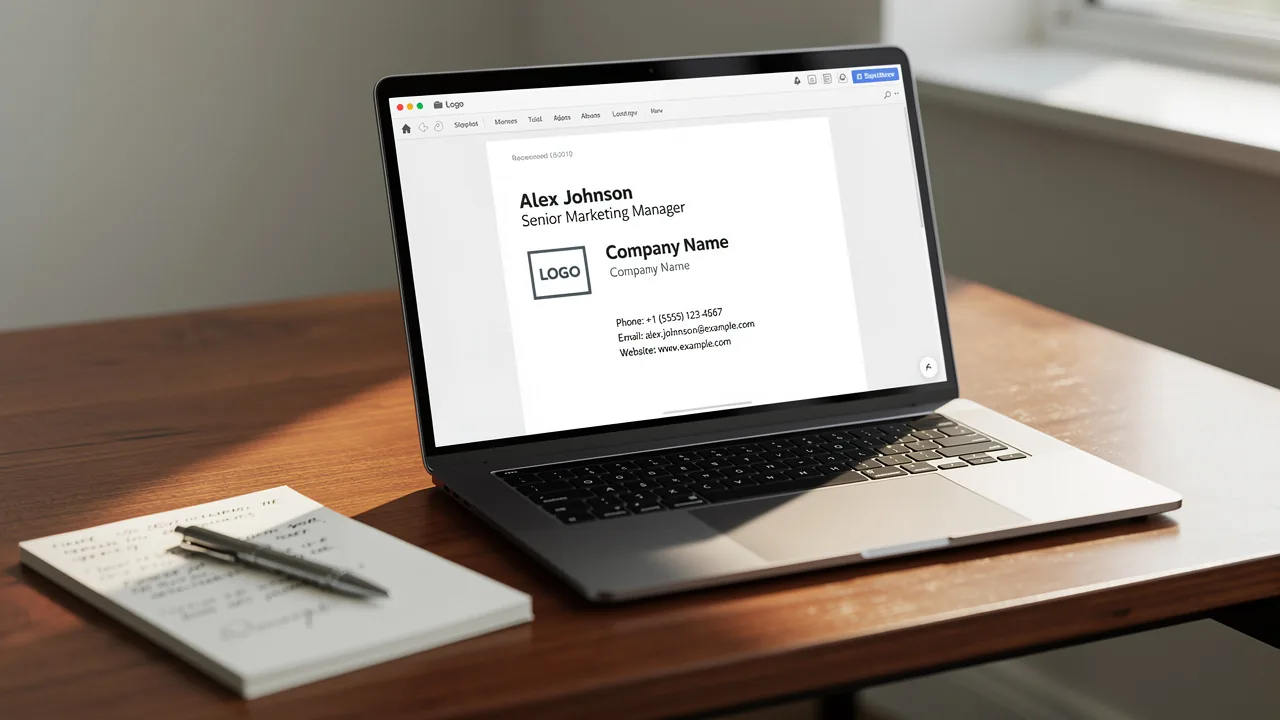
5 Steps to Create Signature Images for Effective Email Branding
Many businesses find it challenging to create email signatures that effectively represent their brand's identity. Effective email branding is a visual
Sophie Grant
Email Signature Specialist, Scribe

On this page
- Introduction
- Understand the Importance of Signature Images in Emails
- Choose Your Design Elements for the Signature Image
- Create Your Signature Image Using Design Tools
- Integrate Your Signature Image into Email Clients
- Test and Optimize Your Signature Image for Consistency
- Conclusion
- Frequently Asked Questions
- List of Sources
Introduction
Many businesses find it challenging to create email signatures that effectively represent their brand's identity. Effective email branding is a visual representation of a brand's identity that can significantly influence recipient perception. By incorporating signature images, organizations can enhance brand recognition, convey professionalism, and leverage marketing opportunities directly within their communications.
However, how can businesses ensure that their signature images not only stand out but also resonate with their audience? By following these steps, businesses can transform their email signatures into powerful tools for brand engagement and recognition.
Understand the Importance of Signature Images in Emails
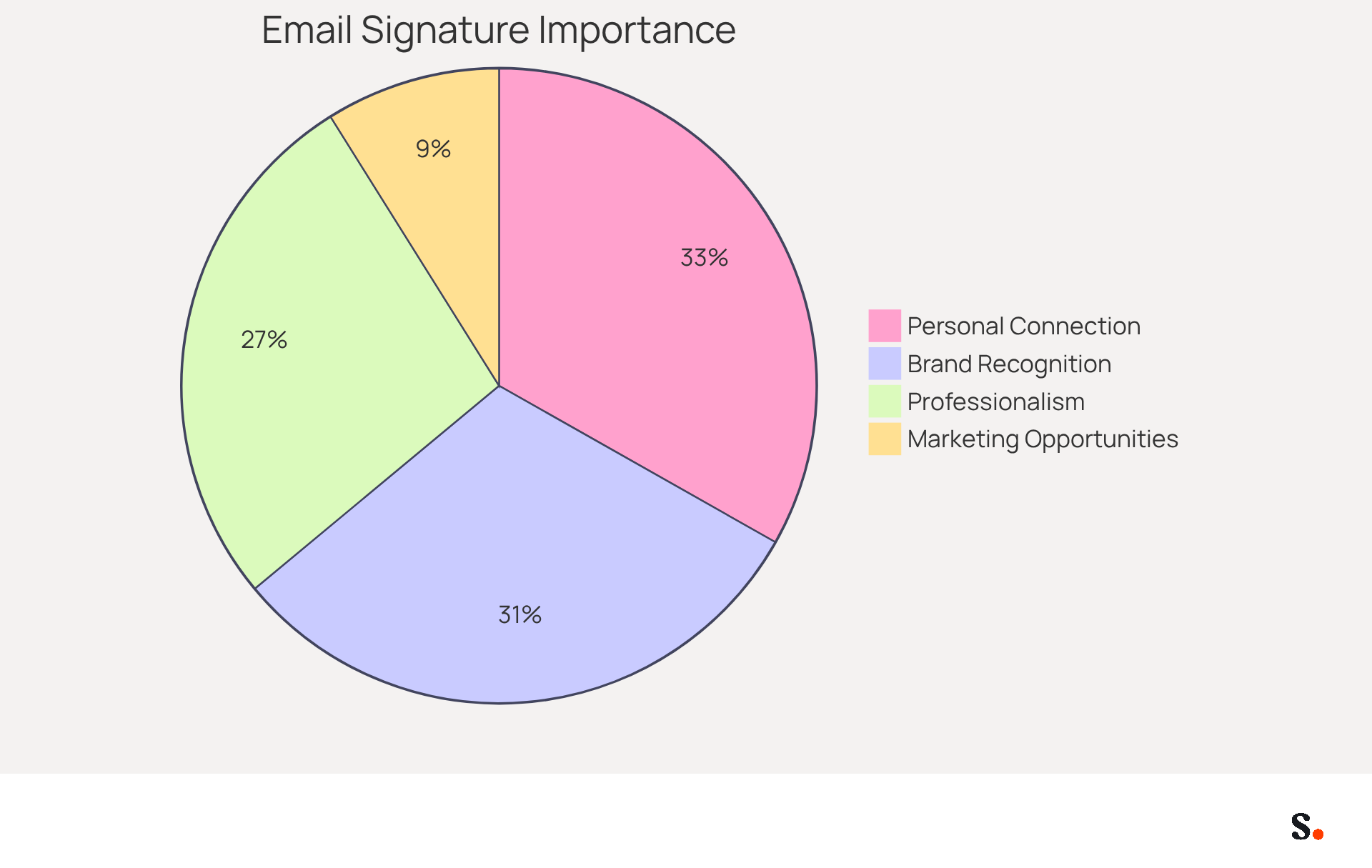
Effective email branding hinges on the strategic use of signature images to create a signature image that visually convey your identity and enhance recognition. These images can include logos, personal photos, or promotional banners that express your identity. With Scribe's automated synchronization with Aircall, any modifications made in your Aircall configuration will automatically be reflected in your Scribe profiles, ensuring consistency across all communications. Here are key reasons why signature images are important:
- Brand Recognition: A well-designed signature image helps recipients remember your brand. Consistent use of logos and colors strengthens identity. In fact, 76% of respondents indicate that branded digital identifiers enhance their trust in the sender, emphasizing their importance in brand recall.
- Professionalism: Incorporating a personalized graphic adds a refined touch to your correspondence, enhancing your credibility and professionalism. According to research, 64-70% of participants believe a professional branded mark enhances trust and credibility, highlighting the significance of a well-crafted persona.
- Marketing Opportunities: You can create signature images that serve as mini-advertisements, promoting products, services, or events directly within your communications. Branded digital identifiers reportedly drive a 22% increase in response rates, demonstrating their effectiveness in engaging recipients.
- Personal Connection: A personal photo can humanize your communication, fostering a sense of trust and connection with recipients. As Jeremy Chatelaine observes, "Email identifiers have the ability to create a notable effect on your brand recognition, utilized by 82% of marketers for this specific purpose."
By leveraging Scribe's capabilities, you can ensure your email branding not only stands out but also resonates with your audience, ultimately driving engagement and trust.
Choose Your Design Elements for the Signature Image
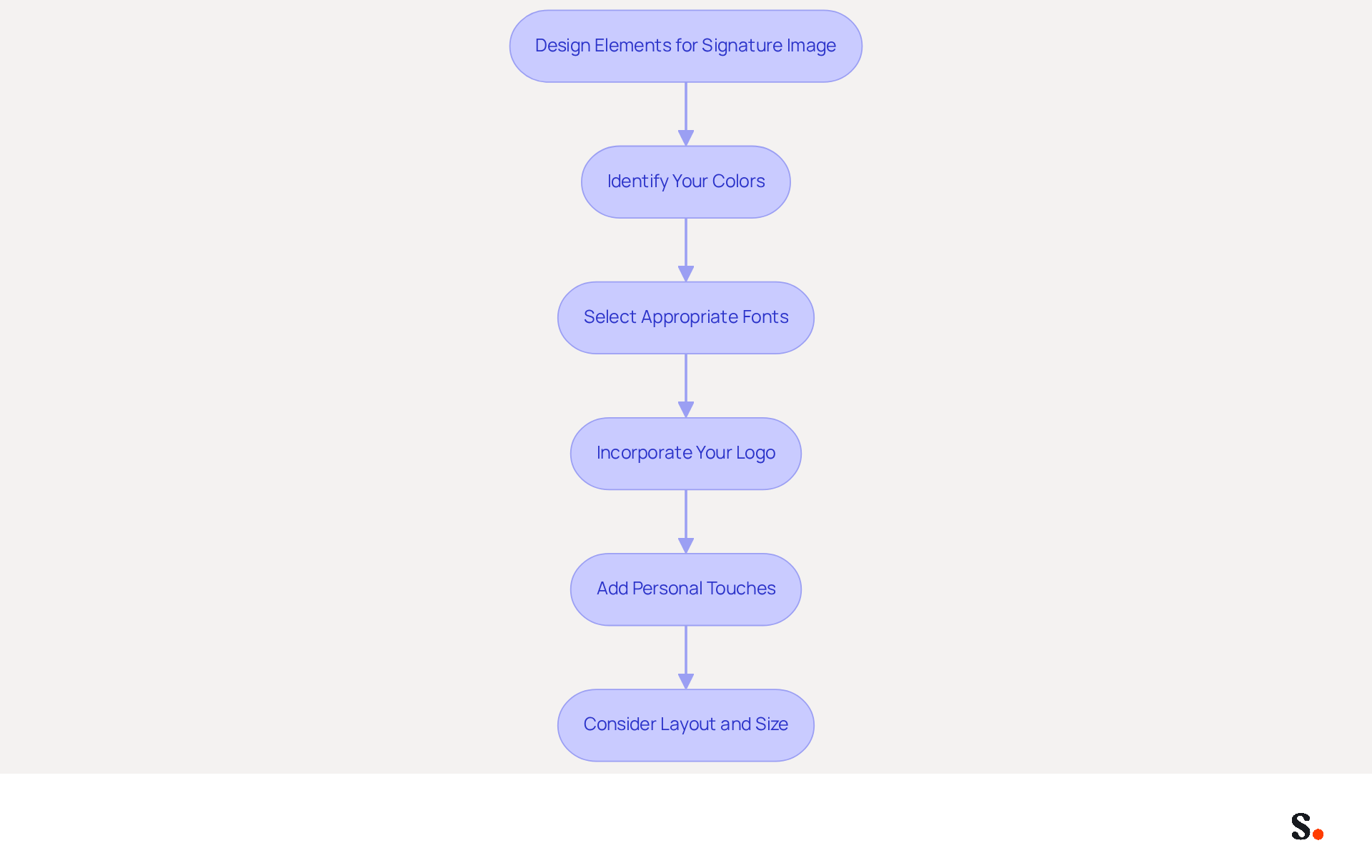
Selecting the right design elements to create a signature image is essential for effective branding and communication. Here are steps to guide your choices:
- Identify Your Colors: Use hues that reflect your identity. Stick to a palette of 2-3 colors to maintain consistency and avoid overwhelming the viewer. A limited color palette enhances visual appeal and strengthens recognition, as consistent colors boost visibility and engagement.
- Select Appropriate Fonts: Choose fonts that are easy to read and align with your company's personality. Avoid using more than two different fonts to keep the design cohesive. Web-safe fonts like Arial or Helvetica are recommended for their legibility across various email clients, ensuring your message is clear.
- Incorporate Your Logo: Ensure your logo is prominently displayed. It should be clear and recognizable, ideally in a high-resolution format. A well-placed logo can significantly enhance brand recognition, serving as a visual anchor for your signature.
- Add Personal Touches: If applicable, include a professional headshot or a personal image that represents you or your team. This adds a personal touch to your messages, fostering a connection with recipients. Customization in communication footers has shown to increase engagement by up to 20%, making your messages feel more relatable.
- Consider Layout and Size: Design your personal graphic to fit within standard email dimensions (ideally 600px wide and 150px high) to ensure it displays correctly across various email clients. A well-organized layout not only improves readability but also prevents your name from being flagged as spam, as complex designs can hinder communication.
By thoughtfully choosing these design elements, you can create a signature image that effectively conveys your message while maintaining professionalism and clarity. Furthermore, syncing your Google Workspace with Scribe can simplify this process, as it enables automatic updates of your teammates' information, conserving time and ensuring uniformity across all identifiers. For instance, any changes in your Google Workspace, such as moving teammates from one group to another or updating their information, will be automatically reflected in Scribe without any input on your part. This integration makes it easier to keep your branding consistent and up-to-date. Scribe is also SOC 2 Type II certified and compliant with GDPR and CCPA, ensuring that your data is handled securely and responsibly. With an average click-through rate of 12% on branded banners, Scribe empowers organizations to achieve measurable marketing ROI from their signatures.
Create Your Signature Image Using Design Tools
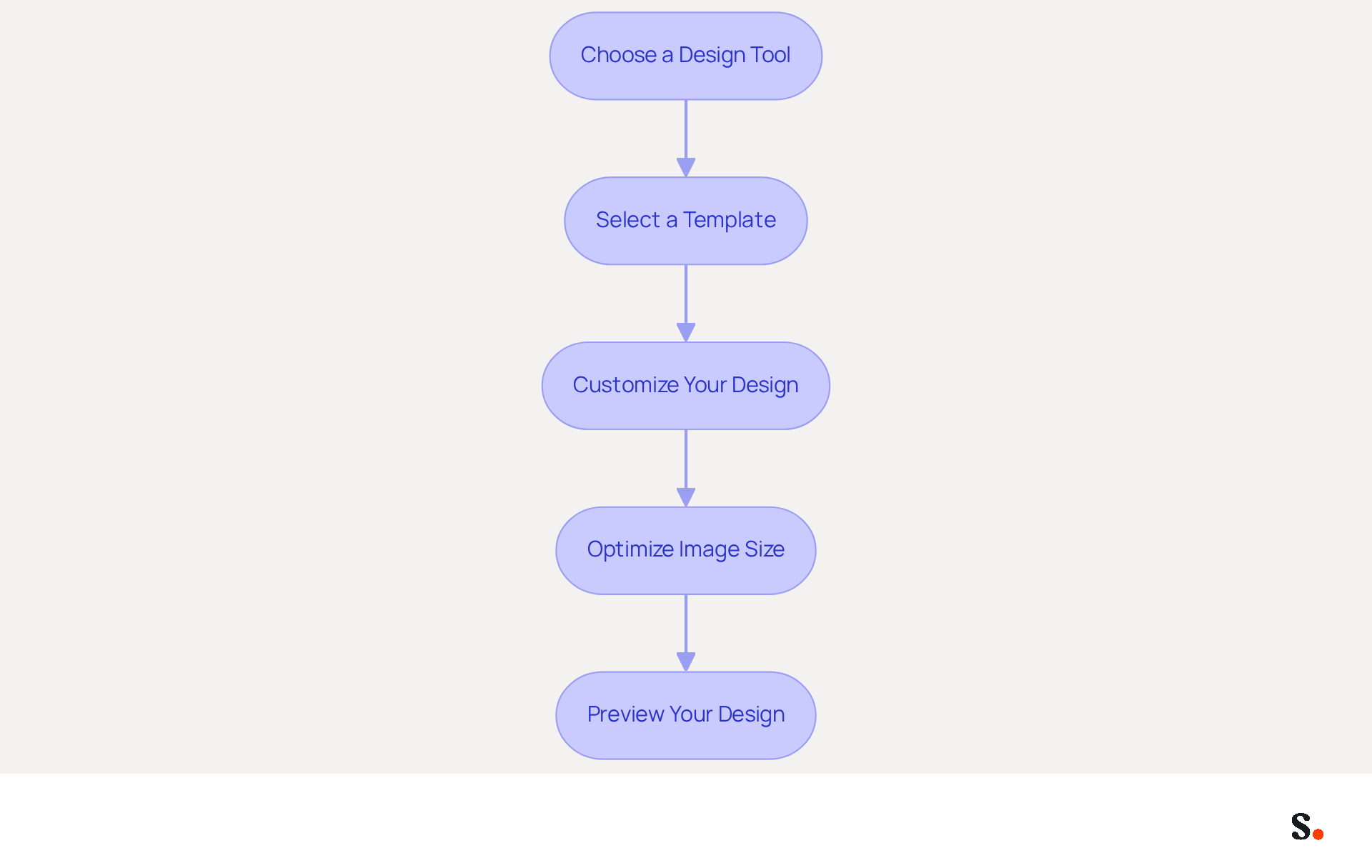
To create a distinctive email branding image, a strategic approach using effective design tools is essential. Follow this step-by-step guide to ensure your email branding stands out:
- Choose a Design Tool: Opt for a user-friendly design platform such as Canva, Adobe Spark, or Scribe’s unique creation feature. These tools offer various templates and easy-to-use interfaces that make designing straightforward.
- Select a Template: Begin with a pre-designed template that aligns with your style. Look for templates specifically designed for signatures to ensure compatibility and professionalism.
- Customize Your Design: Incorporate your logo, select brand colors, and input essential contact information. Ensure that the text is legible, using email-safe fonts sized between 14-16px, and that the layout is visually appealing to enhance readability.
- Optimize Image Size: Before finalizing your design, adjust the image for distribution. Save it in a web-friendly format (PNG or JPEG) and keep the file size under 50KB to ensure quick loading and avoid issues with message deliverability.
- Preview Your Design: Use the preview feature to see how your mark will look in a message. Make necessary adjustments to ensure it looks professional and is mobile-friendly, as over 60% of business correspondence is opened on mobile devices.
Following these steps helps you create a signature image that enhances your email identity and serves as a powerful marketing tool, increasing engagement rates by as much as 40% through strategic design elements. Investing time in your email signature design can lead to measurable improvements in communication effectiveness.
Integrate Your Signature Image into Email Clients
Integrating a personalized mark to create a signature image in your email client is essential for effective branding and can significantly impact your marketing success. With Scribe, this process is simplified through automated synchronization with your business phone system, such as Aircall. Here’s how to do it for popular platforms, along with some compelling statistics to consider:
For Gmail:
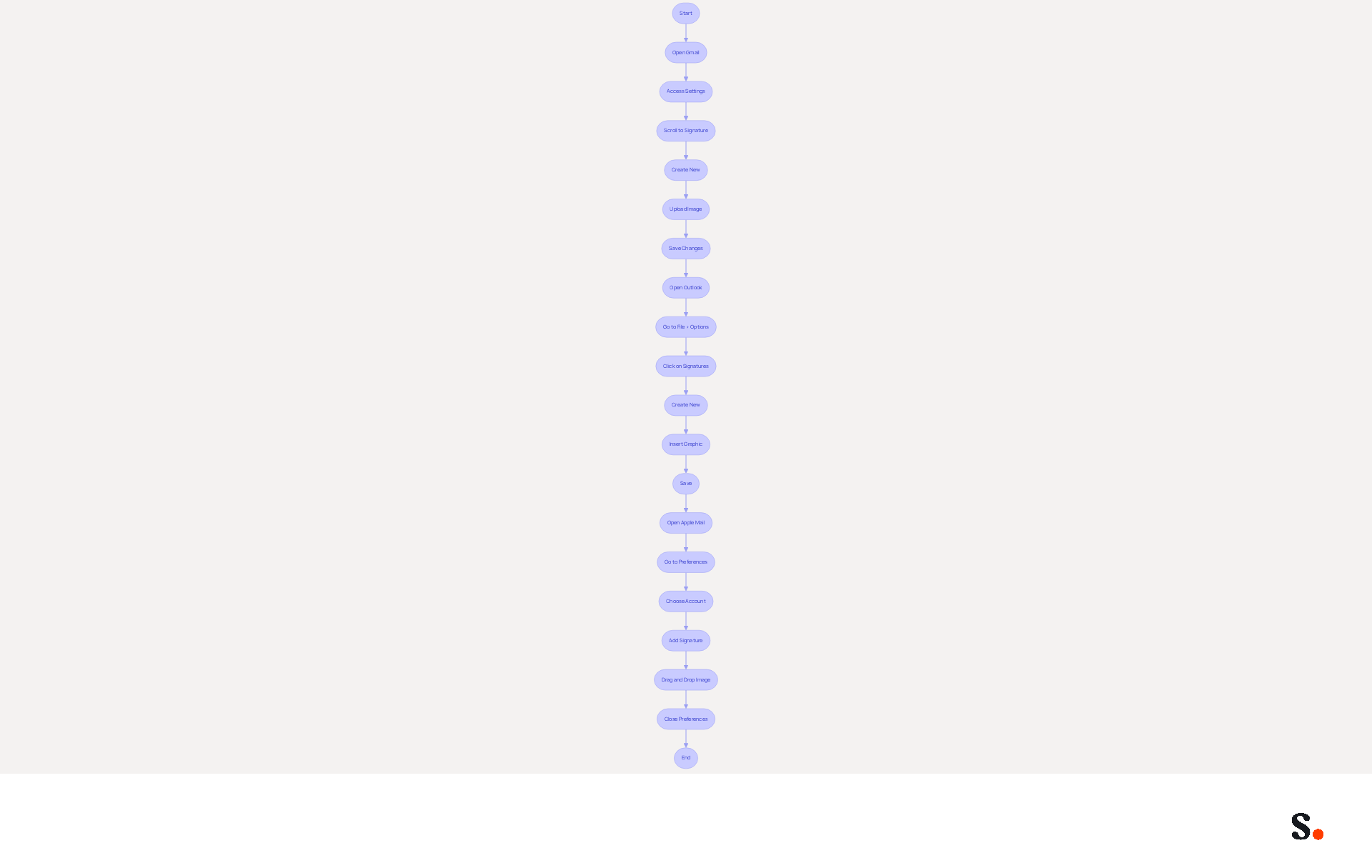
- Open Gmail and click on the gear icon to access Settings.
- In the 'General' tab, scroll down to the 'Signature' section.
- Click on 'Create new' and name your mark.
- Use the picture icon to upload your signatory file from your computer or insert a URL if hosted online.
- Save changes at the bottom of the page.
For Outlook:
- Open Outlook and go to File > Options > Mail.
- Click on 'Signatures' and then 'New' to create a new entry.
- In the editor, click on the icon to insert your graphic.
- Adjust the size if necessary and click 'OK' to save.
For Apple Mail:
- Open Apple Mail and go to Mail > Preferences > Signatures.
- Choose the account you wish to add the sign-off to and click on the '+' button.
- Drag and drop your autograph picture into the designated box.
- Close the preferences window to save changes.
Follow these steps to create a signature image of your logo that seamlessly integrates into your communications and boosts your branding efforts. Research shows that customized messages can drive conversions significantly, making them a vital part of your strategy. Furthermore, with mobile devices representing 41.6% of message openings, ensuring your sign-off is optimized for all platforms is essential for maximizing engagement. According to recent statistics, messages with personalized subject lines experience a 26% increase in open rates, further highlighting the significance of a well-crafted closing as part of your overall marketing strategy.
With Scribe, your teammates' identification information is always synced with your business phone system, ensuring that any changes made in your connected source are automatically updated in Scribe. This automated management of identifiers not only saves time but also ensures that your branding stays consistent across all communications. Furthermore, Scribe is SOC 2 Type II compliant, ensuring that your data is handled securely, which is essential for maintaining trust with your audience. Research examples, such as the effect of subject lines on engagement, show that effective branding through identifiers can greatly improve user interaction and conversion rates. Choosing Scribe not only ensures brand consistency but also positions your organization for enhanced engagement and conversion rates.
Test and Optimize Your Signature Image for Consistency
To ensure your email signature effectively represents your brand, rigorous testing and optimization are crucial. Follow these steps:
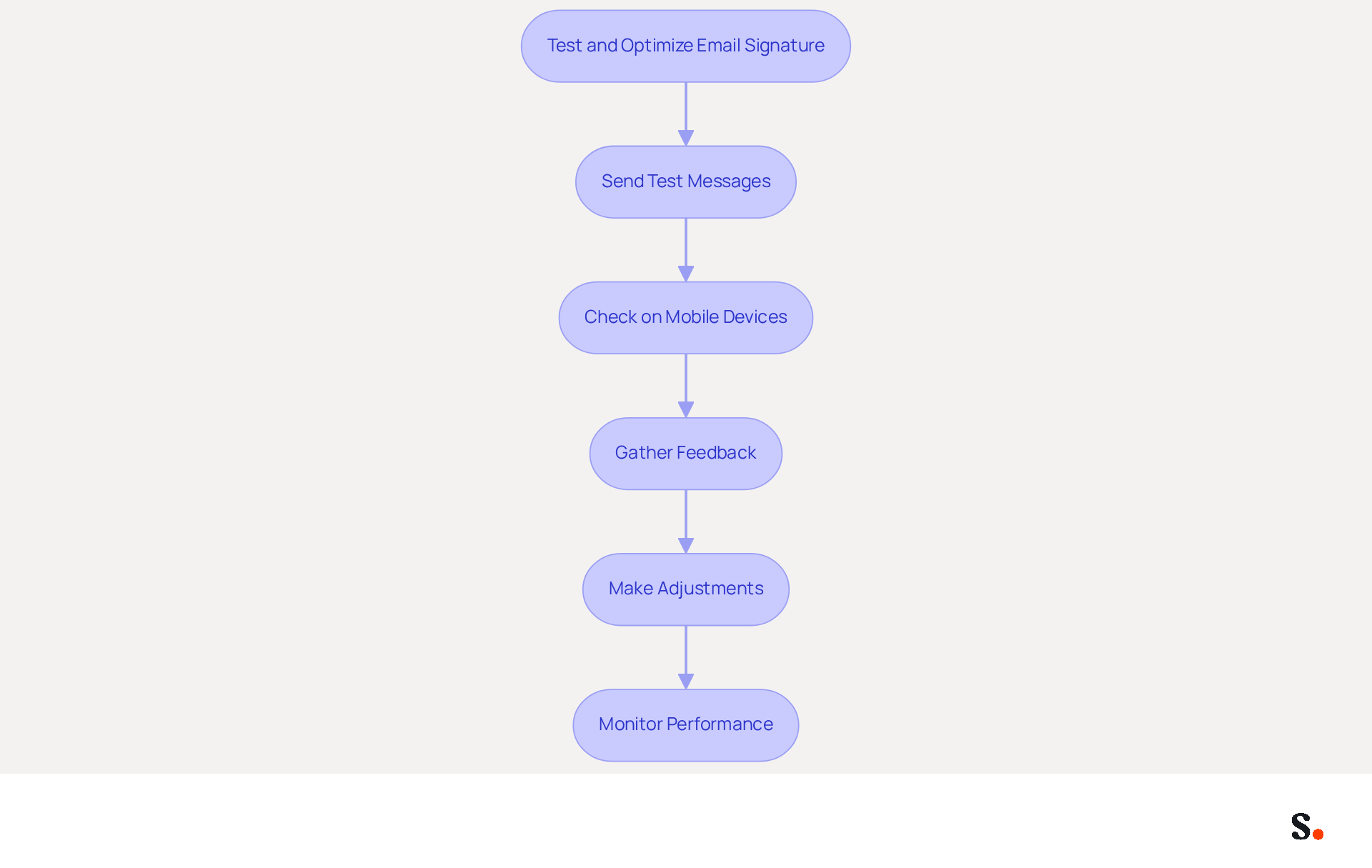
- Send Test Messages: Dispatch messages to yourself and colleagues using various clients such as Gmail, Outlook, and Apple Mail. This allows you to observe how the mark appears and identify any formatting issues or image display problems.
- Check on Mobile Devices: Review your messages on mobile devices to ensure the sign-off is responsive and visually appealing on smaller screens. Given that four in ten emails are opened on mobile devices, this step is essential for maintaining professionalism.
- Gather Feedback: Solicit feedback from colleagues or friends regarding the signature’s appearance and effectiveness. Their insights can reveal aspects you might have overlooked.
- Make Adjustments: Based on your tests and the feedback received, modify the size, layout, or content to enhance visibility and impact. Remember, use high-resolution visuals to prevent blurriness on mobile devices.
- Monitor Performance: Utilize analytics tools to track engagement metrics related to your email communications. This data will assist you in evaluating how effectively your image contributes to brand recognition and response rates.
Additionally, syncing your Google Workspace with Scribe can significantly streamline this process. By automatically updating your teammates' contact details and reflecting any changes made in Google Workspace, you save valuable time and ensure consistency across your organization. This integration makes managing digital identities easier, letting your marketing team focus on strategy instead of manual updates.
By rigorously testing and optimizing your signature image, you can ensure it consistently creates a signature image that effectively represents your brand across all email communications. Ultimately, a well-optimized signature can enhance your brand's visibility and professionalism in every email.
Conclusion
Establishing a professional identity in digital communications hinges on the effective use of signature images. Creating signature images for email branding is a vital step in establishing a professional and recognizable identity. Using signature images effectively helps organizations boost brand recognition, promote professionalism, and create marketing opportunities that engage audiences. Scribe makes this process easier, helping ensure that email signatures reflect a cohesive brand image and connect with recipients.
Throughout this guide, key strategies have been outlined, including:
- The importance of selecting appropriate design elements
- Utilizing effective design tools
- Integrating signatures into various email clients
Testing and optimizing these images is crucial to ensure they maintain their effectiveness across devices and platforms. With Scribe's automated synchronization and compliance with security standards like SOC 2 Type II, organizations can confidently manage their email branding while ensuring data integrity.
Investing in well-designed signature images can significantly improve communication effectiveness and marketing ROI. By embracing these best practices, organizations can achieve brand consistency and enhance their overall engagement and conversion rates. Refining email signatures today can significantly enhance your organization's digital interactions and professional image.
Frequently Asked Questions
Why are signature images important in emails?
Signature images enhance brand recognition, professionalism, marketing opportunities, and personal connection. They help recipients remember your brand, add credibility to your communications, serve as mini-advertisements, and foster trust through personal touches.
How does Scribe help with email signature images?
Scribe automates synchronization with Aircall, ensuring any modifications in your Aircall configuration are automatically reflected in your Scribe profiles. This maintains consistency across all communications.
What are the benefits of using branded digital identifiers in emails?
Branded digital identifiers can enhance trust in the sender, with 76% of respondents indicating they improve brand recall. They also reportedly drive a 22% increase in response rates, making them effective for engaging recipients.
What design elements should I consider for my email signature image?
Key design elements include identifying a limited color palette (2-3 colors), selecting easy-to-read fonts (preferably web-safe), incorporating a clear and recognizable logo, adding personal touches like a professional headshot, and considering layout and size to fit standard email dimensions.
What are the recommended dimensions for an email signature image?
The ideal dimensions for an email signature image are 600 pixels wide and 150 pixels high to ensure proper display across various email clients.
How can I ensure my email branding remains consistent and up-to-date?
By syncing your Google Workspace with Scribe, any changes in your team’s information will be automatically updated in Scribe, ensuring uniformity and saving time.
What security measures does Scribe have in place for data handling?
Scribe is SOC 2 Type II certified and compliant with GDPR and CCPA, ensuring that user data is handled securely and responsibly.
List of Sources
- Understand the Importance of Signature Images in Emails
- 40+ Email Signature Statistics for 2026 (Data + Insights) (https://wavecnct.com/blogs/email-signature-statistics)
- Research Recap: Branded Email Signatures Increase Company Recognition, Trust - Demand Gen Report (https://demandgenreport.com/industry-news/research-recap-branded-email-signatures-increase-company-recognition-trust/47252)
- Using Email Signatures for Marketing | CloudM (https://cloudm.io/resources/blog/using-email-signatures-for-marketing-how-every-email-can-boost-your-brand)
- Why Are Email Signatures Key to Brand Awareness? | QuickMail (https://quickmail.com/role-of-email-signatures-in-brand-awareness)
- Choose Your Design Elements for the Signature Image
- 20 best email signature design examples for 2026 — Stripo.email (https://stripo.email/blog/10-best-email-signature-design-examples)
- Email Signature Best Practices - NEWOLDSTAMP (https://newoldstamp.com/blog/email-signature-best-practices)
- Email signature design guide: elements, layout & tips (https://exclaimer.com/email-signature-handbook/email-signature-design)
- 7 best email signature designs for 2024 - get inspired! (https://mail-signatures.com/articles/best-email-signature-design-for-business)
- Choosing the Right Color for Your Email Signature (https://mysignature.io/blog/choosing-the-right-color-for-your-email-signature)
- Create Your Signature Image Using Design Tools
- 20 best email signature design examples for 2026 — Stripo.email (https://stripo.email/blog/10-best-email-signature-design-examples)
- Email Signature Best Practices for 2026 (+ 15 Pro Examples) (https://wavecnct.com/blogs/email-signature-best-practices-2026)
- Email Signature Design Trends in 2026: What Works and What to Drop (https://bulksignature.com/blog/email-signature-design-trends)
- 12 Best Email Signature Generators [+ Downloadable Template] (https://fitsmallbusiness.com/best-email-signature-generators)
- Best Email Signature Generators & Management Software [2026] (https://syncsignature.com/blog/best-email-signature-generators)
- Integrate Your Signature Image into Email Clients
- Email Client Market Share & Apple MPP Statistics - Rejoiner (https://rejoiner.com/resources/email-client-market-share)
- 100 Compelling Email Statistics for 2026 | PGM Solutions (https://porchgroupmedia.com/blog/100-compelling-email-statistics-to-inform-your-strategy-in-2023)
- How to add and change an email signature in Outlook | Microsoft Support (https://support.microsoft.com/en-us/outlook/mail/how-to-add-and-change-an-email-signature-in-outlook)
- How To Add An Email Signature in Outlook (2026) (https://hubspot.com/email-signature-generator/add-signature-outlook)
- Email Client Market Share: Trends & Statistics 2026 (https://litmus.com/email-client-market-share)
- Test and Optimize Your Signature Image for Consistency
- Email signature statistics: Why every business should optimize their email signatures — Stripo.email (https://stripo.email/blog/email-signature-statistics-why-every-business-should-optimize-their-email-signatures)
- Is There a Way to Make My Email Signature Look Consistent Across Outlook, Gmail, and Apple Mail? | Email Signature Rescue Blog (https://emailsignaturerescue.com/blog/is-there-a-way-to-make-my-email-signature-look-consistent-across-outlook-gmail-and-apple-mail)
- Optimise Your Email Signature for Mobile Devices (https://globalbankingandfinance.com/why-optimising-brand-email-signatures-for-mobile-devices-is-essential-for-hybrid-working)
- How to Optimize Your Email Signature for Mobile Devices - Gimmio (https://blog.gimm.io/how-to-optimize-your-email-signature-for-mobile-devices)
- Email signature do’s & don’ts: from chaos to consistency and performance in every send (https://marketingtechnews.net/news/email-signature-dos-donts-from-chaos-to-consistency-and-performance-in-every-send)
Get started with Scribe
See why teams switch to Scribe
Free 14-day trial — no credit card.