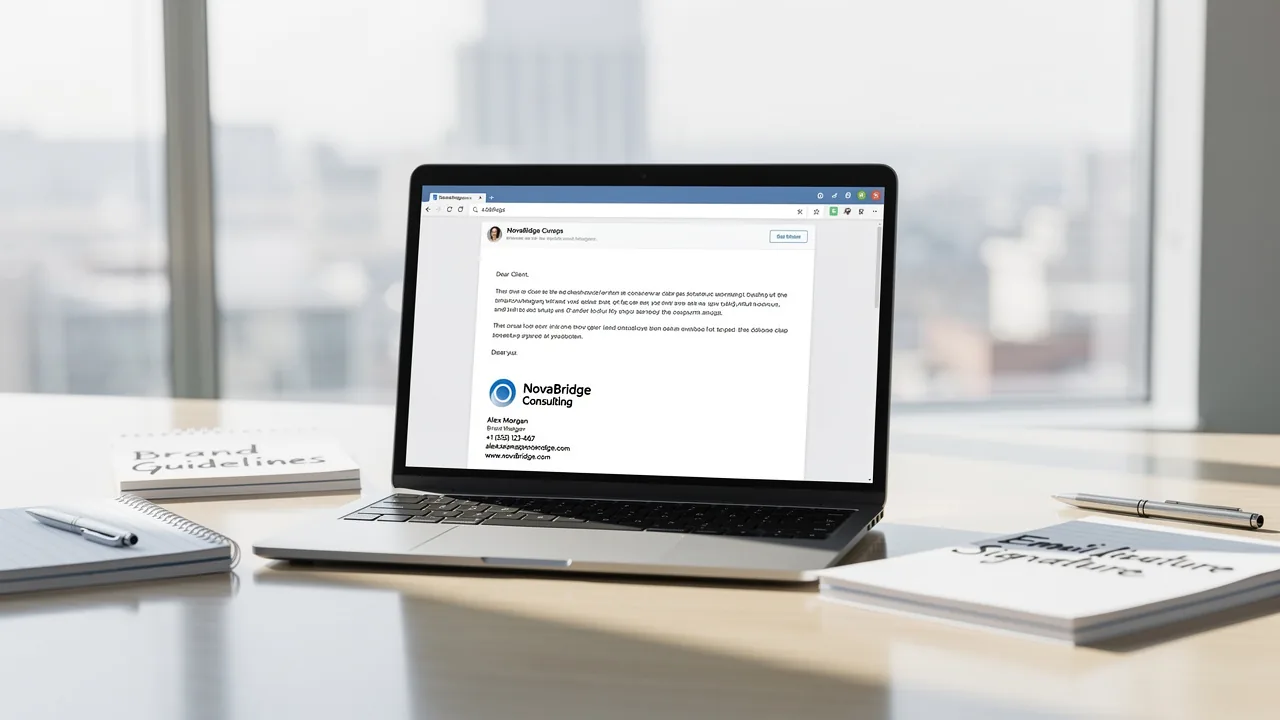
Best Image Size for Email Signature: Optimize for Performance and Branding
Crafting an effective email signature presents a challenge: balancing visual appeal with functionality. Optimizing image sizes and following best practices
Sophie Grant
Email Signature Specialist, Scribe
On this page
Introduction
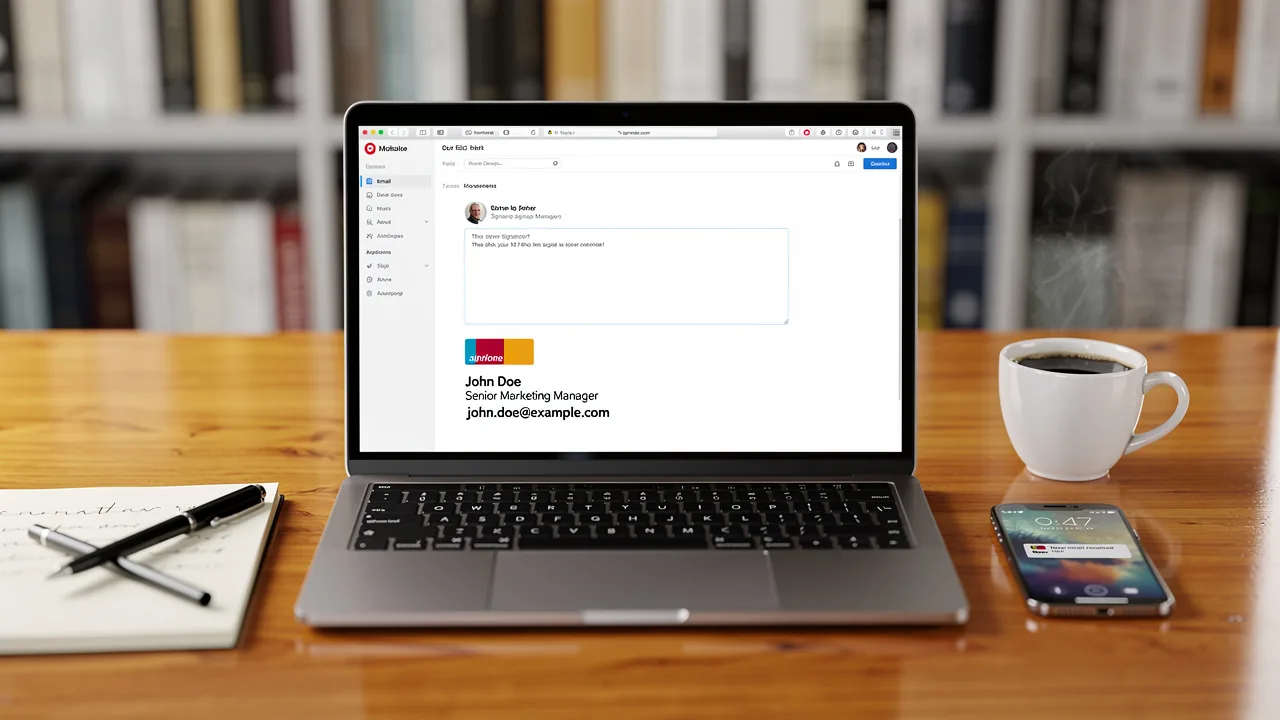
Crafting an effective email signature presents a challenge: balancing visual appeal with functionality. Optimizing image sizes and following best practices allows organizations to strengthen their branding and ensure efficient email performance. Large image files can lead to slow email loading times, frustrating recipients and diminishing engagement.
How can businesses strike the right balance? This article outlines essential guidelines for selecting and optimizing images in email signatures, enabling marketing teams to enhance brand presence and engagement rates.
Define Optimal Image Dimensions and Weight for Email Signatures
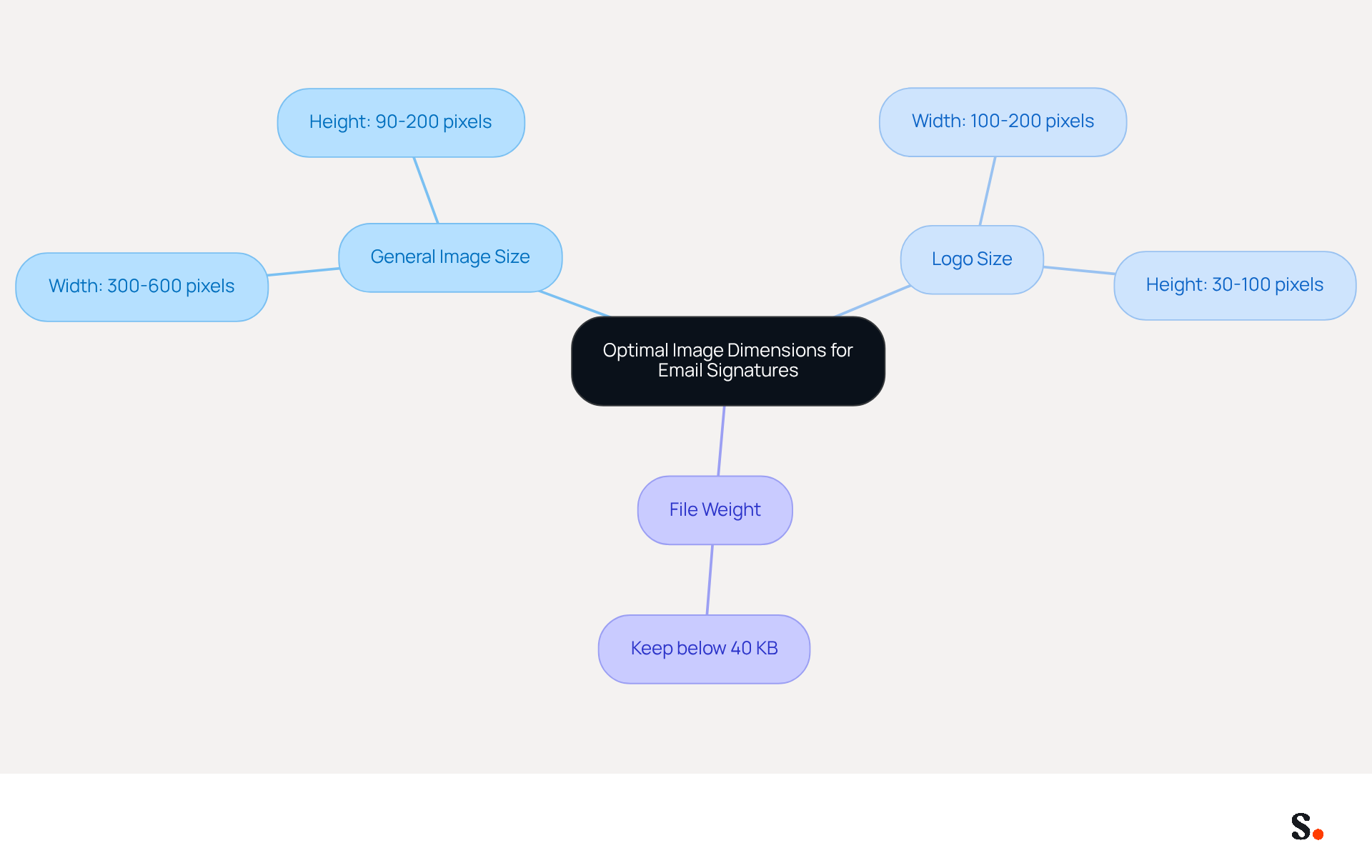
To create impactful digital identifiers, adhering to optimal dimensions and file weights is essential. The best image size for email signature is typically suggested to have a width ranging from 300 to 600 pixels and a height varying from 90 to 200 pixels. For logos, a width of 100 to 200 pixels and a height of 30 to 100 pixels is ideal. Furthermore, the total file weight for images should be kept below 40 KB to ensure rapid loading times and avoid delays in email transmission. Striking the right balance between quality and the best image size for email signature ensures a polished and professional look.
For instance, a logo sized at 200 pixels wide and 70 pixels high, saved at 72 DPI, provides a sharp visual that maintains performance. As Sophie Grant, a Specialist in Email Branding, observes, 'Properly sizing images for correspondence is crucial for a refined professional look and uniform branding across platforms.' This practice has led organizations to report a notable increase in brand awareness, with an average click-through rate of 12% on branded banners, illustrating the effectiveness of enhanced visuals in digital communications.
Moreover, with 81% of users accessing messages on mobile devices, it is essential to ensure that communication footers are created with mobile-first principles in mind. Ultimately, prioritizing these design principles can significantly elevate brand perception and user engagement.
Understand the Impact of Image Size on Email Performance
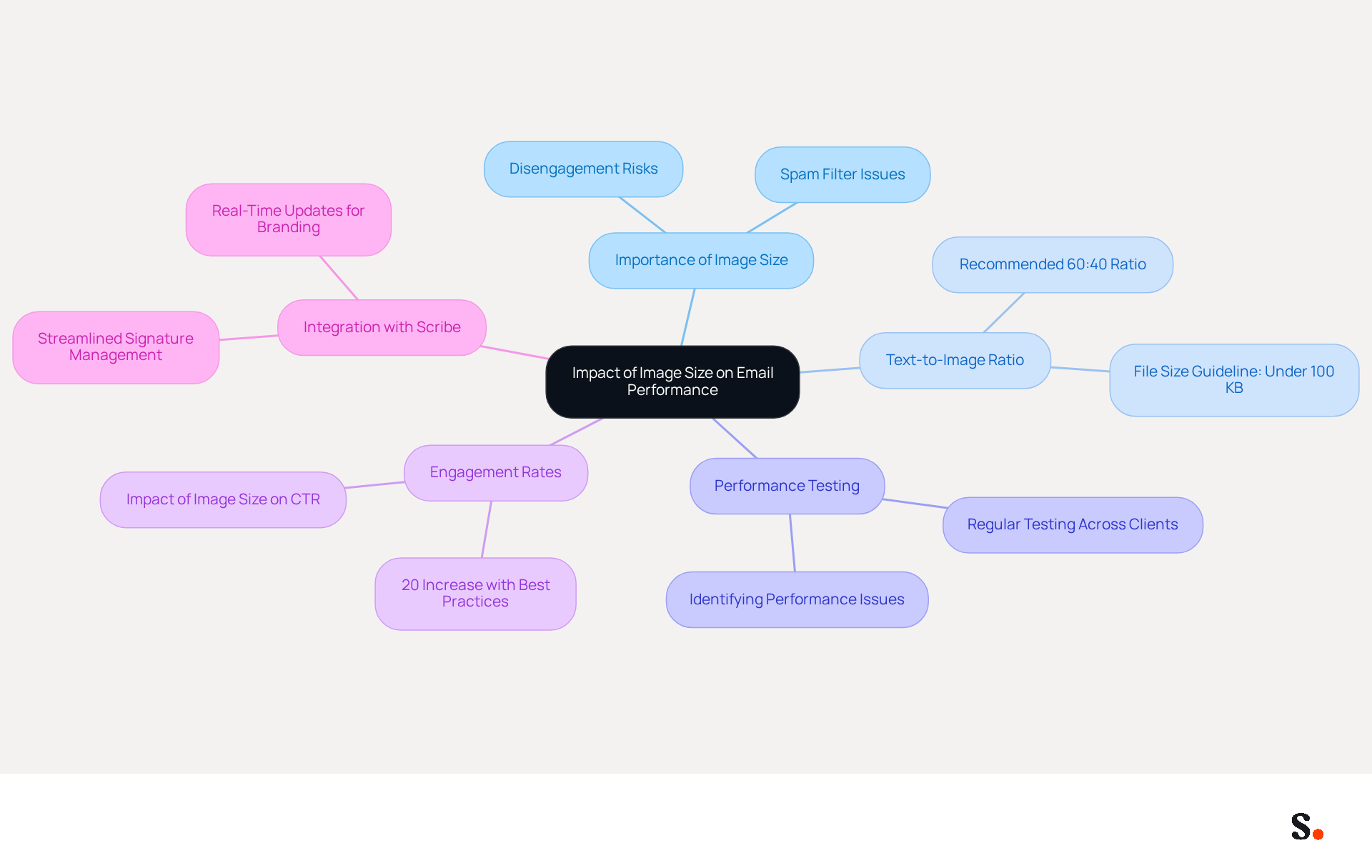
The best image size for email signature is crucial for optimizing the dimensions of visuals in signature blocks to enhance message performance. Large visuals can frustrate recipients, leading to disengagement. Furthermore, messages with large visuals are more likely to be flagged by spam filters, negatively impacting deliverability.
To enhance performance, it is advisable to maintain a text-to-image ratio of at least 60:40, ensuring that messages remain lightweight and accessible. For example, when a message footer includes both a logo and a promotional banner, ensuring the best image size for email signature is below 100 KB can improve the chances of the message successfully arriving in the inbox.
It's important to regularly test signatures across different clients to spot and fix any performance issues, ensuring that your marketing efforts are as effective as possible. As Mailchimp states, "These benchmarks serve as vital metrics that enable businesses to gauge the effectiveness of their marketing strategy."
Moreover, a case analysis on communication performance revealed that companies adhering to the best image size for email signature guidelines experienced a 20% increase in engagement rates, demonstrating the tangible benefits of optimizing image sizes.
By integrating Scribe with Google Workspace, marketing teams can streamline signature management, automatically syncing updates and saving valuable time. This guarantees that any modifications in team member details are shown in real-time, facilitating consistent branding and improved communication performance.
Scribe is also compliant with security standards such as SOC 2 Type II, GDPR, and CCPA, providing peace of mind for organizations. By following these guidelines, marketers can significantly boost their engagement rates and overall communication effectiveness.
Implement Best Practices for Image Selection and Optimization
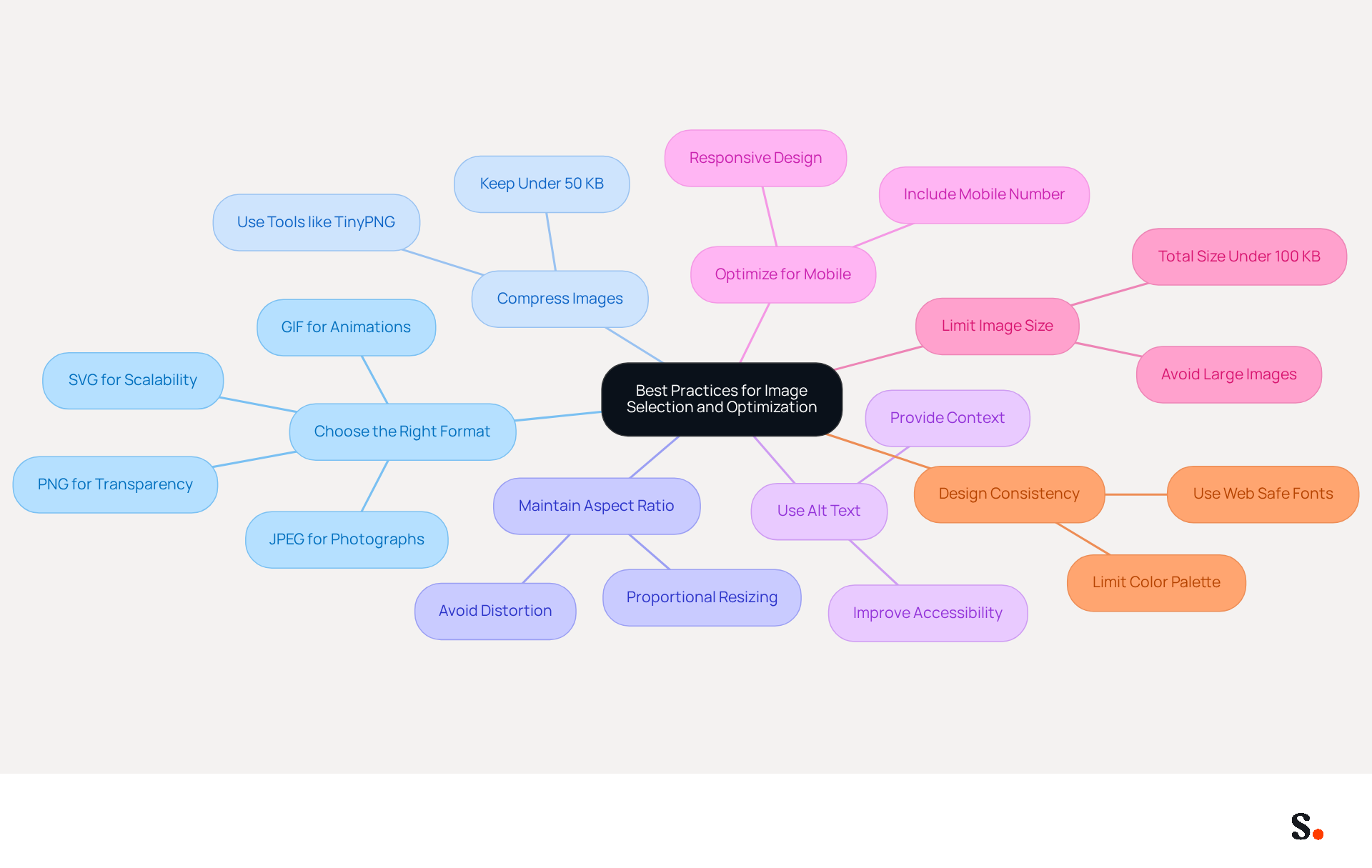
To ensure effective communication through email signatures, it is essential to optimize images according to best practices:
- Choose the Right Format: Use PNG for logos and visuals that require transparency, while JPEG is ideal for photographs due to its high-quality compression and compatibility with all webmail clients.
- Compress Images: Ensure visuals remain under 50 KB to facilitate quick loading times and minimize environmental impact. Employ tools like TinyPNG or ImageOptim to minimize file sizes without compromising quality.
- Maintain Aspect Ratio: Resize visuals proportionally to avoid distortion. For example, if a logo is resized to 200 pixels wide, its height should adjust accordingly to maintain its original aspect ratio, ensuring a professional appearance.
- Use Alt Text: Incorporating alt text to visuals improves accessibility and offers context if visuals fail to load, making your Scribe more user-friendly.
- Optimize for Mobile: With mobile clients accounting for 41.6% of email opens, optimizing for mobile is crucial. Ensure that images are responsive and display correctly across devices. Including a mobile number in your contact information can also make communication feel more personal, especially for larger businesses.
- Limit Image Size: Large image sizes can slow down email loading times, frustrating recipients and diminishing engagement. Keep the total size of your message footer under 100 KB to optimize loading times and enhance performance across messaging clients. Furthermore, consider adding legal disclaimers in your correspondence to ensure adherence to industry regulations.
- Design Consistency: Limit your color palette to two or three colors and choose a clean, elegant font, preferably a Web Safe font, to maintain brand consistency and professionalism.
Ultimately, these strategies not only enhance the visual appeal of your emails but also foster stronger connections with your audience.
Ensure Brand Consistency Through Image Sizing and Design
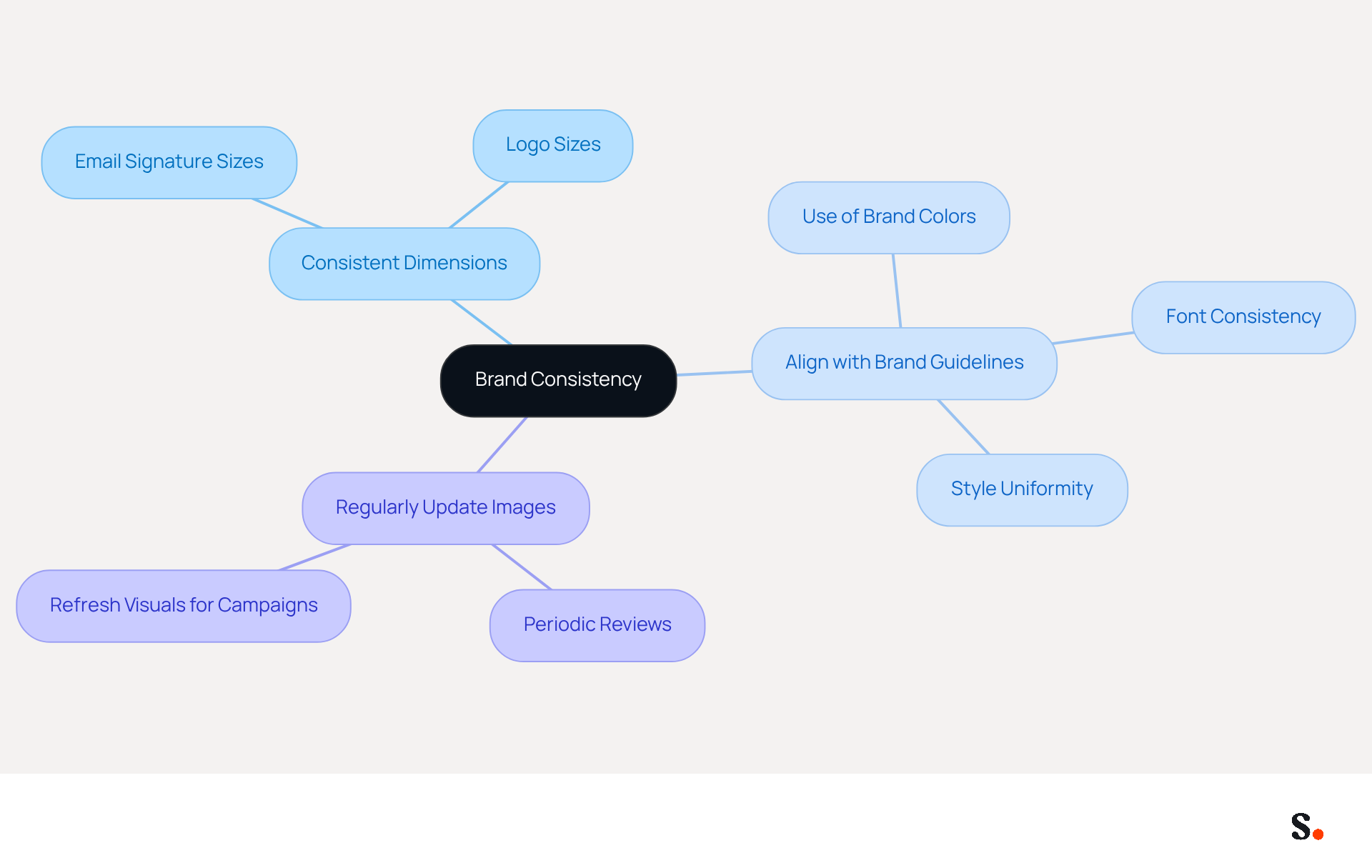
Creating a recognizable and professional presence hinges on maintaining brand consistency in digital identifiers. To achieve this, consider the following guidelines:
- Use consistent dimensions to ensure that all visuals, including logos and banners, meet the best image size for email signature across the organization. This uniformity fosters a cohesive appearance in all communications.
- Align with Brand Guidelines: Utilize colors, fonts, and styles that reflect your brand's visual identity. For example, if your brand colors are blue and white, these should be consistently reflected in your correspondence visuals.
- Regularly Update Images: As your brand evolves, so should your signatures. Periodically review and refresh visuals to align with any changes in branding or marketing campaigns.
Maintaining consistent image sizing and design is crucial, as it not only enhances your brand image but also ensures you use the best image size for email signature, making your communications instantly recognizable. Organizations that emphasize consistent branding in their communication can greatly enhance customer trust and elevate overall brand perception. This trust can lead to increased customer loyalty and higher conversion rates, as uniform branding can boost response rates by as much as 22%. By prioritizing these practices, businesses can significantly enhance their brand's impact and customer engagement.
Conclusion
Optimizing image size for email signatures is a critical factor in achieving effective digital communication. Organizations must adhere to recommended dimensions and file weights to enhance the visual appeal and efficiency of their digital communications. The right image size contributes to faster loading times, improved deliverability, and a polished professional appearance, which are essential for maintaining a competitive edge.
Key insights from the article highlight the importance of maintaining a balance between quality and performance. Many organizations face challenges in optimizing image sizes without sacrificing quality. Adopting best practices such as:
- Selecting appropriate formats
- Compressing images
- Ensuring mobile optimization
can significantly enhance user engagement. Furthermore, consistent branding through uniform image sizing and design fosters trust and recognition among recipients, ultimately leading to higher conversion rates and customer loyalty.
In conclusion, prioritizing the best image size for email signatures is not merely a technical requirement but a strategic move that can elevate brand perception and communication effectiveness. Implementing these strategies can transform email signatures into powerful tools for brand engagement and recognition. Organizations should consider these guidelines and use tools like Scribe to make managing their email signatures easier. By doing so, they can achieve 100% brand consistency and measurable marketing ROI, ensuring that every email sent reinforces their brand identity and engages their audience effectively.
Frequently Asked Questions
What are the optimal image dimensions for email signatures?
The best image size for email signatures is typically suggested to have a width ranging from 300 to 600 pixels and a height varying from 90 to 200 pixels. For logos, a width of 100 to 200 pixels and a height of 30 to 100 pixels is ideal.
What is the recommended file weight for images in email signatures?
The total file weight for images should be kept below 40 KB to ensure rapid loading times and avoid delays in email transmission.
Why is it important to properly size images for email signatures?
Properly sizing images for correspondence is crucial for a refined professional look and uniform branding across platforms, which can lead to increased brand awareness and user engagement.
What impact can well-sized images have on brand awareness?
Organizations that adhere to proper image sizing have reported a notable increase in brand awareness, with an average click-through rate of 12% on branded banners.
How does mobile device usage affect email signature design?
With 81% of users accessing messages on mobile devices, it is essential to create communication footers with mobile-first principles in mind to enhance user experience.
What is the significance of balancing quality and image size in email signatures?
Striking the right balance between quality and the best image size for email signatures ensures a polished and professional look, which can significantly elevate brand perception and user engagement.
List of Sources
- Define Optimal Image Dimensions and Weight for Email Signatures
- What is the Best Email Signature Design Size? Expert Guide (https://publicate.it/blog/email-signature-design-size)
- Email Signature Size and Image Best Practices (https://maileditor.net/blog/email-signature-size-and-image-best-practices)
- What is the Best Size for Email Signature Images and Why It Matters (https://scribe-mail.com/en-US/blog/what-is-the-best-size-for-email-signature-images-and-why-it-matters)
- What Is The Best Email Signature Size? | Rocketseed (https://rocketseed.com/resources/email-design-guidelines)
- The comprehensive guide to email signature sizes (https://signature.email/guides/comprehensive-guide-email-signature-sizes)
- Understand the Impact of Image Size on Email Performance
- Email Marketing Benchmarks & Industry Statistics | Mailchimp (https://mailchimp.com/resources/email-marketing-benchmarks)
- Email Marketing Trends 2026: Here's What to Keep an Eye on (https://mailjet.com/blog/email-best-practices/email-marketing-trends-2026)
- Best Practices for Using Images in Email Marketing (https://corp.inntopia.com/best-practices-images-email-marketing)
- Email File Sizes: Are Your Images & HTML Files Too Big? | Mailjet (https://mailjet.com/blog/deliverability/email-file-sizes)
- Implement Best Practices for Image Selection and Optimization
- What size should the images be in my email signature? | Email Signature Rescue Blog (https://emailsignaturerescue.com/blog/what-size-should-the-images-be-in-my-email-signature)
- Email Signature Best Practices Guide With Examples - MailerLite (https://mailerlite.com/blog/email-signature-best-practices)
- What Is the Best Image Format for the Email Signature? - NEWOLDSTAMP (https://newoldstamp.com/blog/best-image-format-for-email-signature)
- Email Signature Best Practices - NEWOLDSTAMP (https://newoldstamp.com/blog/email-signature-best-practices)
- Email Signature Size - How to Keep It Small, and Why - Gimmio (https://blog.gimm.io/email-signature-size)
- Ensure Brand Consistency Through Image Sizing and Design
- Why Email Signatures Must Be In Your 2026 Marketing Plan | Rocketseed (https://rocketseed.com/blog/2026-marketing-plan-email-signatures)
- How Consistent Email Signatures Strengthen Company Identity - Signite (https://signite.io/blog/how-consistent-email-signatures-strengthen-company-identity)
- The Role Of Email Signatures In Building A Consistent Brand Image (https://martechseries.com/mts-insights/guest-authors/the-role-of-email-signatures-in-building-a-consistent-brand-image)
- Research Recap: Branded Email Signatures Increase Company Recognition, Trust - Demand Gen Report (https://demandgenreport.com/industry-news/research-recap-branded-email-signatures-increase-company-recognition-trust/47252)
- Master Corporate Email Signature Management for Brand Consistency (https://scribe-mail.com/en-US/blog/master-corporate-email-signature-management-for-brand-consistency)
Get started with Scribe
Manage signatures across your whole team
Free 14-day trial — no credit card.