Best Practices for an Effective Administrative Assistant Email Signature
An email signature is not merely a digital sign-off; it is a crucial element in professional communication that can significantly impact how an organization is
Sophie Grant
Email Signature Specialist, Scribe
Introduction
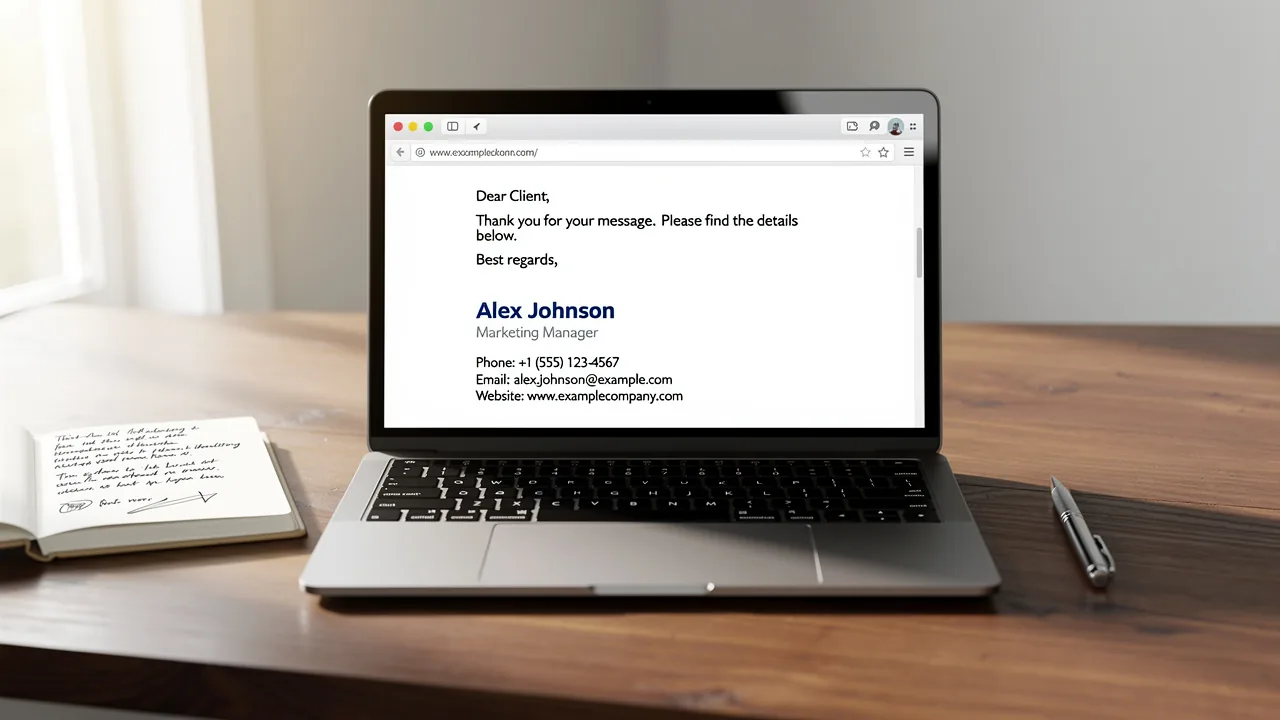
An email signature is not merely a digital sign-off; it is a crucial element in professional communication that can significantly impact how an organization is perceived. For administrative assistants, who often act as the face of their organization, incorporating essential elements and effective design techniques into their signatures can enhance clarity, promote brand identity, and drive engagement.
So, how can administrative professionals create email signatures that not only reflect professionalism but also maximize marketing potential? This article explores best practices for crafting impactful email signatures that resonate with recipients and elevate communication standards.
Incorporate Essential Elements in Your Email Signature
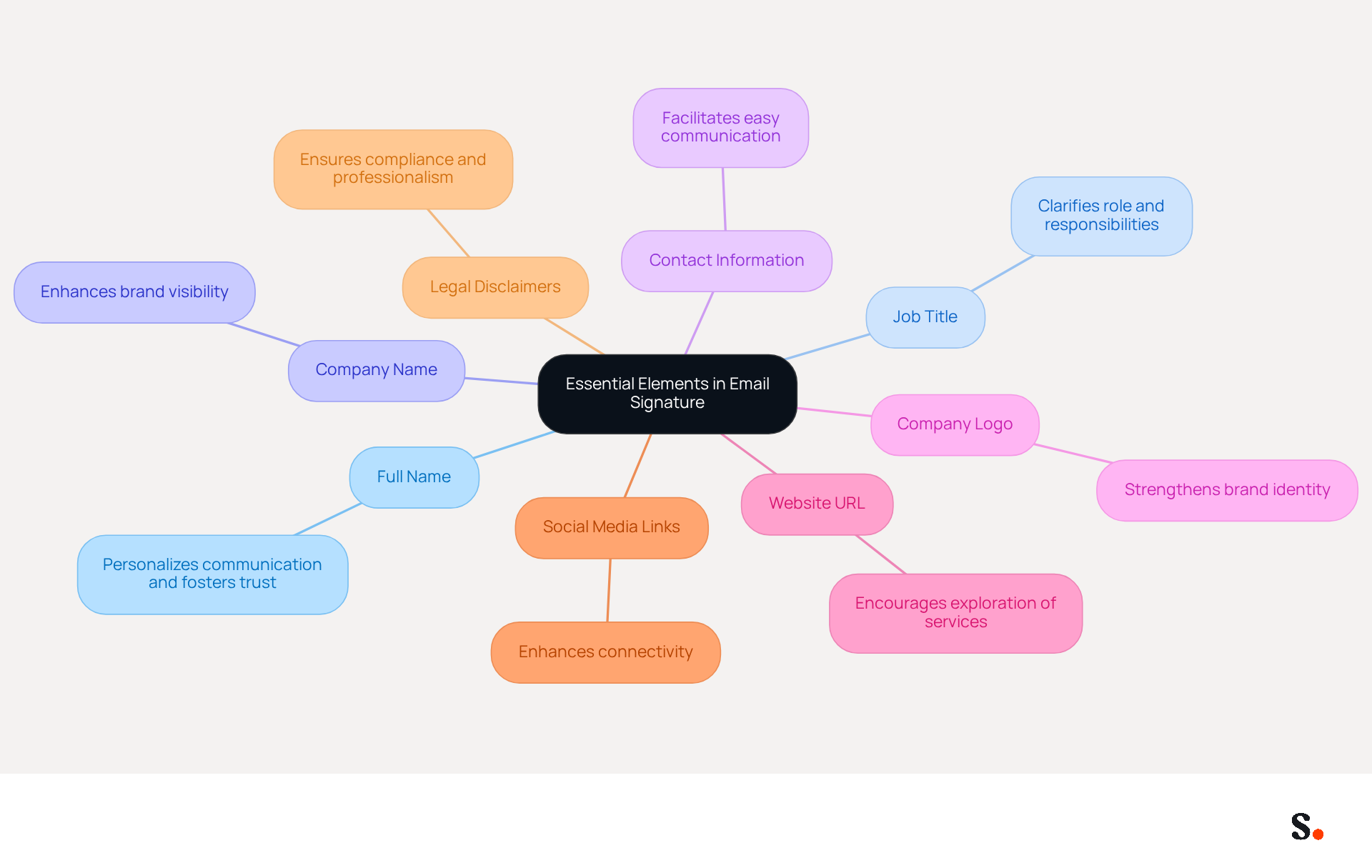
An effective administrative assistant email signature is not merely a formality; it is a critical component of professional communication. It should incorporate the following key elements to enhance communication and professionalism:
- Full Name: Clearly stating your full name personalizes communication and fosters trust among recipients.
- Job Title: Including your job title clarifies your role and responsibilities, providing context for your correspondence.
- Company Name: Mentioning the company you represent enhances brand visibility and reinforces your professional identity.
- Contact Information: Providing your phone number and email address facilitates easy communication, ensuring that others can reach you without hassle.
- Company Logo: Incorporating your company logo strengthens brand identity and makes your signature visually appealing.
- Website URL: Including a link to your company’s website encourages further exploration of services or products, enhancing engagement.
- Social Media Links: If applicable, including links to professional social media profiles enhances connectivity and allows individuals to engage with you on multiple platforms.
- Legal Disclaimers: Including necessary legal disclaimers ensures compliance and professionalism in your interactions.
Integrating these elements allows administrative assistants to turn their digital identifiers, such as their administrative assistant email signature, into powerful communication tools, ensuring that recipients have all necessary information in a concise and professional format. Using Scribe allows you to automate the synchronization of your messaging identifiers with your business phone system, making it easier for your team to stay consistent. Furthermore, Scribe's SOC 2 Type II compliance guarantees that your data is handled securely. This consistency can lead to a 22% increase in response rates, highlighting the importance of a well-crafted email signature. Organizations utilizing branded footers see a 12% average click-through rate on banner elements, making these components essential for effective engagement. Additionally, testing message formats on various devices is crucial to guarantee they display correctly across different platforms. Failing to optimize your email signature could mean losing valuable connections and opportunities.
Utilize Effective Design and Formatting Techniques
Creating a visually appealing email signature requires careful consideration of design and formatting techniques:
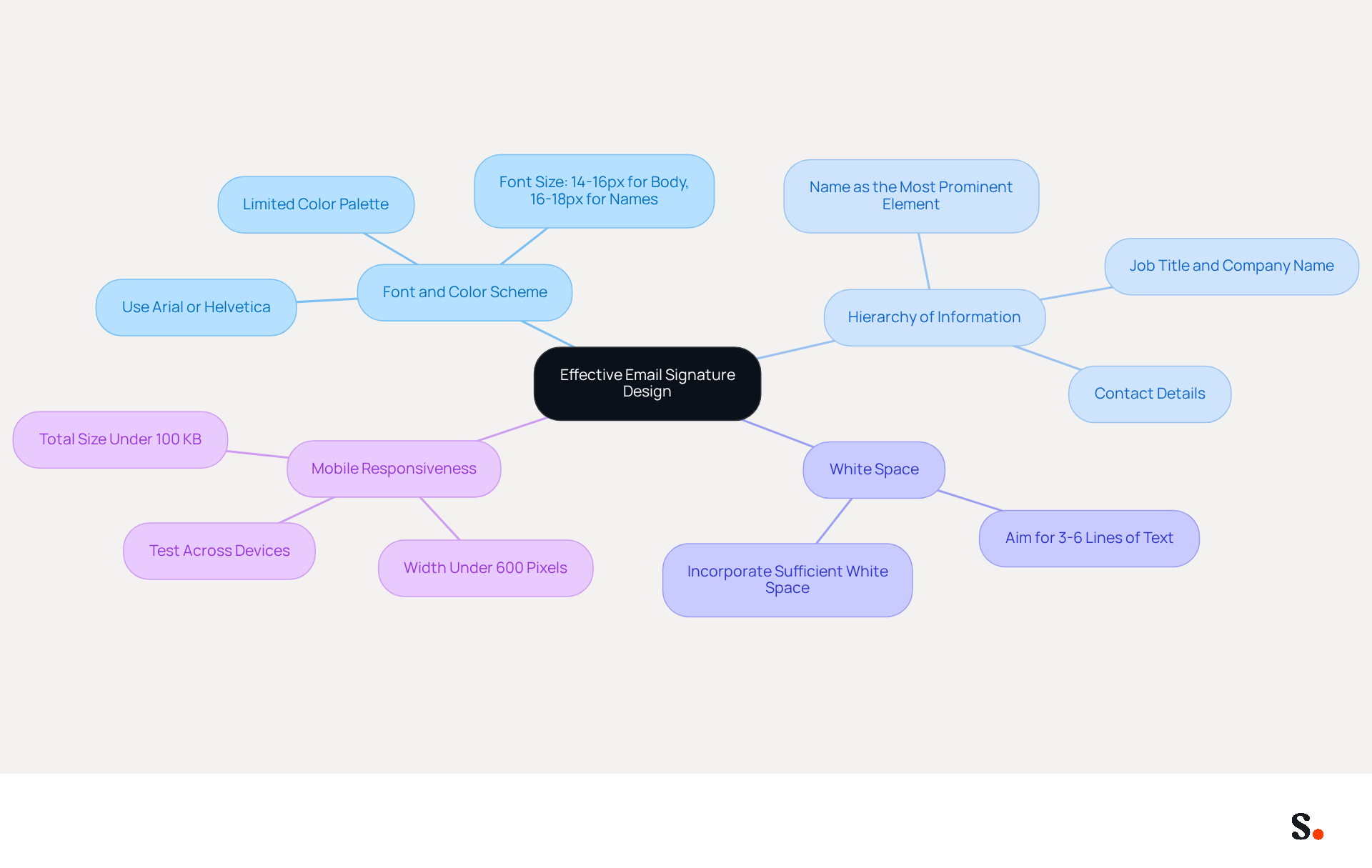
- Consistent Font and Color Scheme: Choose a web-safe font like Arial or Helvetica, sized between 14-16px for body text and 16-18px for names, to ensure readability across devices. Stick to a limited color palette that aligns with your company’s branding to maintain professionalism.
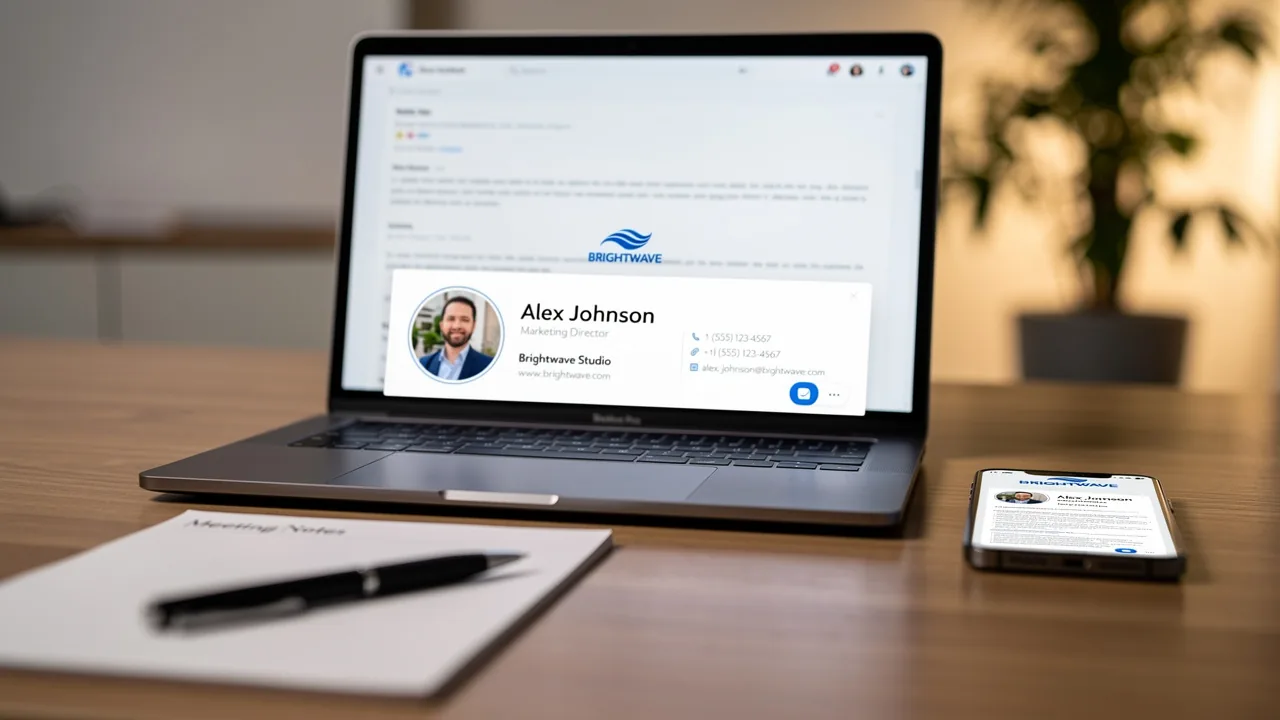
- Hierarchy of Information: Organize your mark to guide the reader’s eye effectively. Your name should be the most prominent element, followed by your job title, company name, and contact details. This structure enhances clarity and ensures essential information is easily accessible.
- Use of White Space: Incorporate sufficient white space to avoid clutter, making the document easier to read and visually appealing. Aim for three to six lines of text to prevent overwhelming recipients.
- Mobile Responsiveness: Design your email footer to be mobile-friendly, as over 60% of business emails are opened on mobile devices. Test the mark across various devices to ensure it displays correctly and maintains functionality. Remember that signatures should maintain a width under 600 pixels and a total size of under 100 KB for optimal performance.
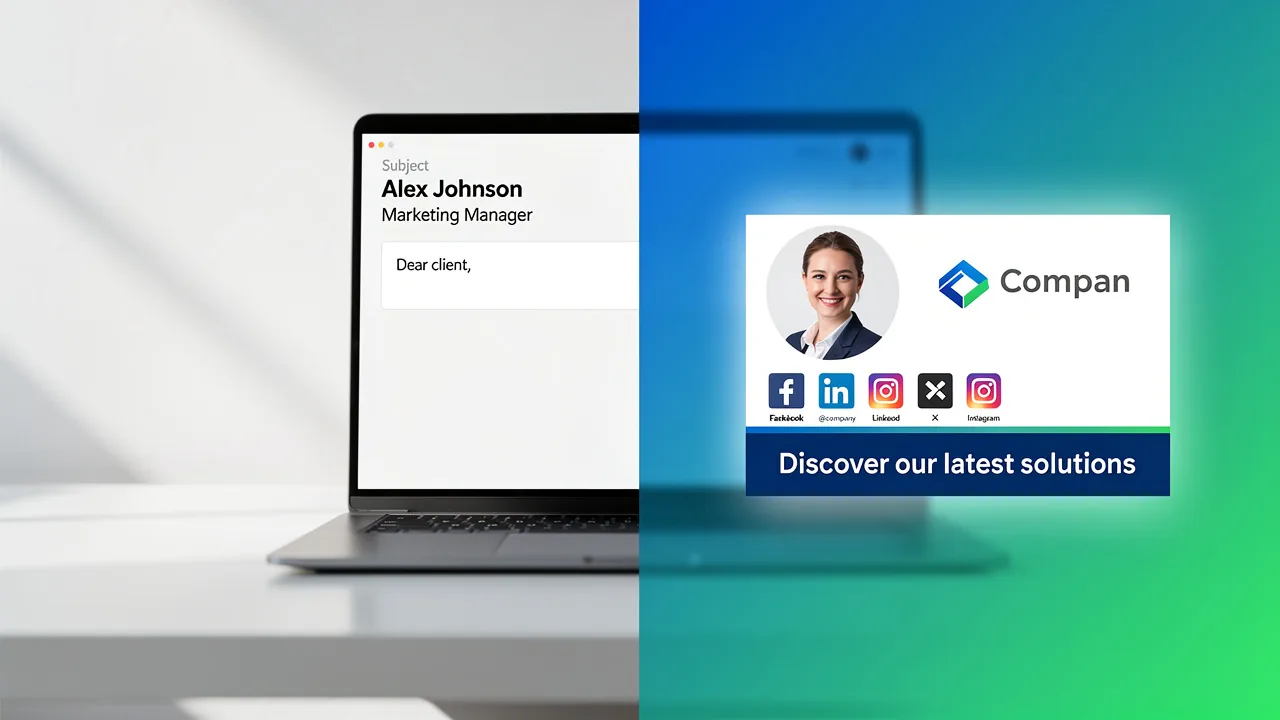
Implementing these design principles helps administrative assistants create an administrative assistant email signature that effectively communicates essential information and enhances the messaging experience, leading to higher engagement rates. For instance, sign-offs featuring a professional headshot can enhance response rates by roughly 32%, while those with strategic calls to action can boost engagement by up to 40% compared to generic endings. Additionally, adding a calendar link can result in three times more meeting bookings, and over half of users (52.6%) incorporate a CTA in their contact information, highlighting its significance in communications. With Scribe, any changes you make in your Aircall settings will automatically update your email signatures, keeping your branding consistent and saving valuable time for your marketing team. Ultimately, these enhancements can transform your email communication into a powerful tool for engagement and connection.
Leverage Email Signatures for Marketing Opportunities
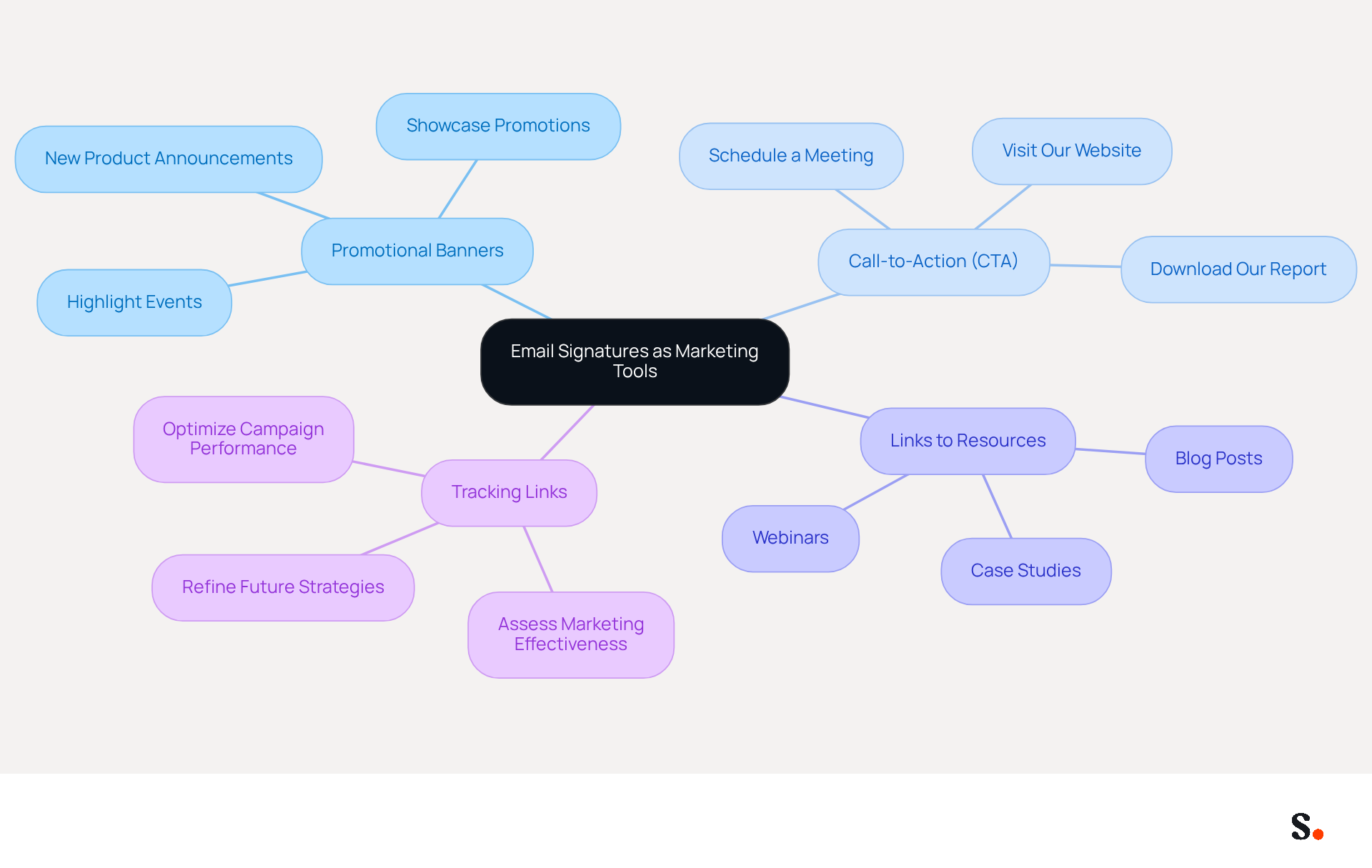
Many organizations overlook the potential of email signatures as a strategic marketing tool. Email signatures can serve as powerful marketing tools when enhanced with specific elements:
- Promotional Banners: Incorporate banners that showcase current promotions, events, or new products. This approach can significantly drive traffic and engagement, turning everyday emails into effective marketing tools.
- Call-to-Action (CTA): A clear and compelling CTA, such as 'Schedule a Meeting' or 'Visit Our Website,' encourages individuals to take immediate action, increasing the likelihood of engagement.
- Links to Resources: Providing links to valuable resources, such as blog posts or case studies, can enrich the recipient's experience and position your brand as a thought leader in the industry.
- Tracking Links: Implementing tracking links enables the assessment of marketing effectiveness through digital branding. This data plays a vital role in refining future strategies and optimizing how campaigns perform.
By strategically incorporating these marketing elements, administrative assistants can enhance their email signature to transform digital correspondences into valuable assets for brand promotion and lead generation. Email footer marketing can achieve click-through rates (CTR) between 1.5% and 7%, depending on how specific the campaign is and how well it aligns with audience interests. For instance, personalized banners targeting specific accounts can achieve CTRs of 2.5% to 5%, with peak campaigns reaching up to 7%, showcasing the potential of tailored messaging. Furthermore, maintaining a focus on a single marketing message within the branding helps avoid clutter, ensuring clarity and enhancing user engagement. Moreover, it is crucial to recognize common pitfalls, such as overloading identifiers with information, which can diminish their effectiveness. Recognizing and addressing these pitfalls can significantly enhance the effectiveness of email signatures in marketing campaigns.
Adapt Your Signature for Different Contexts
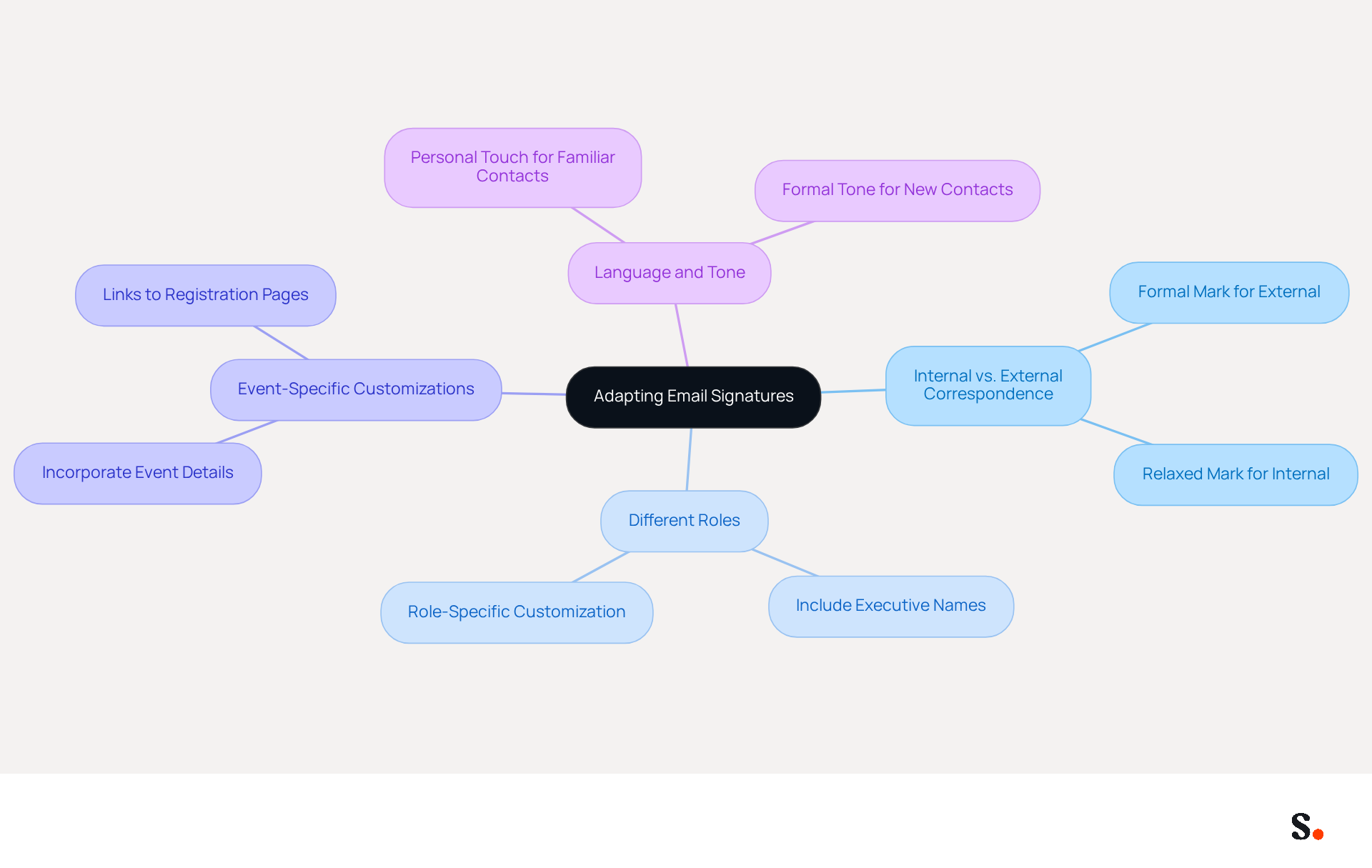
To effectively convey professionalism through your email signature, it’s essential to adapt it for various contexts:
- Internal vs. External Correspondence: For external interactions, a formal mark is crucial to express professionalism, while a somewhat more relaxed mark may be appropriate for internal emails, promoting a friendly environment.
- Different Roles: When assisting multiple executives, including their names in your email footer can enhance credibility and clarify the communication's origin, making it more effective.
- Event-Specific Customizations: Tailor your mark for specific events or campaigns by incorporating relevant details, such as event dates or links to registration pages. This not only informs those involved but also encourages participation.
- Language and Tone: Tailor the language and tone of your sign-off based on your relationship with the recipient. A more personal touch can strengthen connections, while a formal tone may be necessary for new or less familiar contacts.
Additionally, leveraging Scribe's integration with Google Workspace allows for seamless synchronization of your team's information. This means that any updates, like changes in job roles or group assignments, will automatically show up in your email signatures, helping you save time and maintain brand consistency. Scribe's attribute feature enables auto-filling of identification information, enhancing efficiency. Likewise, syncing with Aircall guarantees that your correspondence identifiers stay current, improving your brand's professional image. In fact, research indicates that well-designed messages can lead to a 22% increase in response rates, underscoring the importance of thoughtful design choices. Neglecting these best practices could diminish the impact of your email communications, ultimately affecting your professional relationships.
Conclusion
Many administrative assistants overlook the impact of their email signatures on professional communication and branding. An effective email signature is not merely a digital sign-off; it is a crucial tool for professional communication and brand representation. Incorporating essential elements like full name, job title, company name, and contact information can significantly enhance the effectiveness of an email signature.
Key insights from this article highlight the importance of design and formatting techniques, such as:
- Maintaining a consistent font and color scheme
- Organizing information hierarchically
- Ensuring mobile responsiveness
These practices not only improve readability but also significantly boost engagement rates. Additionally, leveraging email signatures for marketing opportunities-through promotional banners, clear calls to action, and tracking links-can transform routine correspondence into powerful marketing assets, driving traffic and enhancing brand visibility.
It’s clear that a well-crafted email signature plays a vital role in professional communication. Administrative assistants must adapt their signatures for various contexts, ensuring that they convey the appropriate level of professionalism while also promoting brand consistency. By utilizing tools like Scribe, which offers fast deployment and seamless integration with platforms like Google Workspace, administrative assistants can maintain up-to-date and effective email signatures that resonate with their audience. Neglecting to optimize email signatures can lead to missed opportunities in professional engagement and brand representation.
Frequently Asked Questions
What are the essential elements to include in an administrative assistant email signature?
An effective administrative assistant email signature should include the following elements: Full Name, Job Title, Company Name, Contact Information, Company Logo, Website URL, Social Media Links, and Legal Disclaimers.
Why is it important to include your full name in an email signature?
Including your full name personalizes communication and fosters trust among recipients.
How does mentioning your job title in an email signature benefit communication?
Including your job title clarifies your role and responsibilities, providing context for your correspondence.
What role does the company name play in an email signature?
Mentioning the company name enhances brand visibility and reinforces your professional identity.
Why should contact information be included in an email signature?
Providing your phone number and email address facilitates easy communication, ensuring that others can reach you without hassle.
How does incorporating a company logo in an email signature help?
Including a company logo strengthens brand identity and makes your signature visually appealing.
What is the benefit of including a website URL in an email signature?
Including a link to your company’s website encourages further exploration of services or products, enhancing engagement.
Why might social media links be relevant in an email signature?
Including links to professional social media profiles enhances connectivity and allows individuals to engage with you on multiple platforms.
What is the purpose of including legal disclaimers in an email signature?
Including necessary legal disclaimers ensures compliance and professionalism in your interactions.
How can using Scribe improve the management of email signatures?
Using Scribe allows you to automate the synchronization of your messaging identifiers with your business phone system, making it easier for your team to stay consistent.
What security assurance does Scribe provide for data handling?
Scribe's SOC 2 Type II compliance guarantees that your data is handled securely.
What impact can a well-crafted email signature have on response rates?
A well-crafted email signature can lead to a 22% increase in response rates.
How do branded footers affect engagement in emails?
Organizations utilizing branded footers see a 12% average click-through rate on banner elements, making these components essential for effective engagement.
Why is it important to test email signature formats on various devices?
Testing message formats on various devices is crucial to ensure they display correctly across different platforms, preventing the loss of valuable connections and opportunities.
List of Sources
- Incorporate Essential Elements in Your Email Signature
- Email signature statistics: Why every business should optimize their email signatures — Stripo.email (https://stripo.email/blog/email-signature-statistics-why-every-business-should-optimize-their-email-signatures)
- Best practices for business email signatures in 2026 (https://bybrand.io/blog/best-practices)
- 4 Best Practices for a Modern Email Signature That Engages (https://scribe-mail.com/en-US/blog/4-best-practices-for-a-modern-email-signature-that-engages)
- Email Signature Best Practices for 2026 (+ 15 Pro Examples) (https://wavecnct.com/blogs/email-signature-best-practices-2026)
- Utilize Effective Design and Formatting Techniques
- Email Signature Design Trends in 2026: What Works and What to Drop (https://bulksignature.com/blog/email-signature-design-trends)
- 40+ Email Signature Statistics for 2026 (Data + Insights) (https://wavecnct.com/blogs/email-signature-statistics)
- Email Signature Best Practices for 2026 (+ 15 Pro Examples) (https://wavecnct.com/blogs/email-signature-best-practices-2026)
- Email signature statistics: Why every business should optimize their email signatures — Stripo.email (https://stripo.email/blog/email-signature-statistics-why-every-business-should-optimize-their-email-signatures)
- Leverage Email Signatures for Marketing Opportunities
- Email signature marketing: Triple your conversions with signature marketing (https://mailbutler.io/blog/email/signature-marketing)
- 12 email signature marketing examples that drive clicks (2026) (https://signitic.com/en/resources/12-email-signature-marketing-examples-that-actually-drive-clicks)
- Brands Turn To Email Signatures For Marketing: Study (https://mediapost.com/publications/article/350372/brands-turn-to-email-signatures-for-marketing-stu.html?edition=118089)
- Why Email Signatures Must Be In Your 2026 Marketing Plan | Rocketseed (https://rocketseed.com/blog/2026-marketing-plan-email-signatures)
- Adapt Your Signature for Different Contexts
- Email Signature Best Practices - NEWOLDSTAMP (https://newoldstamp.com/blog/email-signature-best-practices)
- CodeTwo Email Signatures 365 – Examples of use (https://codetwo.com/email-signatures/examples-of-use)
- Email Signature Personalization Tailoring Signature for Different Audiences | Crossware365 (https://crossware365.com/blog/email-signature-personalization-tailoring-signature-for-different-audiences)
- Email signature statistics: Why every business should optimize their email signatures — Stripo.email (https://stripo.email/blog/email-signature-statistics-why-every-business-should-optimize-their-email-signatures)
- Email signature: impact on a company's image in B2B (https://signitic.com/en/resources/email-signature-what-is-the-impact-on-brand-image-in-b2b)
Get started with Scribe
See why teams switch to Scribe
Free 14-day trial — no credit card.