Best Practices for Animated Outlook Signatures with GIFs
Animated GIFs present a unique opportunity for organizations to enhance email engagement, yet they also pose challenges in maintaining professionalism. By
Sophie Grant
Email Signature Specialist, Scribe
Introduction
Animated GIFs present a unique opportunity for organizations to enhance email engagement, yet they also pose challenges in maintaining professionalism. By strategically incorporating these lively visuals, marketers can significantly enhance click-through rates and convey messages more effectively, making them a powerful tool in the digital marketing arsenal. Yet, finding the right balance between creativity and professionalism can be tricky for many organizations. Organizations must navigate these challenges to fully harness the potential of animated GIFs in their email strategies.
Understand Animated GIFs in Email Signatures
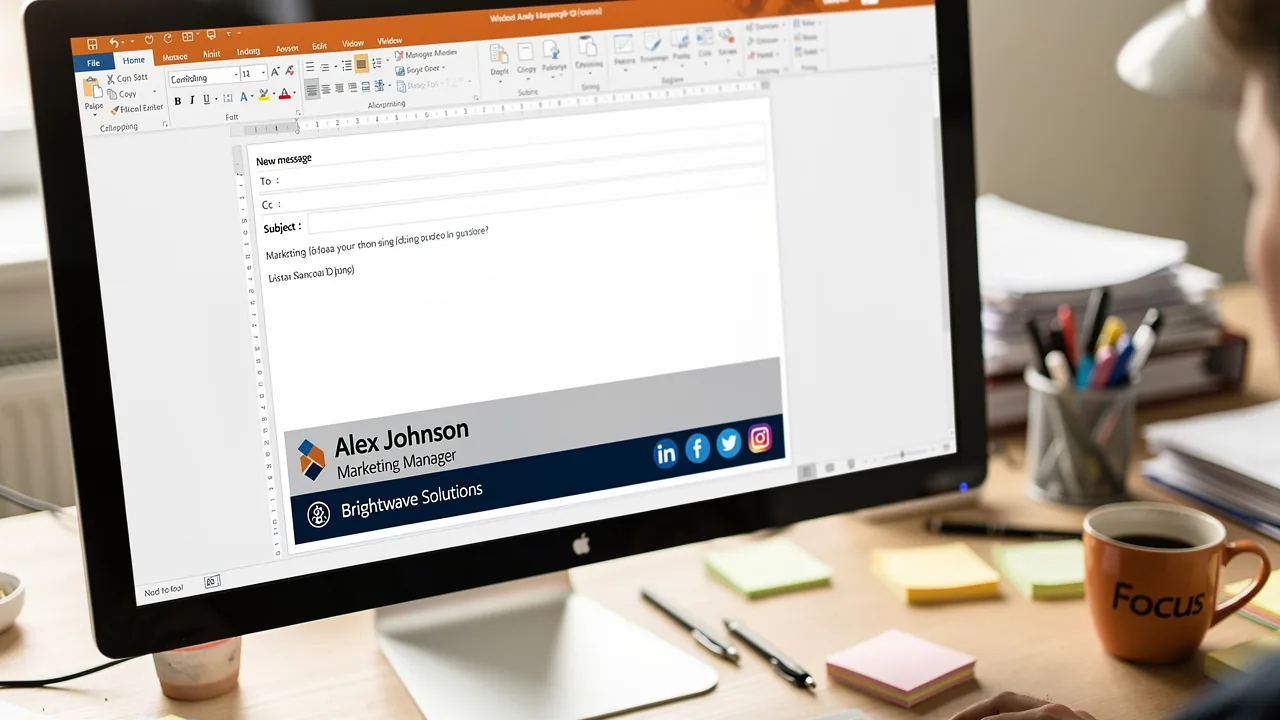
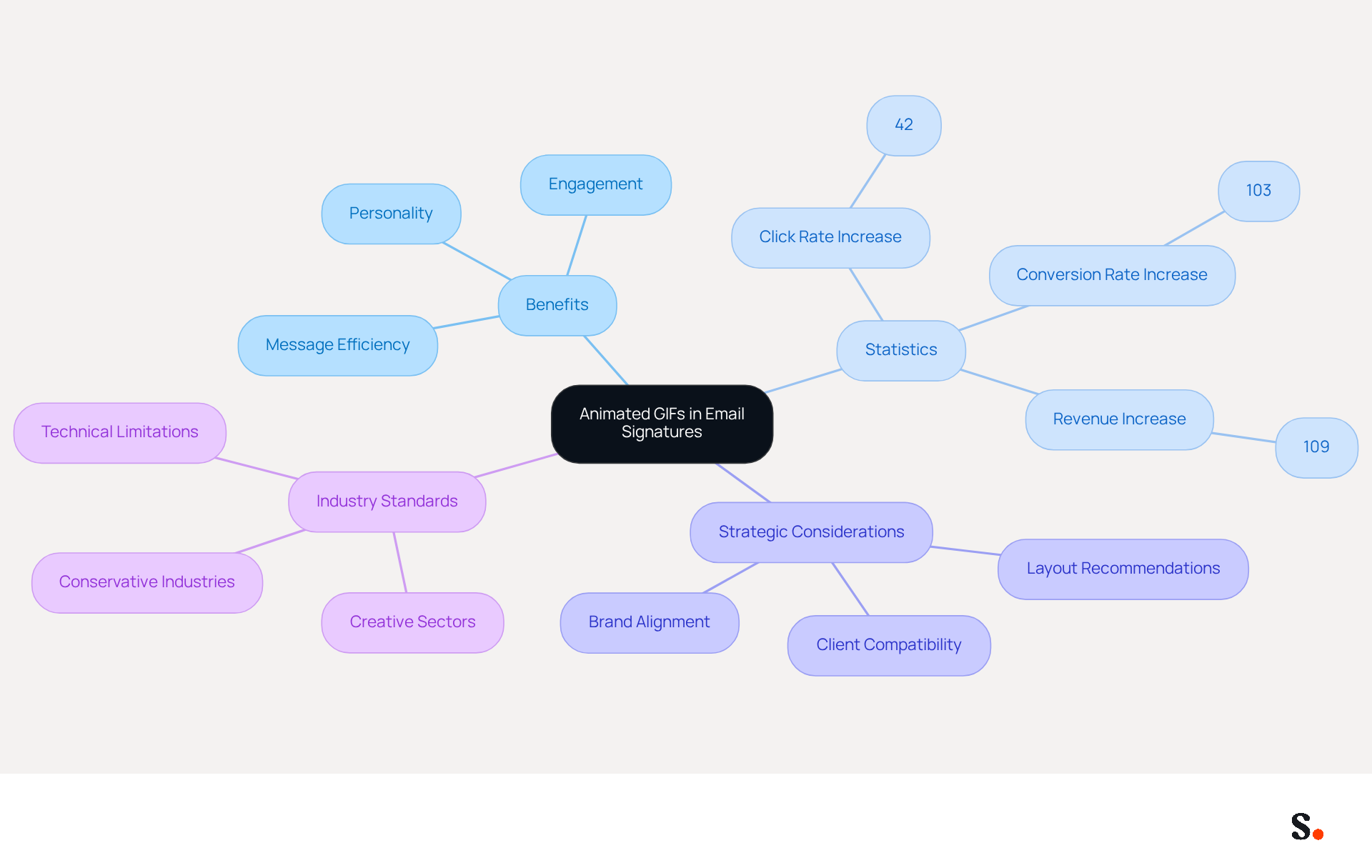
Animated image files, such as GIFs, are transforming email signatures into animated outlook signatures by adding a dynamic element that significantly enhances engagement compared to static visuals. Their capacity to engage audiences positions them as a preferred choice for marketers seeking to enhance interaction rates. When used strategically, animated images convey messages efficiently and add personality to communications. For example, a well-crafted GIF can effectively highlight a promotional offer or showcase a product feature, driving user interaction and increasing click-through rates.
The effectiveness of animated images is underscored by recent statistics, with campaigns utilizing these visuals, like Dell's, reporting a remarkable 42% increase in click rates, a 103% increase in conversion rates, and a 109% rise in revenue. However, ensuring brand alignment with animated images can be challenging, as misalignment may detract from the message's effectiveness. In 2026, the trend is shifting towards using animated images that are simple and relevant, ideally keeping file sizes under 200KB and limiting animation duration to avoid overwhelming recipients.
Organizations should carefully consider their industry standards when adding an animated outlook signature to their signature lines. For instance, while animated images can enhance engagement in creative sectors, they may be perceived as unprofessional in more conservative industries. Furthermore, it is crucial to recognize that certain messaging clients, such as older versions of Outlook, do not support moving images, showing only the initial frame instead. This limitation can lead to miscommunication if recipients do not see the intended animation. Thus, testing animated images across various messaging clients is crucial to guarantee compatibility prior to sending. The strategic use of animated images, particularly in single-column, content-minimal layouts, is becoming increasingly popular, focusing on clear messaging and a single call-to-action. This method not only upholds professionalism but also enhances the effectiveness of communication through messages.
Evaluate Pros and Cons of Animated GIFs
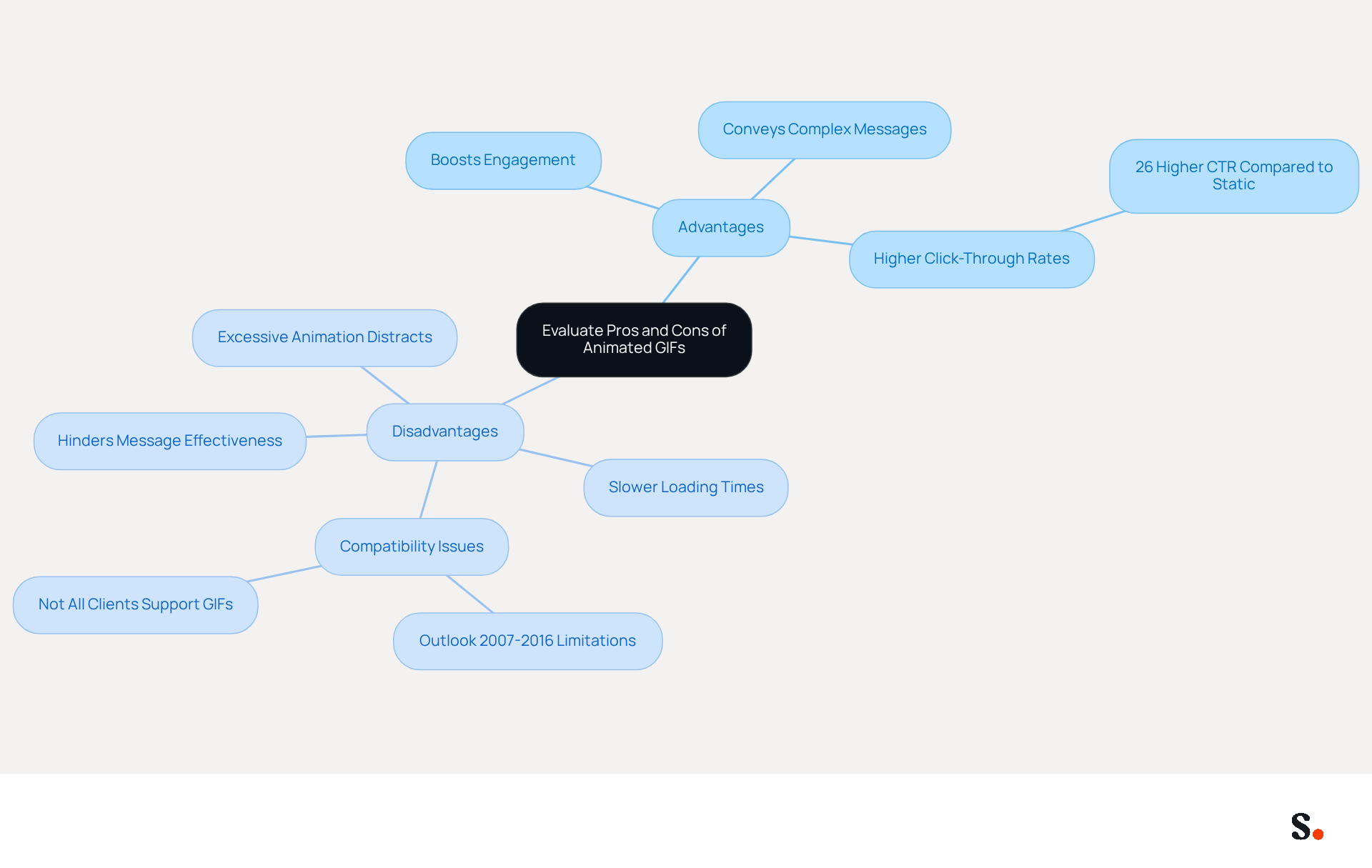
Incorporating an animated outlook signature in email signatures presents both significant advantages and potential challenges. On the bright side, GIFs can greatly boost engagement by capturing attention and adding visual appeal to messages. They are particularly effective in conveying complex messages succinctly, making them a valuable tool for marketing campaigns. For example, research conducted by Dressed Up! has indicated that messages featuring animated images can achieve a 26% higher click-through rate compared to static versions, demonstrating their potential to enhance interaction.
Nevertheless, several significant drawbacks warrant consideration.
- Large GIF files can lead to slower loading times for messages, which may frustrate recipients and negatively impact user experience.
- Not all messaging clients support animated images; for instance, Outlook versions 2007 to 2016 may only show the initial frame of an animated image, leading to varied experiences across different platforms.
- This limitation can hinder the effectiveness of the intended message.
- Excessive animation can divert attention from the main content of the message, potentially reducing engagement rates.
As Louise Feaheny, a Customer Success Engineer at SMTP2GO, observes, 'When utilized strategically, animated images can enhance click-through rates and boost engagement, particularly in announcement or promotional messages.'
To maximize the advantages of animated images while mitigating their drawbacks, it is essential to strike a balance between creativity and functionality in the design of an animated outlook signature. Marketers should thoroughly assess their audience and industry standards before incorporating moving elements into signatures, ensuring that the use of dynamic images aligns with the overall brand identity and communication objectives. Furthermore, animated images should improve clarity, not merely act as embellishments, to uphold professionalism and effectiveness in communication.
Implement Best Practices for Animated GIF Design
To create effective animated GIFs for email signatures, marketers must adhere to specific best practices that enhance viewer engagement:
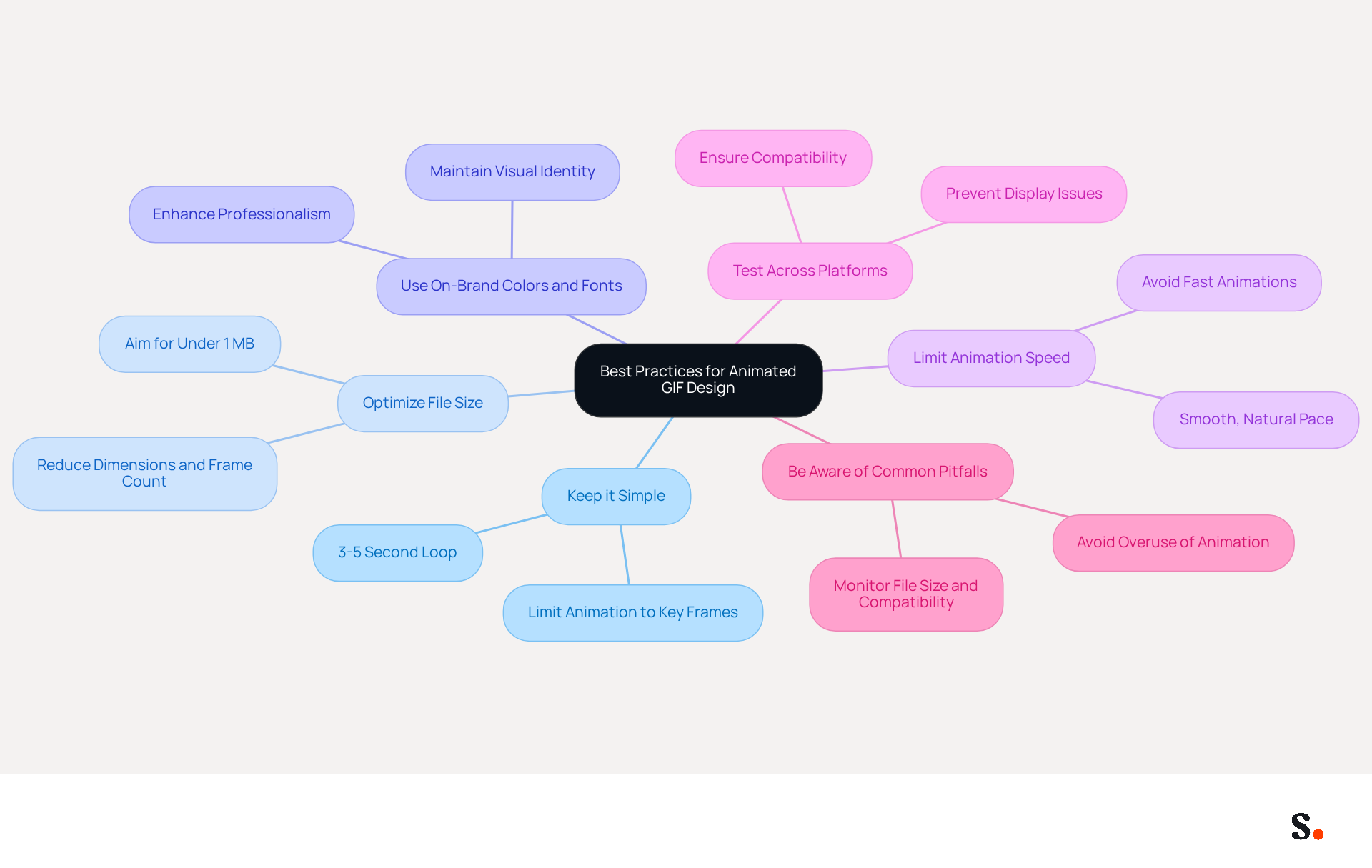
- Keep it Simple: Limit the animation to a few key frames that convey the message clearly. A simple 3-5 second loop is usually more effective than a complex animation. This approach captures the viewer's attention without overwhelming them.
- Optimize File Size: Aim for a GIF file size under 1 MB to ensure quick loading times and minimize the risk of triggering spam filters. Keeping GIFs small enhances performance, especially on mobile devices, where larger files can lead to frustrating delays. As Evan emphasizes, keeping files under 5 MB is crucial for optimal performance.
- Use On-Brand Colors and Fonts: Ensure that the GIF aligns with your brand's visual identity to maintain consistency across all communications. This not only strengthens brand awareness but also improves the overall professionalism of your signature.
- Limit Animation Speed: Avoid overly fast animations that can be distracting. A smooth, natural pace enhances viewer experience and keeps the focus on the message rather than the movement.
- Test Across Platforms: Before finalizing the GIF, test it across various messaging clients to ensure compatibility and proper display. This step is essential, as not all email clients support animated images equally, and thorough testing helps prevent display issues that could detract from the intended impact.
- Be Aware of Common Pitfalls: Marketers often struggle with common pitfalls that can undermine the effectiveness of their animated signatures. For example, Dell's successful animated image marketing campaign demonstrated how well-executed visuals can enhance engagement and conversion rates.
By following these recommendations, marketers can craft engaging moving images that enhance their signatures and foster stronger brand identity. This strategic approach to animated outlook signature can elevate email signatures into effective engagement tools that reinforce brand identity.
Adhere to Technical Specifications for Compatibility
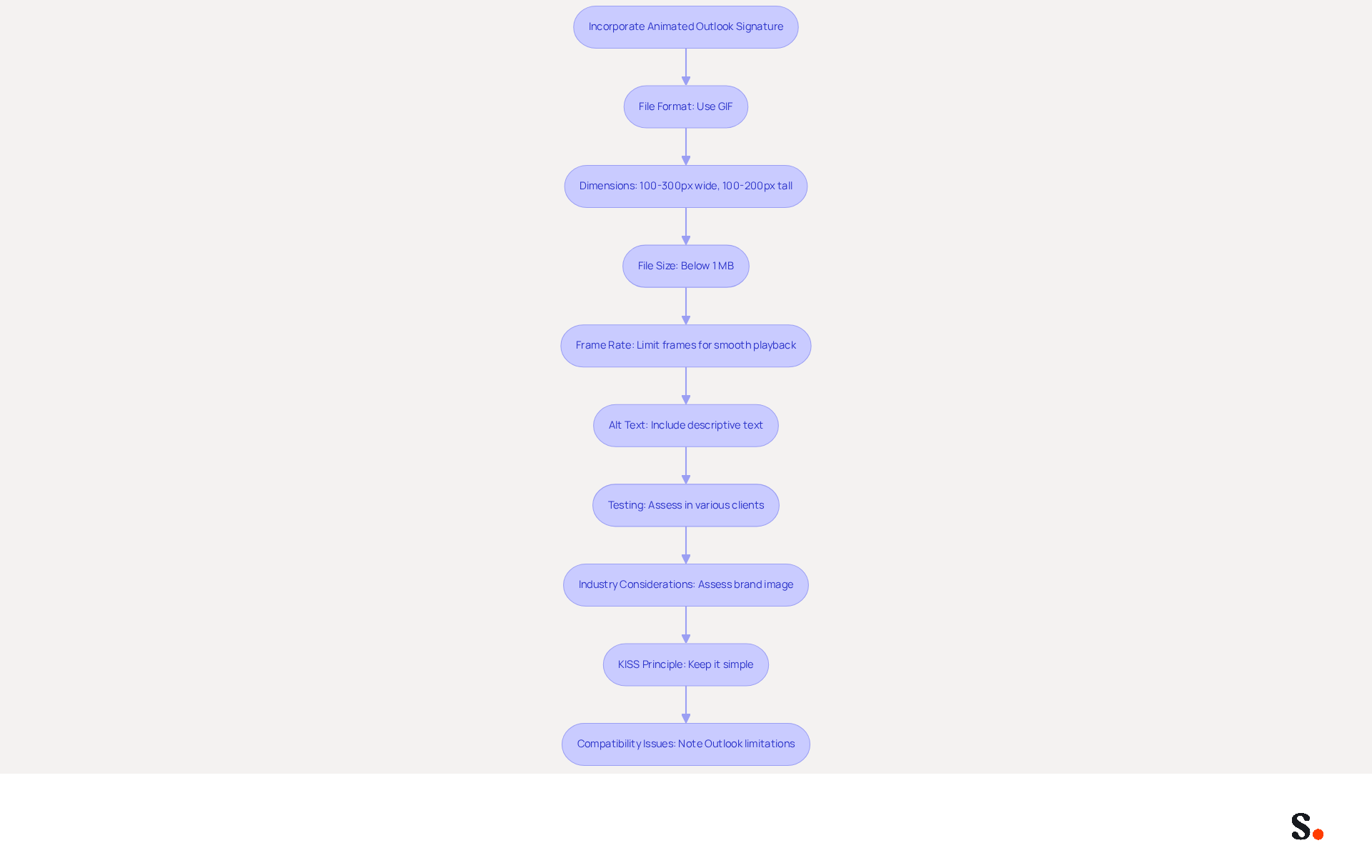
To effectively incorporate an animated outlook signature in email signatures, it is essential to follow specific technical specifications that ensure functionality and professionalism.
- File Format: Use the GIF format, as it is widely supported across messaging clients.
- Dimensions: Keep the dimensions of the GIF between 100-300 pixels wide and 100-200 pixels tall for optimal display. This range helps maintain visual appeal without overwhelming the layout of the message.
- File Size: Keep the file size below 1 MB to help with quick loading times and minimize bandwidth use. Larger files may lead to delays in message delivery and could be flagged as spam, impacting communication effectiveness.
- Frame Rate: Limit the number of frames to avoid large file sizes and ensure smooth playback. A well-optimized GIF can boost engagement, with studies indicating click-through rates rise by up to 42% when moving images are utilized.
- Alt Text: Include descriptive alt text for accessibility, ensuring that recipients who cannot view the GIF still understand the content.
- Testing: Regularly assess the GIF in various clients, including Outlook and Gmail, to confirm that it displays correctly and does not affect the overall layout. Tools like Litmus or Email on Acid can help check rendering across different platforms.
- Industry Considerations: Be mindful of industry norms; certain sectors, such as finance and healthcare, may find moving images unprofessional. Therefore, assess your brand image before incorporating them into your signatures.
- KISS Principle: Keep your signature simple to avoid complications and distractions for recipients.
- Compatibility Issues: Note that some versions of Outlook do not support moving images, displaying only the first frame as a static picture.
By adhering to these guidelines, businesses can enhance their brand visibility while ensuring professionalism in their communications, such as through an animated outlook signature.
Conclusion
Incorporating animated GIFs into Outlook signatures presents both opportunities and challenges for organizations. Using these dynamic visuals, organizations can create memorable interactions that engage recipients. It is crucial to implement this strategy with careful consideration, ensuring that the use of GIFs aligns with brand identity and industry standards.
The article highlights several key considerations for successfully implementing animated GIFs in email signatures. These include:
- Understanding the technical specifications for compatibility
- Evaluating the pros and cons of using animated images
- Adhering to best practices for design
By keeping animations simple, optimizing file sizes, and testing across various platforms, marketers can maximize the benefits of animated signatures while minimizing potential drawbacks.
In the end, using animated GIFs can turn email signatures into effective marketing tools that boost engagement and strengthen brand identity. Organizations should embrace this opportunity to innovate their communication strategies, ensuring that their email signatures not only convey professionalism but also captivate their audience effectively.
Frequently Asked Questions
What are animated GIFs in email signatures?
Animated GIFs are dynamic image files that enhance email signatures by adding movement, which significantly increases engagement compared to static visuals.
How do animated GIFs improve engagement in email marketing?
Animated GIFs engage audiences more effectively, making them a preferred choice for marketers. They can convey messages efficiently and add personality to communications, driving user interaction and increasing click-through rates.
What are some statistics that highlight the effectiveness of animated images in campaigns?
Campaigns using animated images, such as those by Dell, reported a 42% increase in click rates, a 103% increase in conversion rates, and a 109% rise in revenue.
What should be considered to ensure brand alignment with animated images?
It is important to ensure that animated images align with the brand's message, as misalignment can detract from effectiveness. Additionally, organizations should consider their industry standards when using animated images.
What are the recommended file size and duration for animated images in email signatures?
Animated images should ideally keep file sizes under 200KB and limit animation duration to avoid overwhelming recipients.
Are there any limitations to using animated GIFs in email signatures?
Yes, certain messaging clients, particularly older versions of Outlook, do not support moving images and will only display the initial frame, which can lead to miscommunication.
Why is it important to test animated images across various messaging clients?
Testing is crucial to ensure compatibility and that the intended animation is displayed correctly to recipients, preventing any miscommunication.
What layout is becoming popular for using animated images in email signatures?
The strategic use of animated images in single-column, content-minimal layouts is becoming popular, focusing on clear messaging and a single call-to-action while maintaining professionalism.
List of Sources
- Understand Animated GIFs in Email Signatures
- Why You Need GIFs in Your Email Marketing (https://schoolofmotion.com/blog/why-you-need-gifs-in-your-email-marketing)
- Email Signature Trends 2026: What Designers Are Actually Using (https://markaplugin.com/blog/email-signature-trends-2026)
- GIF compatibility with email clients: what you need to know (https://signitic.com/en/resources/gif-compatibility-with-email-clients-what-you-need-to-know)
- Animated GIFs in Email Signatures: Pros & Cons | Exclaimer (https://exclaimer.com/email-signature-handbook/animated-gifs-in-email-signatures)
- Maximize Email Impact with an Animated GIF Signature Maker (https://scribe-mail.com/en-US/blog/maximize-email-impact-with-an-animated-gif-signature-maker)
- Evaluate Pros and Cons of Animated GIFs
- When to use an animated GIF in email marketing - Emma (https://myemma.com/blog/when-to-use-an-animated-gif-in-email-marketing)
- Animated GIFs in Email Signatures: Pros & Cons | Exclaimer (https://exclaimer.com/email-signature-handbook/animated-gifs-in-email-signatures)
- GIFs in Emails: Yes or No? - SMTP2GO (https://smtp2go.com/blog/gifs-in-emails-yes-or-no)
- Animated GIF's and Email Signatures - Everything You Need to Know - Gimmio (https://blog.gimm.io/animated-gifs-and-email-signatures-everything-you-need-to-know)
- Best Practices for Animated GIF Email Signatures to Boost Engagement (https://scribe-mail.com/en-US/blog/best-practices-for-animated-gif-email-signatures-to-boost-engagement)
- Implement Best Practices for Animated GIF Design
- How Do You Optimize and Embed GIFs in an Email? (https://campaignmonitor.com/resources/knowledge-base/how-do-you-optimize-and-embed-gifs-in-an-email)
- Animated GIFs in Email: 10 Tips for Keeping File Sizes Small (https://litmus.com/blog/animated-gifs-in-email-10-tips-for-keeping-files-sizes-small)
- 10 Best Practice Tips for Animated GIFs in Email - MailPoet (https://mailpoet.com/blog/10-tips-for-animated-gifs-in-email)
- Animated GIFs in Email Signatures: Pros & Cons | Exclaimer (https://exclaimer.com/email-signature-handbook/animated-gifs-in-email-signatures)
- How to create an eye-catching GIF email signature — Stripo.email (https://stripo.email/blog/how-to-create-an-eye-catching-gif-email-signature)
- Adhere to Technical Specifications for Compatibility
- Animated GIF's and Email Signatures - Everything You Need to Know - Gimmio (https://blog.gimm.io/animated-gifs-and-email-signatures-everything-you-need-to-know)
- Animated GIFs in Email Signatures: Pros & Cons | Exclaimer (https://exclaimer.com/email-signature-handbook/animated-gifs-in-email-signatures)
- GIF compatibility with email clients: what you need to know (https://signitic.com/en/resources/gif-compatibility-with-email-clients-what-you-need-to-know)
- Best Practices for Animated GIF Email Signatures to Boost Engagement (https://scribe-mail.com/en-US/blog/best-practices-for-animated-gif-email-signatures-to-boost-engagement)
Get started with Scribe
Create your signature in minutes
Free 14-day trial — no credit card.