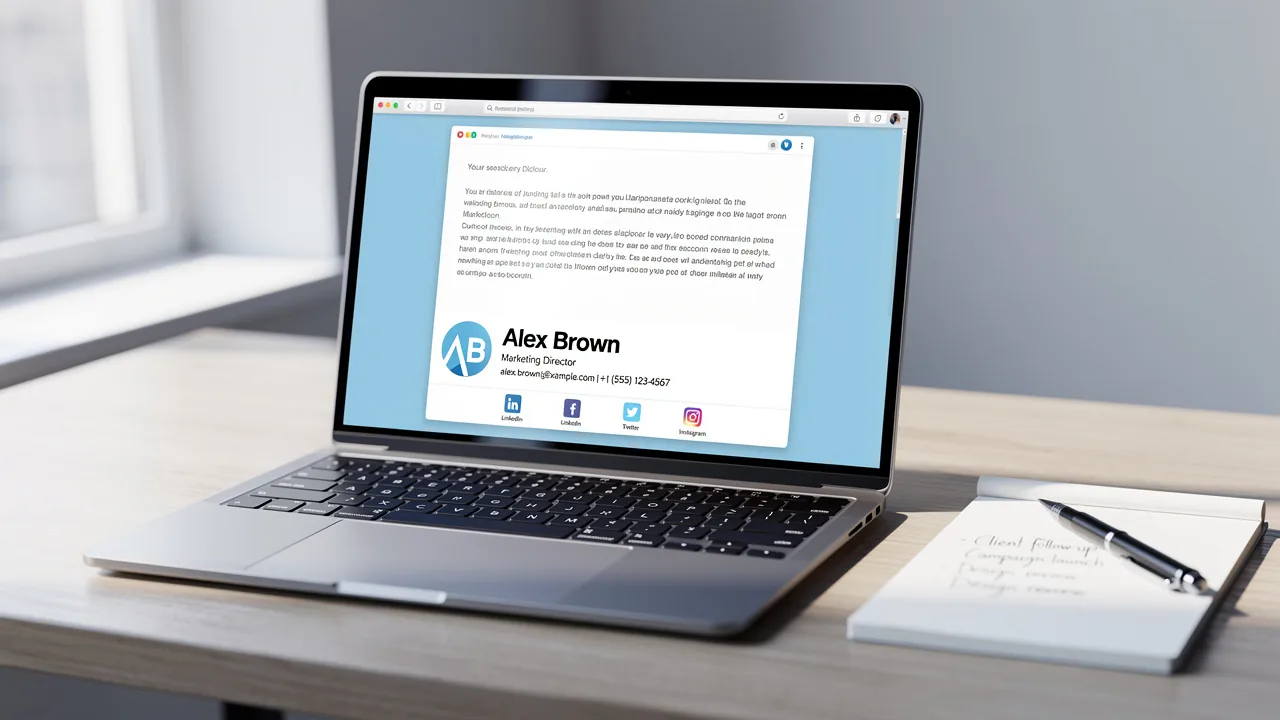
Best Practices for Crafting a Student Email Signature Example
Creating a professional email signature is a nuanced task that goes beyond mere aesthetics; it is a crucial element of a student's professional identity. By
Sophie Grant
Email Signature Specialist, Scribe
Introduction
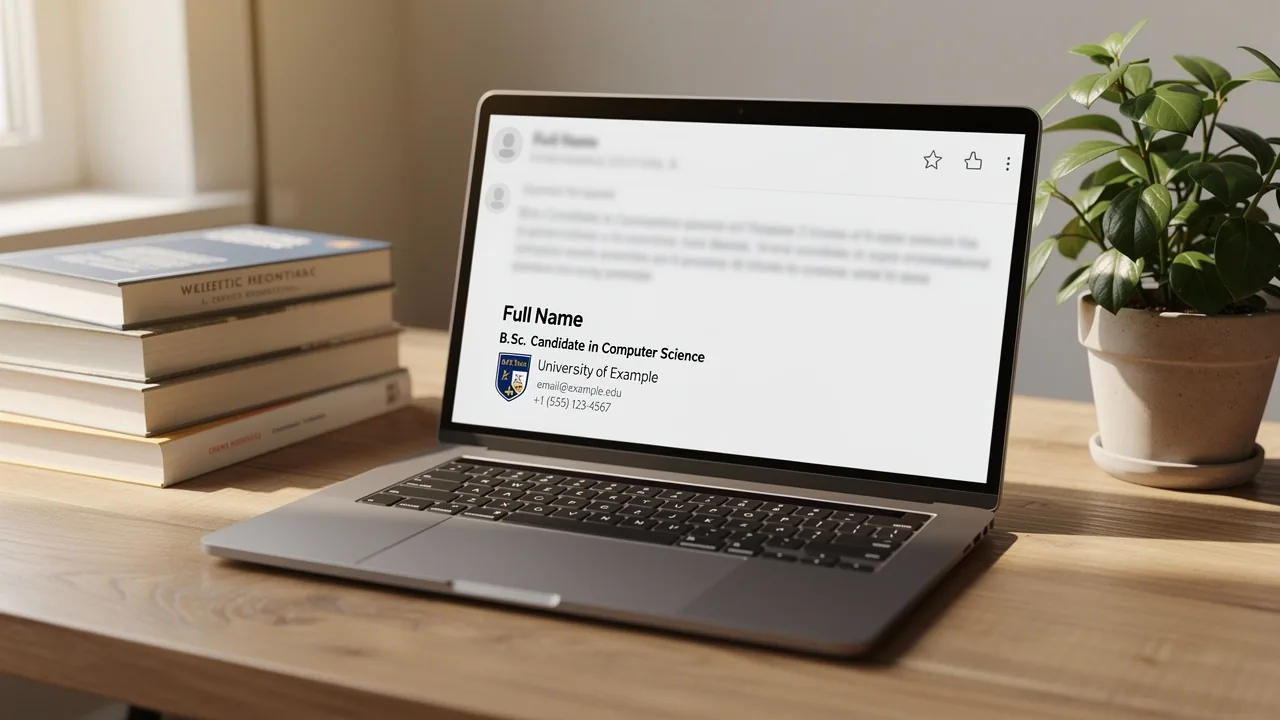
Creating a professional email signature is a nuanced task that goes beyond mere aesthetics; it is a crucial element of a student's professional identity. By incorporating essential elements such as full name, degree, and contact information, students can enhance their professional image and ensure effective communication.
Students often face the challenge of balancing personalization with brand consistency across different contexts. We will discuss effective strategies for crafting email signatures that showcase individual accomplishments while maintaining the educational institution's integrity.
Identify Essential Components of a Student Email Signature
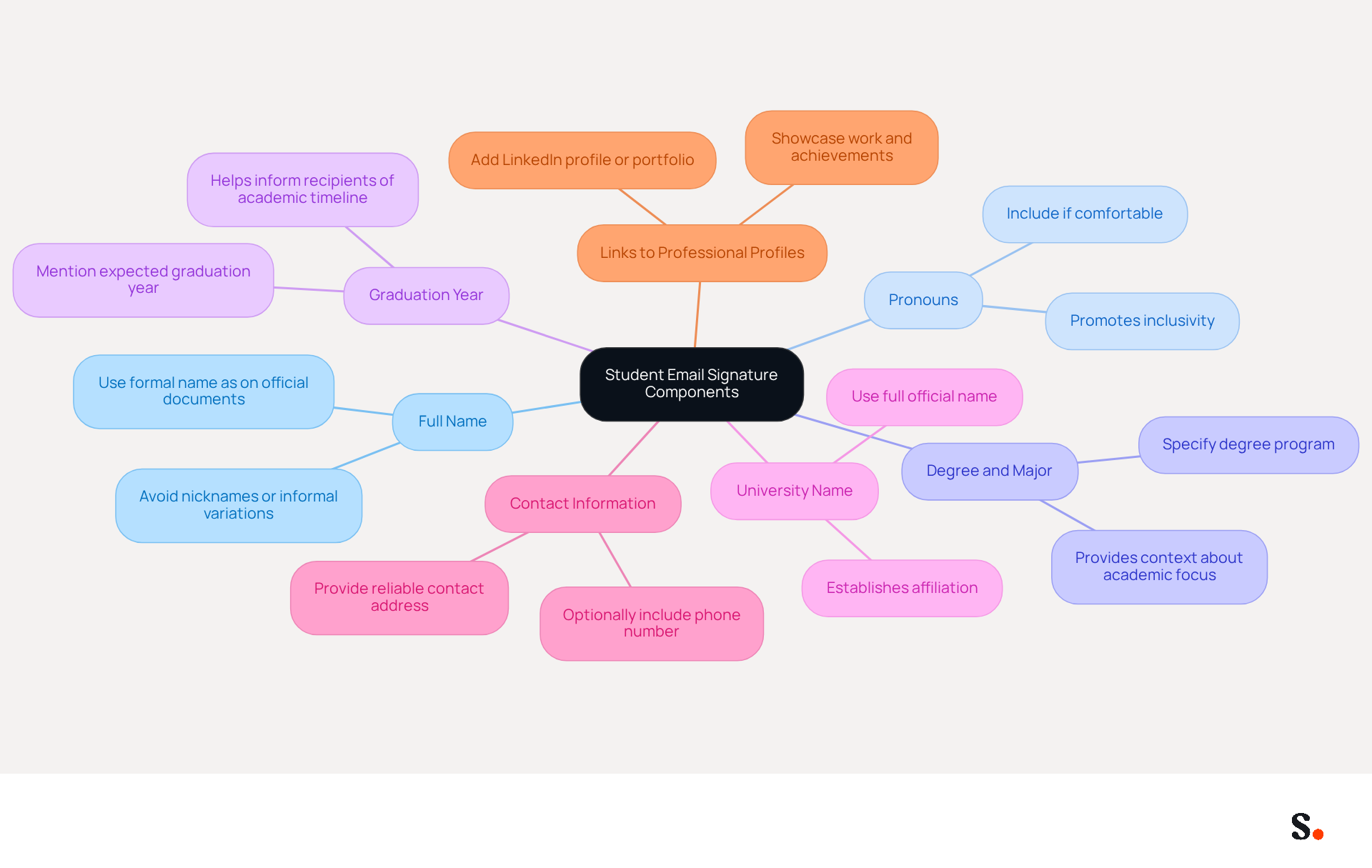
Creating a student email signature example is essential for students to effectively convey their identity and academic focus. A student email signature should include the following essential components:
- Full Name: Use your full name as it appears on official documents. This helps in establishing your identity clearly.
- Pronouns: If comfortable, include your pronouns to promote inclusivity.
- Degree and Major: Specify your degree program and major, which provides context about your academic focus.
- Graduation Year: Mention your expected graduation year to inform recipients of your academic timeline.
- University Name: Include the name of your university to establish your affiliation.
- Contact Information: Provide a reliable contact address and, optionally, a phone number for direct communication.
- Links to Professional Profiles: Consider adding links to your LinkedIn profile or personal portfolio to showcase your work and achievements.
By thoughtfully including these components in a student email signature example, students enhance their professional image and ensure clear communication with their recipients.
Ensure Brand Consistency and Professionalism
To maintain a professional image in your email communications, it is crucial to follow established branding practices:
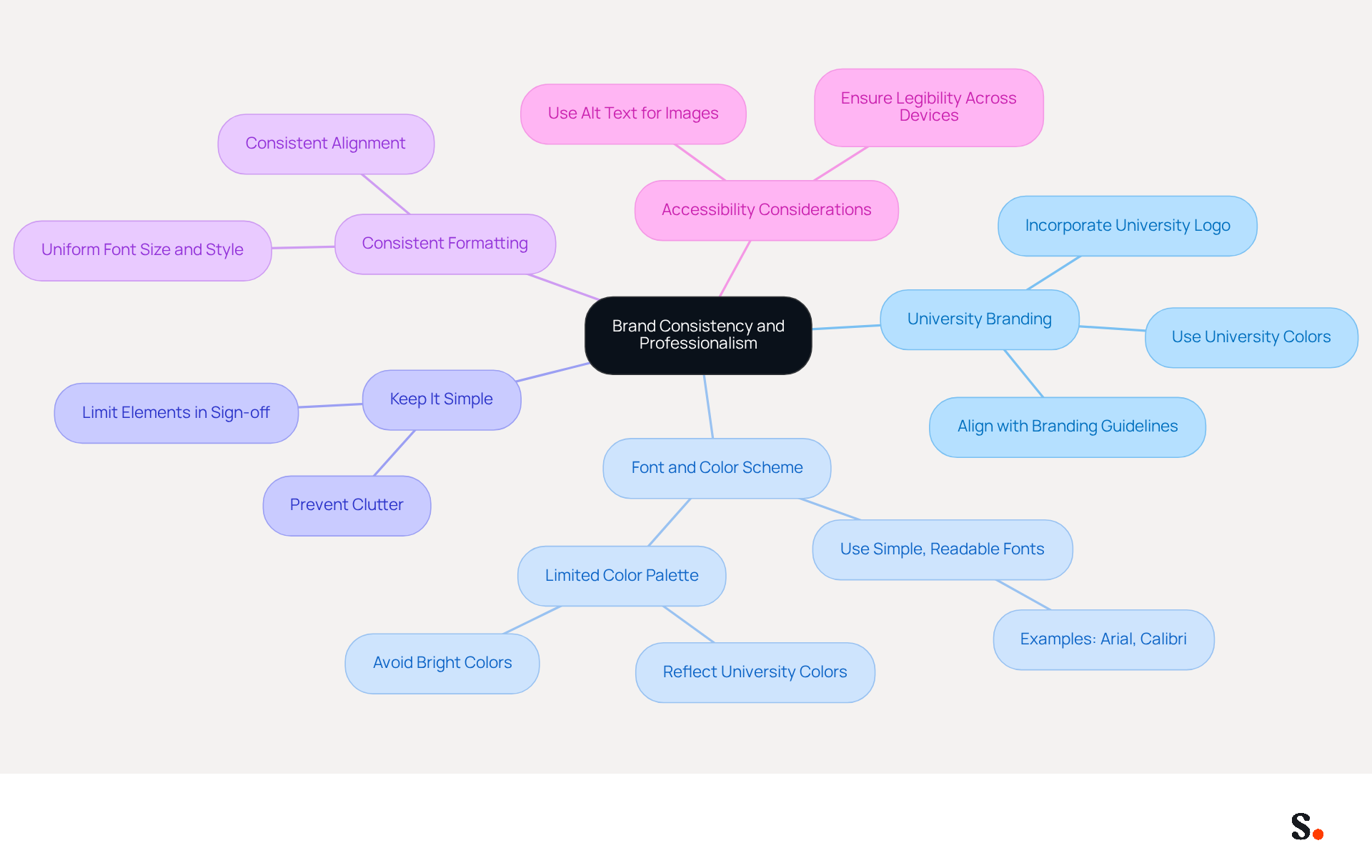
- Use University Branding: Incorporate your university's logo and colors to align your email with the institution's branding guidelines. This enhances recognition and shows pride in your affiliation.
- Font and Color Scheme: Opt for a simple, readable font like Arial or Calibri, and utilize a limited color palette that reflects your university's colors. Avoid overly decorative fonts or bright colors that may distract from the content.
- Keep It Simple: Limit the number of elements in your sign-off to prevent clutter. Cluttered email signatures can undermine your professional image.
- Consistent Formatting: Ensure uniformity in formatting (font size, style, and alignment) throughout your email. This attention to detail demonstrates professionalism and care in your interactions.
- Accessibility Considerations: Use alt text for images and ensure that your identifier is legible across various devices and messaging clients. In today's diverse communication landscape, being inclusive is key.
By adhering to these practices, you not only enhance your personal brand but also contribute to your university's reputation. Research shows that 69% of UK consumers believe a consistent professional branded mark across all communications is important, emphasizing the value of these practices in building brand trust and recognition.
Customize Signatures for Different Contexts
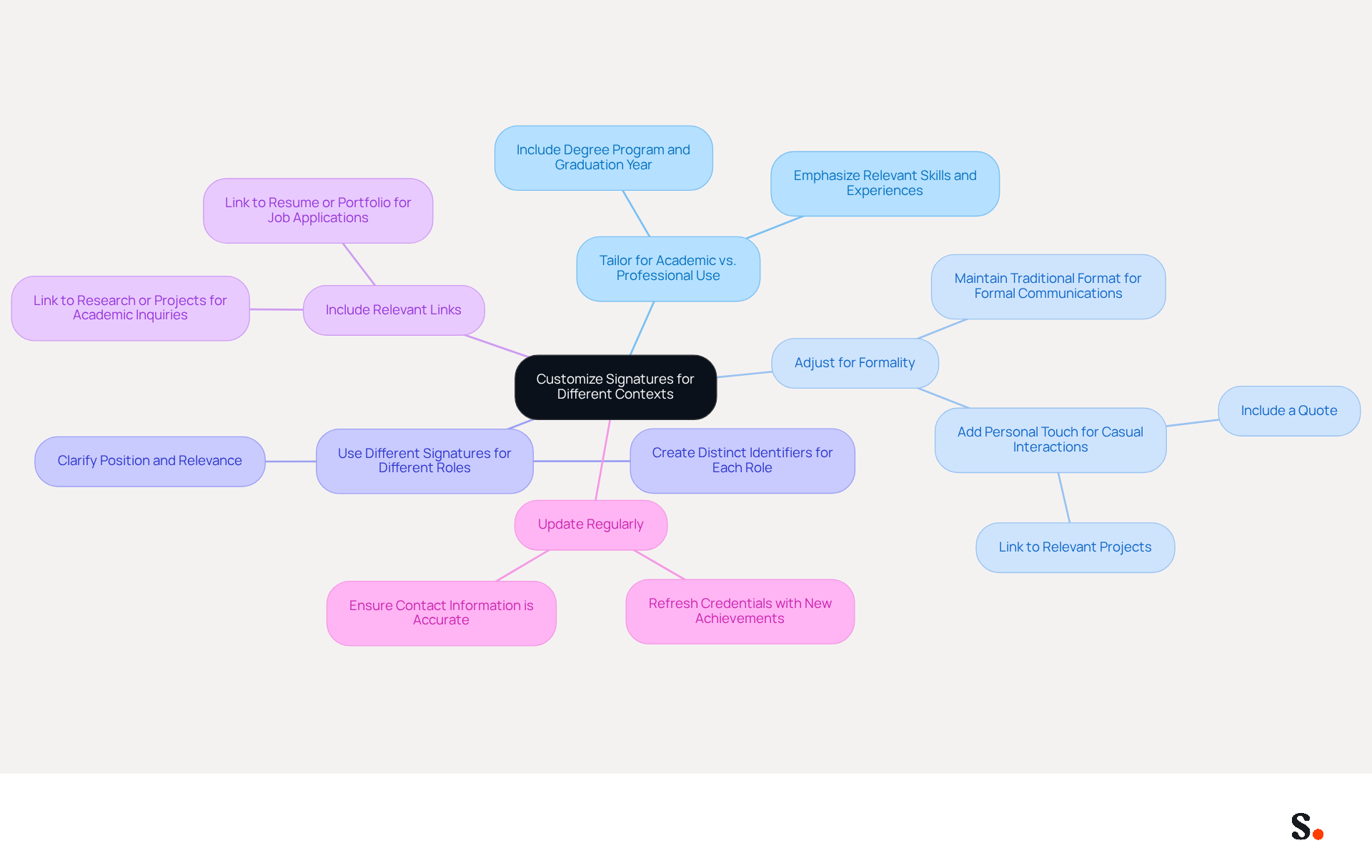
Customizing your email footer for different contexts is essential for effective communication and can significantly enhance your professional image. Here are some strategies:
- Tailor for Academic vs. Professional Use: For academic interactions, prominently include your degree program and graduation year. In professional contexts, emphasize skills and experiences relevant to the job or internship.
- Adjust for Formality: Depending on the recipient, modify the tone of your closing. For formal communications, maintain a traditional format. For more casual interactions, consider adding a personal touch, such as a quote or a link to a relevant project.
- Use Different Signatures for Different Roles: If you hold multiple positions (e.g., student, intern, volunteer), create distinct identifiers for each role. This helps clarify your position and relevance to the recipient.
- Include Relevant Links: Depending on the context, include links pertinent to the conversation. For job applications, link to your resume or portfolio. For academic inquiries, link to your research or projects.
- Update Regularly: As your academic and professional journey progresses, refresh your credentials to reflect new achievements, roles, or contact information. This ensures that your mark remains relevant and accurate.
Did you know that messages with branded footers can see a 22% boost in response rates? This statistic emphasizes the significance of a well-designed footer. According to Yuliia Savchuk, '52% of professionals believe a strong digital identifier is important for establishing trust and communicating with clients.' By tailoring your email footer, you not only enhance clarity but also foster stronger connections with your audience. Ultimately, a well-crafted email footer can be the difference between a missed opportunity and a successful connection.
Leverage Automation Tools for Efficient Management
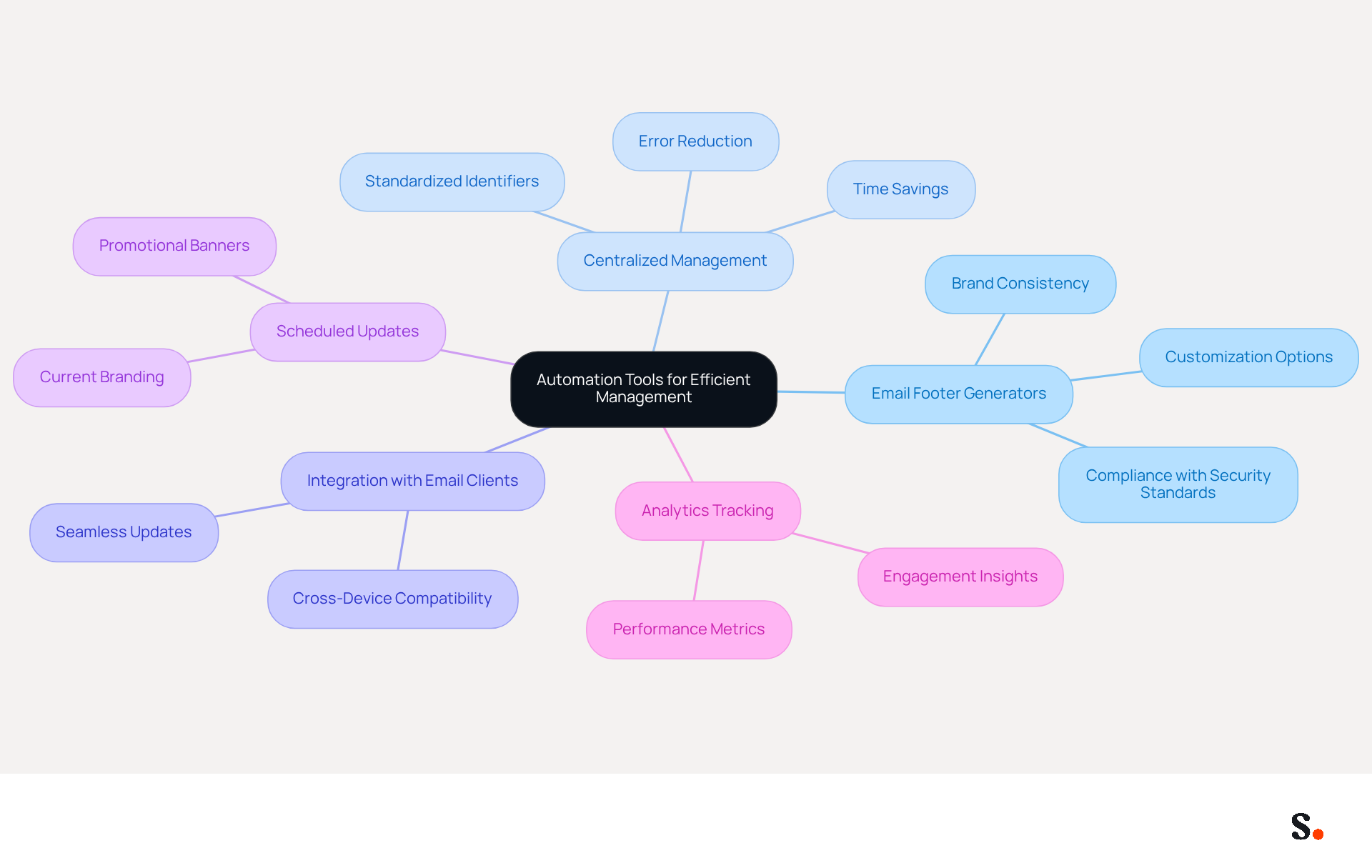
To enhance the professionalism of your correspondence, implementing automation solutions is essential. Here are some recommendations:
- Email Footer Generators: Utilize platforms like Scribe to create and customize your email footer quickly. These platforms offer templates that ensure your email footer looks professional, even if you lack design skills. Significantly, any modifications made in your Aircall configuration will automatically be reflected in your Scribe branding, ensuring brand consistency across communications. Scribe also complies with security standards like SOC 2 Type II, GDPR, and CCPA, enhancing your brand's credibility.
- Centralized Management: For those associated with a university or organization, check for centralized management solutions for identifiers. These solutions allow administrators to create and enforce standardized identifiers across all users, ensuring consistency and saving time. Without centralized management, maintaining consistent identifiers can be time-consuming and prone to errors.
- Integration with Email Clients: Opt for automation solutions that integrate seamlessly with your email client (e.g., Gmail, Outlook). This integration streamlines the process of updating and managing electronic identifiers across various devices.
- Scheduled Updates: Some applications enable you to arrange updates for your Scribe, such as incorporating promotional banners for events or deadlines. This feature ensures that your mark remains current without requiring constant manual updates. Scribe's average click-through rate on banners is 12%, making it an effective resource for engagement.
- Analytics Tracking: Consider utilizing resources that offer insights on how frequently your Scribe is viewed or clicked. This data can assist you in understanding the effectiveness of your mark in driving engagement.
By adopting these tools, organizations can significantly reduce the time spent on email signature management. Ultimately, embracing these automation tools can transform your email signature management into a streamlined, efficient process that reflects your brand's professionalism.
Conclusion
Establishing a professional email signature is crucial for students seeking to make a strong impression in both academic and professional environments. Incorporating key elements like your full name, degree, and contact details helps students present themselves clearly and professionally.
Key practices discussed include:
- Maintaining brand consistency through university branding
- Customizing signatures for different contexts
- Leveraging automation tools for efficient management
These strategies not only improve the professionalism of email correspondence but also foster stronger connections with recipients. Platforms like Scribe help keep email signatures current and compliant with important security standards, making the management process much easier.
This enhancement can lead to better networking opportunities and professional relationships. By prioritizing these strategies, students can ensure their email communications reflect their professionalism and commitment to excellence. Embracing these strategies is not just about aesthetics; it’s about building a personal brand that resonates with clarity and professionalism in an increasingly digital world.
Frequently Asked Questions
What is the purpose of a student email signature?
A student email signature helps students effectively convey their identity and academic focus while enhancing their professional image.
What essential components should be included in a student email signature?
A student email signature should include the following components: Full Name, Pronouns, Degree and Major, Graduation Year, University Name, Contact Information, and Links to Professional Profiles.
Why is it important to use your full name in the email signature?
Using your full name as it appears on official documents helps establish your identity clearly.
How can including pronouns in an email signature promote inclusivity?
Including pronouns, if comfortable, promotes inclusivity by allowing recipients to address the sender correctly and respectfully.
What information should be provided regarding degree and major in the email signature?
It is important to specify your degree program and major to provide context about your academic focus.
Why should a student mention their expected graduation year?
Mentioning the expected graduation year informs recipients of the student's academic timeline.
What role does including the university name play in a student email signature?
Including the university name establishes the student's affiliation and adds credibility to the email.
What contact information should be included in a student email signature?
A reliable contact address should be provided, and optionally, a phone number for direct communication.
Why might a student include links to professional profiles in their email signature?
Adding links to professional profiles, such as LinkedIn or a personal portfolio, showcases the student's work and achievements.
List of Sources
- Identify Essential Components of a Student Email Signature
- Email Signature for Students: Professional Templates for Internships & Networking (https://syncsignature.com/blog/email-signature-for-students)
- Email signatures for students in 2026: tips and real templates (https://mysignature.io/blog/why-do-students-need-personal-email-signatures)
- Creating Email Signatures for Students - NEWOLDSTAMP (https://newoldstamp.com/solutions/email-signature-for-students)
- Create an Email Signature for Graduate Students: A Step-by-Step Guide (https://scribe-mail.com/en-US/blog/create-an-email-signature-for-graduate-students-a-step-by-step-guide)
- Student Email Signature Examples & Best Practices (https://wisestamp.com/signature-examples/student-email-signature)
- Ensure Brand Consistency and Professionalism
- Why Are Email Signatures Key to Brand Awareness? | QuickMail (https://quickmail.com/role-of-email-signatures-in-brand-awareness)
- Maximize Your Email Signature Program with These 4 Best Practices (https://scribe-mail.com/en-US/blog/maximize-your-email-signature-program-with-these-4-best-practices)
- Is Your Customer Rebrand Stuck on Email Signatures? (https://wisestamp.com/blog/rebrand-email-signatures)
- Exclaimer Research: 67% of Marketers Expect Email Signatures to Support With Lead Gen In 2023 (https://businesswire.com/news/home/20230612141095/en/Exclaimer-Research-67-of-Marketers-Expect-Email-Signatures-to-Support-With-Lead-Gen-In-2023)
- Customize Signatures for Different Contexts
- The impact of email signatures on your branding (https://signitic.com/en/resources/the-impact-of-email-signatures-on-your-branding)
- Email signature statistics: Why every business should optimize their email signatures — Stripo.email (https://stripo.email/blog/email-signature-statistics-why-every-business-should-optimize-their-email-signatures)
- Email Signatures | Brand Guidelines | Illinois (https://brand.illinois.edu/applying-the-brand/email-signature)
- 27 Professional Email Signature Examples for Business Email 2026 (https://wisestamp.com/signature-examples)
- Leverage Automation Tools for Efficient Management
- Automating Email Signatures: How IT Teams Streamline Processes & Reduce Risk (https://exclaimer.com/blog/streamlining-it-processes-automated-email-signatures)
- Compare 5 Software for Email Signature: Features and Benefits for Marketers (https://scribe-mail.com/en-US/blog/compare-5-software-for-email-signature-features-and-benefits-for-marketers)
- 5 Effective Ways To Manage Email Signatures For Large Firms (https://paayatech.com/blog/5-effective-ways-to-manage-email-signatures)
- Company-Wide Email Signature Management | CloudM (https://cloudm.io/resources/blog/optimize-your-process-with-company-wide-email-signature-management)
- 5 Benefits of Using Centrally Managed Email Signatures | Crossware365 (https://crossware365.com/blog/5-benefits-of-using-centrally-managed-email-signatures)
Get started with Scribe
Build a professional email signature
Free 14-day trial — no credit card.