Best Practices for Creating an HTML Signature for Gmail
Many organizations underestimate the impact of HTML signatures on their professional image in email communications. Implementing best practices for HTML
Sophie Grant
Email Signature Specialist, Scribe

Introduction
Many organizations underestimate the impact of HTML signatures on their professional image in email communications. Implementing best practices for HTML signatures in Gmail allows companies to enhance brand consistency and improve audience engagement.
So, how can businesses make sure their email signatures are visually appealing and strategically designed to drive action while ensuring compliance?
We’ll explore essential techniques and automation tools that help marketing teams create impactful HTML signatures that resonate with recipients and uphold brand integrity.
Establish Brand Consistency in HTML Signatures
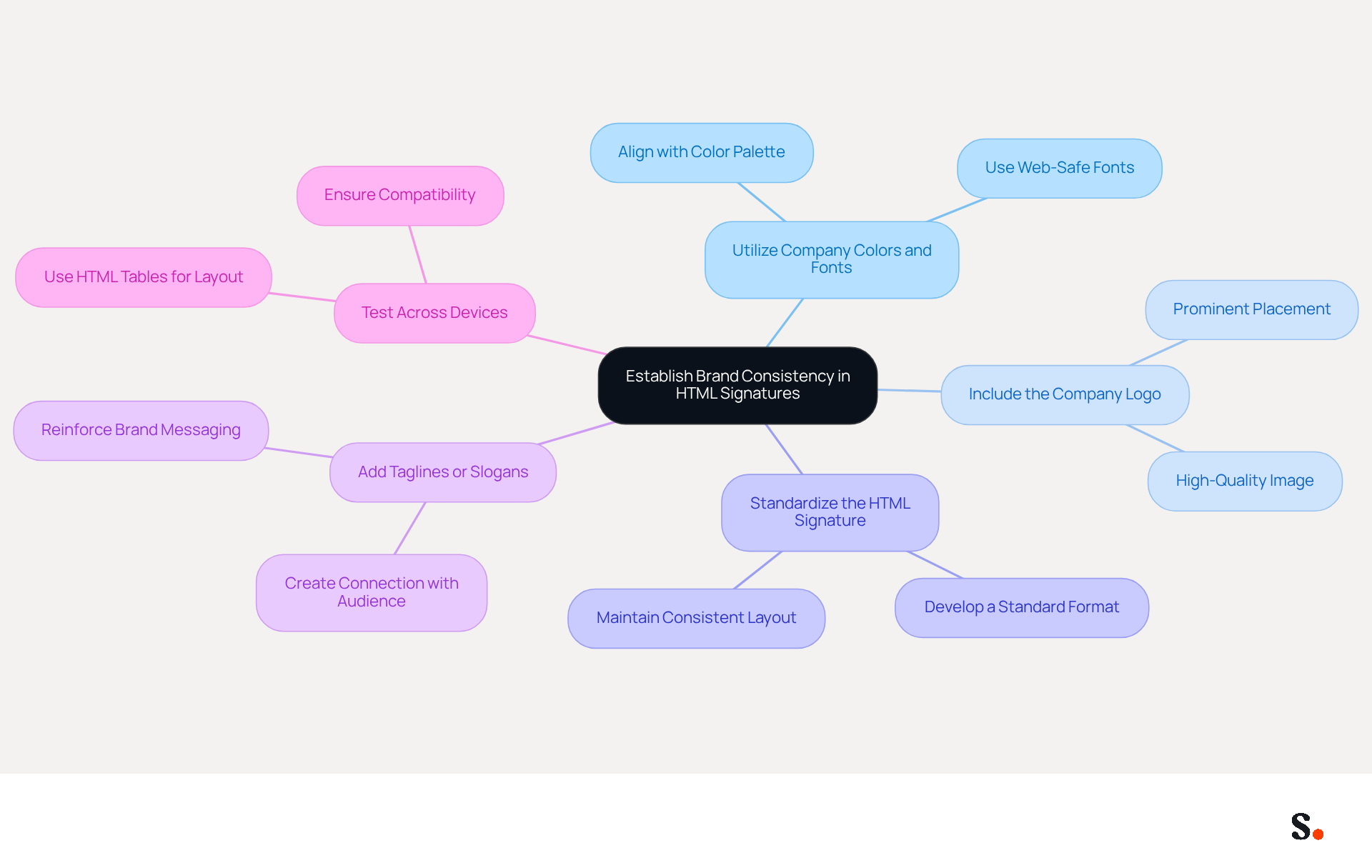
To maintain a professional image in your email communications, it is crucial to establish brand consistency in your HTML signatures:
- Utilize Company Colors and Fonts: Align your email footer with your organization's color palette and typography. This creates a cohesive look across all communications. For example, if your colors are blue and white, incorporate these hues into your logo's background and text.
- Include the Company Logo: Always feature your company logo in the signature. Place it where it can be easily seen, since a well-placed logo can boost consumer confidence significantly.
- Standardize the HTML signature for Gmail by developing a standardized format for all employees to follow. This includes layout, font sizes, and spacing. A consistent format not only upholds a professional appearance but also strengthens identity, resulting in an 85% enhancement in consistency across teams.
- Add Taglines or Slogans: If your company has a tagline or slogan, include it in the footer. This strengthens brand messaging and creates a stronger connection with your audience.
- Test Across Devices: Ensure that your signature displays correctly on various devices and messaging clients. Utilize HTML tables for layout, as they are more reliable across different platforms. Without proper testing, your email signature may not display correctly, leading to potential miscommunication, particularly since over 60% of business communications are accessed on mobile devices.
By prioritizing these best practices, your organization can significantly enhance its professional image and communication effectiveness. Organizations that standardize their email formats can observe a 22% rise in response rates, highlighting the effectiveness of a well-managed system.
Implement Effective Design Techniques for HTML Signatures
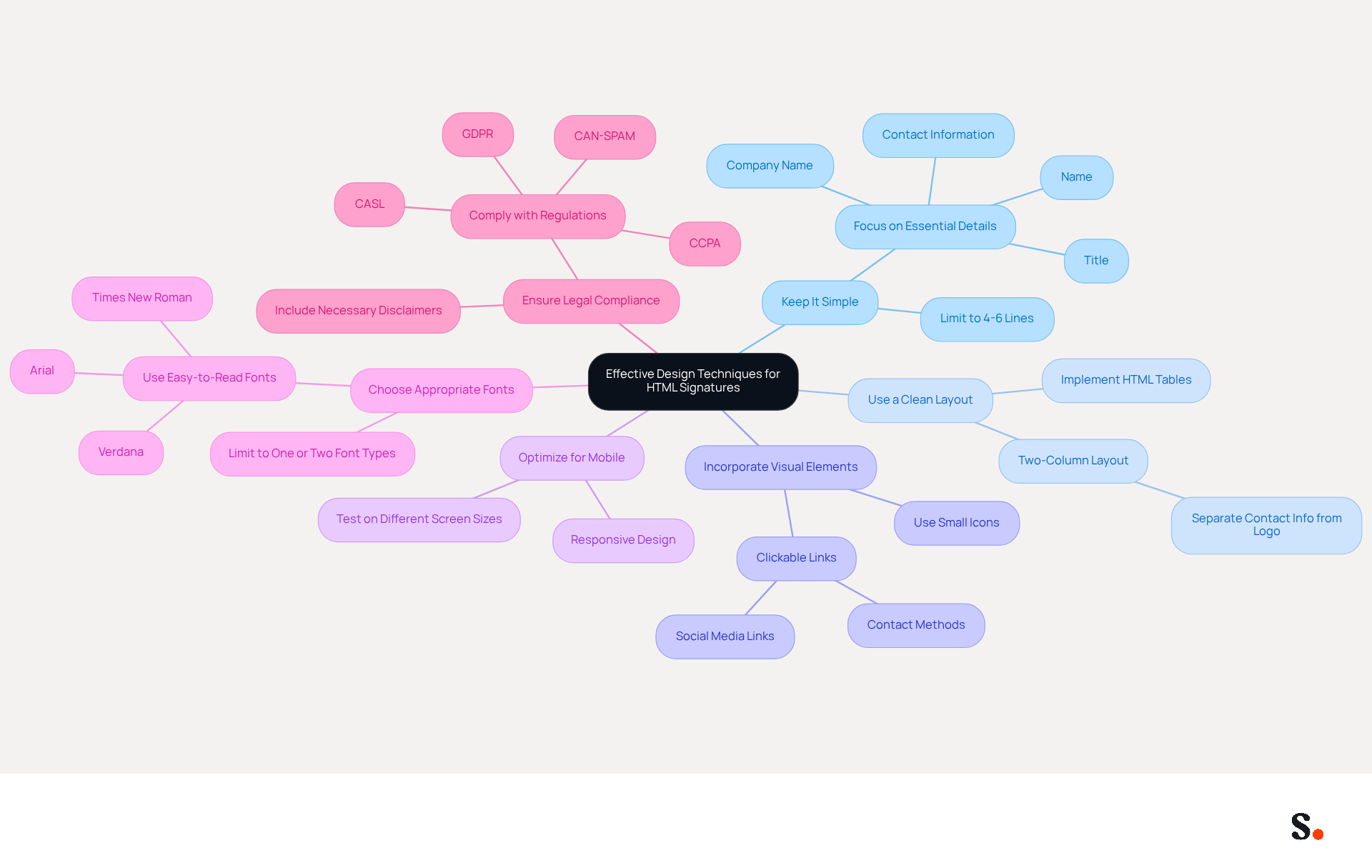
Creating an effective HTML signature requires careful consideration of design techniques that enhance professionalism and engagement:
- Keep It Simple: Limit your sign-off to 4-6 lines to enhance readability. Focus on essential details such as your name, title, company name, and contact information. This method promotes clarity and professionalism, which are essential in effective communication.
- Use a Clean Layout: Implement HTML tables to organize your design, ensuring consistent formatting across various messaging clients. A simple two-column layout can effectively separate your contact information from your logo, improving visual organization.
- Incorporate Visual Elements: Utilize small, recognizable icons for social media links and contact methods. Ensure these icons are clickable and lead recipients to the appropriate pages, enhancing engagement without overwhelming the branding.
- Optimize for Mobile: With approximately 41.6% of email opens occurring on mobile devices, failing to optimize for mobile can lead to lost engagement opportunities. Ensure your signature is responsive and test its appearance on different screen sizes to maintain visual appeal and functionality across platforms.
- Choose Appropriate Fonts: Select easy-to-read fonts that align with your brand's style, such as Arial, Verdana, or Times New Roman. Stick to one or two font types to maintain consistency and avoid visual chaos, which can diminish the effectiveness of the branding.
- Ensure Legal Compliance: Remember to include necessary legal disclaimers and comply with regulations like GDPR, CCPA, CAN-SPAM, and CASL. Scribe's SOC 2 Type II certification guarantees that your electronic identifiers comply with these standards, upholding professionalism and safeguarding your organization.
By using these design techniques, you can craft an HTML signature that not only looks good but also elevates the professionalism of your emails. Furthermore, syncing your Google Workspace with Scribe can simplify email management by automatically updating your teammates' information. This integration saves time, as any changes in Google Workspace-such as updates to job positions or group assignments-are reflected in Scribe without manual input. Effective design not only strengthens brand identity but also maximizes the potential for meaningful interactions, as evidenced by specific case studies showing significant improvements in engagement metrics.
Incorporate Call-to-Action Elements to Enhance Engagement
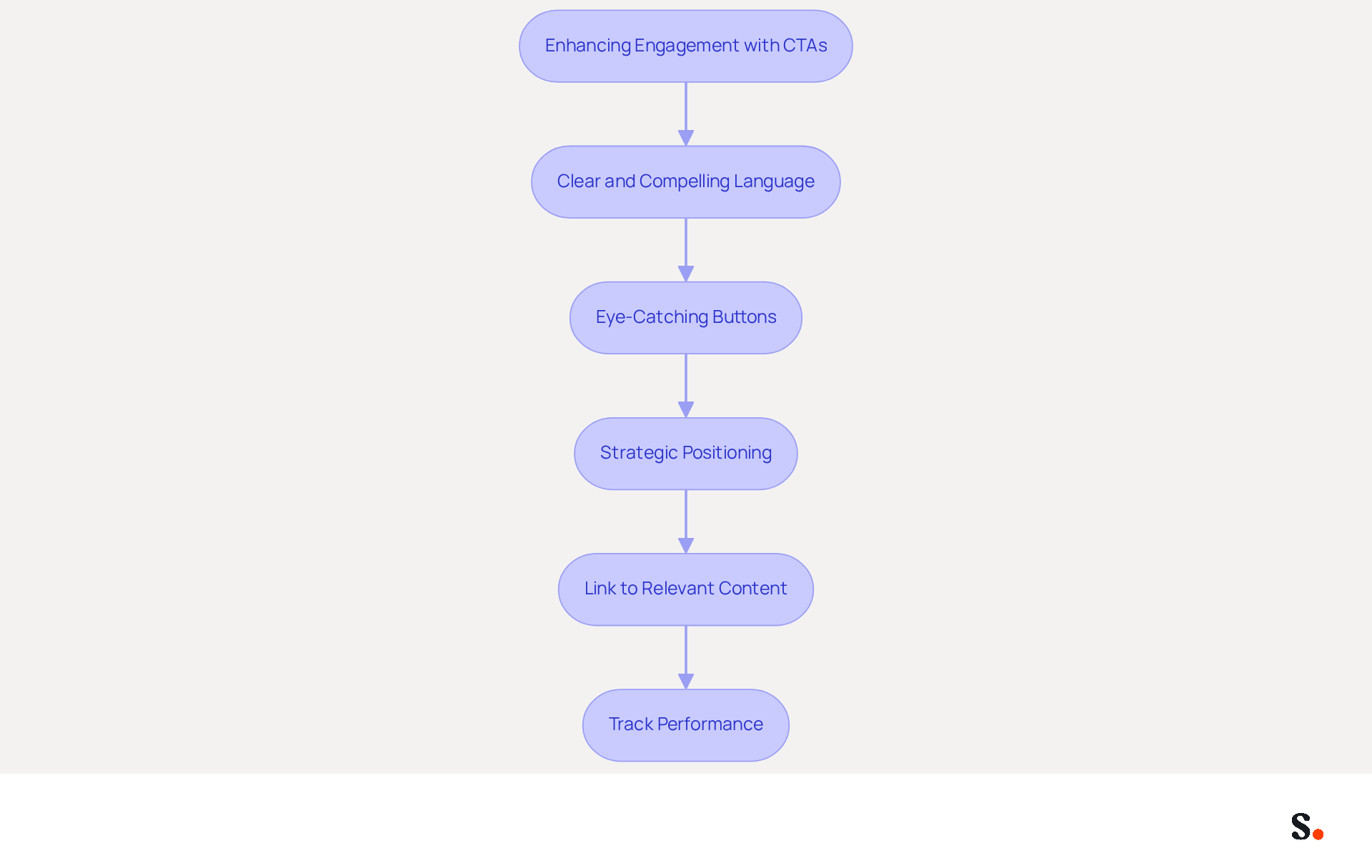
To maximize engagement through your HTML signature, it is essential to implement effective call-to-action strategies:
- Use Clear and Compelling Language: Your CTA should be concise and action-oriented. Phrases like "Schedule a Demo," "Download Our Free Guide," or "Visit Our Website" clearly indicate the desired action for the recipient.
- Design Eye-Catching Buttons: Instead of plain text links, utilize buttons for your CTAs. Make them visually distinct by employing contrasting colors and clear text, which draws attention and encourages clicks. According to Campaign Monitor, using buttons can boost conversion rates by 28% over hyperlinks.
- Position CTAs Strategically: Place your CTAs prominently within the email footer, ideally near your name or at the end. This positioning ensures they are easily noticed without overwhelming the recipient, as well-placed CTAs can lead to click-through rates as high as 7%, based on our internal analytics.
- Link to Relevant Content: Ensure that your CTAs direct recipients to valuable content that aligns with their interests. This could be a landing page, a promotional offer, or a resource that provides additional value, enhancing the likelihood of engagement. For example, a promotional banner was tested and achieved a click-through rate of 7.02%, demonstrating the effectiveness of visual elements in driving engagement.
- Track Performance: Make sure to use tracking links to keep an eye on how well your CTAs are performing. Analyzing click-through rates can help refine your approach and improve future campaigns. Continuous A/B testing is recommended to identify which CTAs resonate best with your audience.
By refining your CTAs, you not only enhance engagement but also create a pathway for meaningful interactions with your audience.
Utilize Automation Tools for Streamlined Signature Management
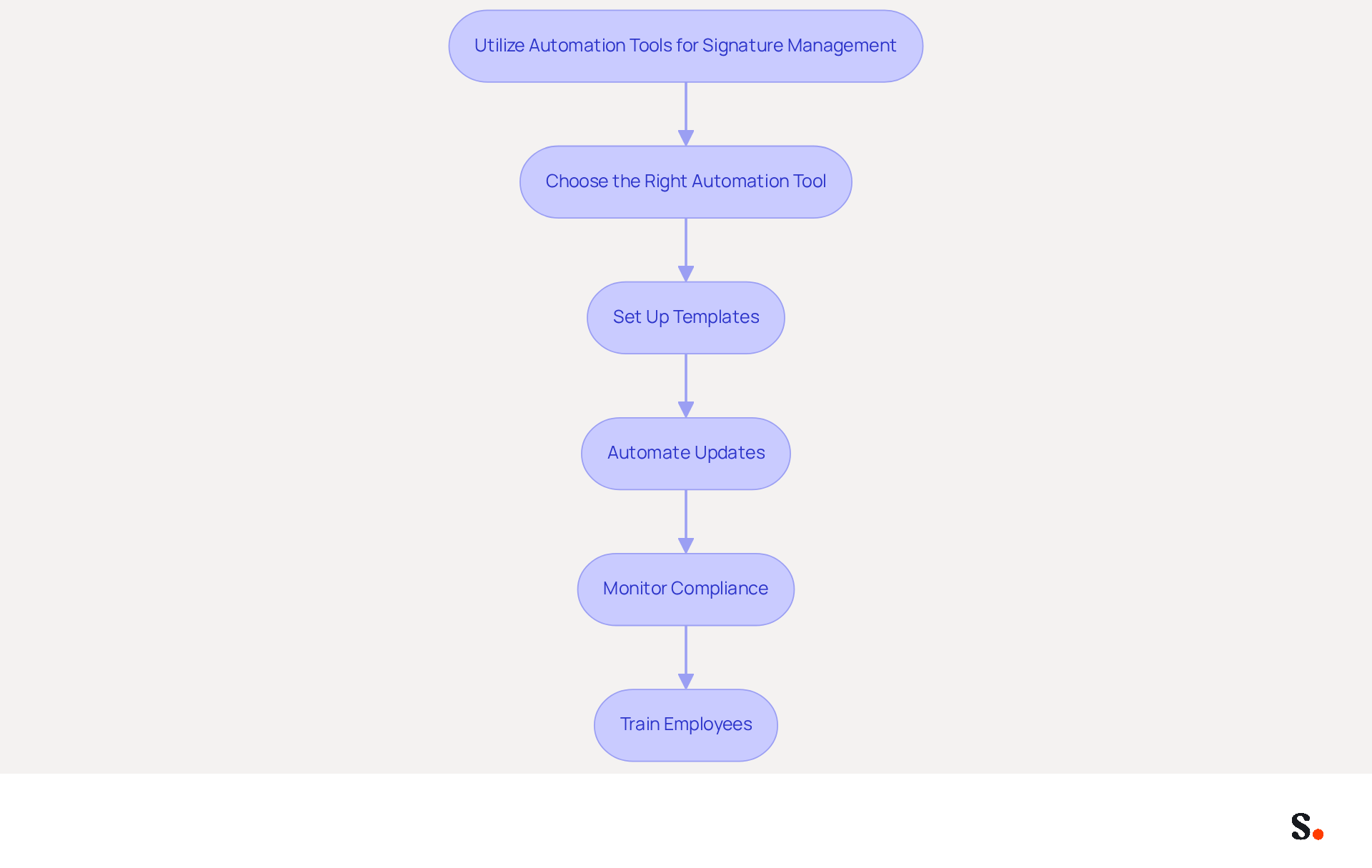
Effective email signature management is crucial for maintaining brand integrity and operational efficiency. To streamline your email signature management, consider implementing the following automation practices:
- Choose the Right Automation Tool: Opt for an email branding management solution that integrates seamlessly with your existing platforms, such as Google Workspace or Microsoft 365. Scribe automates the process of updating approvals across your organization, ensuring consistency and efficiency.
- Set Up Templates: Develop standardized templates that reflect your organization's identity. This approach helps ensure that all employees use the same markings, which cuts down on mistakes and keeps the brand's image intact.
- Automate Updates: Leverage automation to ensure that identifiers are updated automatically whenever there are changes in employee information, such as job titles or contact details. Manual updates can lead to errors and inconsistencies, creating challenges in maintaining accurate information.
- Monitor Compliance: Implement monitoring features to ensure adherence to signing guidelines across the organization. This assists in recognizing any deviations and upholds consistency effectively.
- Train Employees: Provide comprehensive training on how to utilize the automation tools effectively. Ensuring that everyone comprehends the importance of maintaining consistent markings and how to utilize the available tools is vital for success.
As a result, organizations can focus more on strategic initiatives rather than administrative tasks. Ultimately, embracing automation in signature management allows organizations to redirect their focus toward growth and innovation.
Conclusion
A professional HTML signature in Gmail is crucial for reinforcing brand identity and enhancing communication effectiveness. By focusing on brand consistency, effective design techniques, engaging call-to-action elements, and streamlined management through automation, organizations can enhance their email communications, as evidenced by improved response rates in similar case studies. This strategy builds a strong brand image and boosts engagement and response rates.
Key practices discussed include:
- Utilizing company colors and logos
- Maintaining a clean layout
- Incorporating compelling CTAs that drive action
Additionally, leveraging automation tools like Scribe can simplify the management of email signatures, ensuring that updates are made seamlessly and consistently across the organization. This not only streamlines processes but also ensures compliance with legal standards, which is essential for maintaining professionalism in every communication.
Ultimately, investing in a well-crafted HTML signature is a strategic decision that can yield significant marketing ROI and enhance engagement metrics. Organizations are encouraged to adopt these best practices and consider tools like Scribe to achieve 100% brand consistency and streamline their email signature management, paving the way for more effective and impactful communications.
Frequently Asked Questions
Why is brand consistency important in HTML signatures?
Brand consistency in HTML signatures is crucial for maintaining a professional image in email communications and strengthens identity, leading to enhanced consumer confidence.
How can I align my email signature with my company's branding?
You can align your email signature with your company's branding by utilizing company colors and fonts, incorporating the company logo, and including taglines or slogans.
What should be included in a standardized HTML signature format?
A standardized HTML signature format should include a consistent layout, font sizes, spacing, and the company logo to ensure a professional appearance across all communications.
How does standardizing email signatures affect communication effectiveness?
Standardizing email signatures can lead to an 85% enhancement in consistency across teams and a 22% rise in response rates, highlighting the effectiveness of a well-managed system.
Why is it important to test HTML signatures across devices?
Testing HTML signatures across devices is important to ensure they display correctly on various platforms, as over 60% of business communications are accessed on mobile devices. Proper testing helps avoid miscommunication.
What layout method is recommended for HTML signatures?
It is recommended to utilize HTML tables for layout in HTML signatures, as they are more reliable across different messaging clients and devices.
List of Sources
- Establish Brand Consistency in HTML Signatures
- Email Signature Design Trends in 2026: What Works and What to Drop (https://bulksignature.com/blog/email-signature-design-trends)
- Best Practices for a Correct Email Signature That Boosts Branding (https://scribe-mail.com/en-US/blog/best-practices-for-a-correct-email-signature-that-boosts-branding)
- Email Signatures and Brand Consistency: A Guide for Small Businesses (https://designhill.com/design-blog/email-signature-brand-consistency-guide)
- Top 10+ best practices for email signatures design in 2026 (https://mysignature.io/blog/email-signature-best-practices)
- Streamlining Email Signature Management: Best Practices For Consistent Branding - Mutant Mail (https://blog.mutantmail.com/streamlining-email-signature-management-best-practices-for-consistent-branding)
- Implement Effective Design Techniques for HTML Signatures
- Best practices for business email signatures in 2026 (https://bybrand.io/blog/best-practices)
- The Complete Email Signature Guide 2026: Best Practices and Policy (https://opensense.com/complete-email-signature-guide)
- Email Signature Best Practices Guide With Examples - MailerLite (https://mailerlite.com/blog/email-signature-best-practices)
- Top 10+ best practices for email signatures design in 2026 (https://mysignature.io/blog/email-signature-best-practices)
- Email signature design guide: elements, layout & tips (https://exclaimer.com/email-signature-handbook/email-signature-design)
- Incorporate Call-to-Action Elements to Enhance Engagement
- Why and how to add an effective CTA to your email signature? (https://signitic.com/en/resources/why-and-how-to-add-an-effective-cta-to-your-email-signature)
- The Ultimate Guide to Email Signature Call-to-Action - NEWOLDSTAMP (https://newoldstamp.com/blog/the-ultimate-guide-to-email-signature-call-to-action)
- A Strategic Guide to Calls-to-Action (CTAs) in Email Marketing: Best Practices for Success (https://litmus.com/blog/click-tap-and-touch-a-guide-to-cta-best-practices)
- CTAs lead the way in email engagement tactics (https://emarketer.com/content/ctas-lead-way-email-engagement-tactics)
- 7 Powerful Email Signature Marketing Best Practices to Boost Engagement | MySignature (https://mysignature.io/blog/email-signature-marketing-best-practices)
- Utilize Automation Tools for Streamlined Signature Management
- Email Signature Trends 2026: Centralized Control & Automation | SIGNandGO posted on the topic | LinkedIn (https://linkedin.com/posts/signngo_email-signature-trends-to-watch-in-2026-activity-7401523471786217473-zAVL)
- Email Signature Management: What It Is and Why Companies Need It in 2026 (https://signandgo.io/blog/email-signature-management-what-it-is-and-why-companies-need-it-in-2026)
- How to Automate Email Signatures for Effective Marketing Campaigns (https://scribe-mail.com/en-US/blog/how-to-automate-email-signatures-for-effective-marketing-campaigns)
- 2026 Marketing Trends for Business Emails Outreach | Rocketseed (https://rocketseed.com/blog/2024-marketing-trends-for-business-emails)
- Automating Email Signatures: How IT Teams Streamline Processes & Reduce Risk (https://exclaimer.com/blog/streamlining-it-processes-automated-email-signatures)
Get started with Scribe
Create your signature in minutes
Free 14-day trial — no credit card.