Best Practices for Web Safe Fonts in Email Signatures
Selecting appropriate fonts for email signatures is crucial for projecting professionalism and ensuring effective communication. Web safe fonts, universally
Sophie Grant
Email Signature Specialist, Scribe
Introduction
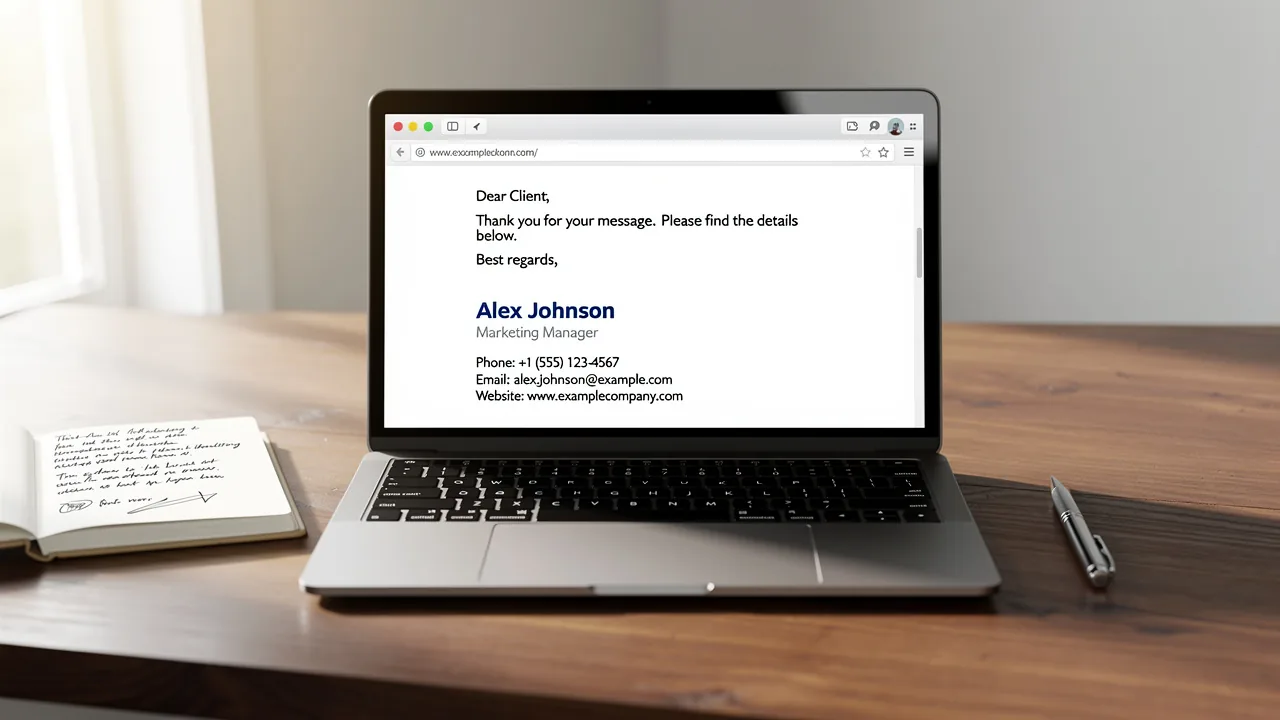
Selecting appropriate fonts for email signatures is crucial for projecting professionalism and ensuring effective communication. Web safe fonts, universally recognized across various devices and email clients, are essential for maintaining visual consistency and readability. However, many organizations struggle to implement these fonts effectively, risking brand inconsistency and miscommunication.
As organizations strive for brand coherence, the challenge remains: how can businesses effectively implement these fonts to enhance their email communications while avoiding common pitfalls?
In this article, we’ll explore best practices for choosing and using web safe fonts in email signatures, providing insights that can boost brand perception and engagement. By mastering the selection and implementation of web safe fonts, businesses can significantly enhance their email communications and strengthen their brand image.
Get started with Scribe
See why teams switch to Scribe
Free 14-day trial — no credit card.
Understand Web-Safe Fonts and Their Importance
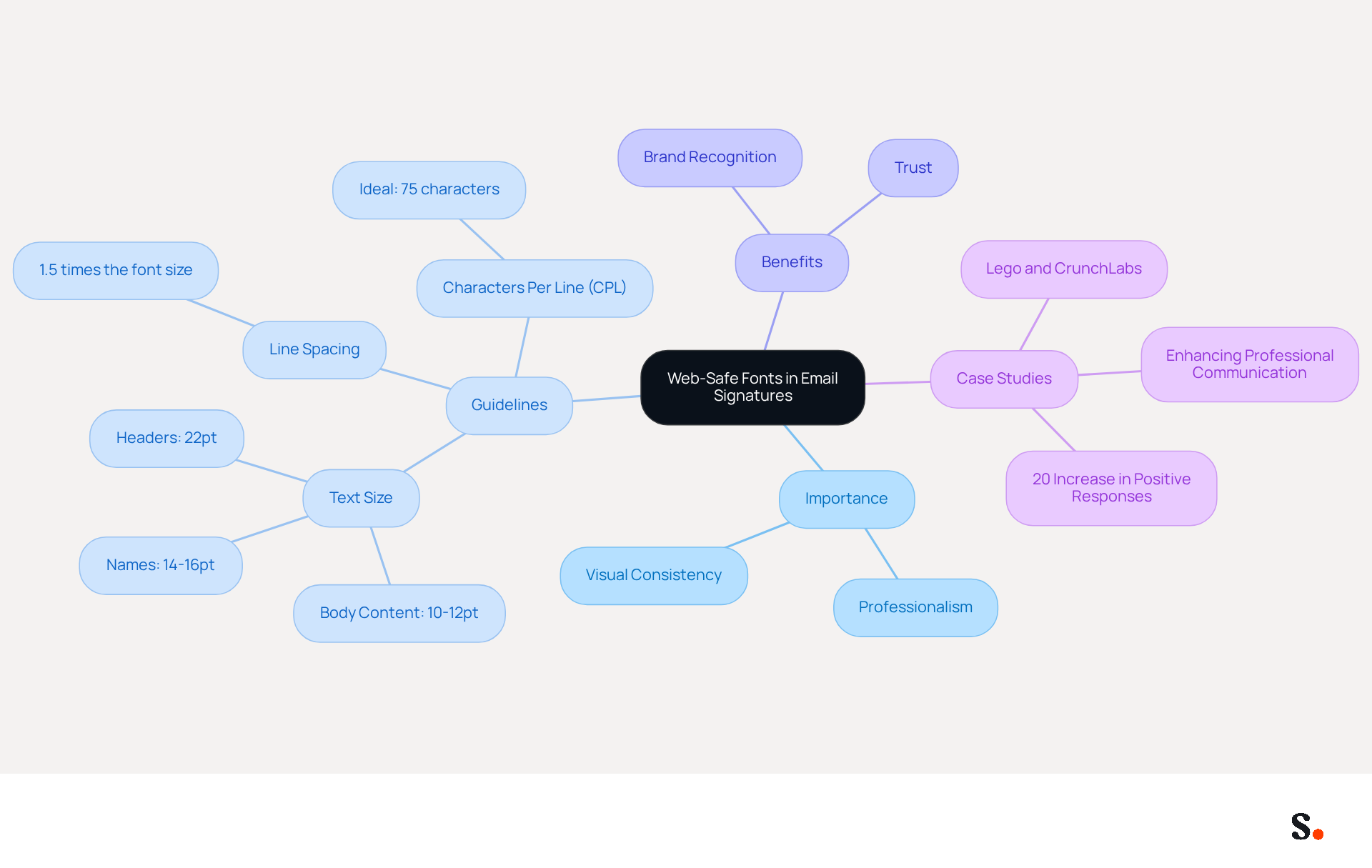
Choosing the right typeface is crucial for maintaining professionalism in email signatures. Web safe fonts for email signatures are typefaces that are commonly installed across most operating systems and devices, ensuring that your signatures appear as intended regardless of the recipient's client. Common examples include Arial, Verdana, and Times New Roman. Using web safe fonts for email signatures is essential for ensuring visual consistency and readability. Using non-web-safe typefaces can lead to a lack of professionalism in your communications.
To enhance clarity, it is advisable to use a text size of 10-12pt for body content and maintain a line spacing of 1.5 times the text size. Additionally, adhering to an ideal characters per line (CPL) of 75 can significantly improve the reading experience. By utilizing web safe fonts for email signatures, businesses can enhance their communication and present a unified image.
Case studies reinforce this perspective, demonstrating that organizations utilizing web safe fonts for email signatures experience improved brand recognition and trust. For instance, the "Significance of Web Safe Fonts in Emails" case study revealed that companies adhering to these guidelines saw a 20% increase in positive responses from recipients. Furthermore, it is crucial to test messages across multiple devices and environments to ensure proper rendering and maintain the intended appearance. This leads to a more cohesive brand image and better engagement with recipients.
Select Professional and Legible Fonts for Signatures
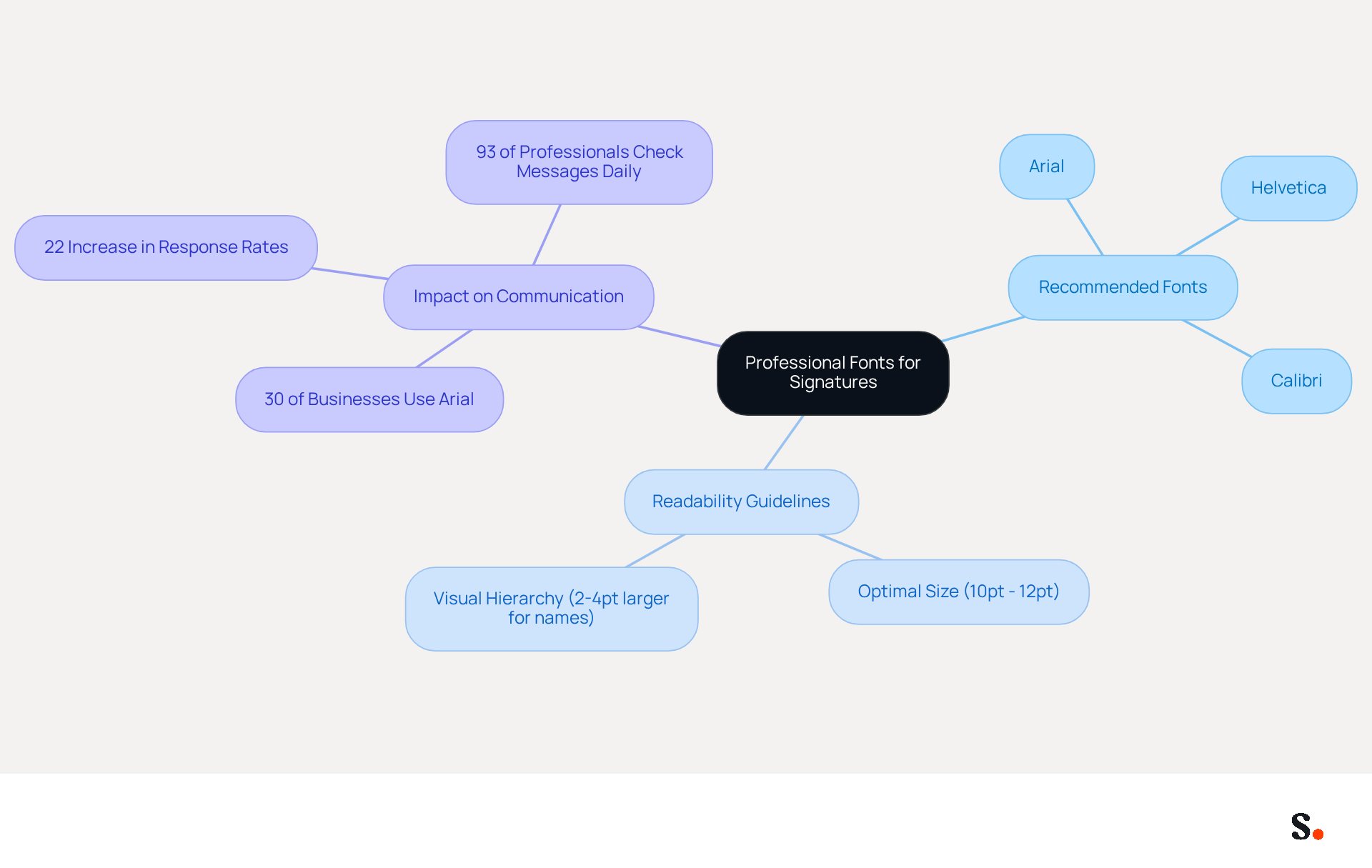
Choosing web safe fonts for email signatures is essential for maintaining professionalism and ensuring clarity in communication. Suggested typefaces include:
- Arial
- Helvetica
- Calibri
All recognized for their clarity and contemporary aesthetic. A significant number of businesses, over 30%, choose Arial for their professional correspondence, highlighting its acceptance in the industry. Avoiding overly ornate or script styles is essential for maintaining readability and ensuring that signatures render properly across different devices.
Additionally, the type size plays a crucial role; a size between 10pt and 12pt is generally optimal for ensuring readability without overwhelming the signature space. For names, adjusting the text size 2-4pt larger can improve visual hierarchy. Choosing web safe fonts for email signatures that prioritize professionalism and readability can greatly improve how businesses communicate and strengthen their brand identity.
Moreover, organizations utilizing consistent branded communication headers experience a 22% rise in response rates, underscoring the significance of careful typeface choice in digital correspondence.
Implement Best Practices for Font Usage in Email Signatures
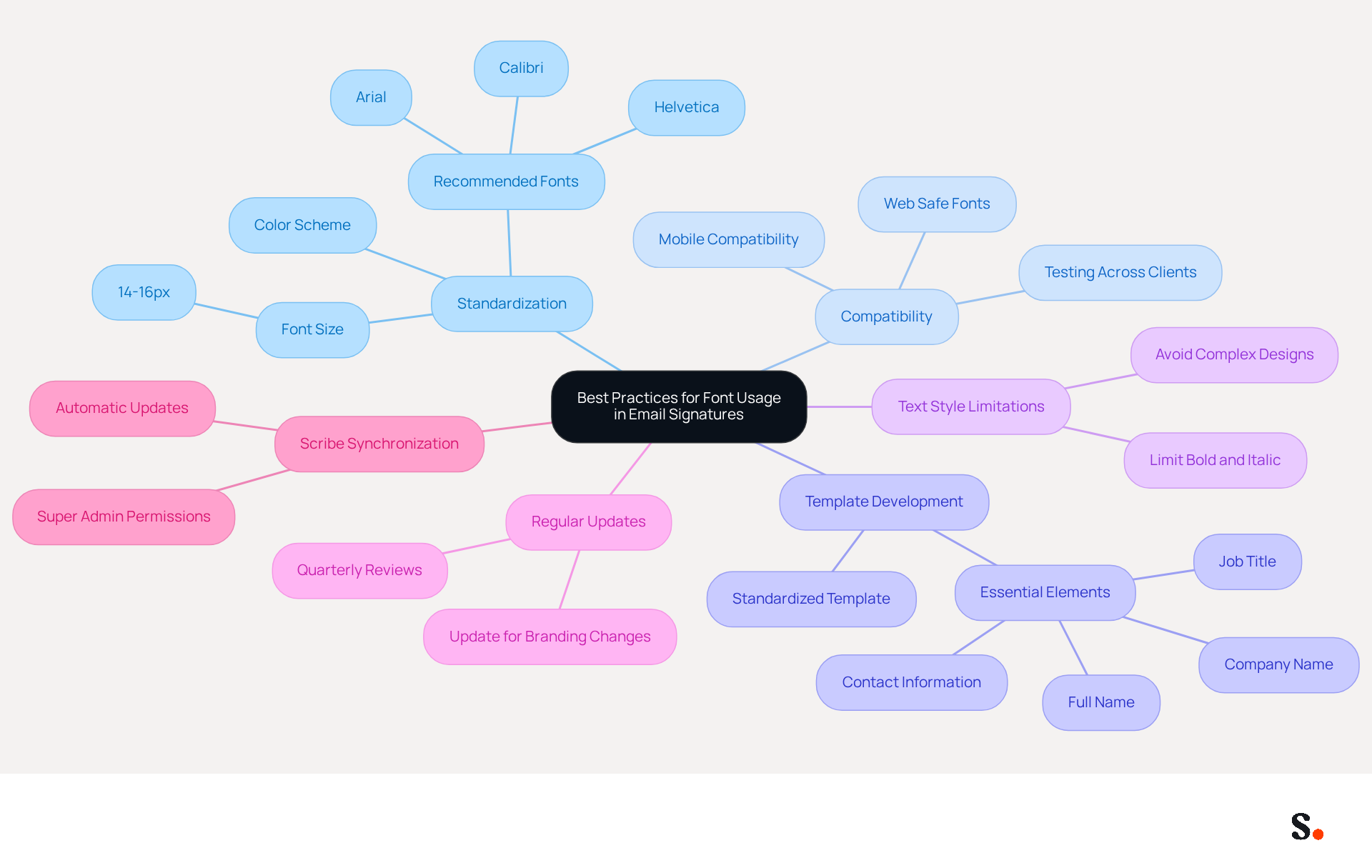
To achieve a polished and professional email signature, standardizing typeface usage across all team members is crucial. Using web safe fonts for email signatures like Arial, Helvetica, or Calibri ensures compatibility across different email clients, as these styles are universally recognized and render well on various devices. Develop a standardized template that specifies the chosen typeface, size (ideally 14-16px), and color scheme to strengthen brand identity.
Limiting the use of various text styles, such as bold or italic, helps maintain a clean and professional appearance. Ensuring compatibility across different messaging clients can be challenging without proper testing; this can prevent issues that arise from complex designs or unsupported fonts. It's important to regularly update the signature template to keep up with any changes in branding or contact information, ensuring that the signatures remain current and compliant.
To enable one-click synchronization with Scribe, ensure you grant the necessary permissions as a Super Admin of your service provider. This enables automatic updates of teammate information, conserving time and ensuring consistency. Research indicates that teams with centralized management of digital identifiers see an 85% improvement in consistency of their brand image, emphasizing the significance of a unified strategy. By implementing these best practices, businesses not only enhance their brand image but also ensure their communications are effective and compliant.
Utilize Fallback Fonts to Ensure Consistency
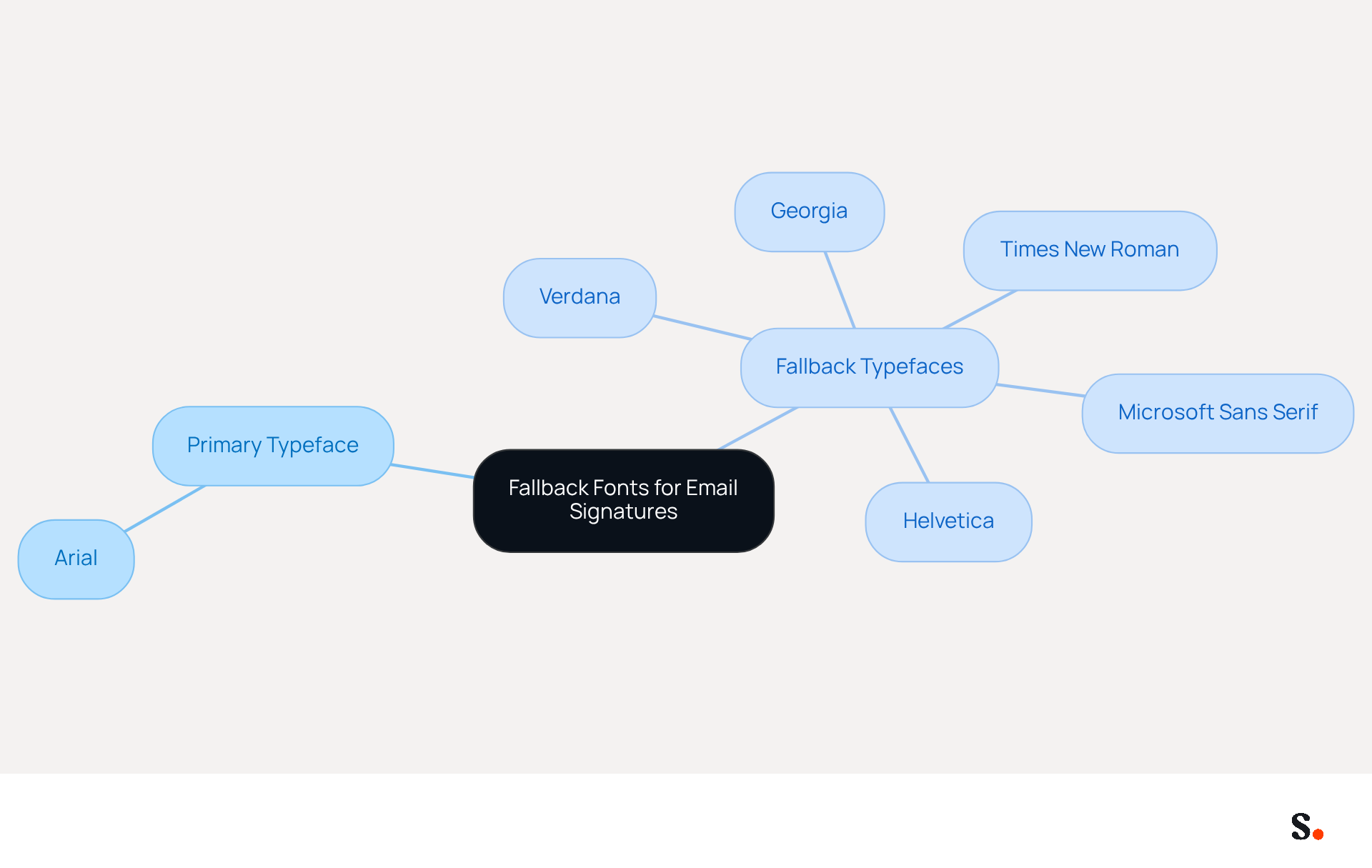
To ensure a consistent and professional appearance in email communications, incorporating fallback typefaces in email signatures is essential. A fallback typeface serves as a secondary style that will be displayed if the primary typeface is unavailable. For instance, if you select Arial as your primary typeface, you might designate Times New Roman as a backup. If the recipient's email client does not support Arial, it will default to Times New Roman, maintaining a similar appearance.
It is essential to list fallback typefaces in a logical order, starting with the preferred choice followed by alternatives. Utilizing fallback fonts safeguards email signatures against display issues, enhancing a professional and cohesive brand image.
Conclusion
The selection of web safe fonts is crucial for maintaining professionalism and consistency in email communications. By utilizing universally recognized typefaces, businesses can maintain a cohesive brand image and enhance readability across various devices and email clients. Choosing the right fonts shows that a brand cares about quality, which helps build trust with recipients.
The article highlights several key strategies for implementing web safe fonts effectively. It emphasizes the importance of:
- Selecting professional and legible typefaces
- Adhering to optimal font sizes
- Utilizing fallback fonts to safeguard against display issues
- Standardizing font usage across teams
- Regularly updating signature templates
These strategies can significantly improve brand consistency and communication effectiveness.
Choosing the wrong font can lead to misinterpretations of professionalism and brand identity. Organizations are encouraged to adopt these best practices to not only enhance their visual identity but also to ensure that their communications resonate with clarity and professionalism. Ultimately, the right font choice can transform email signatures from mere text into powerful tools for brand engagement.
Frequently Asked Questions
What are web-safe fonts and why are they important for email signatures?
Web-safe fonts are typefaces that are commonly installed across most operating systems and devices. They are important for email signatures because they ensure that signatures appear as intended, maintaining professionalism and visual consistency regardless of the recipient's email client.
Can you provide examples of common web-safe fonts?
Common examples of web-safe fonts include Arial, Verdana, and Times New Roman.
What text size and line spacing are recommended for email signatures?
It is advisable to use a text size of 10-12pt for body content and maintain a line spacing of 1.5 times the text size.
What is the ideal characters per line (CPL) for improving readability in email signatures?
The ideal characters per line (CPL) for improving readability is 75.
How do web-safe fonts impact brand recognition and trust?
Organizations that utilize web-safe fonts for email signatures experience improved brand recognition and trust. For example, a case study revealed that companies adhering to these guidelines saw a 20% increase in positive responses from recipients.
Why is it important to test email messages across multiple devices?
Testing messages across multiple devices is crucial to ensure proper rendering and maintain the intended appearance of the email signature, leading to a more cohesive brand image and better engagement with recipients.
List of Sources
- Understand Web-Safe Fonts and Their Importance
- The Best Fonts for Email Signatures: A Professional Guide (https://linkedin.com/pulse/best-fonts-email-signatures-professional-guide-bulksignature-tmvuf)
- Times v/s Garamond - Significance of Web Safe Fonts in Emails (https://email.uplers.com/blog/significant-web-safe-fonts)
- How to use email-safe fonts and typography for accessibility - Transactional Email API Service For Developers | Mailgun (https://mailgun.com/blog/email/email-safe-fonts-typography-improving-accessibility-emails)
- The Ultimate Guide to Web Safe Fonts for Email Marketing (https://litmus.com/blog/the-ultimate-guide-to-web-fonts)
- Choose the Best Email Signature Font for Brand Consistency (https://scribe-mail.com/en-US/blog/choose-the-best-email-signature-font-for-brand-consistency)
- Select Professional and Legible Fonts for Signatures
- Best fonts for Email Signatures: 7 Email-Safe Options (https://wisestamp.com/guides/what-are-the-best-fonts-for-email-signatures)
- 10 Best Fonts for Email Signature That Enhance Professionalism (https://scribe-mail.com/en-US/blog/10-best-fonts-for-email-signature-that-enhance-professionalism)
- How to Choose Best Email Signature Fonts for Professionalism - NEWOLDSTAMP (https://newoldstamp.com/blog/how-to-choose-the-best-email-signature-fonts-to-make-your-email-look-professional)
- Typography and colors for email signatures: How to choose them well? (https://signitic.com/en/resources/typography-and-colors-for-email-signatures)
- Implement Best Practices for Font Usage in Email Signatures
- Top 10+ best practices for email signatures design in 2026 (https://mysignature.io/blog/email-signature-best-practices)
- Best practices for business email signatures in 2026 (https://bybrand.io/blog/best-practices)
- Email Signature Best Practices for 2026 (+ 15 Pro Examples) (https://wavecnct.com/blogs/email-signature-best-practices-2026)
- Email Signature Design Trends in 2026: What Works and What to Drop (https://bulksignature.com/blog/email-signature-design-trends)
- The Complete Email Signature Guide 2026: Best Practices and Policy (https://opensense.com/complete-email-signature-guide)
- Utilize Fallback Fonts to Ensure Consistency
- Best Fonts for Email: Safe Choices and Fallbacks (https://topol.io/blog/the-complete-guide-for-email-fonts-in-topol-pro-for-marketing-and-design)
- Best Font for Outlook Signature: Key Practices for Marketing Managers (https://scribe-mail.com/en-US/blog/best-font-for-outlook-signature-key-practices-for-marketing-managers)
- How to Choose Best Email Signature Fonts for Professionalism - NEWOLDSTAMP (https://newoldstamp.com/blog/how-to-choose-the-best-email-signature-fonts-to-make-your-email-look-professional)
- What fonts are best for email signatures? (https://mail-signatures.com/articles/what-fonts-are-best-for-email-signatures)
- Stensul's Guide to Using Special Fonts in Marketing Emails (https://stensul.com/blog/using-special-fonts-in-marketing-emails)
Get started with Scribe
See why teams switch to Scribe
Free 14-day trial — no credit card.