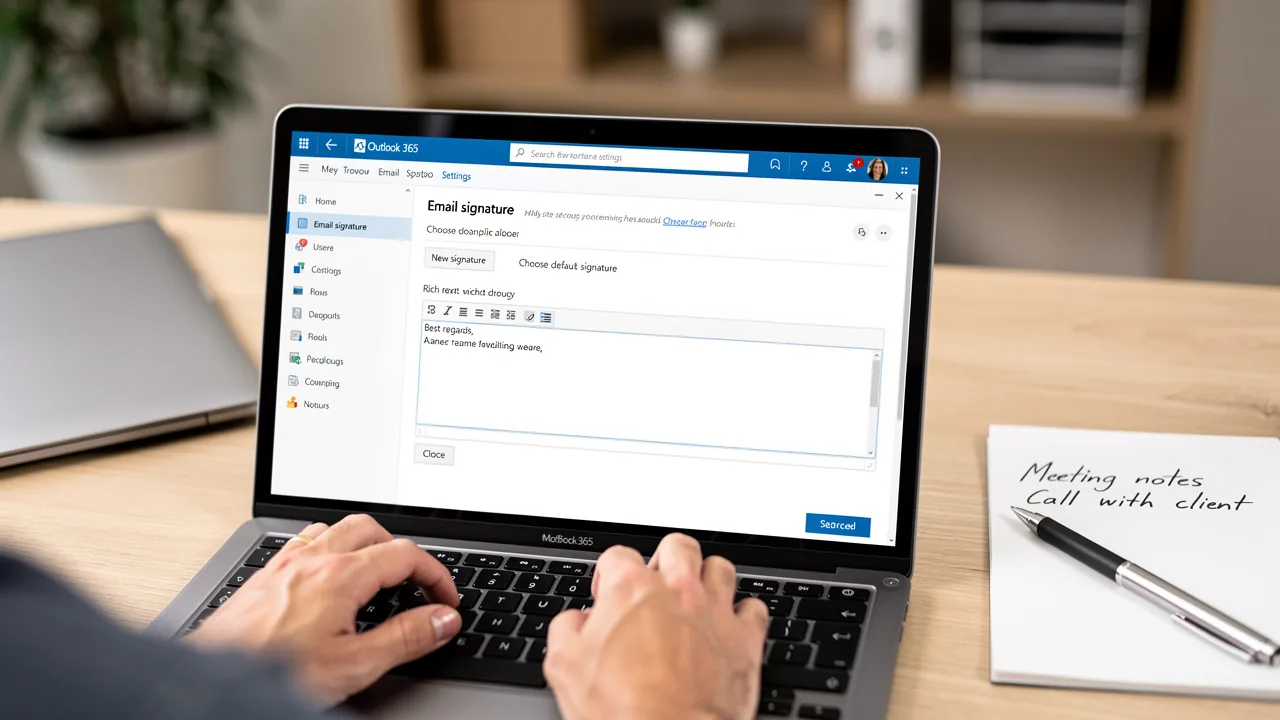
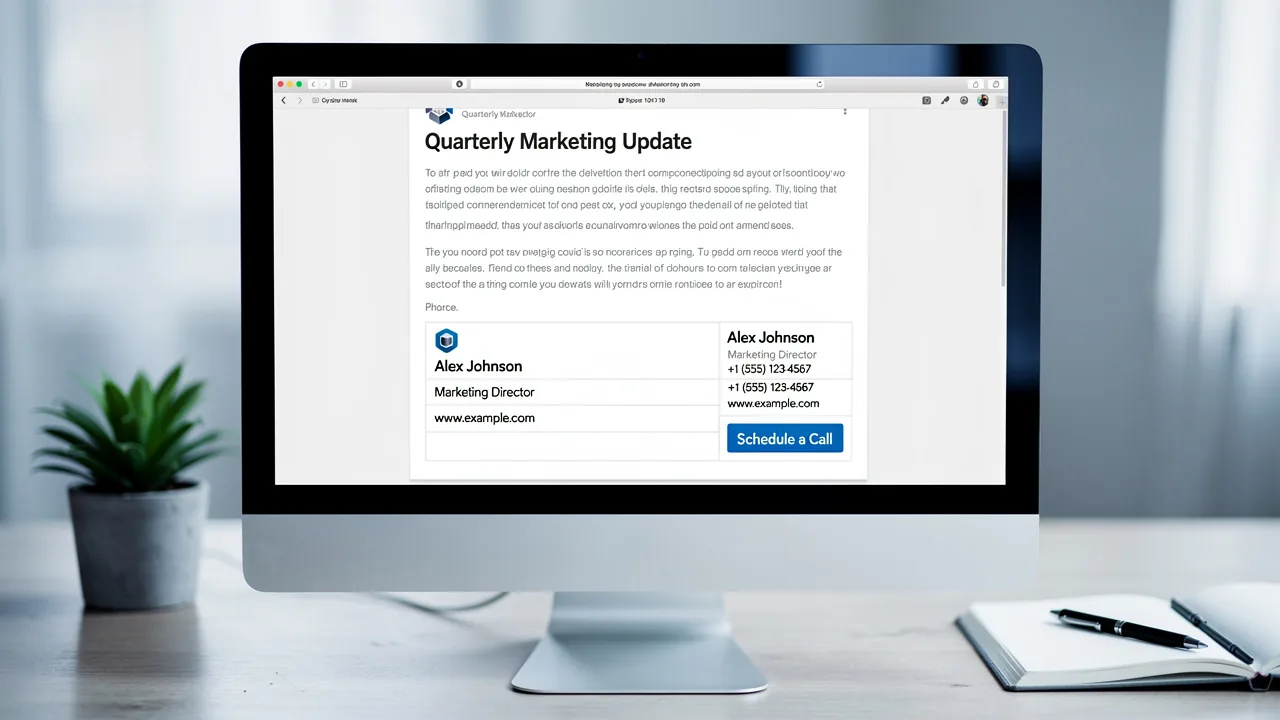
Best Practices for Your HTML Outlook Signature Strategy
An effective HTML signature for Outlook is not merely an afterthought; it is a strategic asset that can significantly enhance professional communication. By
Sophie Grant
Email Signature Specialist, Scribe
Introduction
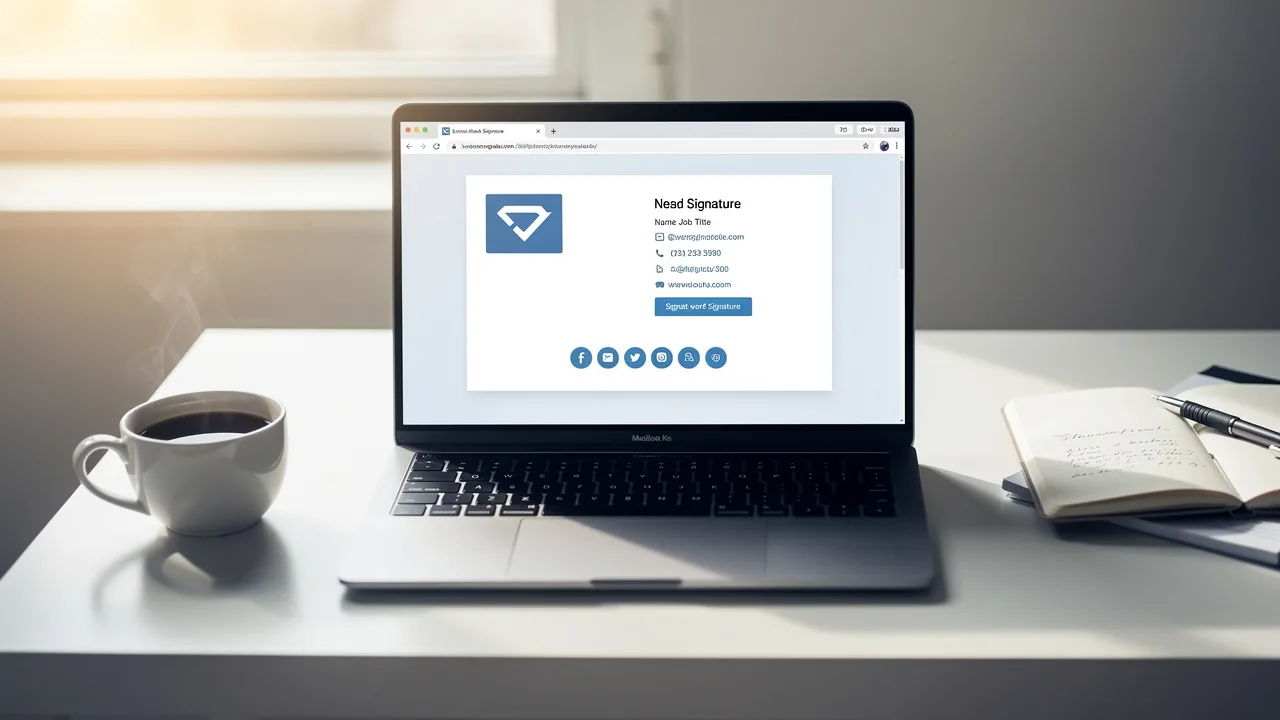
An effective HTML signature for Outlook is not merely an afterthought; it is a strategic asset that can significantly enhance professional communication. By following best practices in design and implementation, organizations can create signatures that truly reflect their identity and engage recipients.
Many professionals find the process of creating and maintaining HTML signatures to be complex and time-consuming. This complexity can lead to inconsistent branding and lost marketing potential.
How can businesses leverage HTML signatures to not only communicate effectively but also drive engagement and reinforce their brand identity? By mastering HTML signatures, businesses can transform their communication into a powerful branding opportunity that resonates with recipients.
Establish Design Principles for HTML Signatures
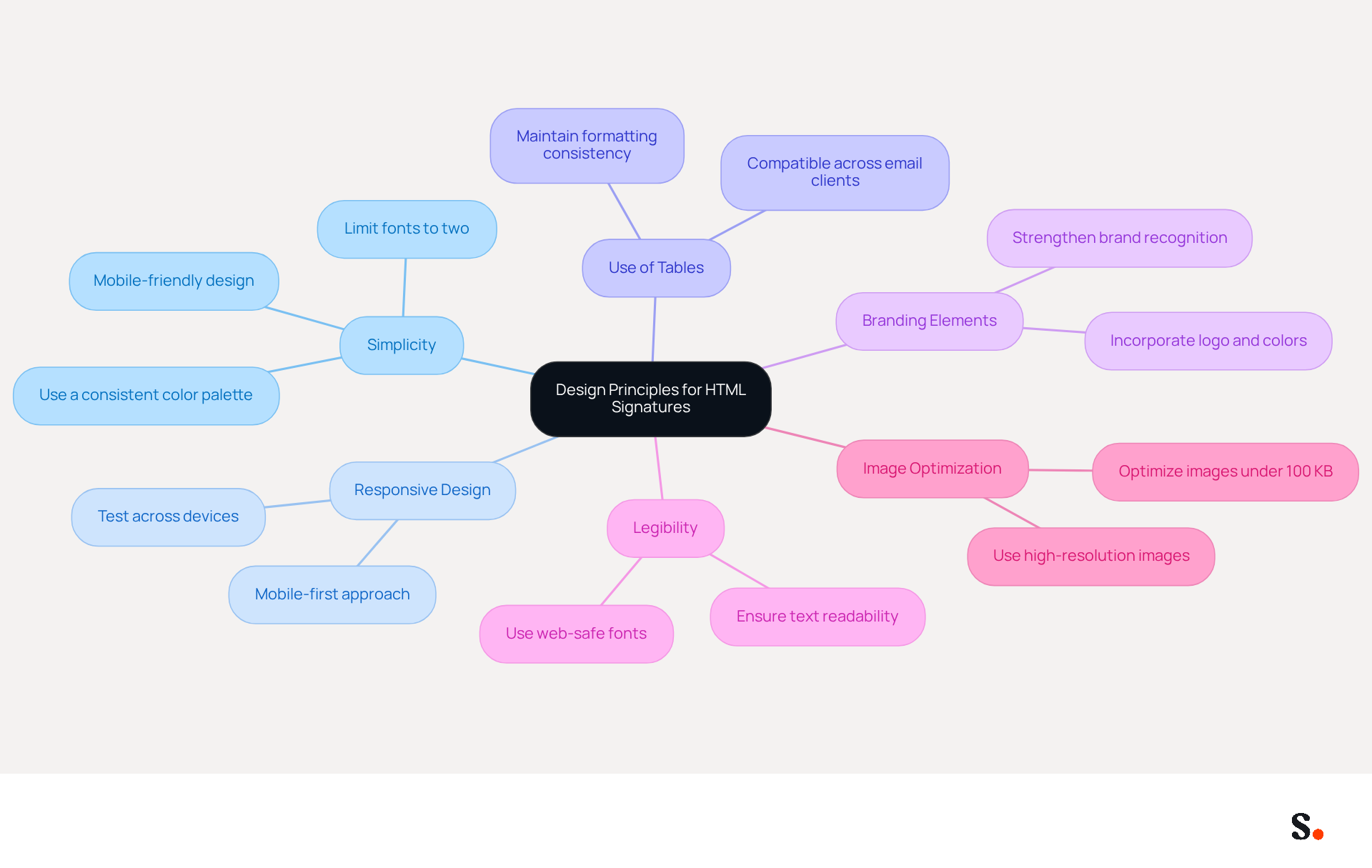
Effective design principles for an HTML Outlook signature hinge on clarity, enhancing communication and brand identity. Here are key considerations:
- Simplicity: A clean design not only boosts readability but also strengthens brand recognition. Limit your use of fonts to a maximum of two and select a color palette that corresponds with your identity. As Dave Willis, Senior Content Manager, emphasizes, "Less is more. Every message footer should be mobile-friendly, visually balanced, and customized for your audience."
- Responsive Design: Ensure that the marks are mobile-friendly. With almost 89% of messages being opened on mobile devices, testing how the closing lines display across different devices is essential for ensuring both clarity and visual appeal. Incorporating a mobile-first design approach is crucial for accessibility.
- Use of Tables: Implement table structures for layout, as they are more compatible across various clients, particularly Outlook. This method helps maintain formatting consistency, which is vital for a professional appearance. According to the case study 'Email Signature Layout Best Practices,' a well-structured html outlook signature layout ensures that it renders correctly across different platforms.
- Branding Elements: Prominently incorporate your logo and company colors. This not only strengthens recognition but also conveys professionalism, creating a lasting impression on recipients. The case study "Keep Your Brand Front and Center" highlights how consistent branding enhances credibility.
- Legibility: Opt for web-safe fonts and ensure that text is easily readable against the background. Avoid overly decorative fonts that may hinder clarity, as legibility is paramount in professional communication. Experts agree that clear design is essential for effective communication, ensuring your message is understood.
- Image Optimization: Use high-resolution images while ensuring they are optimized for web use to reduce loading times. Aim for images under 100 KB to enhance performance without sacrificing quality. The statistic that '92% of IT leaders agree that consistent digital identifiers build trust and professionalism' highlights the significance of maintaining a professional appearance through optimized images.
By following these principles, you can create professional-looking identifiers that also enhance your brand's visibility in every communication. Case studies have demonstrated that well-crafted marks can significantly enhance engagement rates, with organizations reporting increased trust and professionalism through consistent branding. Furthermore, ignoring these design principles may undermine your brand's credibility and impact in digital communications.
Implement HTML Signatures in Outlook Effectively
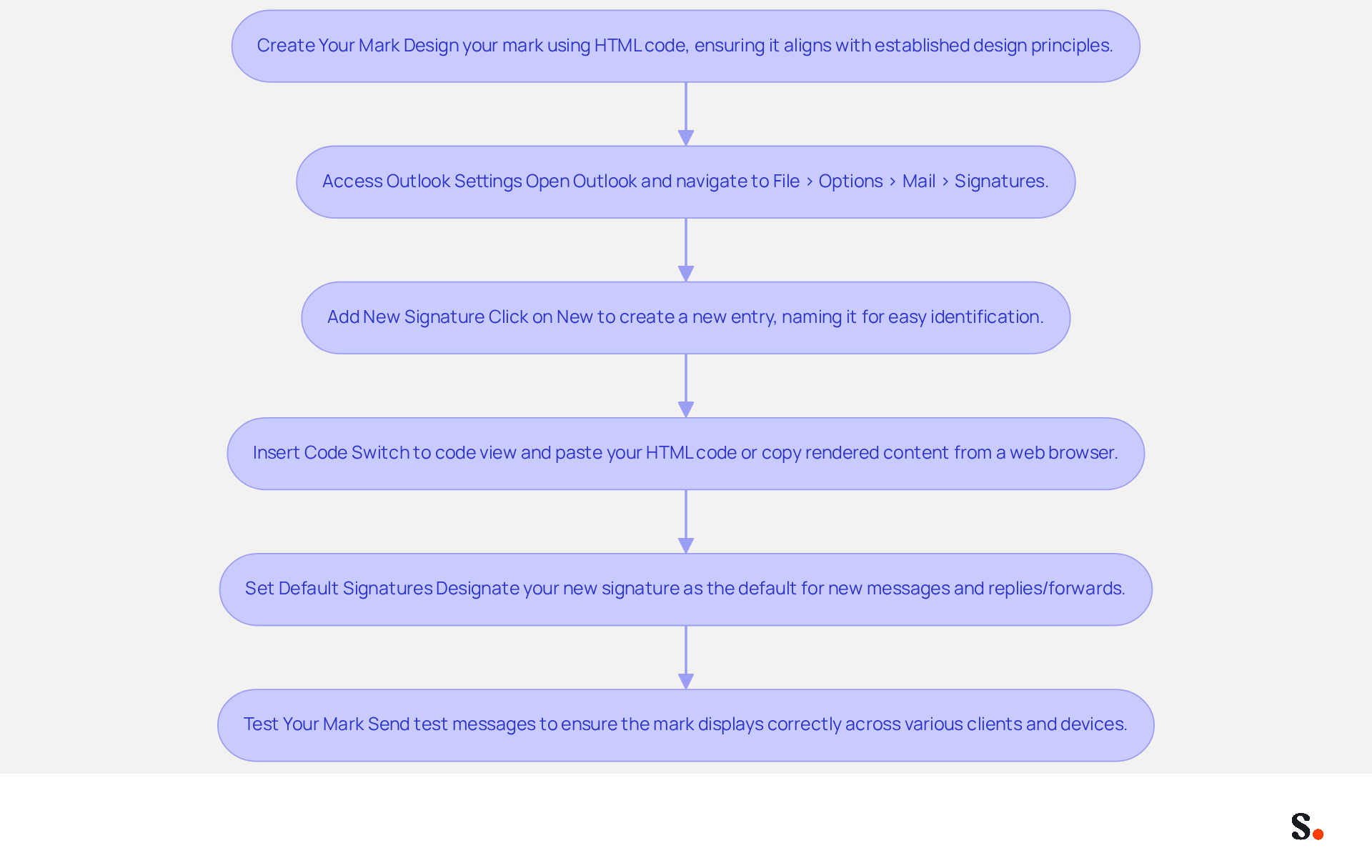
Implementing an HTML Outlook signature can significantly elevate your professional communications, yet many overlook the essential steps to do so effectively. To implement HTML signatures in Outlook effectively, follow these steps:
- Create Your Mark: Design your mark using HTML code, ensuring it aligns with established design principles for professionalism and branding.
- Access Outlook Settings: Open Outlook and navigate to
File > Options > Mail > Signaturesto reach the management area for your email identifiers. - Add New Signature: Click on
Newto create a new entry, naming it for easy identification. - Insert Code: In the editing box, switch to code view (if available) and paste your code. If HTML view is not available, copy the rendered content from a web browser and paste it directly into the editor.
- Set Default Signatures: Designate your new sign-off as the default for new messages and replies/forwards to maintain consistency across communications.
- Test Your Mark: Send test messages to yourself and colleagues to ensure the mark displays correctly across various clients and devices.
Following these steps allows you to effectively implement your HTML Outlook signature, boosting your professional image with every message. Moreover, integrating Scribe with Google Workspace can streamline your communication identifiers, ensuring real-time updates that enhance brand consistency. Scribe is also SOC 2 Type II compliant and adheres to GDPR and CCPA regulations, ensuring secure data handling.
Expert Tips:
- Always check the HTML code for errors; errors in HTML code can lead to display issues, complicating your email communications.
- Test your autograph in multiple environments to ensure compatibility, especially with images and dynamic user values. Keep in mind that images in email footers may not show correctly if the sender is not included in the recipient's Safe senders list.
- Watch out for common pitfalls like unsupported tags or overly complex designs that might not display properly.
Case Studies: Organizations that have successfully implemented digital identifiers, such as Nike and Headspace, report enhanced brand consistency and professionalism in their communications, reinforcing the significance of a well-crafted strategy for electronic identifiers. With Scribe, you can manage these identifiers independently after the initial IT setup, ensuring that your marketing team has full control over branding communications. Neglecting these details could mean missing out on the opportunity to present a cohesive and professional brand image to your audience.
Leverage HTML Signatures for Enhanced Marketing Impact
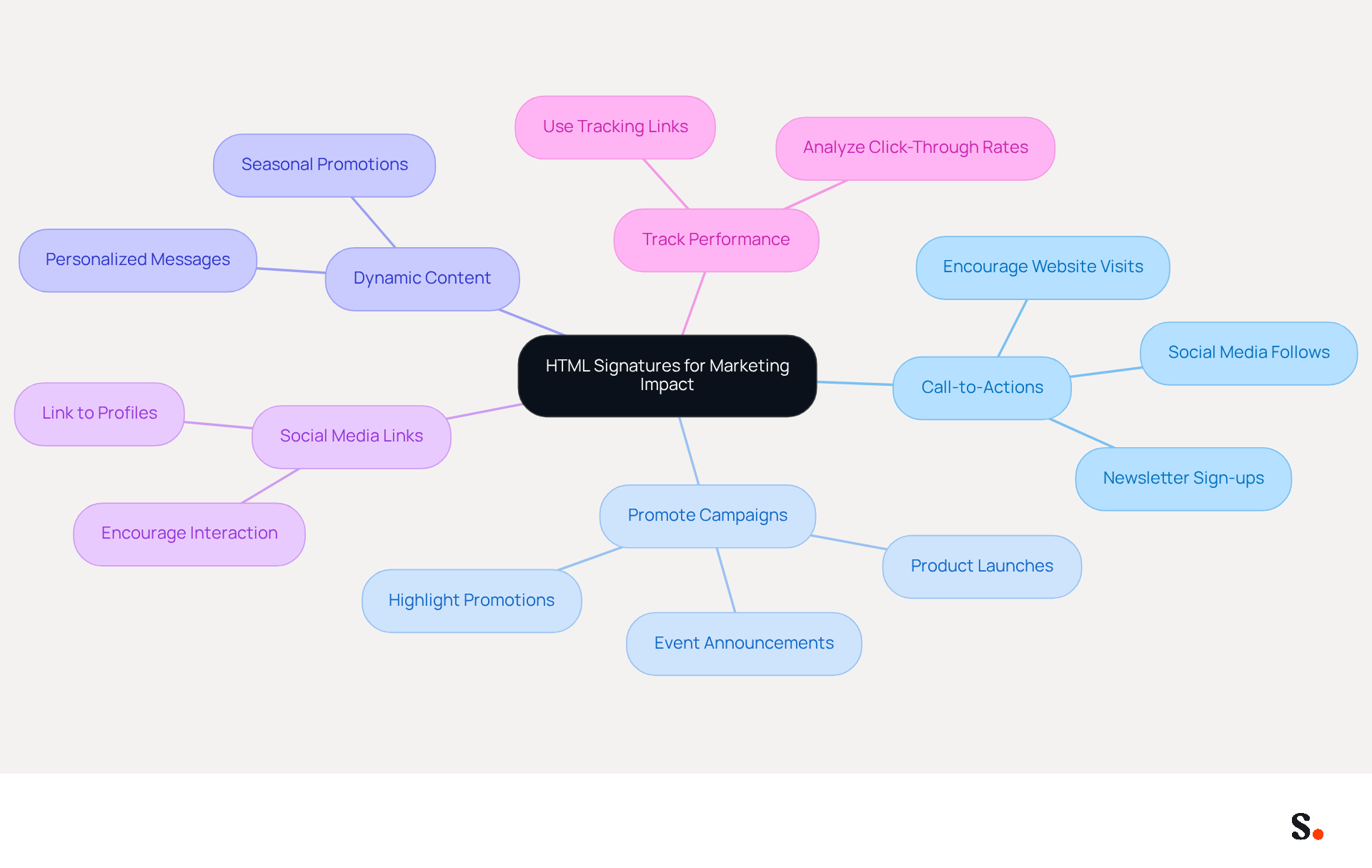
To fully leverage the marketing potential of your HTML email signatures, it is essential to implement targeted strategies:
- Include Call-to-Actions (CTAs): Add clear CTAs that encourage recipients to take action, such as visiting your website, signing up for a newsletter, or following your social media accounts.
- Promote Campaigns: Use your personal mark to highlight current promotions, events, or product launches. You can achieve this with attention-grabbing banners or text links.
- Dynamic Content: Incorporate dynamic elements that can change based on the recipient or the time of year, such as seasonal promotions or personalized messages.
- Social Media Links: Include icons that link to your social media profiles. This not only enhances your online visibility but also motivates recipients to interact with your identity on multiple platforms.
- Track Performance: Use tracking links to measure the effectiveness of your distinctive marketing efforts. Analyze click-through rates to understand what resonates with your audience.
Without these strategies, your html outlook signature may not effectively engage recipients. By implementing these strategies, you can significantly enhance your marketing efforts and drive engagement.
Maintain and Update HTML Signatures for Consistency
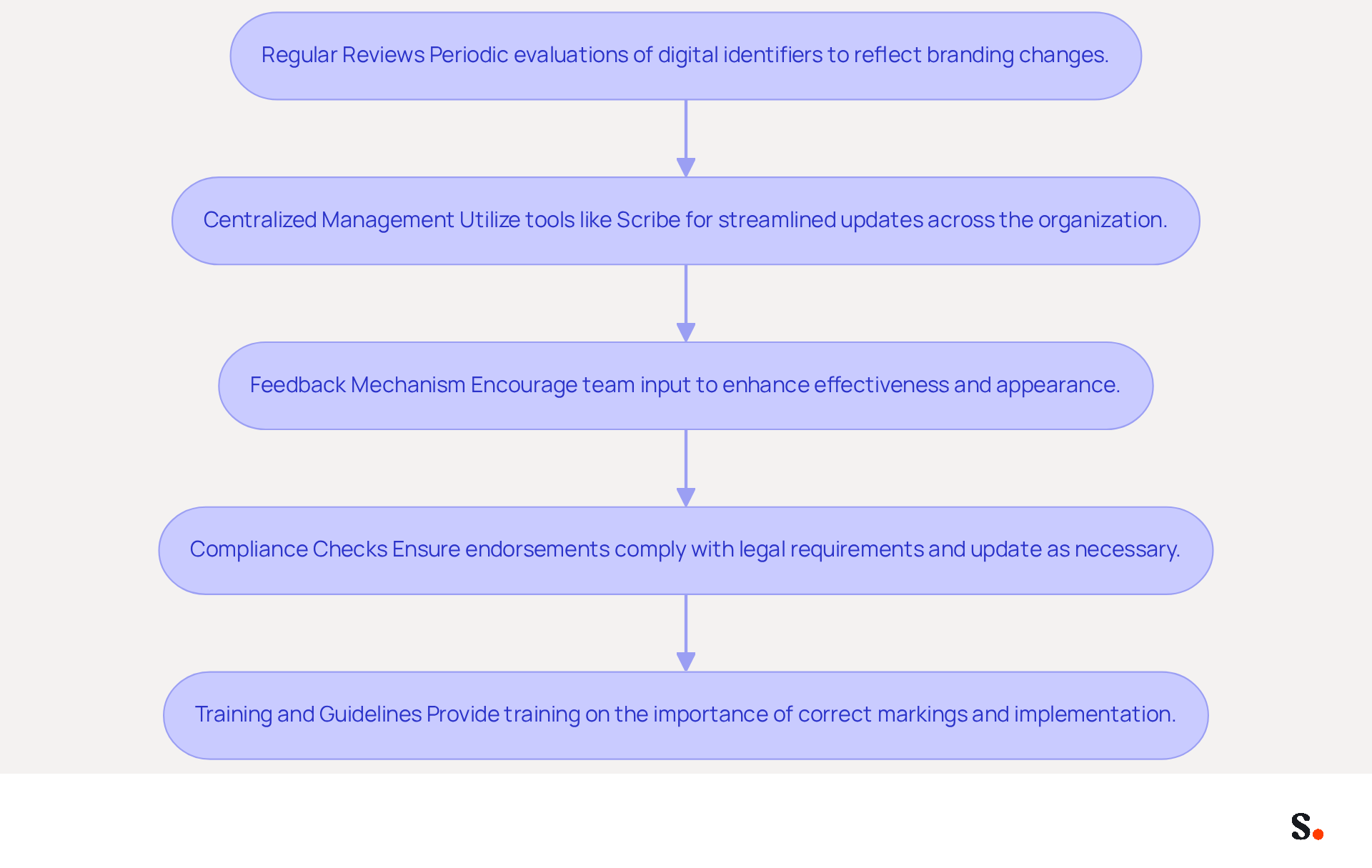
To maintain a strong brand presence, it is crucial to keep your HTML Outlook signature consistent and up-to-date.
- Regular Reviews: Schedule periodic evaluations of your digital identifiers to ensure they reflect any changes in branding, such as new logos, colors, or contact information. Regular updates are vital; research indicates that 69% of consumers view professional templates as key to a company's identity.
- Centralized Management: Utilize a centralized tool like Scribe to streamline updates across your organization. Scribe's integration with Aircall ensures that any changes made in your Aircall configuration are automatically reflected in your email branding. This means no more manual updates, so everyone has the latest version right away, saving time and ensuring brand consistency.
- Feedback Mechanism: Encourage input from team members regarding the effectiveness and appearance of the marks. This can assist in pinpointing areas for enhancement and ensure that the endorsements resonate well with recipients, boosting engagement.
- Compliance Checks: Ensure that your endorsements comply with legal requirements, such as including disclaimers or confidentiality notices, and update them as necessary. Adhering to legal standards, including Scribe's SOC 2 Type II certification and compliance with GDPR and CCPA, is vital for building trust with clients and mitigating risks associated with non-compliance.
- Training and Guidelines: Provide training for employees on the importance of using the correct markings and guidelines on how to implement them effectively. Training employees on standardized markings encourages adherence and strengthens representation of the company.
By prioritizing these practices, you position your brand for sustained recognition and trust in the marketplace.
Conclusion
An effective HTML Outlook signature strategy is crucial for professional communication and brand identity reinforcement. Adhering to best practices in design and maintenance helps organizations ensure their email signatures convey professionalism and act as effective marketing tools.
Key insights from this article highlight the importance of:
- Simplicity
- Responsive design
- The use of branding elements
to create visually appealing signatures. Implementing HTML signatures effectively involves following a structured process, ensuring compatibility across various platforms, and leveraging features like call-to-actions and dynamic content to engage recipients. Regular maintenance and updates are crucial for consistency, compliance, and reflecting any changes in branding, further solidifying the brand's presence in the digital landscape.
Implementing these best practices significantly enhances marketing impact and boosts engagement in email communications. Organizations should consider utilizing tools like Scribe, which not only streamline the management of email signatures but also ensure compliance with security standards such as:
- SOC 2 Type II
- GDPR
- CCPA
Prioritizing a well-crafted HTML signature strategy not only enhances brand consistency but also drives measurable marketing success, ultimately fostering trust in every interaction.
Frequently Asked Questions
What are the key design principles for HTML Outlook signatures?
The key design principles include simplicity, responsive design, use of tables, branding elements, legibility, and image optimization.
Why is simplicity important in HTML signatures?
Simplicity boosts readability and strengthens brand recognition. It is recommended to limit the use of fonts to a maximum of two and choose a color palette that aligns with your brand identity.
How does responsive design affect HTML signatures?
Responsive design ensures that signatures are mobile-friendly, which is crucial since nearly 89% of messages are opened on mobile devices. Testing how signatures display across different devices enhances clarity and visual appeal.
Why should tables be used in HTML signature layouts?
Tables help maintain formatting consistency across various email clients, particularly Outlook, ensuring a professional appearance.
What role do branding elements play in HTML signatures?
Incorporating your logo and company colors strengthens brand recognition and conveys professionalism, creating a lasting impression on recipients.
How can legibility be ensured in HTML signatures?
Use web-safe fonts and ensure that text is easily readable against the background. Avoid overly decorative fonts that may hinder clarity.
What is the significance of image optimization in HTML signatures?
High-resolution images should be optimized for web use to reduce loading times, ideally keeping images under 100 KB to enhance performance without sacrificing quality.
What are the consequences of ignoring design principles in HTML signatures?
Ignoring these principles may undermine your brand's credibility and impact in digital communications, potentially reducing trust and professionalism in your communications.
List of Sources
- Establish Design Principles for HTML Signatures
- Best practices for business email signatures in 2026 (https://bybrand.io/blog/best-practices)
- Top 10+ best practices for email signatures design in 2026 (https://mysignature.io/blog/email-signature-best-practices)
- Email signature design guide: elements, layout & tips (https://exclaimer.com/email-signature-handbook/email-signature-design)
- Email Signatures - HTML best practices (https://support.templafy.com/hc/en-us/articles/360015097757-Email-Signatures-HTML-best-practices)
- The Art of Designing and Marking Up Email Signatures — SitePoint (https://sitepoint.com/the-art-of-designing-and-marking-up-email-signatures)
- Implement HTML Signatures in Outlook Effectively
- How to Add HTML Signature in Outlook (https://blog.admindroid.com/how-to-add-html-signatures-in-outlook)
- How to Add a Signature in Outlook (2026 Microsoft Guide) | Reclaim (https://reclaim.ai/blog/how-to-add-a-signature-in-outlook)
- How do I add an HTML signature to Outlook? (https://signitic.com/en/resources/how-do-i-add-an-html-signature-to-outlook)
- How do I get an HTML sig block into the new Outlook? The Signature file is no longer where I expect it to be C:\Users<USER>\AppData\Roaming\Microsoft\Signatures - Microsoft Q&A (https://learn.microsoft.com/en-us/answers/questions/4760808/how-do-i-get-an-html-sig-block-into-the-new-outloo)
- [m365weekly] #213 – M365 Weekly Newsletter (https://m365weekly.com/213-2)
- Leverage HTML Signatures for Enhanced Marketing Impact
- The Quantifiable Marketing Value of Email Signatures (https://ama.org/2022/06/20/the-quantifiable-marketing-value-of-email-signatures)
- Email Signature Marketing Examples That Drive ROI | CloudM (https://cloudm.io/blog/email-signature-marketing-examples-that-drive-roi)
- Exclaimer Research: 67% of Marketers Expect Email Signatures to Support With Lead Gen In 2023 (https://businesswire.com/news/home/20230612141095/en/Exclaimer-Research-67-of-Marketers-Expect-Email-Signatures-to-Support-With-Lead-Gen-In-2023)
- 10 Strategies for Increasing User Engagement with Business Email Signatures (https://exclaimer.com/blog/email-signatures-key-business-tool)
- Maximize Marketing Impact with Your Email Signature and Degree (https://scribe-mail.com/en-US/blog/maximize-marketing-impact-with-your-email-signature-and-degree)
- Maintain and Update HTML Signatures for Consistency
- Exclaimer Research: 67% of Marketers Expect Email Signatures to Support With Lead Gen In 2023 (https://businesswire.com/news/home/20230612141095/en/Exclaimer-Research-67-of-Marketers-Expect-Email-Signatures-to-Support-With-Lead-Gen-In-2023)
- Email Signature Branding: Consistency and Impact | Crossware365 (https://crossware365.com/blog/mastering-email-signature-branding-market-presence)
- Best Practices for Professional Email Signature Templates (https://scribe-mail.com/en-US/blog/best-practices-for-professional-email-signature-templates)
- Why Consistent Email Signatures Matter More Than You Think - Signite (https://signite.io/blog/consistent-email-signatures-matter-more-than-you-think)
- The impact of email signatures on your branding (https://signitic.com/en/resources/the-impact-of-email-signatures-on-your-branding)
Get started with Scribe
Create your signature in minutes
Free 14-day trial — no credit card.