Best Practices for Your Signature Business Email Strategy
In an era where first impressions matter, a professional email signature can either elevate or undermine a brand's reputation. It serves as a vital touchpoint
Sophie Grant
Email Signature Specialist, Scribe

Introduction
In an era where first impressions matter, a professional email signature can either elevate or undermine a brand's reputation. It serves as a vital touchpoint in business communication that can significantly influence brand perception. By incorporating essential elements and optimizing design, organizations can enhance their credibility and engagement with recipients.
As teams expand, ensuring uniformity in email signatures becomes increasingly complex. How can businesses leverage automation and best practices to ensure their email signatures not only reflect their brand identity but also drive measurable results?
By embracing automation and adhering to best practices, businesses can transform their email signatures into powerful tools for brand reinforcement and engagement.
Incorporate Essential Elements in Your Email Signature
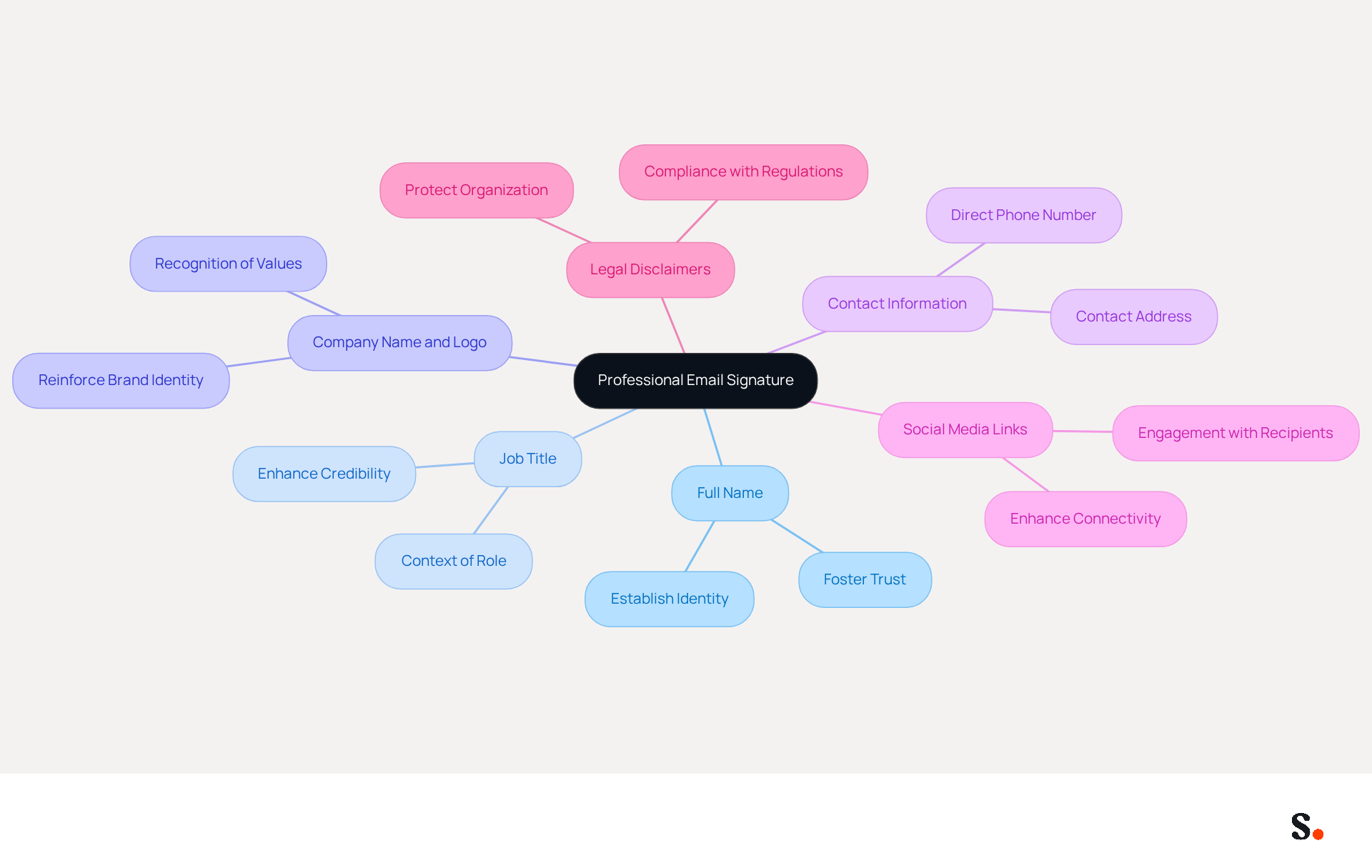
To create a professional email signature, it is essential to include key elements that enhance credibility and communication:
- Full Name: Clearly state the sender's full name to establish identity and foster trust.
- Job Title: Including the sender's position provides context about their role within the organization, enhancing credibility.
- Company Name and Logo: This reinforces brand identity, helping recipients recognize the organization and its values.
- Contact Information: Provide a direct phone number and contact address to facilitate easy communication and prompt responses.
- Social Media Links: If applicable, include links to professional social media profiles (e.g., LinkedIn) to enhance connectivity and engagement with recipients.
- Legal Disclaimers: Depending on your industry, consider adding necessary legal disclaimers to protect your organization and ensure compliance with regulations.
Including these elements in a signature business email upholds professionalism and enhances communication in every message. A well-structured signature business email can significantly enhance how your company is perceived. Studies indicate that a clear and concise closing can improve engagement and conversion rates. As over 80% of messages are viewed on mobile devices, ensuring that your closing is optimized for mobile is crucial for maximizing its effectiveness. Furthermore, with Scribe's automated synchronization with Aircall, any modifications made in your business phone system will be reflected in your communications, ensuring brand consistency without requiring action from your teammates. Moreover, Scribe's SOC 2 Type II compliance ensures that your data is managed securely, offering peace of mind while using digital branding as a valuable marketing channel to promote content and offers directly to recipients.
Optimize Design and Layout for Maximum Impact
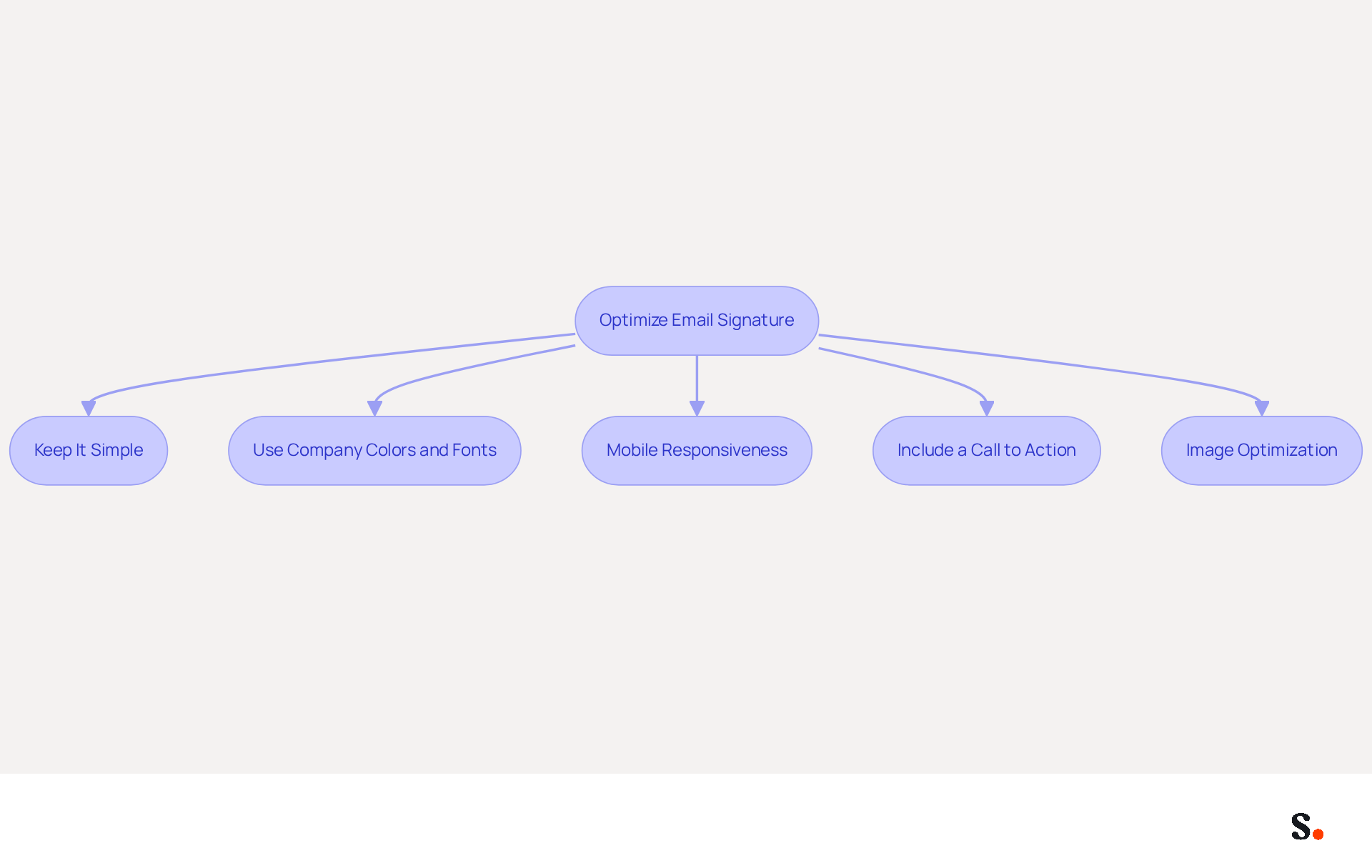
To enhance the effectiveness of your email signature, adhering to established design principles is essential:
- Keep It Simple: Limit the number of elements to avoid clutter. A clean design enhances readability and ensures that key information stands out. Without simplicity, key information may be overlooked.
- Use Company Colors and Fonts: Align your identity with your visual representation by consistently utilizing your company colors and fonts. This reinforces brand recognition and trust among recipients. Significantly, 80% of businesses consider branded email identifiers as key elements in their communication strategy.
- Mobile Responsiveness: Ensure that your email footer is visually appealing on mobile devices by testing it across various screen sizes. A single-column layout is advisable for mobile viewing, especially as click-to-open rates on mobile are expected to exceed those on desktop.
- Include a Call to Action: Incorporate a call to action (CTA) such as a link to a recent blog post or a promotional offer. This encourages engagement and can lead to increased response rates, with branded identifiers reportedly yielding a 22% increase in engagement. Research indicates that messages with branded identifiers receive a 22% higher response rate than those lacking them.
- Image Optimization: Utilize compressed images to guarantee swift loading times and prevent large file sizes that can adversely affect deliverability. Properly optimized images contribute to a professional appearance and enhance user experience.
Additionally, automating synchronization with Aircall and Calendly ensures that any changes in your Aircall settings or scheduling links are instantly updated in your documents. This seamless integration not only improves brand consistency but also enables marketing teams to maintain control over their communications without requiring constant IT intervention.
By implementing these strategies, businesses can ensure their signature business email not only conveys professionalism but also drives meaningful engagement. Regular updates and performance monitoring can further improve the effectiveness of your digital identifiers, ensuring they remain relevant and impactful.
Leverage Automation for Consistent Signature Management
To maximize the effectiveness of email signature management, businesses should consider implementing automation strategies that enhance consistency and professionalism:
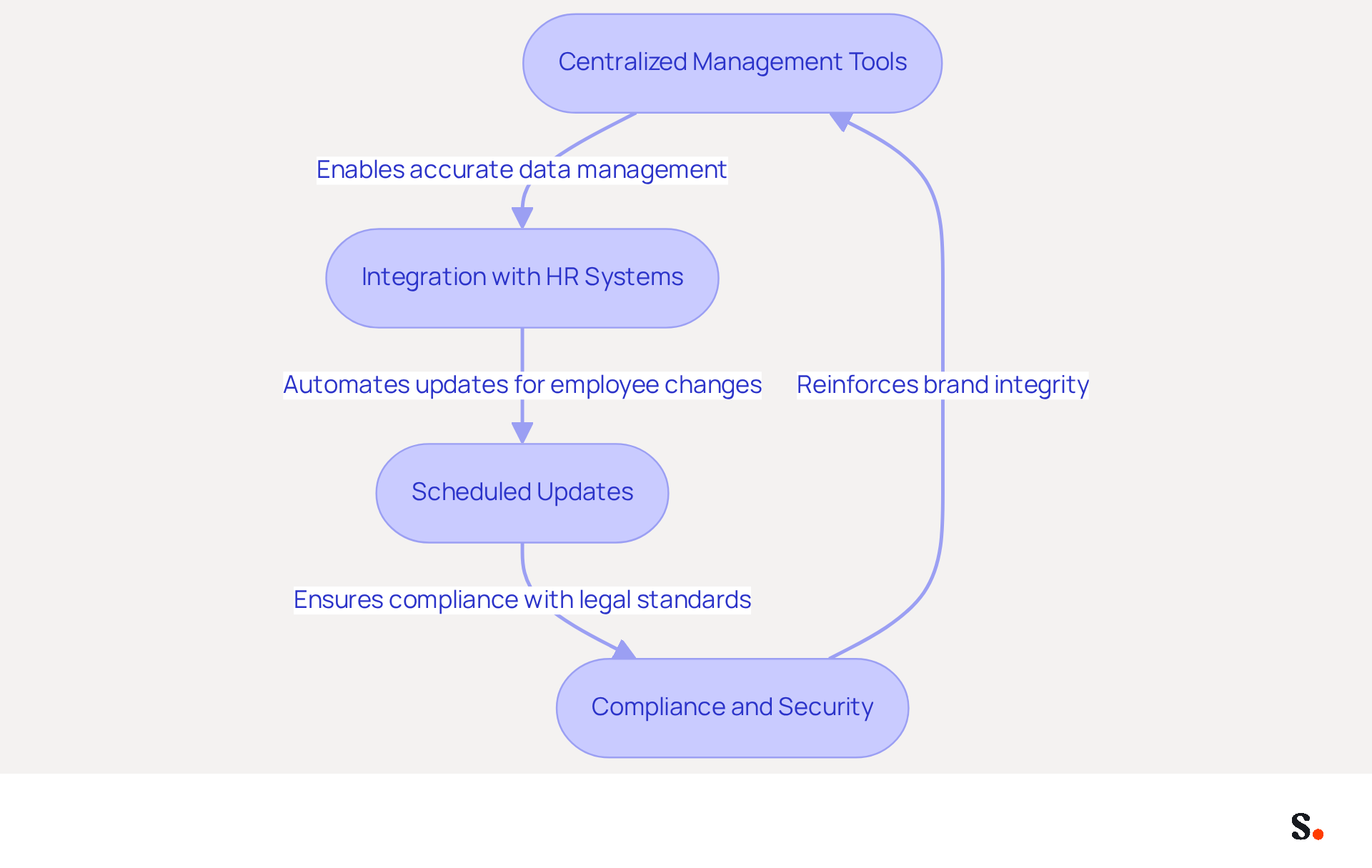
- Centralized Management Tools: Utilize platforms like Scribe that provide centralized control over signature management, allowing for swift updates across the organization. This approach ensures that every employee's signature business email reflects a consistent and professional appearance, which is crucial for maintaining brand integrity. Scribe provides dedicated customer support, ensuring that assistance is readily available for prompt issue resolution.
- Integration with HR Systems: Automate data synchronization with HR systems to ensure that employee information is always up to date in documents. This integration not only enhances accuracy but also reduces the administrative burden on IT teams, allowing them to focus on higher-priority tasks. A study indicates that 67% of organizations using automated email branding solutions report increased engagement, with many stating that a signature business email helps in lead generation. Scribe's seamless integration with Google Workspace allows for automatic updates, saving time and ensuring that any changes in employee data are reflected in real-time.
- Scheduled Updates: Implement regular updates for identifiers to reflect changes in branding, promotions, or employee roles without manual intervention. This proactive strategy helps maintain consistency of the identity and ensures compliance with legal requirements, which is particularly important in regulated industries. Automation simplifies the onboarding and offboarding process, making it easier to manage employee transitions. The automated synchronization process ensures that all endorsements are current, improving brand consistency throughout the organization.
- Compliance and Security: Ensure that automated approvals adhere to legal standards and maintain security protocols to protect sensitive information. Scribe is GDPR compliant and SOC 2 Type II certified, simplifying compliance management and reducing the risk of errors. Manual management often results in errors that can compromise compliance.
Ultimately, embracing these automation strategies not only streamlines processes but also reinforces a brand's commitment to professionalism and compliance.
Regularly Update and Analyze Signature Performance
To maximize the impact of your email signatures, it is crucial to adopt effective monitoring and evaluation practices:
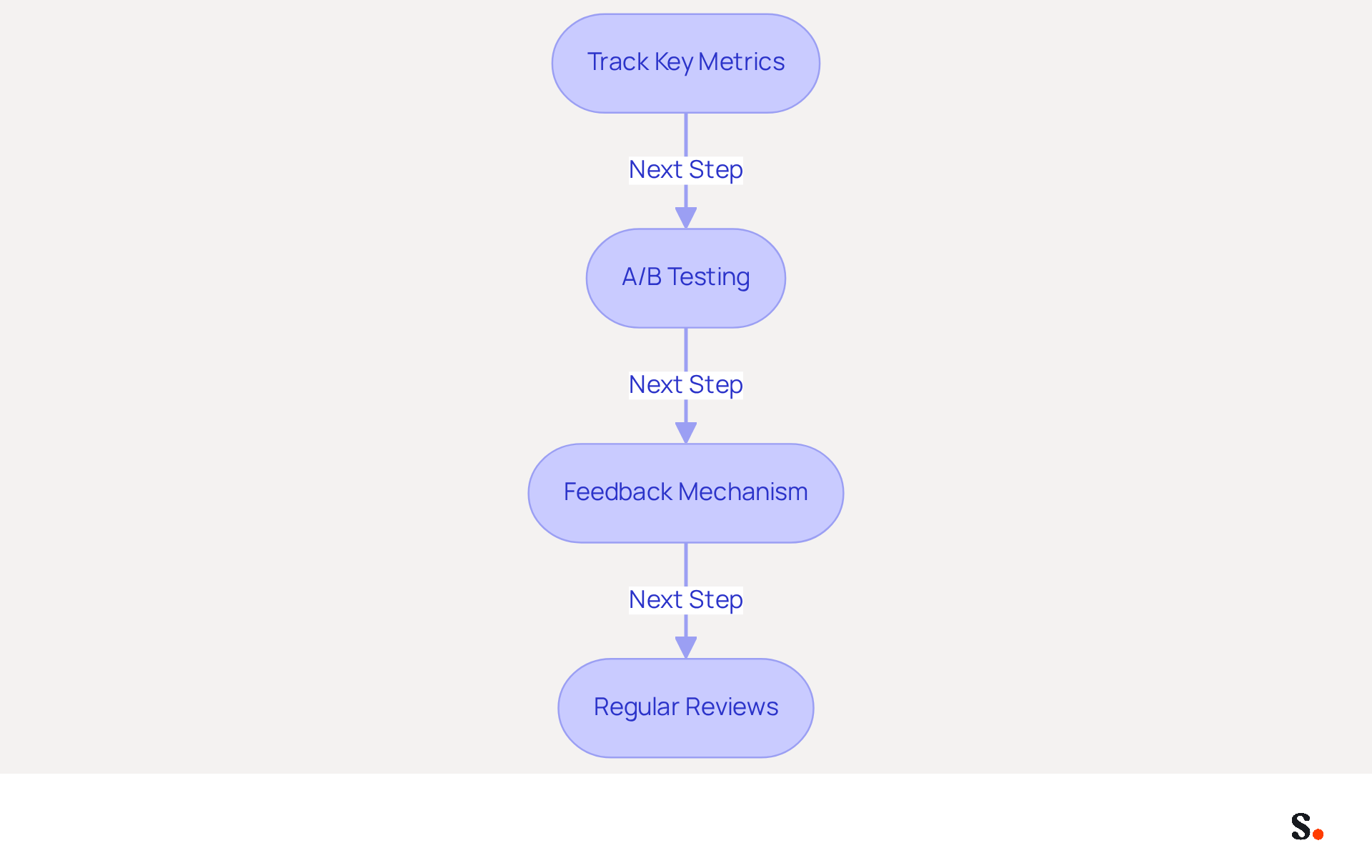
- Track Key Metrics: Regularly monitor essential metrics such as click-through rates (CTR), engagement rates, and conversion rates related to links in your email footers. An optimal CTR typically hovers around 2.66%, though this can vary by industry.
- A/B Testing: Conduct A/B tests on different design variations or elements to determine which versions yield better results. For instance, a SaaS company saw a 20% increase in clicks and conversions after redesigning their call-to-action buttons.
- Feedback Mechanism: Encourage feedback from recipients regarding the clarity and effectiveness of the endorsement. Feedback can directly inform improvements, ensuring your message resonates with recipients.
- Regular Reviews: Schedule periodic evaluations of performance to identify trends and make necessary adjustments based on data insights. Analyzing performance by department can reveal which teams generate the most engagement, allowing for tailored strategies.
By regularly updating and analyzing their signature business email, businesses can enhance its effectiveness as a marketing tool, ensuring it contributes positively to overall communication strategies. Ultimately, these strategies ensure that your email signatures serve as powerful marketing tools that align with your overall communication goals.
Conclusion
An effective business email signature strategy is not just an accessory; it is a vital component of brand visibility and professionalism in communications. By incorporating key elements such as full names, job titles, and company logos, organizations can establish credibility and foster trust with recipients. Additionally, a well-optimized design makes signatures visually appealing and functional, enhancing engagement and strengthening brand identity.
The article highlights several best practices, including the importance of automation in managing email signatures. Leveraging tools like Scribe empowers organizations with centralized control and consistency, ensuring compliance with regulations such as GDPR and CCPA. Regular updates and performance analysis are also crucial; without them, businesses risk falling behind in their email signature effectiveness. This enables businesses to adapt their strategies based on engagement metrics and feedback, ultimately enhancing the effectiveness of their email signatures as marketing tools.
Ultimately, embracing these best practices for email signature management can reshape how a brand connects with its audience and influences perception. Organizations should prioritize the implementation of automated solutions like Scribe to maintain brand consistency and professionalism while leveraging data-driven insights to continuously improve their email signature strategies. This approach allows businesses to turn their email signatures into impactful marketing tools that enhance communication goals and yield tangible results.
Frequently Asked Questions
What are the essential elements to include in a professional email signature?
The essential elements to include in a professional email signature are the sender's full name, job title, company name and logo, contact information, social media links, and legal disclaimers if applicable.
Why is it important to include a full name in an email signature?
Including a full name establishes the sender's identity and fosters trust with the recipient.
How does including a job title in an email signature enhance credibility?
Including a job title provides context about the sender's role within the organization, which enhances their credibility.
What role does a company name and logo play in an email signature?
A company name and logo reinforce brand identity, helping recipients recognize the organization and its values.
Why should contact information be included in an email signature?
Providing direct contact information, such as a phone number and address, facilitates easy communication and prompt responses.
How can social media links in an email signature enhance engagement?
Including links to professional social media profiles, like LinkedIn, enhances connectivity and engagement with recipients.
What is the purpose of adding legal disclaimers in an email signature?
Legal disclaimers protect the organization and ensure compliance with regulations, depending on the industry.
How can a well-structured email signature impact a company's perception?
A well-structured email signature upholds professionalism and can significantly enhance how the company is perceived by recipients.
Why is it important to optimize email signatures for mobile devices?
Since over 80% of messages are viewed on mobile devices, optimizing email signatures for mobile maximizes their effectiveness.
How does Scribe enhance email signature management?
Scribe's automated synchronization with Aircall ensures that any modifications made in the business phone system are reflected in communications, maintaining brand consistency without requiring action from teammates.
What does Scribe's SOC 2 Type II compliance ensure?
Scribe's SOC 2 Type II compliance ensures that data is managed securely, providing peace of mind while using digital branding as a marketing channel.
List of Sources
- Incorporate Essential Elements in Your Email Signature
- The ultimate guide to email signatures in 2026 (https://signitic.com/en/resources/email-signature)
- The Importance Of Email Signatures | Email Marketing Blog | Mail Blaze (https://mailblaze.com/thinking/email-signatures-in-email-marketing)
- Email Signature Best Practices (https://uschamber.com/co/grow/thrive/email-signature-best-practices)
- Why Email Signatures Must Be In Your 2026 Marketing Plan | Rocketseed (https://rocketseed.com/blog/what-are-the-biggest-email-trends-for-2026)
- Optimize Design and Layout for Maximum Impact
- Why Email Signatures Must Be In Your 2026 Marketing Plan | Rocketseed (https://rocketseed.com/blog/what-are-the-biggest-email-trends-for-2026)
- The impact of email signatures on your branding (https://signitic.com/en/resources/the-impact-of-email-signatures-on-your-branding)
- Email signature statistics: Why every business should optimize their email signatures — Stripo.email (https://stripo.email/blog/email-signature-statistics-why-every-business-should-optimize-their-email-signatures)
- How do mobile responsive emails impact on open and click rates? | Smart Insights (https://smartinsights.com/email-marketing/mobile-email-marketing/impact-mobile-responsive-email-open-rates)
- Email Signature Trends 2026: Centralized Control & Automation | SIGNandGO posted on the topic | LinkedIn (https://linkedin.com/posts/signngo_email-signature-trends-to-watch-in-2026-activity-7401523471786217473-zAVL)
- Leverage Automation for Consistent Signature Management
- Automating Email Signatures: How IT Teams Streamline Processes & Reduce Risk (https://exclaimer.com/blog/streamlining-it-processes-automated-email-signatures)
- Exclaimer Adds UKG Ready Integration as HR Systems Displace It-Managed Directories as the Source of Employee Data (https://techrseries.com/hr/exclaimer-adds-ukg-ready-integration-as-hr-systems-displace-it-managed-directories-as-the-source-of-employee-data)
- Exclaimer adds UKG Ready integration as HR systems displace IT-managed directories as the source of employee data (https://globenewswire.com/news-release/2026/05/14/3294682/0/en/exclaimer-adds-ukg-ready-integration-as-hr-systems-displace-it-managed-directories-as-the-source-of-employee-data.html)
- Email signature statistics and trends in 2024 (https://wisestamp.com/blog/email-signature-statistics)
- Email Signature Trends 2026: Centralized Control & Automation | SIGNandGO posted on the topic | LinkedIn (https://linkedin.com/posts/signngo_email-signature-trends-to-watch-in-2026-activity-7401523471786217473-zAVL)
- Regularly Update and Analyze Signature Performance
- The 5 key metrics to analyze your email signatures (https://signitic.com/en/resources/the-5-key-metrics-to-analyze-your-email-signatures)
- Email Marketing Benchmarks & Industry Statistics | Mailchimp (https://mailchimp.com/resources/email-marketing-benchmarks)
- Email Signature Analytics: Unlocking Potential for Business Growth (https://wisestamp.com/blog/email-signature-analytics)
- Email Signature A/B Testing: Methodology, UTM and GA4 Guide (https://signitic.com/en/resources/a-b-testing-your-email-signature-methodology-and-kpis)
Get started with Scribe
Manage signatures across your whole team
Free 14-day trial — no credit card.