Best Practices to Changer la Signature sur Outlook for Marketing Success
A professional email signature is essential for effective brand representation and measurable marketing outcomes. Mastering the optimization of email
Sophie Grant
Email Signature Specialist, Scribe
Introduction
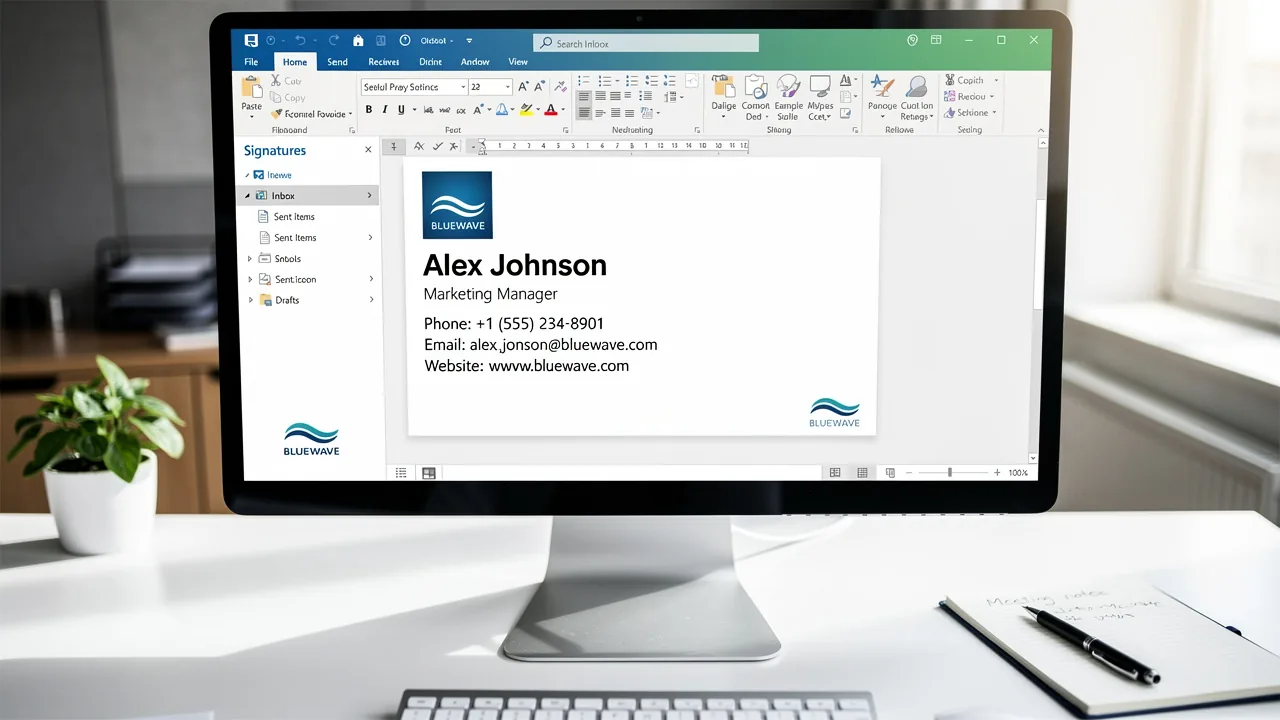
A professional email signature is essential for effective brand representation and measurable marketing outcomes. Mastering the optimization of email signatures in Outlook allows organizations to enhance their communication strategies and drive engagement. However, navigating the complexities of design elements and marketing opportunities can be challenging for organizations. Businesses must ensure their signatures reflect their brand identity while also driving measurable marketing success. This article delves into best practices for transforming email signatures into powerful marketing tools, leveraging automation and strategic design to maximize impact.
Understand the Basics of Changing Your Outlook Signature
A professional email signature is essential for effective communication and brand representation. To change your email signature in Outlook, follow these steps:
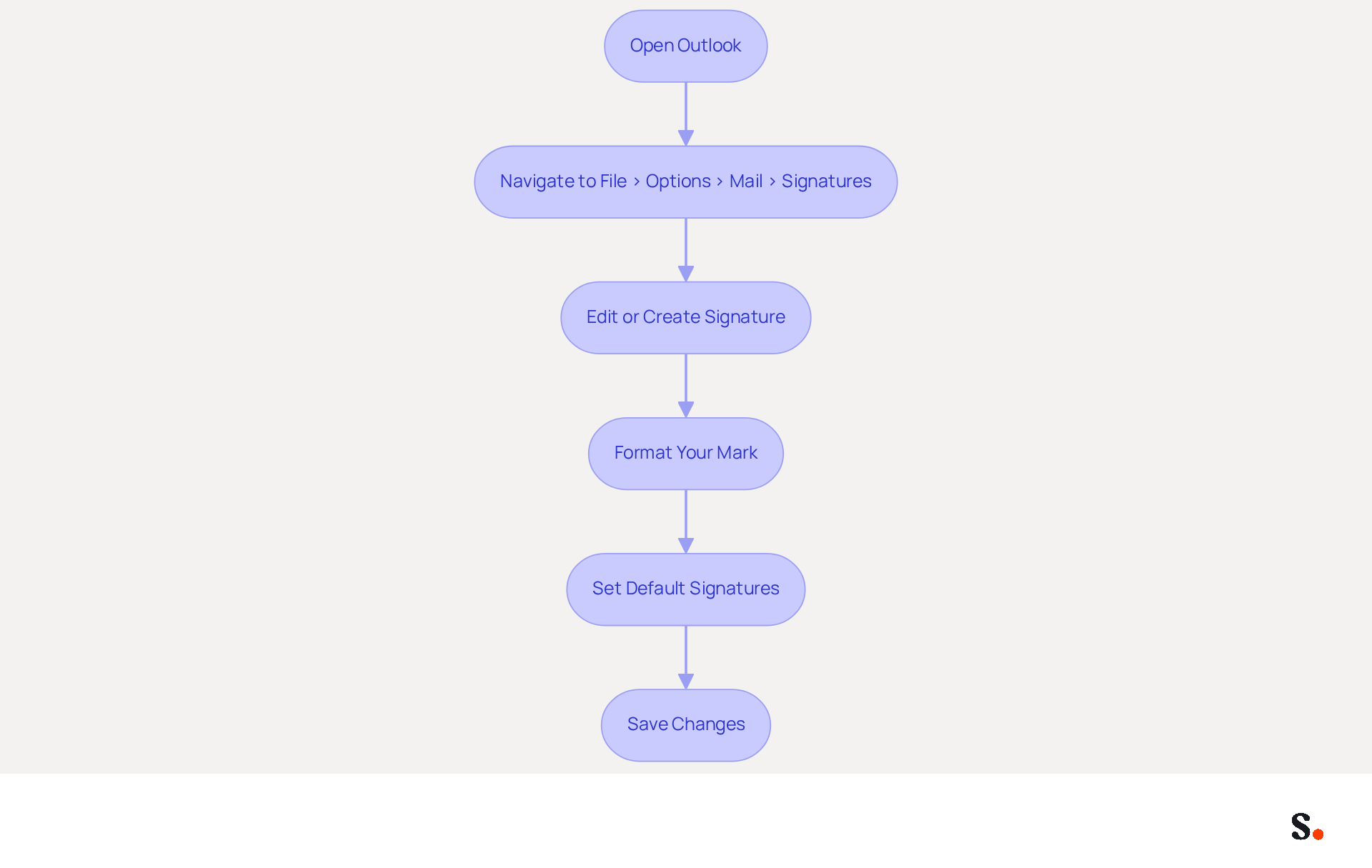
- Open Outlook: Launch the Outlook application on your computer.
- To change the signature in Outlook, you need to navigate to
File>Options>Mail>Signatures. - Edit or Create Signature: Here, you can either select an existing one to modify or click
Newto generate a fresh one. - Format Your Mark: Use the formatting tools to customize your mark with fonts, colors, and images that align with your brand. Including essential elements such as your name, job title, company name, and contact information is crucial for maintaining professionalism.
- Set Default Signatures: You can also establish a default sign-off for new messages and replies/forwards to ensure consistency across all communications.
- Save Changes: After making your modifications, click
OKto preserve your mark.
By mastering these steps, you ensure your communications reflect professionalism and leverage digital identifiers as effective marketing tools. This is particularly important, as studies show that messages featuring branded footers can lead to a 22% higher response rate and a 15% increase in click-through rates to company websites. Businesses that invest in standardized digital identifiers can improve brand visibility and trust, ultimately driving marketing success. Furthermore, monitoring message footer statistics is essential for assessing effectiveness and enhancing marketing strategies. Scribe's automated synchronization features guarantee that any modifications made in your provider are reflected in your identifiers, enabling effortless updates and centralized control. Effective email signature management can significantly enhance your brand's credibility and engagement with clients.
Design a Professional and On-Brand Email Signature
Creating a professional email signature is essential for effective communication and brand representation. To create a professional and on-brand email signature, consider the following best practices, especially when utilizing Scribe's automated synchronization with Aircall:
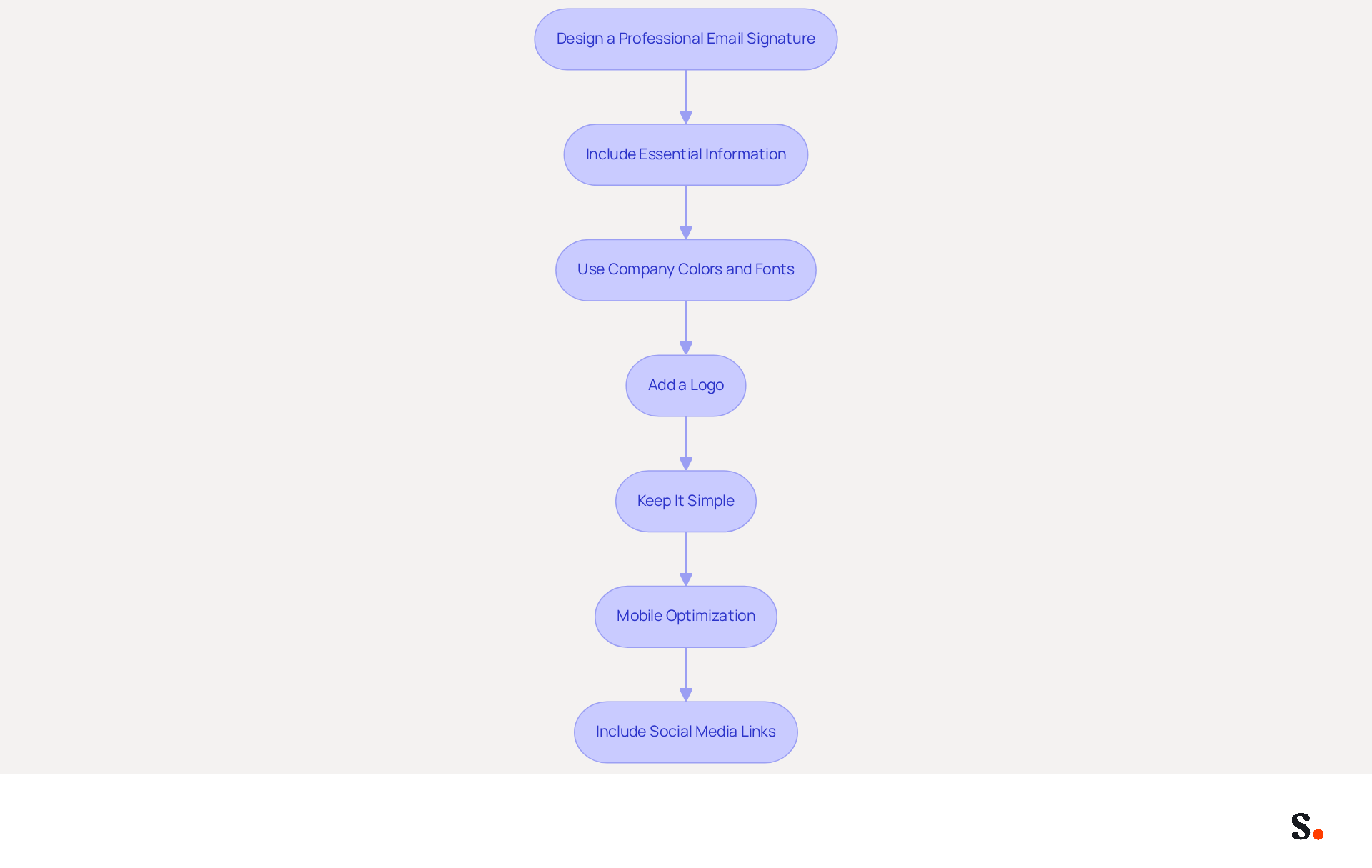
- Include Essential Information: Your mark should contain your full name, job title, company name, and contact information. This allows recipients to contact you without difficulty. Incorporating these elements aids in building credibility, as 76% of recipients feel more trust in senders with branded identifiers, highlighting the significance of identification over promotional content.
- Use Company Colors and Fonts: Incorporate your organization’s colors and fonts to maintain consistency. This strengthens your company identity in every email, with 80% of respondents considering branded email elements as a crucial aspect of a firm's identity. Organizations that maintain consistent branding across signatures report over a 22% increase in response rates.
- Add a Logo: Including your company logo can improve recognition of your identity. Ensure the logo is high-quality and appropriately sized to avoid distortion. This visual element plays a crucial role in reinforcing brand identity.
- Keep It Simple: Avoid clutter by limiting the amount of text and images. Cluttered designs can hinder readability and engagement. A/B testing shows that left-aligned, single-column designs generate three times higher click-through rates for CTAs compared to multi-column layouts, particularly on mobile devices. Research indicates that left-aligned, single-column designs consistently outperform multi-column layouts.
- Mobile Optimization: It is imperative that your signature is optimized for mobile devices. With over 60% of business correspondence opened on mobile, testing on various screen sizes is crucial to confirm that it remains legible and visually appealing. This consideration is essential for effective communication in today's mobile-centric environment.
- Include Social Media Links: If applicable, add icons linking to your company’s social media profiles. This motivates recipients to interact with your company across various platforms, as 52% of potential customers prefer messages as their primary communication method with businesses.
By adhering to these design principles and utilizing Scribe's features, including its SOC 2 Type II compliance for secure data management, you can create a professional-looking identifier that effectively represents your brand, driving engagement and enhancing marketing effectiveness.
Incorporate Dynamic Content and Marketing Elements
To fully leverage the marketing potential of your email signature, integrating dynamic content and strategic marketing elements is essential:
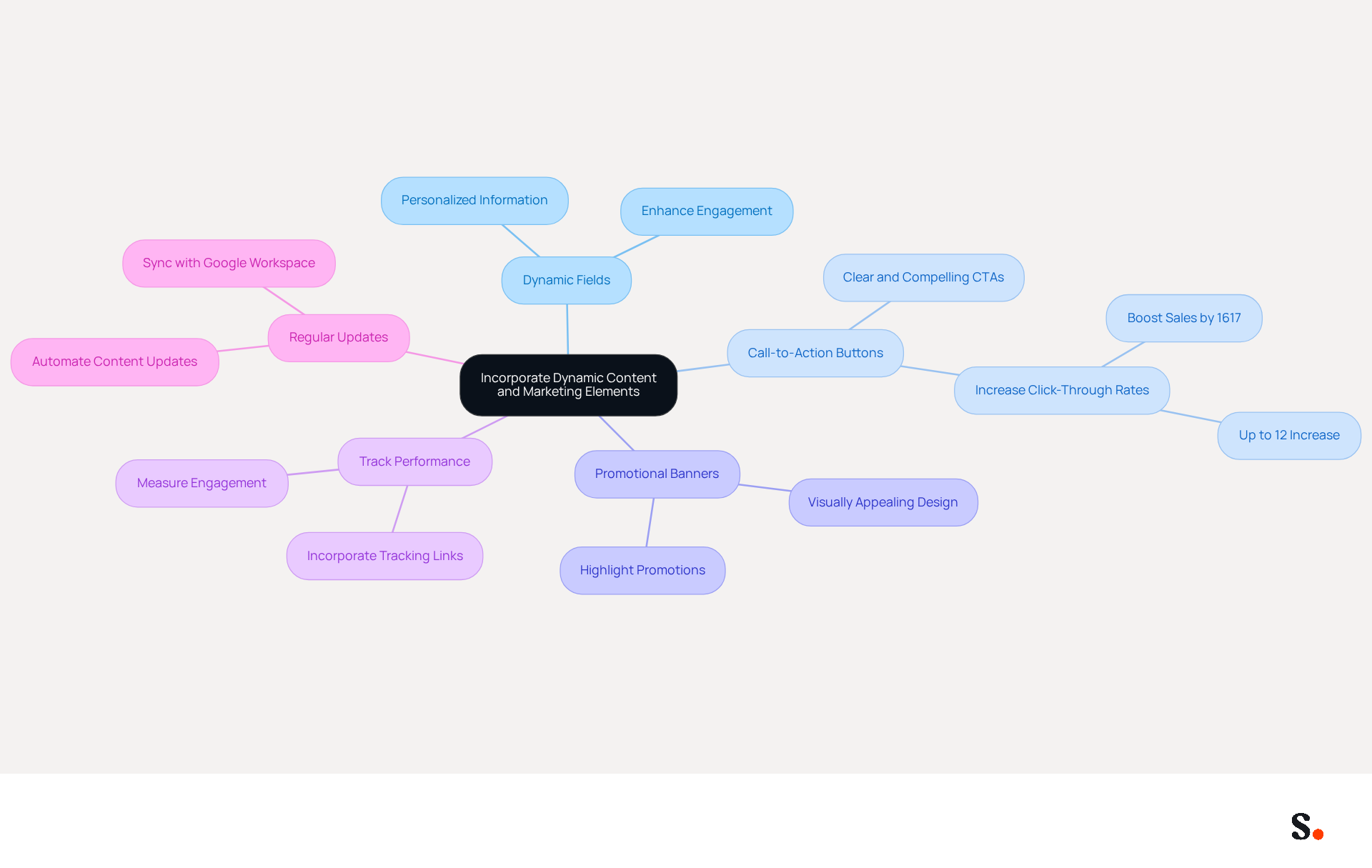
- Use Dynamic Fields: Implement dynamic fields that automatically pull in personalized information, such as the recipient's name or recent interactions. This personal touch can significantly enhance engagement, making recipients feel valued and recognized.
- Add Call-to-Action (CTA) Buttons: Include clear and compelling buttons that direct recipients to specific actions, such as visiting your website, signing up for a newsletter, or downloading a resource. Effective CTAs can increase click-through rates by up to 12% and significantly enhance conversions, with messages containing a CTA boosting clicks by 371% and sales by 1617%.
- Promotional Banners: Utilize visually appealing banners to highlight current promotions, events, or important announcements. Ensure these banners align with your brand’s design to maintain consistency and attract attention.
- Track Performance: Incorporate tracking links in your CTAs to measure engagement and effectiveness. Tools available for tracking clicks on email footers can provide valuable insights, informing future marketing strategies and helping optimize your email layout for better results. The platform's conversion tracking features connect engagement to revenue, offering measurable ROI.
- Regular Updates: Keep your key content fresh by regularly updating it to reflect new campaigns or changes in your offerings. By syncing your Google Workspace with the application, you can automate this process, ensuring that any changes in your team’s information are reflected in real-time without manual input. This practice ensures your communications remain relevant and engaging, encouraging recipients to take action. Furthermore, Scribe's adherence to SOC 2 Type II, GDPR, and CCPA guarantees that your management of electronic correspondence is secure and reliable.
Incorporating these dynamic elements with Scribe's capabilities transforms your digital identifier into a powerful marketing tool that effectively drives engagement and conversions. Overloading your branding with excessive information can dilute its impact and confuse recipients. Such inconsistency may lead to missed opportunities in your marketing strategy.
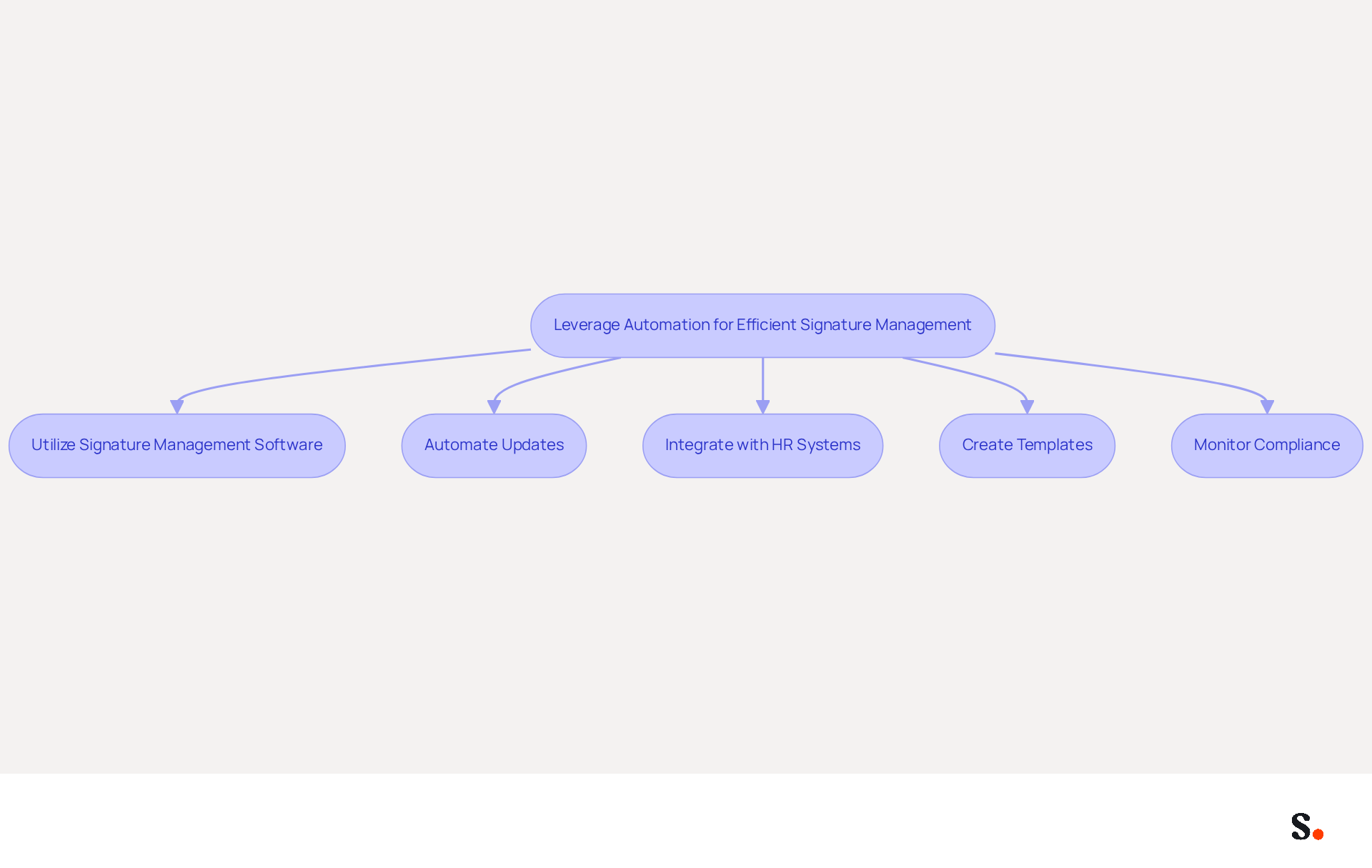
Leverage Automation for Efficient Signature Management
To enhance your email signature management, consider the strategic advantages of automation:
- Utilize Signature Management Software: Implement tools like Scribe that enable centralized control of email branding throughout your organization. This maintains consistency and saves time on updates, tackling the common problem of fragmented branding faced by many businesses. Scribe's hands-on customer support ensures you can talk to a human, facilitating quick resolution of any issues.
- Automate Updates: Set up automated updates for identifiers to reflect changes in branding, contact information, or marketing campaigns. Outdated information can damage your professional image and create compliance challenges. In fact, organizations using automated solutions report a 30% reduction in compliance-related errors.
- Integrate with HR Systems: Connect your management tool with HR systems to automatically update marks when employees join or leave the organization. This guarantees that all approvals are up-to-date and compliant, significantly decreasing the administrative load on IT teams and improving operational efficiency.
- Create Templates: Develop standardized templates that can be easily customized by team members. This maintains consistency while allowing for personalization, which can increase engagement rates by up to 15% when tailored to recipient profiles.
- Monitor Compliance: Use automation to oversee adherence to signing guidelines across your organization. This helps maintain a professional image and ensures that all communications align with standards, reducing compliance-related errors by 30%.
By using the option to changer la signature sur outlook, you can streamline your email signature management, enhance your marketing efforts, and strengthen brand identity. This approach not only saves time but also enables users to changer la signature sur outlook, transforming email signatures into effective marketing tools that drive engagement and reinforce brand identity. Additionally, the organization is committed to environmental sustainability, directing 1% of its revenue to support carbon removal technologies, which aligns with the values of many modern organizations. Scribe also holds SOC 2 Type II certification and complies with GDPR and CCPA, ensuring secure data handling and compliance.
Conclusion
An effective email signature in Outlook serves as a vital component of a comprehensive marketing strategy, influencing brand visibility and engagement. By implementing proven design principles, integrating dynamic content like CTAs, and utilizing automation tools, organizations can maximize their email signature's impact. This strategy guarantees that each email conveys professionalism and consistency, which is crucial for marketing success.
Key insights from the article highlight the importance of:
- Including essential information
- Maintaining brand consistency through colors and fonts
- Optimizing for mobile devices
Additionally, integrating dynamic elements such as CTAs and promotional banners can further boost engagement rates. Utilizing tools like Scribe for automated management not only streamlines the process but also ensures compliance with security standards like SOC 2 Type II, GDPR, and CCPA, safeguarding your organization’s data.
In conclusion, the potential of email signatures as a marketing asset cannot be underestimated. Organizations that overlook the potential of email signatures may miss out on significant opportunities for brand enhancement and client engagement. By adopting these best practices and utilizing Scribe's capabilities, organizations can achieve 100% brand consistency and measurable ROI from their email communications. Embracing this strategy not only enhances professional image but also fosters stronger connections with clients, ultimately leading to increased engagement and business growth.
Frequently Asked Questions
Why is a professional email signature important?
A professional email signature is essential for effective communication and brand representation, helping to maintain professionalism and leverage digital identifiers as marketing tools.
How do I change my email signature in Outlook?
To change your email signature in Outlook, navigate to File > Options > Mail > Signatures. From there, you can edit an existing signature or create a new one.
What elements should I include in my email signature?
Your email signature should include essential elements such as your name, job title, company name, and contact information, along with any branding elements like fonts, colors, and images.
Can I set a default signature for new messages and replies in Outlook?
Yes, you can establish a default sign-off for new messages and replies/forwards in Outlook to ensure consistency across all communications.
What should I do after modifying my email signature?
After making your modifications to your email signature, click OK to save your changes.
How can a branded email signature impact response rates?
Studies show that messages featuring branded footers can lead to a 22% higher response rate and a 15% increase in click-through rates to company websites.
What benefits do businesses gain from standardized digital identifiers?
Businesses that invest in standardized digital identifiers can improve brand visibility and trust, ultimately driving marketing success.
Why is it important to monitor message footer statistics?
Monitoring message footer statistics is essential for assessing effectiveness and enhancing marketing strategies.
How does Scribe assist with email signature management?
Scribe's automated synchronization features ensure that any modifications made in your provider are reflected in your identifiers, enabling effortless updates and centralized control.
List of Sources
- Understand the Basics of Changing Your Outlook Signature
- Email signature statistics: Why every business should optimize their email signatures — Stripo.email (https://stripo.email/blog/email-signature-statistics-why-every-business-should-optimize-their-email-signatures)
- The Signitic blog: expert advice on email branding (https://signitic.com/en/resources)
- 40+ Email Signature Statistics for 2026 (Data + Insights) (https://wavecnct.com/blogs/email-signature-statistics)
- Design a Professional and On-Brand Email Signature
- Why Email Signatures Must Be In Your 2026 Marketing Plan | Rocketseed (https://rocketseed.com/blog/what-are-the-biggest-email-trends-for-2026)
- Top 10+ best practices for email signatures design in 2026 (https://mysignature.io/blog/email-signature-best-practices)
- Email signature: impact on a company's image in B2B (https://signitic.com/en/resources/email-signature-what-is-the-impact-on-brand-image-in-b2b)
- 40+ Email Signature Statistics for 2026 (Data + Insights) (https://wavecnct.com/blogs/email-signature-statistics)
- Email Signature Design Trends in 2026: What Works and What to Drop (https://bulksignature.com/blog/email-signature-design-trends)
- Incorporate Dynamic Content and Marketing Elements
- Why and how to add an effective CTA to your email signature? (https://signitic.com/en/resources/why-and-how-to-add-an-effective-cta-to-your-email-signature)
- The Ultimate Guide to Email Signature Call-to-Action - NEWOLDSTAMP (https://newoldstamp.com/blog/the-ultimate-guide-to-email-signature-call-to-action)
- 7 tips for an effective CTA in your email signature (https://letsignit.com/blog/efficient-call-to-action-signature)
- Leverage Automation for Efficient Signature Management
- 4 Best Practices for Automated Email Signature with Office 365 (https://scribe-mail.com/en-US/blog/4-best-practices-for-automated-email-signature-with-office-365)
- Why Automated Email Signatures Are a Smart Move for Your Business (https://aabyss.uk/blog/why-automated-email-signatures-are-a-smart-move-for-your-business)
- How to combine automation and email signatures (https://signitic.com/en/resources/how-to-combine-automation-and-email-signatures)
- Automating Email Signatures: How IT Teams Streamline Processes & Reduce Risk (https://exclaimer.com/blog/streamlining-it-processes-automated-email-signatures)
- Why Email Signature Management Software is Essential for Marketing Success (https://scribe-mail.com/en-US/blog/why-email-signature-management-software-is-essential-for-marketing-success)
Get started with Scribe
Signatures for every role on your team
Free 14-day trial — no credit card.