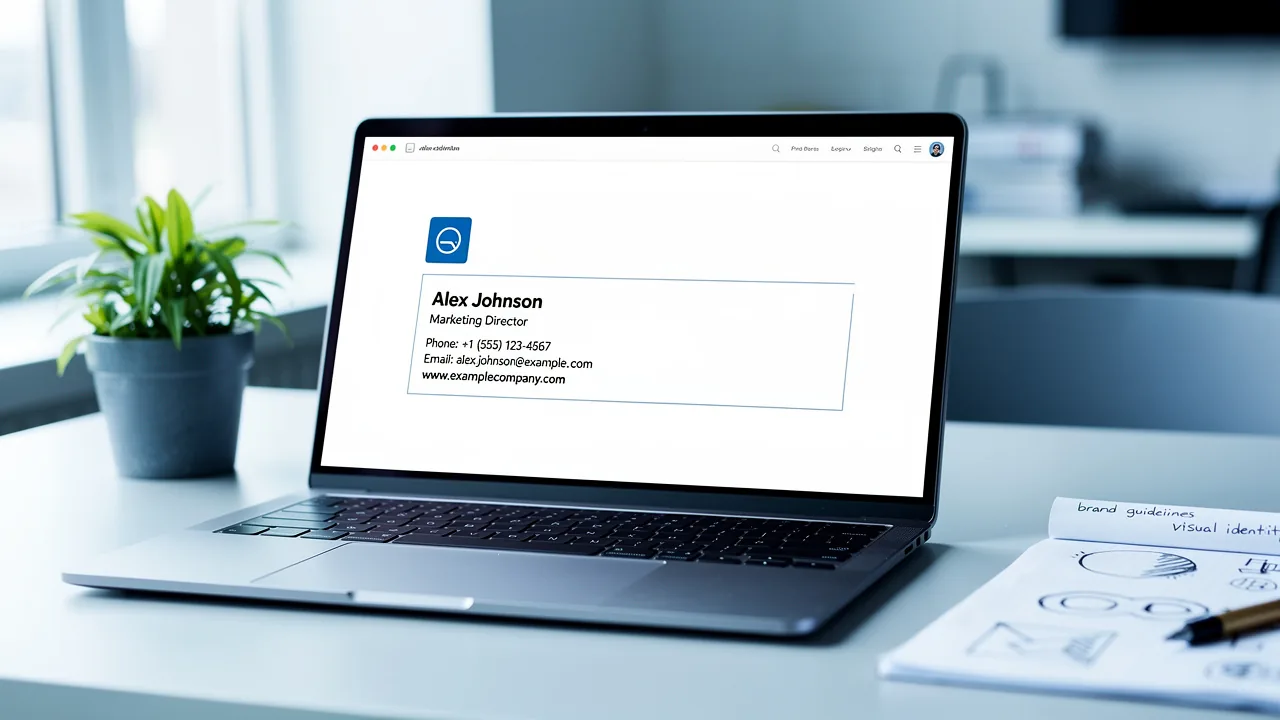
Best Signature Lines: Key Practices for Effective Email Signatures
Creating an effective email signature is crucial for establishing professionalism and enhancing brand identity. Organizations can turn their email signatures
Sophie Grant
Email Signature Specialist, Scribe

Introduction
Creating an effective email signature is crucial for establishing professionalism and enhancing brand identity. Organizations can turn their email signatures into effective marketing tools by following best practices in design and content. Many businesses struggle to balance design and content in their email signatures. How can they ensure their signatures reflect their brand and resonate with recipients? This article explores essential strategies for crafting impactful email signatures that align with marketing goals and uphold brand integrity.
Identify Essential Components of Email Signatures
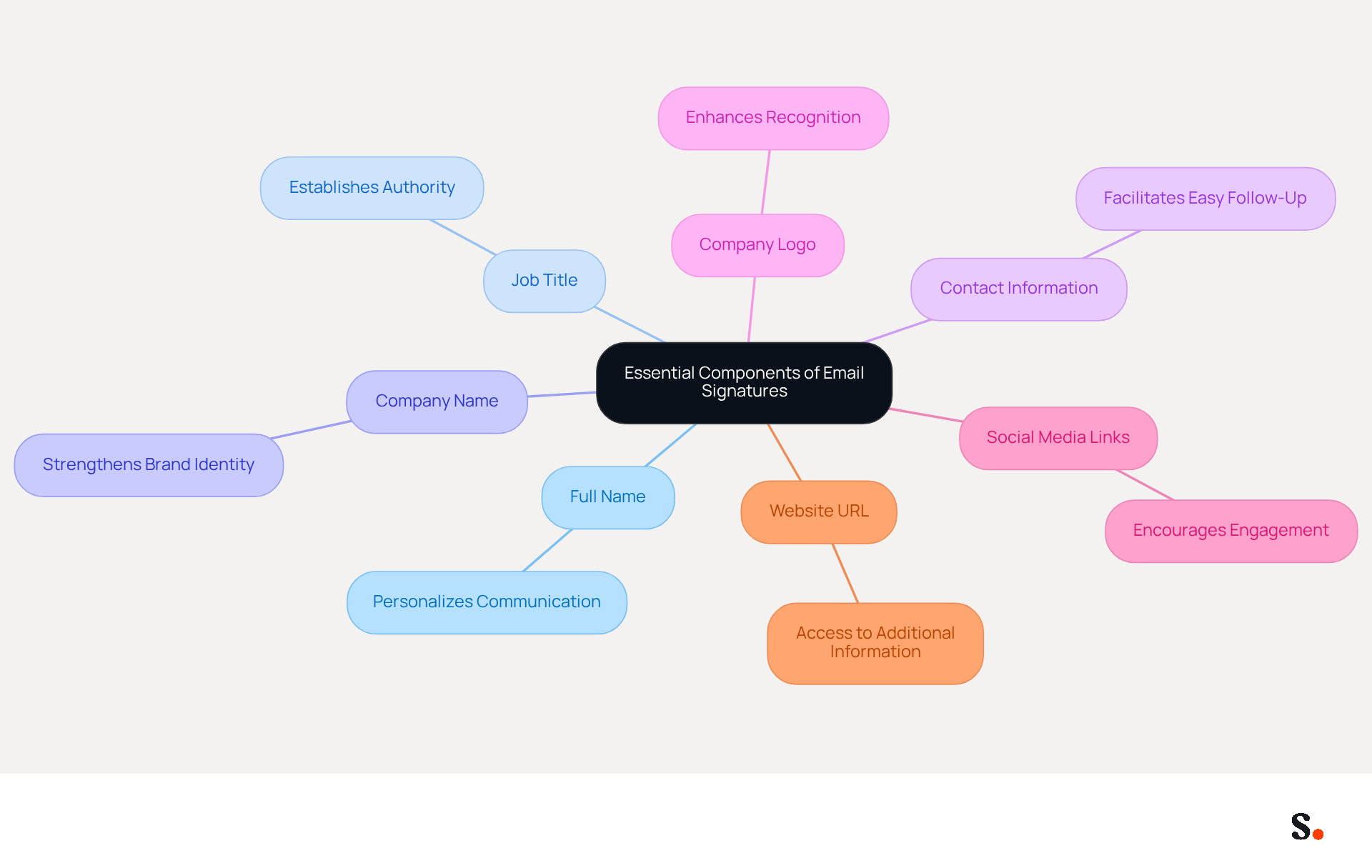
An effective email signature is not just a formality; it is a critical tool for establishing professionalism and enhancing communication. It should include the following essential components:
- Full Name: Clearly state the sender's full name to personalize the communication, enhancing the recipient's connection.
- Job Title: Including the sender's job title establishes authority and provides context, which is crucial for professional interactions.
- Company Name: Mentioning the company name strengthens identity, as 80% of respondents believe a branded signature is crucial for a company's identity.
- Contact Information: Providing a phone number and email address facilitates easy follow-up, ensuring that recipients can reach out without hassle.
- Company Logo: Incorporating the company logo enhances recognition, contributing to a 22% increase in trust and awareness.
- Social Media Links: Adding links to relevant social media profiles encourages further engagement, with digital business card links achieving a 28% click rate.
- Website URL: Including the company website allows recipients to access additional information, further solidifying the brand's online presence.
When businesses include these components, they create email signatures that not only look professional but also serve as powerful communication tools. Organizations employing well-optimized digital identifiers report over a 22% increase in response rates, emphasizing the significance of these components in enhancing engagement. With Scribe, modifications made in your Aircall configuration will automatically sync with your contact details, ensuring that your team's information is always current and compliant with SOC 2 Type II standards, thereby enhancing consistency and security.
Ensure Brand Consistency in Signature Design
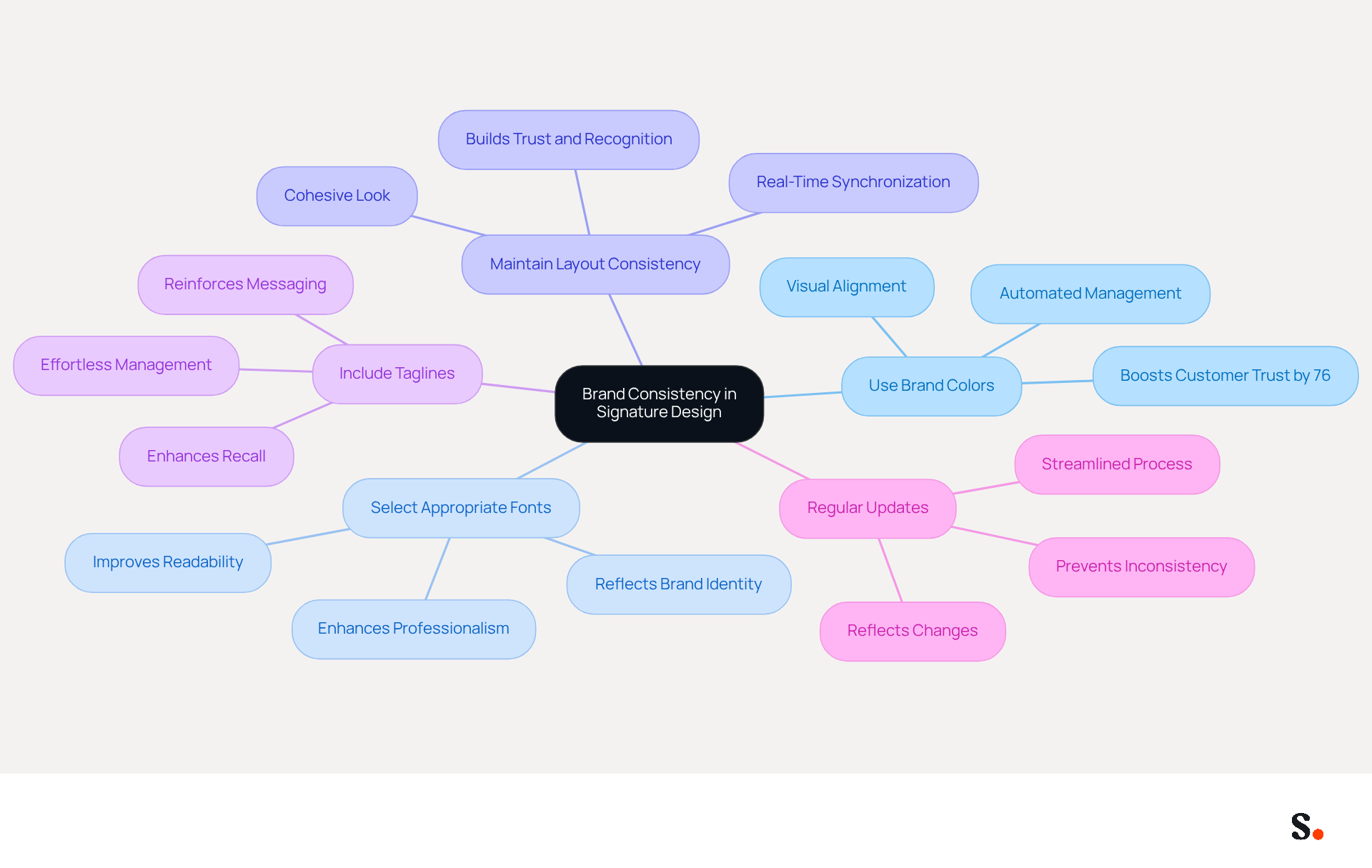
To effectively maintain brand consistency in email signatures, organizations must adopt strategic best practices:
- Use Brand Colors: Incorporate the company's color palette to ensure visual alignment with other marketing materials. Consistent use of colors can boost customer trust by as much as 76%. Scribe's automated management guarantees consistent application of these colors across all signatures.
- Select Appropriate Fonts: Choose fonts that reflect the identity of Scribe and are easy to read. A well-chosen font can enhance professionalism and readability, contributing to a positive brand perception. With this tool, you can effortlessly unify font selections throughout your organization.
- Maintain Layout Consistency: Use a uniform layout across all signatures within the organization to create a cohesive look. This uniformity helps in building trust and recognition among clients and partners. Scribe's real-time synchronization feature ensures that any layout changes are automatically updated for all team members.
- Include Taglines: If applicable, add a company tagline to reinforce messaging. Taglines can serve as a quick reminder of the brand's values and mission, enhancing recall. The platform allows you to manage taglines effortlessly, ensuring they are always up-to-date.
- Regular Updates: Periodically review and refresh branding elements to reflect any changes, such as new logos or color schemes. Without regular audits, brands risk inconsistency and potential misalignment with their identity. This tool streamlines the process by syncing updates from your business phone system automatically, eliminating the need for team intervention.
By utilizing Scribe's automated signature management, you can simplify the process of maintaining consistency while ensuring compliance with SOC 2 Type II standards, protecting your data.
Additionally, consider joining Scribe's Affiliate Program to promote consistency while unlocking a new marketing channel. By offering a $30 credit on subscriptions, you can earn a 50% commission on all referrals, further enhancing your marketing efforts.
By following these practices and leveraging Scribe's capabilities, companies can improve their brand image and ensure that every message sent contributes positively to their overall marketing efforts. Ultimately, neglecting these practices can undermine your brand's credibility and impact your marketing success.
Optimize Email Signatures for Mobile Viewing
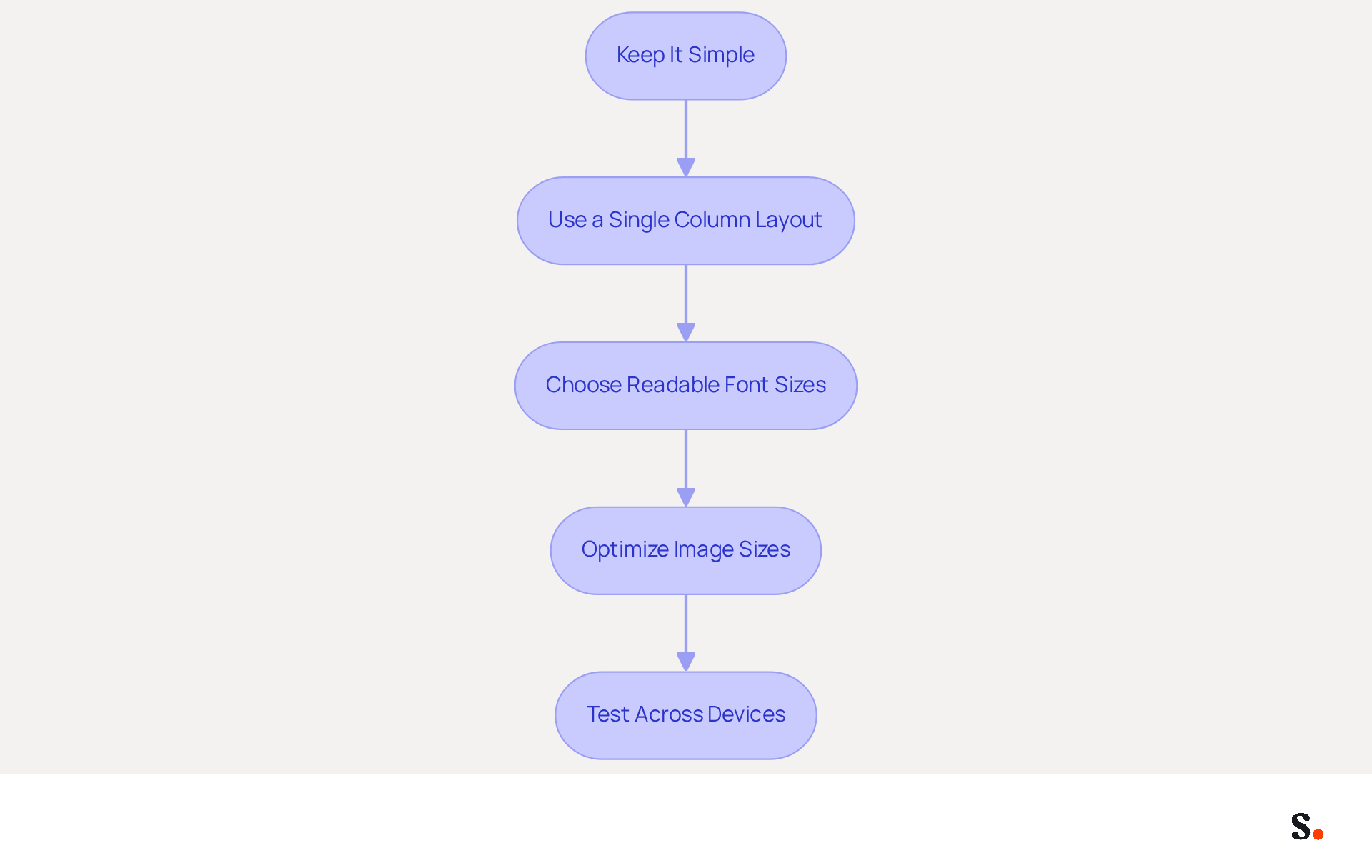
To ensure email signatures are effective on mobile devices, it is crucial to follow specific guidelines:
- Keep It Simple: Limit the amount of text and use concise language to avoid clutter. This approach enhances readability, especially on smaller screens, as users often struggle to read cluttered text on mobile screens.
- Use a Single Column Layout: Design documents in a single column to prevent horizontal scrolling on mobile devices, which can frustrate users and lead to disengagement.
- Choose Readable Font Sizes: Opt for font sizes that are easily readable on smaller screens, with a minimum of 12 pixels recommended for clarity.
- Optimize Image Sizes: Ensure that images are appropriately sized to load quickly and display correctly on mobile devices. High-resolution images should be used to maintain quality when scaled.
- Test Across Devices: Regularly test message formats on various mobile devices to ensure compatibility and readability. This practice assists in identifying any layout problems that may occur due to varying screen sizes and messaging clients.
By optimizing email signatures, businesses can significantly improve user engagement and satisfaction. With 60% of business emails opened on mobile devices, optimizing for mobile is essential. This ensures maximum engagement and a professional image. Furthermore, syncing your Google Workspace with Scribe enables automatic updates of contact information, conserving time and ensuring that any modifications in your team’s details are shown without manual entry. Scribe's SOC 2 Type II certification, along with its compliance with GDPR and CCPA, assures users of its commitment to data security and privacy. Additionally, Scribe boasts an average click-through rate of 12% on banners, demonstrating the effectiveness of its management of digital signatures. Ultimately, prioritizing mobile optimization can lead to increased engagement and a stronger professional presence.
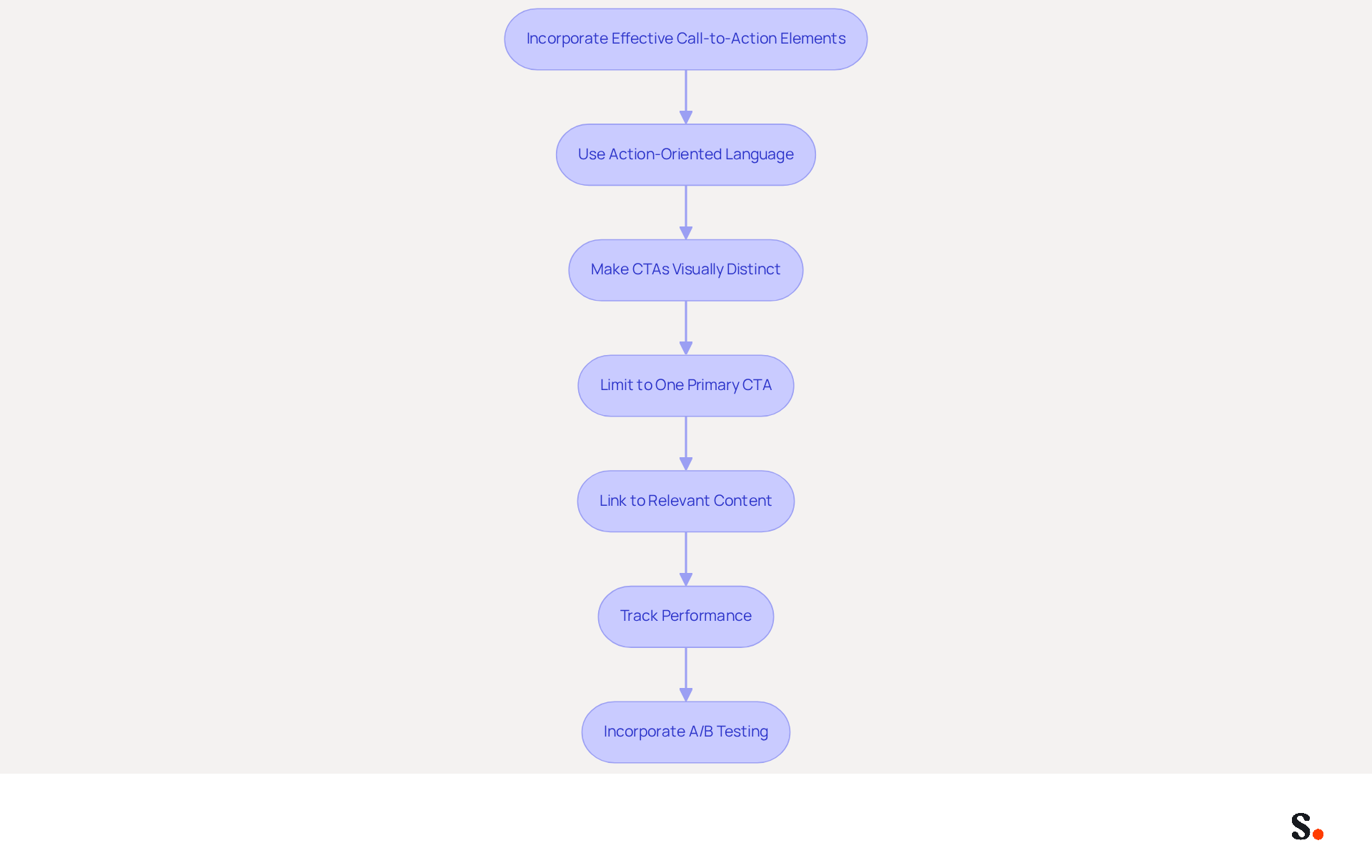
Incorporate Effective Call-to-Action Elements
To maximize the effectiveness of email signatures as marketing tools, businesses must incorporate strategic call-to-action elements:
- Use Action-Oriented Language: Phrases like "Sign Up Now" or "Get Your Free Trial" encourage immediate action, leveraging the psychological principle that clear directives can significantly boost engagement.
- Make CTAs Visually Distinct: Utilize buttons or bold text to ensure CTAs stand out within the signature. Research shows that using buttons can boost conversion rates by 28% over standard text links, making them a preferred choice for primary CTAs (Campaign Monitor).
- Limit to One Primary CTA: Too many choices can confuse recipients, leading to inaction. This approach aligns with best practices, as having multiple CTAs can dilute the effectiveness of each.
- Link to Relevant Content: Ensure that the CTA directs recipients to valuable content or offers that align with their interests. For example, linking to recent blog posts or promotional offers can improve the chances of click-throughs, as case studies reveal that relevant content leads to higher engagement rates.
- Track Performance: Use tracking links to measure the effectiveness of CTAs and adjust strategies accordingly. Analytics can uncover insights into click-through rates, with messages containing a CTA reportedly increasing clicks by 371% and sales by 1617% (WordStream).
- Incorporate A/B Testing: It's important to regularly test different CTA designs and placements to see what resonates best with your audience. This practice can help optimize engagement and conversion rates.
- Avoid Common Pitfalls: Be mindful of common mistakes, such as overcrowding the sign-off with too many elements or using vague language in CTAs. Clear, concise messaging is essential for effective communication.
By refining these elements, businesses can significantly enhance their email signatures, transforming them into powerful instruments for engagement and conversion.
Conclusion
Many organizations underestimate the power of an effective email signature in shaping professional communication. An effective email signature is more than just a digital sign-off; it plays a crucial role in professional communication and can greatly enhance brand identity and engagement. By incorporating essential elements such as full names, job titles, company logos, and contact information, organizations can create signatures that not only look polished but also function as powerful marketing tools. Yet, many organizations overlook these essential elements, which can hinder their communication effectiveness. The importance of maintaining brand consistency through strategic design choices cannot be overstated, as it reinforces trust and recognition among clients and partners.
Key practices discussed include:
- Optimizing email signatures for mobile devices
- Ensuring readability and accessibility
- Incorporating compelling call-to-action elements that drive engagement
Utilizing tools like Scribe allows organizations to streamline the management of their email signatures, ensuring consistency and compliance with security standards such as SOC 2 Type II, GDPR, and CCPA. Consequently, organizations can ensure that their communications consistently reflect their brand values and objectives.
In the end, focusing on these best practices in email signature design is crucial for organizations aiming to improve their professional image and achieve better marketing results. By strategically utilizing Scribe's capabilities, businesses can turn their email signatures into powerful communication and marketing tools, enhancing audience connections and driving measurable outcomes.
Frequently Asked Questions
What are the essential components of an effective email signature?
An effective email signature should include the sender's full name, job title, company name, contact information, company logo, social media links, and website URL.
Why is it important to include the sender's full name in an email signature?
Including the sender's full name personalizes the communication and enhances the recipient's connection.
How does including a job title in an email signature benefit professional interactions?
Including a job title establishes authority and provides context, which is crucial for professional interactions.
What role does the company name play in an email signature?
Mentioning the company name strengthens identity, as 80% of respondents believe a branded signature is crucial for a company's identity.
Why should contact information be included in an email signature?
Providing a phone number and email address facilitates easy follow-up, ensuring that recipients can reach out without hassle.
How does incorporating a company logo in an email signature affect trust and recognition?
Incorporating the company logo enhances recognition and contributes to a 22% increase in trust and awareness.
What is the benefit of adding social media links to an email signature?
Adding links to relevant social media profiles encourages further engagement, with digital business card links achieving a 28% click rate.
Why is it important to include a website URL in an email signature?
Including the company website allows recipients to access additional information, further solidifying the brand's online presence.
What impact do well-optimized email signatures have on response rates?
Organizations employing well-optimized digital identifiers report over a 22% increase in response rates, emphasizing the significance of these components in enhancing engagement.
How does Scribe help maintain current contact details in email signatures?
With Scribe, modifications made in your Aircall configuration will automatically sync with your contact details, ensuring that your team's information is always current and compliant with SOC 2 Type II standards.
List of Sources
- Identify Essential Components of Email Signatures
- 40+ Email Signature Statistics for 2026 (Data + Insights) (https://wavecnct.com/blogs/email-signature-statistics)
- The Complete Email Signature Guide 2026: Best Practices and Policy (https://opensense.com/complete-email-signature-guide)
- All the Best Email Signature Practices for Marketing Success (https://scribe-mail.com/en-US/blog/all-the-best-email-signature-practices-for-marketing-success)
- Email Signature Design Trends in 2026: What Works and What to Drop (https://bulksignature.com/blog/email-signature-design-trends)
- Email Signature Best Practices for 2026 (+ 15 Pro Examples) (https://wavecnct.com/blogs/email-signature-best-practices-2026)
- Ensure Brand Consistency in Signature Design
- Research Recap: Branded Email Signatures Increase Company Recognition, Trust - Demand Gen Report (https://demandgenreport.com/industry-news/research-recap-branded-email-signatures-increase-company-recognition-trust/47252)
- Master Corporate Email Signature Management for Brand Consistency (https://scribe-mail.com/en-US/blog/master-corporate-email-signature-management-for-brand-consistency)
- 40+ Email Signature Statistics for 2026 (Data + Insights) (https://wavecnct.com/blogs/email-signature-statistics)
- Why Email Signatures Must Be In Your 2026 Marketing Plan | Rocketseed (https://rocketseed.com/blog/2026-marketing-plan-email-signatures)
- 50+ Branding Statistics for 2026 That Explain Brand Loyalty (https://wearetenet.com/blog/branding-statistics)
- Optimize Email Signatures for Mobile Viewing
- Optimise Your Email Signature for Mobile Devices (https://globalbankingandfinance.com/why-optimising-brand-email-signatures-for-mobile-devices-is-essential-for-hybrid-working)
- Email Signature Best Practices for 2026 (+ 15 Pro Examples) (https://wavecnct.com/blogs/email-signature-best-practices-2026)
- Optimizing Mobile Email Signatures: Best Practices for Seamless Communication | MySignature (https://mysignature.io/blog/optimizing-mobile-email-signatures)
- Best Mobile Email Signatures: Key Practices for Marketing Managers (https://scribe-mail.com/en-US/blog/best-mobile-email-signatures-key-practices-for-marketing-managers)
- How to Optimize Your Email Signature for Mobile Devices - Gimmio (https://blog.gimm.io/how-to-optimize-your-email-signature-for-mobile-devices)
- Incorporate Effective Call-to-Action Elements
- The Ultimate Guide to Email Signature Call-to-Action - NEWOLDSTAMP (https://newoldstamp.com/blog/the-ultimate-guide-to-email-signature-call-to-action)
- Why and how to add an effective CTA to your email signature? (https://signitic.com/en/resources/why-and-how-to-add-an-effective-cta-to-your-email-signature)
- Email call to action best practices: The complete guide [2026] — Stripo.email (https://stripo.email/blog/email-call-action-best-practices-examples)
- Email Signature Best Practices for 2026 (+ 15 Pro Examples) (https://wavecnct.com/blogs/email-signature-best-practices-2026)
- Create Effective CTA Email Signatures (Examples & Templates) (https://wisestamp.com/examples/cta-email-signature)
Get started with Scribe
Manage signatures across your whole team
Free 14-day trial — no credit card.