Boost Engagement with Email Signature Christmas Images and Best Practices
The details of a holiday experience can make or break client relationships, and email signatures are often overlooked in this regard. As organizations seek to
Sophie Grant
Email Signature Specialist, Scribe
On this page
Introduction
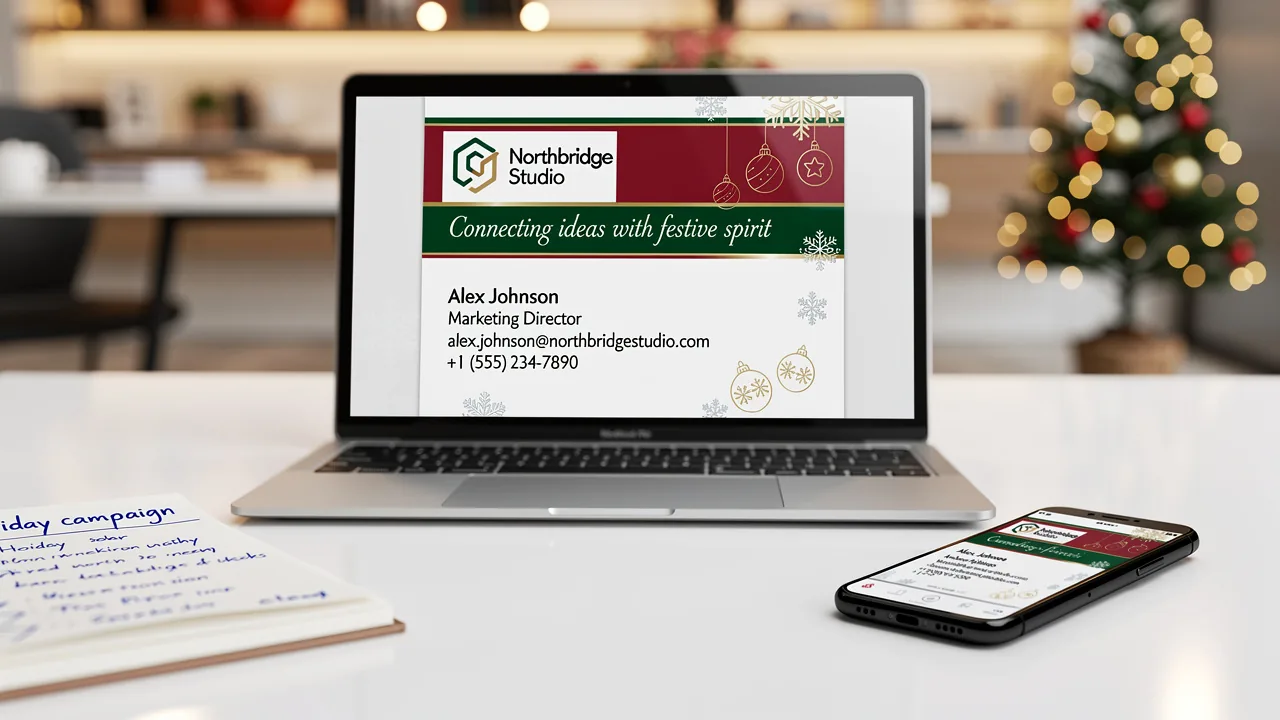
The details of a holiday experience can make or break client relationships, and email signatures are often overlooked in this regard. As organizations seek to enhance engagement during the festive season, integrating Christmas-themed images and thoughtful design principles in email signatures can significantly elevate brand visibility.
How can companies create festive signatures that not only grab attention but also foster genuine engagement?
We will explore proven strategies for designing impactful Christmas email signatures that blend creativity with strategic branding, ultimately transforming routine communications into powerful marketing tools.
Get started with Scribe
See why teams switch to Scribe
Free 14-day trial — no credit card.
Establish Design Principles for Christmas Email Signatures
To create impactful Christmas email signature images, it is crucial to balance festive design with professional integrity. Here are some key considerations:
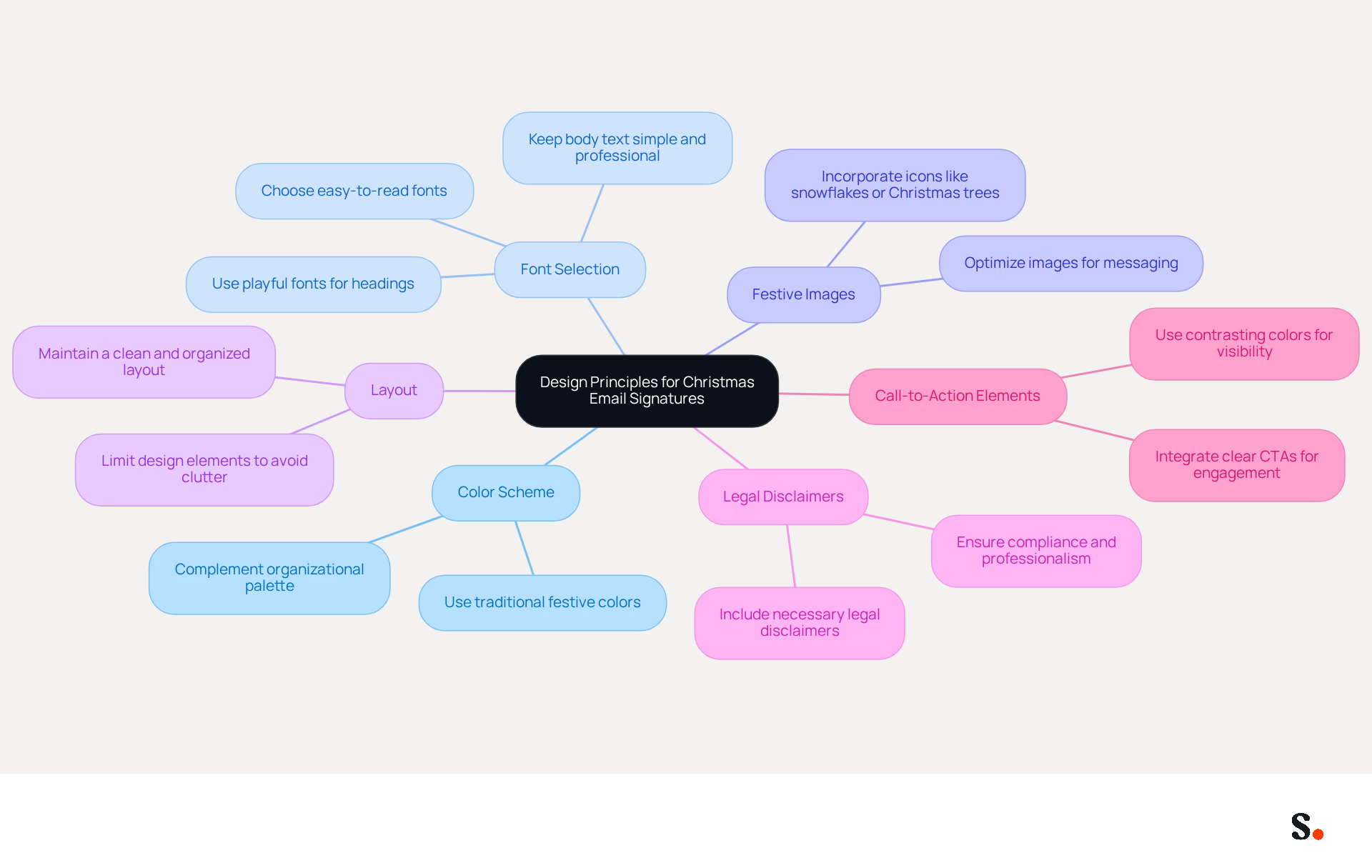
- Color Scheme: Utilize traditional festive colors such as red, green, and gold to evoke the spirit of the season. These colors should complement your organization's palette to ensure consistency and recognition.
- Font Selection: Choose fonts that are easy to read and align with your brand's identity. Playful fonts can be used for headings, while body text should remain simple and professional to enhance readability.
- Incorporate festive images or icons, such as snowflakes, Christmas trees, or ornaments, into your email signature Christmas images to add a cheerful touch. Ensure that images are optimized for messaging to prevent loading issues and maintain a professional appearance.
- Layout: Keep the layout clean and organized. Avoid clutter by limiting the number of design elements, ensuring that the brand remains scannable and visually appealing.
- Legal Disclaimers: Including legal disclaimers in your correspondence footers is crucial for compliance and professionalism, especially during the holiday season.
- Call-to-Action Elements: Integrating clear call-to-action (CTA) elements can significantly enhance engagement, guiding recipients toward desired actions.
By adhering to these design principles, your Christmas messages can capture attention and enhance your brand's visibility this holiday season. For instance, companies that have successfully integrated festive designs have seen increased engagement and favorable client interactions. Plus, once you set up your holiday messages, they'll automatically appear in every email you send, making it simple to maintain that festive touch. By prioritizing thoughtful design, you can ensure your holiday communications resonate with clients and strengthen your brand's presence.
Integrate Branding Elements to Enhance Recognition
To maximize brand recognition during the holiday season, it is essential to integrate key branding elements into your Christmas email signatures:
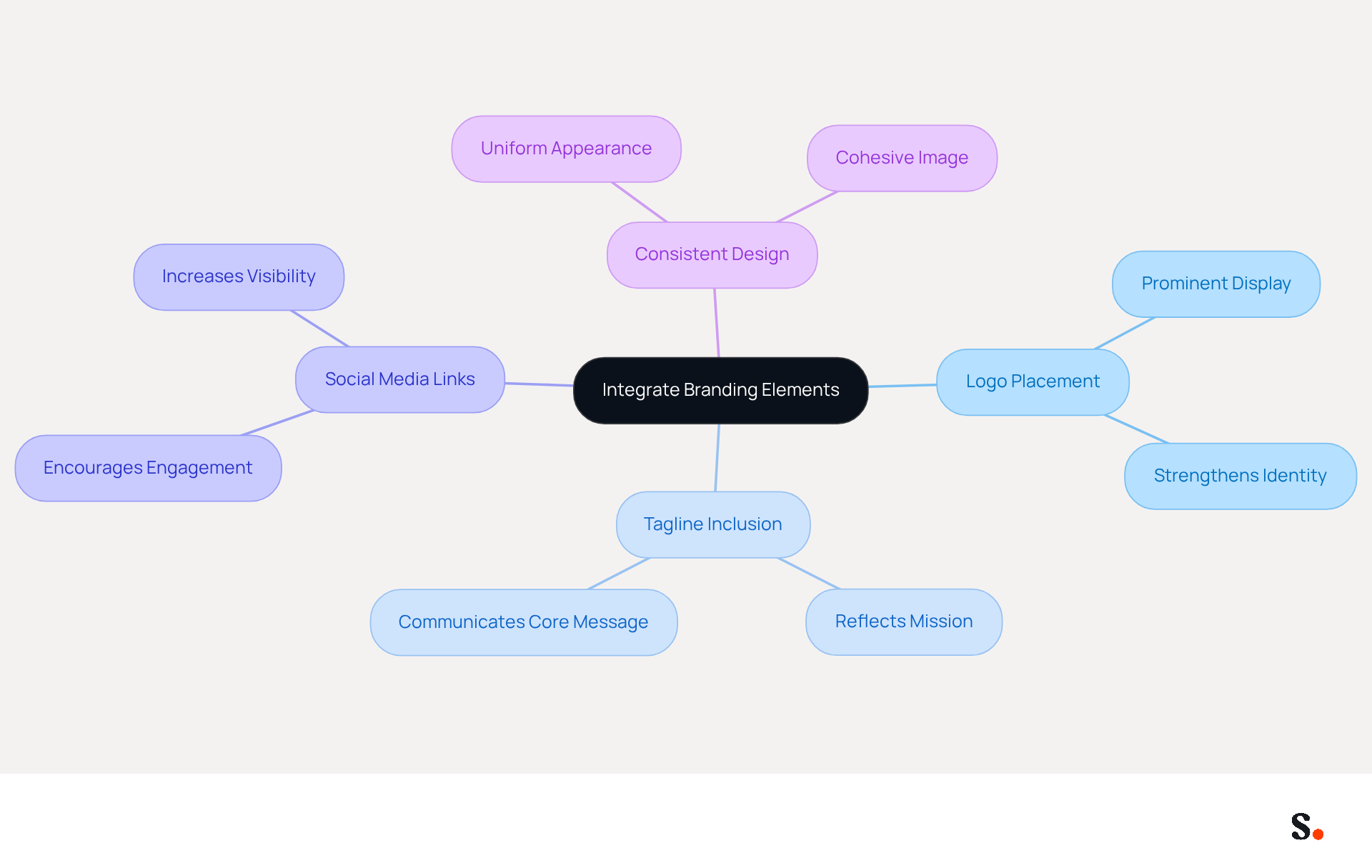
- Logo Placement: Ensure your company logo is prominently displayed in the signature. This strengthens identity and makes your emails instantly recognizable.
- Tagline Inclusion: If applicable, include a short tagline that reflects your organization's mission or values. This succinctly communicates your company's core message.
- Social Media Links: Add icons linking to your social media profiles. This encourages recipients to engage with Scribe on multiple platforms, increasing overall visibility.
- Consistent Design: Maintain a uniform appearance across all communication footers used by your team. This includes using the same fonts, colors, and layout to create a cohesive image.
By incorporating these branding elements, your Christmas messages will not only appear festive but also include email signature Christmas images, strengthening your identity and creating a lasting impact on recipients. According to industry studies, consistent branding in electronic communications can lead to a 22% increase in response rates, emphasizing the effectiveness of these strategies in enhancing engagement. As mentioned by Bybrand, "A branded electronic message footer helps employees appear more professional whenever they send out a communication," further emphasizing the importance of maintaining a cohesive identity.
Furthermore, by participating in Scribe's Affiliate Program, you can earn a 50% commission while promoting consistency in your correspondence. Provide a $30 credit on subscriptions to your contacts, and take advantage of automated synchronization of messaging identifiers with Aircall, ensuring that any modifications made in your configuration are reflected in real-time. This helps your team work together more effectively while also keeping your communications legally compliant. Scribe's SOC 2 Type II certification guarantees secure data handling, further enhancing your brand's credibility and trustworthiness. Neglecting these branding strategies could result in diminished brand visibility and engagement.
Utilize Call-to-Action Buttons and Personalized Banners for Engagement
To enhance engagement in your email signature Christmas images, it is essential to implement strategic elements that drive action and personalization. Consider the following strategies for incorporating call-to-action (CTA) buttons and personalized banners while leveraging Scribe's automated synchronization with Aircall:
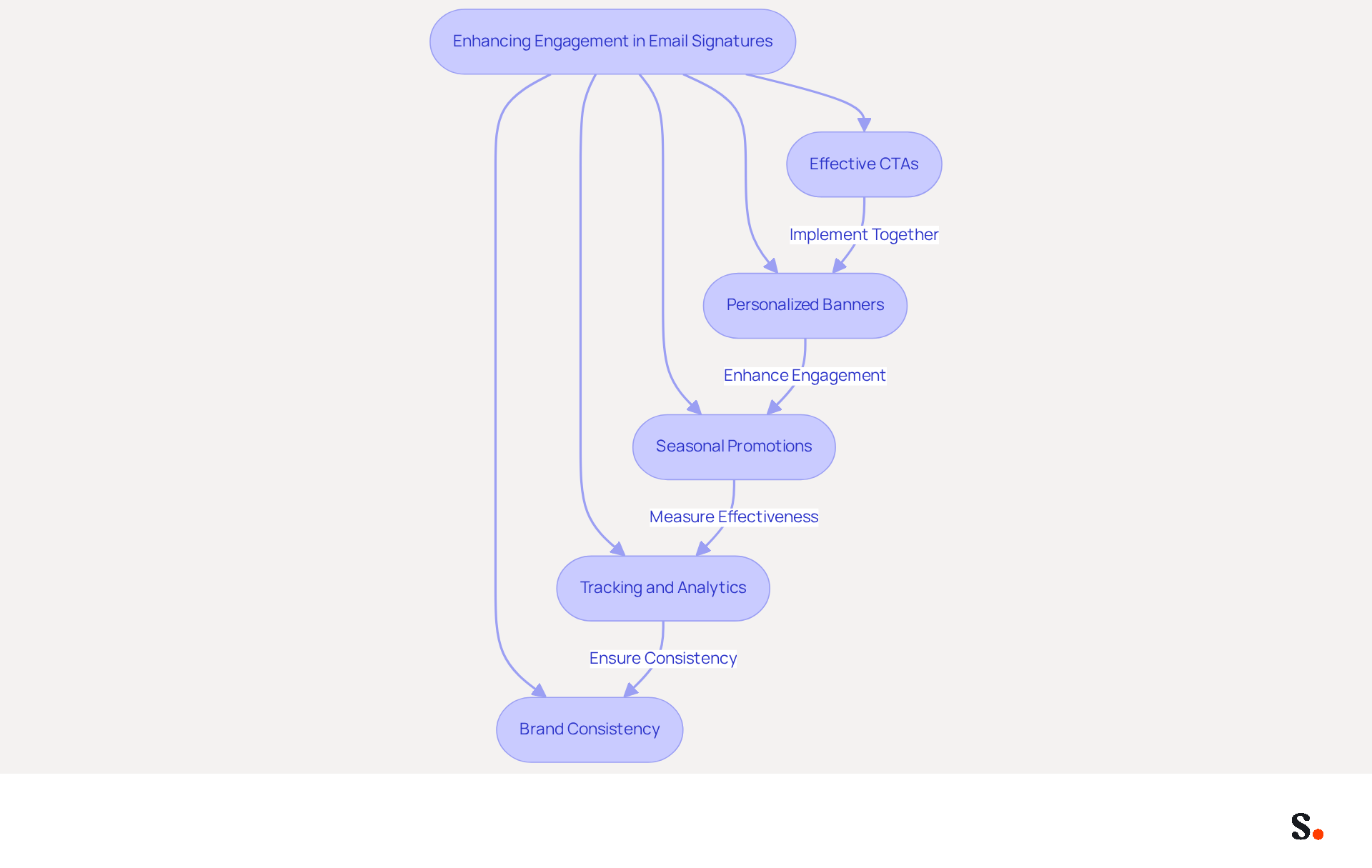
- Effective CTAs: Include clear and compelling CTAs that prompt recipients to take action, such as 'Shop Now', 'Learn More', or 'Get Your Holiday Discount'. Using contrasting colors makes these buttons stand out and capture attention. Studies show that effective calls-to-action can increase clicks by 371% and sales by 1617%, underscoring their importance in your correspondence.
- Personalized Banners: Create personalized banners that resonate with the recipient's interests or previous interactions with your brand. This tailored approach can significantly enhance the likelihood of engagement.
- Seasonal Promotions: Utilize your signature to promote seasonal offers or events. For instance, using email signature Christmas images could highlight a Christmas sale or a special holiday event, driving traffic and interest.
- Tracking and Analytics: Implement tracking on your CTAs to measure engagement rates effectively. Consider using UTM parameters for links in your message footers to gain insights into traffic generated from your campaigns. Analyzing this data will provide insights that can refine future campaigns and improve overall effectiveness.
- Brand Consistency: Ensure that your holiday communication aligns with your brand identity. Maintaining consistency in logos, colors, and fonts enhances recognition and builds trust with your audience. Avoid overly decorative fonts or excessive graphics that may detract from professionalism.
By implementing these strategies alongside Aircall's seamless synchronization, you can turn your holiday correspondence into effective marketing tools that enhance engagement and drive conversions.
Test and Optimize for Cross-Platform Compatibility
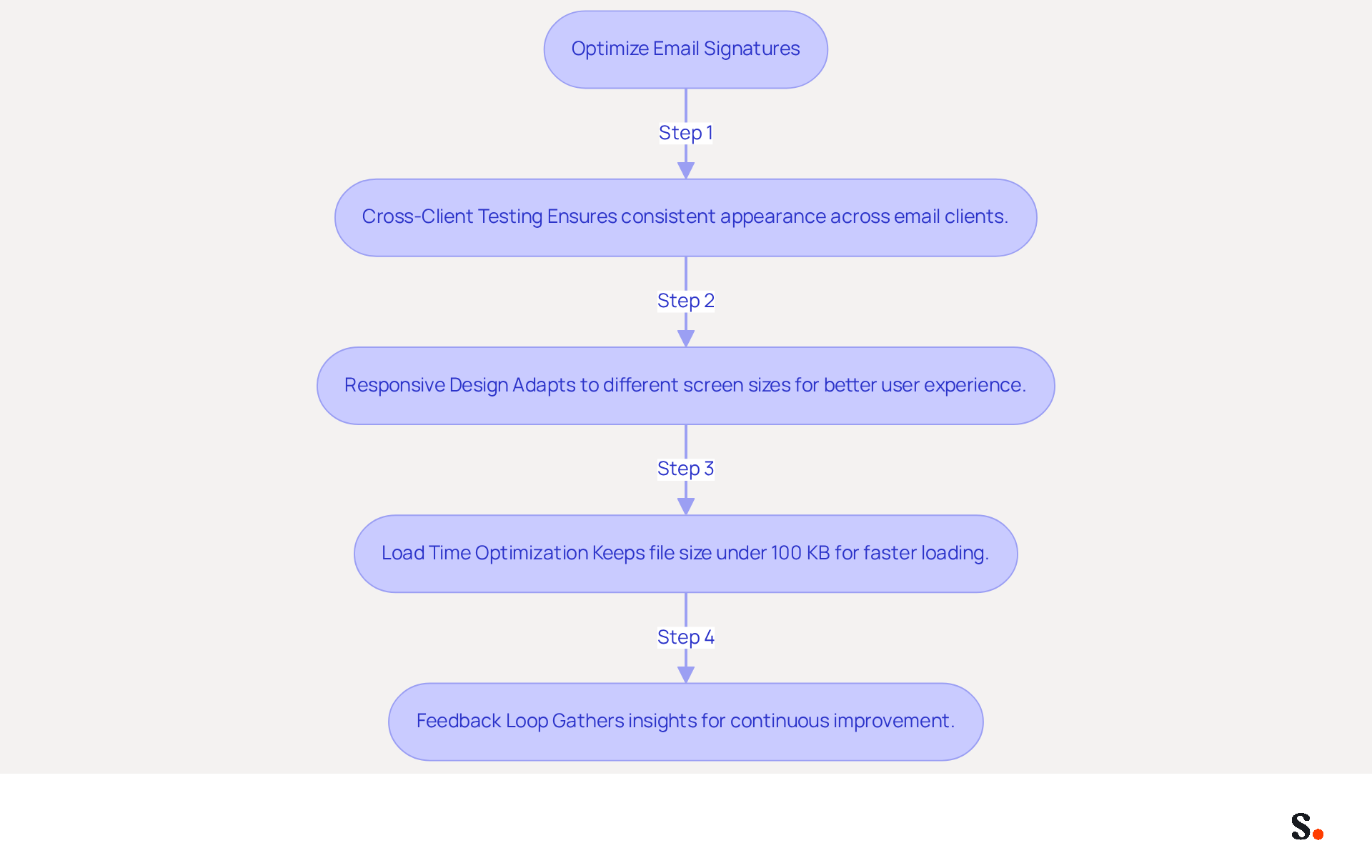
To maximize the effectiveness of your Christmas email signatures, it is essential to implement best practices for testing and optimization:
- Cross-Client Testing: Conduct thorough testing of your email signatures across multiple email clients, including Outlook, Gmail, and Apple Mail, as well as on different devices such as desktops, tablets, and mobiles. This ensures a consistent appearance and functionality, which is crucial for maintaining brand integrity. Any changes in your Aircall settings will sync directly with your Scribe profiles. Studies show that messages with branded identifiers achieve a 22% higher response rate, demonstrating the value of well-tested signatures.
- Responsive Design: Apply responsive design methods to ensure that your communications adjust effortlessly to different screen dimensions. Employing fluid layouts and scalable images can greatly improve user experience, particularly as mobile clients represent over 41% of opens, emphasizing the need for mobile-friendly designs.
- Load Time Optimization: Keep the file size of your messages under 100 KB to enhance loading times. Slow-loading logos can frustrate users and diminish their engagement, making it essential to optimize images and reduce their sizes. High-quality images sized appropriately can enhance professionalism and engagement.
- Feedback Loop: Establish a feedback loop by gathering insights from team members and recipients regarding the appearance and functionality of the messages. Working together helps us improve continuously and quickly fix any issues. Encouraging team members to provide input can lead to ongoing improvements in effectiveness.
By prioritizing cross-platform compatibility and leveraging Scribe's automated synchronization with Aircall, you can significantly enhance the effectiveness of your email signature Christmas images, ensuring they resonate with and engage your audience effectively. Additionally, Scribe's SOC 2 Type II compliance ensures secure data handling, further strengthening your brand's presence in every email communication.
Conclusion
Enhancing brand visibility during the holiday season requires more than just festive designs; it demands strategic execution. Creating engaging Christmas email signatures is about thoughtfully enhancing brand visibility and driving engagement. By implementing design principles, integrating key branding elements, and utilizing effective call-to-action strategies, organizations can transform their holiday communications into powerful marketing tools. This strategy helps ensure that holiday emails not only look professional but also connect meaningfully with recipients.
Key insights from the article highlight the importance of:
- Color schemes
- Font selection
- Inclusion of personalized banners and CTAs
Companies that have embraced these best practices, such as Scribe, have seen significant increases in engagement rates, demonstrating the effectiveness of well-crafted email signatures. Additionally, ensuring cross-platform compatibility and optimizing for mobile devices are crucial steps in maximizing the impact of these signatures.
As the holiday season approaches, many organizations find it challenging to stand out in crowded holiday communications. It is essential for organizations to prioritize these strategies to enhance their email marketing efforts. Failing to implement these strategies could result in lost connections with potential clients. With Scribe’s tools, businesses can ensure their email signatures reflect their brand consistently and track the return on their marketing efforts. Embrace the opportunity to connect with clients and prospects this Christmas, and watch as your festive communications lead to increased engagement and strengthened brand recognition. Prioritizing these strategies could be the difference between a memorable holiday campaign and one that fades into the background.
Frequently Asked Questions
What are the key considerations for designing Christmas email signatures?
Key considerations include color scheme, font selection, incorporation of festive images or icons, layout, legal disclaimers, and call-to-action elements.
What color scheme should be used for Christmas email signatures?
Traditional festive colors such as red, green, and gold should be utilized to evoke the spirit of the season, while ensuring they complement the organization's palette for consistency.
How should fonts be selected for Christmas email signatures?
Fonts should be easy to read and align with the brand's identity. Playful fonts can be used for headings, while body text should remain simple and professional to enhance readability.
What types of images or icons can be included in Christmas email signatures?
Festive images or icons such as snowflakes, Christmas trees, or ornaments can be incorporated to add a cheerful touch, ensuring they are optimized for messaging to prevent loading issues.
How should the layout of a Christmas email signature be organized?
The layout should be clean and organized, avoiding clutter by limiting the number of design elements to ensure the brand remains scannable and visually appealing.
Why are legal disclaimers important in Christmas email signatures?
Legal disclaimers are crucial for compliance and professionalism, especially during the holiday season, ensuring that all correspondence meets legal requirements.
What role do call-to-action elements play in Christmas email signatures?
Integrating clear call-to-action (CTA) elements can significantly enhance engagement by guiding recipients toward desired actions.
How can thoughtful design in Christmas email signatures impact brand visibility?
By adhering to thoughtful design principles, Christmas messages can capture attention and enhance the brand's visibility, leading to increased engagement and favorable client interactions.
List of Sources
- Establish Design Principles for Christmas Email Signatures
- Free Christmas email signatures with animated elements (https://mail-signatures.com/articles/animated-christmas-signatures)
- 5 Steps To Christmas Email Signature Success | Rocketseed (https://rocketseed.com/blog/5-steps-to-christmas-email-signature-success)
- Why Use a Christmas Email Signature (Plus Festive Design Ideas) (https://exclaimer.com/blog/why-use-christmas-email-signatures)
- Professional Christmas and Holiday Email Signatures for Business – cloudHQ (https://blog.cloudhq.net/professional-christmas-and-holiday-email-signatures-for-business/amp)
- Best Practices for Your Email Signature: Merry Christmas Tips (https://scribe-mail.com/en-US/blog/best-practices-for-your-email-signature-merry-christmas-tips)
- Integrate Branding Elements to Enhance Recognition
- The benefits of a branded email signature (https://bybrand.io/blog/branded-email-signature)
- The impact of email signatures on your branding (https://signitic.com/en/resources/the-impact-of-email-signatures-on-your-branding)
- demandgenreport.com (https://demandgenreport.com/industry-news/research-recap-branded-email-signatures-increase-company-recognition-trust/47252)
- Utilize Call-to-Action Buttons and Personalized Banners for Engagement
- Top 12+ free Christmas banners for holiday email signatures (https://mail-signatures.com/articles/christmas-banners-for-email-signatures)
- The Ultimate Guide to Email Signature Call-to-Action - NEWOLDSTAMP (https://newoldstamp.com/blog/the-ultimate-guide-to-email-signature-call-to-action)
- 4 Best Practices for Effective Email Holiday Signatures (https://scribe-mail.com/en-US/blog/4-best-practices-for-effective-email-holiday-signatures)
- Best Practices for Crafting Effective Email Signatures for Holidays (https://scribe-mail.com/en-US/blog/best-practices-for-crafting-effective-email-signatures-for-holidays)
- Email banners: A complete guide with examples (https://exclaimer.com/email-signature-handbook/email-signature-banner-examples)
- Test and Optimize for Cross-Platform Compatibility
- Cross-Platform Email Signature , Email Signature Glossary | SyncSignature (https://syncsignature.com/email-signature-glossary/cross-platform-email-signature)
- 4 Best Practices for a Modern Email Signature That Engages (https://scribe-mail.com/en-US/blog/4-best-practices-for-a-modern-email-signature-that-engages)
- Email Signature Best Practices Guide With Examples - MailerLite (https://mailerlite.com/blog/email-signature-best-practices)
- How to Standardize Email Signatures Across Different Email Clients and Devices | Email Signature Rescue Blog (https://emailsignaturerescue.com/blog/how-to-standardize-email-signatures-across-different-email-clients-and-devices)
- Email Signature Best Practices for 2026 (+ 15 Pro Examples) (https://wavecnct.com/blogs/email-signature-best-practices-2026)
Get started with Scribe
See why teams switch to Scribe
Free 14-day trial — no credit card.