Boost Engagement with Your Gmail Signature Image: Best Practices
While a Gmail signature may seem like a simple digital sign-off, it presents a critical opportunity for brands to enhance visibility and engagement. By
Sophie Grant
Email Signature Specialist, Scribe
Introduction
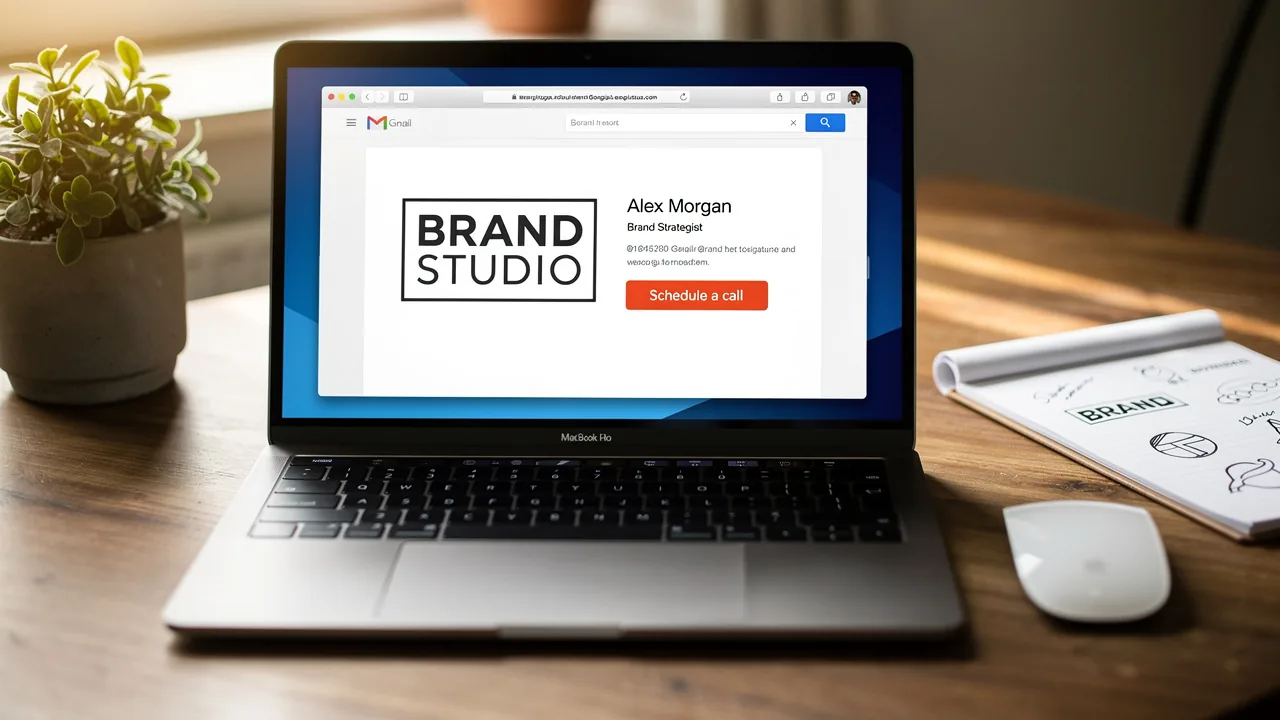
While a Gmail signature may seem like a simple digital sign-off, it presents a critical opportunity for brands to enhance visibility and engagement. By incorporating images into email signatures, organizations can convey professionalism and drive traffic to their websites and promotions. However, many organizations struggle to balance visual appeal with technical performance.
How can businesses effectively leverage Gmail signature images to maximize engagement while maintaining a cohesive brand identity?
Businesses that master the art of Gmail signature images can significantly strengthen their brand identity and foster deeper connections with their audience.
Create an Engaging Gmail Signature with an Image
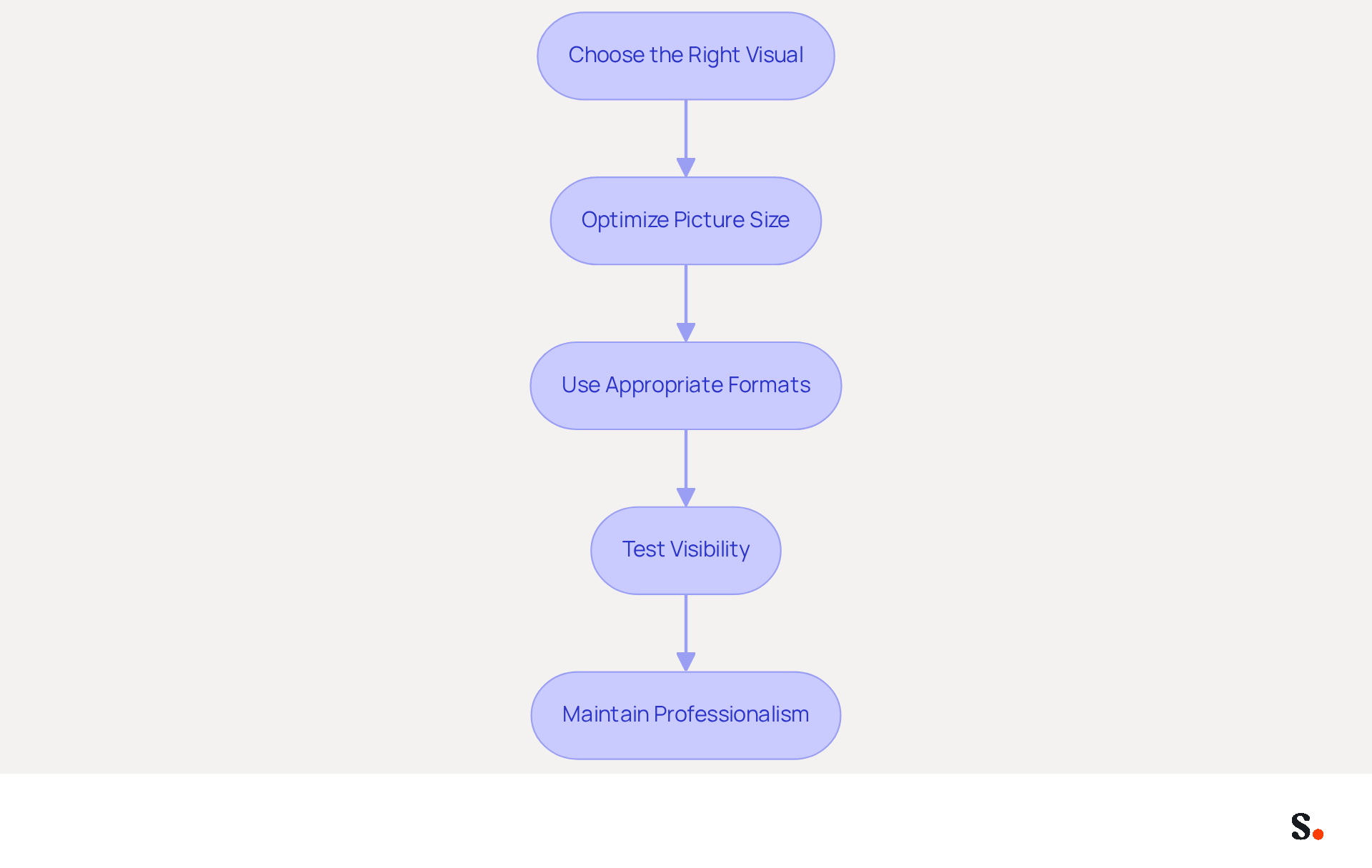
Creating an engaging Gmail signature with an image requires careful consideration of several key factors:
- Choose the Right Visual: Select a high-quality visual that represents your brand, such as a logo or a professional headshot. Choosing the right visual can be challenging, as it must resonate with your brand identity.
- Optimize Picture Size: For Gmail, the ideal picture size is around 80 pixels high and up to 200 pixels wide, with a file size under 30 KB. This size ensures that the visual content displays properly on different devices without disrupting the message layout.
- Use Appropriate Formats: PNG and JPEG are the best types for correspondence. PNG is preferred for logos due to its support for transparency, while JPEG is suitable for photographs.
- Test Visibility: Before finalizing your mark, send test messages to yourself and colleagues to ensure the graphic displays correctly and is not blocked by mail clients. Approximately 42% of emails are accessed on mobile devices, so ensure your email footer is mobile-friendly.
- Maintain Professionalism: A professional look in your email helps build credibility and trust with your recipients. Emails featuring branded elements can lead to a 22% higher response rate, and 76% of consumers indicate that these elements boost their trust in the brand, making professionalism crucial for engagement. Ultimately, a well-crafted signature gmail image can enhance your brand's credibility and foster stronger connections with your audience.
Link Your Signature Image to Drive Engagement
Linking a signature gmail image can significantly enhance engagement by guiding recipients to your website or specific promotions. Syncing your Google Workspace with Scribe streamlines this process, saving time and ensuring that updates to your teammates' information are automatically reflected in their email footers. Here’s how to effectively implement this strategy:
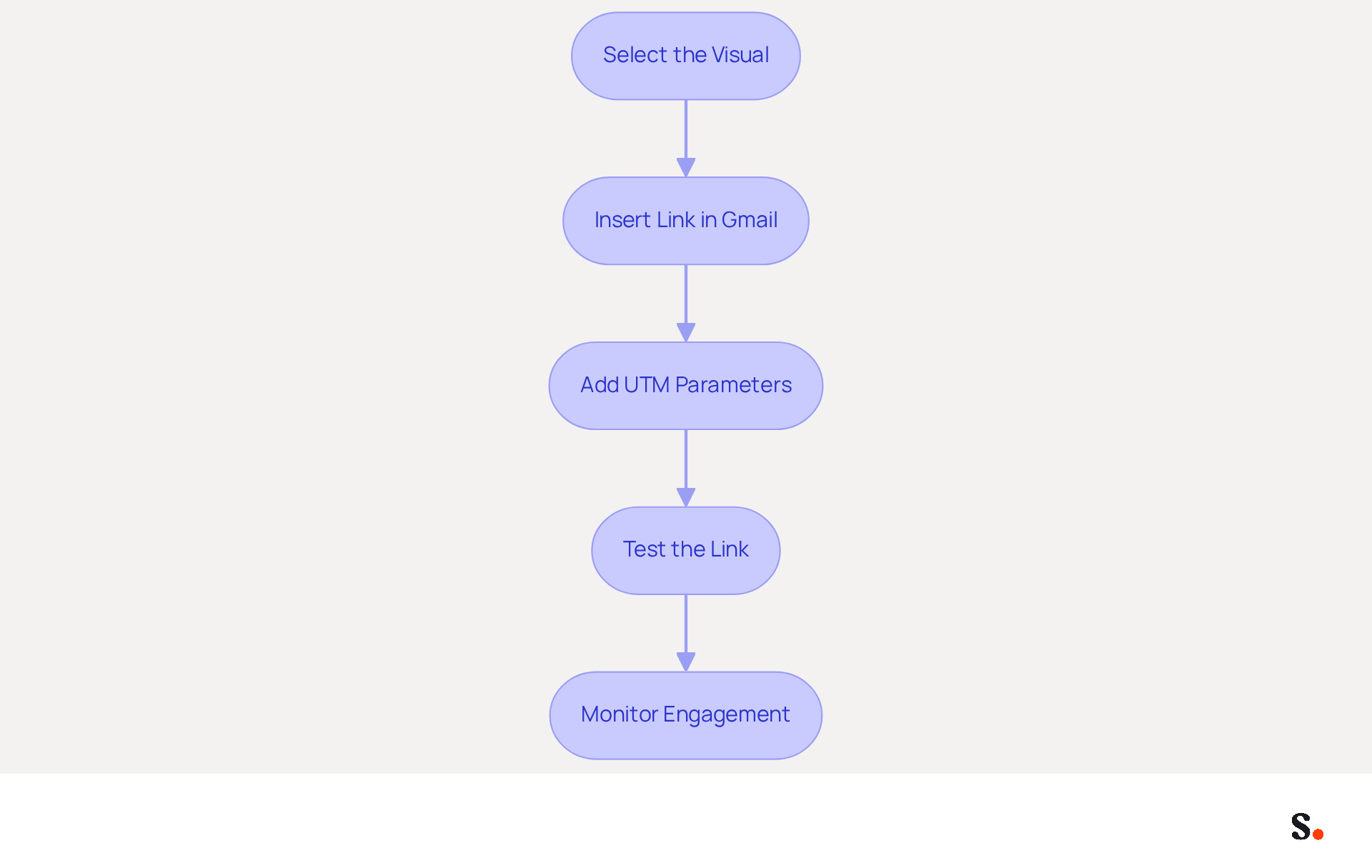
- Select the Visual: Choose a graphic in your Scribe that you want to make clickable, such as your logo or a promotional banner. This visual should serve as a signature gmail image that is both aesthetically pleasing and pertinent to your brand.
- In the Gmail signature editor, highlight the graphic and click on the link icon to insert the signature gmail image. Enter the URL you want to link to, ensuring it aligns with the content of your email and directs recipients to a valuable resource.
- Use UTM Parameters: To track the effectiveness of your image link, consider adding UTM parameters to the URL. This enables you to track traffic and engagement through analytics tools, offering insights into how effectively your mark is performing. For example, digital communication identifiers can achieve click rates between 7% and 15%, frequently surpassing conventional banner advertisements. This statistic underscores how effectively visuals can enhance engagement in your email footers.
- Test the Link: After saving your mark, send a test message to ensure the link functions properly and directs recipients to the intended page. This step is crucial to avoid any broken links that could hinder engagement. Tracking performance can be complicated by browser settings that may strip UTM parameters, complicating traffic allocation and performance assessment.
- Monitor Engagement: Use analytics to track how many clicks your image link receives. This information can assist you in enhancing your messaging strategy over time, enabling you to modify your approach based on what resonates most with your audience. Regularly reviewing this data can lead to improved engagement rates and better overall campaign performance. According to Milena Mitova, incorporating UTM parameters in links is essential for tracking the complete journey of engagement. By utilizing Scribe's features, including the auto-fill option for signing details and automatic updates reflecting changes in Google Workspace, you can ensure that your branding is not only engaging but also consistently refreshed, maximizing your marketing efforts.
Ensure Brand Consistency with Automated Signature Management
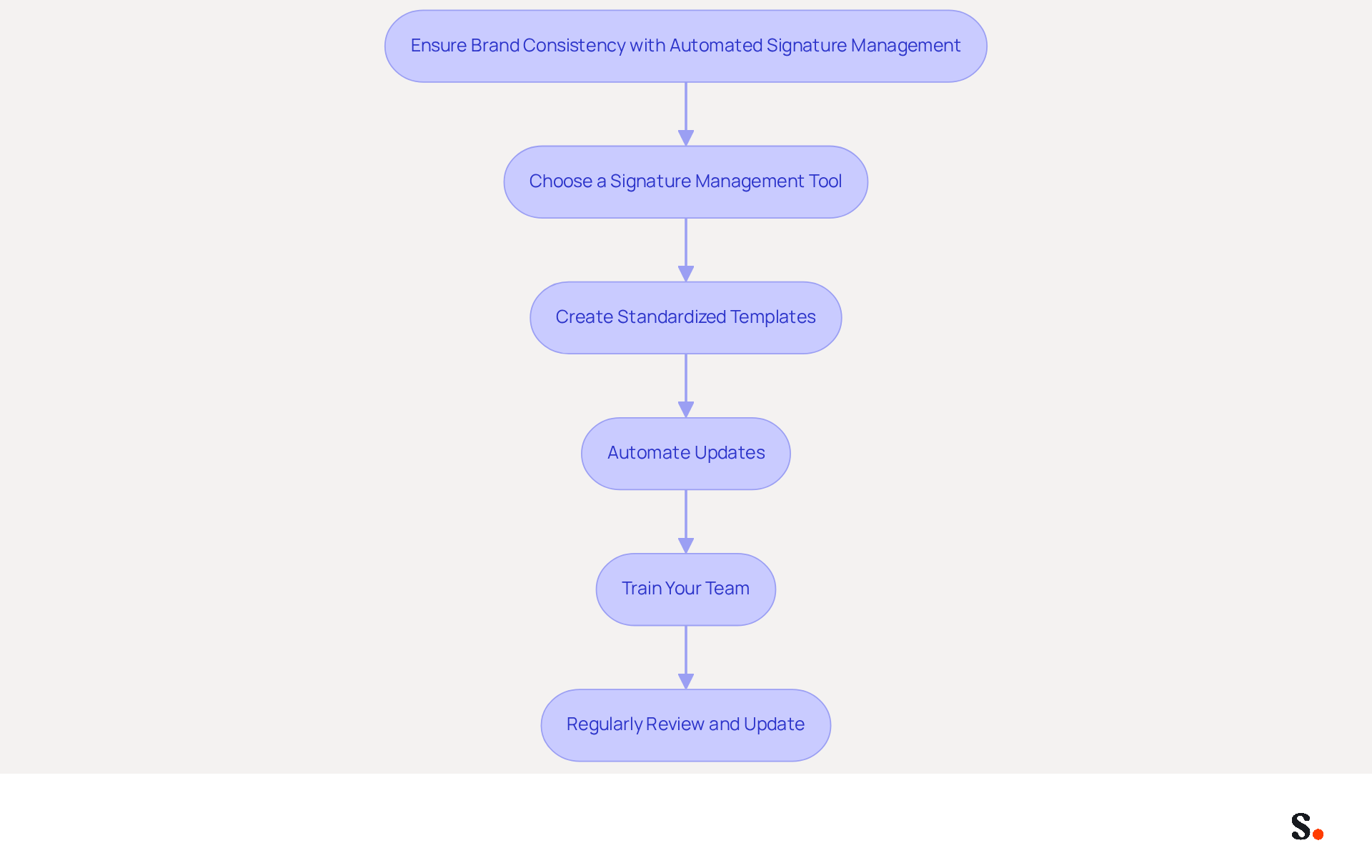
To ensure brand consistency in email signatures, organizations must prioritize automated signature management:
- Choose a signature management tool that integrates seamlessly with Gmail, allowing for centralized management of signature gmail images across your organization. Scribe is a strong choice, providing features that improve visibility and simplify processes, backed by dedicated customer support that values personal interaction.
- Create Standardized Templates: Develop templates that reflect your organization's colors, fonts, and logos. This guarantees that every message dispatched from your organization retains a uniform appearance and essence, particularly through the use of a signature gmail image, strengthening identity with each communication.
- Automate Updates: Utilize the tool to automate updates to identifiers whenever there are changes in branding or personnel. Outdated information can mislead clients and damage your reputation. This proactive approach not only protects your brand but also builds trust with your audience. Automated communication footers assist in upholding compliance with regulations such as GDPR, ensuring that your messages are not only uniform but also legally valid. Scribe's commitment to GDPR compliance and its environmental sustainability initiatives further enhance your peace of mind in this area.
- Train Your Team: Educate your team on the significance of utilizing standardized identifiers and how to implement them in their communication settings. Training helps team members take pride in their work and keeps everyone on the same page with the brand's message.
- Regularly Review and Update: Periodically assess your correspondence identifiers to ensure they align with current branding and marketing strategies. Regular updates help maintain a fresh and professional appearance, which is crucial as businesses grow and evolve.
Research shows that businesses leveraging automated management tools often experience significant engagement boosts, with some noting increases of up to 40% in interactions. Case studies illustrate how organizations have effectively utilized tools like Scribe to improve consistency and drive measurable marketing success. By adopting these practices, organizations can transform every email into a strategic branding opportunity. Additionally, Scribe's integration with SAML single sign-on ensures secure access for your team, further streamlining the management process.
Incorporate Call-to-Action Elements in Your Signature
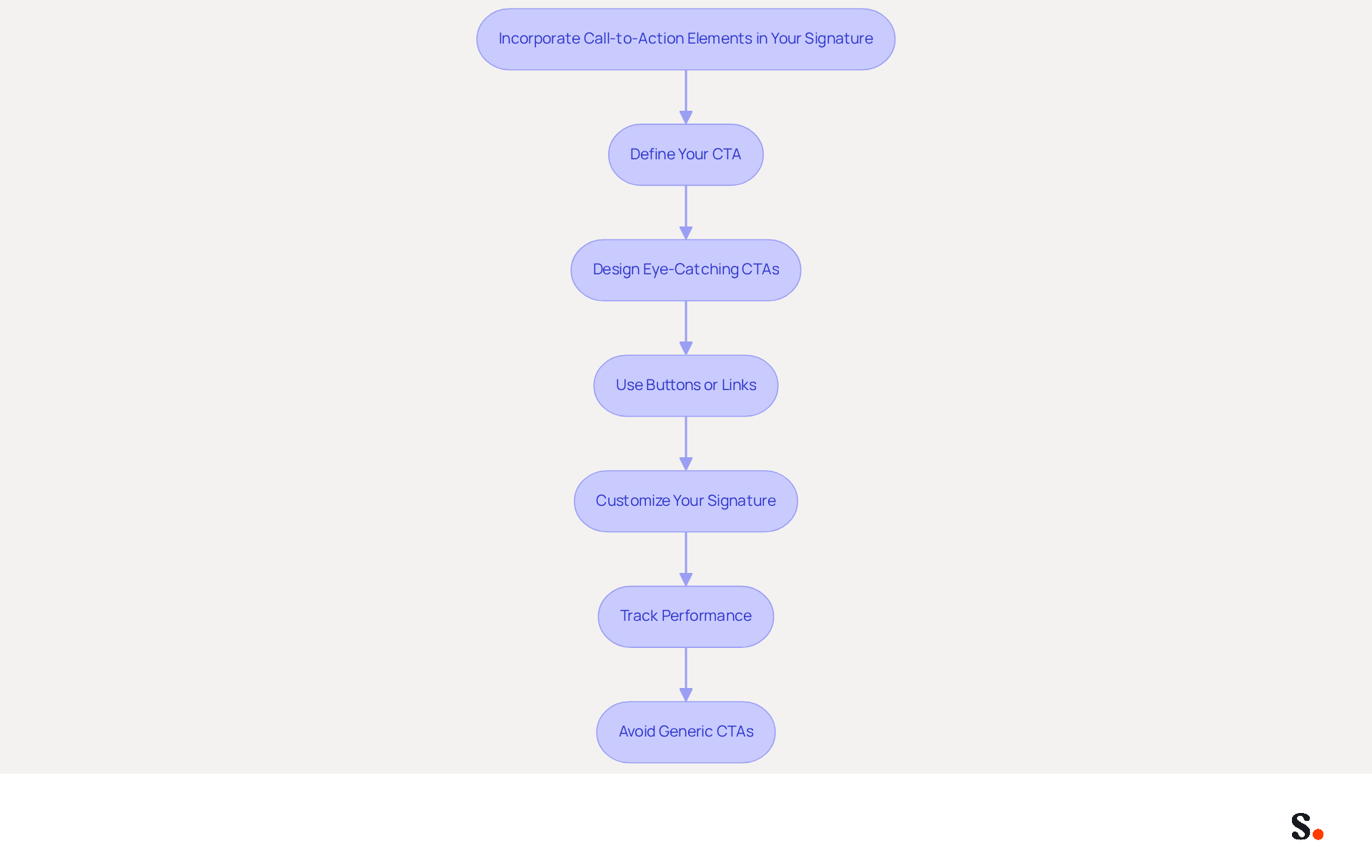
To maximize the impact of your signature Gmail image, it's essential to incorporate effective call-to-action (CTA) elements.
- Define Your CTA: Clearly identify the action you want recipients to take, such as visiting your website, signing up for a newsletter, or scheduling a meeting.
- Design Eye-Catching CTAs: Utilize contrasting colors and concise text to make your CTAs visually appealing. They should stand out within your branding while maintaining a cohesive design.
- Use Buttons or Links: Opt for buttons for your CTAs, as they are more engaging and can significantly increase click-through rates. Campaign Monitor highlights that incorporating buttons can boost conversion rates by 28%. Hyperlinked text is also an effective alternative.
- The signature Gmail image can be customized to reflect your personal style. Place your CTAs strategically near your name or at the end of your email, especially when using a signature Gmail image, to enhance visibility and ensure they catch the recipient's attention.
- Track Performance: Without tracking, understanding the impact of your CTAs becomes challenging. Implement tracking links to evaluate their effectiveness. Regularly analyze click-through rates and refine your strategy based on the insights gained to boost engagement over time. This can lead to improved engagement and higher conversion rates.
- Avoid Generic CTAs: Steer clear of vague phrases like "click here." Instead, use specific and action-oriented language to enhance clarity and engagement.
Incorporating these strategies can lead to higher conversion rates, as demonstrated by statistics from WordStream indicating that messages with CTAs can increase clicks by 371% and sales by 1617%. By implementing these strategies, you not only enhance engagement but also drive measurable results that can transform your marketing efforts.
Conclusion
An engaging Gmail signature with an image serves as a strategic asset, enhancing brand visibility and audience engagement. By carefully selecting visuals, optimizing image sizes, and ensuring professional presentation, organizations can build meaningful relationships with their target audience. The integration of clickable images further amplifies this effect, guiding recipients to valuable resources and driving traffic to websites.
Key practices discussed include the importance of maintaining brand consistency through automated signature management, which ensures that every email reflects the organization's identity. Utilizing tools like Scribe allows for seamless updates and compliance with regulations such as GDPR and CCPA, reinforcing trust and professionalism. Additionally, incorporating effective call-to-action elements can dramatically increase engagement rates, transforming each email into a powerful marketing tool.
These strategies not only improve the visual appeal of email signatures but also drive measurable marketing success. Organizations are encouraged to adopt these best practices to maximize their email communication's impact, ensuring that every interaction is an opportunity for engagement and brand reinforcement. Prioritizing effective email signature management can transform routine communications into impactful marketing opportunities.
Frequently Asked Questions
What is the purpose of creating an engaging Gmail signature with an image?
An engaging Gmail signature with an image helps enhance your brand's credibility and fosters stronger connections with your audience.
How do I choose the right visual for my Gmail signature?
Select a high-quality visual that represents your brand, such as a logo or a professional headshot, ensuring it resonates with your brand identity.
What is the ideal picture size for a Gmail signature image?
The ideal picture size for a Gmail signature is around 80 pixels high and up to 200 pixels wide, with a file size under 30 KB.
What image formats are recommended for Gmail signatures?
PNG and JPEG are the best formats for Gmail signatures. PNG is preferred for logos due to its support for transparency, while JPEG is suitable for photographs.
How can I test the visibility of my Gmail signature image?
Before finalizing your signature, send test messages to yourself and colleagues to ensure the graphic displays correctly and is not blocked by mail clients.
Why is it important to maintain professionalism in my Gmail signature?
A professional look in your email helps build credibility and trust with recipients, leading to a 22% higher response rate and increased consumer trust in your brand.
List of Sources
- Create an Engaging Gmail Signature with an Image
- 40+ Email Signature Statistics for 2026 (Data + Insights) (https://wavecnct.com/blogs/email-signature-statistics)
- Email signature statistics: Why every business should optimize their email signatures — Stripo.email (https://stripo.email/blog/email-signature-statistics-why-every-business-should-optimize-their-email-signatures)
- Best Practices for Your Signature Block in Gmail to Boost Engagement (https://scribe-mail.com/en-US/blog/best-practices-for-your-signature-block-in-gmail-to-boost-engagement)
- How to Set Up a Gmail Signature with Image, Logo, and Links (2026) (https://itsourcecode.com/blogs/how-to-set-up-gmail-signature-image-logo-2026)
- A Better Signature on Gmail: A Professional's Guide (https://tooling.studio/blog/signature-on-gmail)
- Link Your Signature Image to Drive Engagement
- UTM and email signatures: the practical guide (https://signitic.com/en/resources/utm-and-email-signatures-the-practical-guide)
- EmailOctopus | EmailOctopus (https://emailoctopus.com/blog/utm-parameters-in-email-marketing)
- The Beginner's Guide To Using UTM Tracking in Newsletters | beehiiv Blog (https://beehiiv.com/blog/how-to-use-utm-tracking-in-newsletters?srsltid=AU7gw4VVFJJcnkd2tuDGwWA3FBnA8CdNvKL8y1dfQE8kij5MTTL7Hm5n)
- Do Email Links Need UTM Parameters? Yes — Here’s Why (https://campaigntrackly.com/knowledge-base/do-email-links-need-utm-parameters-yes-heres-why)
- How to track marketing campaigns in email signatures (https://mail-signatures.com/articles/how-to-track-campaigns-in-email-signatures)
- Ensure Brand Consistency with Automated Signature Management
- Elevate Your Brand with Professional Email Signatures (https://holickycorporation.com/blog/elevate-your-brand-with-professional-email-signatures)
- Why Email Signature Management Software is Essential for Marketing Success (https://scribe-mail.com/en-US/blog/why-email-signature-management-software-is-essential-for-marketing-success)
- Automating Email Signatures: How IT Teams Streamline Processes & Reduce Risk (https://exclaimer.com/blog/streamlining-it-processes-automated-email-signatures)
- Top Email Signature Management Software for Google Workspace (https://bignewsnetwork.com/news/278548159/top-email-signature-management-software-for-google-workspace)
- Email Signatures and Brand Consistency: A Guide for Small Businesses (https://designhill.com/design-blog/email-signature-brand-consistency-guide)
- Incorporate Call-to-Action Elements in Your Signature
- How to Create Effective CTA Email Signatures That Drive Conversions? - RoundPie (https://theroundpie.com/blog.html/2021/09/27/how-to-create-effective-cta-email-signatures-that-drive-conversions)
- 7 tips for an effective CTA in your email signature (https://letsignit.com/blog/efficient-call-to-action-signature)
- Why and how to add an effective CTA to your email signature? (https://signitic.com/en/resources/why-and-how-to-add-an-effective-cta-to-your-email-signature)
- The Ultimate Guide to Email Signature Call-to-Action - NEWOLDSTAMP (https://newoldstamp.com/blog/the-ultimate-guide-to-email-signature-call-to-action)
- Mastering the art of email calls-to-action (https://smartbrief.com/original/mastering-the-art-of-email-calls-to-action)
Get started with Scribe
Create your signature in minutes
Free 14-day trial — no credit card.