Create a Professional Email Signature with a Free Outlook Generator
Creating a professional email signature is essential for effective communication and branding. Yet, many professionals find themselves unsure of how to design
Sophie Grant
Email Signature Specialist, Scribe
Introduction
Creating a professional email signature is essential for effective communication and branding. Yet, many professionals find themselves unsure of how to design an email signature that effectively represents their brand, which can lead to missed opportunities and a lack of trust from clients and colleagues.
With the right tools, such as free Outlook email signature generators, professionals can craft signatures that not only convey essential contact information but also enhance their brand's visibility and credibility.
Navigating these challenges is crucial for establishing a strong professional presence in today's competitive landscape.
Understand the Importance of a Professional Email Signature
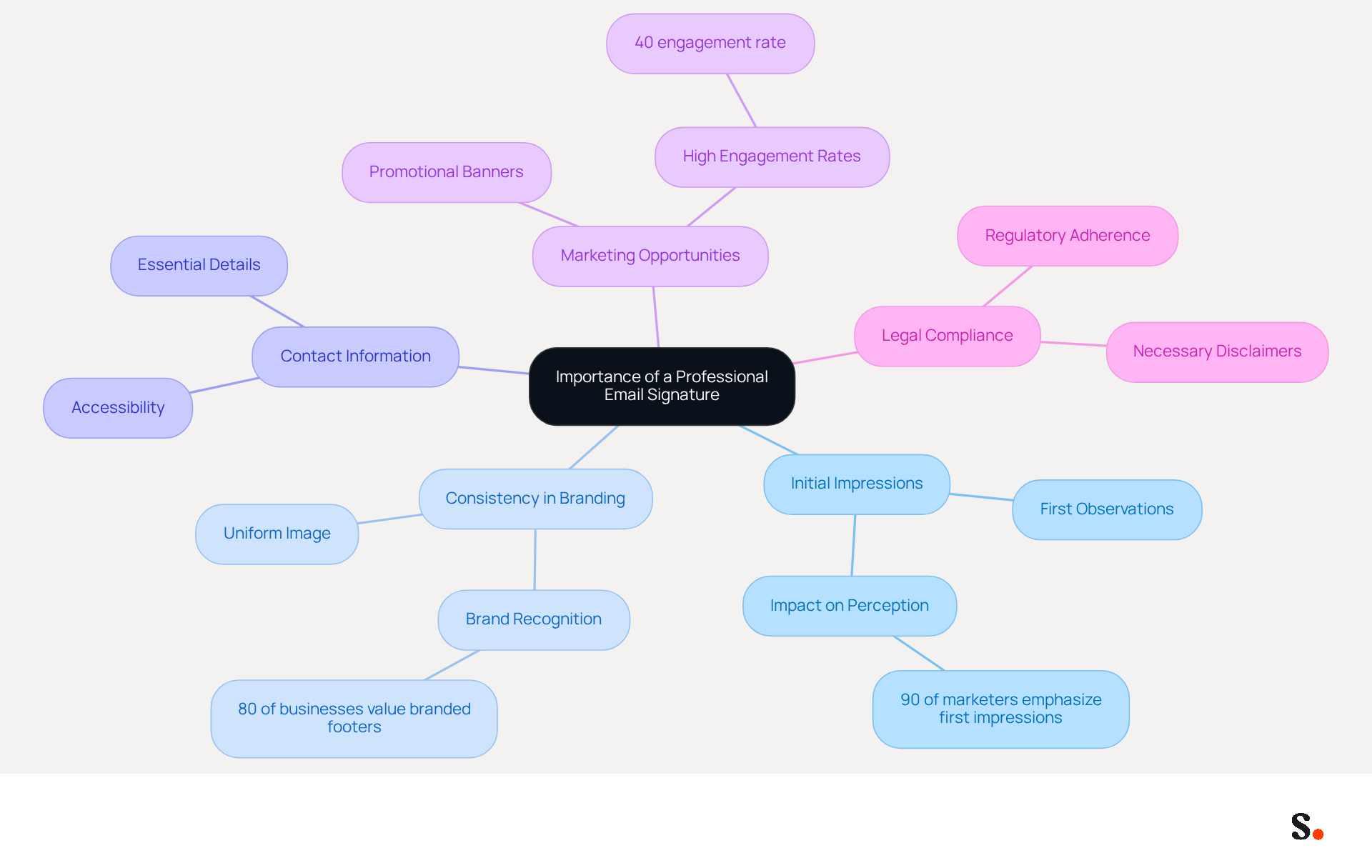
A professional message sign-off is essential for effective communication, not merely a formality. Here are key reasons to prioritize its creation:
- Initial Impressions Count: Your message footer is often the first thing recipients observe. A well-crafted emblem conveys professionalism and attention to detail, significantly influencing how your identity is perceived. According to a recent study, nearly 90% of marketers emphasize the importance of first impressions with potential clients, with digital identifiers playing a crucial role in this initial interaction.
- Consistency in Branding: Including your company logo and color scheme helps maintain a uniform image across all communications, reinforcing your identity. Research indicates that 80% of businesses consider branded email footers as crucial for effective communication. Neglecting branded email footers can lead to diminished brand recognition and trust among recipients.
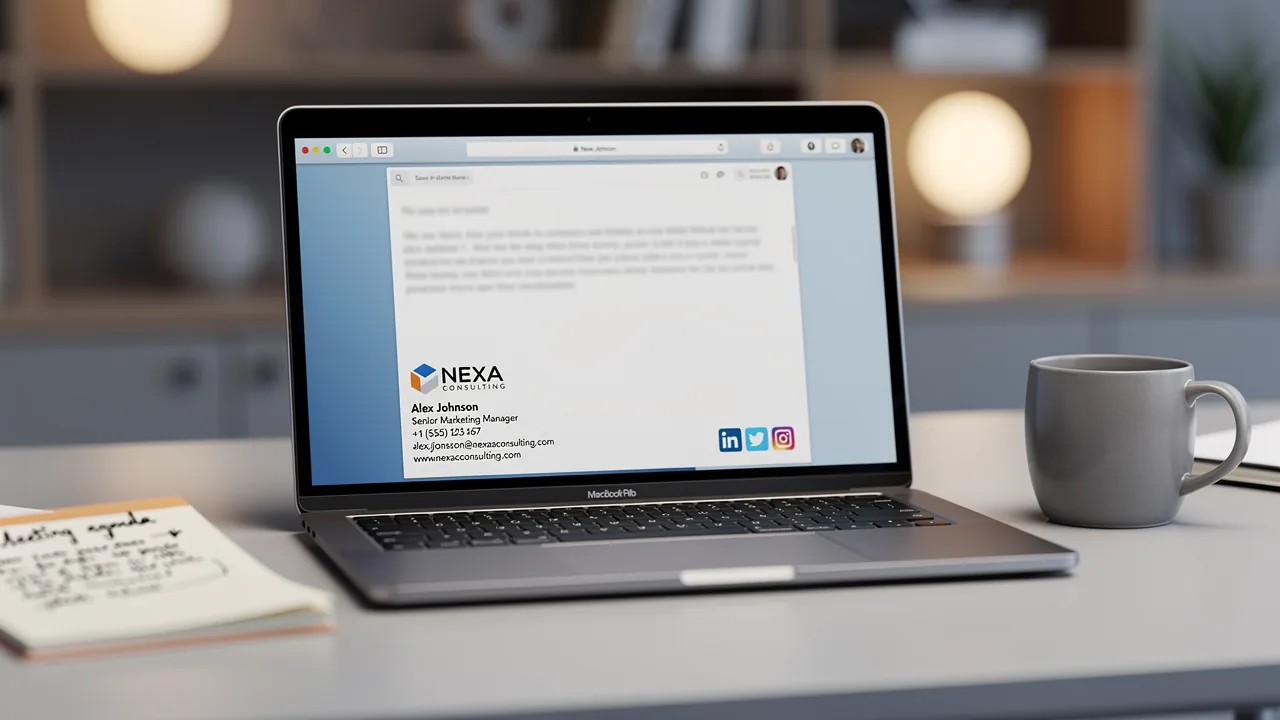
- Contact Information: An endorsement provides essential contact details, making it easy for recipients to reach you. Including your name, title, phone number, and links to social media profiles ensures that your communication is accessible and professional.
- Marketing Opportunities: Email footers can serve as powerful marketing tools. Incorporating promotional banners or calls to action can encourage recipients to engage further with your brand. With an engagement rate of 40%, digital identifiers can greatly surpass conventional marketing campaigns, turning each message into a lead generation opportunity.
- Legal Compliance: In certain sectors, incorporating disclaimers or legal information in your correspondence is necessary to adhere to regulations. This not only protects your organization but also enhances your credibility.
Recognizing these aspects underscores the importance of dedicating time to create a professional digital mark that effectively represents your brand.
Explore Features of Free Outlook Email Signature Generators
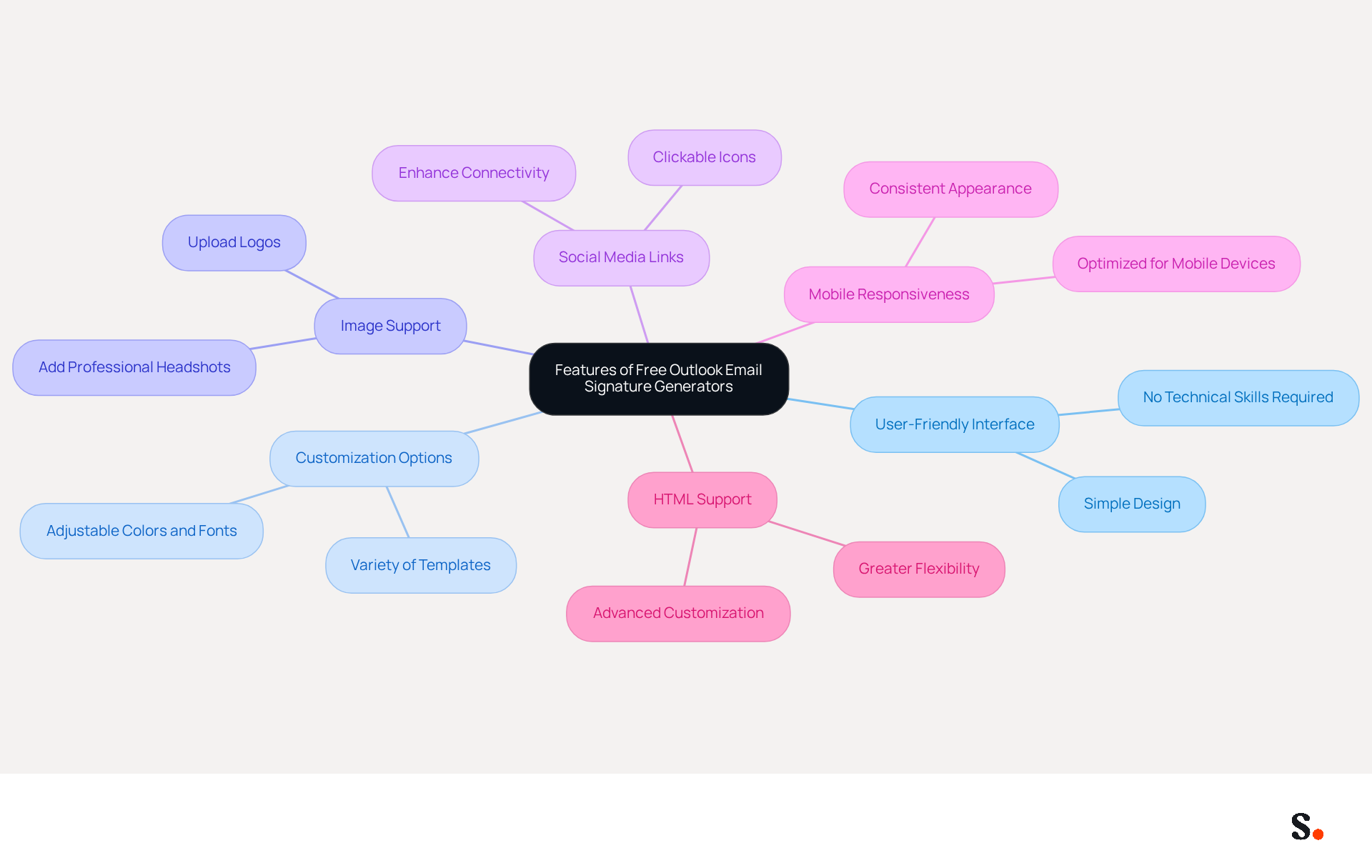
Choosing the right free Outlook email signature generator can significantly impact your professional image. When selecting a free Outlook email signature generator, consider the following features that can enhance your signature creation experience:
- User-Friendly Interface: Seek out tools with a simple, user-friendly interface that lets you create your signature easily, even if you lack technical skills.
- Customization Options: The best tools offer various templates and customization features, enabling you to adjust colors, fonts, and layouts to match your brand.
- Image Support: Ensure the tool allows you to upload images, such as your logo or a professional headshot, to further customize your sign-off.
- Social Media Links: A good tool will allow you to add clickable icons for your social media profiles, enhancing connectivity with your audience.
- Mobile Responsiveness: Check if the generated design looks good on both desktop and mobile devices, ensuring a consistent appearance across platforms.
- HTML Support: For advanced users, having the option to edit HTML can provide greater flexibility in design and functionality.
You can create a professional email signature using a free Outlook email signature generator. Integration Capabilities: Some tools, such as a free Outlook email signature generator, can connect with communication clients like Outlook, making it easier to implement your signature directly into your settings.
Understanding these characteristics will help you choose a tool that meets your needs. This choice will enhance your communication and reinforce your brand identity.
Create Your Email Signature Using the Generator
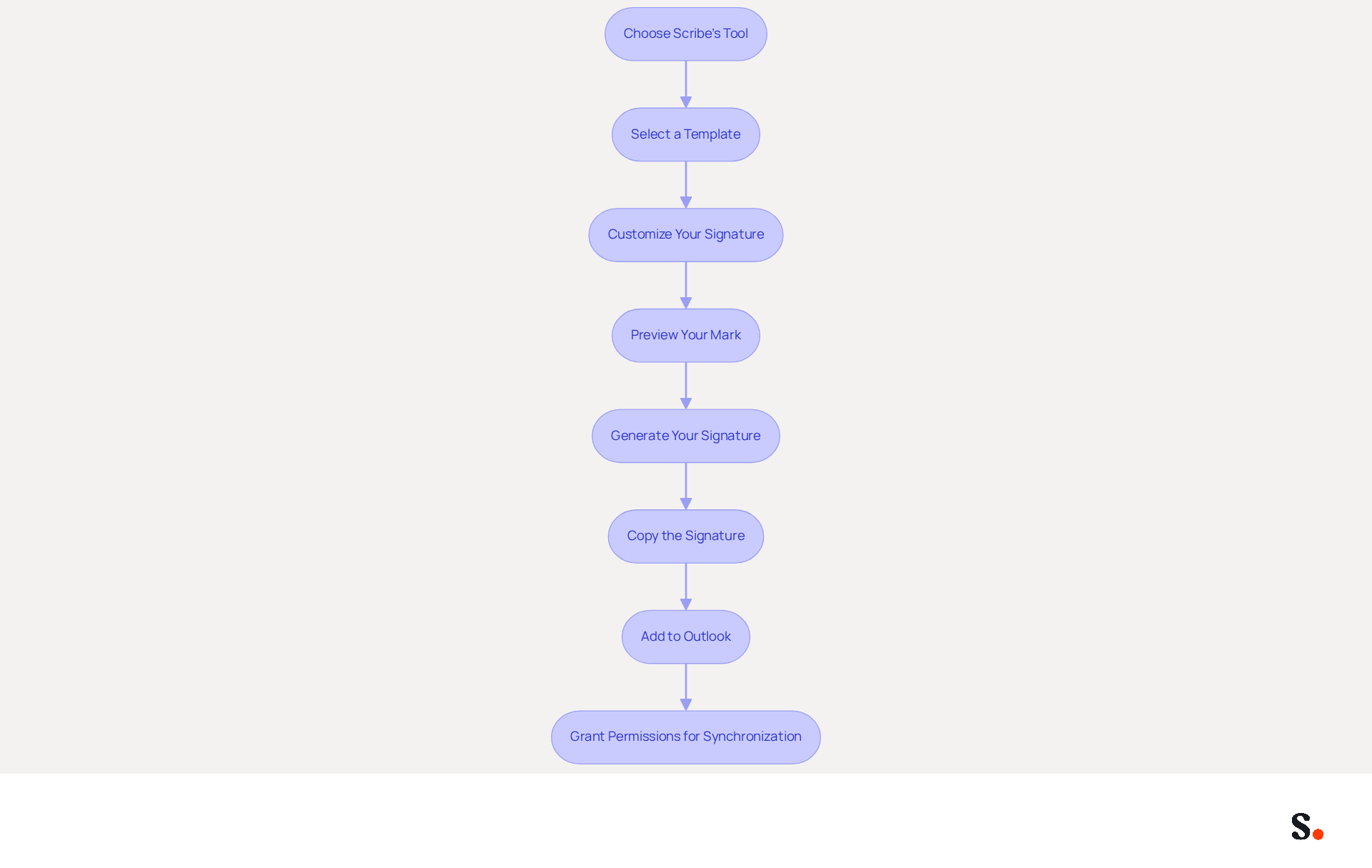
Creating a professional email signature is essential for effective communication, and the free Outlook email signature generator from Scribe simplifies this process. To create your professional email signature using Scribe's tool, follow these steps:
- Choose Scribe's Tool: Start by selecting the free Outlook email signature generator from Scribe, which is designed to meet your branding needs effectively.
- Select a Template: Visit Scribe's generator website and browse through the available templates. Choose one that reflects your aesthetic and professional image.
- Customize Your Signature:
- Enter Your Information: Input your full name, job title, company name, and contact details.
- Add Images: Upload your company logo and any other relevant visuals to enhance recognition.
- Format Text: Adjust the font style, size, and color to align with your brand guidelines, ensuring clarity and professionalism.
- Include Social Media Links: Add icons for your social media profiles, ensuring they are correctly linked to drive engagement.
- Preview Your Mark: Most tools, such as a free Outlook email signature generator, allow you to view your mark. Check its appearance on both desktop and mobile views to ensure responsiveness.
- Once satisfied with your design, use the free Outlook email signature generator by clicking the 'Generate' or 'Create' button to finalize your mark.
- Copy the Signature: The free Outlook email signature generator will give you the HTML code or a direct copy option. Copy this code for use in Outlook.
- Add to Outlook:
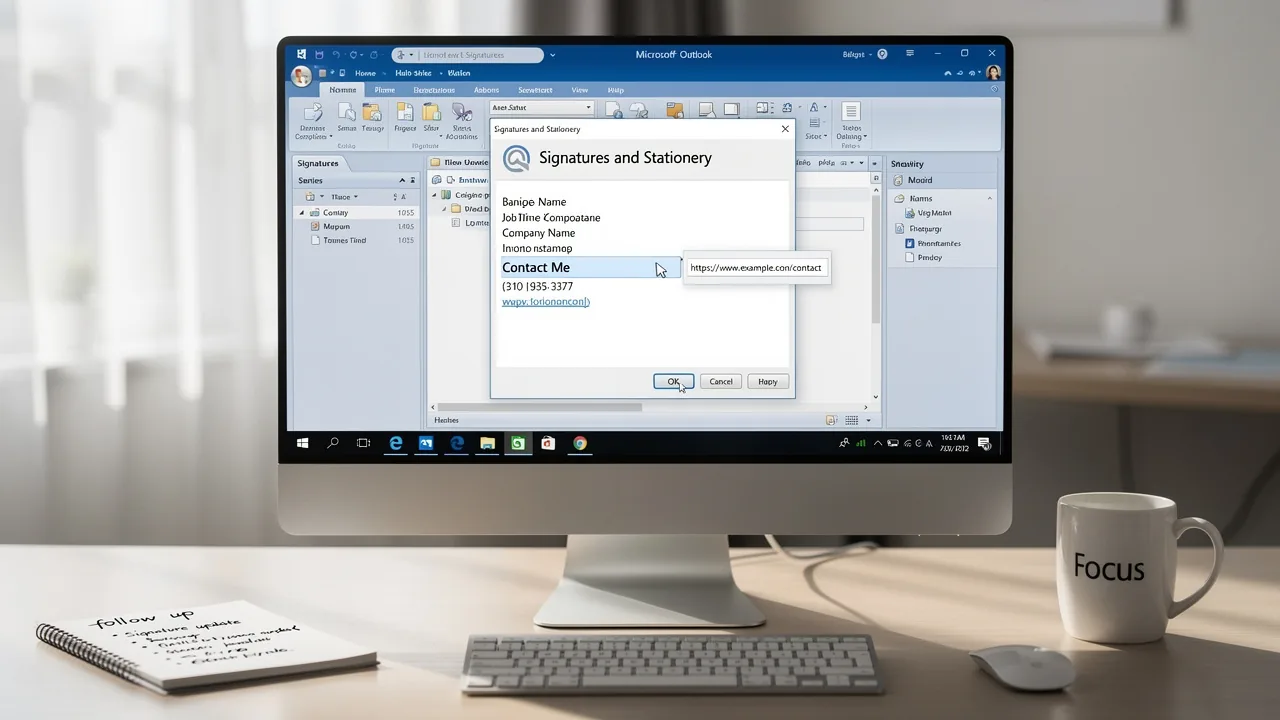
- Open Outlook and navigate to 'File' > 'Options' > 'Mail' > 'Signatures'.
- Click 'New' and paste your copied signature into the signature editor.
- Save your changes.
- Grant Permissions for Synchronization: To make one-click synchronization work, you'll need to allow Scribe to connect with your service provider. Ensure you are a Super Admin of your service provider to provide these permissions.
By implementing these steps, you not only enhance your professional image but also ensure consistent branding across all communications. Scribe's well-crafted banner generator can boost your click-through rate by an average of 12%. This makes it a valuable tool for your marketing strategy. Furthermore, Scribe's one-click synchronization guarantees that any updates to your provider's directory are automatically reflected in your identifiers, preserving brand consistency and adherence to SOC 2 Type II standards.
Troubleshoot Common Issues with Email Signatures
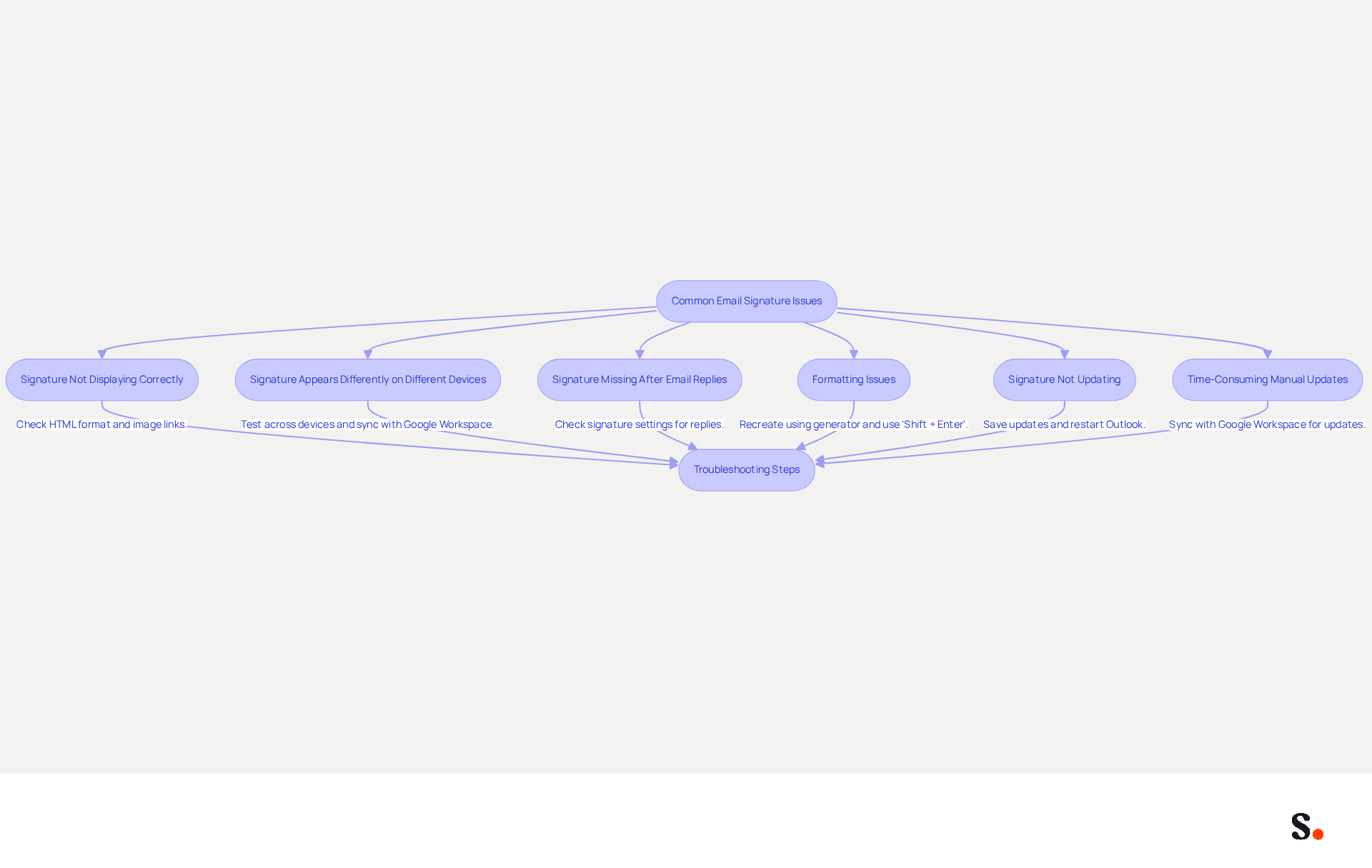
Even with a well-designed message footer, issues can arise that undermine your professional communication. Here are common problems and how to troubleshoot them:
-
Signature Not Displaying Correctly:
- Make sure your email settings are set to HTML format. Navigate to 'File' > 'Options' > 'Mail' > 'Signatures' to check the format.
- If images are missing, verify that they are uploaded correctly and that the links are valid. Missing images can disrupt your professional image, leading to miscommunication. By syncing with Scribe, you can automatically update image links, minimizing the chances of them breaking.
-
Signature Appears Differently on Different Devices:
- Test your signature across various devices (desktop, mobile) and email clients (Outlook, Gmail) to ensure compatibility.
- Adjust the design to be responsive, ensuring it looks good on all platforms. Syncing with Google Workspace ensures that any design updates are consistently applied across all devices.
-
Signature Missing After Email Replies:
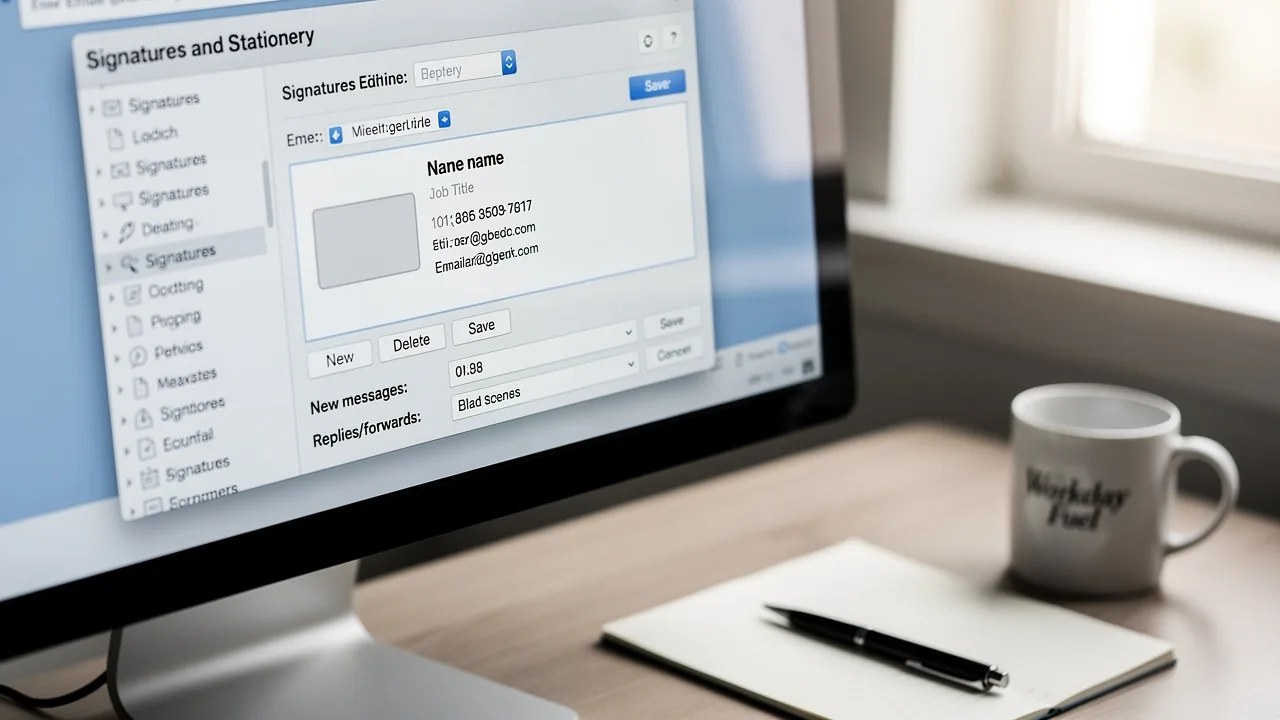
- Check your signature settings to confirm it is set to appear in replies and forwards. In your account settings, choose the suitable options for new messages and replies. With Scribe, any modifications made in Google Workspace will automatically reflect in your email settings, ensuring they are always current.
-
Formatting Issues:
- If your signature has incorrect spacing or alignment, recreate it using the generator, adhering to formatting guidelines.
- Use 'Shift + Enter' for line breaks instead of the regular 'Enter' to avoid extra spacing. Regular syncing with Google Workspace helps maintain consistent formatting across all email identifiers.
-
Signature Not Updating:
- If changes to your signature do not reflect in your emails, ensure you save the updated version in the signature settings.
- Restart Outlook to refresh the application and apply changes. Syncing with Scribe means that updates in Google Workspace are automatically reflected in your contact details, removing the need for manual adjustments.
-
Time-Consuming Manual Updates:
- Syncing your Google Workspace with Scribe can significantly reduce the time spent on manual updates. When your teammates' details are updated in Google Workspace, these modifications are automatically shown in Scribe, ensuring that your contact information is always up to date without extra effort.
Understanding these common problems and their solutions can help maintain a professional communication footer that enhances interaction. Statistics show that 44.4% of users refresh their contact details 2-4 times a year, which underscores the need for regular updates to maintain professionalism and trust. Additionally, 52% of professionals believe a strong email signature is crucial for building trust with clients, and addressing these signature issues is essential for maintaining trust and professionalism in your communications.
Conclusion
Many professionals underestimate the impact of their email signatures on communication. A professional email signature is essential for effective communication and can greatly enhance your professional image. Using a free Outlook email signature generator helps individuals and organizations showcase their brand identity while ensuring essential contact information and marketing opportunities are included.
Throughout this guide, we have emphasized the importance of a well-crafted email signature, highlighting its role in making strong first impressions, maintaining brand consistency, and serving as a marketing tool. We discussed key features to look for in an email signature generator, such as:
- user-friendliness
- customization options
- mobile responsiveness
These features help users select the right tool for their needs. Additionally, we outlined practical steps for creating and troubleshooting email signatures using Scribe's generator, ensuring that users can effectively implement their signatures without technical difficulties.
In conclusion, investing time in creating a professional email signature is crucial for anyone looking to enhance their communication and brand presence. With Scribe's free Outlook email signature generator, you can create a polished digital identity that meets compliance standards and boosts engagement through effective marketing. Embrace the power of a professional email signature today and transform every email into an opportunity for connection and brand reinforcement.
Frequently Asked Questions
Why is a professional email signature important?
A professional email signature is essential for effective communication as it creates a positive first impression, conveys professionalism, and influences how your identity is perceived by recipients.
How does a professional email signature impact branding?
Including your company logo and color scheme in your email signature helps maintain a consistent brand image across communications, reinforcing your identity and enhancing brand recognition and trust.
What essential information should be included in an email signature?
An email signature should include your name, title, phone number, and links to social media profiles to ensure that your communication is accessible and professional.
Can an email signature be used for marketing purposes?
Yes, email signatures can serve as powerful marketing tools by incorporating promotional banners or calls to action, which can significantly increase engagement rates and turn messages into lead generation opportunities.
Are there legal requirements for email signatures?
In certain sectors, it is necessary to include disclaimers or legal information in your email signature to comply with regulations, which helps protect your organization and enhances credibility.
List of Sources
- Understand the Importance of a Professional Email Signature
- 20 best email signature design examples for 2026 — Stripo.email (https://stripo.email/blog/10-best-email-signature-design-examples)
- Exclaimer Research: 67% of Marketers Expect Email Signatures to Support With Lead Gen In 2023 (https://businesswire.com/news/home/20230612141095/en/Exclaimer-Research-67-of-Marketers-Expect-Email-Signatures-to-Support-With-Lead-Gen-In-2023)
- The impact of email signatures on your branding (https://signitic.com/en/resources/the-impact-of-email-signatures-on-your-branding)
- 4 Best Practices for a Typical Email Signature That Boosts Marketing (https://scribe-mail.com/en-US/blog/4-best-practices-for-a-typical-email-signature-that-boosts-marketing)
- Explore Features of Free Outlook Email Signature Generators
- 40+ Email Signature Statistics for 2026 (Data + Insights) (https://wavecnct.com/blogs/email-signature-statistics)
- 10 Best Email Signature Makers Free for Boosting Your Brand (https://scribe-mail.com/en-US/blog/10-best-email-signature-makers-free-for-boosting-your-brand)
- Maximize Marketing Impact with a Business Email Signature Generator (https://scribe-mail.com/en-US/blog/maximize-marketing-impact-with-a-business-email-signature-generator)
- WiseStamp Sets a New Standard for Email Signature Creation (https://prnewswire.com/news-releases/wisestamp-sets-a-new-standard-for-email-signature-creation-302689811.html)
- Create Your Email Signature Using the Generator
- Maximize Marketing Impact with a Business Email Signature Generator (https://scribe-mail.com/en-US/blog/maximize-marketing-impact-with-a-business-email-signature-generator)
- Free Email Signature Template Generator by HubSpot (2026) (https://hubspot.com/email-signature-generator)
- Free Email Signature Generator | Blinq (https://blinq.me/solutions/email-signature)
- Free Email Signature Generator | 2 Min Design & Setup (https://wisestamp.com/email-signature-generator)
- Troubleshoot Common Issues with Email Signatures
- 40+ Email Signature Statistics for 2026 (Data + Insights) (https://wavecnct.com/blogs/email-signature-statistics)
- How to solve problems with email signatures in Microsoft 365? (https://mail-signatures.com/articles/problems-email-signatures-office-365)
- Email Signature Troubleshooting - Problems & Solutions - Gimmio (https://blog.gimm.io/email-signature-troubleshooting)
- Email signature statistics: Why every business should optimize their email signatures — Stripo.email (https://stripo.email/blog/email-signature-statistics-why-every-business-should-optimize-their-email-signatures)
- 4 Steps to Fix Your Outlook Signature Not Showing Issues (https://scribe-mail.com/en-US/blog/4-steps-to-fix-your-outlook-signature-not-showing-issues)
Get started with Scribe
Create your signature in minutes
Free 14-day trial — no credit card.