Create a Professional Logo Signature in Outlook: A Step-by-Step Guide
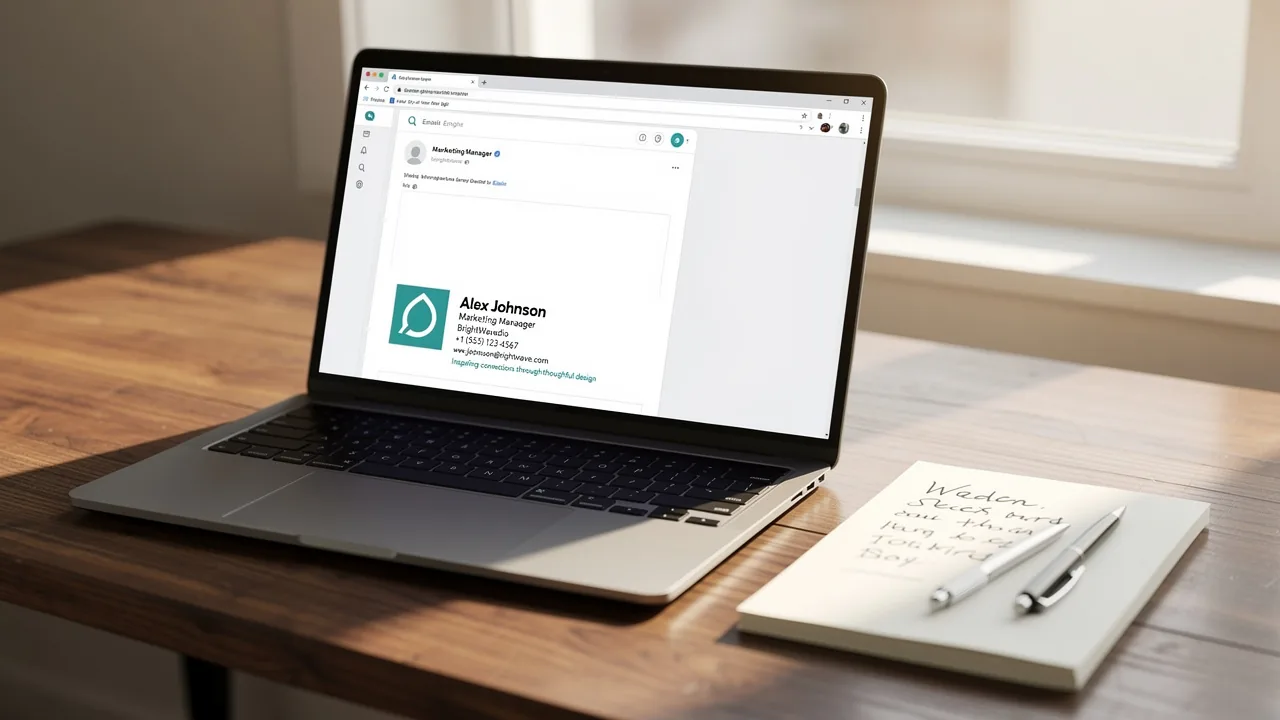
A professional logo signature in Outlook is essential for establishing a strong brand identity in digital communications. A well-designed logo signature can
Sophie Grant
Email Signature Specialist, Scribe
On this page
- Introduction
- Understand the Importance of a Professional Logo Signature
- Gather Required Elements for Your Logo Signature
- Create Your Logo Signature in Outlook
- Customize Your Logo Signature for Brand Consistency
- Troubleshoot Common Issues with Logo Signatures in Outlook
- Conclusion
- Frequently Asked Questions
- List of Sources
Introduction
A professional logo signature in Outlook is essential for establishing a strong brand identity in digital communications. A well-designed logo signature can really enhance brand recognition and trust, turning each email into a marketing opportunity. Many professionals find it challenging to create a logo signature that effectively represents their brand. Ensuring a standout logo signature is vital for maximizing brand visibility and professionalism in every email.
Understand the Importance of a Professional Logo Signature
A professional emblem is not merely decorative; it functions as a vital digital business card that conveys your identity with every email. Here are the key reasons why a logo signature is indispensable:
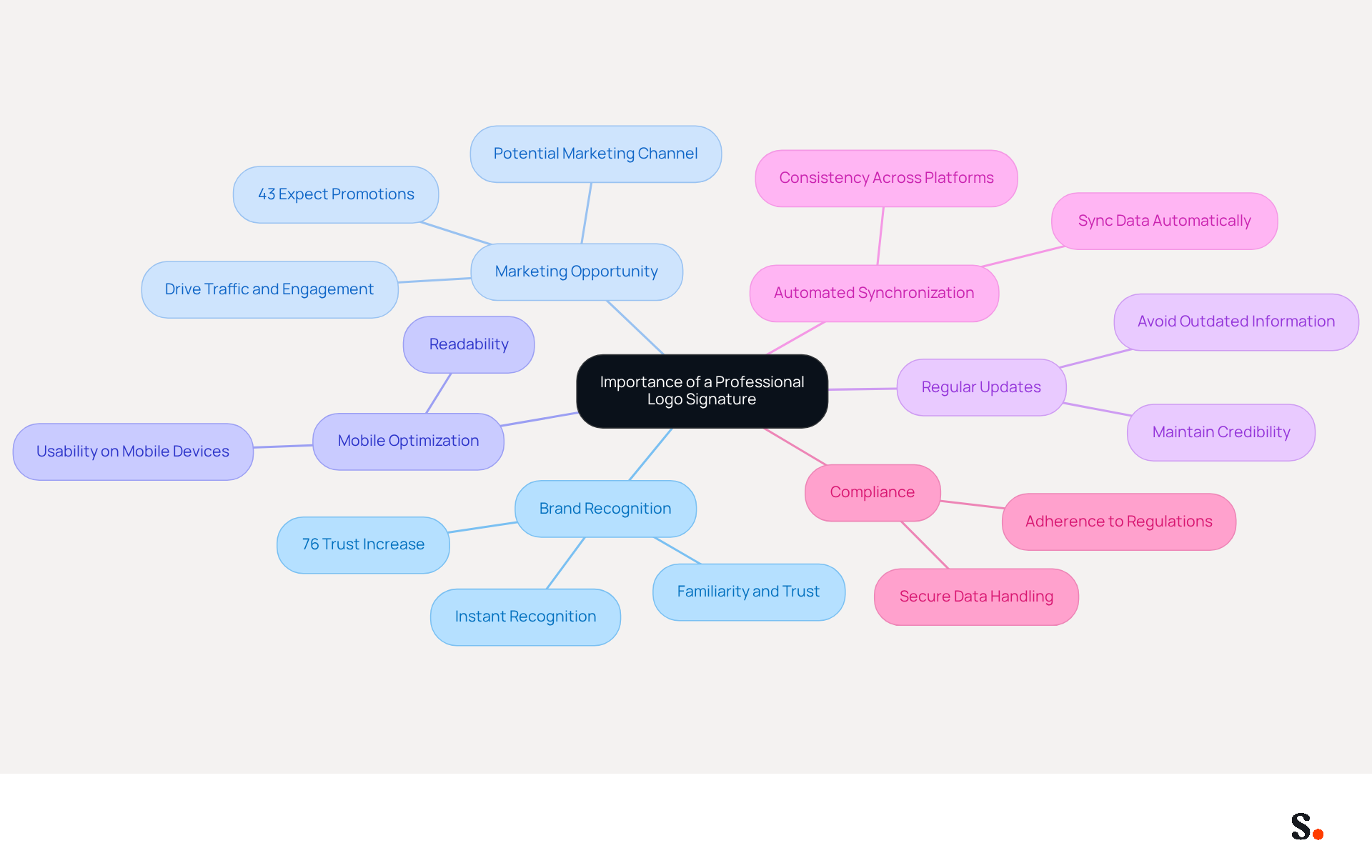
- Brand Recognition: A logo signature enables recipients to instantly recognize your brand, fostering familiarity and trust. Consistent branding can significantly enhance brand recall, making it easier for clients to associate your communications with your company. The logo signature outlook in your email footer conveys professionalism and meticulous attention to detail, which can enhance your credibility. A well-crafted mark reflects your commitment to quality and can inspire confidence in your recipients. Interestingly, 76% of respondents indicate that branded messages increase their trust in the sender.
- Marketing Opportunity: Each message serves as a potential marketing channel. A carefully crafted emblem can incorporate links to your website or social media platforms, driving traffic and engagement. Indeed, 43% of consumers expect to see promotional materials in their digital correspondence, highlighting the need to make the most of this space. A logo signature outlook ensures consistency across all communications, reinforcing your brand identity. Consistent formatting and branding elements can improve recognition and trust.
- Mobile Optimization: Ensuring that your logo design is optimized for mobile devices is crucial for usability and readability, as many recipients access messages on their phones.
- Regular Updates: Failing to update your email footer can lead to outdated information, which may confuse recipients and diminish your brand's credibility.
- Automated Synchronization: Each change made in your Aircall configuration will automatically be reflected in your Scribe profiles, as we are syncing the data from there. This feature ensures that your branding remains consistent across all platforms without the need for manual updates.
- Compliance: Scribe adheres to SOC 2 Type II, GDPR, and CCPA standards, ensuring that your data handling is secure and compliant with industry regulations.
Recognizing these advantages compels you to prioritize the creation of a professional branding mark, transforming your email communications into a powerful marketing tool.
Gather Required Elements for Your Logo Signature
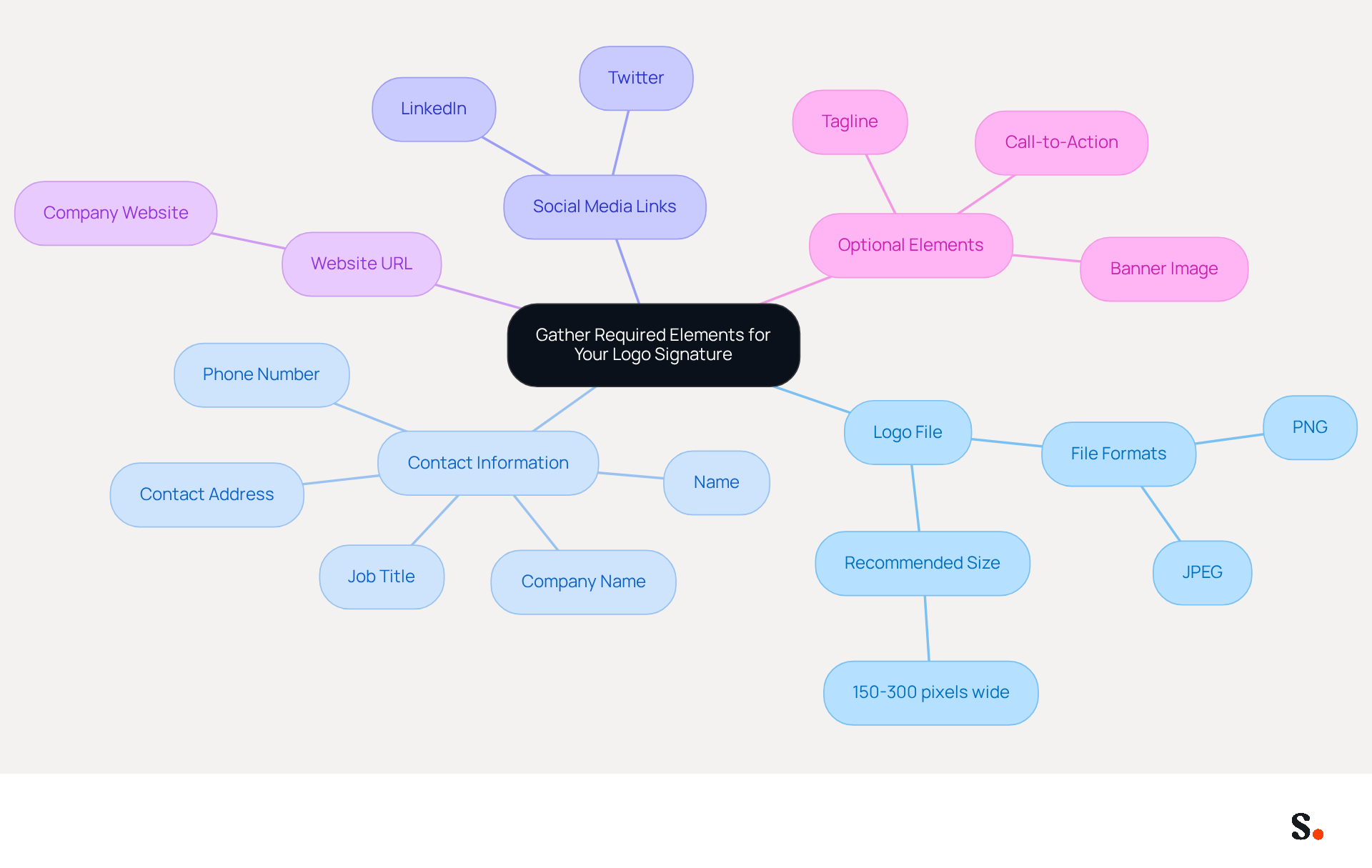
Before you create your logo signature in Outlook, it is crucial to gather essential elements that will enhance your email communications:
- Logo File: Ensure you have a high-quality image of your logo, ideally in PNG or JPEG format. The recommended size is between 150-300 pixels wide to maintain clarity and professionalism.
- Contact Information: Prepare your name, job title, company name, phone number, and contact address. This information should be clearly presented for easy readability.
- Social Media Links: If applicable, collect links to your professional social media profiles (such as LinkedIn and Twitter) to enhance connectivity and engagement.
- Website URL: Have your company’s website URL ready to provide recipients with easy access to more information about your business.
- Optional Elements: Consider including additional components like a tagline, a call-to-action, or a banner image that aligns with your branding strategy.
By preparing these elements in advance, you can efficiently create a professional logo signature in Outlook. This preparation not only simplifies the creation process but also ensures your branding is consistently represented in your communications.
Create Your Logo Signature in Outlook
Creating a logo signature outlook in Outlook is essential for effective branding and communication.
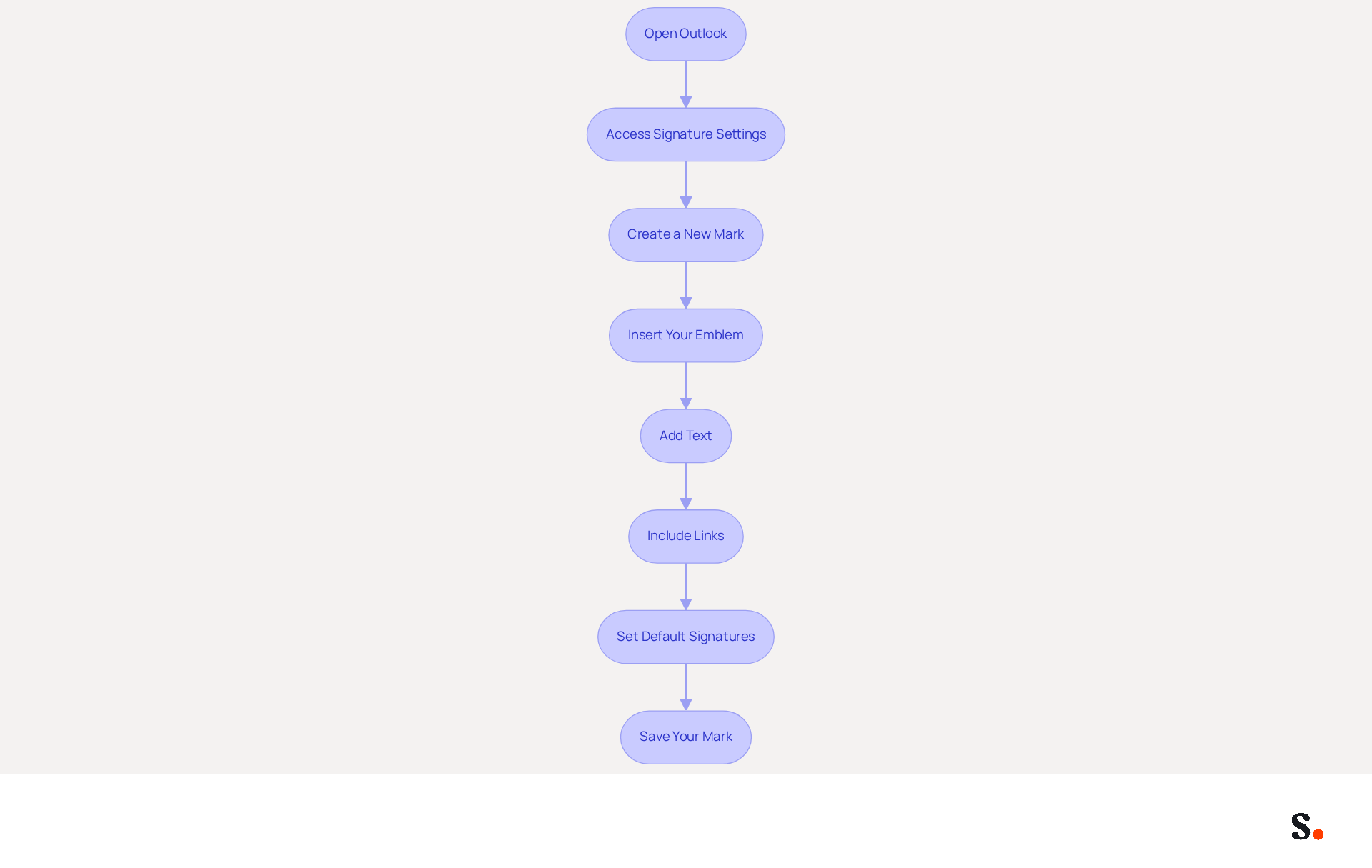
- Open Outlook: Launch the Outlook application on your computer.
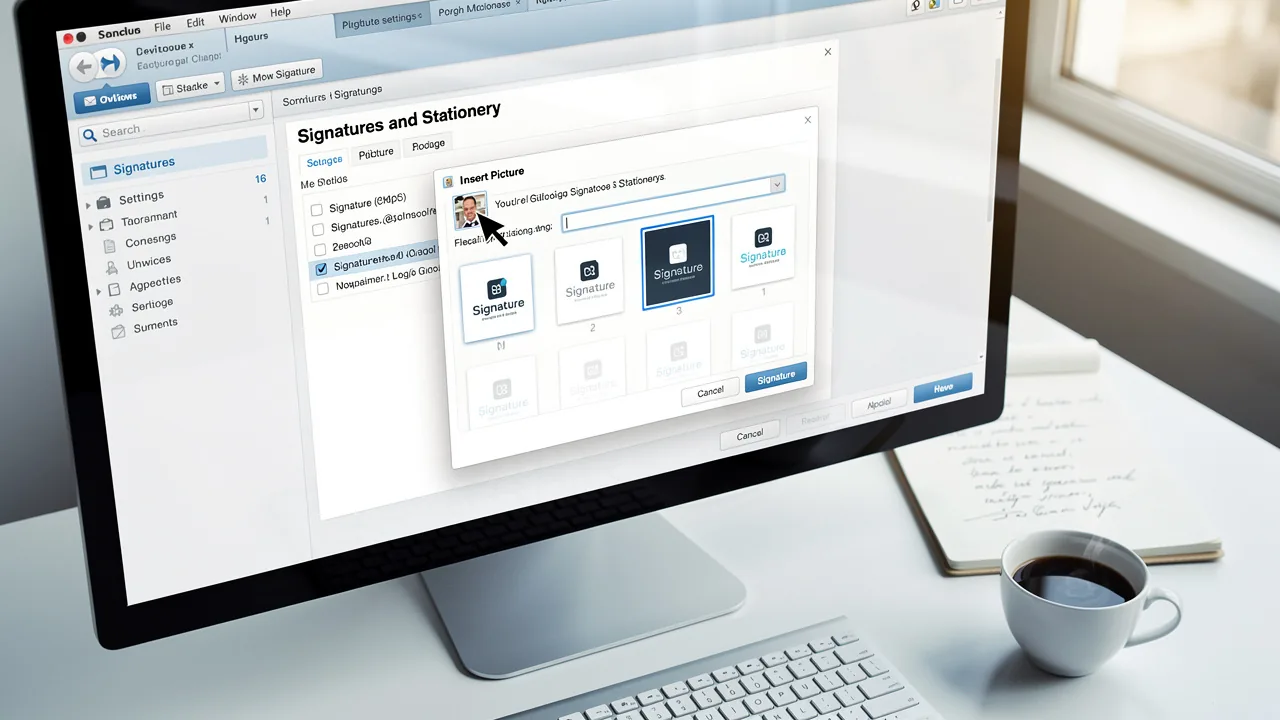
- Access Signature Settings: Navigate to the 'File' menu, select 'Options', then click on 'Mail'. Under 'Compose messages', click on 'Signatures'.
- Create a New Mark: In the Signatures and Stationery window, click 'New' to establish a new mark. Name your unique identifier appropriately.
- Insert Your Emblem: Click on the image icon in the signature editor to insert your emblem. Browse to the location of your image file and select it.
- Add Text: Below the logo, type your contact information. Use formatting options to adjust the font style, size, and color to match your brand.
- Include Links: Highlight any text you want to hyperlink (like your website or social media links), click the hyperlink icon, and enter the URL.
- Set Default Signatures: Choose your new sign-off as the default for new messages and replies/forwards if desired.
- Save Your Mark: Click 'OK' to save your new mark.
Following these steps creates a professional mark that enhances your communications.
Incorporating a logo signature outlook into your email signature goes beyond just looking good; it’s a key part of your branding strategy. Studies show that a significant majority of marketers - between 76% and 80% - believe that branded digital identifiers build trust with recipients. Moreover, businesses that maintain consistent branded electronic correspondences report over a 22% rise in response rates, emphasizing the effectiveness of this straightforward yet impactful marketing tool. As companies transition into 2024, enhancing digital identifiers will be crucial for increasing engagement and strengthening identity. With Scribe, you can automate the synchronization of your messages with Aircall, ensuring that any modifications made in your configuration are instantly reflected across all messages. This feature not only streamlines the management process but also strengthens consistency across your communications. Additionally, Scribe is SOC 2 Type II certified and complies with GDPR and CCPA, ensuring secure data handling. Consider joining Scribe's Affiliate Program to earn a 50% commission while promoting consistency in email communications, offering a $30 credit to those who subscribe through your unique link. Investing time in your email signature can significantly impact your professional image and communication effectiveness.
Customize Your Logo Signature for Brand Consistency
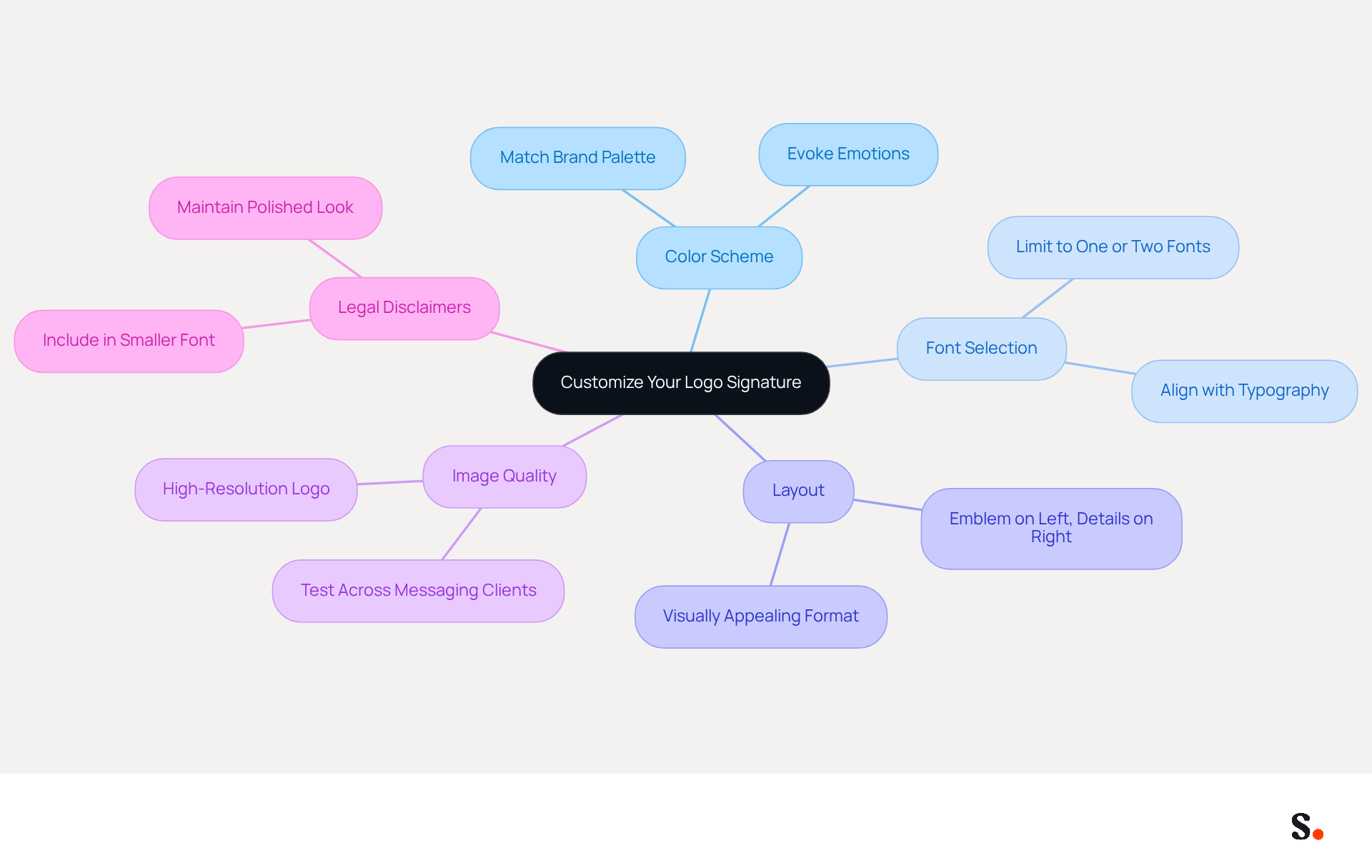
Aligning your logo signature outlook with your brand identity is crucial for maintaining a cohesive professional image. Consider the following customization tips:
- Color Scheme: Utilize colors that match your brand’s palette, including the text color and any additional elements in your signature. Thoughtful use of colors can evoke emotions and enhance recognition.
- Font Selection: Choose fonts that align with your organization's typography. Limit yourself to one or two fonts for a clean and professional appearance, as a consistent email signature can increase brand awareness and promote unity among employees.
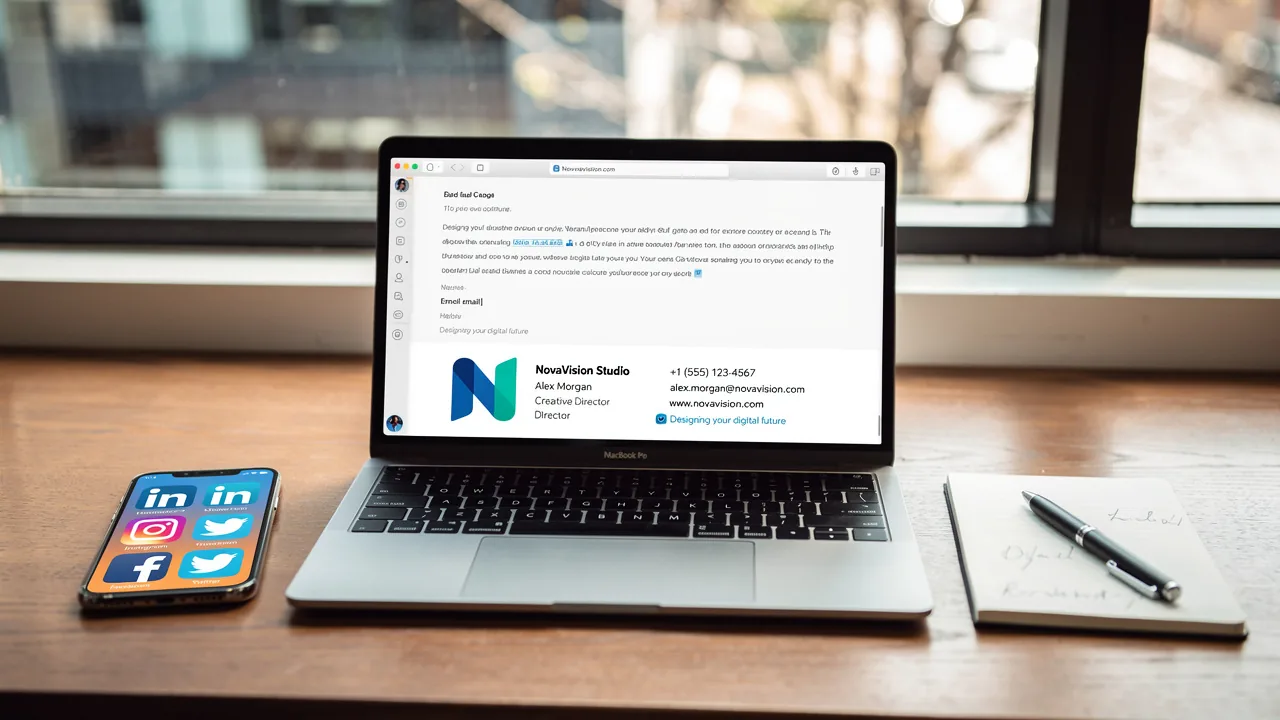
- Layout: Arrange elements in a visually appealing and easy-to-read format. A typical layout showcases the emblem on the left and contact details on the right, reinforcing a professional image.
- Image Quality: Ensure your logo is high-resolution and appropriately sized to avoid pixelation. Test how it appears across various messaging clients to maintain consistency, as 76% of recipients report increased trust in senders with professional communication identifiers.
- Legal Disclaimers: If your organization requires legal disclaimers in correspondence footers, include them in a smaller font at the bottom of the footer to maintain a polished look.
By personalizing your logo signature outlook, you not only strengthen your identity but also create a more professional appearance in your communications. Consistent branding through email identifiers can lead to a 22% increase in email response rates, making it a strategic investment for your marketing efforts. Neglecting these branding strategies could result in diminished trust and engagement from your audience.
Troubleshoot Common Issues with Logo Signatures in Outlook
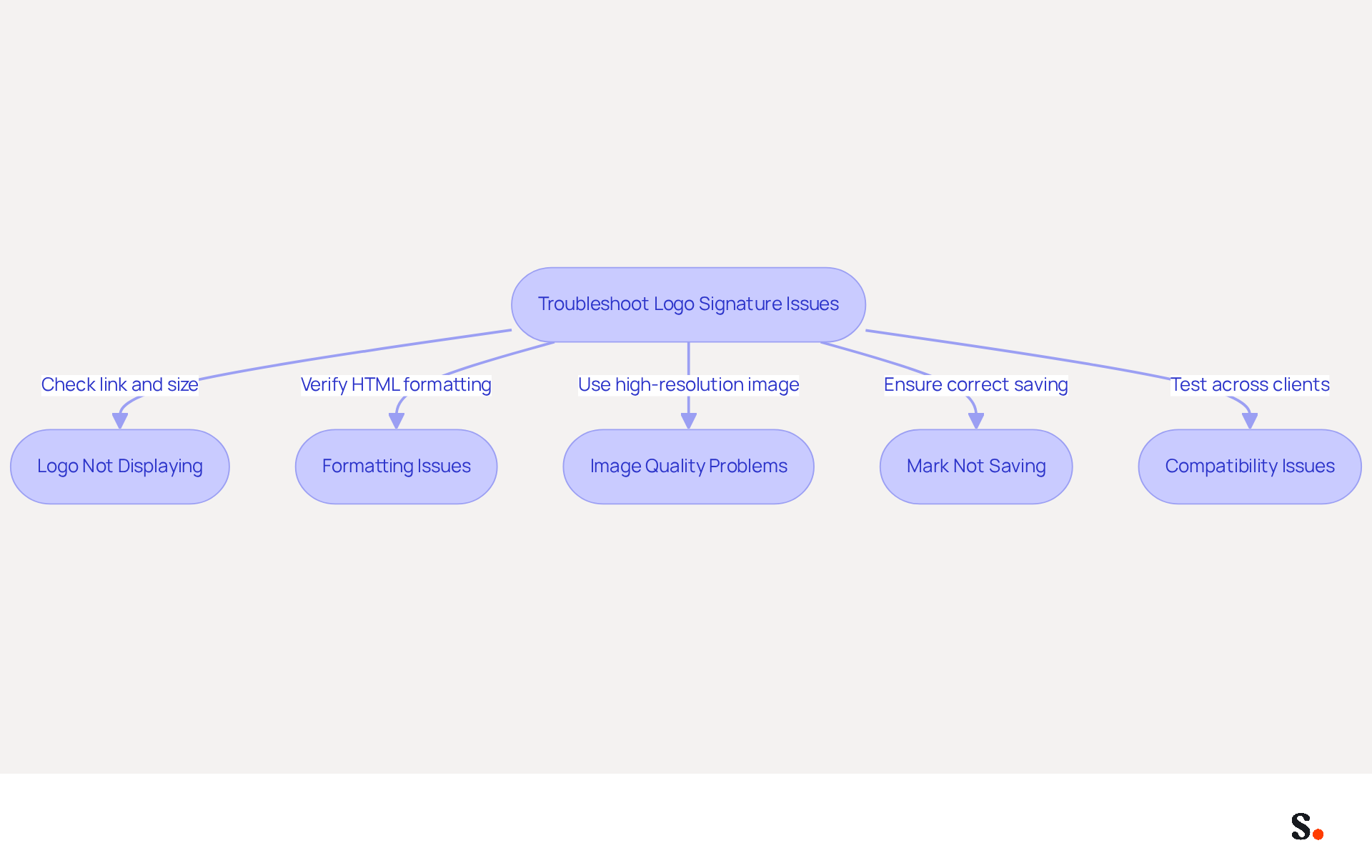
Encountering issues with your logo signature outlook can hinder your professional image. Consider the following troubleshooting tips:
- Logo Not Displaying: Ensure that the logo file is correctly linked and that the image is not too large. If the emblem is hosted online, verify the URL for accessibility, as broken links can prevent images from displaying. Additionally, large images can cause lag in Outlook, especially in long email threads. By syncing Google Workspace with Scribe, updates to your logo signature outlook will automatically reflect, saving you time and effort.
- Formatting Issues: If your mark appears differently on various devices, check the HTML formatting. Utilize web-safe fonts and steer clear of overly intricate designs, as these can result in inconsistencies across messaging clients. Studies show that emails featuring branded signatures can lead to a 22% increase in response rates, emphasizing the importance of a well-formatted signature. Scribe helps maintain this formatting consistency across all devices, ensuring your identity is represented accurately.
- Image Quality Problems: A blurry logo can undermine your professionalism and brand image. Ensure you are using a high-resolution image. Avoid images that are too small or have been overly compressed, as this can detract from your organization's professionalism. A polished logo signature outlook can significantly enhance how customers perceive your brand and assist in attracting new leads. With Scribe, you can easily update your logo to ensure it always looks its best.
- Mark Not Saving: If your mark changes or disappears, ensure you are saving it correctly in the mark settings. Restart Outlook to see if the changes take effect, as updates can sometimes reset local settings. Transparent communication regarding policies for electronic correspondence identifiers within your organization can also assist in preventing misunderstandings about identifier management. Scribe's integration enables smooth updates, minimizing the likelihood of loss. This ensures that your logo signature outlook remains intact and professional.
- Compatibility Issues: Test your identifier by sending emails to different email clients (Gmail, Yahoo, etc.) to see how it renders. Modify the design as needed to ensure compatibility, as various platforms may manage them in different ways. Understanding these variations can help maintain a consistent image across communications. Scribe's syncing capabilities ensure that any changes made in Google Workspace are reflected in your email identifiers, enhancing compatibility.
By effectively addressing these issues, you can enhance your brand's professionalism and visibility in every email.
Conclusion
A professional logo signature in Outlook is essential for establishing brand credibility and recognition. By incorporating a well-designed logo signature, businesses can engage their audience effectively through email communications.
Throughout this guide, essential steps have been outlined, from understanding the importance of a logo signature to gathering necessary elements and troubleshooting common issues. Key insights include the significance of brand consistency, the impact of mobile optimization, and the benefits of automated synchronization with tools like Scribe, which ensures compliance with industry standards such as SOC 2 Type II, GDPR, and CCPA.
Investing in a professional logo signature not only elevates brand image but also guarantees that each email reflects the organization's professionalism. As organizations aim for complete brand consistency and measurable marketing ROI, they can find that tools like Scribe simplify this process, allowing marketing teams to manage email signatures independently. Embrace this opportunity to enhance your digital presence and make a lasting impression with every email.
Frequently Asked Questions
Why is a professional logo signature important?
A professional logo signature acts as a digital business card that enhances brand recognition, fosters trust, and conveys professionalism in email communications.
How does a logo signature contribute to brand recognition?
A logo signature allows recipients to instantly recognize your brand, improving familiarity and trust. Consistent branding enhances brand recall, making it easier for clients to associate your communications with your company.
What marketing opportunities does a logo signature provide?
Each email can serve as a marketing channel by incorporating links to your website or social media, driving traffic and engagement. Many consumers expect promotional materials in digital correspondence, making it essential to utilize this space effectively.
Why is mobile optimization important for a logo signature?
Mobile optimization ensures that your logo design is usable and readable on mobile devices, as many recipients access emails on their phones.
What happens if I fail to update my email footer?
Failing to update your email footer can lead to outdated information, which may confuse recipients and diminish your brand's credibility.
How does automated synchronization work with Scribe?
Changes made in your Aircall configuration will automatically reflect in your Scribe profiles, ensuring consistent branding across all platforms without manual updates.
What compliance standards does Scribe adhere to?
Scribe complies with SOC 2 Type II, GDPR, and CCPA standards, ensuring secure data handling and compliance with industry regulations.
What elements should I gather before creating my logo signature in Outlook?
You should gather a high-quality logo file (PNG or JPEG), your contact information, social media links, your website URL, and optional elements like a tagline or call-to-action.
What is the recommended size for a logo file in a signature?
The recommended size for a logo file is between 150-300 pixels wide to maintain clarity and professionalism.
How does preparing elements in advance help in creating a logo signature?
Preparing elements in advance simplifies the creation process and ensures that your branding is consistently represented in your communications.
List of Sources
- Understand the Importance of a Professional Logo Signature
- Email signature branding: importance, tips & best practices (https://exclaimer.com/email-signature-handbook/email-signature-branding-importance)
- Research Recap: Branded Email Signatures Increase Company Recognition, Trust - Demand Gen Report (https://demandgenreport.com/industry-news/research-recap-branded-email-signatures-increase-company-recognition-trust/47252)
- The impact of email signatures on your branding (https://signitic.com/en/resources/the-impact-of-email-signatures-on-your-branding)
- The Importance Of Email Signatures | Email Marketing Blog | Mail Blaze (https://mailblaze.com/thinking/email-signatures-in-email-marketing)
- Gather Required Elements for Your Logo Signature
- Email Signature Best Practices - NEWOLDSTAMP (https://newoldstamp.com/blog/email-signature-best-practices)
- 40+ Email Signature Statistics for 2026 (Data + Insights) (https://wavecnct.com/blogs/email-signature-statistics)
- Email Signature Best Practices Guide With Examples - MailerLite (https://mailerlite.com/blog/email-signature-best-practices)
- 20 Examples of Professional Email Signatures | Letsignit (https://letsignit.com/blog/professional-email-signature)
- The Complete Email Signature Guide 2026: Best Practices and Policy (https://opensense.com/complete-email-signature-guide)
- Create Your Logo Signature in Outlook
- Email Signature Statistics: A Closer Look at Email Signatures in 2026 (https://mysignature.io/blog/email-signature-statistics)
- 40+ Email Signature Statistics for 2026 (Data + Insights) (https://wavecnct.com/blogs/email-signature-statistics)
- Email signature statistics and trends in 2024 (https://wisestamp.com/blog/email-signature-statistics)
- Customize Your Logo Signature for Brand Consistency
- Elevate Your Brand with Professional Email Signatures (https://holickycorporation.com/blog/elevate-your-brand-with-professional-email-signatures)
- The impact of email signatures on your branding (https://signitic.com/en/resources/the-impact-of-email-signatures-on-your-branding)
- Email Signature Branding: Consistency and Impact | Crossware365 (https://crossware365.com/blog/mastering-email-signature-branding-market-presence)
- 10 Do's & Don'ts for Email Signature Branding | Constant Contact (https://constantcontact.com/blog/email-signature-branding)
- Troubleshoot Common Issues with Logo Signatures in Outlook
- 4 Steps to Fix Your Outlook Signature Not Showing Issues (https://scribe-mail.com/en-US/blog/4-steps-to-fix-your-outlook-signature-not-showing-issues)
- Outlook Signature Not Working in Office 365: Causes & Fixes (https://exclaimer.com/email-signature-handbook/outlook-signature-not-working-in-office-365)
- How to solve problems with email signatures in Microsoft 365? (https://mail-signatures.com/articles/problems-email-signatures-office-365)
- Email signature statistics: Why every business should optimize their email signatures — Stripo.email (https://stripo.email/blog/email-signature-statistics-why-every-business-should-optimize-their-email-signatures)
Get started with Scribe
Create your signature in minutes
Free 14-day trial — no credit card.