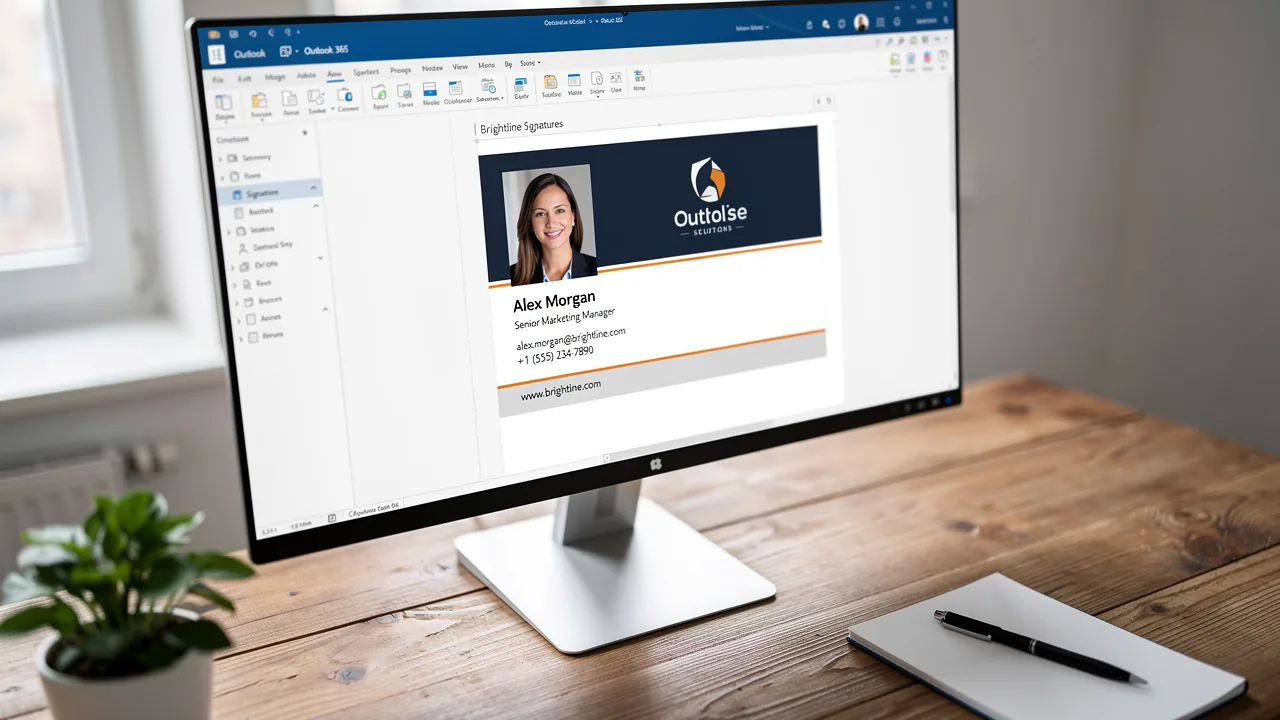
Create a Professional Signature in Outlook 365: A Step-by-Step Guide
Creating a professional email signature in Outlook 365 is essential for effective communication and brand representation. A well-crafted signature establishes
Sophie Grant
Email Signature Specialist, Scribe

Introduction
Creating a professional email signature in Outlook 365 is essential for effective communication and brand representation. A well-crafted signature establishes credibility and promotes brand recognition, enhancing engagement with every email sent. Designing an email signature can be complex, leading to confusion among professionals.
How can one ensure that their email signature not only looks professional but also drives engagement and reflects their brand identity? This guide provides a structured approach to creating a signature that stands out and adheres to best practices, ensuring that every email leaves a lasting impression.
Understand the Importance of Email Signatures
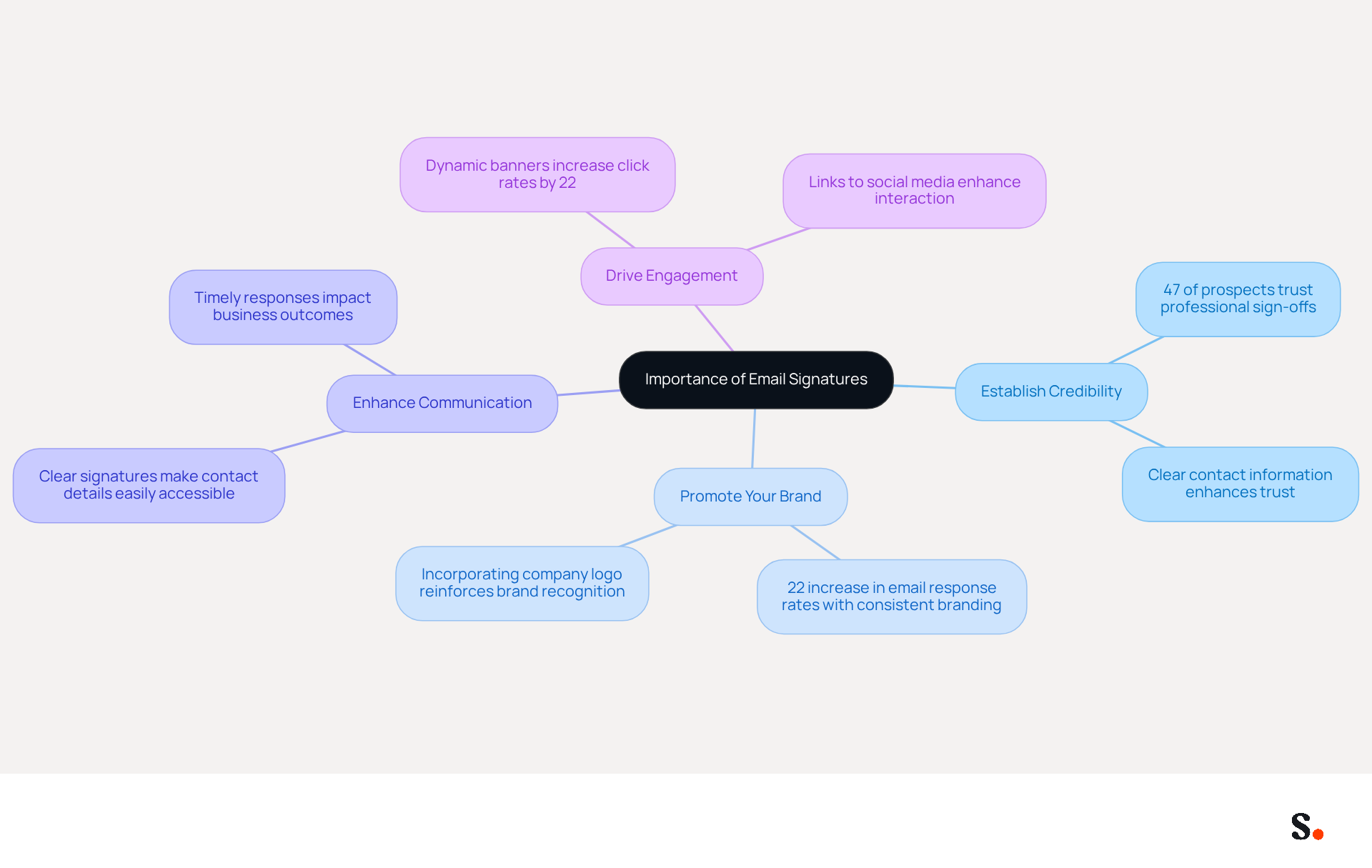
Many professionals underestimate the impact of their email signatures on their career identity. A well-designed email signature can:
- Establish Credibility: Including your name, title, and contact information allows recipients to verify your identity, significantly enhancing trust. Research shows that 47% of prospects believe that professional sign-offs enhance their trust in the sender.
- Promote Your Brand: Incorporating your company logo and colors reinforces brand recognition with every message sent. Consistent branding in email footers can lead to a 22% increase in email response rates, making it a strategic investment.
- Enhance Communication: A clear signature makes it easy for recipients to find your contact details and reach out to you. This clarity is vital in professional settings, where timely responses can impact business outcomes.
- Drive Engagement: Adding links to your social media profiles or website can significantly increase traffic and interaction with your identity. Dynamic banners in digital correspondences have been shown to enhance click rates by 22%, further highlighting their marketing potential.
Neglecting this aspect can result in lost opportunities for establishing credibility and enhancing brand visibility. Investing in a professional email footer can significantly enhance your brand's visibility and credibility, ultimately influencing your professional success.
Access Signature Settings in Outlook 365
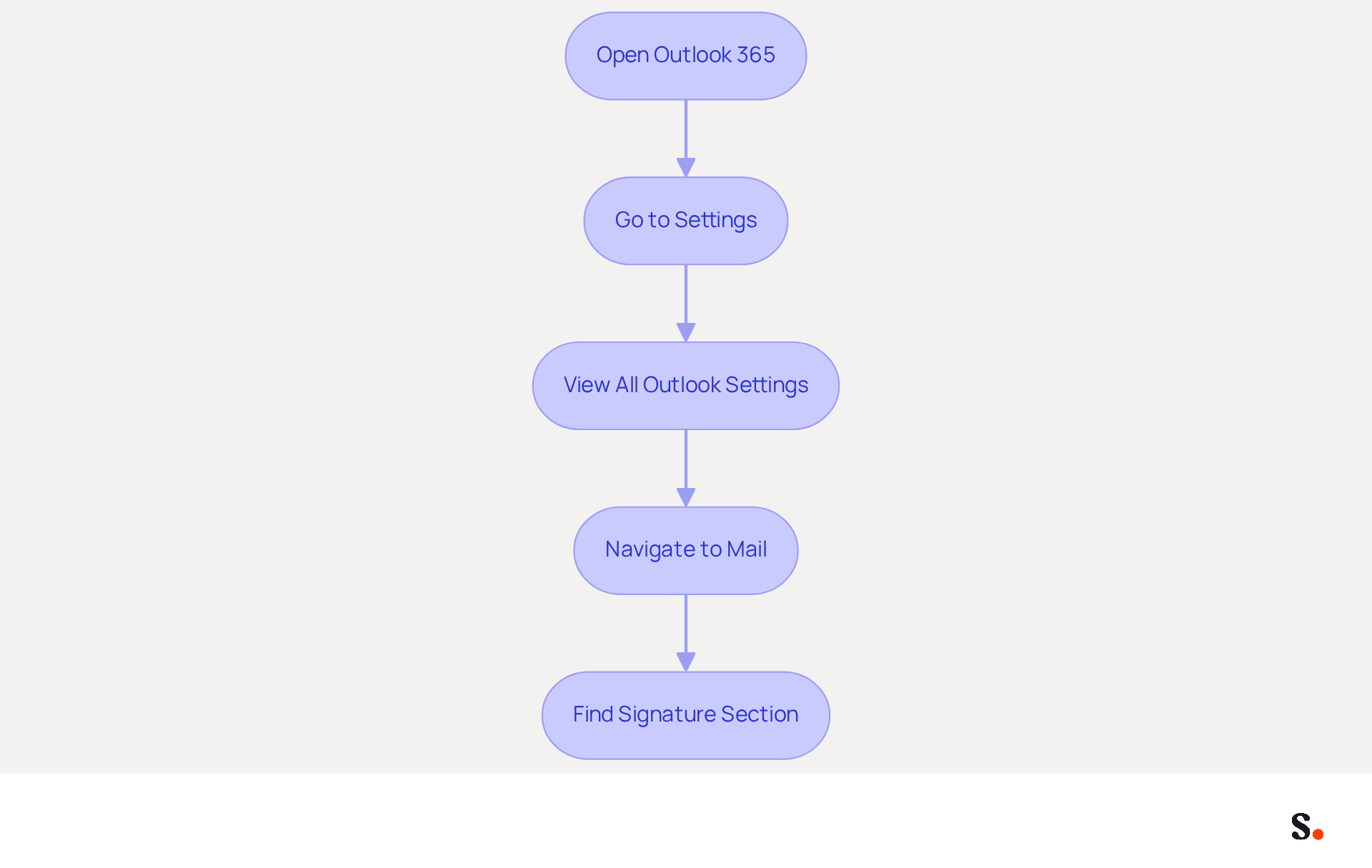
Accessing the signature in Outlook 365 can be straightforward, yet many users encounter challenges along the way. To access the signature settings in Outlook 365, follow these steps:
- Open Outlook 365: Launch the Outlook application or navigate to the Outlook web app.
- Go to Settings: Click on the gear icon (⚙️) located in the top right corner of the screen.
- View All Outlook Settings: Scroll down and select 'View all Outlook settings' at the bottom of the settings menu.
- Navigate to Mail: In the settings pane, click on 'Mail' and then select 'Compose and reply'.
- Find Signature Section: Scroll down to the 'Email details' section where you can create or edit your mark.
Once you have accessed the signature settings, you can easily create and personalize your signature in Outlook 365.
With Scribe, managing digital signatures becomes even more efficient. The platform enables automated updates, streamlining the process and ensuring that updates to your HRIS are automatically reflected in Scribe, thus saving valuable time. Furthermore, Scribe is SOC 2 Type II compliant, ensuring that your data is handled securely. With Scribe, organizations can quickly implement company-wide branding, often completing the installation in less than a day, even for those without technical expertise. This allows Marketing teams to manage their branding independently after the initial IT setup.
Design and Customize Your Email Signature
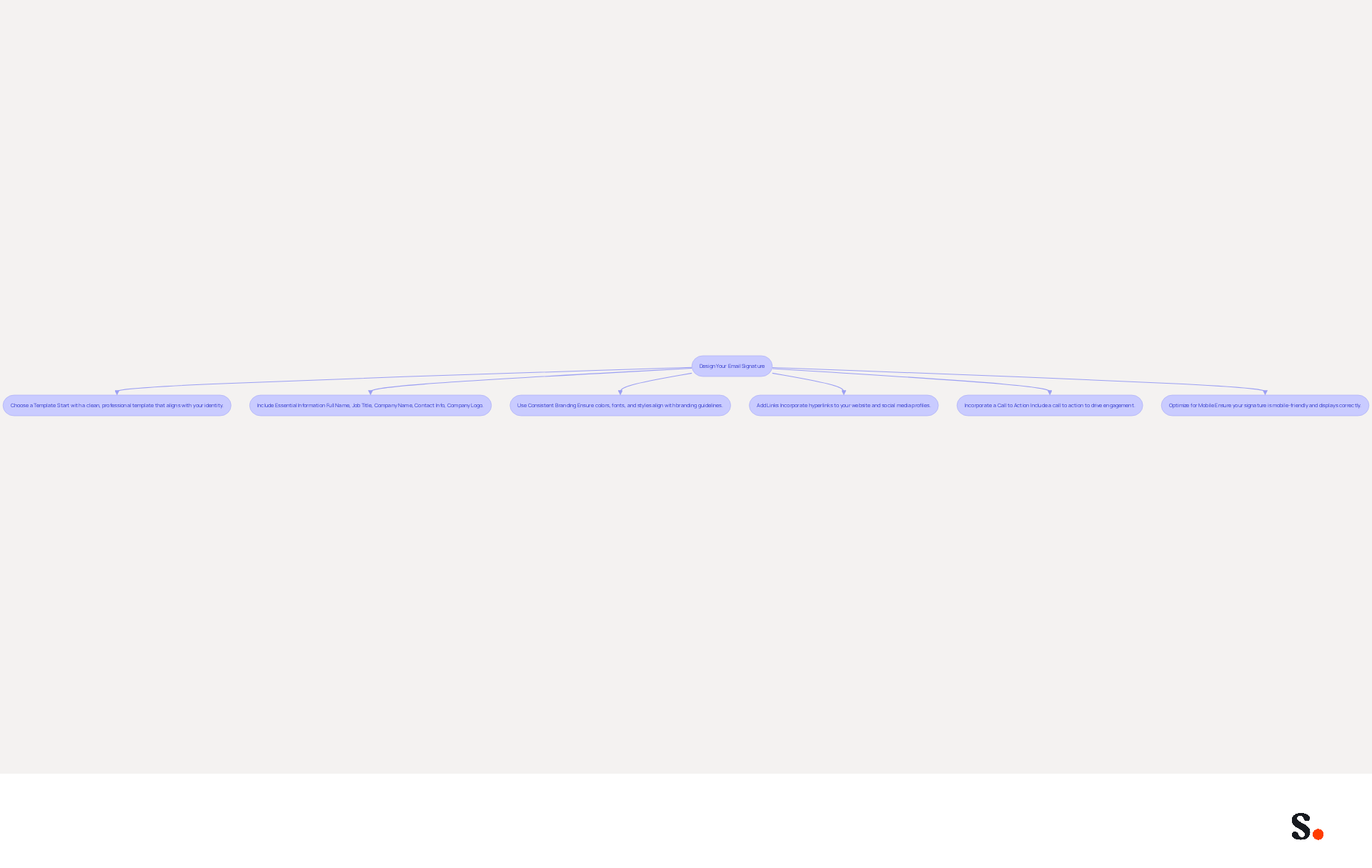
Creating a professional signature in Outlook 365 is essential for effective communication and brand representation. It involves several key design considerations:
- Choose a Template: Start with a clean, professional template that aligns with your identity. Templates can be sourced online or crafted from scratch to suit your needs.
- Include Essential Information: Your signature should encompass:
- Full Name
- Job Title
- Company Name
- Contact Information (phone number, email)
- Company Logo
- Use Consistent Branding: Ensure that colors, fonts, and styles align with your company’s branding guidelines. This consistency reinforces brand identity and enhances recognition. Utilizing web-safe fonts is advised to guarantee compatibility across various messaging clients.
- Add Links: Incorporate hyperlinks to your website and social media profiles to encourage engagement. Utilizing icons for social media can save space and improve visual appeal.
- Incorporate a Call to Action: If relevant, include a call to action, such as a link to a current promotion or a newsletter signup, to drive engagement. Well-optimized digital sign-offs can drive up to 40% higher engagement compared to generic closures.
- Optimize for Mobile: Ensure your signature is mobile-friendly by keeping the design simple and avoiding large images, as over 60% of business communications are opened on mobile devices. Testing your mark across various platforms is crucial to ensure it displays correctly.
- Include Legal Disclaimers: Depending on your industry, you might need to add legal disclaimers to your emails to stay compliant.
By following these design principles, you can create a professional signature in Outlook 365 that effectively markets your brand with every message. With Scribe, the process of managing email signatures is automated, ensuring that any changes made in your Aircall configuration are seamlessly reflected in your identifiers. This real-time synchronization addresses common challenges in data handling and brand consistency, while Scribe's SOC 2 Type II compliance guarantees that your data is handled securely. For example, organizations utilizing Scribe can achieve an average click-through rate of 12% on banners, showing how a strategic approach can enhance engagement.
Save and Test Your Email Signature
To ensure your email signature performs optimally, it is crucial to save and test it thoroughly:
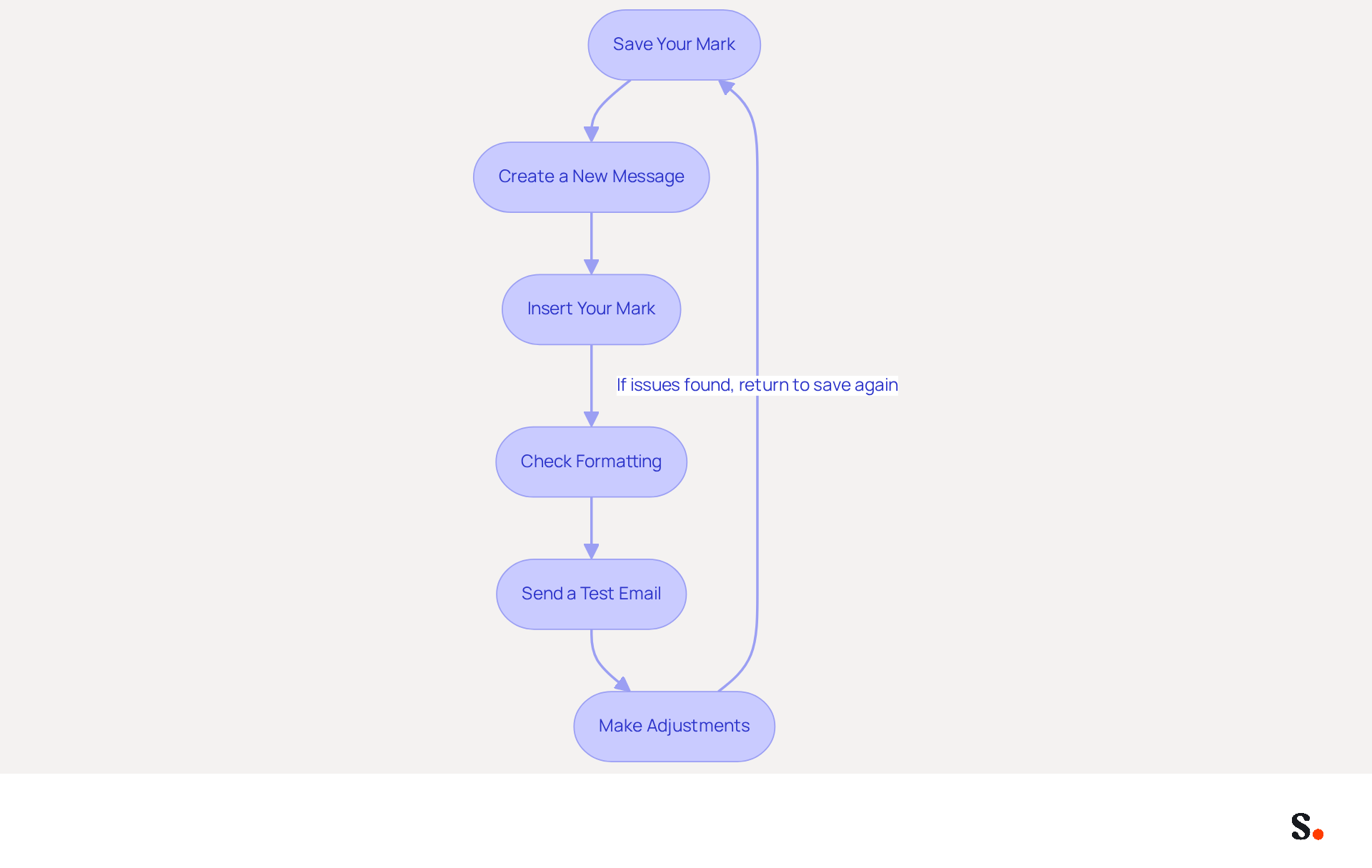
- Save Your Mark: After entering all the necessary information and customizing your mark, click the 'Save' button at the bottom of the settings pane.
- Create a New Message: Open a new message to see how your sign-off appears in action.
- Insert Your Mark: If it doesn’t appear automatically, go to the 'Insert' tab, select 'Mark', and choose your new mark.
- Check Formatting: Review the formatting to ensure everything appears correctly. Misalignments or broken links can undermine your professionalism.
- Send a Test Email: Send a test email to yourself or a colleague to see how the footer displays in different email clients. Testing your email signature can significantly enhance recipient trust and credibility.
- Make Adjustments: If you notice any issues, return to the settings to make necessary modifications and save again.
By saving and testing your signature in Outlook 365, you ensure it is ready for professional use. This enhances your communications and reinforces your brand identity. Ultimately, a meticulously crafted email signature can profoundly impact how recipients view your professionalism and reliability.
Conclusion
A professional email signature is essential for establishing credibility and enhancing brand visibility in today's digital communication landscape. Creating a professional email signature in Outlook 365 is not just a matter of aesthetics; it is a strategic move that can significantly enhance your professional identity and brand visibility. A well-crafted signature builds credibility, promotes your brand, and enhances communication, shaping how recipients view you and your organization.
Throughout this guide, essential steps have been outlined, from accessing signature settings to designing and testing your signature. Key considerations include:
- Using consistent branding
- Incorporating essential information
- Optimizing for mobile devices
Additionally, leveraging tools like Scribe can streamline the management of email signatures, ensuring that updates are efficiently handled while maintaining compliance with security standards such as SOC 2 Type II and GDPR.
Incorporating a professional email signature is crucial for effective communication in today’s business world. It not only reinforces your brand but also enhances engagement and trust with your audience. Investing time in creating and maintaining a polished signature can significantly impact your professional image. Embrace the opportunity to elevate your professional presence with a signature that reflects your identity and values. Investing in a professional email signature is not just about aesthetics; it’s about strategically positioning yourself and your brand for success in every interaction.
Frequently Asked Questions
Why are email signatures important for professionals?
Email signatures are important because they help establish credibility, promote your brand, enhance communication, and drive engagement. A well-designed signature can significantly impact your career identity.
How do email signatures establish credibility?
Email signatures establish credibility by including your name, title, and contact information, allowing recipients to verify your identity. Research indicates that 47% of prospects believe professional sign-offs enhance trust in the sender.
In what way do email signatures promote brand recognition?
Email signatures promote brand recognition by incorporating your company logo and colors, which reinforces brand identity with every message sent. Consistent branding in email footers can lead to a 22% increase in email response rates.
How do clear email signatures enhance communication?
Clear email signatures enhance communication by making it easy for recipients to find your contact details and reach out to you. This clarity is crucial in professional settings where timely responses can impact business outcomes.
What role do email signatures play in driving engagement?
Email signatures drive engagement by allowing you to add links to your social media profiles or website, which can significantly increase traffic and interaction. Dynamic banners in digital correspondences can enhance click rates by 22%.
What are the consequences of neglecting email signatures?
Neglecting email signatures can result in lost opportunities for establishing credibility and enhancing brand visibility, ultimately affecting your professional success. Investing in a professional email footer is crucial for improving your brand's visibility and credibility.
List of Sources
- Understand the Importance of Email Signatures
- Why Email Signatures Must Be In Your 2026 Marketing Plan | Rocketseed (https://rocketseed.com/blog/2026-marketing-plan-email-signatures)
- The Importance Of Email Signatures | Email Marketing Blog | Mail Blaze (https://mailblaze.com/thinking/email-signatures-in-email-marketing)
- The impact of email signatures on your branding (https://signitic.com/en/resources/the-impact-of-email-signatures-on-your-branding)
- Top 10 Benefits Of Email Signatures | Rocketseed (https://rocketseed.com/blog/benefits-of-using-email-signatures)
- 4 Best Practices for a Professional Looking Email Signature (https://scribe-mail.com/en-US/blog/4-best-practices-for-a-professional-looking-email-signature)
- Access Signature Settings in Outlook 365
- How to add and change an email signature in Outlook | Microsoft Support (https://support.microsoft.com/en-us/outlook/mail/how-to-add-and-change-an-email-signature-in-outlook)
- How To Add An Email Signature in Outlook (2026) (https://hubspot.com/email-signature-generator/add-signature-outlook)
- Office 365 Email statistics reports - Microsoft Q&A (https://learn.microsoft.com/en-us/answers/questions/5177710/office-365-email-statistics-reports)
- Outlook: Adding Email Signatures (https://td.usnh.edu/TDClient/60/Portal/KB/Article/4666/Outlook-Adding-Email-Signatures)
- Design and Customize Your Email Signature
- Email Signature Design Trends in 2026: What Works and What to Drop (https://bulksignature.com/blog/email-signature-design-trends)
- The Complete Email Signature Guide 2026: Best Practices and Policy (https://opensense.com/complete-email-signature-guide)
- The Comprehensive Guide to Email Signature Best Practices in 2025 (https://nbh.co/learn/the-comprehensive-guide-to-email-signature-best-practices-in-2025)
- Email Signature Best Practices for 2026 (+ 15 Pro Examples) (https://wavecnct.com/blogs/email-signature-best-practices-2026)
- Best Practices Designing Email Signatures - Lynne Golodner (https://lynnegolodner.com/articles/best-practices-designing-email-signatures)
- Save and Test Your Email Signature
- 40+ Email Signature Statistics for 2026 (Data + Insights) (https://wavecnct.com/blogs/email-signature-statistics)
- Email Signature Statistics: A Closer Look at Email Signatures in 2026 (https://mysignature.io/blog/email-signature-statistics)
- Research Recap: Branded Email Signatures Increase Company Recognition, Trust - Demand Gen Report (https://demandgenreport.com/industry-news/research-recap-branded-email-signatures-increase-company-recognition-trust/47252)
- Why Team Email Signatures Matter More Than You Think: The Hidden Impact on Brand Trust and Customer Experience (https://getmailbird.com/why-team-email-signatures-matter-brand-trust)
- Did You Know Your Email Signature Could be a Security Weak Point? - Oklahoma Society of CPAs (https://oscpa.com/news/990e5e16-6ad4-4ff4-91bb-236c7634b1f6:did-you-know-your-email-signature-could-be-a-security-weak-point)
Get started with Scribe
Create your signature in minutes
Free 14-day trial — no credit card.