Create a Student Email Signature in Outlook: 5 Easy Steps
In a competitive academic environment, students must utilize every available resource to distinguish themselves. A professional email signature in Outlook not
Sophie Grant
Email Signature Specialist, Scribe
Introduction
In a competitive academic environment, students must utilize every available resource to distinguish themselves. A professional email signature in Outlook not only enhances visibility but also conveys a sense of professionalism that can open doors to new opportunities. This oversight can result in lost opportunities for networking and professional growth. Identifying the key elements of an impactful email signature is crucial for students aiming to reflect their personal brand effectively.
Understand the Importance of a Student Email Signature
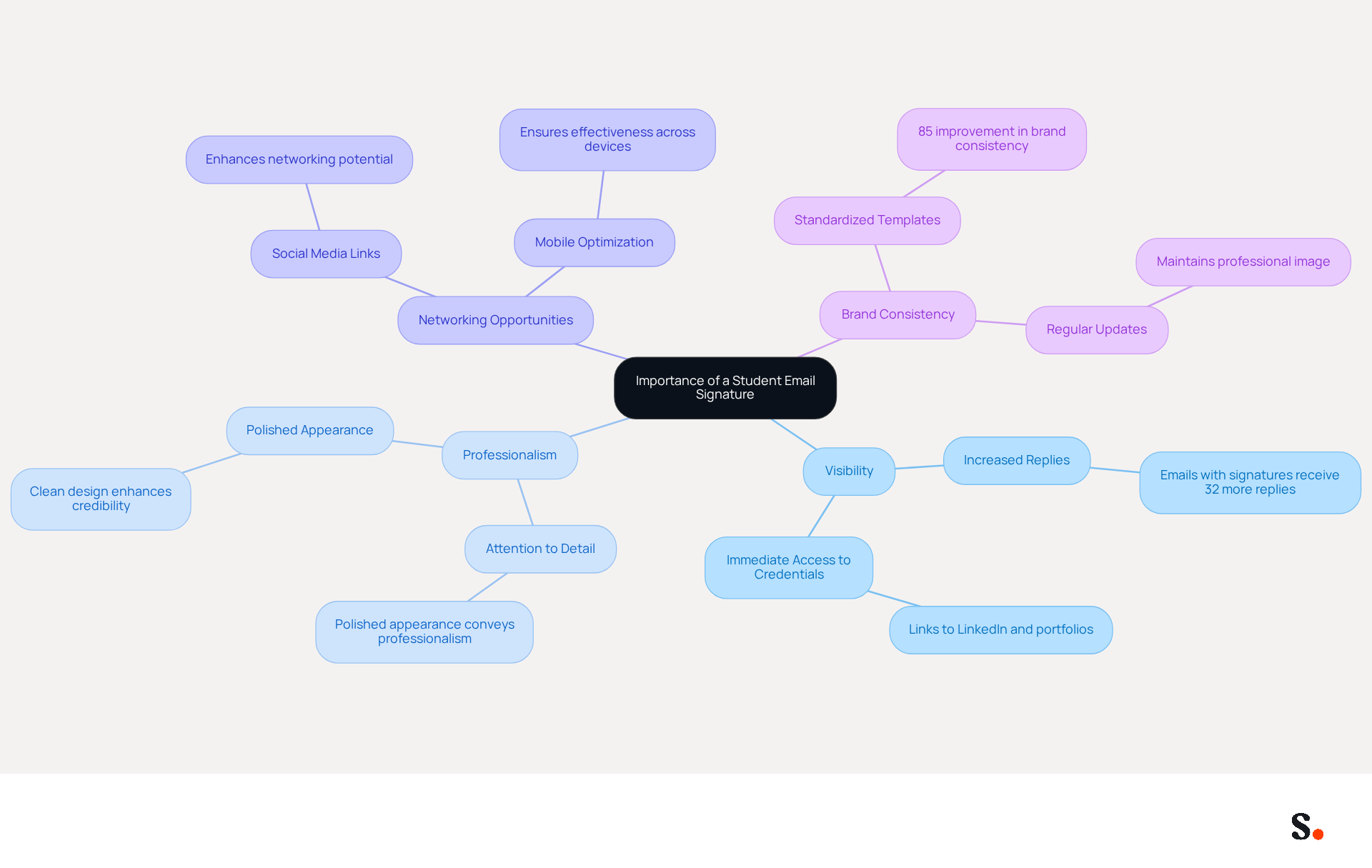
In a crowded academic and job market, standing out can be a challenge, but a student email signature Outlook can serve as a powerful tool. A refined student email signature Outlook significantly enhances your visibility, conveying professionalism and attention to detail - traits that are highly valued across all fields. A well-designed student email signature Outlook can include links to your LinkedIn profile or portfolio, giving recipients immediate access to your credentials and achievements.
Consider this: emails that feature a professional closing receive 32% more replies, underscoring the importance of this tool in effective communication. Furthermore, students who utilize standardized templates and regularly update their signatures report an 85% improvement in brand consistency.
By syncing your Google Workspace with the application, you save time since you don't need to add your teammates manually; their data is automatically updated. Any changes in your Google Workspace, such as moving teammates from one group to another or updating their information, will be reflected in the application without any input on your part.
With Scribe, you can trust that your data is secure, thanks to our compliance with SOC 2 Type II, GDPR, and CCPA. Additionally, incorporating social media links can enhance networking opportunities, while optimizing your email footer for mobile devices ensures it remains effective across all platforms.
By investing in a polished student email signature Outlook, you position yourself for success and create lasting impressions that can lead to new opportunities.
Identify Key Elements for Your Email Signature
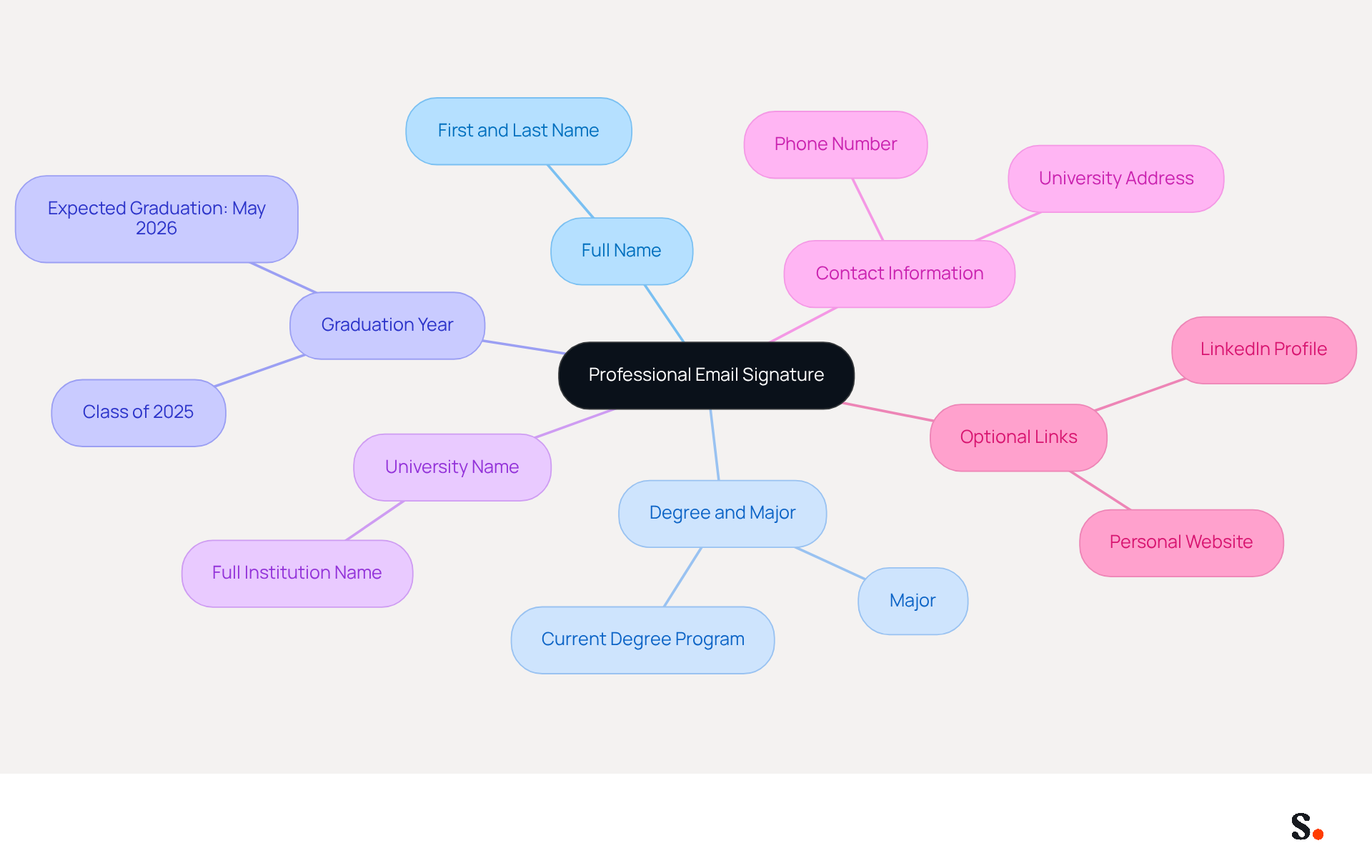
Creating a professional student email signature in Outlook is essential for effective communication in both academic and early career settings. When crafting your email signature, include the following key elements:
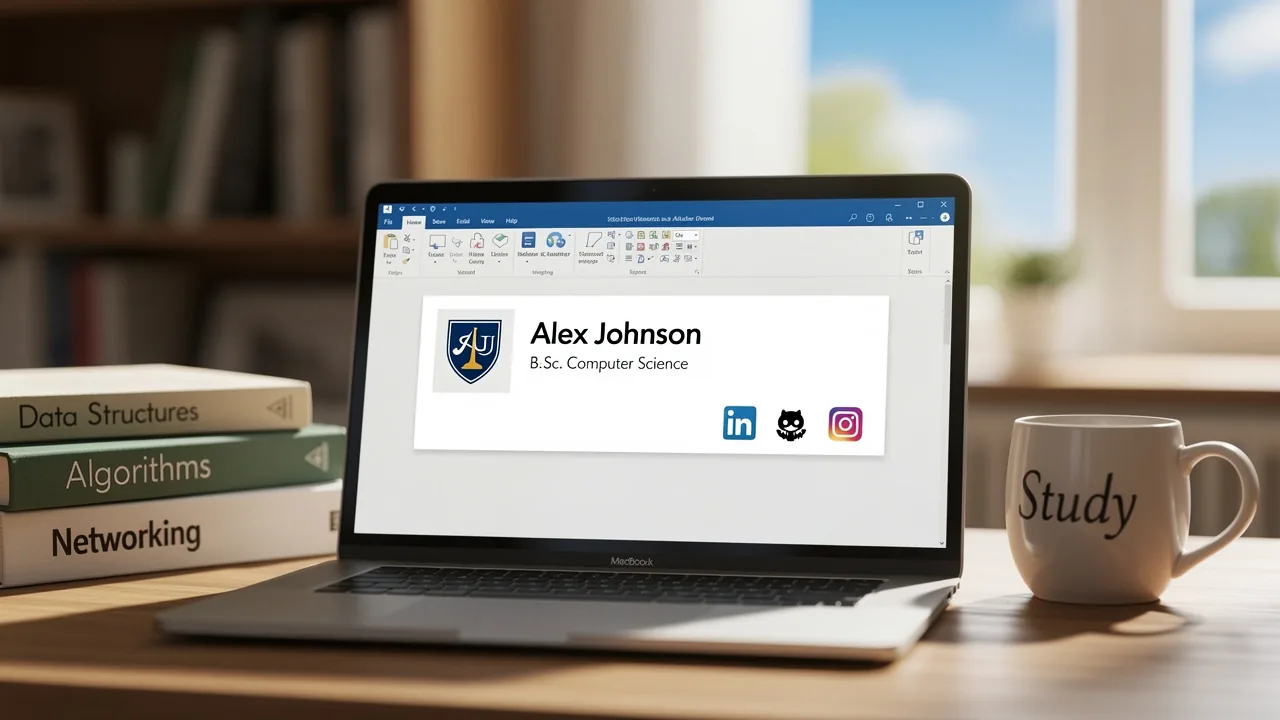
- Full Name: Clearly state your first and last name to ensure recipients can easily identify you.
- Degree and Major: Indicate your current degree program and major, providing context about your academic focus.
- Graduation Year: Mention your expected graduation year, such as "Class of 2025" or "Expected Graduation: May 2026," to inform recipients of your academic timeline and enhance your professional image.
- University Name: Include the full name of your institution to establish credibility and recognition.
- Contact Information: Provide your student university address (preferably your institution's address) and phone number for easy communication, ensuring accessibility.
- Optional Links: Consider adding links to your LinkedIn profile or personal website to showcase your work and achievements, which can significantly enhance your networking opportunities.
Integrating Scribe with your Google Workspace streamlines the management of your email signature, ensuring it remains current and accurate. This integration saves time by automatically updating your identification information whenever changes occur in your Google Workspace, such as updates to your job position or group affiliations. The attribute feature enables auto-filling of information, ensuring accuracy and consistency. Additionally, Scribe is compliant with SOC 2 Type II, GDPR, and CCPA, ensuring adherence to industry standards for security and compliance. This ensures your email signature is consistently updated without the need for manual intervention.
Keep your sign-off concise, ideally no longer than 4-5 lines, as most universities recommend that sign-offs be fewer than eight lines for clarity. Research shows that a well-organized electronic identifier can boost response rates by 22% and enhance your credibility, making it an essential tool in your academic and early career communications. Additionally, ensure your mark is mobile-friendly to maintain professionalism across devices. A well-crafted student email signature in Outlook not only enhances your professional image but also helps facilitate meaningful connections in your academic journey.
Create Your Email Signature in Outlook
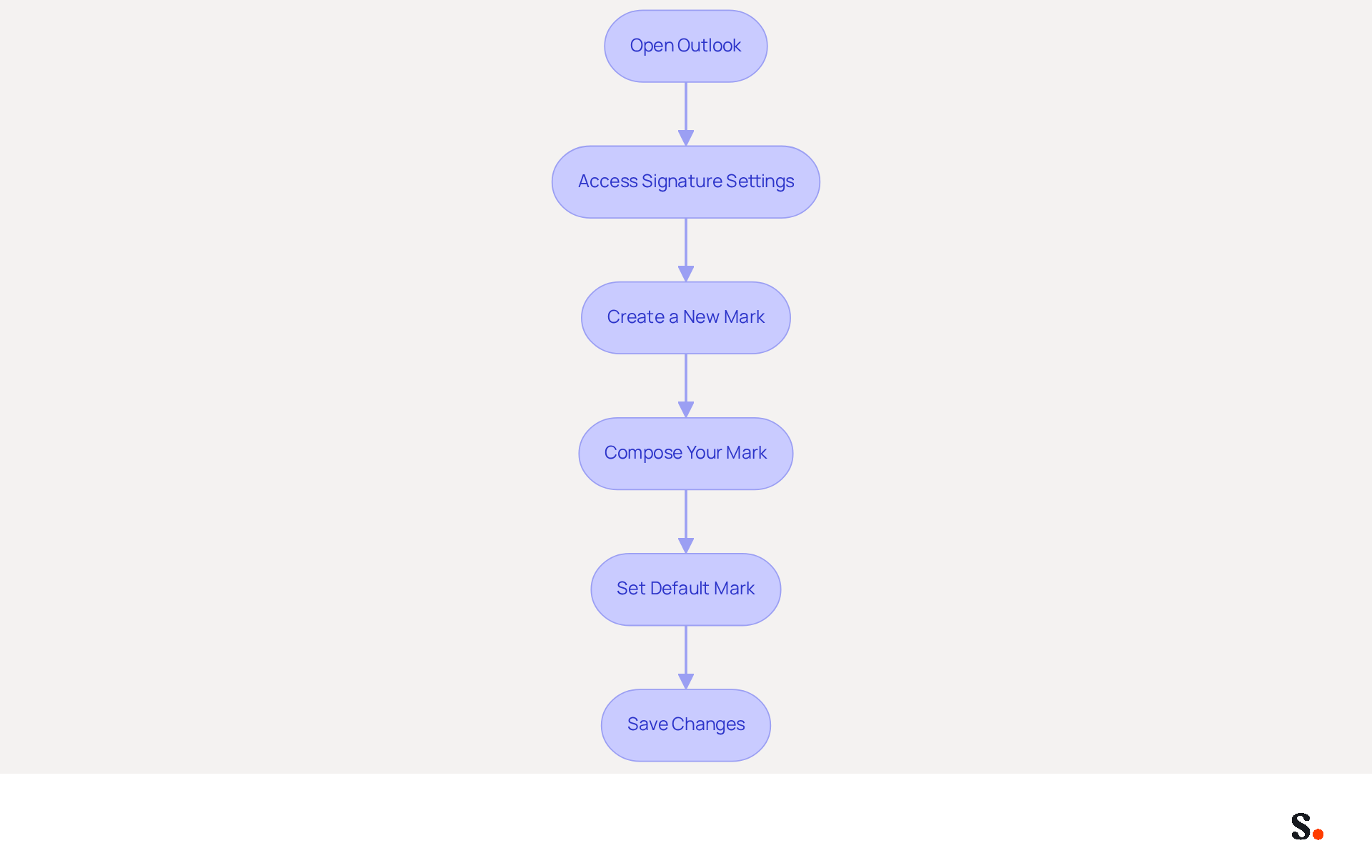
Creating a professional student email signature in Outlook is essential for maintaining brand consistency and credibility. To create your email signature in Outlook, follow these steps:
- Open Outlook: Launch the Outlook application on your computer.
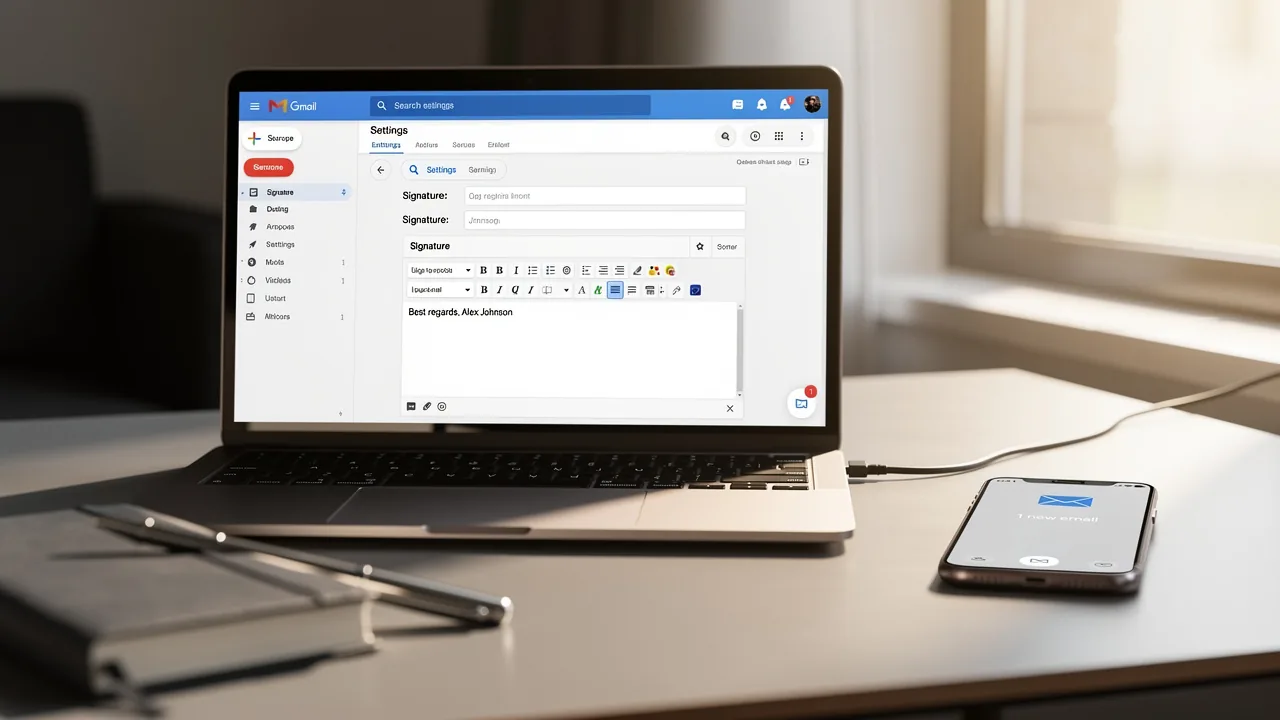
- Access Signature Settings: Click on 'File' in the top-left corner, then select 'Options'. In the Mail category, click on 'Signatures' to create your student email signature outlook.
- Create a New Mark: In the Signatures and Stationery window, click 'New' to create a new mark. Name your unique identifier for easy recognition.
- Compose Your Mark: In the editing box, type your mark, incorporating key elements such as your name, title, and contact information. Use formatting options to adjust font style, size, and color as needed. You might want to add social media icons or a promotional banner in your student email signature outlook; 75.8% of users include social media links in their profiles to boost visibility. You can also add a logo or image to further customize your sign-off.
- Set Default Mark: If you want this mark to be used for new emails or replies, set it as the default in the same window. You can also choose a sign-off to appear in replies and forwards by selecting one from the Replies/forwards drop-down.
- Save Changes: Click 'OK' to store your new identifier and exit the settings.
Now, your signature is ready to use in your messages! A professional student email signature in Outlook can significantly enhance your credibility; 52% of users believe that having a strong student email signature Outlook is crucial for effective communication. By automating your management with Scribe, you can save time and ensure consistency across your communications, ultimately enhancing your marketing effectiveness. Scribe's automated synchronization with Aircall guarantees that any modifications made in your contact details are reflected immediately, preserving brand consistency and adherence to SOC 2 Type II standards. Furthermore, by participating in Scribe's Affiliate Program, you can earn a 50% commission and provide a $30 credit to others, further enhancing your marketing efforts while promoting brand consistency in digital branding. With Scribe, you not only streamline your email signature management but also reinforce your brand's professional image in every communication.
Customize Your Signature for Maximum Impact
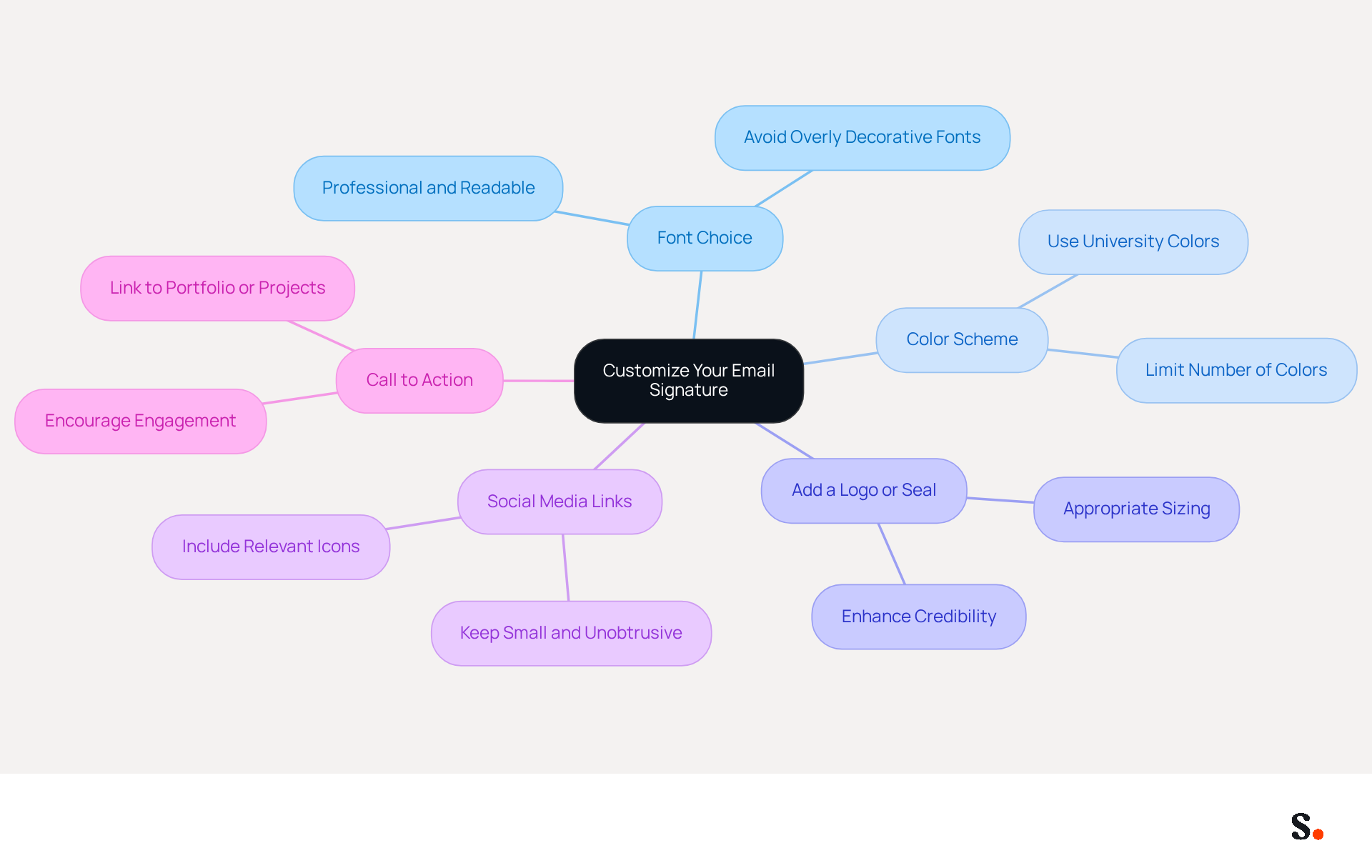
In a competitive professional landscape, a well-crafted email signature can significantly enhance your communication effectiveness. Consider the following customization tips to make your email signature stand out:
- Font Choice: Select a professional font that is easy to read. Avoid overly decorative fonts that may distract from the content.
- Color Scheme: Use your university's colors or a simple color palette that aligns with your personal brand. Limiting the number of colors helps maintain a clean look.
- Add a Logo or Seal: If permitted, include your university's logo or seal to enhance credibility. Ensure it is appropriately sized and does not overwhelm the text.
- Social Media Links: If applicable, add icons linking to your social media profiles, such as LinkedIn. Keep these small and unobtrusive to maintain a professional appearance.
- Call to Action: Consider including a brief call to action, such as a link to your portfolio or a recent project, to encourage engagement.
Ultimately, a thoughtfully designed email signature can be a powerful tool in establishing your professional identity and fostering connections.
Troubleshoot Common Email Signature Issues
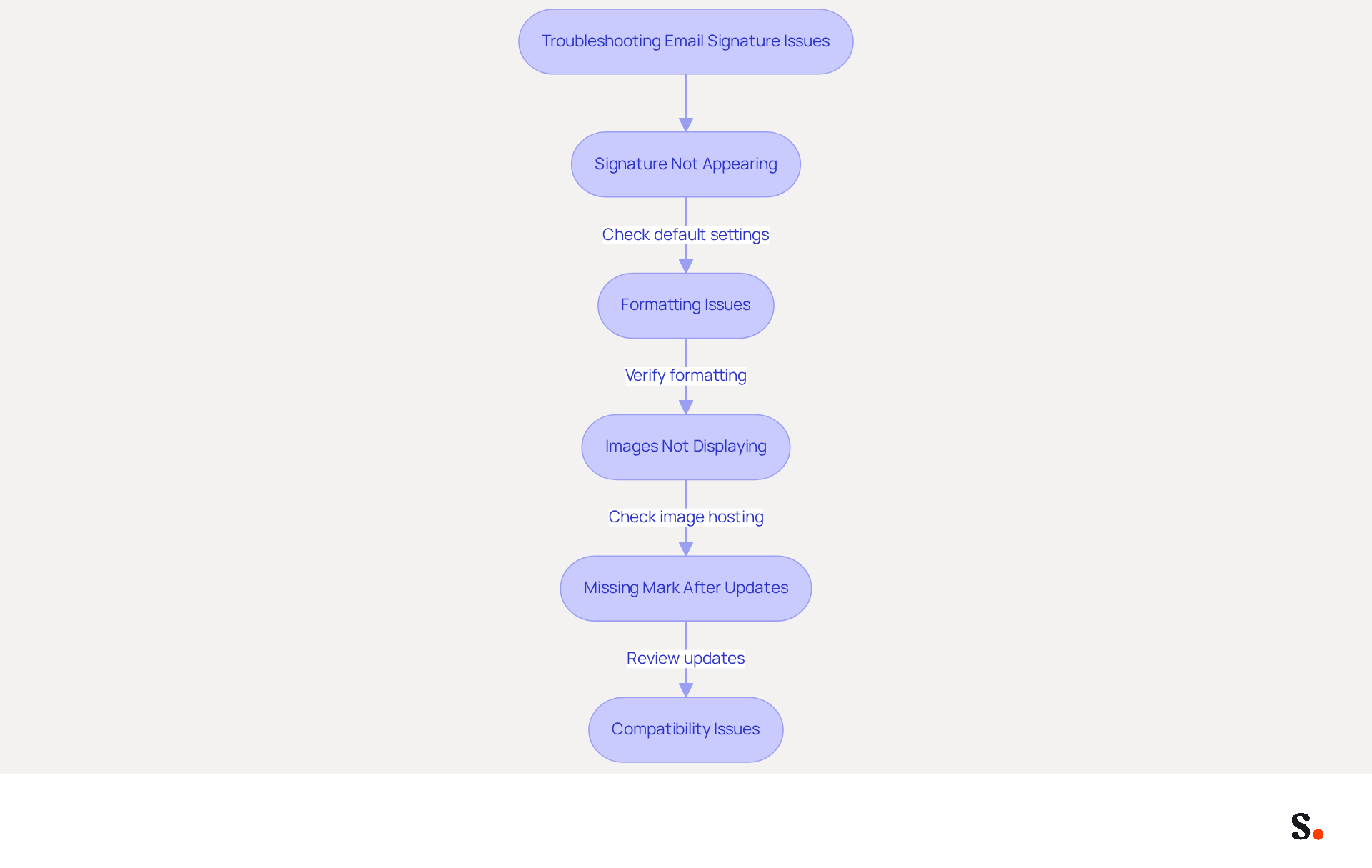
Experiencing issues with your student email signature in Outlook can undermine your professional image. Consider the following troubleshooting steps:
- Signature Not Appearing: Ensure that your signature is set as the default for new emails and replies in the signature settings. Many users find that their settings for the student email signature Outlook reset unexpectedly, causing confusion and inconsistency. By syncing your Google Workspace with Scribe, you save time by automatically updating your teammates' information, keeping their identification details current. This is essential, as 42% of consumers feel negatively towards businesses lacking a consistent identity.
- Formatting Issues: If your mark appears differently when sent, check the formatting in the editor. Avoid copying and pasting from Word or web pages, as this can introduce hidden formatting errors. Creating your personal mark in a plain text editor can help maintain consistency. Proper formatting is crucial, as a student email signature outlook can lead to a 22% increase in response rates.
- Images Not Displaying: If images in your email footer are not showing, ensure they are hosted online or embedded correctly. Often, images don’t display because they’re blocked, which can leave recipients with a less favorable view of your brand. Additionally, check the image size and format to ensure compatibility.
- Missing Mark After Updates: Updates to Outlook can reset settings, causing marks to disappear. Revisit the settings for your sign-off to confirm that it is still configured correctly. Regular audits of configuration settings can prevent this issue from happening again. Significantly, 69% of consumers think a consistent, professional student email signature outlook is essential, highlighting the necessity for care in maintaining your electronic correspondence footer. With Scribe, any changes in your Google Workspace, such as moving teammates from one group to another or updating their information, will be automatically reflected in Scribe without any input on your part.
- Compatibility Issues: Test your identifier by sending messages to various clients (e.g., Gmail, Yahoo) to see how it appears. Inconsistent behavior across Outlook clients is common, so modify your email footer based on feedback to ensure it displays correctly across platforms. This is especially significant as a company with 100 employees can produce 60,000-80,000 branded impressions each month, highlighting the visibility and branding opportunities that effective digital branding tools offer.
By following these troubleshooting tips and leveraging Scribe's automated synchronization features, you can ensure that your student email signature outlook remains professional and functional, which enhances your brand's credibility and customer trust.
Conclusion
A polished student email signature in Outlook serves as a crucial element in establishing professionalism and enhancing visibility in academic and career pursuits. Crafting a signature that clearly communicates your credentials can significantly impact how recipients perceive you.
Throughout this guide, key elements such as including your full name, degree, graduation year, and contact information have been emphasized as essential components of an effective email signature. Additionally, customization tips, such as choosing the right font and color scheme, as well as troubleshooting common issues, ensure that your signature remains functional and visually appealing. Integrating Scribe with Google Workspace further streamlines the management of your email signature, ensuring it is always up-to-date and compliant with industry standards like SOC 2 Type II, GDPR, and CCPA.
Ultimately, investing time in creating and maintaining a professional student email signature can significantly impact your communication effectiveness and networking opportunities. Using tools like Scribe helps students maintain a consistent brand and build credibility, which can lead to future opportunities. Embrace the power of a well-crafted email signature and take the first step towards establishing a strong professional identity today.
Frequently Asked Questions
Why is a student email signature important?
A student email signature enhances visibility, conveys professionalism, and demonstrates attention to detail, which are highly valued traits in academic and job markets. Emails with a professional closing receive 32% more replies, highlighting its importance in effective communication.
What key elements should be included in a student email signature?
A professional student email signature should include the following elements: Full Name, Degree and Major, Graduation Year, University Name, Contact Information, and optional links to your LinkedIn profile or personal website.
How does integrating Scribe with Google Workspace benefit my email signature?
Integrating Scribe with Google Workspace streamlines email signature management by automatically updating your information whenever changes occur in Google Workspace, saving time and ensuring accuracy without manual input.
What are the compliance standards that Scribe adheres to?
Scribe complies with SOC 2 Type II, GDPR, and CCPA, ensuring that your data is secure and adheres to industry standards for security and compliance.
How can a well-crafted email signature impact my professional image?
A well-crafted email signature can boost response rates by 22% and enhance your credibility, making it an essential tool for effective communication in academic and early career settings.
What is the recommended length for a student email signature?
It is recommended to keep your email signature concise, ideally no longer than 4-5 lines, as most universities suggest that sign-offs be fewer than eight lines for clarity.
Why should I optimize my email signature for mobile devices?
Optimizing your email signature for mobile devices ensures that it remains effective and professional across all platforms, accommodating the increasing use of mobile devices for communication.
List of Sources
- Understand the Importance of a Student Email Signature
- Email signatures for students in 2026: tips and real templates (https://mysignature.io/blog/why-do-students-need-personal-email-signatures)
- Student Email Signature Examples & Best Practices (https://wisestamp.com/examples/student-email-signature)
- Compare Email Signature Generators for Students: Key Features & Benefits (https://scribe-mail.com/en-US/blog/compare-email-signature-generators-for-students-key-features-benefits)
- Best Email Signatures for Students: Key Practices for Success (https://scribe-mail.com/en-US/blog/best-email-signatures-for-students-key-practices-for-success)
- Email Signature Statistics: A Closer Look at Email Signatures in 2026 (https://mysignature.io/blog/email-signature-statistics)
- Identify Key Elements for Your Email Signature
- How to create the perfect college student email signature (with examples) — Stripo.email (https://stripo.email/blog/how-to-create-the-perfect-college-student-email-signature)
- 40+ Email Signature Statistics for 2026 (Data + Insights) (https://wavecnct.com/blogs/email-signature-statistics)
- Email Signatures For University, College And School Students - NEWOLDSTAMP (https://newoldstamp.com/blog/email-signatures-for-university-college-and-school-students)
- Best Email Signatures for Students: Key Practices for Success (https://scribe-mail.com/en-US/blog/best-email-signatures-for-students-key-practices-for-success)
- Email Signature for Students: Professional Templates for Internships & Networking (https://syncsignature.com/blog/email-signature-for-students)
- Create Your Email Signature in Outlook
- How to add and change an email signature in Outlook | Microsoft Support (https://support.microsoft.com/en-us/outlook/mail/how-to-add-and-change-an-email-signature-in-outlook)
- Email Signature Statistics: A Closer Look at Email Signatures in 2026 (https://mysignature.io/blog/email-signature-statistics)
- Automatic Signature in Outlook: Adding and Changing with Ease - NEWOLDSTAMP (https://newoldstamp.com/blog/automatic-signature-in-outlook)
- Create an email signature in Outlook - Microsoft Support (https://support.microsoft.com/en-us/topic/create-an-email-signature-in-outlook-0f6ec33a-94dc-c87b-ad05-3bd04e89f51c)
- Customize Your Signature for Maximum Impact
- Email Signature Best Practices Guide With Examples - MailerLite (https://mailerlite.com/blog/email-signature-best-practices)
- 6 Cool New-School Ways to Leverage Email Signature Banners (https://opensense.com/blog/6-cool-new-school-ways-to-leverage-email-signature-banners)
- Best Practices for Crafting a Student Email Signature Example (https://scribe-mail.com/en-US/blog/best-practices-for-crafting-a-student-email-signature-example)
- Email signatures for students – a professional guide (https://mail-signatures.com/articles/email-signatures-for-students)
- 40+ Email Signature Statistics for 2026 (Data + Insights) (https://wavecnct.com/blogs/email-signature-statistics)
- Troubleshoot Common Email Signature Issues
- 40+ Email Signature Statistics for 2026 (Data + Insights) (https://wavecnct.com/blogs/email-signature-statistics)
- How to solve problems with email signatures in Microsoft 365? (https://mail-signatures.com/articles/problems-email-signatures-office-365)
- Outlook Signature Not Working in Office 365: Causes & Fixes (https://exclaimer.com/email-signature-handbook/outlook-signature-not-working-in-office-365)
- justanswer.com (https://justanswer.com/email/lyeqn-email-signatures-no-longer-loading-automatically.html)
Get started with Scribe
Create your signature in minutes
Free 14-day trial — no credit card.