How to Ajouter une Signature Gmail: Step-by-Step Guide
In an era where digital communication dominates, email signatures play a crucial role in shaping brand identity and professionalism. Email signatures are not
Sophie Grant
Email Signature Specialist, Scribe
Introduction
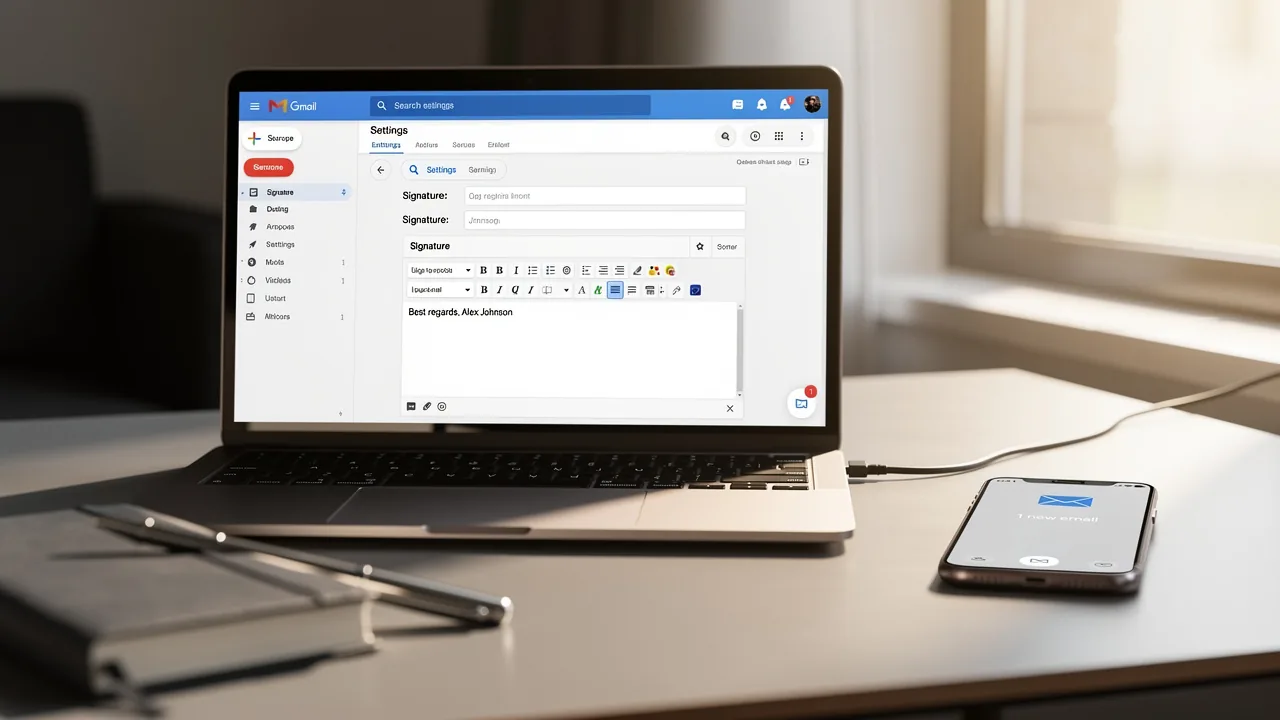
In an era where digital communication dominates, email signatures play a crucial role in shaping brand identity and professionalism. Email signatures are not just digital sign-offs; they are essential tools for boosting brand recognition and professionalism in communication. As organizations rely more on email for outreach, it’s clear that a well-crafted signature acts like a digital business card, significantly impacting engagement rates.
Many professionals find the process of customizing their Gmail signatures confusing and time-consuming. How can one navigate the settings to create a signature that not only reflects their brand but also drives marketing success?
This guide offers a step-by-step approach to mastering Gmail signatures, ensuring every email leaves a lasting impression. Mastering Gmail signatures not only enhances your brand's image but also elevates your overall communication strategy.
Understand the Importance of Email Signatures in Gmail
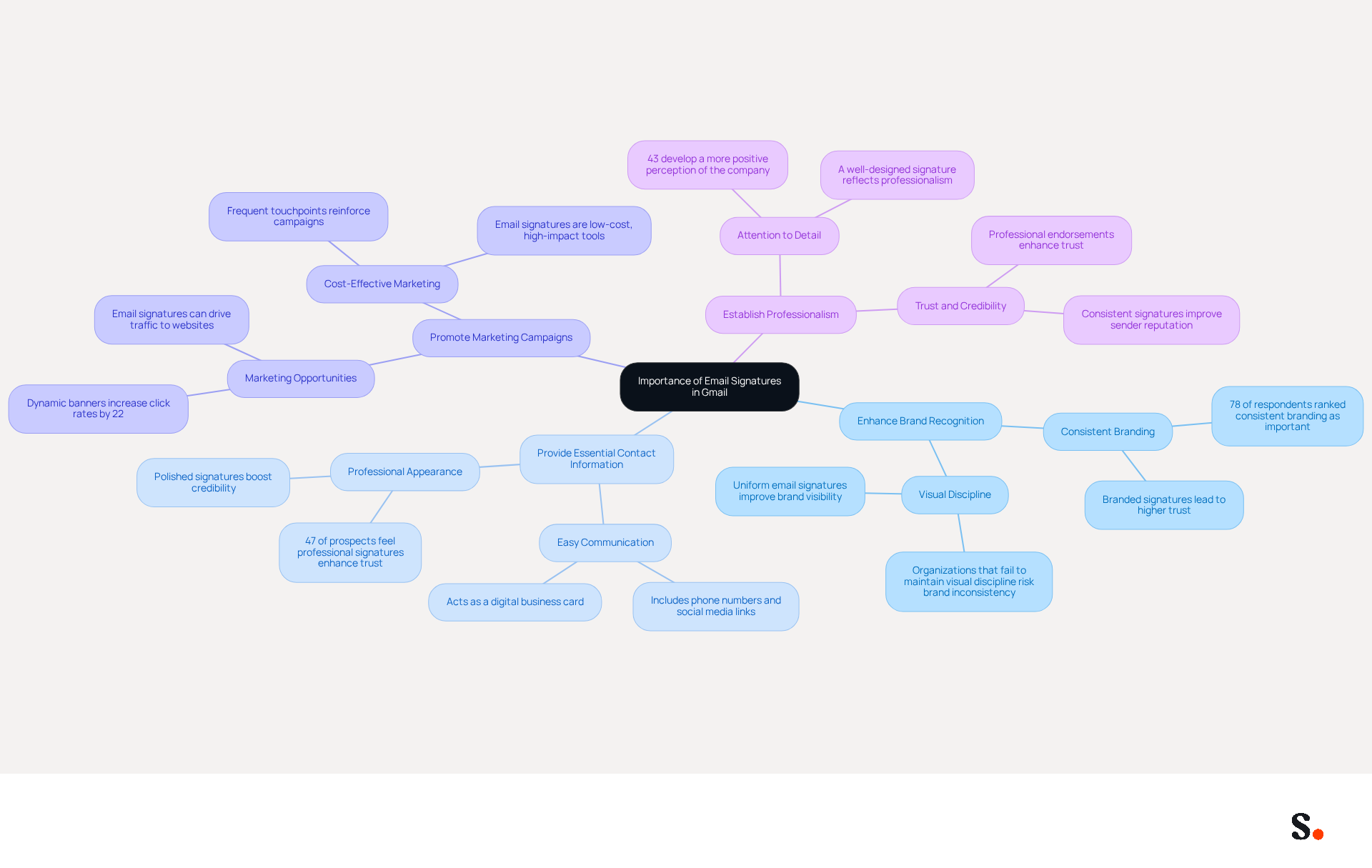
Email signatures play a crucial role in shaping your professional identity and driving strategic communication outcomes. They serve multiple strategic purposes:
- Enhance Brand Recognition: Consistent branding across emails reinforces your company's image, making it easier for recipients to remember your brand. Organizations that maintain consistent digital identifiers report a significant increase in brand visibility and recognition.
- Provide Essential Contact Information: Including your phone number, social media links, and other details facilitates easy communication, ensuring recipients can reach you without hassle. A well-organized sign-off serves as a digital business card, enhancing professionalism.
- Promote Marketing Campaigns: Email footers can be leveraged to highlight promotions, events, or new products, effectively turning every email into a marketing opportunity. Dynamic banners in email footers have been shown to increase click rates by 22%, showcasing their potential as marketing tools.
- Establish Professionalism: A polished email signature shows you care about the details, boosting your credibility in the eyes of your recipients. In fact, 47% of prospects believe that professional endorsements enhance their trust, while 43% develop a more positive perception of the company.
Understanding these benefits highlights the significance of creating a mark that not only reflects your brand but also engages your audience effectively. By refining your email signature, you not only enhance your brand's visibility but also foster stronger connections with your audience.
Access Gmail Settings to Add Your Signature
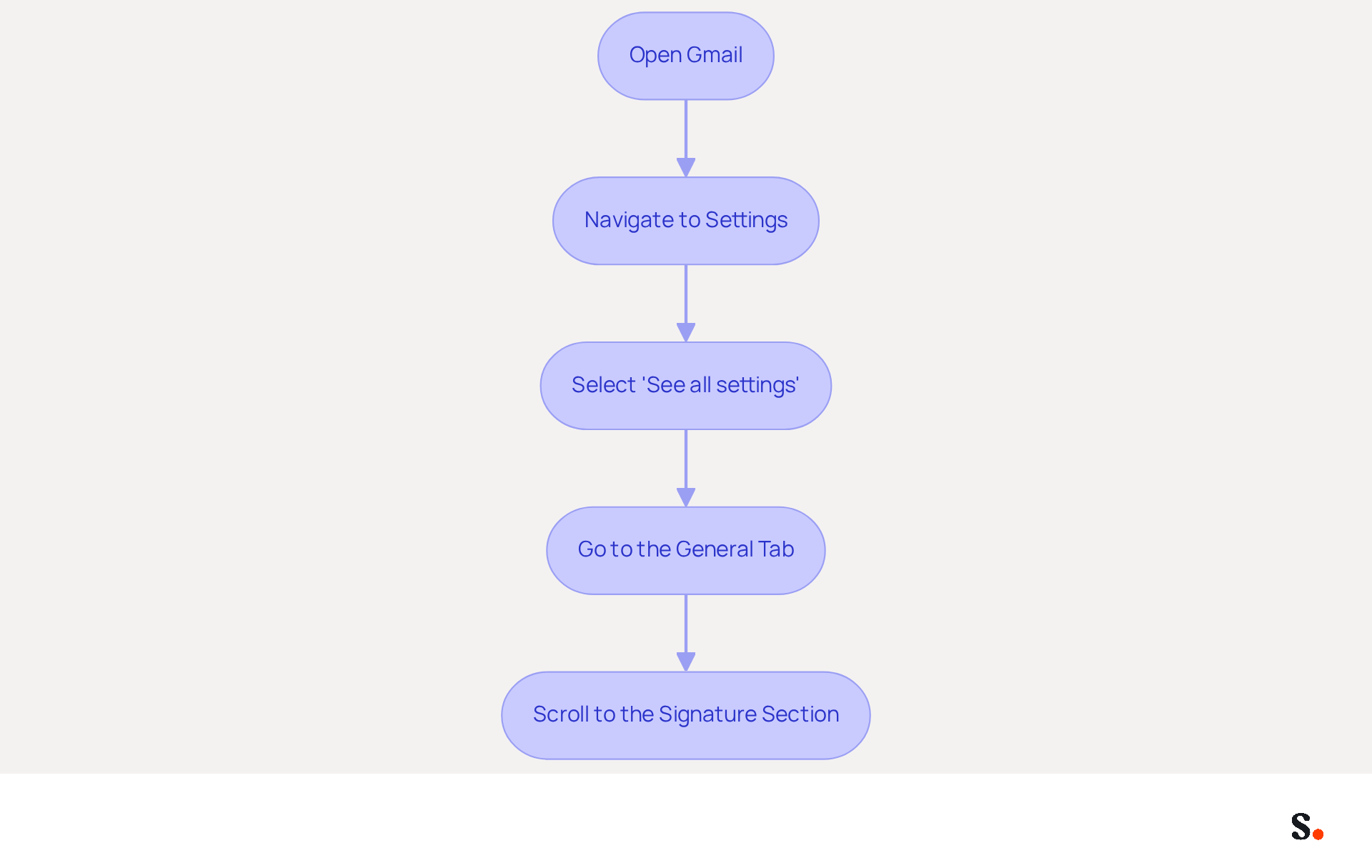
To add your email signature in Gmail, follow these steps:
- Open Gmail: Log into your Gmail account using a web browser.
- Navigate to Settings: Click on the gear icon located in the top right corner of the Gmail interface.
- Select 'See all settings': From the dropdown menu, choose 'See all settings' to access the full settings menu.
- Go to the General Tab: In the settings menu, ensure you are on the 'General' tab, where you will find the options for your sign-off.
- Scroll to the Signature Section: Look for the 'Signature' section, typically located towards the bottom of the General tab. This is where you will create and manage your signatures, such as how to ajouter une signature gmail.
Many users find it challenging to navigate the permissions required for effective synchronization with Scribe, which is essential for seamless integration. Ensure you are a Super Admin of your service provider to grant these permissions. You will have the option to select which teammates you want to sync with Scribe, allowing for automatic updates of their information.
A well-crafted email signature is crucial for maintaining your brand identity and fostering trust with clients. Statistics indicate that messages with branded signatures receive a 22% higher response rate, making it an essential tool for effective communication. By syncing your Google Workspace with the application, you can streamline this process significantly. The application allows for one-click synchronization, ensuring that any changes made in your email provider, such as updates to teammate information, are automatically reflected in the application without manual input. By ensuring seamless updates, Scribe empowers teams to maintain a professional image effortlessly. Additionally, Scribe is SOC 2 Type II compliant, ensuring the safety of your data. With Scribe, you can ensure that your email communications reflect your brand consistently and professionally, leaving a lasting impression on your clients.
Create and Customize Your Email Signature
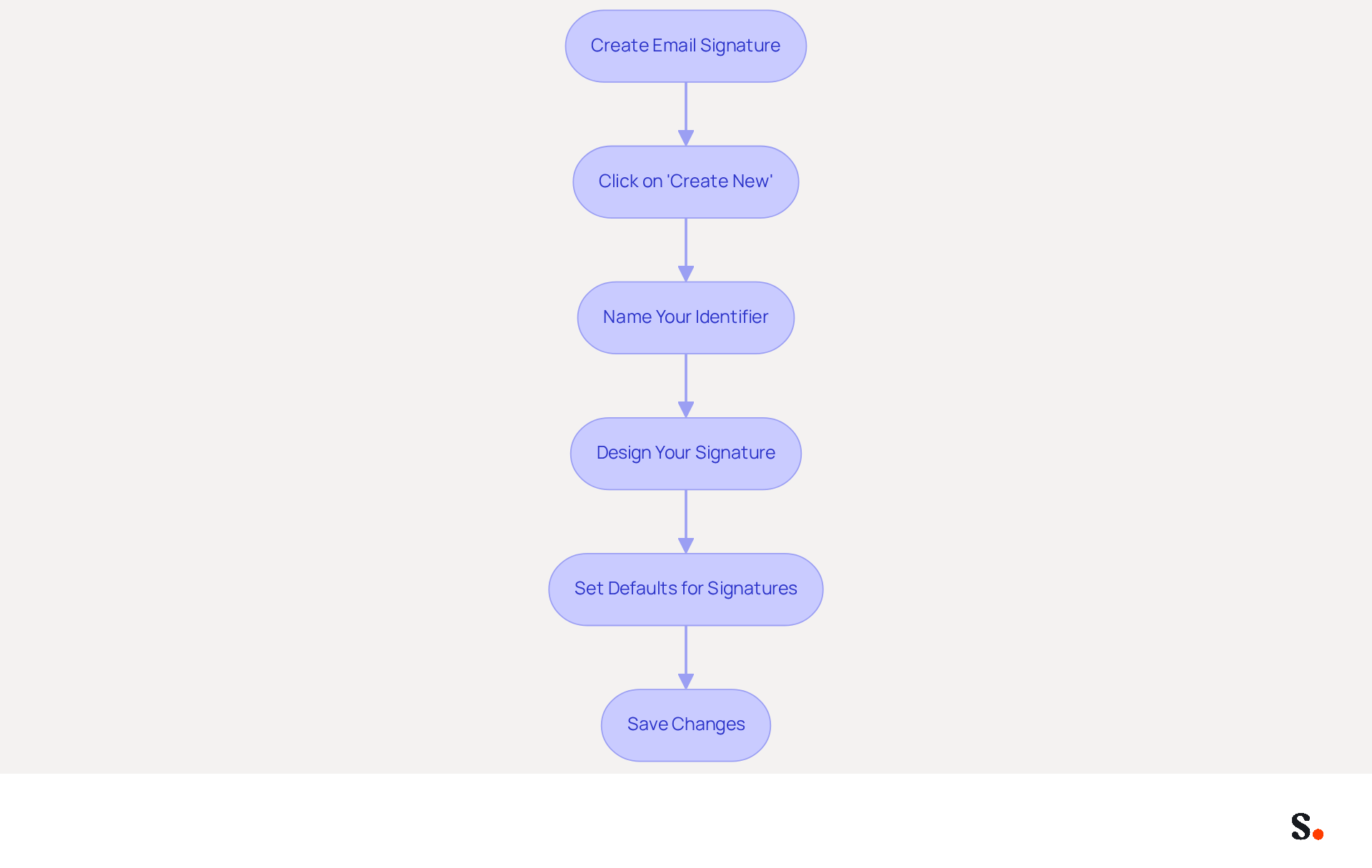
It is essential to ajouter une signature gmail to create a professional email signature and establish a strong digital presence. To create your email signature in Gmail, follow these steps:
- Click on 'Create New': In the section for creating, select the '+ Create New' button to initiate a new entry.
- Name Your Identifier: Provide a name for your identifier for your reference; this name will not be visible to recipients.
- Design Your Signature: In the text box that appears, you can:
- Add Text: Enter your name, title, and any other pertinent information.
- Format Text: Utilize the formatting options to adjust font style, size, and color to align with your brand identity.
- Insert Images: Click the image icon to add a logo or other relevant images, ensuring they are hosted online for proper display.
- Add Links: Highlight text and click the link icon to incorporate hyperlinks to your website or social media profiles.
- Set Defaults for Signatures: Select whether this sign-off will be utilized for new messages, responses, or both by choosing the suitable options.
- Save Changes: After finalizing your autograph, scroll down and click 'Save Changes' at the bottom of the settings page.
Following these steps creates a professional digital identifier that represents your identity and enhances your image. Keep in mind that a well-crafted sign-off does more than just share your contact details; it boosts your organization's professionalism and trustworthiness in every email. Furthermore, consider the management of your digital identifiers to ensure consistency in your identity and adherence to legal standards. With Scribe, your correspondence identifiers can be automatically synchronized with your business phone system, guaranteeing that any updates made in your Aircall configuration are reflected in real-time. This automated management not only saves time but also ensures that your team's approvals are always current, enhancing brand consistency across all communications. Studies indicate that messages featuring branded footers can lead to a 22% increase in response rates, emphasizing the significance of a well-managed footer in boosting engagement and generating leads. Ultimately, to enhance your professional image and communication success, it is important to ajouter une signature gmail.
Save and Test Your Email Signature in Gmail
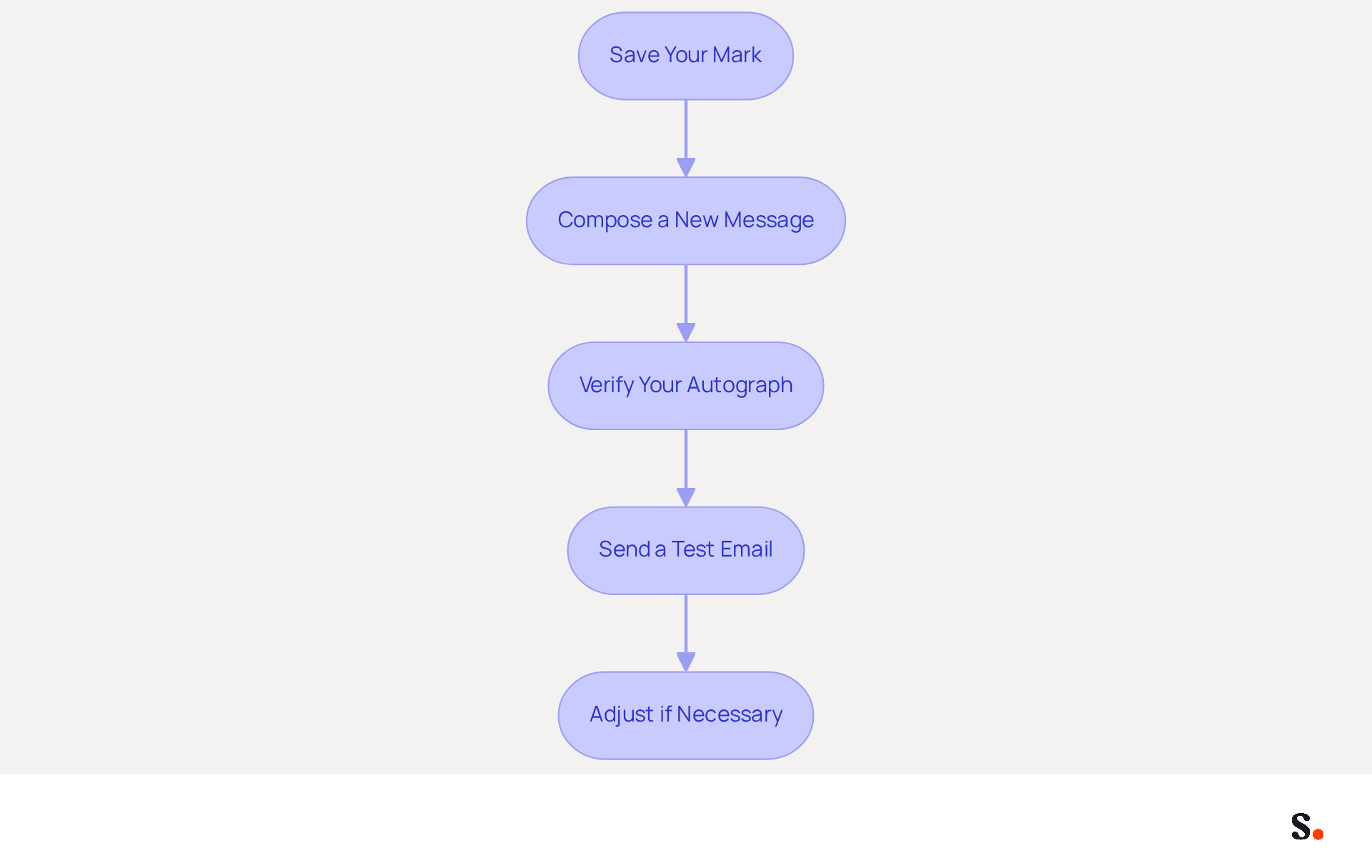
It is crucial for professional communication to ajouter une signature gmail that is both functional and visually appealing. After creating your signature, it's essential to save and test it to ensure it functions correctly and looks professional:
- Save Your Mark: Click 'Save Changes' in the settings to apply your new mark.
- Compose a New Message: Start a new message by clicking on 'Compose'.
- Verify Your Autograph: Examine the bottom of the message composition window to ensure your autograph appears as anticipated.
- Send a Test Email: Send an email to yourself or a colleague to verify how the closing appears in the recipient's inbox. Pay attention to formatting, images, and links.
- Adjust if Necessary: You may encounter issues with formatting or links that require adjustments. If something doesn’t look right, return to the settings, make adjustments, and save again. Repeat the testing process until you are satisfied with the result.
By utilizing Scribe's one-click synchronization with Google Workspace, you save time as your teammates' data is automatically synced for easy signature updates. To enable this synchronization, ensure you have Super Admin permissions for your Google Workspace. This means any changes in your Google Workspace, like job updates, will automatically reflect in the application. Additionally, Scribe enhances teammate information from HR software after synchronization, further streamlining the process. Following these steps guarantees that your message footer is not only visually attractive but also functional, improving your professional communication. This centralized management leads to 85% improved brand consistency and three times greater campaign engagement, underscoring the importance of a well-optimized signature. Furthermore, adding a professional photo can boost response rates by 32%, making it a valuable enhancement to your email. By choosing to ajouter une signature gmail, you not only enhance your marketing efforts but also demonstrate your commitment to secure data handling.
Conclusion
A professional email signature in Gmail serves as a vital tool for enhancing brand recognition and facilitating effective communication. By following the outlined steps, users can create a signature that not only reflects their identity but also reinforces their organization's professionalism and credibility.
This guide has highlighted how email signatures play a crucial role in establishing a strong digital presence. Key insights include:
- The necessity of consistent branding
- The ease of providing essential contact information
- The potential for increased engagement through well-designed signatures
Moreover, leveraging tools like Scribe can streamline the process, ensuring that signatures are not only visually appealing but also compliant with security standards such as SOC 2 Type II, GDPR, and CCPA.
Many users underestimate the impact of a well-crafted email signature, potentially hindering their branding efforts. Failing to invest in email signatures can result in lost opportunities for brand recognition and engagement. By prioritizing your email signature, you position your organization for greater visibility and engagement in every interaction. Embrace the opportunity to enhance your professional image and drive engagement by adding a signature in Gmail today.
Frequently Asked Questions
What is the importance of email signatures in Gmail?
Email signatures are crucial for shaping professional identity and driving strategic communication outcomes, including enhancing brand recognition, providing essential contact information, promoting marketing campaigns, and establishing professionalism.
How do email signatures enhance brand recognition?
Consistent branding across emails reinforces a company's image, making it easier for recipients to remember the brand. Organizations with consistent digital identifiers report a significant increase in brand visibility and recognition.
What essential information should be included in an email signature?
An email signature should include contact information such as your phone number, social media links, and other relevant details to facilitate easy communication and enhance professionalism.
How can email signatures promote marketing campaigns?
Email footers can highlight promotions, events, or new products, turning every email into a marketing opportunity. Dynamic banners in email footers can increase click rates by 22%, showcasing their effectiveness as marketing tools.
What impact does a polished email signature have on professionalism?
A well-crafted email signature demonstrates attention to detail, boosting credibility. Research shows that 47% of prospects believe professional endorsements enhance trust, while 43% develop a more positive perception of the company.
Why is it important to refine your email signature?
Refining your email signature enhances your brand's visibility and fosters stronger connections with your audience, making it a vital aspect of professional communication.
List of Sources
- Understand the Importance of Email Signatures in Gmail
- Why Team Email Signatures Matter More Than You Think: The Hidden Impact on Brand Trust and Customer Experience (https://getmailbird.com/why-team-email-signatures-matter-brand-trust)
- The impact of email signatures on your branding (https://signitic.com/en/resources/the-impact-of-email-signatures-on-your-branding)
- Why Are Email Signatures Key to Brand Awareness? | QuickMail (https://quickmail.com/role-of-email-signatures-in-brand-awareness)
- Why Email Signatures Must Be In Your 2026 Marketing Plan | Rocketseed (https://rocketseed.com/blog/2026-marketing-plan-email-signatures)
- Access Gmail Settings to Add Your Signature
- 14 Key Email Signature Statistics to Know in 2026 (https://mailmodo.com/guides/email-signature-statistics)
- Email Signature Statistics: A Closer Look at Email Signatures in 2026 (https://mysignature.io/blog/email-signature-statistics)
- 40+ Email Signature Statistics for 2026 (Data + Insights) (https://wavecnct.com/blogs/email-signature-statistics)
- Email Signature Trends in Numbers: Infographic [2026] (https://mailtrap.io/blog/email-signature-trends)
- Email signature statistics: Why every business should optimize their email signatures — Stripo.email (https://stripo.email/blog/email-signature-statistics-why-every-business-should-optimize-their-email-signatures)
- Create and Customize Your Email Signature
- Email signature statistics: Why every business should optimize their email signatures — Stripo.email (https://stripo.email/blog/email-signature-statistics-why-every-business-should-optimize-their-email-signatures)
- Why Team Email Signatures Matter More Than You Think: The Hidden Impact on Brand Trust and Customer Experience (https://getmailbird.com/why-team-email-signatures-matter-brand-trust)
- The impact of email signatures on your branding (https://signitic.com/en/resources/the-impact-of-email-signatures-on-your-branding)
- Elevate Your Brand with Professional Email Signatures (https://holickycorporation.com/blog/elevate-your-brand-with-professional-email-signatures)
- Save and Test Your Email Signature in Gmail
- Email Signature Best Practices for 2026 (+ 15 Pro Examples) (https://wavecnct.com/blogs/email-signature-best-practices-2026)
- Retention Marketing with Email Signatures in 2026 | Rocketseed (https://rocketseed.com/blog/retention-marketing-with-email-signatures)
- Email Signature Statistics: A Closer Look at Email Signatures in 2026 (https://mysignature.io/blog/email-signature-statistics)
- Top 10+ best practices for email signatures design in 2026 (https://mysignature.io/blog/email-signature-best-practices)
- Email Signature Trends 2026: Centralized Control & Automation | SIGNandGO posted on the topic | LinkedIn (https://linkedin.com/posts/signngo_email-signature-trends-to-watch-in-2026-activity-7401523471786217473-zAVL)
Get started with Scribe
Create your signature in minutes
Free 14-day trial — no credit card.