Optimize Your Outlook Signature 2013 for Brand Consistency and Engagement
In a crowded market, standing out is increasingly difficult for businesses, making a strong brand identity in digital communications essential. Optimizing
Sophie Grant
Email Signature Specialist, Scribe

Introduction
In a crowded market, standing out is increasingly difficult for businesses, making a strong brand identity in digital communications essential. Optimizing email signatures in Outlook 2013 not only enhances brand consistency but also serves as a powerful tool for engagement and marketing effectiveness.
Let’s explore how organizations can ensure their email signatures reflect their brand accurately while driving measurable results. We’ll explore best practices for creating impactful email signatures that resonate with recipients and elevate brand visibility, leveraging automation tools like Scribe for seamless management and compliance.
Establish Brand Consistency in Signature Design
To ensure a cohesive brand identity in your communications, establishing a standardized Outlook template is essential. Begin by creating a layout that incorporates key branding elements such as your company logo, colors, and fonts. This method guarantees that each email accurately represents your brand identity. Here are actionable steps to achieve this:
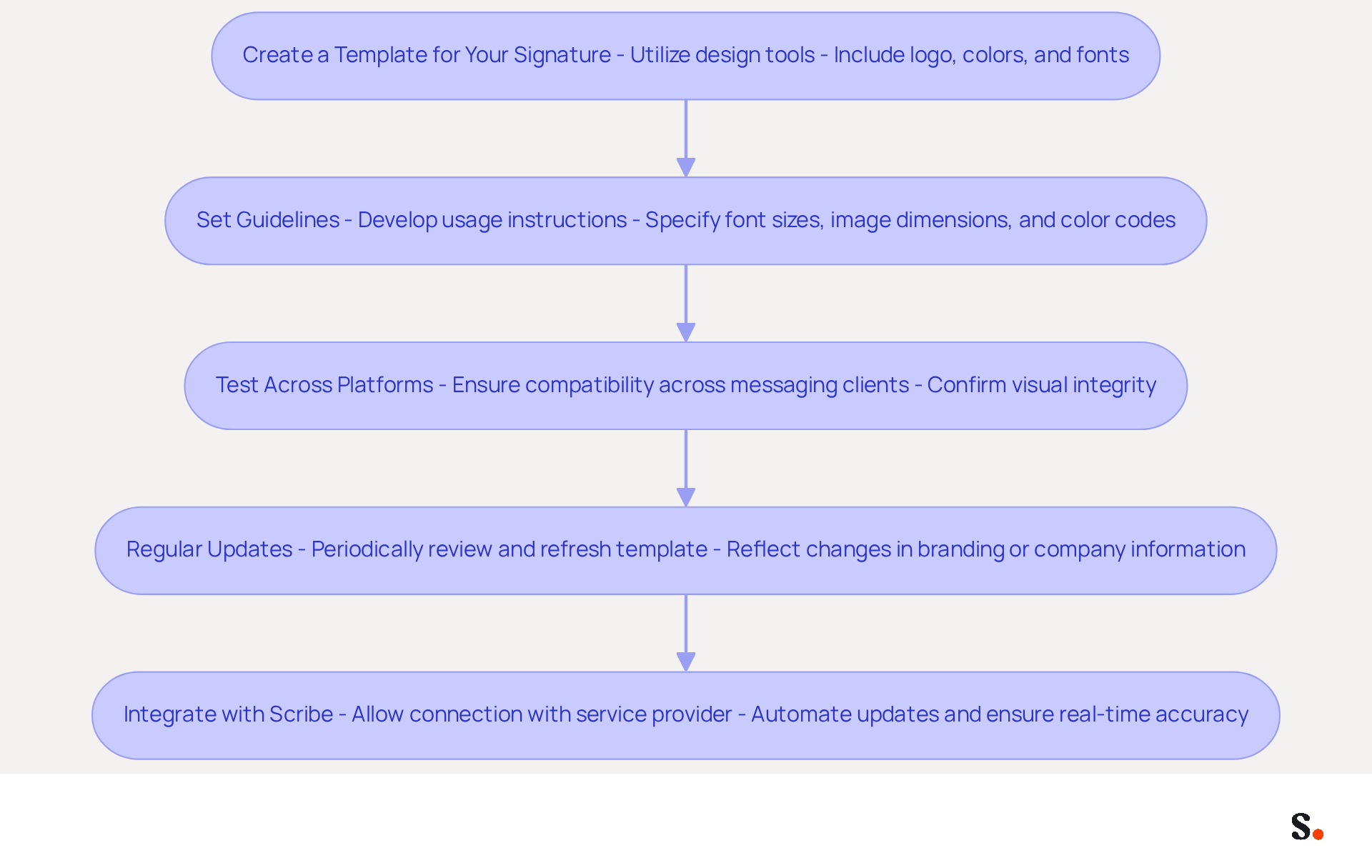
- Create a Template for Your Signature: Utilize a design tool to craft a template that includes your logo, colors, and fonts. The layout should be clean and professional, aligning with your overall image.
- Set Guidelines: Develop clear instructions for usage, specifying font sizes, image dimensions, and color codes. This will help maintain consistency across all team members, reinforcing your brand identity.
- Test Across Platforms: Ensure that your identifier displays correctly across various messaging clients and devices. Testing the outlook signature 2013 and other platforms is crucial to confirm compatibility and visual integrity.
- Regular Updates: Periodically review and refresh the template to reflect any changes in branding or company information. Keeping your communications fresh and relevant is essential for maintaining a professional image.
To make synchronization with Scribe seamless, you’ll need to allow it to connect with your service provider, which requires Super Admin access. This synchronization saves time by automatically updating teammate information, ensuring that any changes in your Google Workspace are reflected in real-time. By following these steps, you can create a mark that not only appears professional but also enhances your brand's visibility in every communication. Studies show that maintaining consistent branding can enhance customer recognition significantly, with some estimates suggesting increases of up to 80%. Moreover, organizations that uphold consistent messaging formats report over a 22% rise in response rates, highlighting the significance of a well-crafted format in your marketing strategy.
Integrating management of messaging identifiers with tools like Scribe improves operational efficiency and ensures that your branding stays consistent across all communications. Scribe's SOC 2 Type II compliance ensures the protection of your data, making it a trustworthy option for managing digital identifiers efficiently. However, managing digital identifiers comes with inherent security challenges that must be addressed, as effective management can reduce risks and safeguard your brand's integrity.
Incorporate Effective Call-to-Action Elements
To enhance engagement through your contact information, it is essential to incorporate effective call-to-action (CTA) elements strategically. Here’s how to optimize your approach:
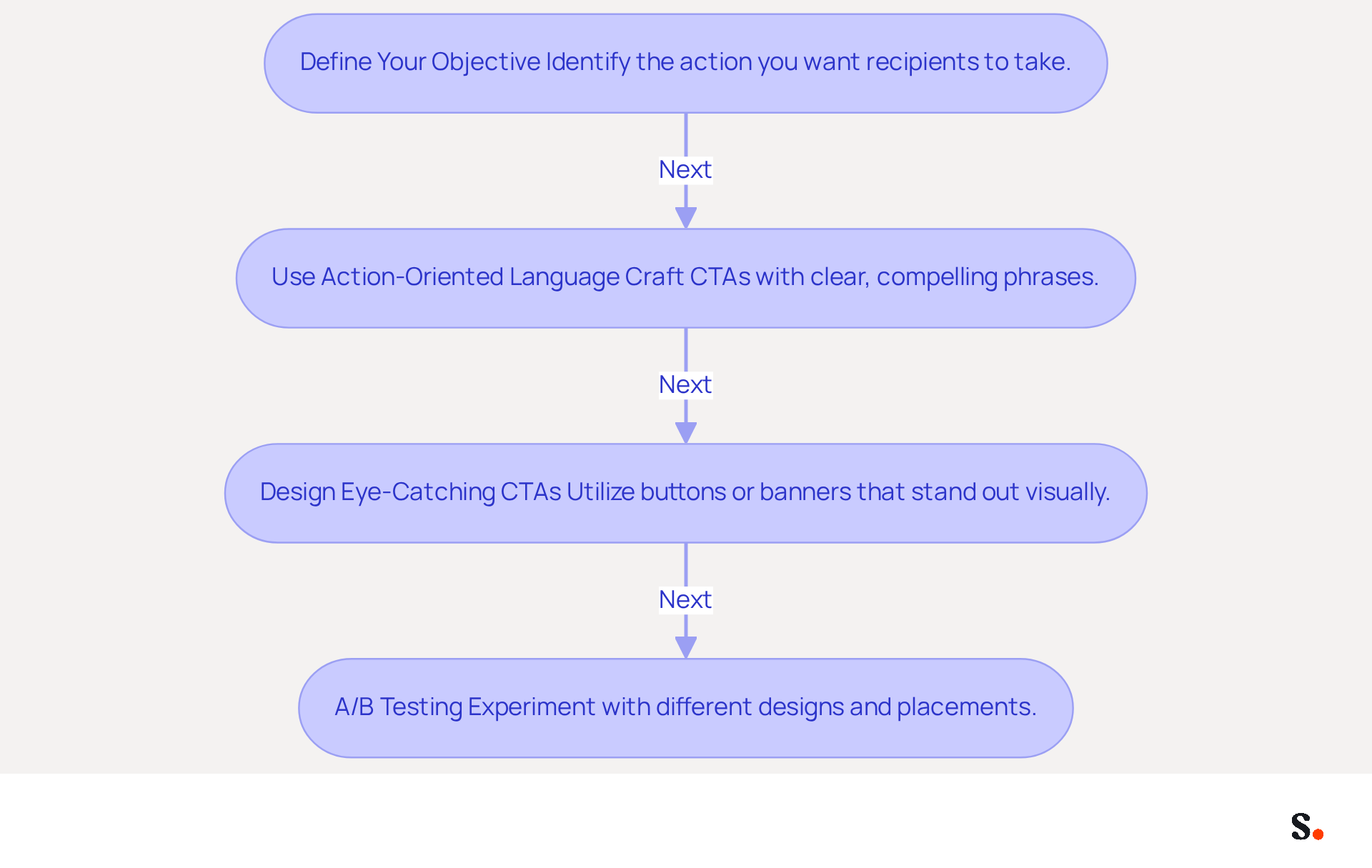
- Define Your Objective: Clearly identify the action you want recipients to take, such as scheduling a meeting, visiting your website, or signing up for a newsletter. This clarity will guide your CTA design.
- Use Action-Oriented Language: Craft CTAs with clear, compelling language. Phrases like 'Book a Demo', 'Get Started', or 'Download Now' can encourage immediate action. Strategic CTAs in email footers can convert 40% better than generic 'contact me' links, which shows how important it is to be specific. Additionally, statistics reveal that 20% of recipients took action on an inline CTA offering 'Book a demo', further emphasizing the effectiveness of targeted CTAs.
- Design Eye-Catching CTAs: Utilize buttons or banners in your email that stand out visually. Ensure they are clickable and lead directly to the intended action. Studies show that using buttons can increase conversion rates by 28% over hyperlinks, making them an essential element of your branding. Incorporating a profile picture can also improve response rates by up to 32%, adding a personal touch that enhances engagement.
- A/B Testing: Experiment with different CTA designs and placements to determine which generates the highest engagement. For instance, a marketing team found that left-aligned, single-column designs achieved 3x higher click rates than multi-column layouts. Analyze the results to refine your approach continuously. Designing effective CTAs can be challenging due to common pitfalls that may detract from your message.
Regularly refining your CTAs can transform interactions into meaningful actions that align with your marketing objectives.
Utilize Automation for Efficient Signature Management
To streamline your management of correspondence identifiers, consider leveraging automation tools like Scribe for enhanced efficiency. Here are some best practices:
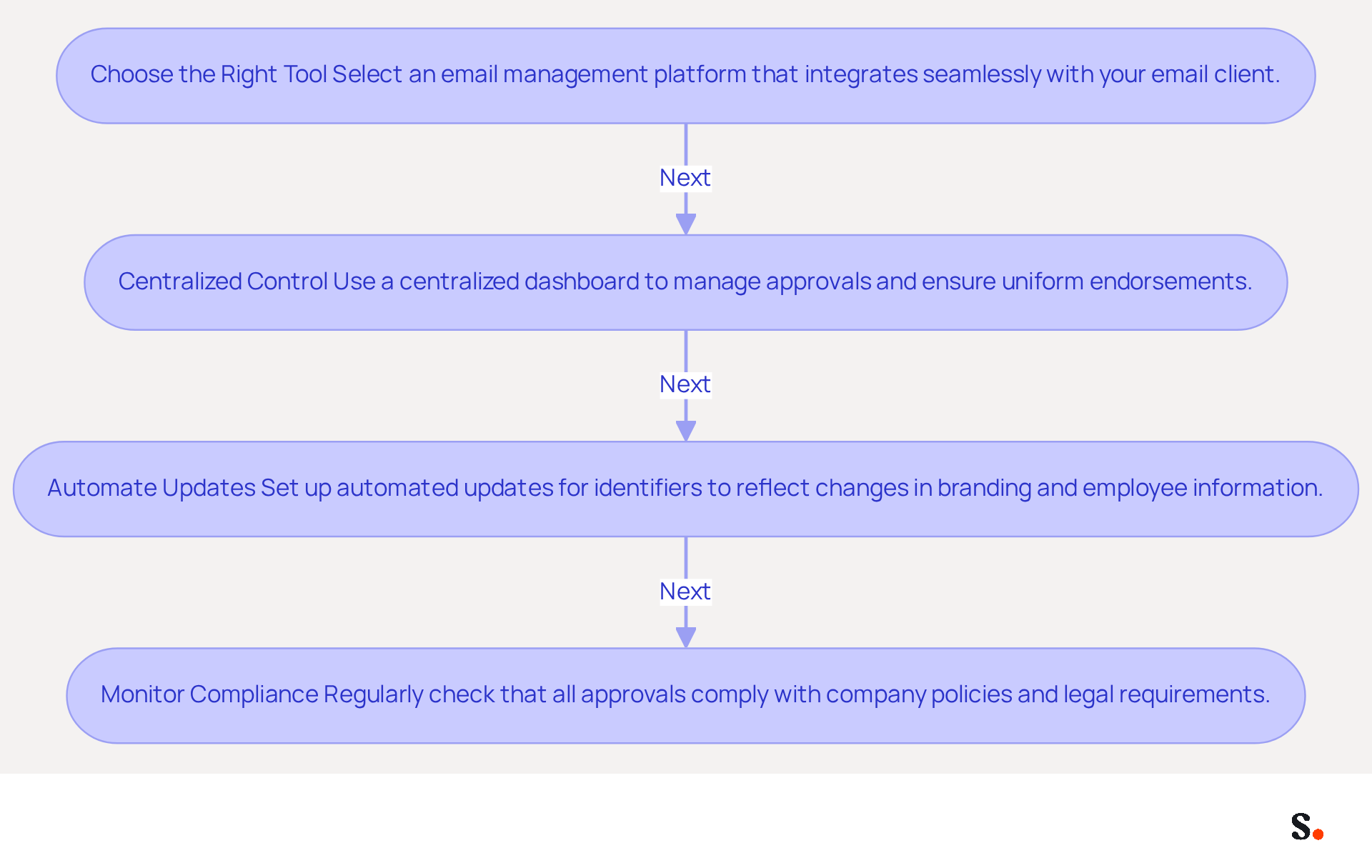
- Choose the Right Tool: Select an email management platform that integrates seamlessly with your email client, allowing for easy updates and administration. Tools like Scribe can help organizations save up to 2,505 hours annually by minimizing manual updates and boosting operational efficiency.
- Centralized Control: Use a centralized dashboard to manage approvals across your organization. This guarantees that all endorsements are uniform and adhere to the guidelines of the identity. Centralized management allows for immediate updates, such as logo changes or compliance disclaimers, without end-user intervention, reinforcing brand integrity. With Scribe, organizations can typically roll out email identifiers across the board in under a day, allowing Marketing teams to handle email identifiers autonomously after the initial IT configuration.
- Automate Updates: Set up automated updates for identifiers to reflect changes in branding, employee information, or marketing campaigns. Outdated information can lead to miscommunication and damage to your brand's reputation. By using effective management tools, businesses can see a 22% boost in response rates, demonstrating the importance of timely updates and the efficiency of Scribe's automation features. The application also supports seamless integration with platforms like Google Workspace and Microsoft 365 for data synchronization.
- Monitor Compliance: Regularly check that all approvals comply with company policies and legal requirements. Automation tools can help flag any discrepancies, ensuring that legal disclaimers and regional policies are applied automatically, thus reducing compliance risk. Scribe is SOC 2 Type II compliant and GDPR compliant, ensuring the safety of your data while managing digital identifiers.
By implementing these automation strategies, you can save time, reduce errors, and maintain a professional image across all communications. Organizations that prioritize automated management of digital identifiers not only save time but also enhance their overall communication effectiveness.
Measure Engagement and ROI from Email Signatures
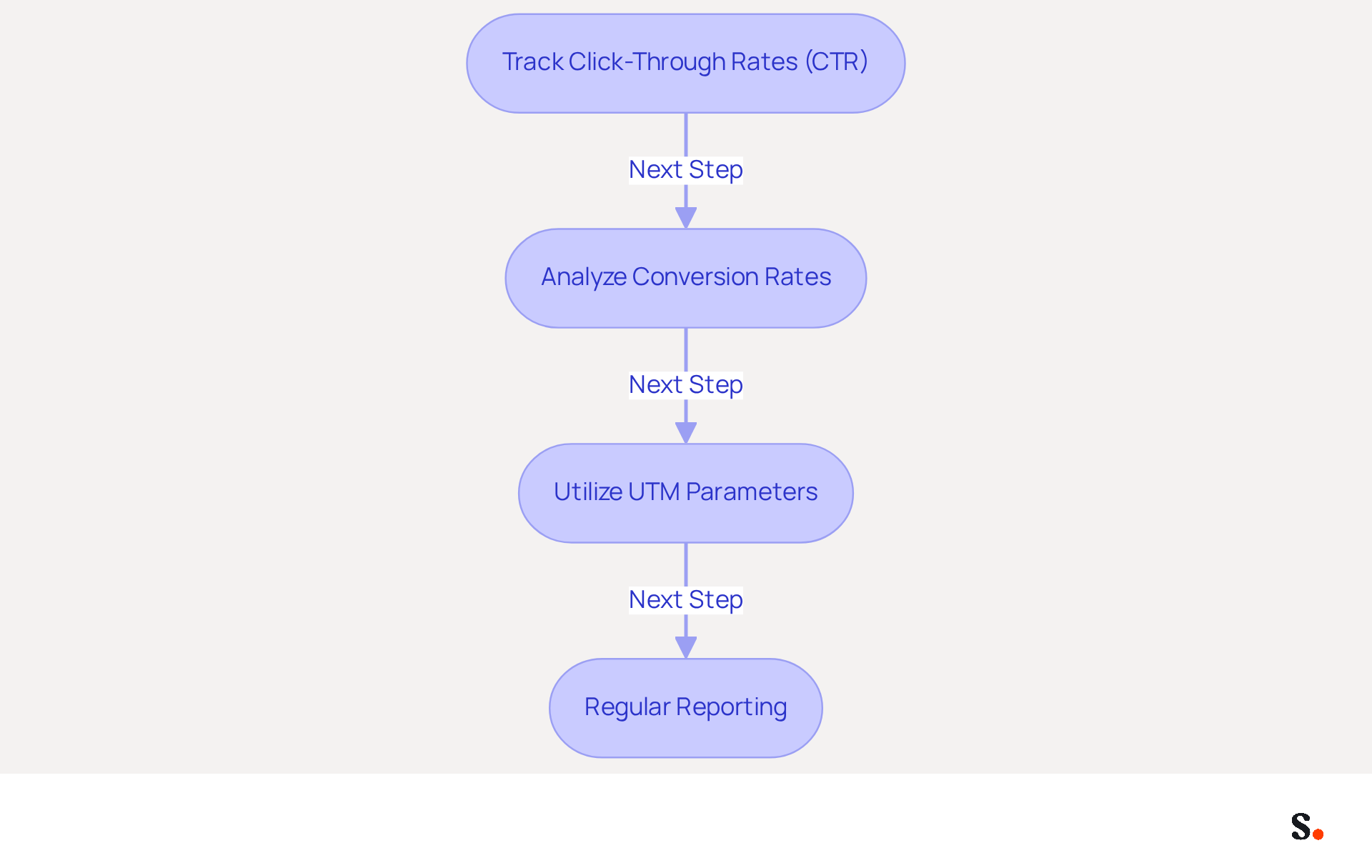
Measuring engagement and ROI is crucial for understanding the impact of your digital identifiers. Here’s how to do it:
- Track Click-Through Rates (CTR): Monitor the number of recipients who click on links or calls-to-action (CTAs) in your email. A strong CTR indicates high engagement and interest, with optimal rates typically ranging from 1% to 3%.
- Analyze Conversion Rates: Assess how many clicks lead to desired actions, such as newsletter sign-ups or purchases. This metric is essential for understanding the ROI of your campaigns, as 52% of consumers have made purchases directly from messages.
- Utilize UTM Parameters: Implement UTM parameters in your link references to track traffic sources within your analytics tools. This method offers insights into how digital identifiers contribute to your overall marketing efforts, enabling improved attribution of revenue.
- Regular Reporting: Establish a routine for generating reports that evaluate the effectiveness of your digital identifiers. Regularly reviewing this data enables you to refine your strategies and enhance engagement over time.
Syncing your Google Workspace with Scribe makes it easier to measure engagement and ROI. By automatically refreshing your teammates' details, such as job roles or group modifications, you save time and ensure that your contact information is always up to date. This integration helps auto-fill details, ensuring consistency across your organization and that the metrics you track are accurate and up-to-date. Effective measurement not only enhances your marketing strategies but also drives significant business growth.
Conclusion
A disjointed email signature can undermine brand identity and communication effectiveness. Establishing a consistent and engaging email signature is vital for reinforcing brand identity and enhancing communication effectiveness. Optimizing your Outlook signature helps organizations ensure that every email reflects their brand values and professionalism. This is crucial, as without a consistent email signature, organizations risk losing brand recognition and trust with their audience.
Key strategies discussed include:
- Creating a standardized template that incorporates essential branding elements
- Utilizing effective call-to-action (CTA) elements to drive engagement
- Leveraging automation tools like Scribe for efficient signature management
Regular updates and compliance monitoring are crucial for maintaining a professional image and mitigating risks associated with outdated information.
Ultimately, with Scribe's capabilities, organizations can ensure brand consistency and effectively measure how their email signatures influence marketing performance. By prioritizing these best practices, businesses can enhance their communication strategies and drive significant ROI from their email interactions. Neglecting these strategies can result in diminished brand presence and ineffective communication.
Frequently Asked Questions
Why is establishing a standardized Outlook template important for brand consistency?
Establishing a standardized Outlook template is essential for ensuring a cohesive brand identity in communications, as it guarantees that each email accurately represents your brand through the use of key branding elements like your company logo, colors, and fonts.
What are the steps to create a signature template?
To create a signature template, utilize a design tool to craft a layout that includes your logo, colors, and fonts. The layout should be clean and professional, aligning with your overall image.
How can guidelines help maintain brand consistency?
Developing clear guidelines for usage, including specifications for font sizes, image dimensions, and color codes, helps maintain consistency across all team members, reinforcing your brand identity.
Why is it important to test the signature across different platforms?
Testing the signature across various messaging clients and devices is crucial to ensure that it displays correctly and maintains visual integrity, particularly in Outlook 2013 and other platforms.
How often should the signature template be updated?
The signature template should be periodically reviewed and refreshed to reflect any changes in branding or company information, ensuring that communications remain fresh and relevant.
What is the benefit of synchronizing with Scribe?
Synchronizing with Scribe allows for seamless updates of teammate information, ensuring that any changes in your Google Workspace are reflected in real-time, which saves time and enhances operational efficiency.
How does consistent branding impact customer recognition and response rates?
Maintaining consistent branding can significantly enhance customer recognition, with estimates suggesting increases of up to 80%. Organizations that uphold consistent messaging formats report over a 22% rise in response rates.
What security measures does Scribe provide for managing digital identifiers?
Scribe's SOC 2 Type II compliance ensures the protection of your data, making it a trustworthy option for managing digital identifiers efficiently while addressing inherent security challenges.
List of Sources
- Establish Brand Consistency in Signature Design
- 40+ Email Signature Statistics for 2026 (Data + Insights) (https://wavecnct.com/blogs/email-signature-statistics)
- How Consistent Email Signatures Strengthen Company Identity - Signite (https://signite.io/blog/how-consistent-email-signatures-strengthen-company-identity)
- 4 Best Practices for Brand Consistency in Email Signatures (https://scribe-mail.com/en-US/blog/4-best-practices-for-brand-consistency-in-email-signatures)
- Exclaimer Research: 67% of Marketers Expect Email Signatures to Support With Lead Gen In 2023 (https://businesswire.com/news/home/20230612141095/en/Exclaimer-Research-67-of-Marketers-Expect-Email-Signatures-to-Support-With-Lead-Gen-In-2023)
- Why Email Signatures Must Be In Your 2026 Marketing Plan | Rocketseed (https://rocketseed.com/blog/what-are-the-biggest-email-trends-for-2026)
- Incorporate Effective Call-to-Action Elements
- Create Effective CTA Email Signatures (Examples & Templates) (https://wisestamp.com/examples/cta-email-signature)
- The Ultimate Guide to Email Signature Call-to-Action - NEWOLDSTAMP (https://newoldstamp.com/blog/the-ultimate-guide-to-email-signature-call-to-action)
- Email Signature Best Practices for 2026 (+ 15 Pro Examples) (https://wavecnct.com/blogs/email-signature-best-practices-2026)
- Email call to action best practices: The complete guide [2026] — Stripo.email (https://stripo.email/blog/email-call-action-best-practices-examples)
- Why and how to add an effective CTA to your email signature? (https://signitic.com/en/resources/why-and-how-to-add-an-effective-cta-to-your-email-signature)
- Utilize Automation for Efficient Signature Management
- Why Scribe is the Best Email Signature Management Tool for Marketers (https://scribe-mail.com/en-US/blog/why-scribe-is-the-best-email-signature-management-tool-for-marketers)
- 4 Best Practices for Automated Email Signature with Office 365 (https://scribe-mail.com/en-US/blog/4-best-practices-for-automated-email-signature-with-office-365)
- Automating Email Signatures: How IT Teams Streamline Processes & Reduce Risk (https://exclaimer.com/blog/streamlining-it-processes-automated-email-signatures)
- Best Email Signature Management Software: Top 12 Tools (2026)
- NEWOLDSTAMP (https://newoldstamp.com/blog/email-signature-software)
- Email Signature Trends 2026: Centralized Control & Automation | SIGNandGO posted on the topic | LinkedIn (https://linkedin.com/posts/signngo_email-signature-trends-to-watch-in-2026-activity-7401523471786217473-zAVL)
- Measure Engagement and ROI from Email Signatures
- Email Marketing ROI Statistics: The Ultimate List for 2026 (https://emailmonday.com/email-marketing-roi-statistics)
- How to Measure Email Marketing Agency ROI: A Complete 2026 Framework (https://hustlermarketing.com/how-to-measure-email-marketing-agency-roi-a-complete-2026-framework)
- Why Email Signatures Must Be In Your 2026 Marketing Plan | Rocketseed (https://rocketseed.com/blog/2026-marketing-plan-email-signatures)
- Email Marketing ROI Calculator | Opensense (https://opensense.com/email-signature-marketing-roi-calculator)
- Email ROI in 2026: what the data actually says – DDMA (https://ddma.nl/kennisbank/email-roi-in-2026-what-the-data-actually-says)
Get started with Scribe
Create your signature in minutes
Free 14-day trial — no credit card.