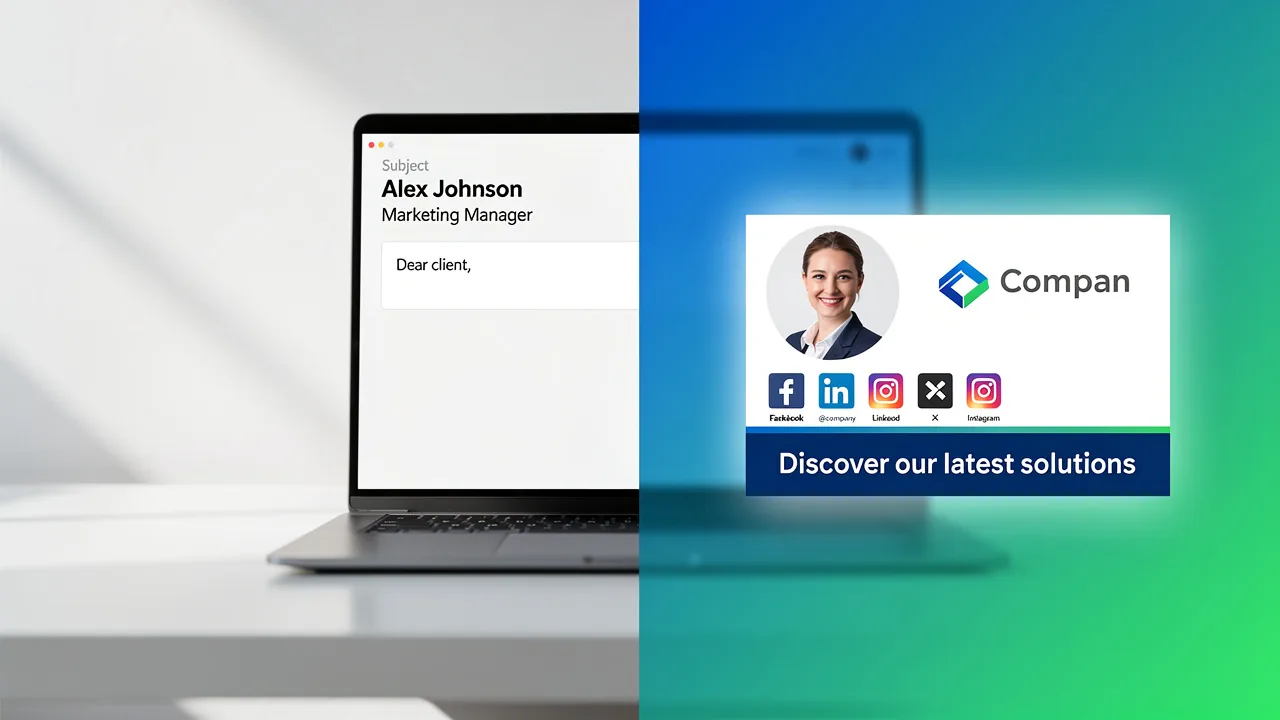
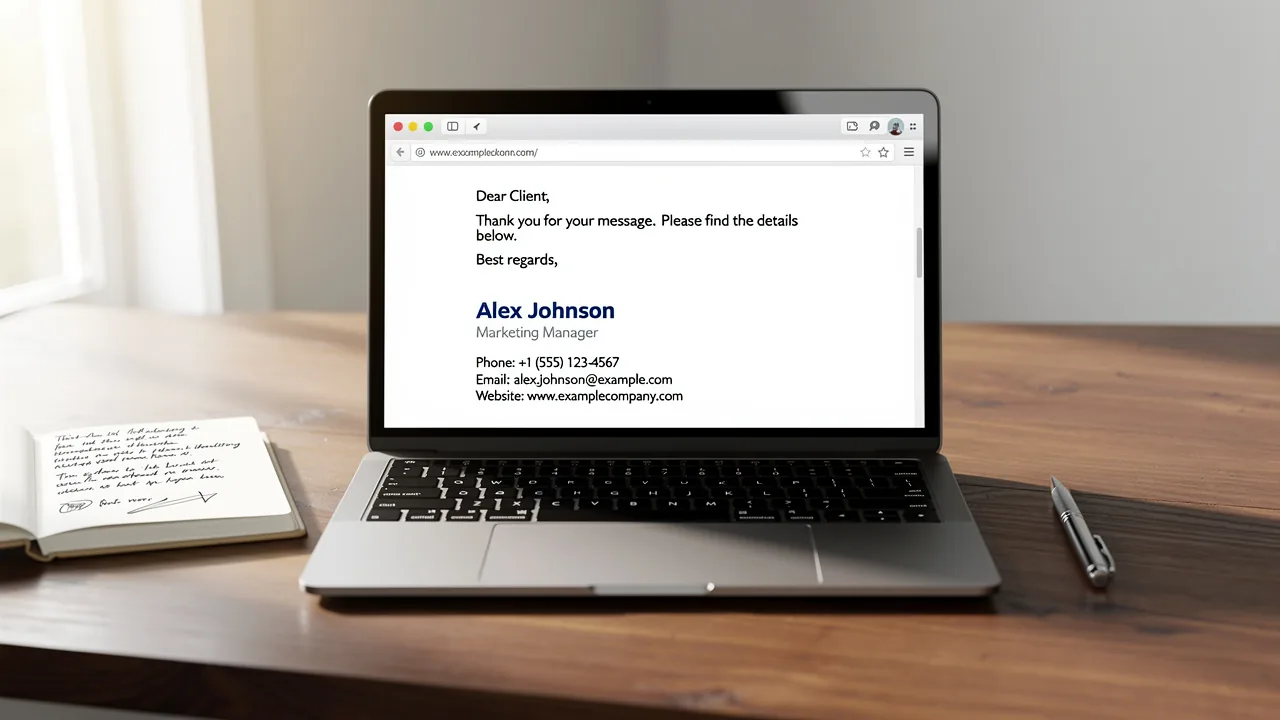
Create an Effective Academic Email Signature in 5 Simple Steps
A well-crafted email signature is essential for establishing credibility and fostering effective communication in academia. Mastering the craft of an effective
Sophie Grant
Email Signature Specialist, Scribe

On this page
- Introduction
- Identify Essential Components of Your Email Signature
- Design Your Signature with Branding and Personalization
- Integrate Your Signature into Email Clients
- Maintain and Update Your Email Signature Regularly
- Troubleshoot Common Issues and Best Practices
- Conclusion
- Frequently Asked Questions
- List of Sources
Introduction
A well-crafted email signature is essential for establishing credibility and fostering effective communication in academia. Mastering the craft of an effective academic email signature can really boost your professional image and networking chances. This guide will identify the essential components of an effective email signature and provide strategies to ensure it stands out in a crowded inbox. An effective email signature can open doors to new connections and opportunities in academia.
Identify Essential Components of Your Email Signature
An effective academic email signature is essential for establishing professionalism and facilitating communication. To create one, it is essential to include the following components:
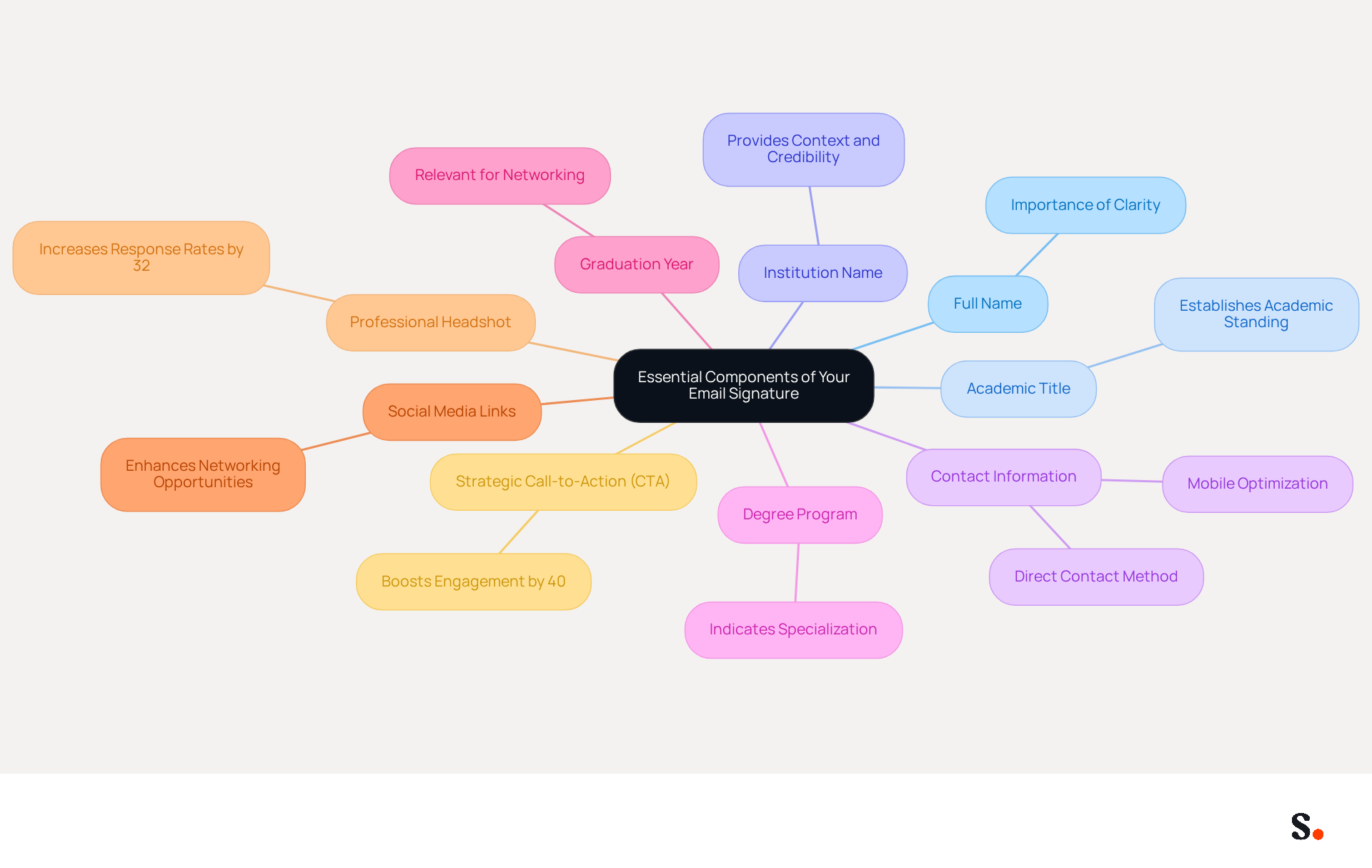
- Full Name: Clearly state your first and last name, as this is the most important part of your signature.
- Academic Title: Include your current title (e.g., PhD Candidate, Graduate Student, Professor) to establish your academic standing.
- Institution Name: Mention the name of your university or college to provide context and credibility.
- Contact Information: Add your contact address and phone number for easy communication, ensuring recipients can reach you without hassle.
- Degree Program: Specify your major or field of study, which allows recipients to quickly grasp your academic specialization.
- Graduation Year: If applicable, include your expected graduation year to indicate your current academic status, which can be particularly relevant for networking.
- Social Media Links: Optionally, you can add links to work-related social media profiles (like LinkedIn) to enhance networking opportunities and showcase your career identity.
- Professional Headshot: Including a professional headshot can boost response rates by 32%, leading to a more compelling interaction with your audience.
- Strategic Call-to-Action (CTA): Incorporating a clear CTA can boost engagement by up to 40%, encouraging recipients to take action.
Incorporating these components into your academic email signature not only enhances the professionalism of your contact information but also facilitates effective communication, making it easier for recipients to connect with you. Furthermore, keeping your contact information brief (ideally fewer than eight lines) and ensuring it is mobile-optimized (maximum width of 600px) are essential best practices to maintain clarity and avoid spam filters. Research shows that well-designed digital identifiers can result in a notable rise in response rates. This attention to detail can lead to increased engagement and networking opportunities.
Design Your Signature with Branding and Personalization
An effective academic email signature is essential for establishing a professional identity and enhancing communication. Here are key tips to ensure your signature stands out:
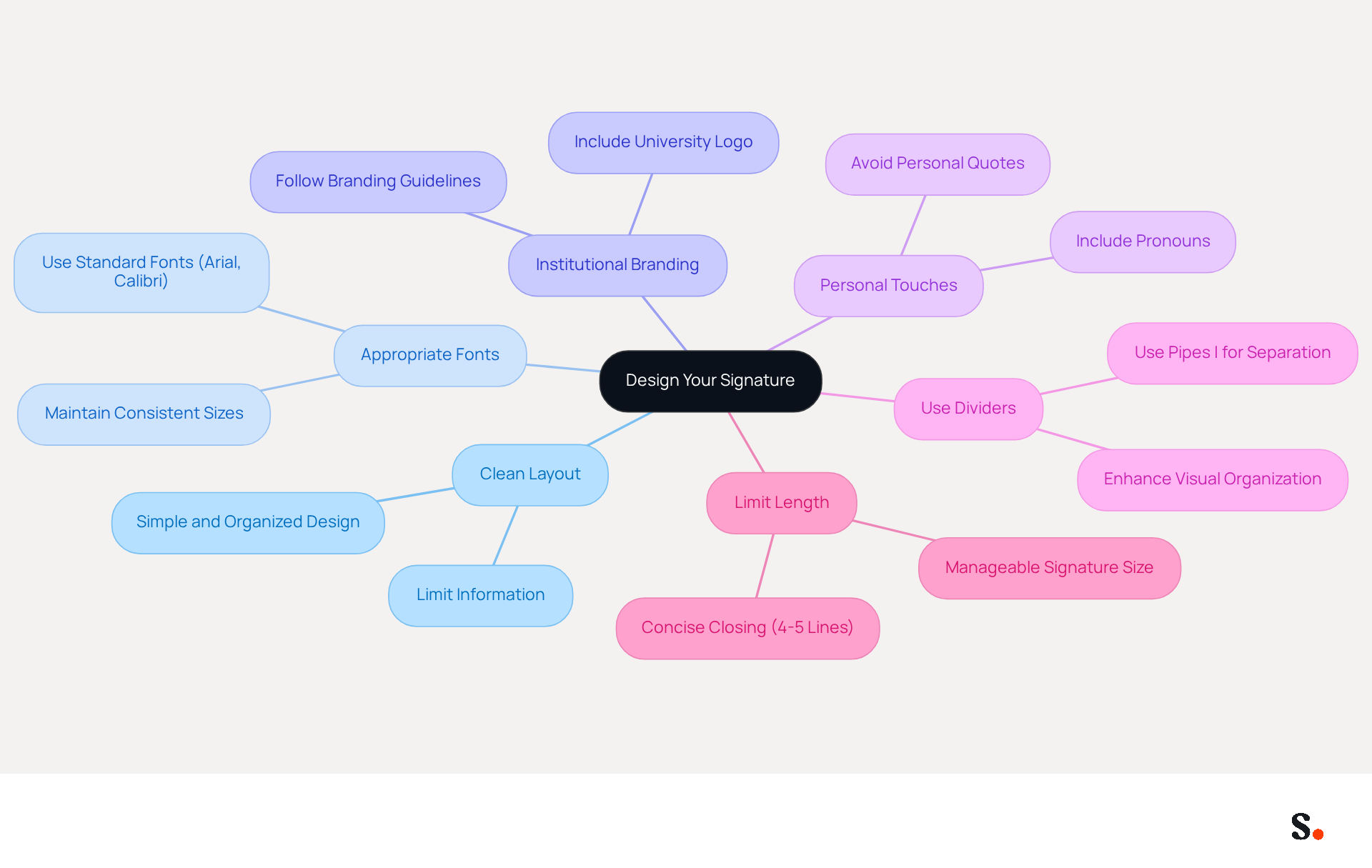
- Choose a Clean Layout: Opt for a simple, organized design that enhances readability. Avoid clutter by limiting the amount of information included.
- Select Appropriate Fonts: Use standard, legible fonts such as Arial or Calibri. Maintain consistent font sizes and steer clear of overly decorative styles to ensure clarity.
- Incorporate Institutional Branding: Align your mark with your institution's branding guidelines by including elements like the university logo and colors, which helps maintain brand consistency. Ensure that your mark adheres to any specific requirements, such as font colors and layout, to avoid any issues with brand representation. Scribe ensures that any changes in your Aircall settings are automatically updated in your communication identifiers, maintaining brand consistency. Additionally, Scribe complies with SOC 2 Type II, GDPR, and CCPA, enhancing the security and compliance of your email management.
- Add Personal Touches: Finding the right balance between personal quotes and professionalism can be tricky. Instead, consider including your pronouns in parentheses next to your name to foster inclusivity. Note that personal quotes or statements should generally be avoided in official business accounts to maintain professionalism.
- Use Dividers: For sign-offs with multiple components, utilize dividers (like pipes |) to clearly separate different sections, enhancing visual organization.
- Limit Length: Aim for a concise closing, ideally no longer than 4-5 lines. This keeps your mark manageable and prevents overwhelming recipients.
Studies indicate that messages featuring branded footers often see a 22% increase in response rates, highlighting the significance of a well-designed closing. Furthermore, a psychotherapy office that updated its contact details experienced a 15% rise in consultations, illustrating the effect of effective design in communication. By implementing these strategies, you can significantly enhance your professional image and the effectiveness of your academic email signature. As Sophie Grant, an Email Signature Specialist, highlights, 'A polished footer can be a game-changer for students aiming to strengthen their personal brand in both academic and professional settings.
Integrate Your Signature into Email Clients
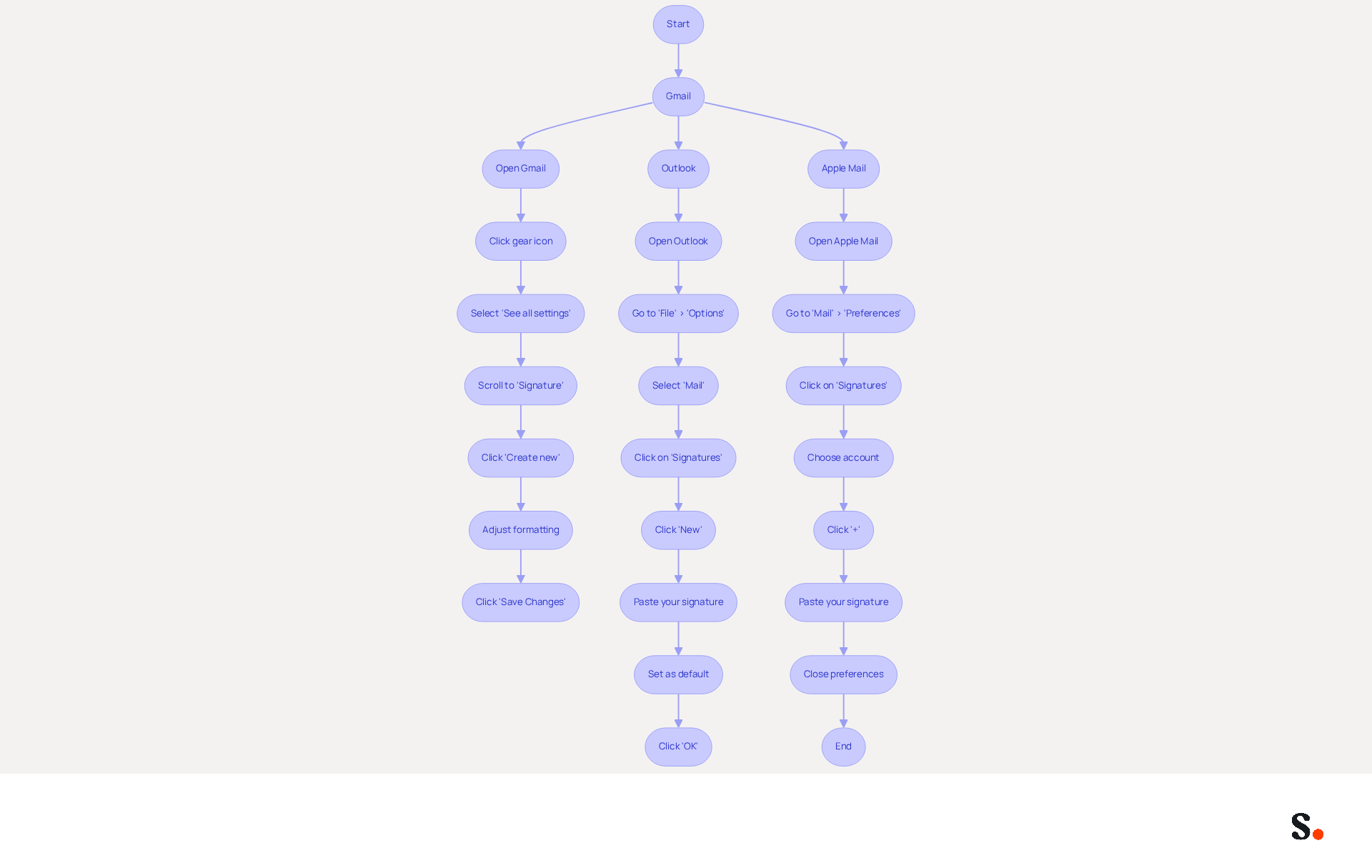
Integrating your email footer into your email client is essential for maintaining a professional image. Here’s how to do it for popular platforms:
For Gmail:
- Open Gmail and click on the gear icon in the top right corner.
- Select 'See all settings'.
- In the 'General' tab, scroll down to the 'Signature' section.
- Click 'Create new' and paste your mark into the text box.
- Adjust formatting as needed, then scroll down and click 'Save Changes'.
For Outlook:
- Open Outlook and go to 'File' > 'Options'.
- Select 'Mail' and then click on 'Signatures'.
- Click 'New' to create a fresh sign and paste your sign into the editor.
- Set it as the default for new messages and replies if desired, then click 'OK'.
For Apple Mail:
- Open Apple Mail and go to 'Mail' > 'Preferences'.
- Click on the 'Signatures' tab.
- Choose the account you wish to add the sign-off to and click the '+' button.
- Paste your mark into the right pane and close the preferences window.
Important Considerations:
- Ensure you use web-safe fonts like Arial, Verdana, or Times New Roman to maintain consistency across different email clients.
- Be aware that Apple Mail does not validate links added to email footers, so double-check them to confirm they function correctly.
Following these steps ensures your outgoing messages include your professional identifier, improving communication. This reinforces your brand identity and promotes your services effectively.
For organizations utilizing Scribe, incorporating your correspondence footer becomes even more efficient. To enable one-click synchronization, you must grant Scribe permission to connect with your service provider, and you need to be a Super Admin to provide these permissions. Scribe simplifies the process, ensuring uniformity in email communications without the hassle of manual updates. With Scribe's one-click synchronization with Google Workspace, automatic syncing of your teammates' information is possible, ensuring that any updates-like changes in job positions or group assignments-are reflected in real-time. This efficiency not only saves time but also strengthens your brand's presence in every interaction.
Maintain and Update Your Email Signature Regularly
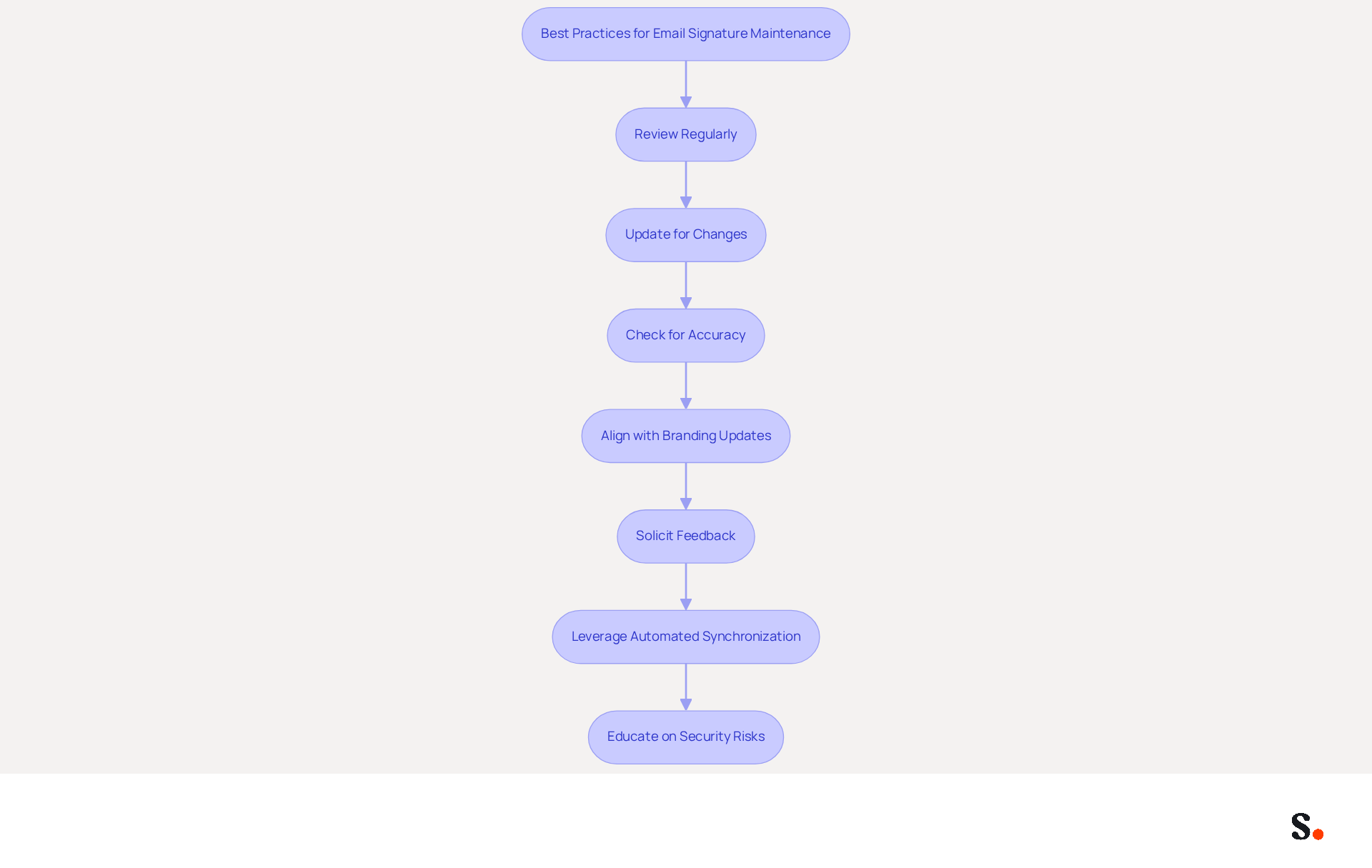
To ensure your message footer remains impactful, regular maintenance and updates are essential. Here are some best practices:
- Review Regularly: Set a reminder to check your message footer every few months to ensure all information is up to date. Without regular audits, your brand may suffer from inconsistencies that confuse your audience.
- Update for Changes: Whenever you change your academic status (e.g., graduation, new position), update your email footer promptly to reflect these changes. This practice is crucial for maintaining credibility and ensuring that your contacts have the most accurate information.
- Check for Accuracy: Ensure that all contact information is correct and that links to social media or websites are functional. Research indicates that 76% of professionals feel a well-crafted email footer enhances trust in the sender, underscoring its importance.
- Align with Branding Updates: If your institution updates its branding (logo, colors), ensure your email footer reflects these changes to maintain consistency. Consistent branded identifiers across communications are crucial for a cohesive messaging strategy.
- Solicit Feedback: Consider reaching out to peers or mentors for their thoughts on your email footer; their insights can help ensure it communicates professionalism effectively.
- Leverage Automated Synchronization: By syncing your Google Workspace with Scribe, you can save time as your teammates' data is automatically updated. Any changes in your Google Workspace, such as moving teammates from one group to another or updating their information, will be reflected in Scribe without any input on your part. Moreover, connecting with Aircall guarantees that your correspondence identifiers are consistently current and uniform throughout your organization. Scribe also complies with SOC 2 Type II, GDPR, and CCPA, ensuring that your data is handled securely.
- Educate on Security Risks: It’s crucial to inform yourself and your colleagues about phishing and spoofing dangers linked to digital identifiers. Cybercriminals can exploit the trust in familiar marks to create convincing forgeries, so understanding these threats is essential.
By following these practices, you keep your contact information relevant and effective, boosting your professional image and turning your email footer into a powerful marketing tool. Incorporating on-brand templates and personalization can further enhance your digital identity for 2026, making it not only a reflection of your professionalism but also a strategic marketing asset.
Troubleshoot Common Issues and Best Practices
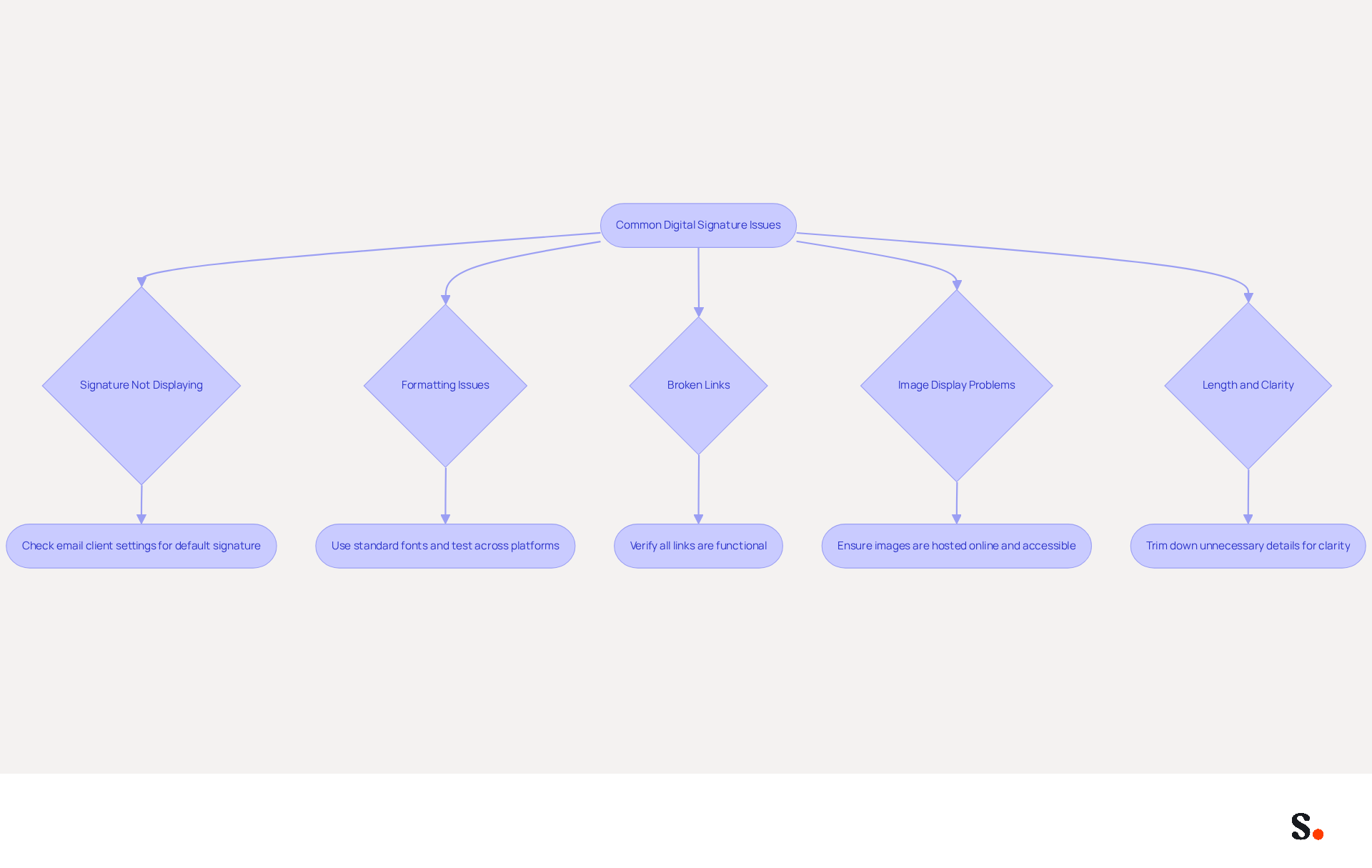
Despite having a well-designed digital signature, users often encounter various challenges that can hinder effective communication. Here are some common problems and how to troubleshoot them:
- Signature Not Displaying: If your signature isn’t showing up, check your email client settings to confirm it’s set as the default for new messages and replies. This oversight is common, and ensuring the correct option is selected can resolve the issue.
- Formatting Issues: If your signature appears differently when sent, it may be due to the use of non-standard fonts or excessive formatting. Stick to standard fonts and test your signature by sending messages to various accounts to see how it appears across platforms.
- Broken Links: Regularly verify that all links in your email are functional. With 75.1% of businesses leveraging digital signatures to enhance their branding, ensuring all links are functional is crucial to uphold professionalism.
- Image Display Problems: If images in your email footer aren’t displaying, ensure they are hosted online on reliable servers and accessible. Avoid embedding images directly in the email footer, as this can lead to display issues in various email clients.
- Length and Clarity: If your signature feels too long or cluttered, trim it down by cutting out any unnecessary details. Aim for clarity and conciseness, as overly complex formats can detract from your message and confuse recipients.
By proactively addressing these common issues, you can significantly enhance the professionalism of your email communications.
Conclusion
An effective academic email signature is essential for establishing credibility and professionalism in communication. By incorporating key elements such as your full name, academic title, institution, and contact information, you create a clear and professional presence in your correspondence. Additionally, personal touches like social media links and a professional headshot can enhance engagement and networking opportunities, enhancing your networking opportunities and professional presence.
Throughout this guide, key strategies have been outlined to help craft a signature that stands out. From maintaining a clean design and adhering to branding guidelines to ensuring seamless integration across various email clients, each step contributes to a polished and effective email signature. Without regular updates, your email signature may misrepresent your current status and contact information, which is crucial for maintaining a professional image.
Ultimately, a well-crafted email signature isn't just a digital identifier; it can really influence how you connect with others professionally. By following the best practices in this guide, you can improve your communication effectiveness and brand consistency, opening doors to new opportunities in your academic and professional journey. By neglecting your email signature, you risk undermining your professional image and missing valuable networking opportunities.
Frequently Asked Questions
What are the essential components of an effective academic email signature?
An effective academic email signature should include your full name, academic title, institution name, contact information, degree program, graduation year, optional social media links, a professional headshot, and a strategic call-to-action (CTA).
Why is it important to include a professional headshot in your email signature?
Including a professional headshot can boost response rates by 32%, leading to more compelling interactions with your audience.
How can a strategic call-to-action (CTA) enhance your email signature?
A clear CTA can boost engagement by up to 40%, encouraging recipients to take action.
What are some best practices for designing an academic email signature?
Best practices include choosing a clean layout, selecting appropriate fonts, incorporating institutional branding, adding personal touches like pronouns, using dividers for organization, and limiting the length to 4-5 lines.
How can institutional branding be incorporated into an email signature?
You can align your email signature with your institution's branding guidelines by including elements like the university logo and colors, ensuring consistency and adherence to specific requirements.
What should be avoided in an academic email signature to maintain professionalism?
Personal quotes or statements should generally be avoided in official business accounts to maintain professionalism.
What is the recommended maximum width for an email signature to ensure it is mobile-optimized?
The maximum width for an email signature should be 600px to ensure it is mobile-optimized.
What impact can a well-designed email signature have on communication?
Well-designed digital identifiers can lead to a notable rise in response rates, increased engagement, and enhanced networking opportunities.
List of Sources
- Identify Essential Components of Your Email Signature
- Email Signature Best Practices - NEWOLDSTAMP (https://newoldstamp.com/blog/email-signature-best-practices)
- Email Signature Best Practices for 2026 (+ 15 Pro Examples) (https://wavecnct.com/blogs/email-signature-best-practices-2026)
- 20 best email signature design examples for 2026 — Stripo.email (https://stripo.email/blog/10-best-email-signature-design-examples)
- 4 Best Practices for Email Signatures for Undergraduate Students (https://scribe-mail.com/en-US/blog/4-best-practices-for-email-signatures-for-undergraduate-students)
- University Email Signature Standards (https://k-state.edu/communications-marketing/brand-style/resources/email-signature)
- Design Your Signature with Branding and Personalization
- Email Signatures | Brand Guidelines | Illinois (https://brand.illinois.edu/applying-the-brand/email-signature)
- Email signatures (https://brand.uiowa.edu/email-signatures)
- Email Signatures | University Communications and Marketing | USF (https://usf.edu/ucm/marketing/email-signatures.aspx)
- Employee Email Signatures | CWI (https://cwi.edu/news/employee-email-signatures)
- Crafting a Professional Email Signature for Students: Key Practices (https://scribe-mail.com/en-US/blog/crafting-a-professional-email-signature-for-students-key-practices)
- Integrate Your Signature into Email Clients
- Professional Email Signatures - The Ultimate Guide (https://boostit.com.au/the-ultimate-guide-for-a-professional-business-email-signature)
- How Do I Create a Signature in Apple Mail? - NEWOLDSTAMP (https://newoldstamp.com/blog/create -email-signature-in-apple-mail)
- How to add and change an email signature in Outlook | Microsoft Support (https://support.microsoft.com/en-us/outlook/mail/how-to-add-and-change-an-email-signature-in-outlook)
- How to Add a Signature in Gmail, Outlook & Apple Mail | Step-by-Step Guide (https://signandgo.io/blog/how-to-add-a-signature-in-gmail-outlook-and-apple-mail-step-by-step-guide)
- Add an Email Signature – UVM Knowledge Base (https://uvm.edu/it/kb/article/add-an-email-signature)
- Maintain and Update Your Email Signature Regularly
- Email Signature Best Practices Guide With Examples - MailerLite (https://mailerlite.com/blog/email-signature-best-practices)
- Email Signature Best Practices (https://uschamber.com/co/grow/thrive/email-signature-best-practices)
- 4 Best Practices for Your Work Email Signature Strategy (https://scribe-mail.com/en-US/blog/4-best-practices-for-your-work-email-signature-strategy)
- Did You Know Your Email Signature Could be a Security Weak Point? - Oklahoma Society of CPAs (https://oscpa.com/news/990e5e16-6ad4-4ff4-91bb-236c7634b1f6:did-you-know-your-email-signature-could-be-a-security-weak-point)
- Troubleshoot Common Issues and Best Practices
- CodaBears | Email Signature Mistakes That Hurt Your Brand (https://codabears.com/en/product/blog/10-email-signature-mistakes-how-to-fix-them--10_Email_Signature_Mistakes)
- Email Signature Not Showing? Here's How to Fix It | BrandaSign (https://brandasign.com/guides/email-signature-not-showing-fix)
- How to solve problems with email signatures in Microsoft 365? (https://mail-signatures.com/articles/problems-email-signatures-office-365)
- Fix Your Missing Gmail Signature: 8 Troubleshooting Steps & Best Practices | Newoldstamp - NEWOLDSTAMP (https://newoldstamp.com/blog/gmail-signature-not-showing-up)
- Email Signature Troubleshooting - Problems & Solutions - Gimmio (https://blog.gimm.io/email-signature-troubleshooting)
Get started with Scribe
See why teams switch to Scribe
Free 14-day trial — no credit card.