Create an HTML Signature in Outlook: Step-by-Step Guide
In the realm of digital communication, the effectiveness of email signatures significantly influences professional branding and engagement. An HTML signature
Sophie Grant
Email Signature Specialist, Scribe
Introduction
In the realm of digital communication, the effectiveness of email signatures significantly influences professional branding and engagement. An HTML signature can elevate the visual appeal of emails while acting as an effective marketing tool that drives traffic and boosts response rates. Yet, many professionals find the technicalities of creating and implementing these signatures in Outlook to be challenging. Navigating the intricacies of HTML signatures is essential for professionals aiming to enhance their digital presence and engagement.
Understand HTML Signatures and Their Importance
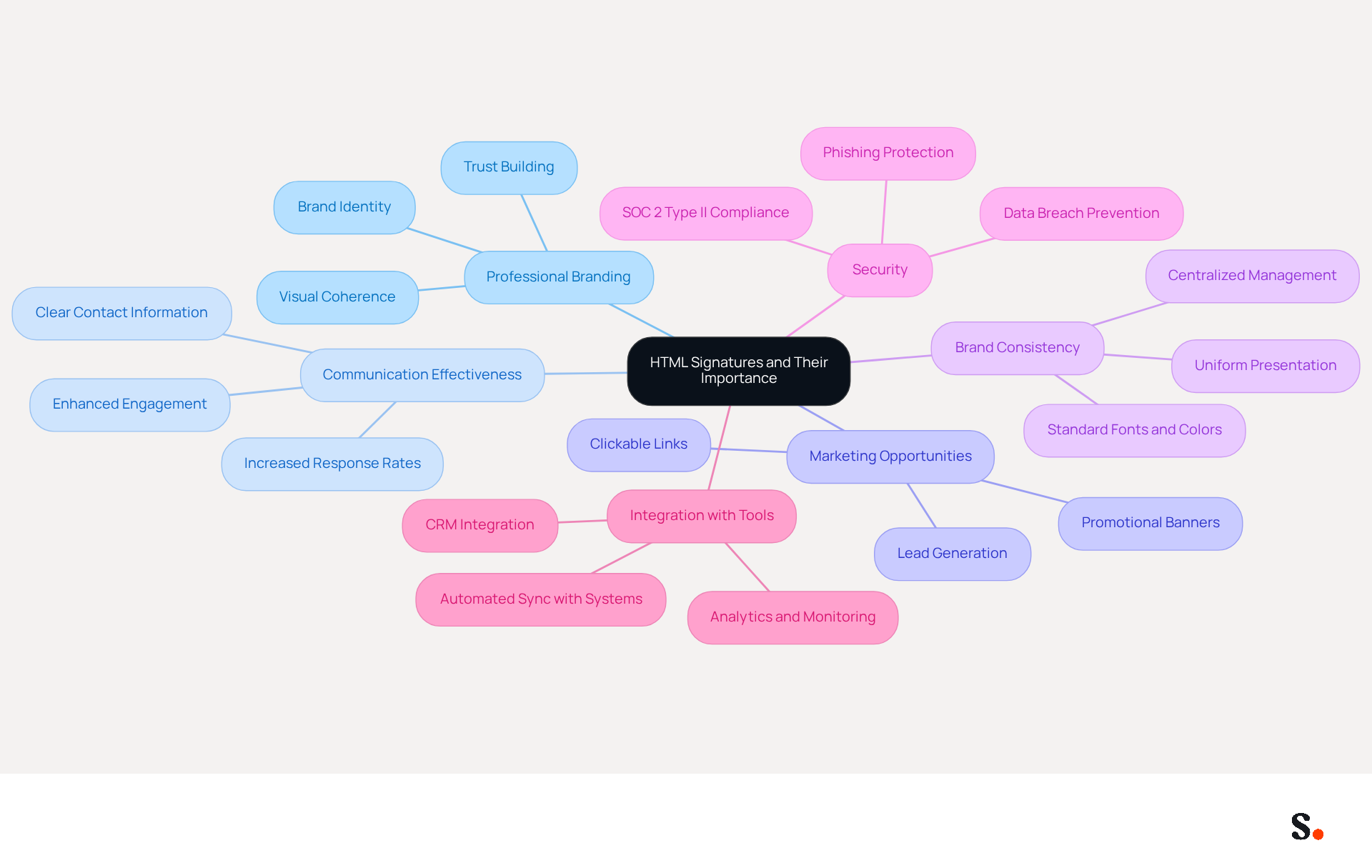
Digital identifiers serve as essential tools for enhancing professional branding and communication effectiveness. Unlike plain text formats, rich text formats allow for the inclusion of images, logos, and clickable links, making your messages not only visually appealing but also functional. This capability is vital for brand consistency. It also opens marketing opportunities by directing recipients to your website or social media.
Research shows that businesses using professional digital communication footers see a 22% increase in response rates, emphasizing the significance of a unified brand identity in all interactions. By incorporating an HTML signature in Outlook, you ensure that each message sent reflects your brand and effectively engages your audience, ultimately contributing to enhanced customer trust and brand perception.
With Scribe's automated sync with systems like Aircall, your team’s info stays up-to-date effortlessly. This seamless integration not only saves time by auto-filling sign-offs but also ensures that changes in your connected source are automatically reflected in Scribe, enhancing brand consistency across all communications.
Furthermore, securing digital identifiers against phishing and data breaches is crucial, as emphasized by industry standards. In 2026, as organizations prioritize digital identifiers, they position themselves for greater trust and visibility in an increasingly competitive market. Scribe's SOC 2 Type II compliance further assures that your data is secure, making it an ideal solution for organizations seeking 100% brand consistency and measurable marketing ROI from email branding.
Explore Methods for Creating HTML Signatures in Outlook
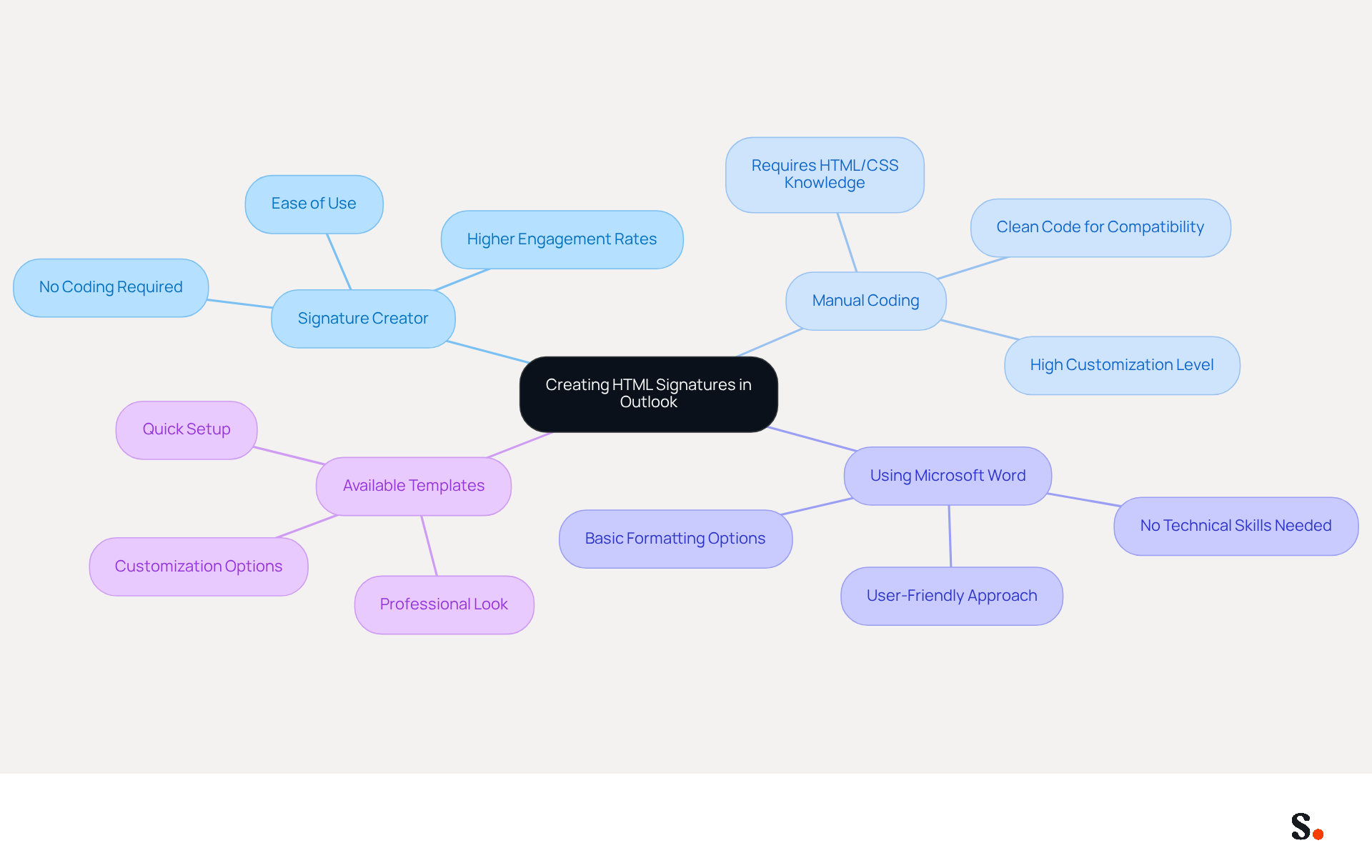
Creating an html signature in outlook can be a challenging task for many users, especially those lacking technical expertise. Several methods cater to different user preferences and skill levels:
- Utilizing a Signature Creator: Tools like MySignature allow users to design professional email identifiers with ease. By simply entering personal information and choosing a template, users can create code without any programming knowledge. Many users have found this method effective, noting that it often leads to higher engagement rates.
- Manual Coding: For those with web development skills, crafting a signature from scratch using a text editor offers the highest level of customization. This approach allows for intricate designs but requires a solid understanding of HTML and CSS. It’s essential to ensure that the code is clean and compatible across various email clients to avoid display issues.
- Using Microsoft Word: Creating a personal mark in Word and then transferring it into Outlook is a user-friendly option. This method allows for basic formatting and is ideal for users who prefer a straightforward approach without delving into code.
- Utilizing Available Templates: Numerous websites offer pre-designed email templates that can be tailored. This quick method allows users to achieve a professional look without starting from scratch, making it an efficient choice for busy professionals.
No matter which method you choose, a well-crafted html signature in outlook can really enhance your professional communication. Studies indicate that 75.9% of professionals feel their email footer has played a role in closing a sale. Ultimately, the effort invested in crafting a professional email signature can significantly influence business outcomes.
Add Your HTML Signature to Outlook: Step-by-Step Instructions
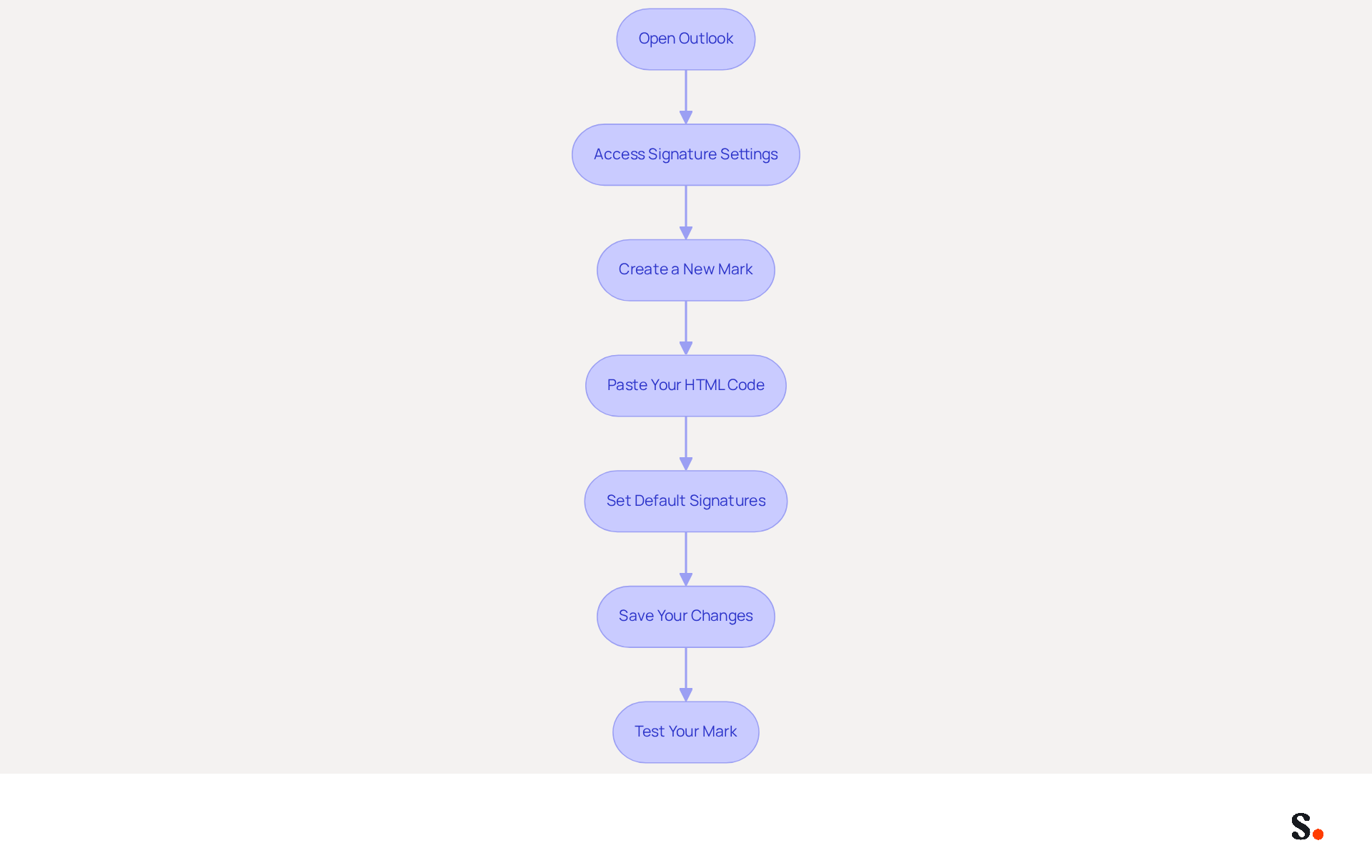
To add your HTML signature to Outlook, follow these steps:
- Open Outlook: Launch the Outlook application on your computer.
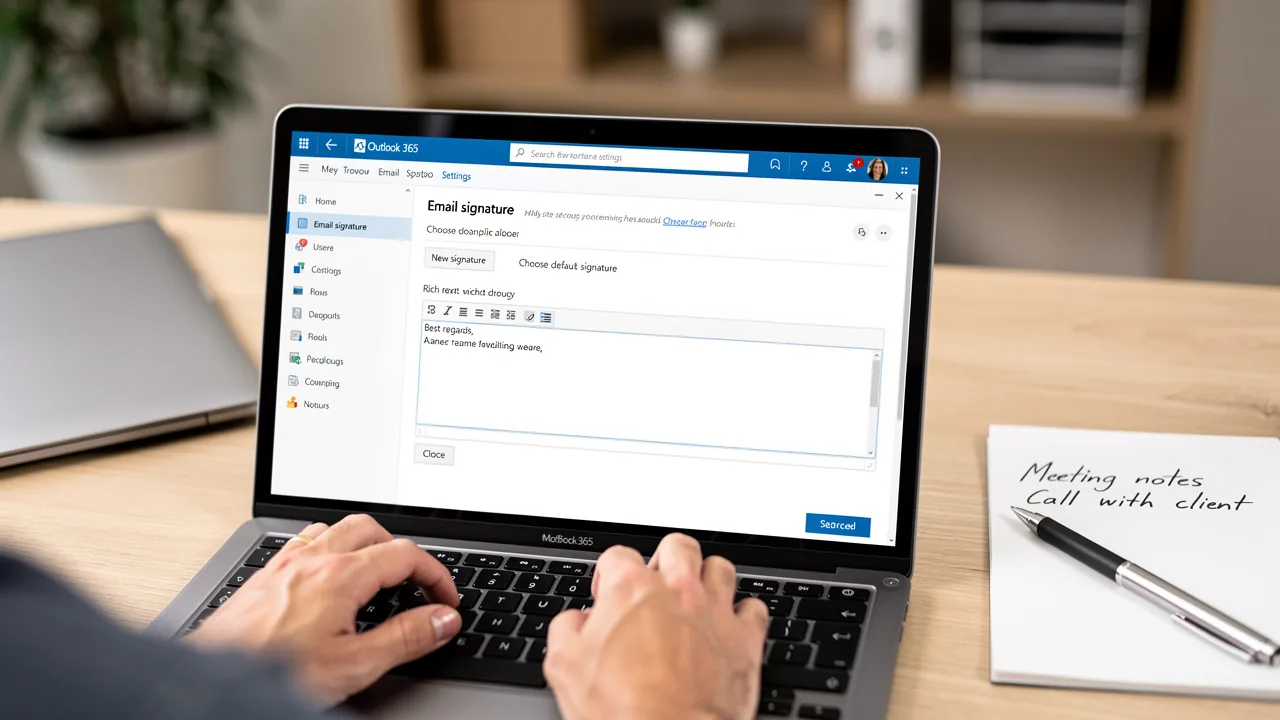
- Access Signature Settings: Click on 'File' in the top left corner, then select 'Options'. In the Options window, click on 'Mail' and then 'Signatures'.
- Create a New Mark: In the Signatures and Stationery window, click 'New' to create a new mark. Name your unique identifier for easy recognition.
- Paste Your HTML Code: In the 'Edit label' box, paste the HTML code you generated or created. Ensure that the formatting appears correctly.
- Set Default Signatures: If you want this mark to be your default for new messages or replies, select it from the dropdown menus under 'Choose default mark'.
- Save Your Changes: Click 'OK' to preserve your new settings, then close the Options window.
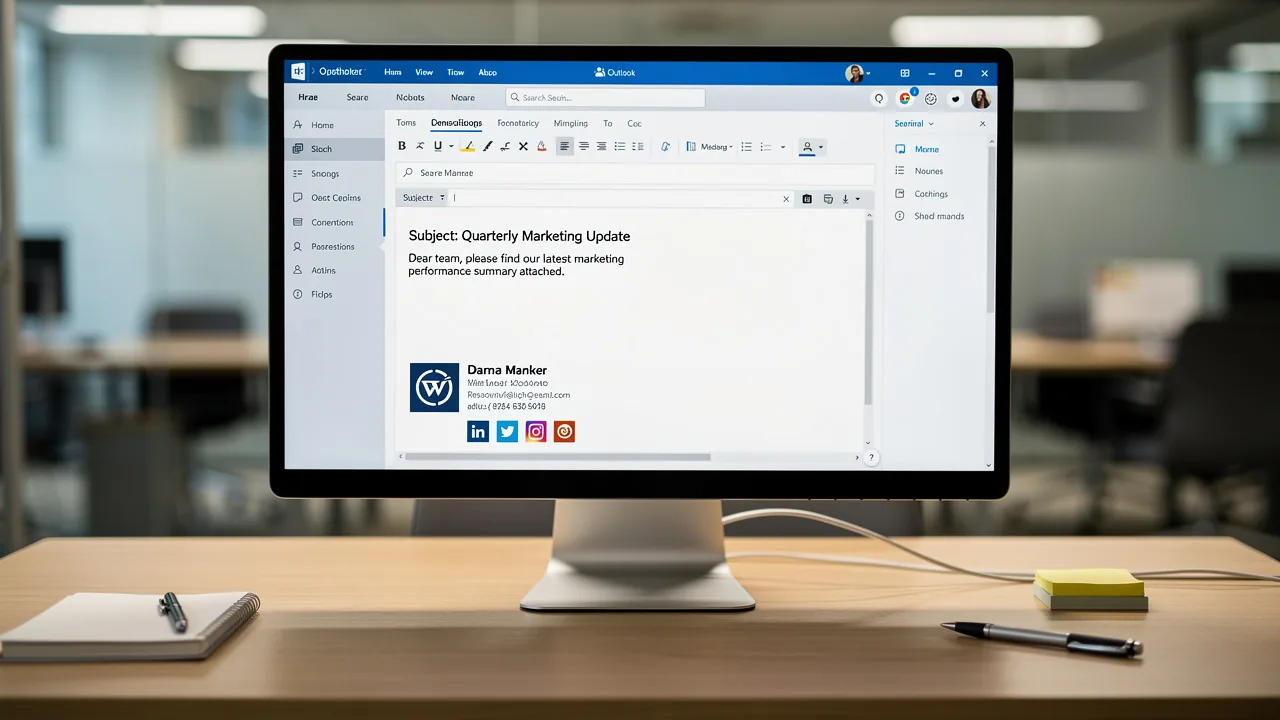
- Test Your Mark: Create a new message to see how your mark appears. Make sure all links and images are functioning correctly.
By following these steps, many professionals can successfully incorporate an HTML signature in Outlook into their correspondence. Research shows that 52% of professionals believe a strong message footer is crucial for building trust. A well-crafted footer can significantly improve communications. Furthermore, using branded identifiers can lead to a 22% increase in response rates, making it essential to maintain a professional appearance. Keep in mind, the typical office employee sends 30-40 messages daily, so a well-designed closing can have a significant effect. Additionally, with 42% of messages accessed on mobile devices, ensure your closing is optimized for mobile to enhance its effectiveness.
Scribe makes it easy to manage your digital signatures, ensuring your team’s information is always up to date. This means any updates, such as changes in job positions or group assignments, will be reflected in Scribe without any manual input, saving you valuable time. Additionally, Scribe's SOC 2 Type II compliance guarantees that your data is managed securely, providing you with reassurance as you oversee your identifiers. Moreover, organizations utilizing Scribe have reported an average click-through rate of 12% on banners, demonstrating the effectiveness of well-managed email footers in driving engagement.
Troubleshoot Common Issues with HTML Signatures in Outlook
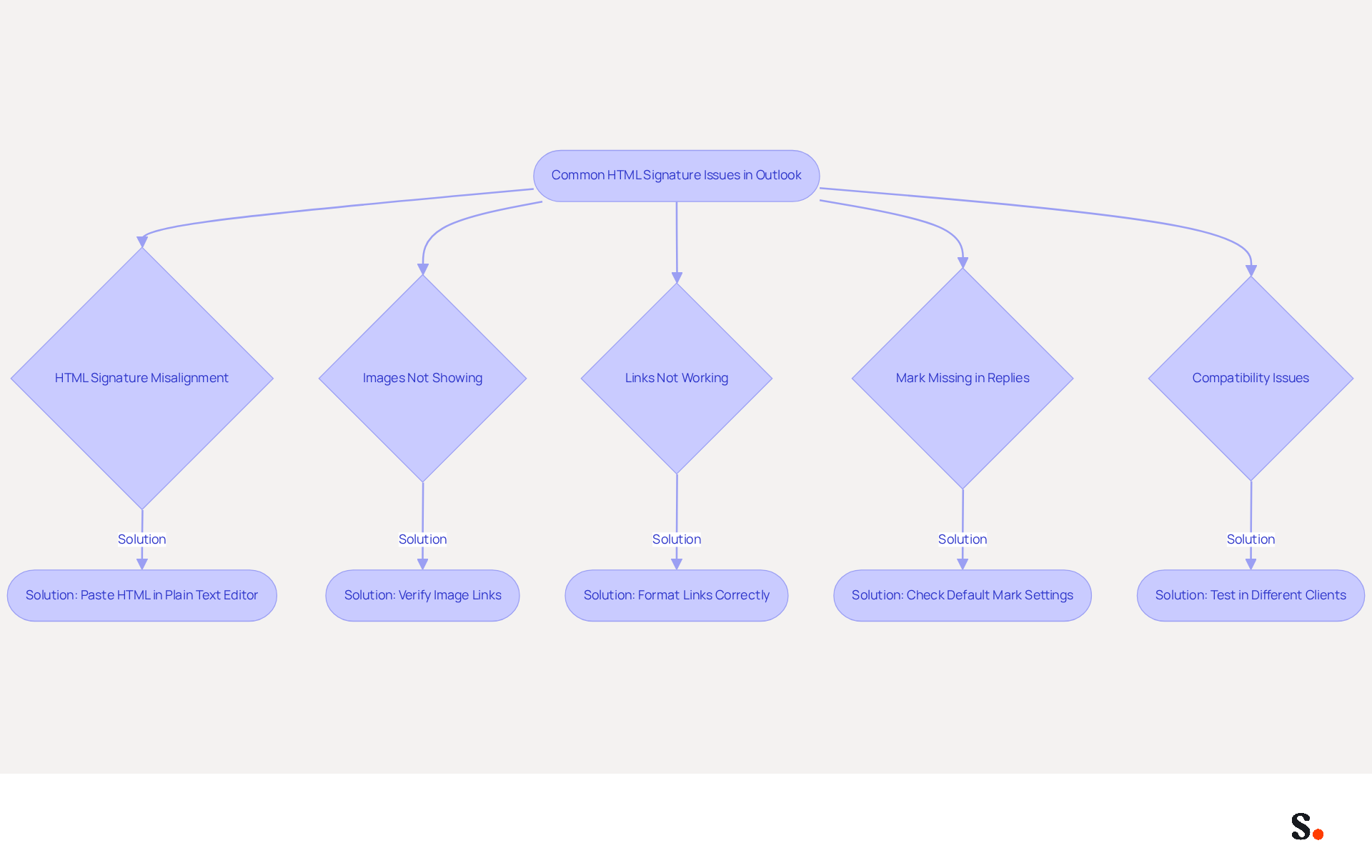
Email formatting issues can disrupt professional communication, leading to misaligned signatures and broken links. Here are some common problems and their solutions:
- HTML signature in Outlook: If your HTML signature appears broken or misaligned, ensure that you pasted the code correctly. Many users struggle with misaligned signatures due to improper pasting of the HTML signature in Outlook. To clean it up, paste it into a plain text editor first before transferring it back to Outlook.
- Images Not Showing: If images in your email are not displaying, verify that the image links are correct and accessible. Ensure that the images are hosted online and that the links are not broken. Using embedded graphics instead of linked images can help them show up correctly, but keep in mind that this might make your message larger. Furthermore, be mindful that images in responses on mobile devices may be substituted with filenames, such as
<filename.png>, which can influence the appearance of your branding. - Links Not Working: If your email links (like email or website links) are not clickable, ensure they are formatted correctly in the HTML signature in Outlook. They should be wrapped in anchor tags (e.g.,
<a href='mailto:example@example.com'>Email Me</a>). - Mark Missing in Replies: If your mark does not appear in replies, check your default mark settings in Outlook. Ensure you have chosen the sign-off for replies in the settings. This is a frequent problem, as sign-offs may show at the bottom of email threads instead of directly under replies or forwards.
- Compatibility Issues: Various versions of the email client may display web content differently. If you observe inconsistencies, consider testing your credentials in different email client versions or using simpler code to ensure compatibility. Complex email layouts with multiple columns or intricate designs are more likely to break during replies or forwards.
Implementing these solutions can significantly enhance the professionalism of your email communications. Research indicates that plain text or basic code formats are the only ones that consistently remain intact during replies or forwards. Understanding these common pitfalls can help users maintain a polished image in their email communications.
Conclusion
Creating an HTML signature in Outlook is essential for effective professional branding and communication. By incorporating visually appealing elements such as images and clickable links, organizations can ensure that their emails reflect a unified brand identity. Without these elements, emails may fail to convey a cohesive brand image, which can hinder trust and engagement with recipients.
Throughout this guide, various methods for creating HTML signatures have been explored, from using signature creators to manual coding and leveraging Microsoft Word. Each approach caters to different skill levels and preferences, ensuring that anyone can craft a professional email signature. Additionally, the step-by-step instructions provided simplify the process of adding these signatures to Outlook, while troubleshooting tips address common issues that may arise, ensuring a seamless experience.
The importance of a well-designed HTML signature is critical in today's digital communication landscape. It serves as a powerful tool for enhancing brand visibility and driving engagement, with studies indicating significant increases in response rates. Organizations looking to maintain brand consistency and maximize their marketing ROI should consider implementing Scribe, which not only simplifies the management of email signatures but also ensures compliance with security standards like SOC 2 Type II. By prioritizing the creation and optimization of HTML signatures, businesses can significantly enhance their communication strategy and leave a memorable impact on their audience.
Frequently Asked Questions
What are HTML signatures and why are they important?
HTML signatures are digital identifiers that enhance professional branding and communication effectiveness by allowing the inclusion of images, logos, and clickable links in messages. They are important for brand consistency and open marketing opportunities.
How do HTML signatures impact response rates?
Research shows that businesses using professional digital communication footers see a 22% increase in response rates, highlighting the significance of a unified brand identity in all interactions.
How can I incorporate an HTML signature in Outlook?
By incorporating an HTML signature in Outlook, you ensure that each message sent reflects your brand and effectively engages your audience, contributing to enhanced customer trust and brand perception.
What benefits does Scribe offer for managing HTML signatures?
Scribe offers automated syncing with systems like Aircall, ensuring that your team’s information stays up-to-date effortlessly. This integration saves time by auto-filling sign-offs and reflects changes in your connected source automatically.
Why is it important to secure digital identifiers?
Securing digital identifiers against phishing and data breaches is crucial for maintaining trust and visibility in a competitive market. Organizations prioritizing digital identifiers position themselves for greater trust.
How does Scribe ensure data security?
Scribe is SOC 2 Type II compliant, which assures that your data is secure, making it an ideal solution for organizations seeking 100% brand consistency and measurable marketing ROI from email branding.
List of Sources
- Understand HTML Signatures and Their Importance
- The impact of email signatures on your branding (https://signitic.com/en/resources/the-impact-of-email-signatures-on-your-branding)
- Best practices for business email signatures in 2026 (https://bybrand.io/blog/best-practices)
- Why Every Business Needs a Professional HTML Email Signature in 2026 (https://nasirportfolio.github.io/email-marketing-articles/professional-html-email-signature.html)
- Master Gmail Signature HTML: Best Practices for Marketing Success (https://scribe-mail.com/en-US/blog/master-gmail-signature-html-best-practices-for-marketing-success)
- Explore Methods for Creating HTML Signatures in Outlook
- How to Add a Signature in Outlook (2026 Microsoft Guide) | Reclaim (https://reclaim.ai/blog/how-to-add-a-signature-in-outlook)
- How to Add HTML Signature in Outlook (https://blog.admindroid.com/how-to-add-html-signatures-in-outlook)
- Top 10+ best practices for email signatures design in 2026 (https://mysignature.io/blog/email-signature-best-practices)
- 10 Free Email Signature Generators for Outlook to Boost Branding (https://scribe-mail.com/en-US/blog/10-free-email-signature-generators-for-outlook-to-boost-branding)
- How to Create an Outlook HTML Signature (https://lazyadmin.nl/office-365/outlook-html-signature)
- Add Your HTML Signature to Outlook: Step-by-Step Instructions
- 40+ Email Signature Statistics for 2026 (Data + Insights) (https://wavecnct.com/blogs/email-signature-statistics)
- Email signature statistics and trends in 2024 (https://wisestamp.com/blog/email-signature-statistics)
- Email signature statistics: Why every business should optimize their email signatures — Stripo.email (https://stripo.email/blog/email-signature-statistics-why-every-business-should-optimize-their-email-signatures)
- Email Signature Statistics: A Closer Look at Email Signatures in 2026 (https://mysignature.io/blog/email-signature-statistics)
- Email Signature Essentials: Key Statistics to Know for 2023 (https://blog.hubspot.com/marketing/email-signature-statistics)
- Troubleshoot Common Issues with HTML Signatures in Outlook
- Email Signature Troubleshooting - Problems & Solutions - Gimmio (https://blog.gimm.io/email-signature-troubleshooting)
- Why HTML Email Signatures Break When People Reply | IT Support Essex | Trichromic LLP (https://trichromic.co.uk/news/why-html-email-signatures-break-when-people-reply)
- How to solve problems with email signatures in Microsoft 365? (https://mail-signatures.com/articles/problems-email-signatures-office-365)
- 4 Steps to Fix Your Outlook Signature Not Showing Issues (https://scribe-mail.com/en-US/blog/4-steps-to-fix-your-outlook-signature-not-showing-issues)
Get started with Scribe
Create your signature in minutes
Free 14-day trial — no credit card.