Create Your Email Signature Logo: A Step-by-Step Guide
A well-crafted email signature logo is not merely a design element; it serves as a strategic asset that enhances brand identity and recognition. As
Sophie Grant
Email Signature Specialist, Scribe
Introduction
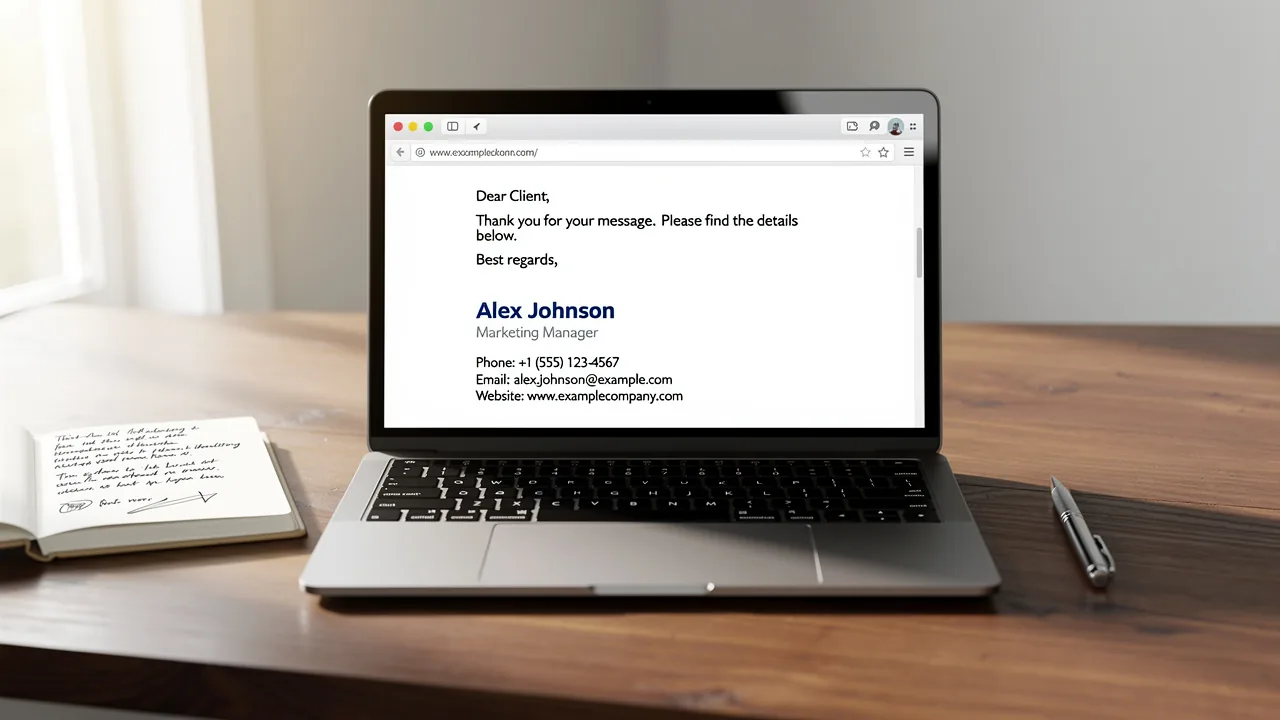
A well-crafted email signature logo is not merely a design element; it serves as a strategic asset that enhances brand identity and recognition. As organizations navigate the digital landscape, the importance of a cohesive and professional email signature becomes increasingly clear, serving as a powerful tool for communication and marketing. Many professionals find it challenging to create a logo that effectively represents their brand's values and messaging.
How can one effectively design an email signature logo that stands out while maintaining brand consistency? This guide will outline the essential steps and best practices for designing an email signature logo that not only stands out but also reinforces brand consistency.
Understand the Role of Email Signatures in Brand Identity
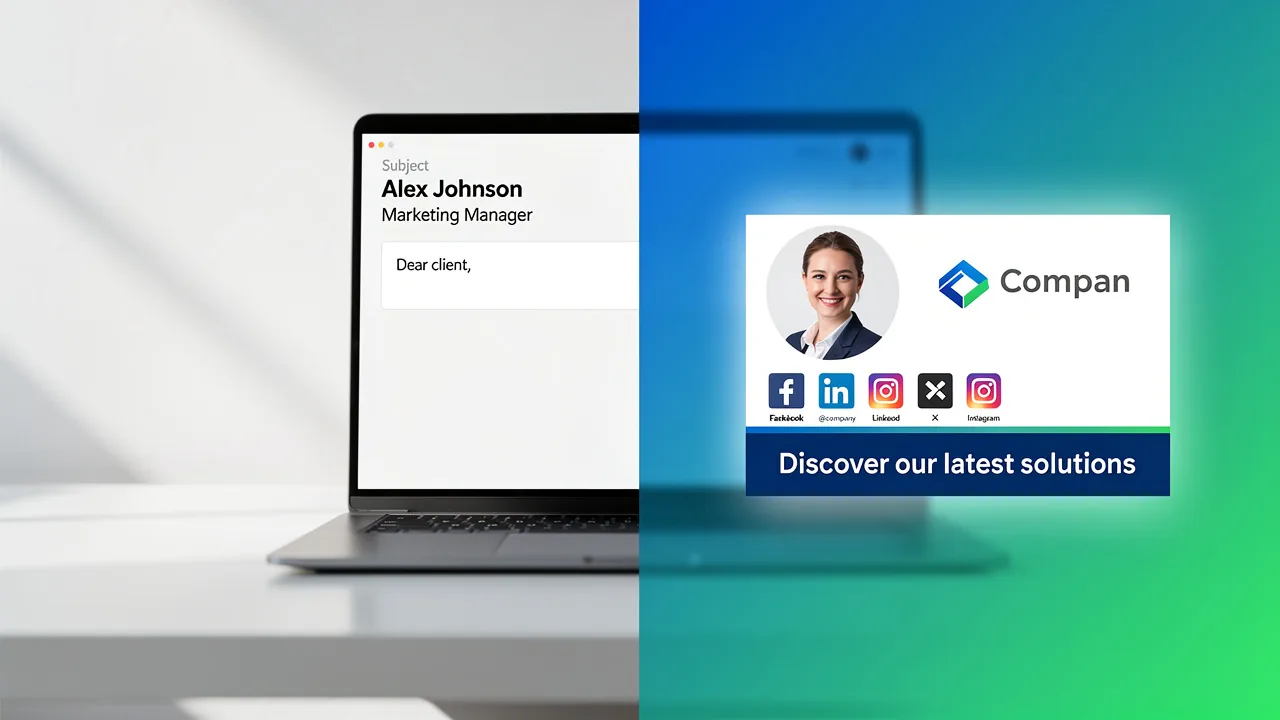
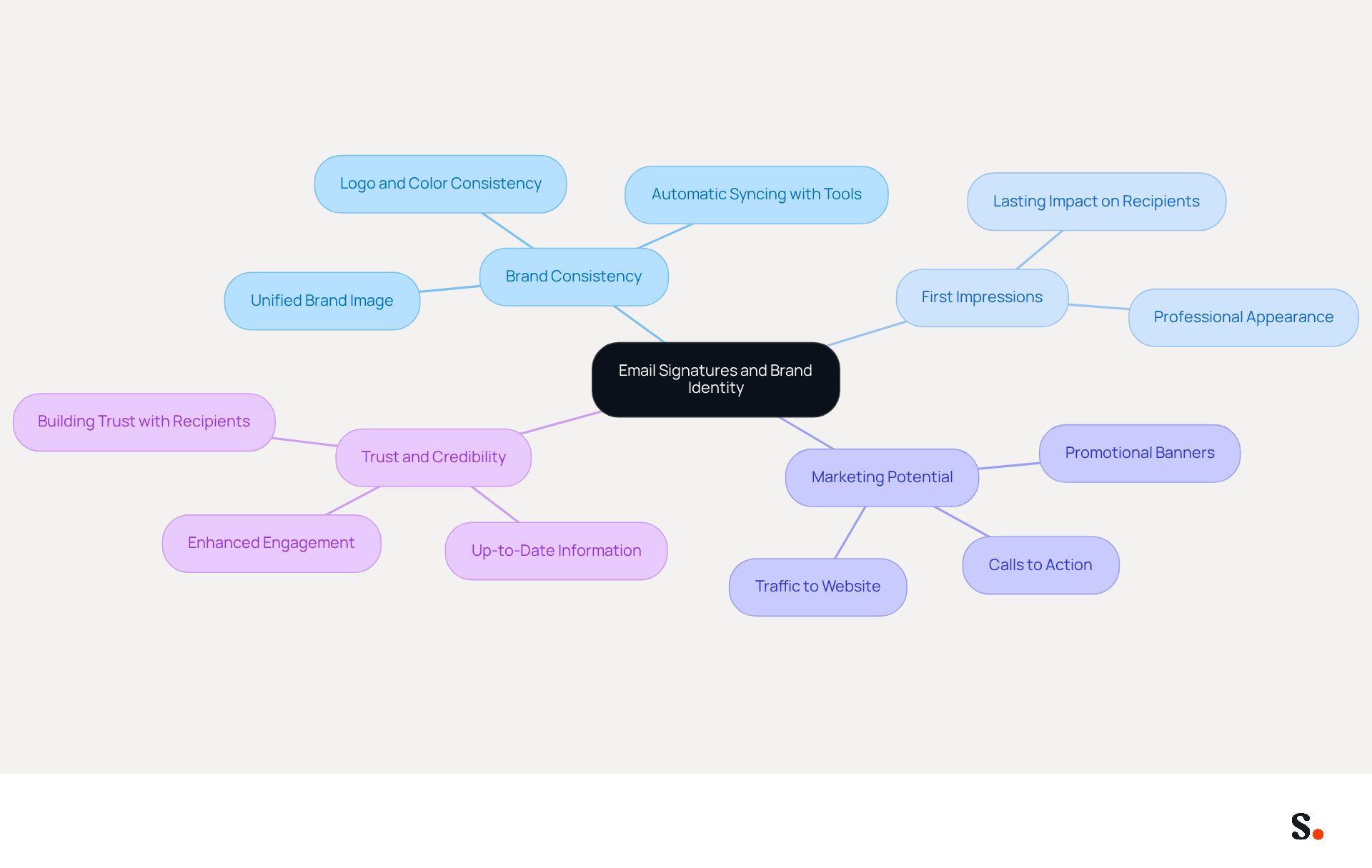
In the digital landscape, an email signature logo creator serves as an essential tool for designing email footers that establish a professional identity and ensure effective communication. An email signature logo creator can enhance brand recognition and convey professionalism through a well-designed email footer. Here are key points to consider:
- Brand Consistency: Every email sent is an opportunity to present a unified brand image. The use of an email signature logo creator ensures consistent application of logos, colors, and fonts throughout all representations, aiding in establishing a recognizable presence. With Scribe, any modifications made in your Google Workspace or Aircall setup will automatically sync, ensuring that your correspondence reflects the most up-to-date information and maintains consistency effortlessly.
- First Impressions: An email closing is often the last thing a recipient sees. A refined mark can leave a lasting impression, influencing how your brand is perceived.
- Marketing Potential: Email footers serve as effective marketing tools when used strategically. Including promotional banners or calls to action can drive traffic to your website or social media platforms. Scribe's integration capabilities allow for seamless updates to these elements, enhancing their effectiveness.
- Trust and Credibility: Using an email signature logo creator helps build trust with recipients, making them more likely to engage with your content or respond to your emails. By syncing your Google Workspace with Scribe, you save time and ensure that your teammates' information is always up-to-date, further enhancing your organization's credibility.
By understanding these roles, you can appreciate the significance of creating a symbol that aligns with your brand's identity. Failing to present a cohesive brand image can lead to diminished trust and engagement from recipients.
Explore Features of an Email Signature Logo Creator
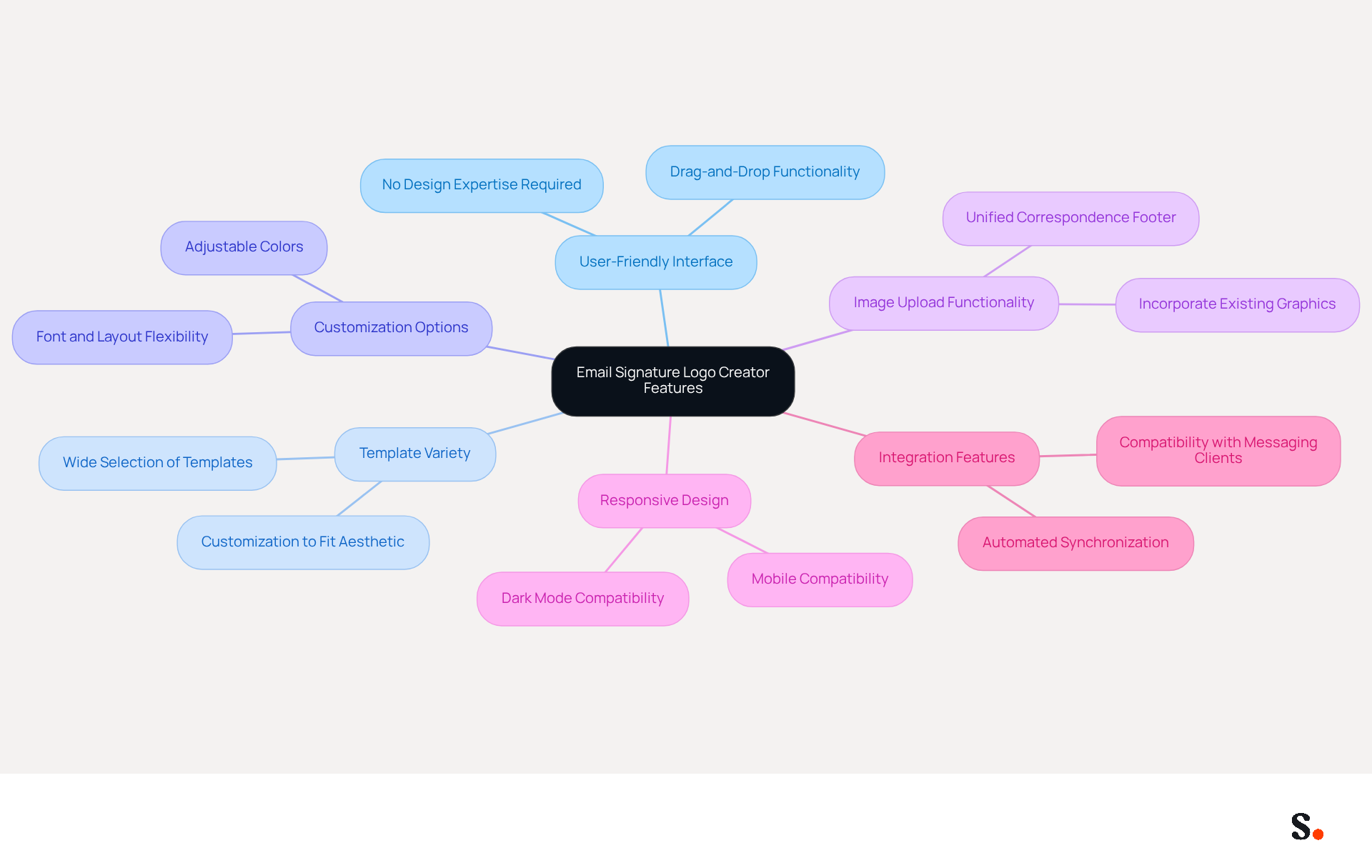
Choosing the appropriate email signature logo creator is crucial for establishing a professional digital presence. When choosing a logo creator, several key features should be prioritized to ensure an effective outcome:
- User-Friendly Interface: Opt for tools that offer drag-and-drop functionality, allowing for easy customization without requiring design expertise. A user-friendly interface greatly improves the overall experience and efficiency of creating a brand mark.
- Template Variety: A robust creator should offer a wide selection of templates that can be customized to fit your aesthetic. This variety enables businesses to maintain a consistent visual identity across all communications.
- Customization Options: Ensure the tool allows for adjustments in colors, fonts, and layouts. This flexibility is key to keeping your brand consistent and making sure your logo truly represents your company.
- Image Upload Functionality: The capability to upload existing graphics or pictures is essential for creating a unified correspondence footer. This feature enables businesses to seamlessly incorporate established branding elements.
- Responsive Design: As mobile messaging becomes increasingly prevalent, ensuring your logo looks great on all devices is a growing challenge. Choose a creator that guarantees your logo will look good on all devices. In 2026, dark mode-compatible communication identifiers will be required, so ensure the tool accommodates this necessity.
- Integration Features: Some tools provide integration with popular messaging clients like Gmail and Outlook, facilitating seamless implementation of your personal mark. This capability can streamline the process and enhance overall efficiency. Furthermore, with Scribe's automated synchronization with Aircall, any modifications made in your Aircall settings will automatically reflect in your communications, ensuring consistency across all interactions. Teams utilizing centralized management for their communication identifiers experience 85% improved brand consistency, making integration a crucial feature.
By comprehending these characteristics, you can choose a design creator that fulfills your particular requirements and enhances your digital identity, ultimately aiding in a more professional and engaging communication strategy. Ultimately, the right design creator can significantly elevate your brand's digital identity and marketing effectiveness.
Follow Steps to Create Your Email Signature Logo
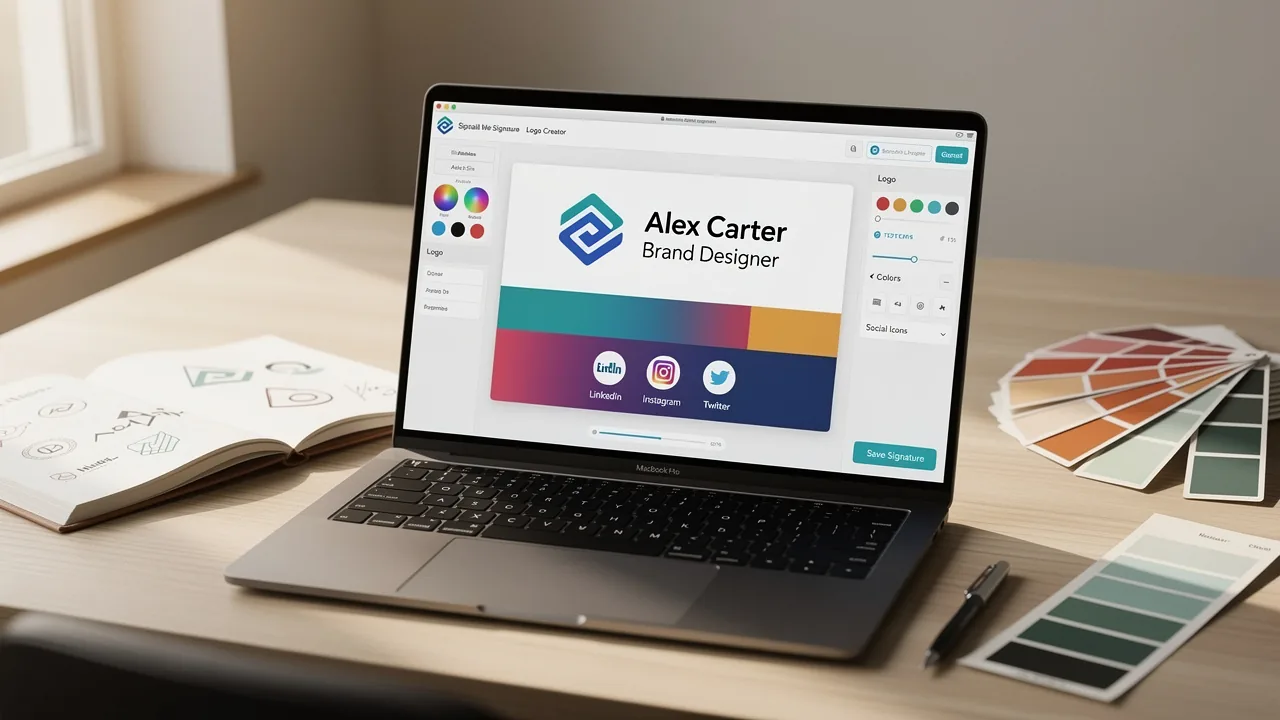
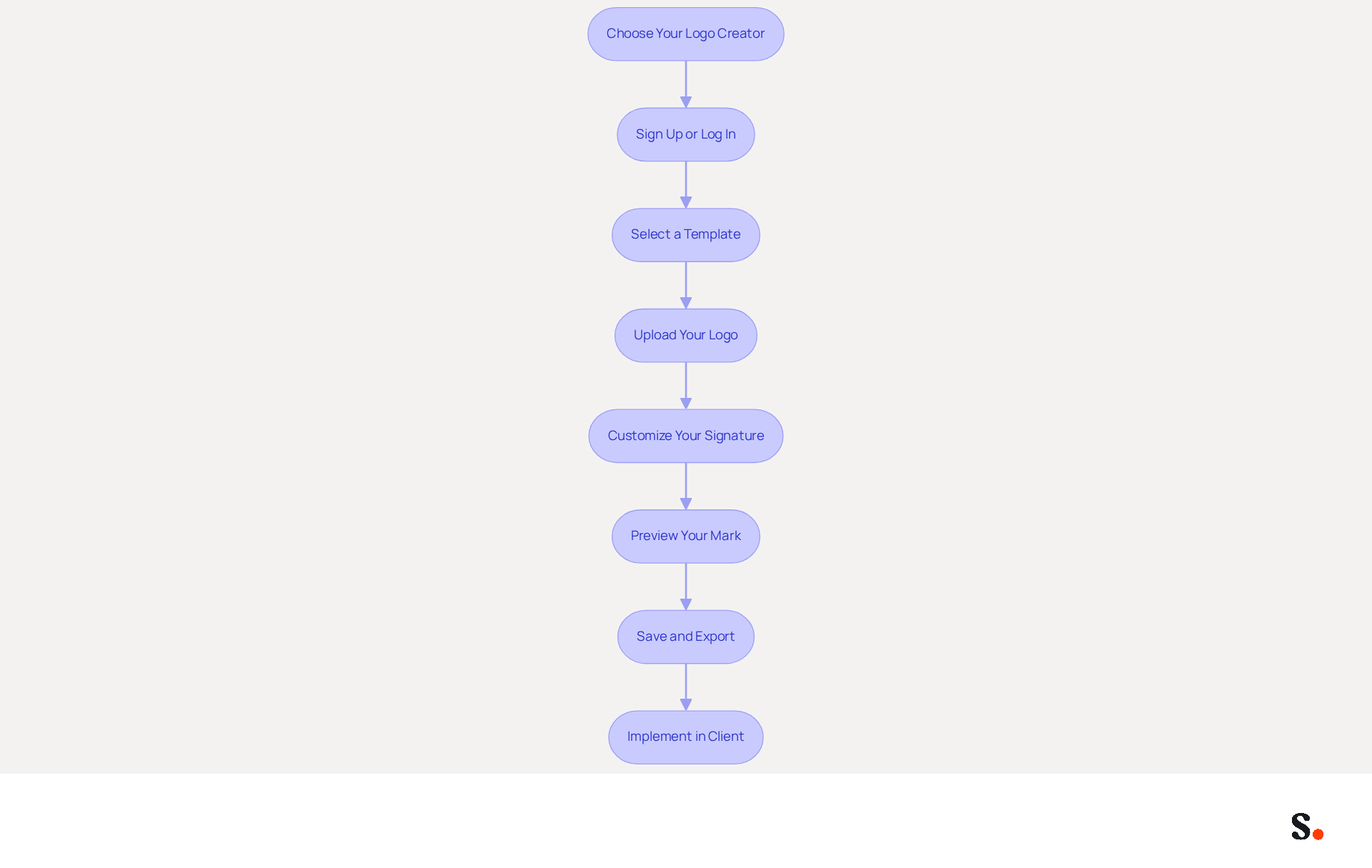
Creating a cohesive email signature is essential for maintaining brand integrity and ensuring effective communication. This process involves several straightforward steps that can be enhanced by using Scribe's services for automated synchronization and brand consistency:
- Choose Your Logo Creator: Select an email signature logo creator that fits your needs based on the features available in 2026, such as Scribe's integration with Google Workspace.
- Sign Up or Log In: Create an account or log in to the chosen platform, like Scribe, which allows for seamless updates and synchronization of your team's signatures.
- Select a Template: Browse through the available templates and choose one that aligns with your identity, ensuring consistency across all communications.
- Upload Your Logo: If you have an existing logo, upload it to the template. Ensure the image is high-quality and appropriately sized (ideally between 60-100px wide).
- Customize Your Signature: Adjust the colors, fonts (14-16px is recommended for body text), and layout to match your brand guidelines. Incorporate visual hierarchy to guide the recipient's eye to important information. Adding elements like social media icons or a call to action can enhance engagement. A clear and contextually relevant call-to-action is proven to enhance response rates.
- Preview Your Mark: Utilize the preview feature to observe how your mark will appear in messages. Make any necessary adjustments to ensure it is visually appealing and effective.
- Save and Export: Once satisfied, save your mark and export it in the required format (HTML or image).
- Implement in Client: Follow the specific instructions for your client (e.g., Gmail, Outlook) to add your new closing. Testing across various messaging clients is essential to ensure proper display and functionality.
By following these steps and leveraging Scribe's automated synchronization features, you will help create a professional email signature logo creator that enhances your brand identity and boosts engagement. Research indicates that effective digital identifiers can increase trust and improve response rates significantly, making them a powerful asset in your marketing strategy.
Troubleshoot Common Issues with Email Signature Logo Creation
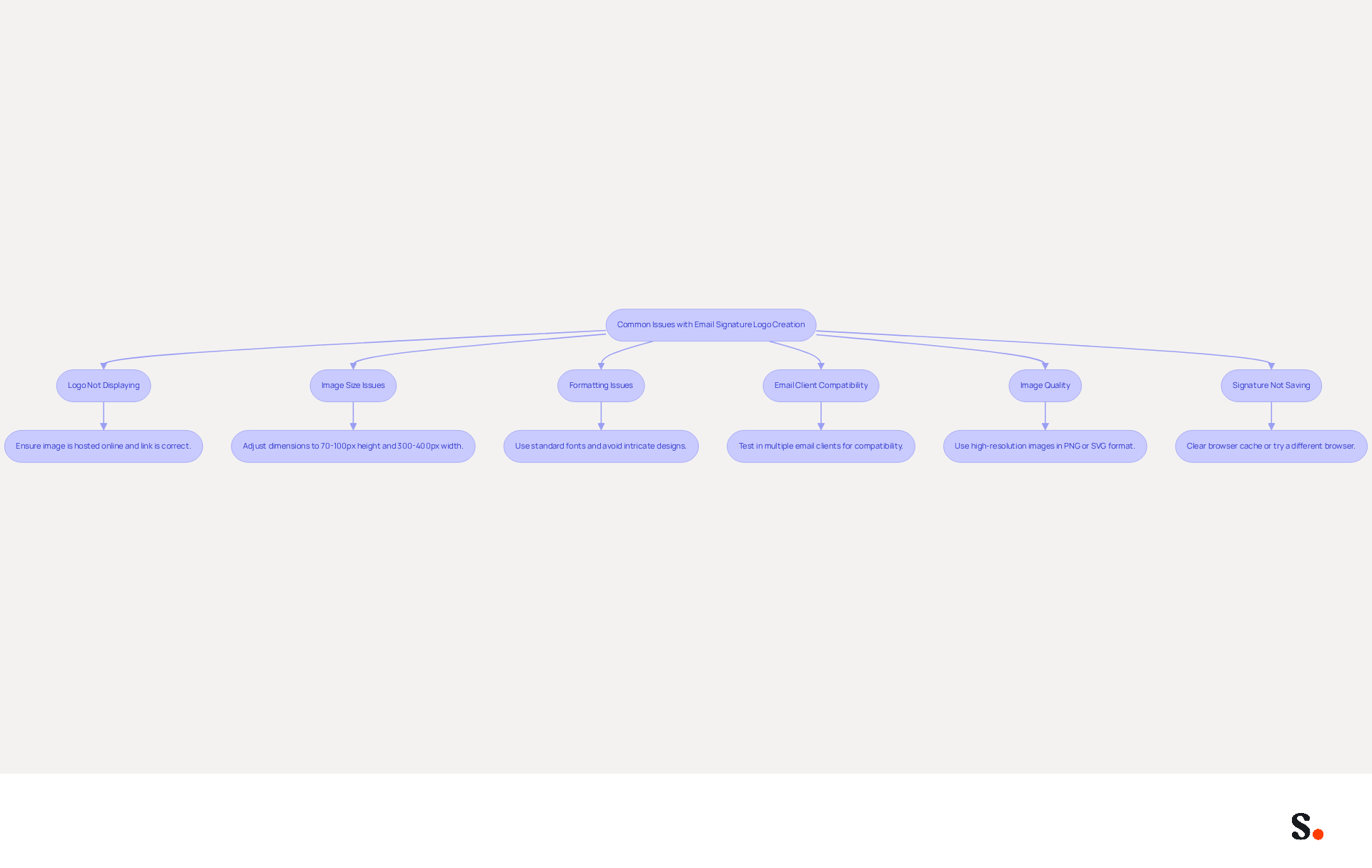
Designing an effective email signature logo creator often presents common challenges that require strategic solutions. Here’s how to troubleshoot them effectively:
- Logo Not Displaying: Ensure that the image is hosted online if you're using a URL. Verify that the link is correct and accessible to avoid display issues.
- Image Size Issues: Adjust the dimensions in the email signature logo creator if your logo appears too large or small. Aim for a height of 70-100 pixels and a width of 300-400 pixels for optimal display across various messaging clients.
- Formatting Issues: If your identifier appears differently in various messaging clients, use standard fonts and avoid overly intricate designs that may not display properly. Consider using a plain text editor for creating your sign-off to prevent formatting issues.
- Email Client Compatibility: Test your email footer in multiple email clients to ensure it displays correctly. Some clients may not support certain features, leading to inconsistencies, including changes in the authentication.
- Image Quality: If your logo appears pixelated, ensure you’re using a high-resolution image. PNG or SVG formats are recommended for clarity and sharpness.
- Signature Not Saving: Many users face challenges when their changes do not save, leading to frustration and wasted time. Try clearing your browser cache or using a different browser to resolve potential conflicts.
Furthermore, syncing your Google Workspace with Scribe can greatly simplify the management process for your correspondence identifiers. By automatically refreshing your teammates' details, such as job roles or group modifications, you can save time and ensure that your communication identifiers are always up-to-date and uniform. This integration not only saves time but also enhances the consistency of your communication identifiers. The attribute feature in Scribe also enables auto-filling of identification information, further simplifying the process.
By utilizing Scribe's features, you can ensure your email signature logo creator not only looks professional but also functions seamlessly across platforms.
Conclusion
An email signature logo is essential for establishing a professional brand identity and enhancing communication. By utilizing an email signature logo creator, organizations often face challenges in maintaining brand consistency and making impactful first impressions. Scribe's capabilities, including seamless integration with platforms like Google Workspace, empower marketing teams to manage their email signatures independently, ensuring that every email sent reflects the most current and cohesive brand image.
Throughout this guide, key aspects such as the importance of user-friendly interfaces, template variety, and customization options have been highlighted. The step-by-step process outlined provides a clear pathway for creating an effective email signature logo, while troubleshooting tips address common challenges that may arise during the design process. Scribe's features enable teams to create email signatures that are visually appealing and functional, enhancing their digital presence.
Digital communication is crucial today, and a well-crafted email signature logo plays a vital role in that. Organizations should implement these best practices and use Scribe's innovative solutions to create email signatures that resonate with their audience. Implementing these strategies can significantly enhance your brand's recognition and engagement in digital communication.
Frequently Asked Questions
What is the purpose of an email signature logo creator?
An email signature logo creator is a tool used to design email footers that establish a professional identity, enhance brand recognition, and ensure effective communication.
How does an email signature logo creator contribute to brand consistency?
It ensures the consistent application of logos, colors, and fonts in all email communications, helping to establish a recognizable brand presence.
What impact does an email closing have on recipients?
An email closing is often the last thing a recipient sees, and a refined mark can leave a lasting impression, influencing how the brand is perceived.
How can email footers be used as marketing tools?
Email footers can include promotional banners or calls to action, which can drive traffic to websites or social media platforms when used strategically.
What benefits does syncing Google Workspace with Scribe provide?
Syncing Google Workspace with Scribe ensures that any modifications made will automatically update, keeping correspondence consistent and saving time by maintaining up-to-date information for all team members.
Why is trust and credibility important in email communication?
Using an email signature logo creator helps build trust with recipients, making them more likely to engage with content or respond to emails, thereby enhancing the organization's credibility.
What are the consequences of failing to present a cohesive brand image?
Failing to present a cohesive brand image can lead to diminished trust and engagement from recipients.
List of Sources
- Understand the Role of Email Signatures in Brand Identity
- Why Team Email Signatures Matter More Than You Think: The Hidden Impact on Brand Trust and Customer Experience (https://getmailbird.com/why-team-email-signatures-matter-brand-trust)
- The impact of email signatures on your branding (https://signitic.com/en/resources/the-impact-of-email-signatures-on-your-branding)
- Email Signature Design Trends in 2026: What Works and What to Drop (https://bulksignature.com/blog/email-signature-design-trends)
- Research Recap: Branded Email Signatures Increase Company Recognition, Trust - Demand Gen Report (https://demandgenreport.com/industry-news/research-recap-branded-email-signatures-increase-company-recognition-trust/47252)
- What Email Signatures Really Mean for Your Marketing Strategy (https://scribe-mail.com/en-US/blog/what-email-signatures-really-mean-for-your-marketing-strategy)
- Explore Features of an Email Signature Logo Creator
- Email Signature Trends 2026: What Designers Are Actually Using (https://markaplugin.com/blog/email-signature-trends-2026)
- Email Signature Best Practices - NEWOLDSTAMP (https://newoldstamp.com/blog/email-signature-best-practices)
- Email Signature Best Practices for 2026 (+ 15 Pro Examples) (https://wavecnct.com/blogs/email-signature-best-practices-2026)
- Email Signature Design Trends in 2026: What Works and What to Drop (https://bulksignature.com/blog/email-signature-design-trends)
- Follow Steps to Create Your Email Signature Logo
- Professional Email Signatures - The Ultimate Guide (https://boostit.com.au/the-ultimate-guide-for-a-professional-business-email-signature)
- Email Signature Best Practices for 2026 (+ 15 Pro Examples) (https://wavecnct.com/blogs/email-signature-best-practices-2026)
- 40+ Email Signature Statistics for 2026 (Data + Insights) (https://wavecnct.com/blogs/email-signature-statistics)
- The ultimate guide to email signatures in 2026 (https://signitic.com/en/resources/email-signature)
- Email Signature Trends 2026: What Designers Are Actually Using (https://markaplugin.com/blog/email-signature-trends-2026)
- Troubleshoot Common Issues with Email Signature Logo Creation
- Images are not displayed in emails, newsletters, or signatures in classic Outlook | Microsoft Support (https://support.microsoft.com/en-us/support/known-issues/images-are-not-displayed-in-emails-newsletters-or-signatures-in-classic-outlook)
- Troubleshoot issues with Gmail signatures - Gmail Help (https://support.google.com/mail/answer/11468381?hl=en)
- How to solve problems with email signatures in Microsoft 365? (https://mail-signatures.com/articles/problems-email-signatures-office-365)
- Email Signature Troubleshooting - Problems & Solutions - Gimmio (https://blog.gimm.io/email-signature-troubleshooting)
Get started with Scribe
See why teams switch to Scribe
Free 14-day trial — no credit card.