Customize Your Email Signature Sent from My iPhone in 4 Easy Steps
Customizing an email signature on an iPhone presents both an opportunity and a challenge for professionals aiming to enhance their communication strategy. A
Sophie Grant
Email Signature Specialist, Scribe
On this page
- Introduction
- Access Email Signature Settings on Your iPhone
- Current Trends in Email Signature Usage
- Case Studies on Email Signature Management
- Expert Insights
- Create and Customize Your Signature Using Different Methods
- Troubleshoot Common Issues with Your Email Signature
- Incorporate Marketing Elements for Enhanced Engagement
- Conclusion
- Frequently Asked Questions
- List of Sources
Introduction
Customizing an email signature on an iPhone presents both an opportunity and a challenge for professionals aiming to enhance their communication strategy. A well-crafted signature isn’t just a nice touch; it can really boost your marketing efforts, allowing users to seamlessly incorporate essential information and calls to action.
Many users struggle to find the right settings to customize their signatures effectively, which can hinder their professional image. So, how can you customize your email signature to look professional and engage your audience?
Mastering this customization can significantly elevate your professional image and engagement with clients and colleagues alike.
Access Email Signature Settings on Your iPhone
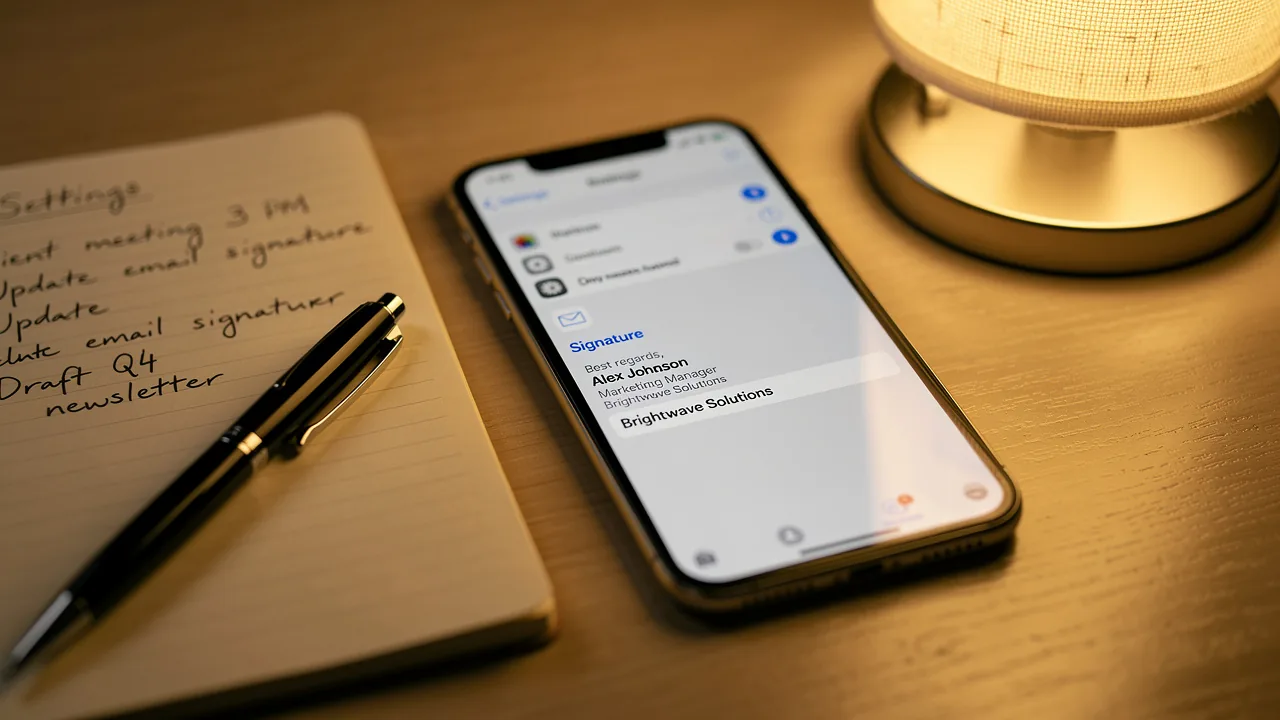
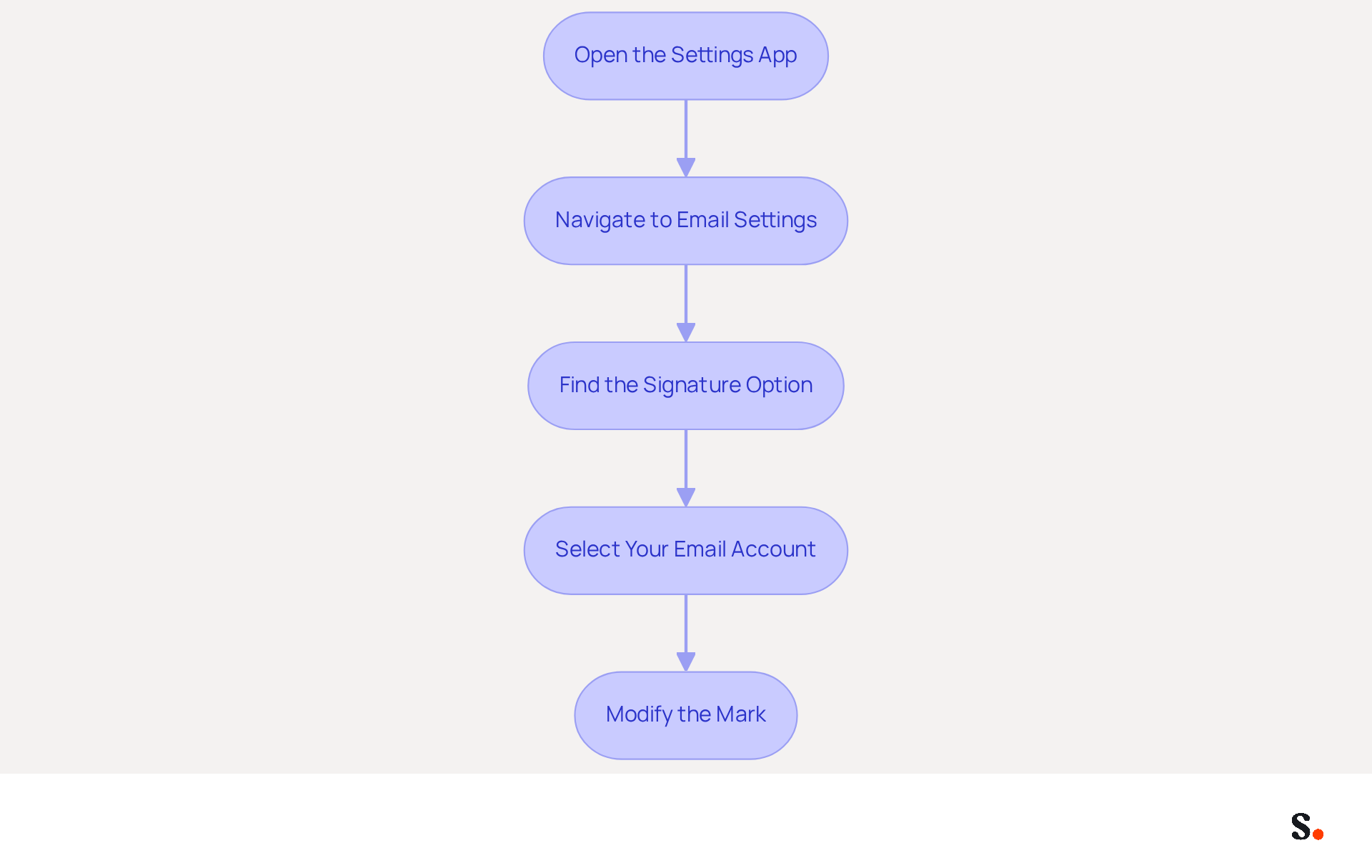
- Open the Settings App: Locate the Settings icon on your iPhone's home screen and tap to open it.
- Navigate to Email Settings: Scroll down and select 'Email' from the list of options. This will take you to the Mail settings menu.
- Find the Signature Option: Scroll down to the 'Composing' section and tap on 'Signature'. Here, you will see the current configuration settings for your accounts.
- Select Your Email Account: If you have multiple email accounts set up, choose the account for which you want to personalize the closing. You can set a different sign-off for each account or use the same one across all.
- Modify the Mark: Tap on the text field to begin altering your signature. You can delete the existing text or modify it as needed.
Current Trends in Email Signature Usage
Despite the growing reliance on digital communication, many professionals overlook the strategic importance of email signatures. In 2026, email signatures are crucial for business communications. Notably, 42.2% of users view email marketing as one of the top three effective channels for lead generation. However, 33% of users struggle to measure the effectiveness of their marketing efforts, indicating a significant gap in tracking capabilities.
Case Studies on Email Signature Management
A survey revealed that 52% of users believe a solid email signature is crucial for effective communication with clients, emphasizing its role as a virtual handshake. Furthermore, 25.1% of users strive to maintain standardized electronic communication identifiers across their organization, which improves brand consistency and professionalism in interactions.
Expert Insights
Experts recommend adding social media links and call-to-action buttons to email signatures to enhance engagement rates. In fact, 32.3% of users incorporate CTAs in their email footers, with social media CTAs being the most popular at 39.8%. This trend highlights the significance of optimizing email footers not just for branding, but also for encouraging specific actions from recipients. Neglecting to optimize email signatures may result in missed opportunities for engagement and brand reinforcement.
Create and Customize Your Signature Using Different Methods
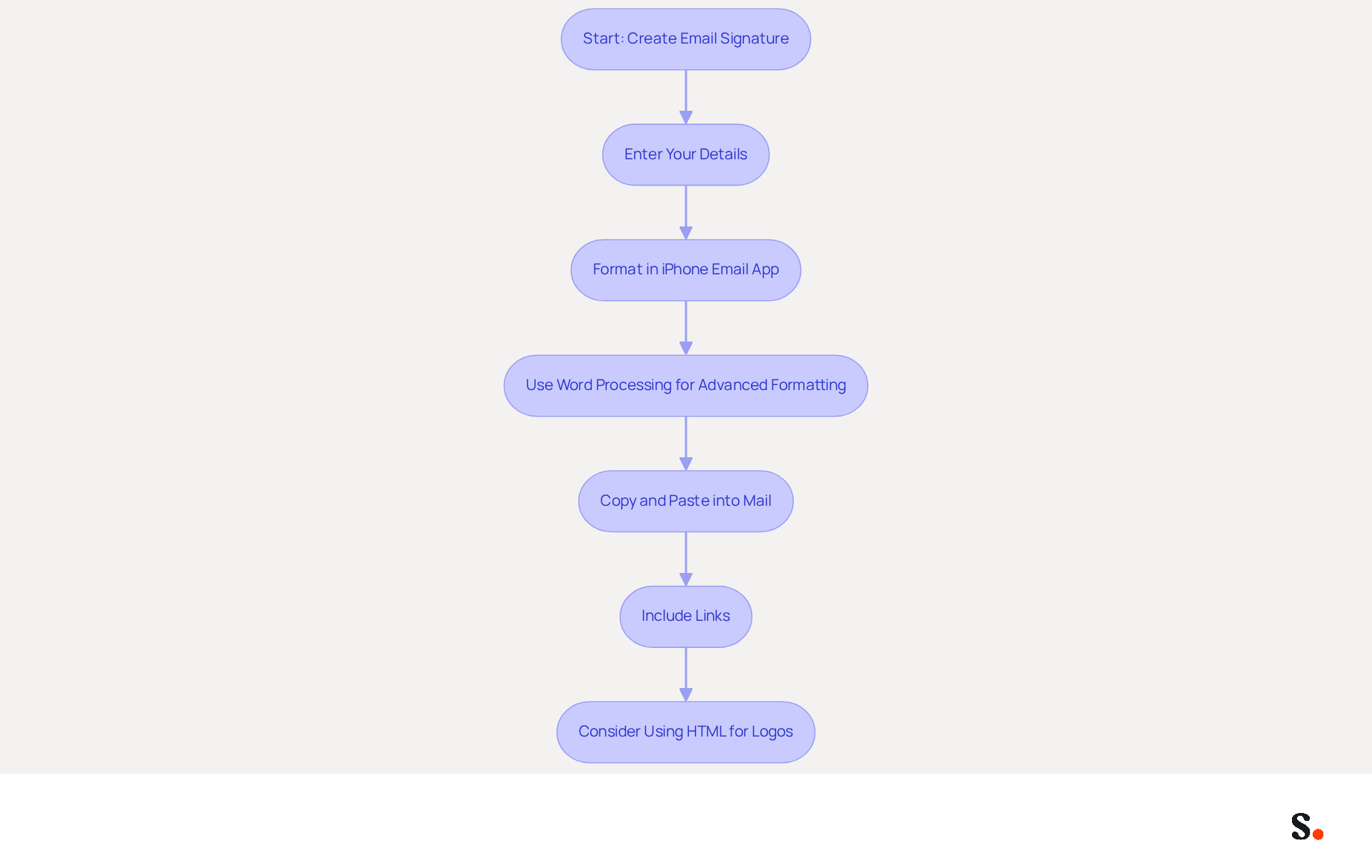
Creating a professional email signature sent from my iPhone is essential for making a strong impression in your communications. Start by entering your desired mark in the text field. Include essential details such as your full name, job title, and contact information. Aim for a concise and professional presentation to make a strong impression.
While the iPhone's email app has limited formatting options, you can still enhance the email signature sent from my iPhone. Use line breaks to separate different elements, such as your name, title, and contact details, ensuring clarity and readability.
For more advanced formatting, create your identifier in a word processing app like Pages. Here, you can adjust font size, style, and color to your liking. Once pleased with the design, copy the mark and paste it into the Mail field for signatures.
To include links to your website or social media profiles, type the URLs directly in your email footer. Ensure these links are functional and direct recipients to the correct pages, enhancing your professional presence. Clickable HTML footers should include links to your company’s contact number, website URL, and social media platforms to maximize engagement.
Remember, the Mail app doesn’t allow images in email footers. If you wish to include a logo, consider using a third-party tool for creating HTML formats, which can enhance your brand visibility and engagement. Be cautious, as using images can lead to deliverability issues; ensure your email remains effective even without them. Furthermore, including a professional headshot can enhance response rates by 32%, making it a valuable addition when feasible. Ultimately, an email signature sent from my iPhone can significantly influence how recipients perceive your professionalism.
Troubleshoot Common Issues with Your Email Signature
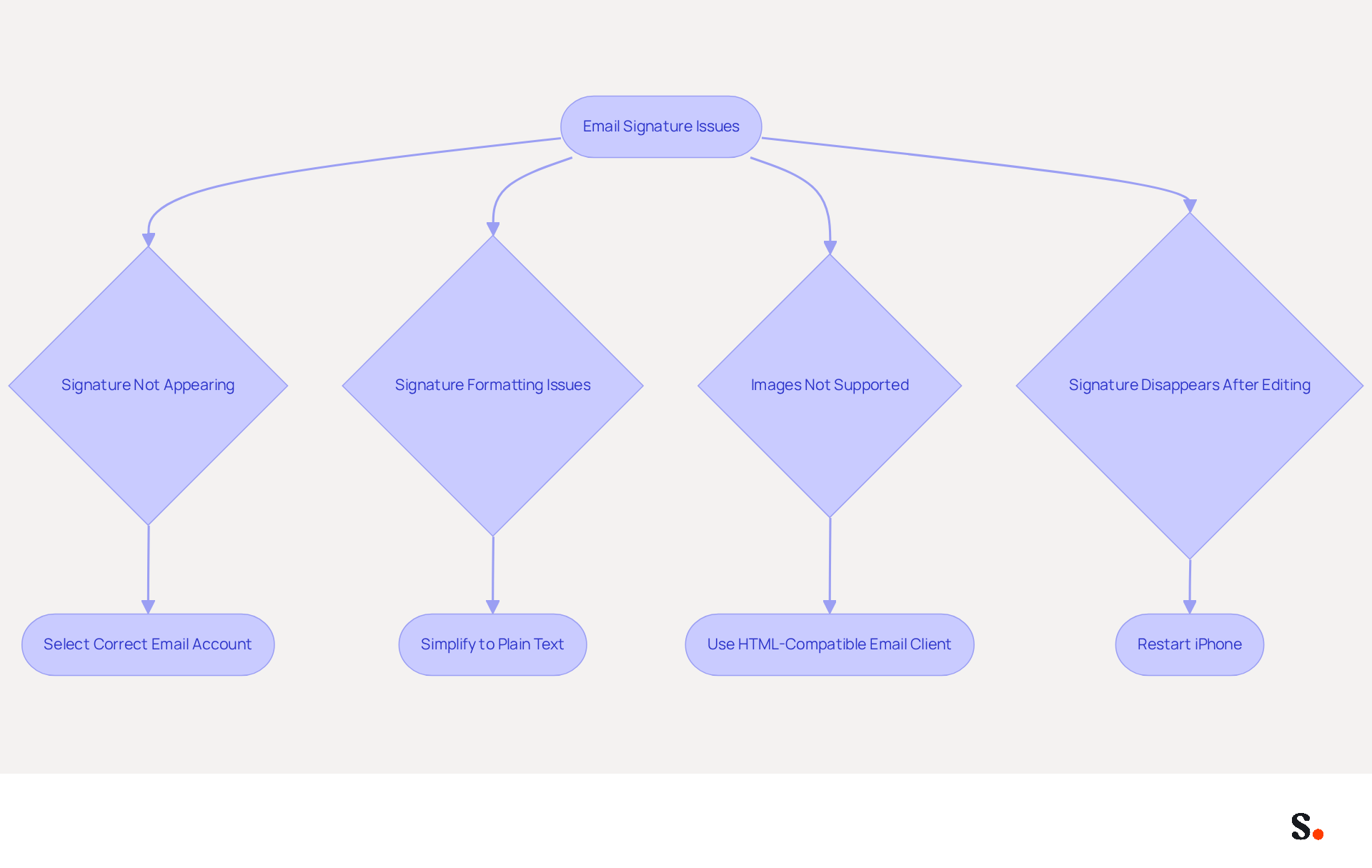
Many users encounter issues with their email signature sent from my iPhone that can undermine their professional image. If your email signature sent from my iPhone fails to appear in outgoing emails, make sure you have selected the correct email account in the mark settings. Many users overlook the importance of selecting the correct email account, leading to frustration when signatures do not display. Moreover, syncing your Google Workspace with Scribe necessitates Super Admin permissions, ensuring that your mark is automatically updated, saving you time and effort.
If your signature looks different than expected, it might be because it was copied from a source that doesn’t support the right formatting. To address this, simplify your identifier to plain text, ensuring compatibility across various messaging clients. With Scribe, you can manage your correspondence centrally, ensuring consistent formatting across all devices.
Be aware that the email application does not support images in email footers. If having a logo is important, you might want to use an email client that supports HTML formats, as this will enable better visual representation. Scribe's integration allows for enhanced branding, ensuring your logo is displayed correctly in supported environments.
If your mark vanishes after editing, restarting your iPhone can often fix temporary glitches in the Mail app, allowing your email signature sent from my iPhone to be restored quickly. Regular syncing with Scribe, which takes place daily at your local time, can also help preserve your identity across devices.
For users with multiple devices, it’s crucial to ensure that your accounts are synced correctly. Check the settings on each device to confirm that the identification is consistently configured, preventing discrepancies across platforms. By utilizing Scribe, you can simplify the synchronization process, ensuring that any modifications made in your Google Workspace are automatically reflected in your correspondence.
These troubleshooting suggestions can assist in alleviating common problems, ensuring your correspondence identifier is professional and effective in enhancing brand trust and communication. Significantly, 52% of professionals think a robust digital identifier is essential for establishing trust and communication with clients. Furthermore, 44.4% of businesses refresh their electronic correspondence identifiers 2-4 times annually, emphasizing the significance of regular assessments to uphold professionalism. Remember, ensuring your email signature is properly configured can significantly enhance your professional credibility and client trust.
Incorporate Marketing Elements for Enhanced Engagement
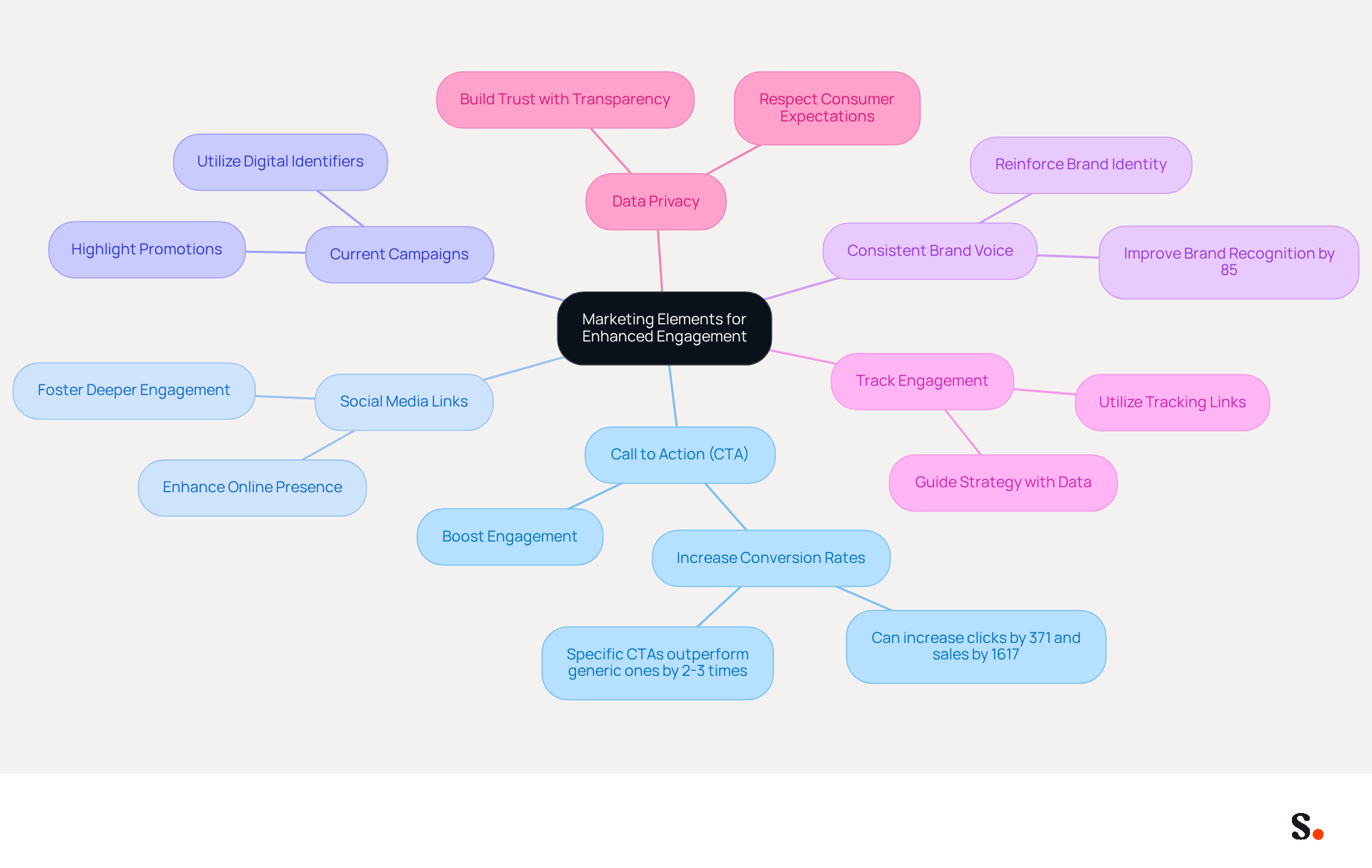
- Add a Call to Action (CTA): Incorporate a clear and compelling CTA in your email footer, such as 'Schedule a Meeting' or 'Visit Our Website.' Specific CTAs can boost engagement and conversion rates by 2 to 3 times, significantly enhancing your outreach effectiveness.
- Include Social Media Links: Enhance your online presence by adding icons or text links to your social media profiles. This allows recipients to connect with you across various platforms, fostering deeper engagement and brand recognition.
- Promote Current Campaigns: Highlight ongoing promotions or events in your email footer. Phrases like 'Check out our latest webinar!' can attract attention and motivate recipients to engage, utilizing the effectiveness of digital identifiers as marketing tools.
- Use a Consistent Brand Voice: Ensure that the tone and style of your emblem align with your overall brand messaging. Consistency in branding can lead to an 85% improvement in brand recognition and trust, reinforcing your identity in every communication.
- Track Engagement: Utilize tracking links for your CTAs to measure engagement effectively. This data can guide your strategy, enabling you to improve your message elements over time and boost overall marketing effectiveness.
- Prioritize Data Privacy: As consumers increasingly value transparency, ensure your email signatures respect data privacy. This not only builds trust but also keeps you in line with what consumers expect today.
Conclusion
Creating a professional email signature on an iPhone is essential for effective communication. By following the outlined steps, users can craft a signature that reflects their identity and enhances their brand presence. This allows users to manage their email communications effectively, ensuring that every message sent carries a consistent and professional mark.
Throughout the article, key insights were shared on the importance of email signatures in establishing trust and engagement. From accessing the settings to troubleshooting common issues, each step is designed to help users optimize their signatures effectively. Incorporating marketing elements, such as CTAs and social media links, can significantly boost engagement rates, making email signatures a powerful tool for communication and marketing.
Ultimately, the significance of a well-crafted email signature cannot be overstated. It serves as a digital business card, reinforcing brand identity and professionalism in every correspondence. Using tools like Scribe helps organizations create email signatures that look great and support their marketing objectives, fostering deeper connections with clients and enhancing overall communication effectiveness.
Frequently Asked Questions
How do I access email signature settings on my iPhone?
To access email signature settings on your iPhone, open the Settings app, scroll down and select 'Email', then find the 'Signature' option under the 'Composing' section.
Can I set different signatures for multiple email accounts on my iPhone?
Yes, you can select your email account and set a different signature for each account or use the same one across all accounts.
What should I do to modify my email signature on my iPhone?
To modify your email signature, tap on the text field in the Signature settings to delete the existing text or make changes as needed.
Why are email signatures important in business communications?
Email signatures are crucial for business communications as they serve as a virtual handshake, with 52% of users believing they are essential for effective communication with clients.
What trends are currently observed in email signature usage?
Current trends indicate that many professionals overlook the strategic importance of email signatures, despite their effectiveness in lead generation and brand consistency.
How can I enhance engagement rates through my email signature?
Experts recommend adding social media links and call-to-action buttons to your email signature to enhance engagement rates, with 32.3% of users incorporating CTAs in their email footers.
What percentage of users struggle to measure the effectiveness of their email marketing efforts?
Approximately 33% of users struggle to measure the effectiveness of their email marketing efforts, indicating a gap in tracking capabilities.
List of Sources
- Access Email Signature Settings on Your iPhone
- Email Signature Statistics: A Closer Look at Email Signatures in 2026 (https://mysignature.io/blog/email-signature-statistics)
- Email Signature Trends in Numbers: Infographic [2026] (https://mailtrap.io/blog/email-signature-trends)
- 40+ Email Signature Statistics for 2026 (Data + Insights) (https://wavecnct.com/blogs/email-signature-statistics)
- Email signature statistics: Why every business should optimize their email signatures — Stripo.email (https://stripo.email/blog/email-signature-statistics-why-every-business-should-optimize-their-email-signatures)
- Create and Customize Your Signature Using Different Methods
- Best practices for business email signatures in 2026 (https://bybrand.io/blog/best-practices)
- Why Email Signatures Must Be In Your 2026 Marketing Plan | Rocketseed (https://rocketseed.com/blog/what-are-the-biggest-email-trends-for-2026)
- Email Signature Best Practices for 2026 (+ 15 Pro Examples) (https://wavecnct.com/blogs/email-signature-best-practices-2026)
- Top 10+ best practices for email signatures design in 2026 (https://mysignature.io/blog/email-signature-best-practices)
- Email Signature Design Trends in 2026: What Works and What to Drop (https://bulksignature.com/blog/email-signature-design-trends)
- Troubleshoot Common Issues with Your Email Signature
- Email Signature Troubleshooting - Problems & Solutions - Gimmio (https://blog.gimm.io/email-signature-troubleshooting)
- 40+ Email Signature Statistics for 2026 (Data + Insights) (https://wavecnct.com/blogs/email-signature-statistics)
- Email signature statistics: Why every business should optimize their email signatures — Stripo.email (https://stripo.email/blog/email-signature-statistics-why-every-business-should-optimize-their-email-signatures)
- Incorporate Marketing Elements for Enhanced Engagement
- 2026 Marketing Trends: Email Signatures as a Marketing Tool (https://bluechiptt.com/blog/5-marketing-trends-for-2026-and-how-your-email-signature-fits-in)
- Why and how to add an effective CTA to your email signature? (https://signitic.com/en/resources/why-and-how-to-add-an-effective-cta-to-your-email-signature)
- Email Signature Trends 2026: Centralized Control & Automation | SIGNandGO posted on the topic | LinkedIn (https://linkedin.com/posts/signngo_email-signature-trends-to-watch-in-2026-activity-7401523471786217473-zAVL)
- 4 Best Practices for Your Outlook Signature Line in Marketing (https://scribe-mail.com/en-US/blog/4-best-practices-for-your-outlook-signature-line-in-marketing)
Get started with Scribe
Create your signature in minutes
Free 14-day trial — no credit card.