Discover the Best Logo Size for Email Signatures Across Clients
The size of a logo in email signatures can make or break a brand's professional image. With the average person receiving dozens of emails daily, ensuring that
Sophie Grant
Email Signature Specialist, Scribe
On this page
- Introduction
- Define Optimal Logo Dimensions for Email Signatures
- Compare Logo Size Requirements Across Major Email Clients
- Analyze Consequences of Incorrect Logo Sizing in Email Signatures
- Implement Best Practices for Logo Optimization in Email Signatures
- Conclusion
- Frequently Asked Questions
- List of Sources
Introduction
The size of a logo in email signatures can make or break a brand's professional image. With the average person receiving dozens of emails daily, ensuring that a logo is both visually appealing and appropriately sized is crucial for brand recognition and engagement. Incorrect logo sizing can lead to diminished brand recognition and reduced engagement.
We will explore the following topics:
- The optimal logo dimensions for major email clients
- The consequences of incorrect sizing
- Best practices for logo optimization to help organizations maintain brand consistency and professionalism in their digital communications.
Define Optimal Logo Dimensions for Email Signatures
Choosing the best logo size for email signature is crucial for maintaining a professional image in communications. The ideal dimensions typically range from 150 to 300 units in width and 50 to 150 units in height. These dimensions help ensure that the best logo size for email signature is both recognizable and proportionate within the overall signature design.
For example:
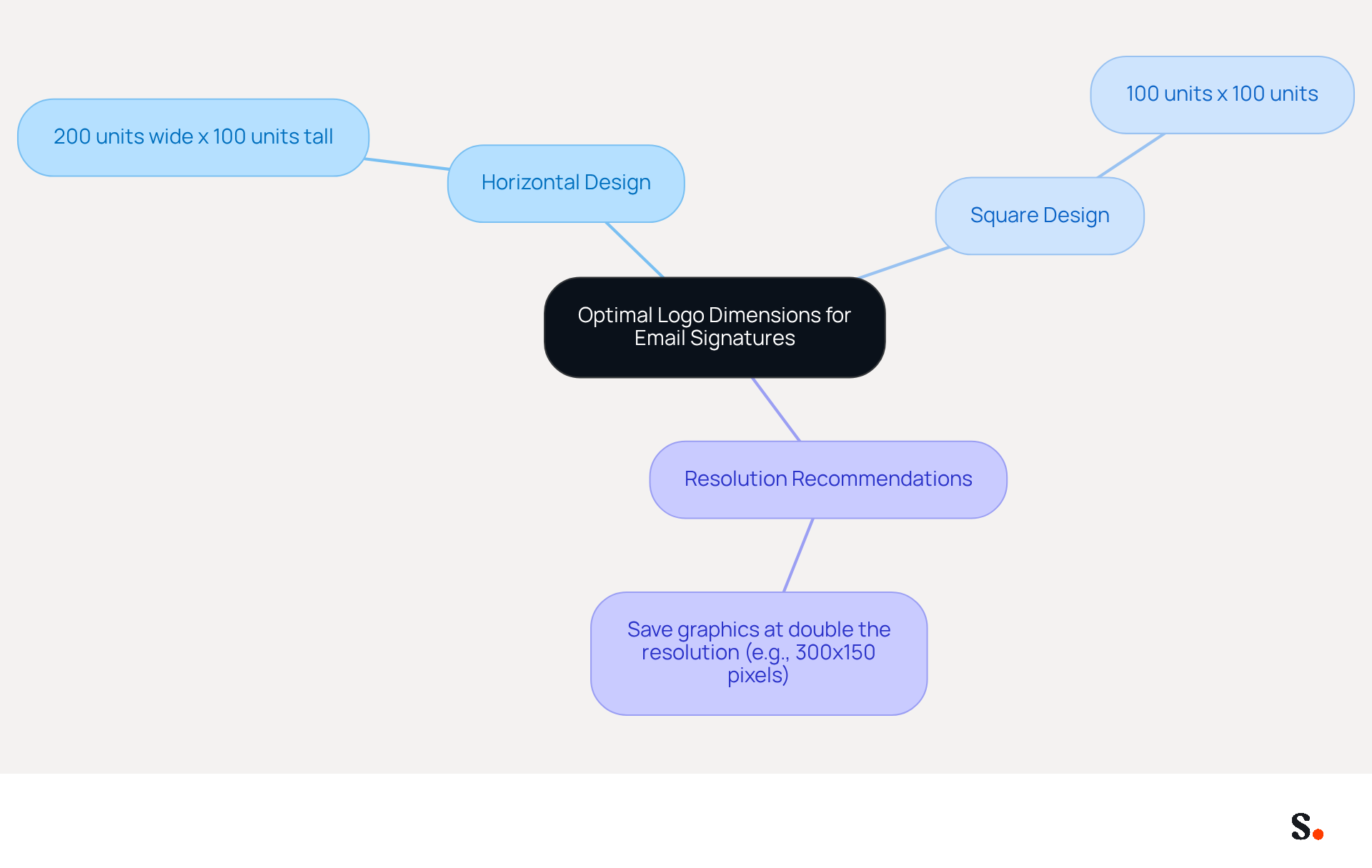
- A horizontal design is best displayed at 200 units wide and 100 units tall.
- A square design can be effectively sized at 100x100 units.
For better clarity on different devices and messaging clients, save your graphics at double the resolution, like 300x150 pixels. This practice not only enhances visual appeal but also reinforces your brand's professionalism in every interaction.
Compare Logo Size Requirements Across Major Email Clients
Adhering to the best logo size for email signature is essential for maintaining a professional brand image. Various messaging clients have particular size specifications for symbols that can greatly influence the appearance of graphics in signatures. Here’s a breakdown of the recommended logo sizes for major email platforms:
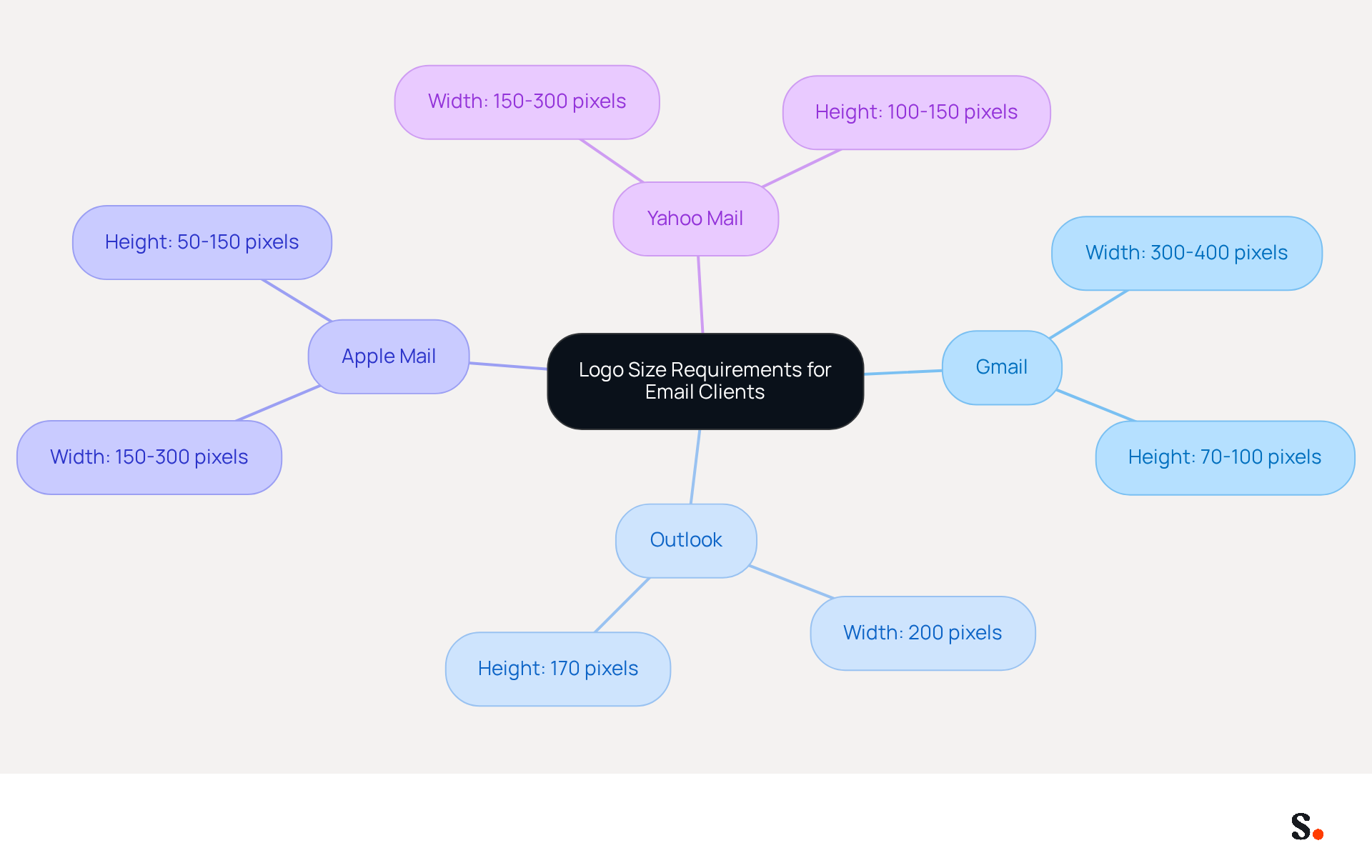
- Gmail: Logos should be sized between 300 to 400 pixels wide and 70 to 100 pixels high. This range ensures clarity and prevents images from exceeding display limits.
- Outlook: The best logo size for email signature is 200 units wide and 170 units tall, achieving a balance between visibility and aesthetic appeal.
- Apple Mail: The best logo size for email signature is approximately 150 to 300 units wide and 50 to 150 units high, ensuring a clean and professional look.
- Yahoo Mail: The best logo size for email signature is recommended to be a width of 150 to 300 units and a height of 100 to 150 units to ensure visuals remain clear and enhance the overall message.
By adhering to these guidelines, businesses can enhance their brand image and ensure a polished appearance in communications by using the best logo size for email signature. Additionally, it is important to maintain the best logo size for email signature, which is a desktop signature height of 150-200 pixels for a cohesive look. With more than half of all message openings happening on mobile devices, adjusting image sizes for mobile viewing is crucial. Oversized emblems can lead to inconsistent brand identity due to quality loss, so keeping image file sizes below 50KB is recommended to ensure fast loading and maintain professionalism. Consistent aspect ratios should also be utilized to maintain visual integrity across various messaging clients. Ultimately, determining the best logo size for email signature not only enhances brand consistency but also reinforces professionalism in digital communications.
Analyze Consequences of Incorrect Logo Sizing in Email Signatures
Incorrect logo sizing in email signatures can significantly undermine brand integrity and communication effectiveness:
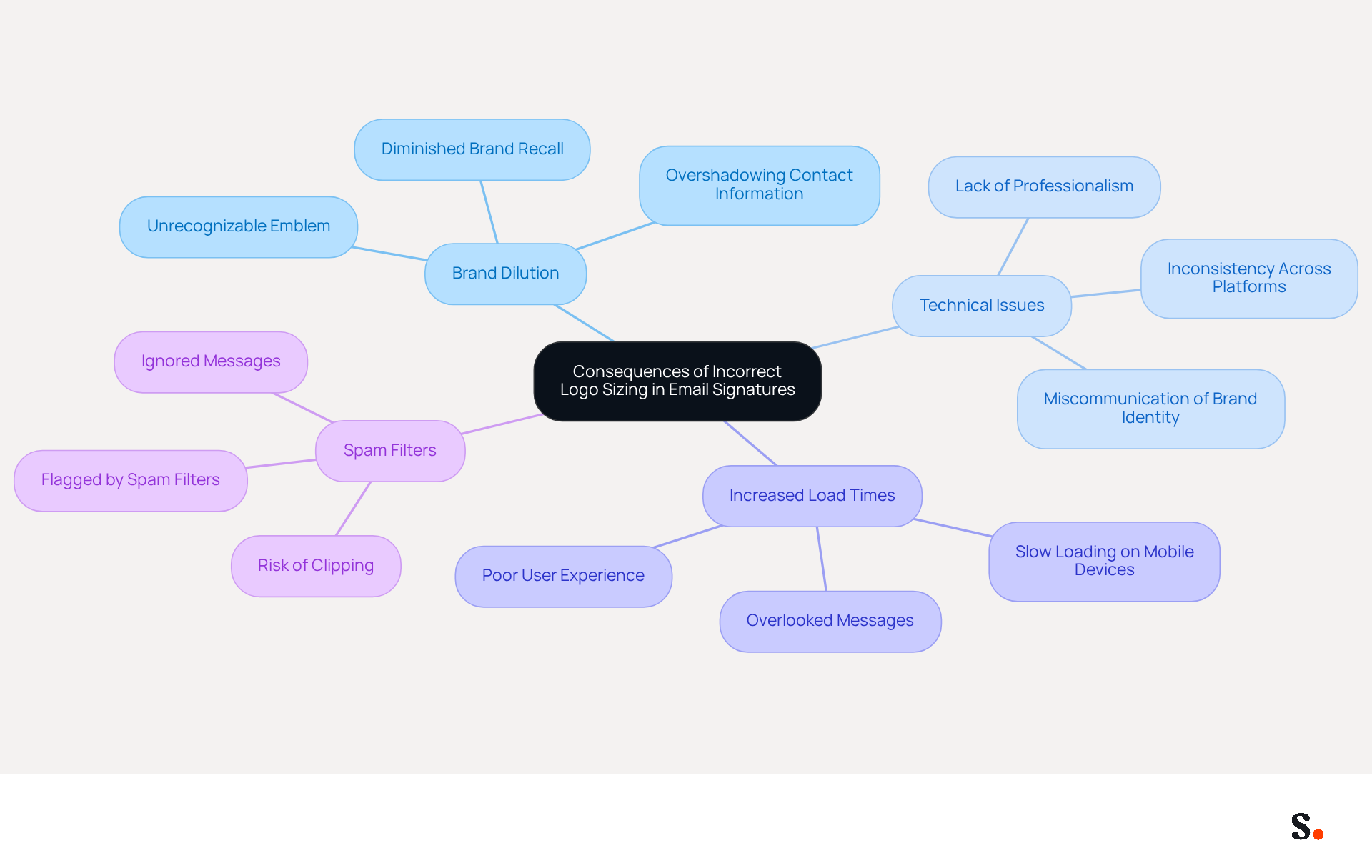
- Brand Dilution: An emblem that is too small may not be recognizable, leading to diminished brand recall among recipients. Conversely, an oversized emblem can overshadow essential contact information, diluting the overall message and potentially confusing the recipient.
- Technical Issues: Logos that exceed recommended dimensions often miscommunicate brand identity and can lead to a lack of professionalism. This inconsistency frustrates recipients and undermines the professionalism of your communication. Organizations frequently encounter challenges with logos that are not optimized for different platforms, resulting in a lack of cohesion in branding.
- Increased Load Times: Larger image files can significantly slow down loading times for messages, particularly on mobile devices. Studies show that messages with images larger than 30KB often face delays in loading, which can lead to a poor user experience and cause recipients to overlook the message altogether. For optimal performance, it is recommended to keep image sizes under 20KB, which is also the best logo size for email signature.
- Spam Filters: Emails containing oversized images are more likely to be flagged by spam filters, reducing the chances of successful delivery. Emails exceeding a total size of 100KB are at a higher risk of being clipped or sent to junk folders, which can lead to important messages being flagged as spam, resulting in them being overlooked or ignored.
To alleviate these problems, integrating Scribe with Google Workspace can simplify management of messaging identifiers. By syncing your Google Workspace with Scribe, you save time as your teammates' data is automatically updated, ensuring that element sizes and other details remain consistent. This integration allows for seamless updates, reflecting any changes in your team without manual input, thus enhancing brand consistency and professionalism in your communications. By comprehending these outcomes and utilizing Scribe's features, businesses can prioritize appropriate sizing to enhance the effectiveness of their communication, ensuring that branding remains robust and interactions are professional.
Implement Best Practices for Logo Optimization in Email Signatures
To effectively enhance branding through email signatures, businesses must implement strategic logo optimization practices:
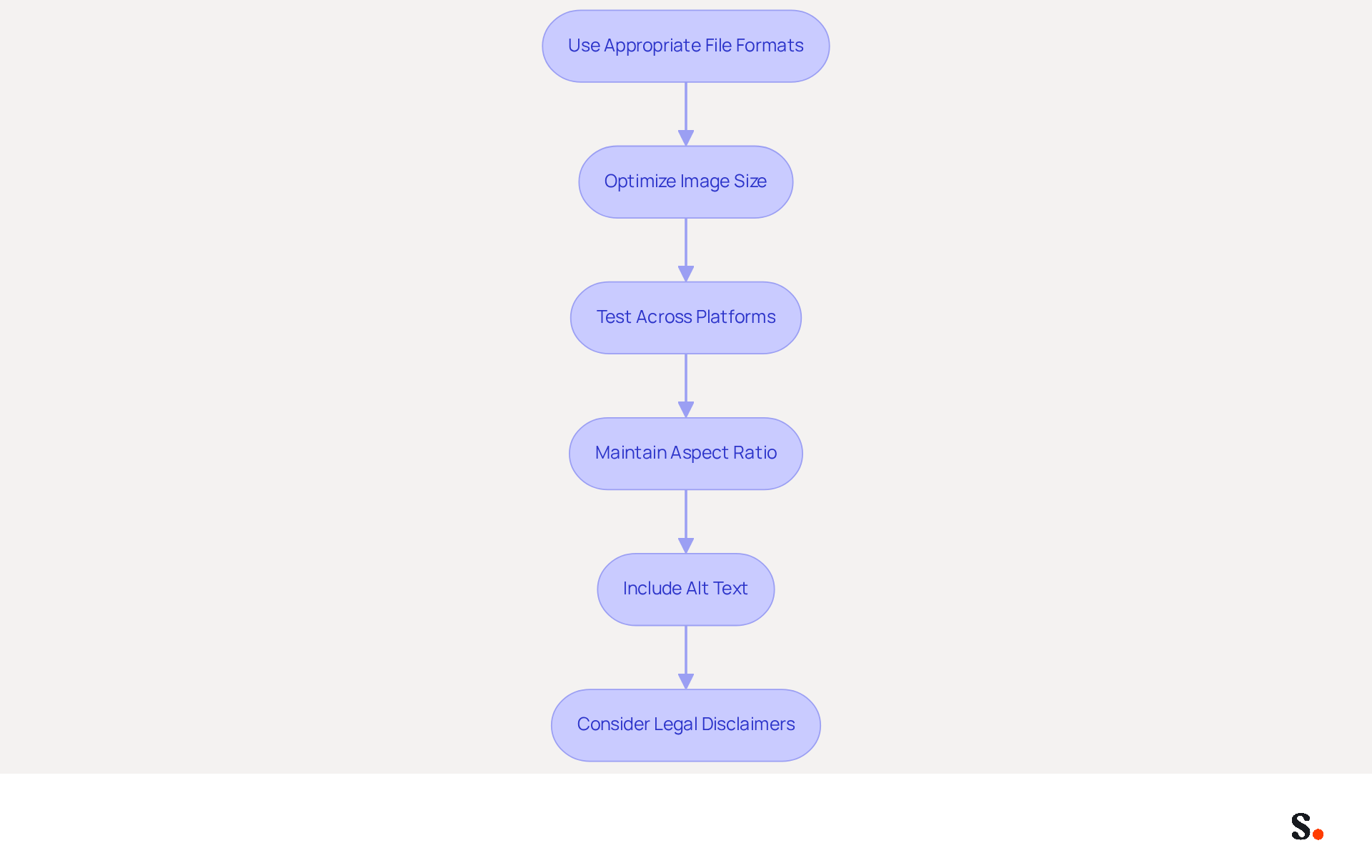
- Use Appropriate File Formats: PNG is the preferred format for logos due to its support for transparency and high quality. While JPEG can be utilized, it lacks the capability to preserve transparent backgrounds, which can influence the appearance of the logo.
- Optimize Image Size: Keeping the logo file size under 100KB is crucial to prevent slow loading times. Using image compression tools can assist in minimizing file size without sacrificing quality, ensuring that the graphic loads swiftly across different messaging clients. Optimized logos with clear calls to action can boost engagement by as much as 40% compared to standard sign-offs, making this step essential for maximizing impact.
- Test Across Platforms: It is crucial to evaluate how the graphic appears in various messaging clients and devices before finalizing it. Without proper testing, businesses risk presenting a disjointed image that undermines their professionalism. Given that over 60% of business emails are accessed on mobile devices, ensuring visuals are optimized for mobile viewing is essential.
- Maintain Aspect Ratio: When resizing images, preserving the aspect ratio is crucial to prevent distortion. This ensures that the logo remains professional and recognizable, reinforcing brand identity.
- Include Alt Text: Adding alt text to logos is important for accessibility. It allows recipients to identify the brand even if the image fails to load, ensuring that the branding remains effective.
- Consider Legal Disclaimers: Depending on the industry, including relevant legal disclaimers in correspondence is necessary to protect the organization and maintain professionalism.
By applying these strategies, businesses can present a cohesive and professional image in all communications. This approach can lead to improved customer perceptions and increased interactions with the brand. Additionally, case studies on tracking and analyzing email signature performance demonstrate how optimized logos can lead to better engagement and performance metrics.
Conclusion
Maintaining a professional brand image hinges on selecting the right logo size for email signatures. By adhering to specific dimensions tailored for each email client, organizations can ensure that their logos are not only visually appealing but also effectively convey their brand identity. Attention to detail in logo sizing directly enhances the professionalism of email communications.
Throughout the article, key insights were shared regarding optimal logo dimensions for major email clients such as Gmail, Outlook, Apple Mail, and Yahoo Mail. The consequences of incorrect logo sizing were also highlighted, emphasizing that incorrect sizing can lead to brand dilution and technical issues, which can frustrate users. Implementing best practices for logo optimization, including using appropriate file formats and maintaining aspect ratios, further reinforces the importance of this aspect of email signature management.
As digital communication becomes increasingly vital, ensuring that email signatures reflect brand consistency and professionalism is crucial. Organizations should prioritize the implementation of these logo sizing guidelines and optimization techniques to enhance their branding efforts. By leveraging tools like Scribe, which simplifies the management of email signatures, businesses can achieve 100% brand consistency and measurable marketing ROI, ultimately leading to more effective communication and stronger brand recognition. Neglecting these guidelines risks brand integrity and user trust.
Frequently Asked Questions
Why is choosing the right logo size for email signatures important?
Choosing the best logo size for email signatures is crucial for maintaining a professional image in communications.
What are the ideal dimensions for a logo in an email signature?
The ideal dimensions for a logo in an email signature typically range from 150 to 300 units in width and 50 to 150 units in height.
What are some specific size recommendations for different logo designs?
A horizontal logo design is best displayed at 200 units wide and 100 units tall, while a square logo can be effectively sized at 100x100 units.
How can I enhance the clarity of my logo in email signatures?
To enhance clarity on different devices and messaging clients, save your graphics at double the resolution, such as 300x150 pixels. This practice improves visual appeal and reinforces your brand's professionalism.
List of Sources
- Define Optimal Logo Dimensions for Email Signatures
- Email Signature Best Practices Guide With Examples - MailerLite (https://mailerlite.com/blog/email-signature-best-practices)
- The comprehensive guide to email signature sizes (https://signature.email/guides/comprehensive-guide-email-signature-sizes)
- Email Signature Image Size: Specs for Logos, Photos, and Banners (https://wisestamp.com/guides/what-is-the-correct-email-signature-image-size)
- What Size Should Email Signature Be? Key Insights for Marketers (https://scribe-mail.com/en-US/blog/what-size-should-email-signature-be-key-insights-for-marketers)
- Compare Logo Size Requirements Across Major Email Clients
- Best Email Signature Size - Guide to Email Signatures Size - MySignature (https://mysignature.io/email-signature-size)
- Email Signature Image Size: Specs for Logos, Photos, and Banners (https://wisestamp.com/guides/what-is-the-correct-email-signature-image-size)
- Email Signature Size and Layout Tips (https://bulksignature.com/blog/email-signature-size-and-layout-tips)
- Add a Logo to Your Email Signature: Outlook, Gmail, Apple Mail - NEWOLDSTAMP (https://newoldstamp.com/blog/how-to-add-logo-to-email-signature)
- Analyze Consequences of Incorrect Logo Sizing in Email Signatures
- The best image file size for email campaign | Emma (https://myemma.com/blog/what-is-the-best-image-file-size-for-email)
- Email Signature Size and Layout Tips (https://bulksignature.com/blog/email-signature-size-and-layout-tips)
- Email Signature Image Size: Specs for Logos, Photos, and Banners (https://wisestamp.com/guides/what-is-the-correct-email-signature-image-size)
- Best Practices for Using Images in Email Marketing (https://corp.inntopia.com/best-practices-images-email-marketing)
- What is the Best Size for Email Signature Logos? (https://scribe-mail.com/en-US/blog/what-is-the-best-size-for-email-signature-logos)
- Implement Best Practices for Logo Optimization in Email Signatures
- Best practices for business email signatures in 2026 (https://bybrand.io/blog/best-practices)
- Email Signature Design Trends in 2026: What Works and What to Drop (https://bulksignature.com/blog/email-signature-design-trends)
- Top 10+ best practices for email signatures design in 2026 (https://mysignature.io/blog/email-signature-best-practices)
- Email Signature Best Practices - NEWOLDSTAMP (https://newoldstamp.com/blog/email-signature-best-practices)
- Email Signature: Best Practices, Examples, and Design Tips (https://learn.g2.com/email-signature-design)
Get started with Scribe
Manage signatures across your whole team
Free 14-day trial — no credit card.