Fix Your Outlook Signature Keeps Disappearing: Step-by-Step Solutions
The unpredictability of disappearing Outlook signatures poses significant challenges for users, particularly in maintaining professional branding. This guide
Sophie Grant
Email Signature Specialist, Scribe
Introduction
The unpredictability of disappearing Outlook signatures poses significant challenges for users, particularly in maintaining professional branding. This guide delves into the common causes of this issue and offers step-by-step troubleshooting techniques to restore those vital email identifiers. When solutions are ineffective, the issue of disappearing signatures persists, complicating professional communication. By implementing automated solutions, organizations can streamline their email management and ensure brand consistency.
Identify Common Causes of Disappearing Outlook Signatures
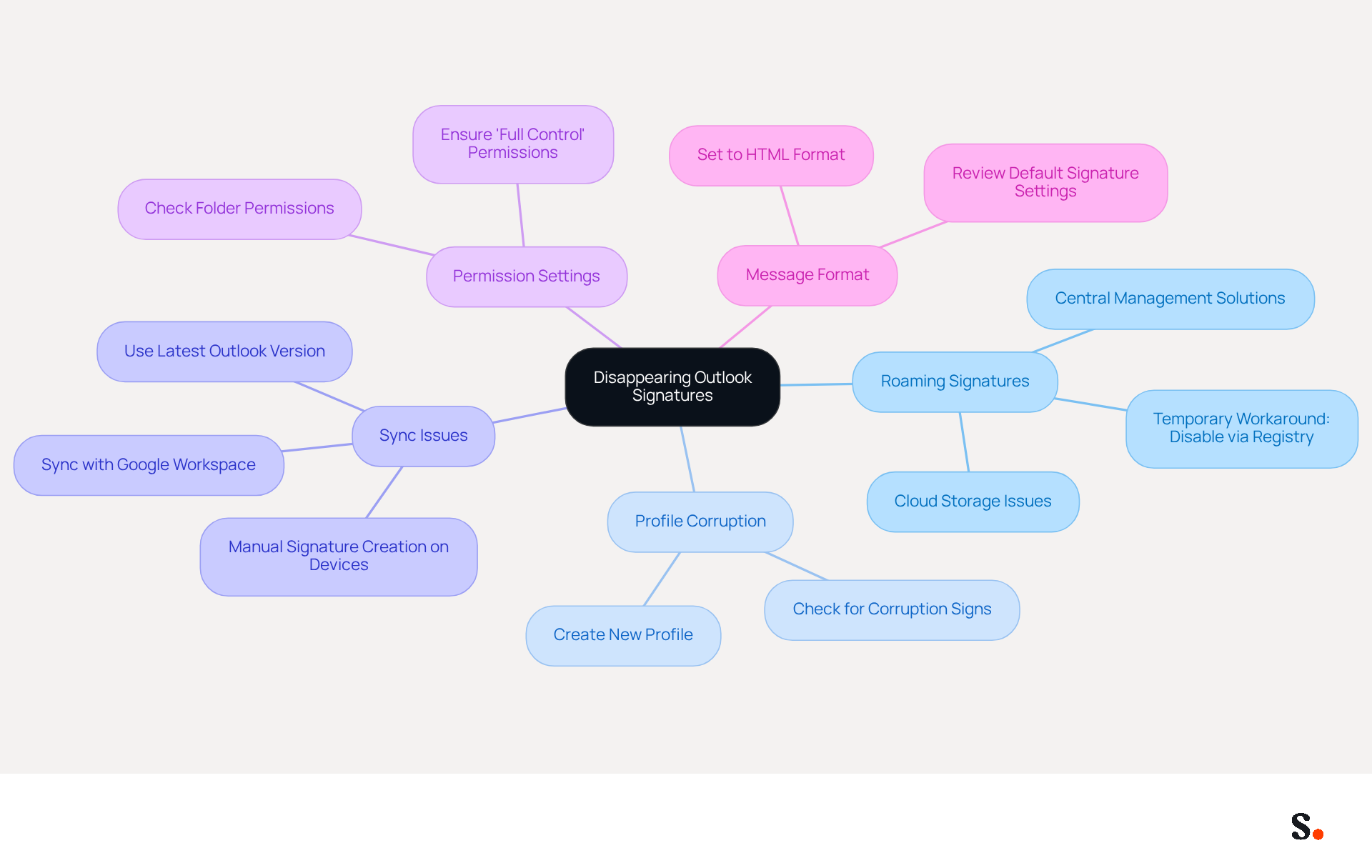
Identifying the root causes of the issue where the Outlook signature keeps disappearing is crucial for effective troubleshooting. Here are some frequent culprits:
- Roaming Signatures: In the new application, roaming signatures may override local configurations, potentially causing issues after updates. This feature stores user identifiers in the cloud, which can lead to problems.
- Profile Corruption: Users often face challenges when their Outlook profiles become corrupted, leading to missing email identifiers. If you suspect this, creating a new profile may resolve the issue.
- Sync Issues: Temporary sync glitches, particularly when using multiple devices or accounts, can prevent the loading of digital marks correctly. Users must manually create distinct identifiers on each mobile device, as desktop identifiers do not sync automatically. However, by syncing your Google Workspace with Scribe, you can save time and ensure that any changes to your teammates' information are automatically reflected in their email footers, reducing the likelihood of discrepancies.
- Permission Settings: Insufficient permissions in the folder can hinder the saving or displaying of these items. Ensuring your account has 'Full control' permissions is crucial for proper functionality.
- Message Format: If the format of the correspondence is set to plain text instead of HTML, it may not display the sign-off correctly, leading to confusion.
Understanding these causes can help users navigate the troubleshooting process more effectively and implement lasting solutions. Statistics indicate that a significant number of users attribute the issue of their Outlook signature keeps disappearing to the roaming identifiers feature. By taking proactive steps, such as disabling the roaming identifiers feature, users can effectively restore their email identifiers. Furthermore, statistics show that in 90% of instances, the absence of the signatory is due to it not being set as the default option, emphasizing the necessity of regularly reviewing settings. With Scribe's tools, you can simplify this process, keeping your email identifiers consistent and up-to-date, which helps maintain your brand's integrity.
Implement Step-by-Step Troubleshooting Techniques
To address the challenge of disappearing Outlook signatures, users can follow a series of effective troubleshooting techniques:
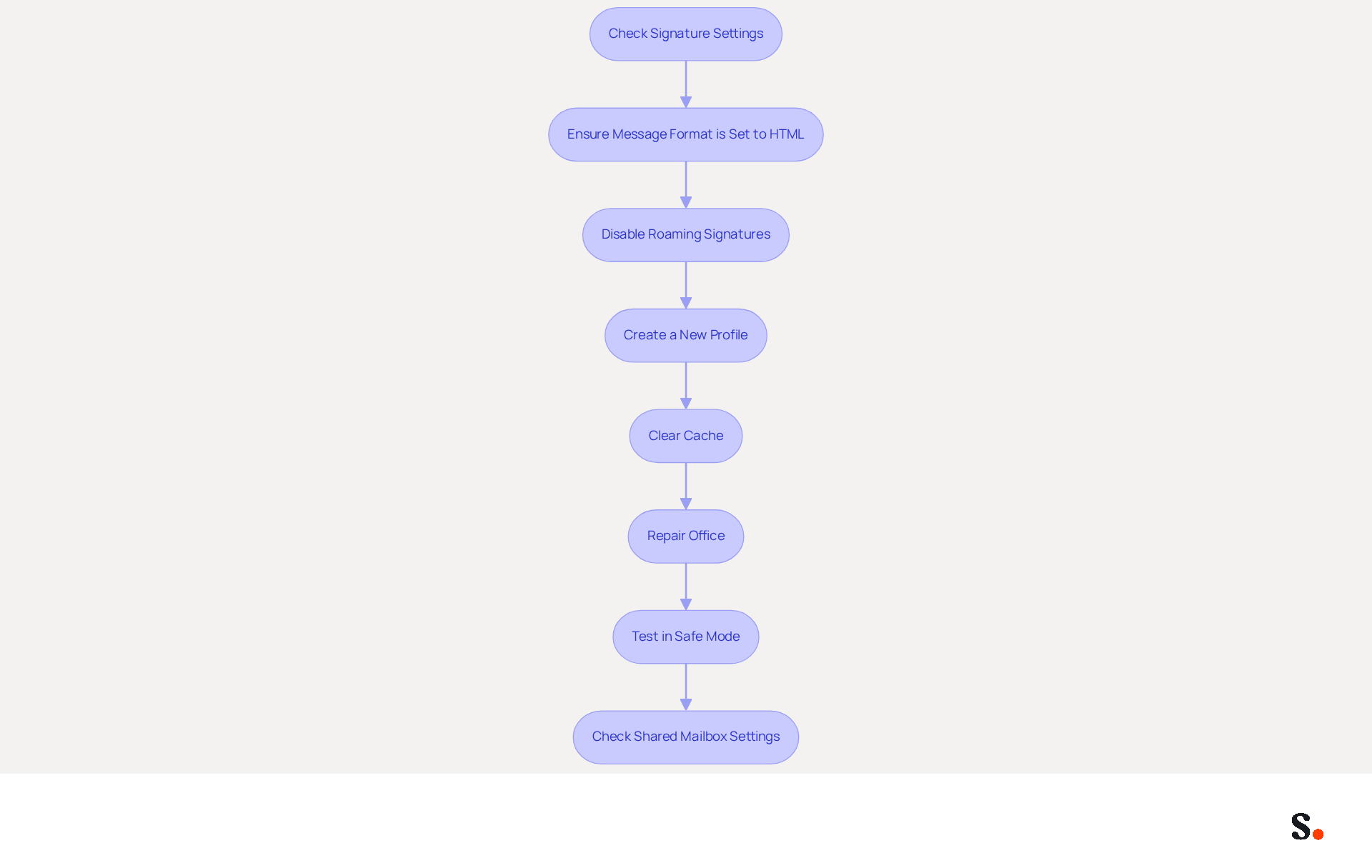
- Check Signature Settings: Navigate to
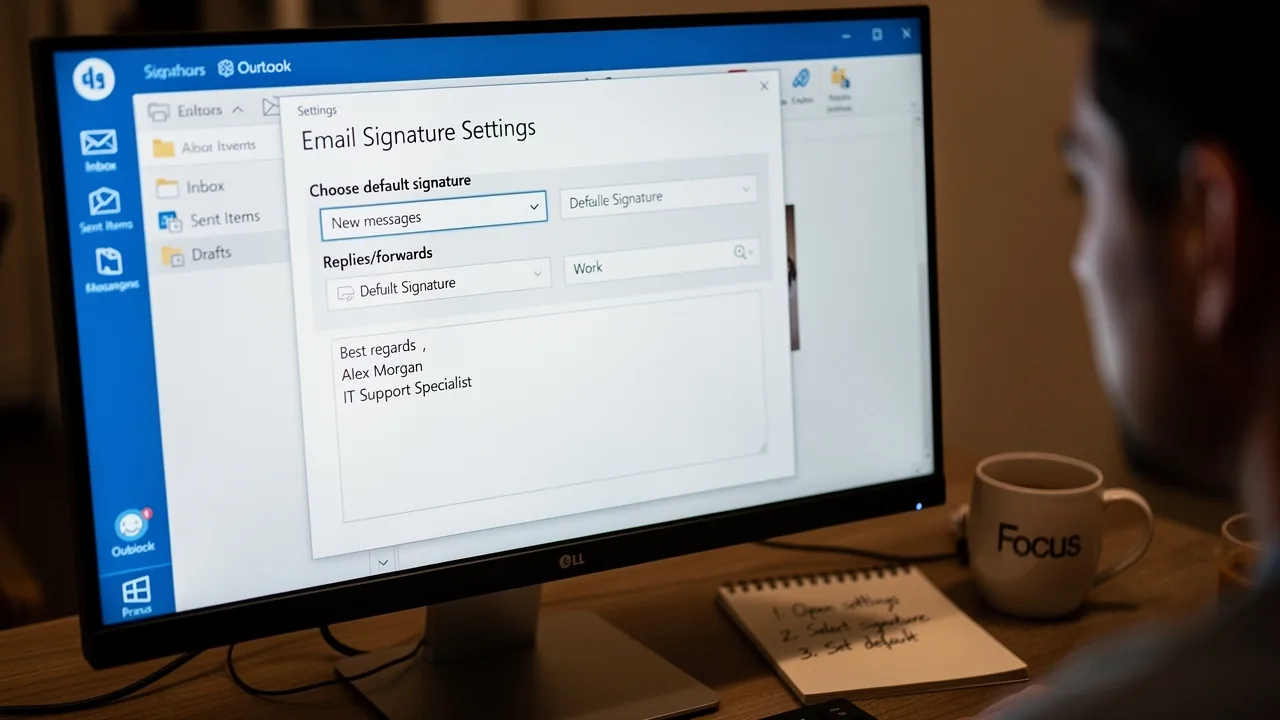
File > Options > Mail > Signatures. Ensure your mark is set as the default for both new messages and replies. Confirm that the boxes for including your name in new messages and replies are checked. - Ensure Message Format is Set to HTML: Set the dropdown for 'Compose messages in this format' to HTML in
File > Options > Mail. This step is crucial for ensuring your emails are displayed correctly. - Disable Roaming Signatures: If you are using the new email application, consider turning off the roaming feature for personalized messages. This can be accomplished via the registry editor, which may assist in stabilizing visibility of the identifiers.
- Create a New Profile: A corrupted profile can lead to persistent issues with signatures. Consider creating a new profile by going to
Control Panel > Mail > Show Profiles, and then add a new profile to see if the issue persists. - Clear Cache: Clearing the cache can often resolve sync issues. Close the email client, clear the cache, and then restart the application to see if your sign-off reappears.
- Repair Office: If the problem continues, consider repairing your Office installation. Go to
Control Panel > Programs > Programs and Features, select Microsoft Office, and choose the repair option to fix any corrupted files. - Test in Safe Mode: Launch the application in safe mode by pressing
Windows + R, typingoutlook.exe /safe, and checking if the identifier appears. If it does, this may indicate that a third-party add-in is causing the conflict. Disable add-ins one by one to identify the problematic one. - Check Shared Mailbox Settings: When using shared mailboxes, remember that you often need to select a sign-off manually for each message.
By systematically following these steps, users can effectively troubleshoot and restore their Outlook profiles, especially when the outlook signature keeps disappearing, ensuring a seamless communication experience. Implementing these strategies not only resolves signature issues but also enhances overall email communication efficiency.
Utilize Automated Tools for Consistent Signature Management
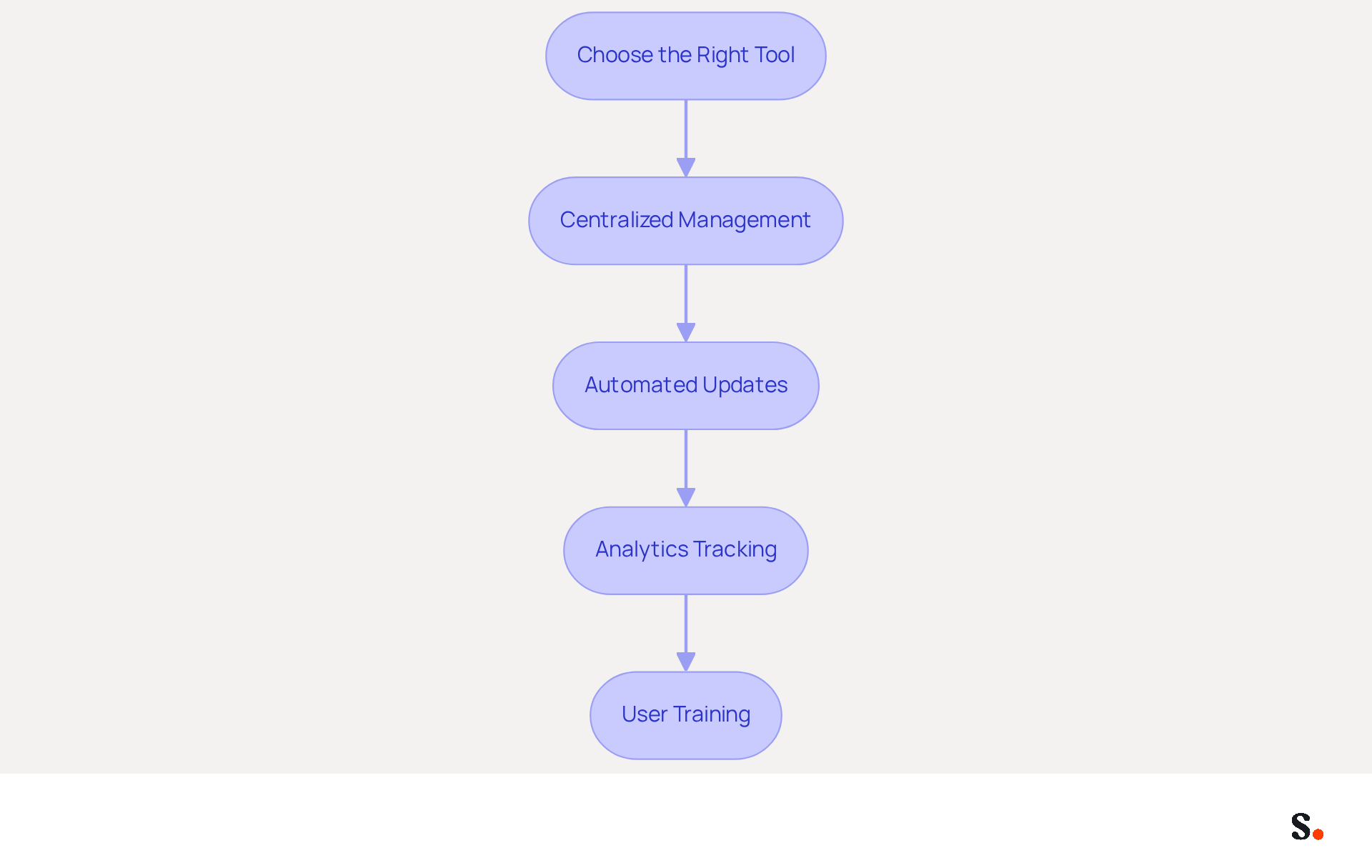
To maintain consistent messaging and prevent the loss of critical identifiers, organizations should consider automated solutions like Scribe. Here’s how to implement these tools effectively:
- Choose the Right Tool: Select an email management solution that integrates seamlessly with your email platform, such as Scribe, which is compatible with Outlook, Google Workspace, and more.
- Centralized Management: Use Scribe to create and manage marks from a central location. Without a centralized tool, teams may struggle to keep branding consistent, leading to potential miscommunication. This ensures that all team members have access to the latest branding and compliance standards, enhancing professionalism and credibility.
- Automated Updates: Set up automated updates for sign-offs. With Scribe, you can auto-fill your teammates' identification information using your business phone system as a data source, ensuring that changes are automatically synced without any action needed from your teammates. This feature eliminates the risk of outdated information and ensures that your branding remains consistent. With automated management, companies can create 60,000 to 80,000 branded impressions each month, boosting their marketing reach.
- Analytics Tracking: Utilize analytics features to monitor the performance of your email footers. This data can assist you in understanding engagement levels, with Scribe reporting an average click-through rate of 12% on banners, enabling you to optimize your strategy effectively.
- User Training: Provide training for your team on how to use the tool effectively. This will ensure everyone understands how to maintain their autographs and utilize the tool’s features, fostering a culture of consistency and professionalism.
By implementing Scribe, companies can transform their email signatures into powerful marketing assets. Ultimately, leveraging tools like Scribe can redefine how businesses approach communication, turning every email into an opportunity for brand enhancement.
Explore Additional Resources and Best Practices
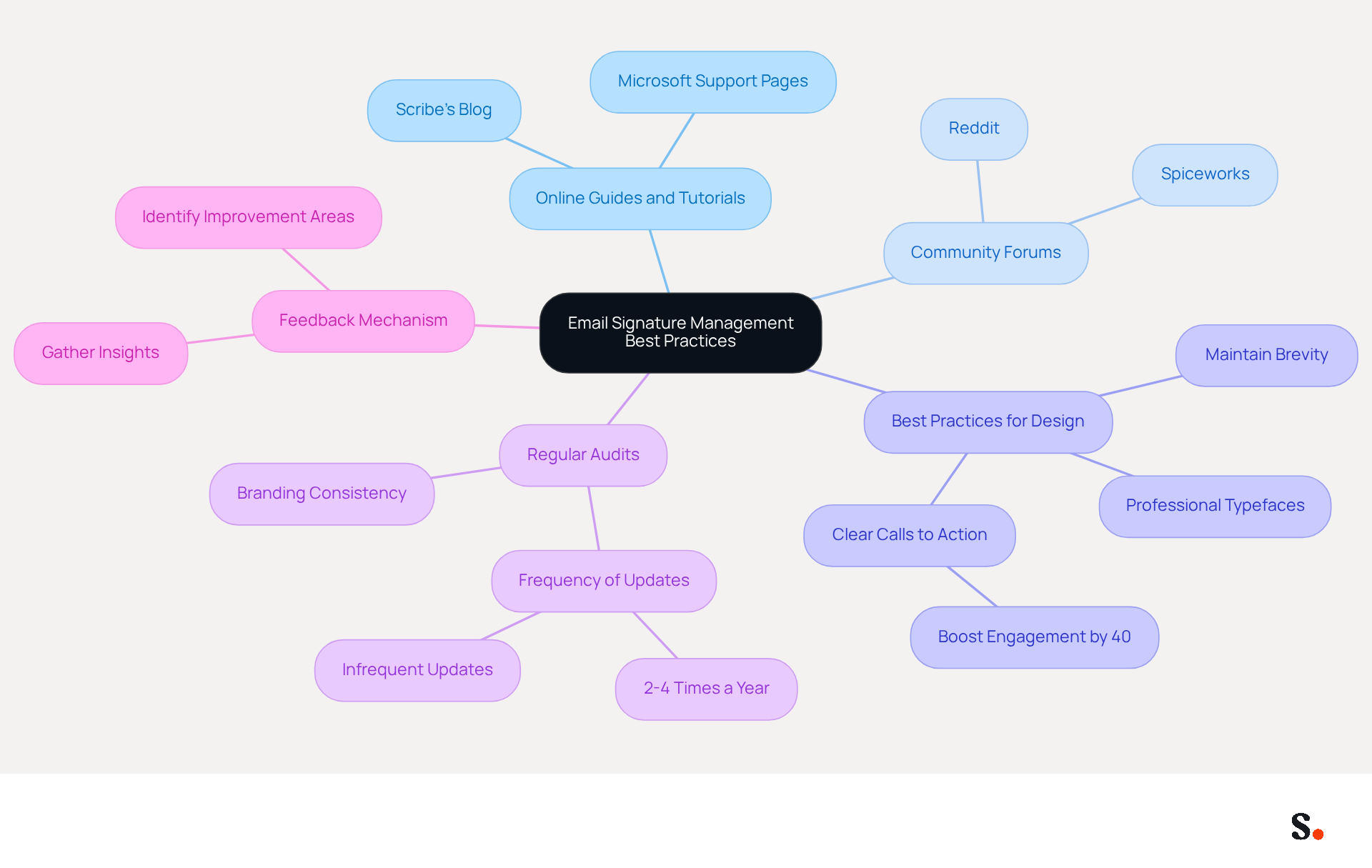
To effectively manage your email signatures and avoid issues with disappearing identifiers, implementing best practices is crucial:
- Online Guides and Tutorials: Utilize resources such as Scribe’s blog and Microsoft’s support pages for comprehensive guides on effective management of electronic correspondence identifiers. These platforms offer step-by-step instructions tailored to various user needs.
- Community Forums: Engage with community forums like Reddit and Spiceworks to share experiences and solutions with other users facing similar challenges. You might find valuable insights and troubleshooting tips from peers on these platforms.
- Best Practices for Design: Follow optimal methods for creating digital identifiers, which involve maintaining brevity, utilizing professional typefaces, and including clear calls to action. Research indicates that a strategic call to action can boost customer engagement by 40%. This makes it a vital part of your branding.
- Regular Audits: Conduct regular evaluations of your email branding to ensure they remain up-to-date and compliant with your branding guidelines. Many users update their identifiers just 2-4 times a year, which can lead to inconsistencies in branding. By prioritizing regular audits, you can address the issue of the outlook signature keeps disappearing and ensure your email signatures reflect your current branding and messaging.
- Feedback Mechanism: Implement a feedback system within your organization to gather insights on effectiveness and areas for improvement. This can help identify which elements resonate most with recipients and enhance overall engagement.
By utilizing these resources and adhering to best practices, you can ensure that your digital identifiers remain effective and consistent, significantly enhancing your overall communication strategy. Ultimately, a strategically crafted email signature not only strengthens your brand identity but also enhances your communication effectiveness, leading to increased engagement with your audience.
Conclusion
Addressing disappearing Outlook signatures is crucial for maintaining professional communication and ensuring brand consistency. Understanding the common causes of disappearing signatures is essential for users to restore them and improve their email experience. Automated tools like Scribe simplify email signature management and ensure consistent branding in all communications.
This guide emphasizes the need to check signature settings, confirm the correct message format, and use centralized management solutions. Scribe's capabilities, such as automated updates and analytics tracking, empower organizations to transform their email signatures into valuable marketing assets, driving engagement and reinforcing brand identity.
In conclusion, taking proactive steps to manage email signatures effectively can significantly improve communication efficiency and brand representation. By prioritizing effective email signature management, organizations can not only enhance their communication strategy but also achieve significant marketing ROI.
Frequently Asked Questions
What are common causes of disappearing Outlook signatures?
Common causes include roaming signatures overriding local configurations, profile corruption, sync issues, insufficient permission settings, and message format settings.
How do roaming signatures affect Outlook signatures?
Roaming signatures may override local configurations and can cause issues after updates, as they store user identifiers in the cloud.
What should I do if my Outlook profile is corrupted?
If you suspect profile corruption, creating a new Outlook profile may resolve the issue of missing email identifiers.
How can sync issues lead to disappearing signatures?
Temporary sync glitches, especially when using multiple devices or accounts, can prevent digital marks from loading correctly. Users need to create distinct identifiers on each mobile device, as desktop identifiers do not sync automatically.
How can I ensure my permissions are set correctly for Outlook signatures?
Ensure that your account has 'Full control' permissions in the folder to allow for proper saving and displaying of signatures.
What message format should I use to display my Outlook signature correctly?
The message format should be set to HTML instead of plain text to ensure the sign-off displays correctly.
What proactive steps can I take to restore my Outlook signature?
Disabling the roaming identifiers feature and ensuring your signature is set as the default option can help restore your email identifiers.
How can Scribe assist with managing Outlook signatures?
Scribe can simplify the process of keeping email identifiers consistent and up-to-date, helping to maintain your brand's integrity.
List of Sources
- Identify Common Causes of Disappearing Outlook Signatures
- Why Does My Email Signature Keep Disappearing in Outlook? (https://scribe-mail.com/en-US/blog/why-does-my-email-signature-keep-disappearing-in-outlook)
- Outlook Signature Disappears? 6 Common Problems + Fixes (https://conbool.com/blog/outlook-signature-disappears-fixes-problems)
- Troubleshooting Outlook roaming signatures (missing/duplicated signatures) (https://codetwo.com/kb/troubleshooting-outlook-roaming-signatures)
- Outlook Roaming Signatures Coming But Issues Exist (https://office365itpros.com/2022/07/21/outlook-roaming-signatures-issue)
- Implement Step-by-Step Troubleshooting Techniques
- Why Does My Email Signature Keep Disappearing in Outlook? (https://scribe-mail.com/en-US/blog/why-does-my-email-signature-keep-disappearing-in-outlook)
- Outlook Signature Troubleshooting (Manual/Copy Paste Setup) | WiseStamp Help Center (https://support.wisestamp.com/en/articles/12811647-how-to-fix-outlook-signatures-not-showing)
- Email Signatures Disappeared - Microsoft Q&A (https://learn.microsoft.com/en-nz/answers/questions/4755397/email-signatures-disappeared)
- Email Signatures vanishing - New Outlook | Microsoft Community Hub (https://techcommunity.microsoft.com/discussions/outlookgeneral/email-signatures-vanishing---new-outlook/4418809)
- Utilize Automated Tools for Consistent Signature Management
- Office 365 Email Signatures: How to Manage Them Centrally (2026 Guide) (https://scribe-mail.com/en-US/blog/master-email-signature-management-in-office-365-a-step-by-step-guide)
- Scribe vs. Competitors: Best Email Signature Management Tools Compared (https://scribe-mail.com/en-US/blog/scribe-vs-competitors-best-email-signature-management-tools-compared)
- 40+ Email Signature Statistics for 2026 (Data + Insights) (https://wavecnct.com/blogs/email-signature-statistics)
- Maximize Marketing ROI with Effective AI Email Signatures (https://scribe-mail.com/en-US/blog/maximize-marketing-roi-with-effective-ai-email-signatures)
- Email Signature Trends 2026: Centralized Control & Automation | SIGNandGO posted on the topic | LinkedIn (https://linkedin.com/posts/signngo_email-signature-trends-to-watch-in-2026-activity-7401523471786217473-zAVL)
- Explore Additional Resources and Best Practices
- 40+ Email Signature Statistics for 2026 (Data + Insights) (https://wavecnct.com/blogs/email-signature-statistics)
- Create Organization-wide Email Signatures and Disclaimers - Microsoft 365 admin (https://learn.microsoft.com/en-us/microsoft-365/admin/setup/create-signatures-and-disclaimers?view=o365-worldwide)
- Best Practices for Your Company Signature in Email Marketing (https://scribe-mail.com/en-US/blog/best-practices-for-your-company-signature-in-email-marketing)
- Email signature statistics: Why every business should optimize their email signatures — Stripo.email (https://stripo.email/blog/email-signature-statistics-why-every-business-should-optimize-their-email-signatures)
Get started with Scribe
Create your signature in minutes
Free 14-day trial — no credit card.