How to Add Logo in Gmail Signature: A Step-by-Step Guide
Despite the importance of logos in enhancing brand identity, many organizations struggle to incorporate them effectively into Gmail signatures. A well-placed
Sophie Grant
Email Signature Specialist, Scribe
Introduction
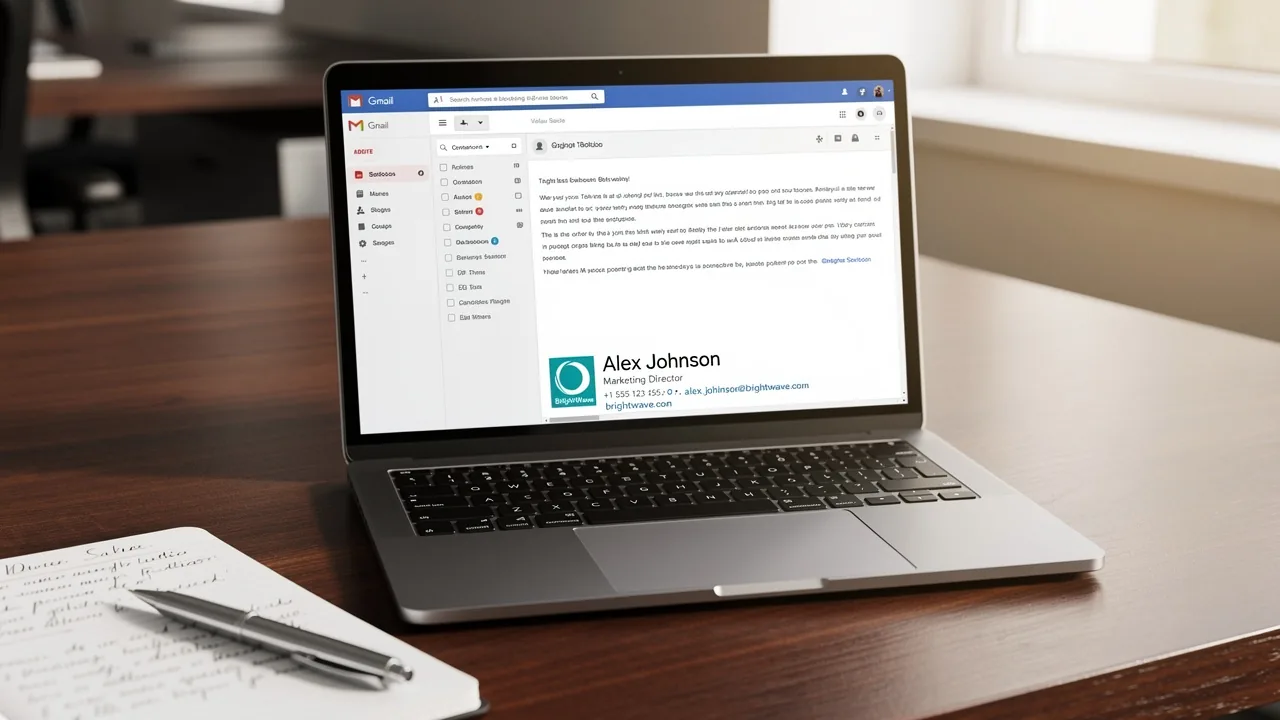
Despite the importance of logos in enhancing brand identity, many organizations struggle to incorporate them effectively into Gmail signatures. A well-placed logo not only boosts brand recognition but also conveys professionalism and trustworthiness to recipients.
Despite the importance of logos, many struggle to add them effectively, raising questions about best practices and common pitfalls.
By following this guide, organizations can ensure their emails reflect their brand's professionalism and enhance recipient engagement.
Understand the Importance of a Logo in Your Gmail Signature
Understanding how to add logo in gmail signature is essential for reinforcing your brand identity, as it goes beyond mere aesthetics. Here are several compelling reasons to include a logo in your email signature:
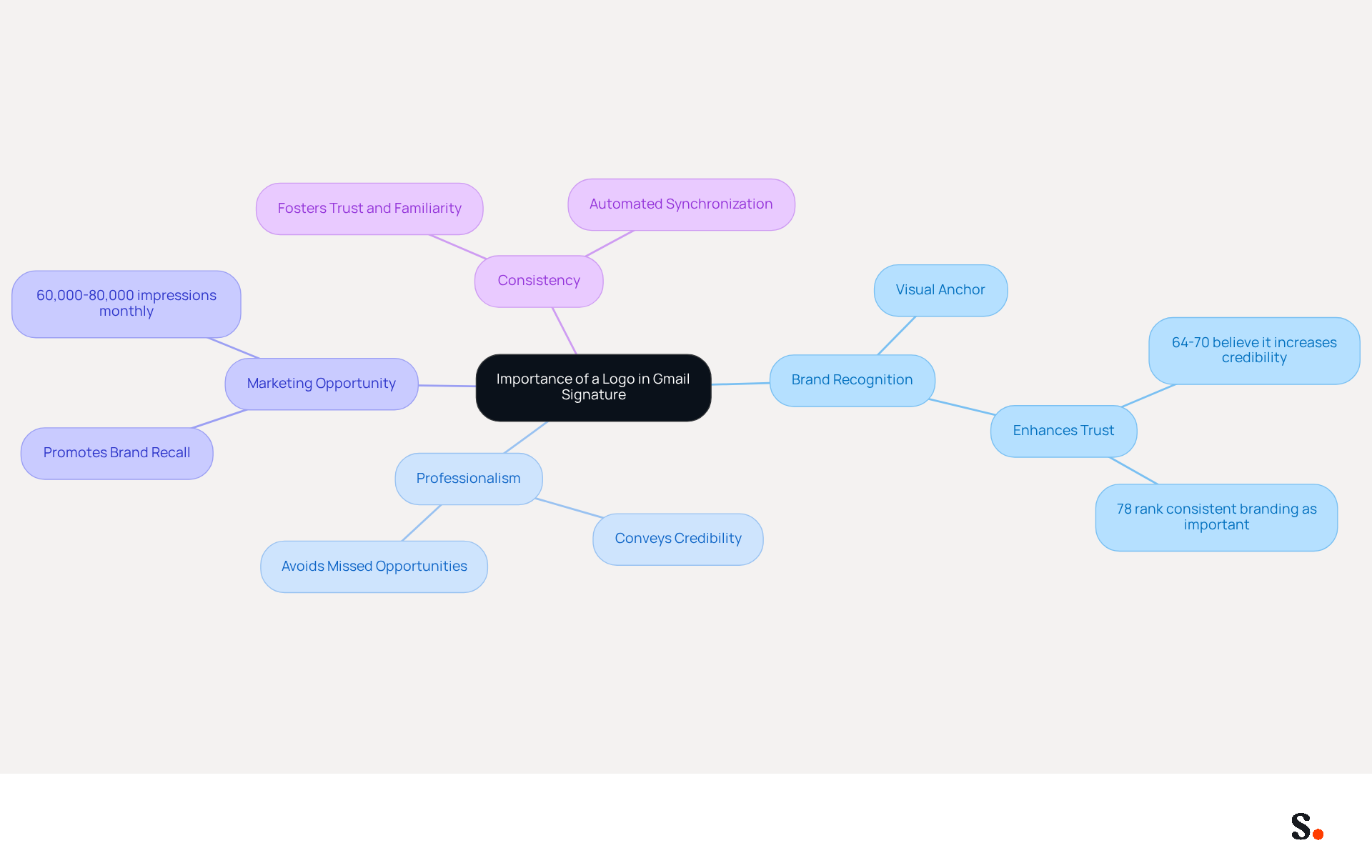
- Brand Recognition: A logo acts as a visual anchor for your brand, facilitating easier recognition for recipients in their inbox. Research shows that 64-70% of people think a professional branded message footer enhances trust and credibility, highlighting the significance of visual branding. As indicated in a recent survey, '78% of respondents ranked consistent branding as one of the most important email functions.'
- Professionalism: Including a logo conveys a sense of professionalism and meticulousness, enhancing your credibility with clients and partners. Neglecting to include a logo may lead to missed opportunities in establishing trust and credibility.
- Marketing Opportunity: Each message sent represents a chance to promote your brand. A strategically positioned emblem can significantly enhance brand recall and engagement, transforming routine communications into effective marketing tools. Without a logo, your emails may fail to leave a lasting impression on recipients. Organizations employing digital identifiers effectively can produce around 60,000-80,000 branded impressions each month, demonstrating the potential reach of this approach and aligning with broader marketing effectiveness objectives.
- Consistency: Maintaining consistent branding across all communications fosters trust and familiarity with your audience. An emblem in your closing ensures that your branding stays consistent, strengthening your brand identity with each message sent. Furthermore, with automated synchronization between Scribe and Aircall, any modifications made in your Aircall configuration will automatically be reflected in your branding, ensuring that your identity remains consistent and current across all platforms.
Understanding these points highlights how to add logo in gmail signature, which is essential for your marketing strategy. Ultimately, neglecting to incorporate an emblem could hinder your brand's visibility and impact in the digital landscape.
Follow Step-by-Step Instructions to Add Your Logo
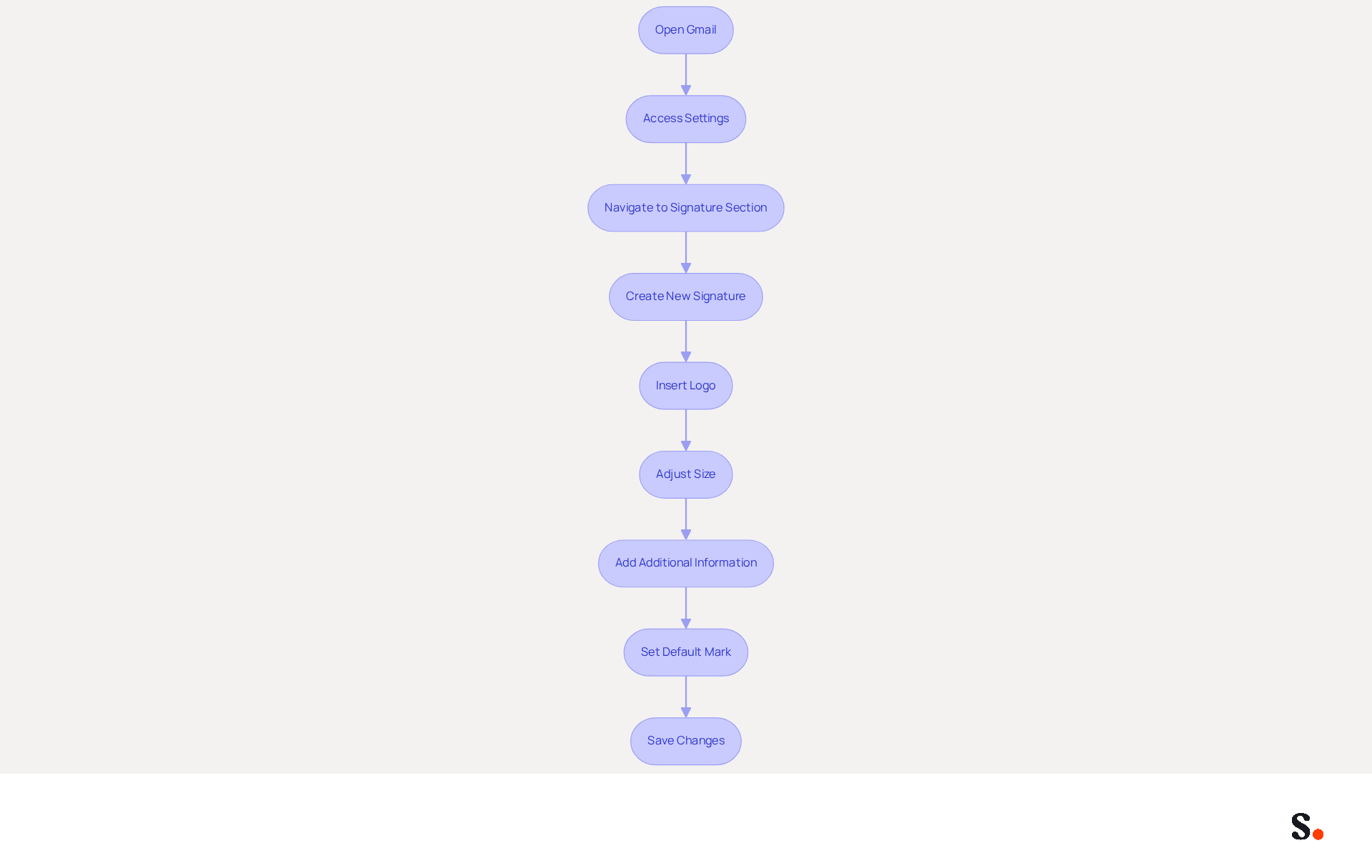
Incorporating your logo into your Gmail signature is an important step, and knowing how to add logo in Gmail signature can significantly enhance your professional image and streamline communication. To add your logo to your Gmail signature and simplify the process, especially if you're using Scribe, follow these steps:
- Open Gmail: Log into your Gmail account on a desktop browser.
- Access Settings: Click on the gear icon in the top right corner and select 'See all settings'.
- Navigate to Signature Section: Scroll down to the 'Signature' section.
- Create New Signature: Click on 'Create new' and name your new mark.
- Insert Logo:
- Click on the image icon in the signature editor toolbar.
- Upload your emblem from your computer or insert the URL of the emblem if it’s hosted online.
- Adjust Size: Click on the image to resize it if necessary. Ensure it fits well within the designated area, ideally not exceeding 400 pixels in width by 150 pixels in height. Additionally, keep the logo file size under 150KB to prevent email delivery issues.
- Add Additional Information: Include any other details you want in your closing, such as your name, title, and contact information. Keeping your sign-off concise and relevant can enhance your professional image.
- Set Default Mark: Choose your new mark as the default for new emails and replies if desired.
- Save Changes: Scroll down and click 'Save Changes' at the bottom of the settings page.
By syncing your Google Workspace with Scribe, you save time by automatically updating your teammates' signature information. This means any changes in your Google Workspace, such as moving teammates from one group to another or updating their information, will be reflected in Scribe without any manual input.
When selecting your logo, think about using PNG files for better quality and transparency, or JPEG files if you need a smaller size. By following these steps, you will understand how to add logo in Gmail signature, which will improve your communication. Studies indicate that using branded message footers can increase response rates by up to 22%. Furthermore, case studies show that businesses effectively utilizing symbols in their email footers have enhanced their branding and communication consistency. Remember to test your email design across different email clients to ensure it displays correctly. Ultimately, a well-designed email signature not only reflects your brand but also fosters trust and engagement with your audience.
Troubleshoot Common Issues When Adding a Logo
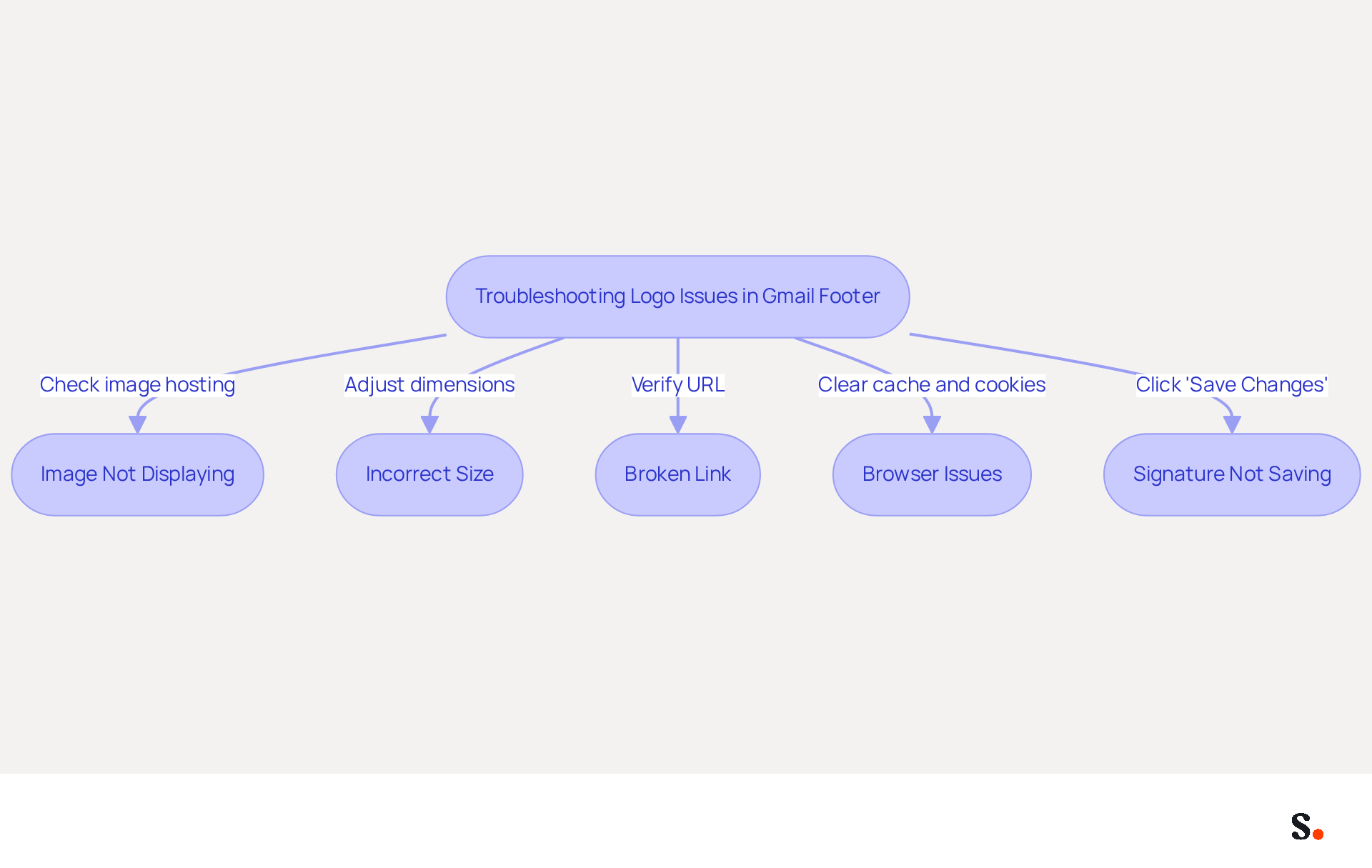
Incorporating your emblem into a Gmail footer can present several challenges that require careful attention. Here are some troubleshooting tips to help you resolve them:
- Image Not Displaying: Ensure that your logo is hosted on a publicly accessible server with a secure HTTPS link. If the image is private or hosted on an insecure server, Gmail will not be able to display it.
- Incorrect Size: If your emblem appears too large or too small, adjust its dimensions in the editor. For optimal display, aim for a height of 70-100 pixels. A properly sized emblem enhances professionalism, as 76-80% of marketers agree that branded signatures build trust with recipients.
- Broken Link: If you inserted your logo using a URL, verify that the link is correct and that the image is still available at that location. A broken link can result in a lack of professionalism in your correspondence.
- Browser Issues: Clear your browser cache and cookies, as outdated data can lead to display problems. If problems continue, consider switching to another browser. Testing your display on multiple devices, including mobile, is also recommended, as HTML formats may appear truncated on mobile devices.
- Signature Not Saving: If your changes aren’t saving, make sure to click 'Save Changes' at the bottom of the settings page after making your edits. Furthermore, be mindful that by default, Gmail does not automatically reinsert sign-offs in replies, which can lead to misunderstandings among users expecting their sign-off to appear.
By integrating Scribe with your Google Workspace, you can simplify the management of your email labels. This synchronization ensures that any updates to your teammates' information, such as job positions or group changes, are automatically reflected in Scribe, saving you time and reducing the likelihood of errors. The attribute feature enables auto-filling of information, further simplifying the process. By following these troubleshooting steps, you can effectively resolve common issues and understand how to add logo in gmail signature to ensure it is displayed correctly in your email footer. Ultimately, a polished email signature not only reflects professionalism but also significantly impacts engagement rates.
Explore Tools for Enhanced Email Signature Management
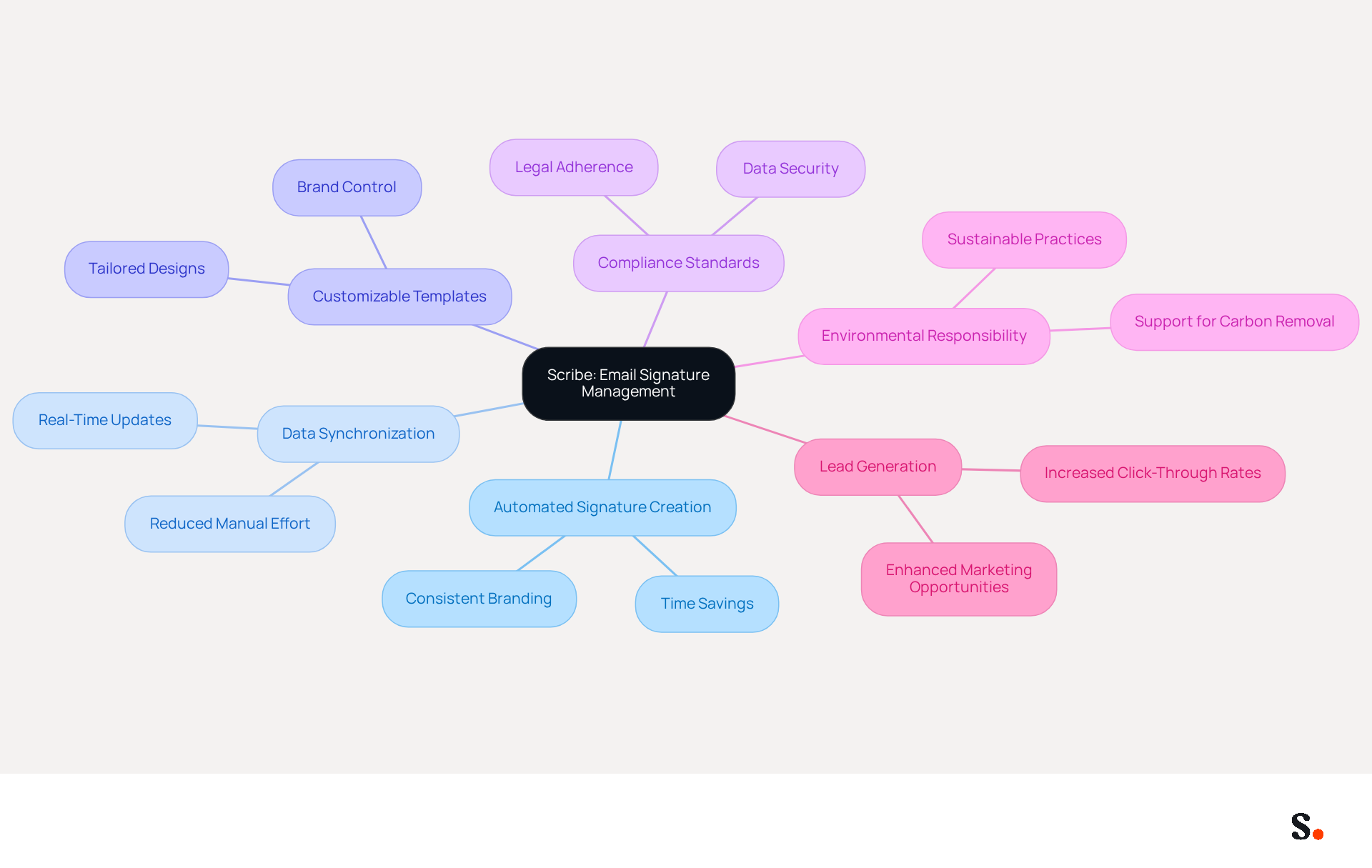
Managing electronic signatures can often lead to inconsistencies and compliance challenges, making it essential to adopt a reliable solution like Scribe. Scribe is an innovative platform that automates the creation and oversight of electronic signatures. With Scribe, updating signatures is a breeze, and your team can maintain a consistent brand image effortlessly. The platform features automated data synchronization from your business phone system and customizable templates, ensuring your email signatures are not only on-brand but also meet all necessary legal standards, backed by our proven track record.
In fact, businesses using Scribe have reported generating over 30,000 new leads each year, showcasing its effectiveness in enhancing marketing opportunities. Additionally, Scribe allows organizations to implement branded digital identities swiftly, with a setup procedure that can be finalized in less than a day. This rapid deployment ensures that organizations maintain a consistent brand image across all communications without lengthy delays.
Using Scribe can save time and ensure that your digital identifiers remain professional and on-brand, enhancing your overall communication strategy. With Scribe's SOC 2 Type II compliance and GDPR adherence, you can trust that your data is secure while benefiting from automated synchronization of email signatures, ensuring brand consistency throughout your organization. Moreover, choosing Scribe means not just improving your branding but also playing a part in a sustainable future through our commitment to environmental responsibility, as we direct 1% of our revenue to support emerging carbon removal technologies through Stripe Climate.
Conclusion
Incorporating a logo into your Gmail signature can significantly impact how your brand is perceived. It is a strategic move that reinforces brand identity and enhances professionalism. By understanding how to add a logo in Gmail signature, organizations can significantly improve their communication effectiveness and brand recognition. This oversight can lead to diminished trust and missed marketing opportunities, ultimately resulting in decreased engagement from recipients.
The article outlines the importance of a logo in email signatures, emphasizing its role in brand recognition, professionalism, and marketing opportunities. Step-by-step instructions provide a clear pathway for users to successfully add their logo, while troubleshooting tips address common issues that may arise during the process. Furthermore, the integration of Scribe offers a streamlined solution for managing email signatures, ensuring consistency and compliance across all communications.
By embracing these strategies, organizations can elevate their email communications and strengthen their market presence. Leveraging tools like Scribe not only simplifies the management of email signatures but also enhances brand visibility and marketing ROI. Organizations are encouraged to take action by implementing these strategies, ensuring their email communications reflect their brand's professionalism and commitment to quality. By doing so, they can transform routine emails into powerful marketing assets that resonate with their audience.
Frequently Asked Questions
Why is it important to include a logo in your Gmail signature?
Including a logo in your Gmail signature is important for reinforcing brand identity, enhancing brand recognition, conveying professionalism, providing marketing opportunities, and maintaining consistency across communications.
How does a logo contribute to brand recognition?
A logo acts as a visual anchor for your brand, making it easier for recipients to recognize your brand in their inbox. Research indicates that 64-70% of people believe a professional branded message footer enhances trust and credibility.
What impact does a logo have on professionalism?
Including a logo in your email signature conveys a sense of professionalism and meticulousness, which enhances your credibility with clients and partners. Neglecting to include a logo may lead to missed opportunities in establishing trust.
How can a logo serve as a marketing opportunity?
Each email sent represents a chance to promote your brand. A strategically placed logo can enhance brand recall and engagement, turning routine communications into effective marketing tools. Organizations can generate 60,000-80,000 branded impressions monthly through effective use of logos.
Why is consistency important in branding?
Consistent branding across all communications fosters trust and familiarity with your audience. Including a logo in your signature ensures that your branding remains consistent, strengthening your brand identity with each message sent.
How does Scribe help maintain branding consistency?
Scribe offers automated synchronization with Aircall, meaning any changes made in your Aircall configuration will automatically reflect in your branding, ensuring that your identity remains consistent and current across all platforms.
List of Sources
- Understand the Importance of a Logo in Your Gmail Signature
- Why Email Signatures Must Be In Your 2026 Marketing Plan | Rocketseed (https://rocketseed.com/blog/2026-marketing-plan-email-signatures)
- Best practices for business email signatures in 2026 (https://bybrand.io/blog/best-practices)
- 40+ Email Signature Statistics for 2026 (Data + Insights) (https://wavecnct.com/blogs/email-signature-statistics)
- The ultimate guide to email signatures in 2026 (https://signitic.com/en/resources/email-signature)
- Top 8 Benefits Of Professional Email Signature That You Must Know (https://designhill.com/design-blog/benefits-of-professional-email-signature-that-you-must-know)
- Follow Step-by-Step Instructions to Add Your Logo
- How to create a signature in gmail with logo: 3 easy methods | Copper CRM (https://copper.com/resources/how-to-add-signature-in-gmail-with-logo)
- How to Add a Logo to Your Email Signature (https://letsignit.com/blog/how-to-add-logo-to-email-signature)
- 40+ Email Signature Statistics for 2026 (Data + Insights) (https://wavecnct.com/blogs/email-signature-statistics)
- How to create custom Gmail signature (https://foxnews.com/tech/how-to-create-custom-gmail-signature)
- Troubleshoot Common Issues When Adding a Logo
- Fix Your Missing Gmail Signature: 8 Troubleshooting Steps & Best Practices | Newoldstamp - NEWOLDSTAMP (https://newoldstamp.com/blog/gmail-signature-not-showing-up)
- 40+ Email Signature Statistics for 2026 (Data + Insights) (https://wavecnct.com/blogs/email-signature-statistics)
- Troubleshoot issues with Gmail signatures - Gmail Help (https://support.google.com/mail/answer/11468381?hl=en)
- Email signature statistics: Why every business should optimize their email signatures — Stripo.email (https://stripo.email/blog/email-signature-statistics-why-every-business-should-optimize-their-email-signatures)
- Solving a Gmail signature problem (https://signitic.com/en/guides/solving-a-gmail-signature-problem)
- Explore Tools for Enhanced Email Signature Management
- 10 Best Email Signature Software Reviewed In 2026 (https://thecmo.com/tools/best-email-signature-software)
- Email signature management for teams & AI agents (https://scribe-mail.com/en-US)
- Email Signature Manager for Any Scale | WiseStamp (https://wisestamp.com)
- Best Email Signature Managers for 2026 (https://textexpander.com/blog/best-email-signature-managers)
- Best Email Signature Management Software: Top 12 Tools (2026)
- NEWOLDSTAMP (https://newoldstamp.com/blog/email-signature-software)
Get started with Scribe
Create your signature in minutes
Free 14-day trial — no credit card.