How to Add Signature in Outlook Application: A Step-by-Step Guide
While many overlook the significance of an email signature, it is a critical element that can elevate professional communication. With the potential to
Sophie Grant
Email Signature Specialist, Scribe
Introduction
While many overlook the significance of an email signature, it is a critical element that can elevate professional communication. With the potential to increase response rates by 22% and streamline contact accessibility, mastering the art of email signatures is essential. This struggle often leads to missed opportunities for engagement and professional representation. Navigating this process effectively is crucial for maintaining brand professionalism and consistency.
Understand the Importance of Email Signatures
Many professionals underestimate the impact of their email signatures, potentially losing valuable engagement opportunities. A well-designed email signature can:
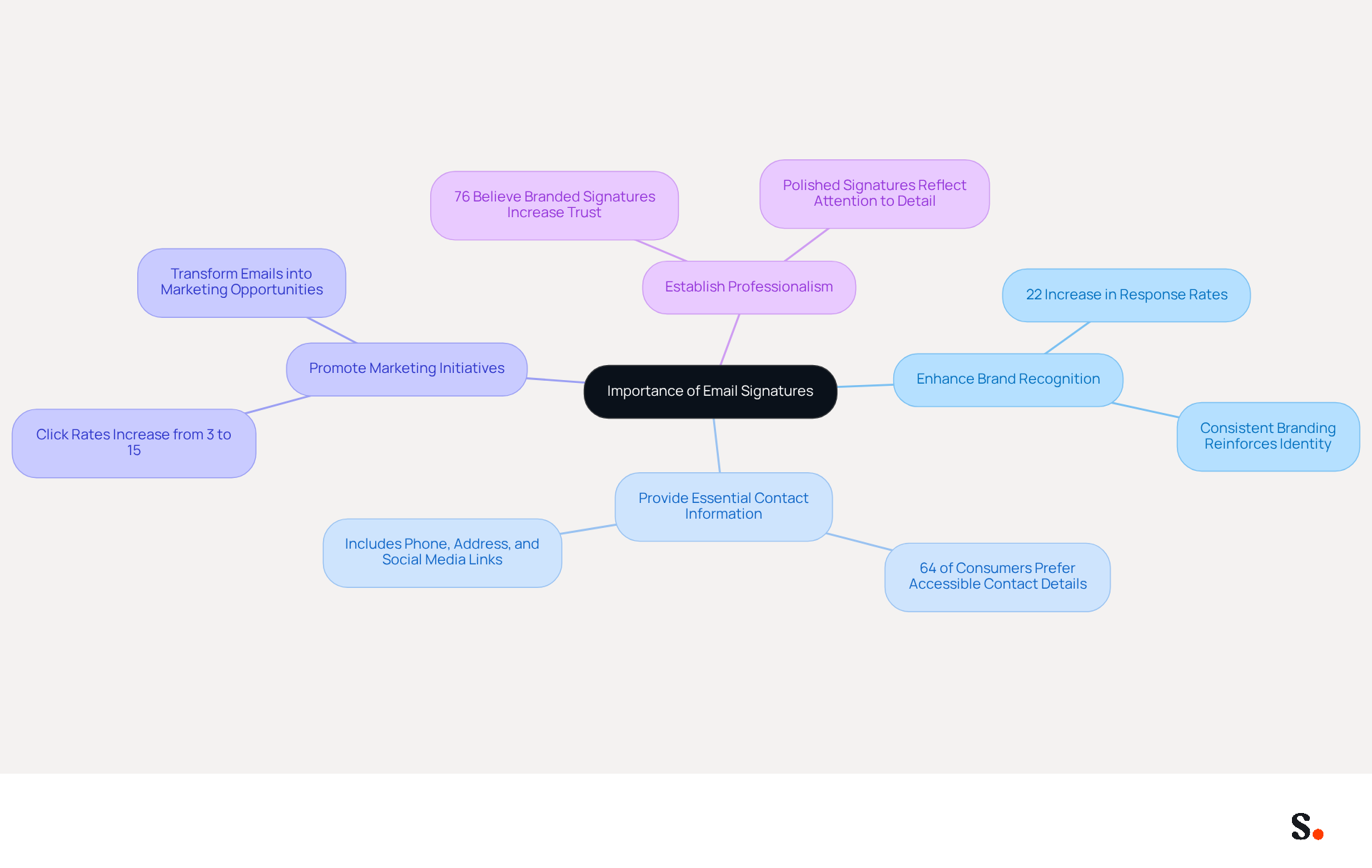
- Enhance Brand Recognition: Consistent branding across emails reinforces your company's identity, leading to a 22% increase in email response rates. This uniformity helps create a lasting impression on recipients, making your brand more memorable.
- Provide Essential Contact Information: Including your phone number, contact address, and social media links makes it easy for recipients to reach you. In fact, 64% of consumers prefer having contact information readily accessible in messages, facilitating quicker communication.
- Promote Marketing Initiatives: Signatures can include promotional banners or calls to action, transforming every message into a marketing opportunity. This method has been demonstrated to boost click rates to websites from messages with branded identifiers from 3% to 15%, effectively driving traffic and engagement.
- Establish Professionalism: A polished signature shows you care about details and professionalism, which can shape how recipients view you and your organization. Research shows that 76% of recipients believe that branded identifiers increase their trust in the sender, emphasizing the significance of professionalism in communication.
By recognizing these advantages, you can value the importance of investing time in crafting an effective digital identifier that not only represents you but also acts as a strategic marketing tool. Investing in a well-crafted email signature is not just about representation; it’s a strategic move that can enhance your professional image and marketing effectiveness.
Create Your Email Signature in Outlook: Step-by-Step Instructions
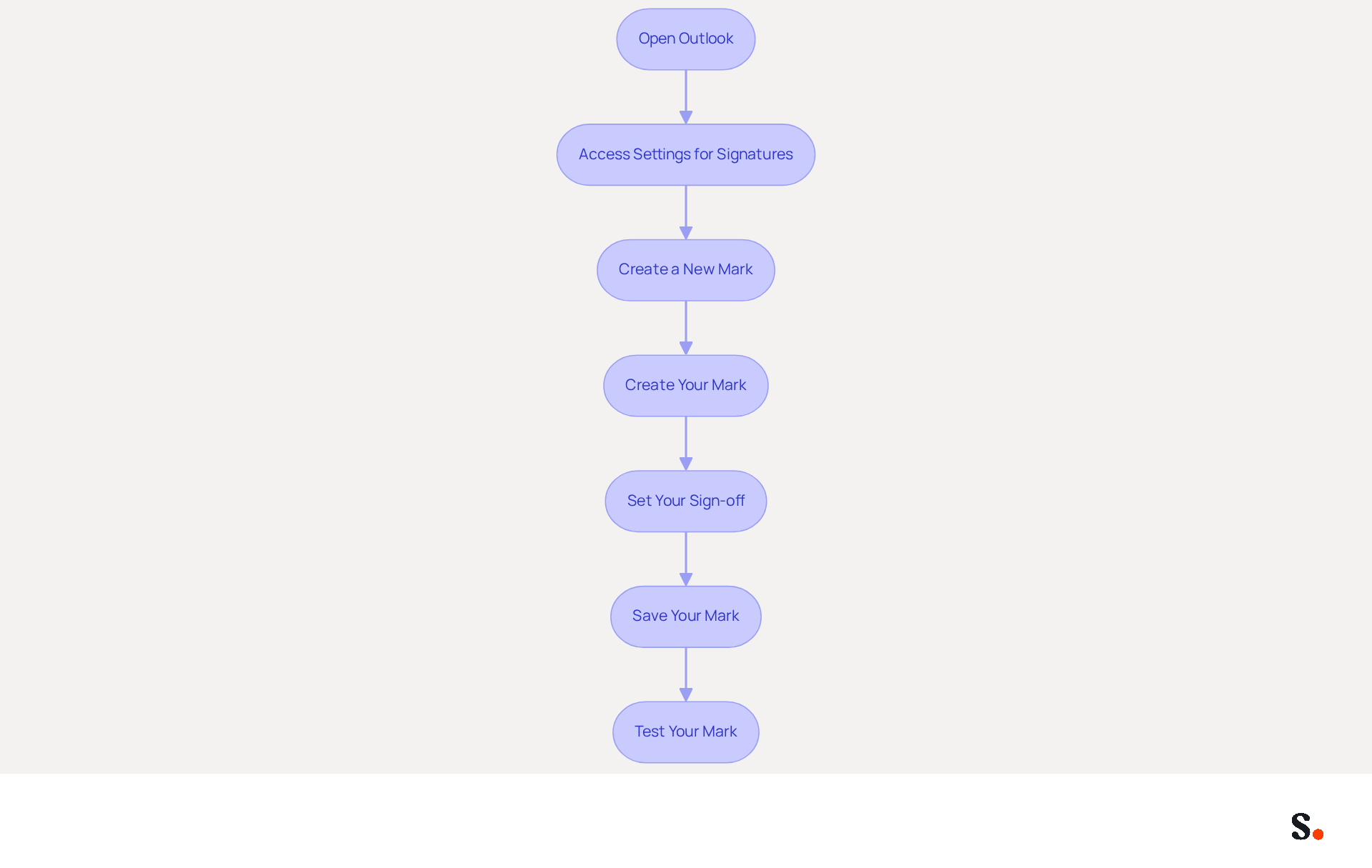
To enhance your professional image, it's essential to understand how to add signature in Outlook application. Follow these steps:
- Open Outlook: Launch the Outlook application on your computer.
- Access Settings for Signatures: Click on 'File' in the top-left corner, then select 'Options'. In the Mail category, you will find instructions on how to add signature in outlook application by clicking on 'Signatures'.
- Create a New Mark: In the Marks and Stationery window, click 'New'. Enter a name for your mark and click 'OK'.
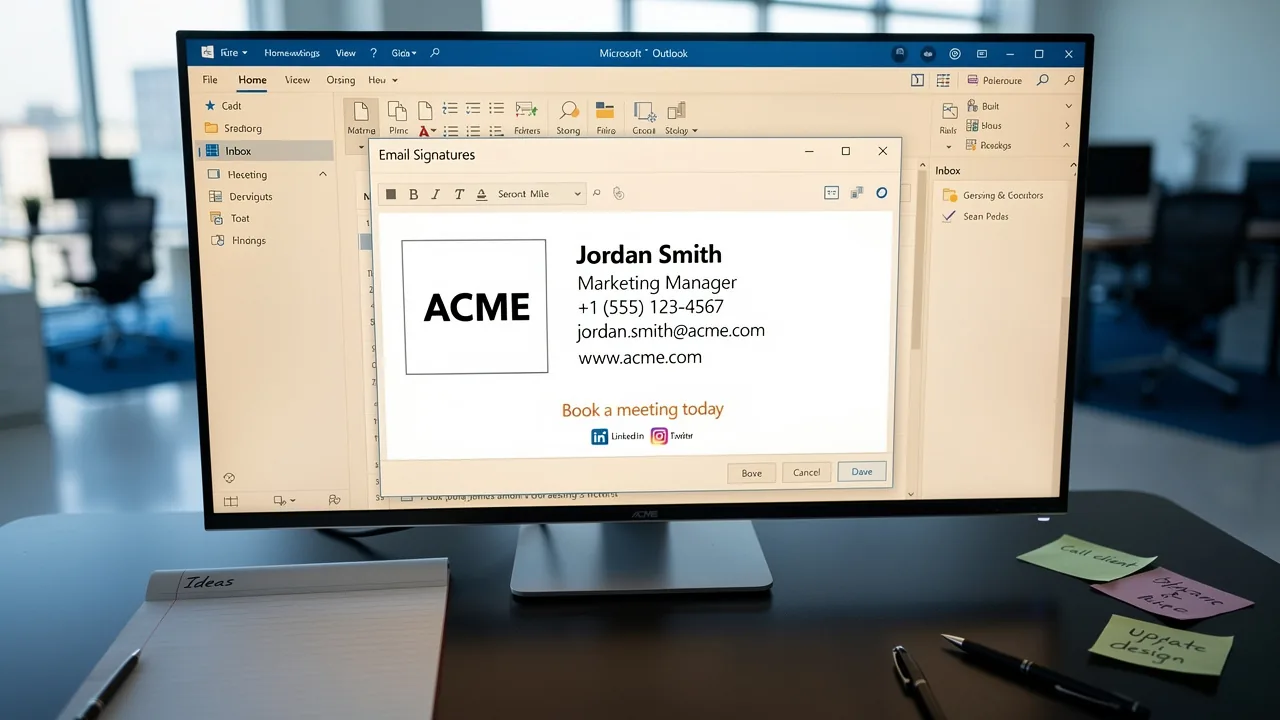
- Create Your Mark: In the editing box, type your personal mark. Format the text using the available options (font, size, color). You can also add images or logos by clicking on the image icon.
- To enhance your email communication, it's important to learn how to add signature in outlook application. To understand how to add signature in outlook application, set your new sign-off for new messages and replies/forwards from the dropdown menus.
- Save Your Mark: Click 'OK' to preserve your changes, then close the Options window.
- Test Your Mark: Create a new message to observe how your mark appears. Make adjustments if necessary.
A professional correspondence footer is vital for establishing your brand's credibility, with organizations reporting a 22% increase in response rates when they adopt branded footers. With Scribe, your correspondence identifiers are automatically synchronized with your business phone system, ensuring that any updates made in Aircall are reflected in real-time. This automation not only streamlines your processes but also guarantees compliance with SOC 2 Type II standards, ensuring secure handling of employee data. Ultimately, understanding how to add signature in outlook application can significantly influence client perceptions and engagement.
Troubleshoot Common Signature Issues in Outlook
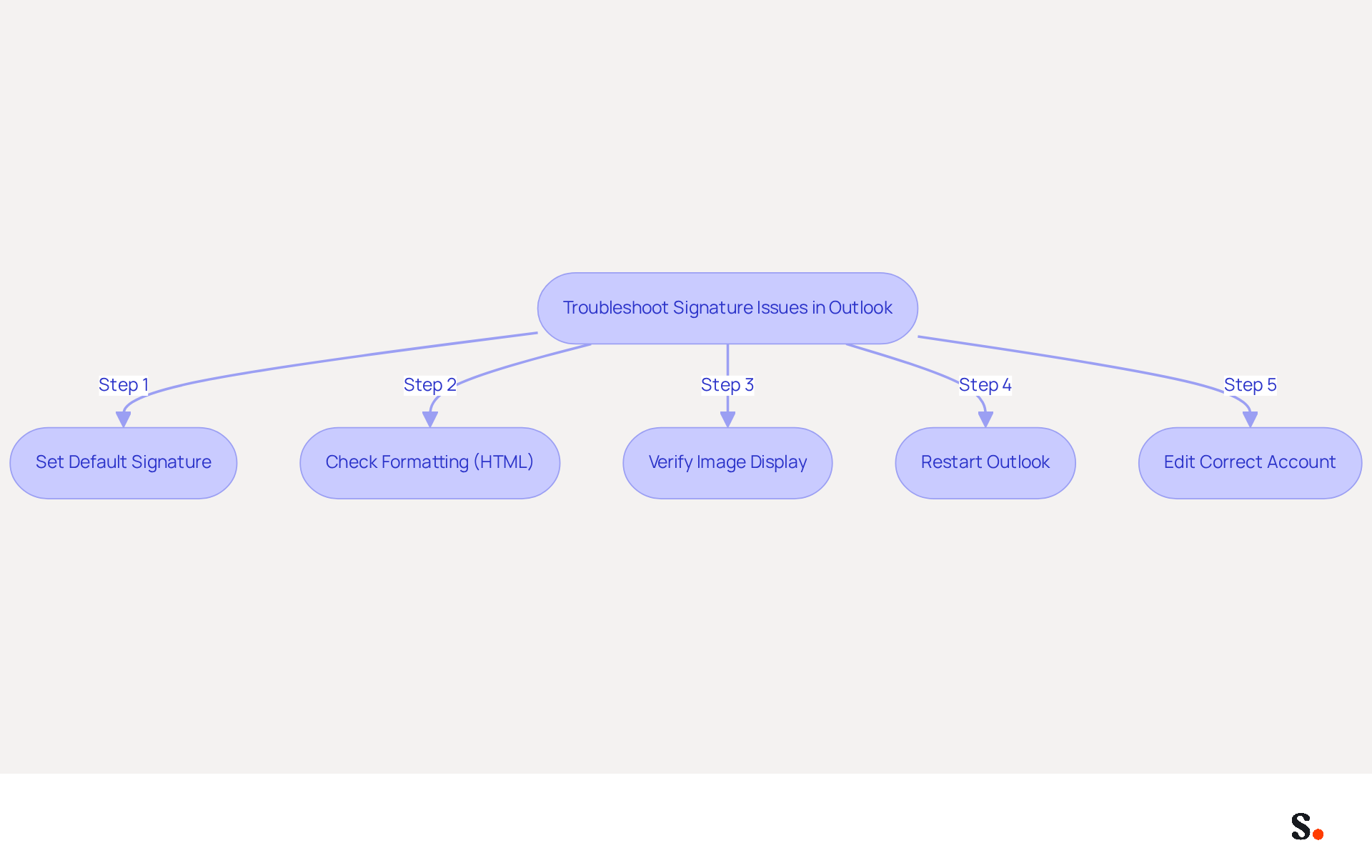
Experiencing issues with how to add signature in Outlook application can disrupt your professional communication. Consider the following troubleshooting steps:
- Ensure that your mark is set as the default for new messages and replies. Go back to the Signature settings to verify this configuration.
- Formatting Issues: If your mark appears differently when sent, check if you are using HTML format for your emails. Navigate to 'File' > 'Options' > 'Mail' and confirm that 'HTML' is selected.
- Images Not Displaying: If images in your email are not showing, ensure they are either hosted online or embedded correctly. Verify the image path if using a URL.
- Autograph Vanishes: Users often find it frustrating when their email signature disappears unexpectedly after an update. Restarting Outlook may help resolve this issue. If the problem continues, recreate the mark to restore visibility.
- Multiple Accounts: For users managing several accounts, ensure you are editing the identifier for the correct account in the settings.
Integrating Scribe with Google Workspace saves time by automatically syncing your teammates' data, ensuring that any changes - such as job positions or group assignments - are reflected in their profiles without manual input. This proactive approach helps prevent common issues. Furthermore, syncing with Aircall ensures that your communication identifiers uphold brand consistency across all interactions. This statistic underscores the importance of keeping contact details updated to maintain effective communication. Moreover, 76% of professionals indicate increased trust in senders with branded communications, highlighting the necessity for a well-configured email footer. Addressing these common issues not only enhances your email signature's functionality but also demonstrates how to add signature in Outlook application, reinforcing your professional image.
Leverage Automation Tools for Efficient Signature Management
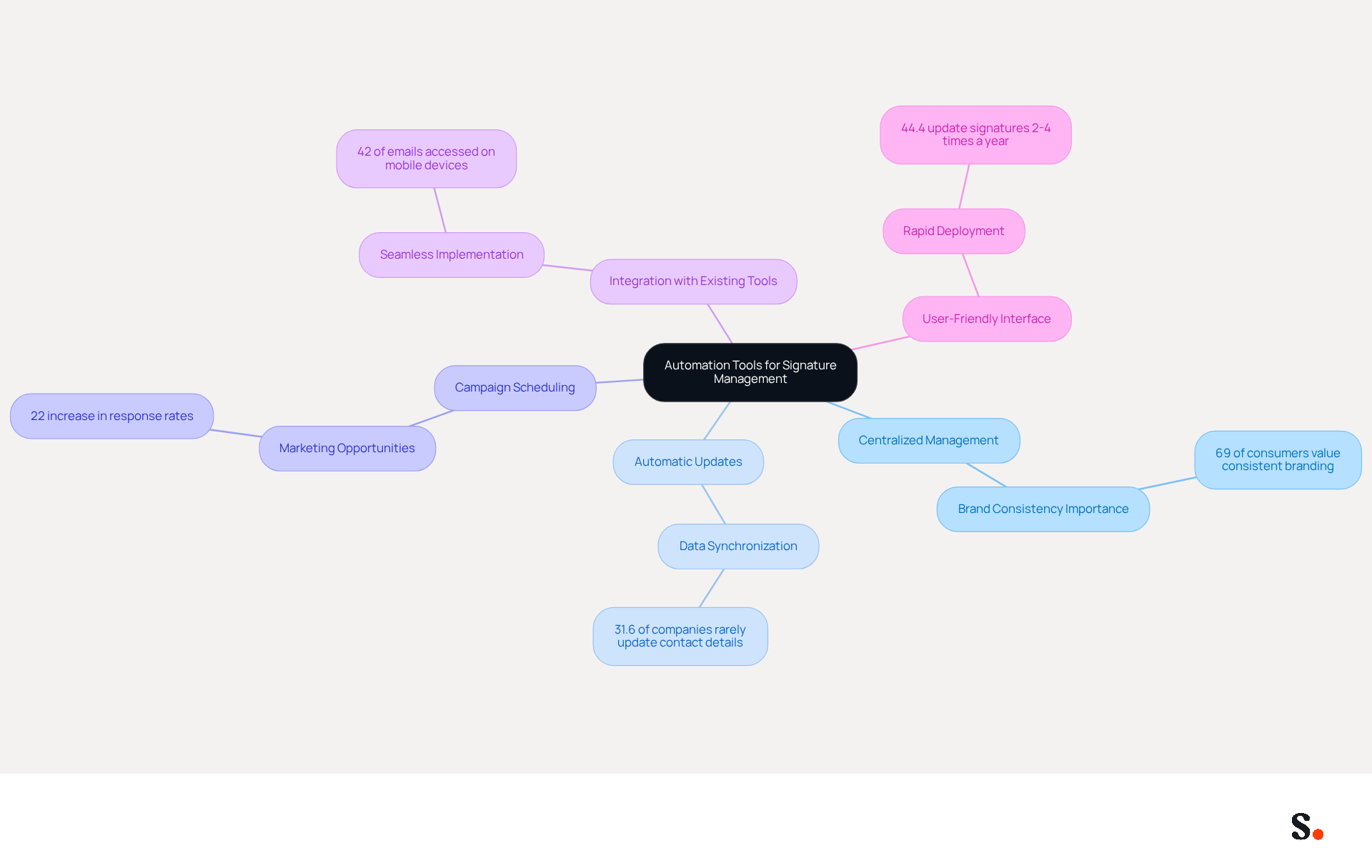
To enhance your correspondence efficiency, consider the strategic advantages of automation tools like Scribe. Here’s how they can improve your email signature management:
- Centralized Management: Automation tools facilitate the creation and oversight of employee identifiers from a single platform, ensuring brand consistency across communications. This is essential, as 69% of consumers think a consistent, professional electronic communication format is important for a company.
- Automatic Updates: With automated data synchronization, any modifications made to identifiers are instantly reflected across all users. This removes the necessity for manual updates, addressing the fact that 31.6% of companies seldom refresh their contact details, which can result in outdated information. Scribe ensures that your teammates' identification information is always synced with your business phone system, requiring no action from them.
- Campaign Scheduling: Some tools enable you to arrange marketing campaigns directly through message footers, transforming each email into a marketing opportunity. This capability can greatly boost engagement, with branded elements leading to a 22% increase in response rates.
- Integration with Existing Tools: Look for automation solutions that seamlessly integrate with platforms like Microsoft 365 and Google Workspace, making implementation straightforward and efficient. This integration is crucial as 42% of all emails are accessed on mobile devices, requiring mobile-optimized formats. Scribe's composable architecture supports integrations with these platforms, enhancing your workflow.
- User-Friendly Interface: Choose tools that require no technical expertise, allowing your team to focus on their core tasks rather than document management. Many companies find it challenging to keep their email identifiers updated, with 44.4% making changes only 2-4 times a year. Scribe's rapid deployment ensures that companies can quickly and effectively manage their email identifiers, typically completing installation in less than one day.
Additionally, the organization is dedicated to environmental sustainability by allocating 1% of its revenue to support emerging carbon removal technologies through Stripe Climate, aiding in the fight against climate change. By adopting Scribe, organizations not only streamline their email signature management but also discover how to add signature in Outlook application, positioning themselves as leaders in effective communication.
Conclusion
Many professionals overlook the potential of a well-crafted email signature, yet it plays a crucial role in effective communication. A well-crafted email signature is not just a digital sign-off; it is a vital tool for boosting brand recognition, providing essential contact information, promoting marketing initiatives, and establishing professionalism. By understanding how to add a signature in the Outlook application, professionals can leverage this often-overlooked aspect of communication to create a lasting impression and drive engagement.
Throughout this guide, key steps for adding and managing email signatures in Outlook have been outlined, including troubleshooting common issues and the benefits of utilizing automation tools like Scribe. These tools streamline signature management and help maintain brand consistency, as evidenced by numerous case studies. The integration capabilities with platforms like Google Workspace and Microsoft 365 further enhance efficiency, allowing for real-time updates and a user-friendly experience.
Recognizing the value of email signatures and the right management tools can truly enhance how professionals communicate. Organizations are encouraged to invest in solutions like Scribe to ensure their email signatures reflect their brand identity while maximizing marketing opportunities. By doing so, they not only enhance their professional image but also position themselves for greater engagement and success in their communications.
Frequently Asked Questions
Why are email signatures important for professionals?
Email signatures are important because they enhance brand recognition, provide essential contact information, promote marketing initiatives, and establish professionalism, all of which can lead to increased engagement and trust from recipients.
How can a well-designed email signature enhance brand recognition?
A well-designed email signature reinforces your company's identity through consistent branding, which can lead to a 22% increase in email response rates and create a lasting impression on recipients.
What essential contact information should be included in an email signature?
An email signature should include your phone number, contact address, and social media links to make it easy for recipients to reach you, as 64% of consumers prefer having this information readily accessible.
How can email signatures promote marketing initiatives?
Email signatures can include promotional banners or calls to action, turning every message into a marketing opportunity. This approach has been shown to boost click rates to websites from messages with branded identifiers from 3% to 15%.
What impact does a polished email signature have on professionalism?
A polished email signature demonstrates attention to detail and professionalism, which can influence how recipients perceive you and your organization. Research indicates that 76% of recipients believe that branded identifiers increase their trust in the sender.
Why should professionals invest time in crafting an effective email signature?
Investing time in crafting an effective email signature is crucial as it not only represents you but also acts as a strategic marketing tool that can enhance your professional image and marketing effectiveness.
List of Sources
- Understand the Importance of Email Signatures
- Why Email Signatures Must Be In Your 2026 Marketing Plan | Rocketseed (https://rocketseed.com/blog/2026-marketing-plan-email-signatures)
- The impact of email signatures on your branding (https://signitic.com/en/resources/the-impact-of-email-signatures-on-your-branding)
- The benefits of a branded email signature (https://bybrand.io/blog/branded-email-signature)
- Research Recap: Branded Email Signatures Increase Company Recognition, Trust - Demand Gen Report (https://demandgenreport.com/industry-news/research-recap-branded-email-signatures-increase-company-recognition-trust/47252)
- Email Signature Statistics: A Closer Look at Email Signatures in 2026 (https://mysignature.io/blog/email-signature-statistics)
- Create Your Email Signature in Outlook: Step-by-Step Instructions
- Email Signature Statistics: A Closer Look at Email Signatures in 2026 (https://mysignature.io/blog/email-signature-statistics)
- Email signature statistics and trends in 2024 (https://wisestamp.com/blog/email-signature-statistics)
- 40+ Email Signature Statistics for 2026 (Data + Insights) (https://wavecnct.com/blogs/email-signature-statistics)
- Email signature statistics: Why every business should optimize their email signatures — Stripo.email (https://stripo.email/blog/email-signature-statistics-why-every-business-should-optimize-their-email-signatures)
- Troubleshoot Common Signature Issues in Outlook
- 40+ Email Signature Statistics for 2026 (Data + Insights) (https://wavecnct.com/blogs/email-signature-statistics)
- Email Signatures vanishing - New Outlook | Microsoft Community Hub (https://techcommunity.microsoft.com/discussions/outlookgeneral/email-signatures-vanishing---new-outlook/4418809)
- 4 Steps to Fix Your Outlook Signature Not Showing Issues (https://scribe-mail.com/en-US/blog/4-steps-to-fix-your-outlook-signature-not-showing-issues)
- Why Did My Outlook Signature Disappear? Common Causes Explained (https://scribe-mail.com/en-US/blog/why-did-my-outlook-signature-disappear-common-causes-explained)
- Outlook Signature Not Working in Office 365: Causes & Fixes (https://exclaimer.com/email-signature-handbook/outlook-signature-not-working-in-office-365)
- Leverage Automation Tools for Efficient Signature Management
- Email Signature Trends to Watch in 2026 | The Future of Email Signatures (https://signandgo.io/blog/email-signature-trends-to-watch-in-2026)
- 40+ Email Signature Statistics for 2026 (Data + Insights) (https://wavecnct.com/blogs/email-signature-statistics)
- Email signature statistics: Why every business should optimize their email signatures — Stripo.email (https://stripo.email/blog/email-signature-statistics-why-every-business-should-optimize-their-email-signatures)
- Maximizing Efficiency with Automated Email Signatures for Internal and External Communications | Crossware365 (https://crossware365.com/blog/maximizing-efficiency-with-automated-email-signatures-for-internal-and-external-communications)
Get started with Scribe
Create your signature in minutes
Free 14-day trial — no credit card.